check engine CHEVROLET AVALANCHE 2005 1.G User Guide
[x] Cancel search | Manufacturer: CHEVROLET, Model Year: 2005, Model line: AVALANCHE, Model: CHEVROLET AVALANCHE 2005 1.GPages: 496, PDF Size: 3.25 MB
Page 207 of 496
CHECK OIL LEVEL
If the oil level in the vehicle is low, this message will
appear on the DIC. Check the oil level and correct it as
necessary. You may need to let the vehicle cool or
warm up and cycle the ignition to be sure this message
will clear. This message will clear itself after 10 seconds
until the next ignition cycle. SeeEngine Oil on
page 5-15for additional information.
CHECK WASHER FLUID
If the washer uid level is low, this message will appear
on the DIC. Adding washer uid will clear the message.
SeeWindshield Washer Fluid on page 5-36. Pressing
any of the four DIC buttons, if equipped, will clear the
message from the DIC display. If your vehicle is not
equipped with the four DIC buttons, pressing the trip
odometer reset stem will clear the message from the DIC
display. If you do not clear this message, it will clear itself
after 10 seconds until the next ignition cycle.
DRIVER DOOR AJAR
If the driver’s door is not fully closed and the vehicle is
in a drive gear, this message will appear on the
display and you will hear a chime. Stop and turn off the
vehicle, check the door for obstacles and close the
door again. Check to see if the message still appears
on the DIC. Pressing any of the four DIC buttons,
if equipped, will clear the message from the DIC display.If your vehicle is not equipped with the four DIC buttons,
pressing the trip odometer reset stem will clear the
message from the DIC display.
ENGINE COOLANT HOT
If the cooling system temperature gets hot, this message
will appear in the DIC. Turn off the air conditioning. If the
message is still on, or if the engine coolant temperature
gage continues to rise, pull the vehicle over when it is
safe to do so. SeeEngine Coolant Temperature Gage on
page 3-38for more information. Stop the vehicle and let
the engine idle in PARK (P) to allow the coolant to reach
a safe temperature. This message will clear when the
coolant temperature drops to a safe operating
temperature. Pressing any of the four DIC buttons, if
equipped, will clear the message from the DIC display.
If your vehicle is not equipped with the four DIC buttons,
pressing the trip odometer reset stem will clear the
message from the DIC display.
3-51
Page 208 of 496
ENGINE OVERHEATED
If the engine cooling system reaches unsafe
temperatures for operation, this message will appear in
the DIC and you will hear a chime. Stop and turn off
the vehicle as soon as it is safe to do so to avoid severe
damage. This message will clear when the engine
has cooled to a safe operating temperature.
Notice:If you drive your vehicle while the engine is
overheating, severe engine damage may occur. If
an overheat warning appears on the instrument
panel cluster and/or DIC, stop the vehicle as soon
as possible. Do not increase the engine speed above
normal idling speed. SeeEngine Overheating on
page 5-28for more information.
FUEL LEVEL LOW
If the fuel level is low, this message will appear on the
DIC and you will hear a chime. Refuel as soon as
possible. Pressing any of the four DIC buttons, if
equipped, will clear the message from the DIC display.
If your vehicle is not equipped with the four DIC
buttons, pressing the trip odometer reset stem will clear
the message from the DIC display. It will also clear
itself after 10 seconds. The low fuel light near the fuel
gage will still remain on in either case. SeeLow
Fuel Warning Light on page 3-45,Fuel Gage on
page 3-44andFuel on page 5-5.
KEYFOB X BATTERY LOW
If a remote keyless entry transmitter battery is low, this
message will appear on the DIC. The battery needs
to be replaced in the transmitter. See “Battery
Replacement” underRemote Keyless Entry System
Operation on page 2-5. Pressing any of the four
DIC buttons, if equipped, will clear the message from
the DIC display. If your vehicle is not equipped with the
four DIC buttons, pressing the trip odometer reset
stem will clear the message from the DIC display.
LEFT REAR DOOR AJAR
If the driver’s side rear door is not fully closed and the
vehicle is in a drive gear, this message will appear
on the display and you will hear a chime. Stop and turn
off the vehicle, check the door for obstacles and
close the door again. Check to see if the message still
appears on the DIC. Pressing any of the four DIC
buttons, if equipped, will clear the message from the
DIC display. If your vehicle is not equipped with the four
DIC buttons, pressing the trip odometer reset stem
will clear the message from the DIC display.
3-52
Page 209 of 496
LOW COOLANT LEVEL
If your vehicle has a low coolant sensor and the engine
coolant level is low, this message will appear on the
DIC. Adding coolant will clear the message. SeeCooling
System on page 5-30. Pressing any of the four DIC
buttons, if equipped, will clear the message from the DIC
display. If your vehicle is not equipped with the four
DIC buttons, pressing the trip odometer reset stem will
clear the message from the DIC display.
Notice:Engine damage from running your engine
without coolant is not covered by your warranty. See
“Overheated Engine Protection Operating Mode”
in the Index for information on driving to a safe
place in an emergency.
OIL LIFE RESET
This message will appear on the display for about
10 seconds after resetting the change engine oil
message. See “Engine Oil Life System” underDIC
Operation and Displays on page 3-46andEngine Oil on
page 5-15for more information.
OIL PRESSURE LOW
If low oil pressure levels occur, this message will be
displayed on the DIC and a chime will sound. Stop the
vehicle as soon as safely possible and do not operate
it until the cause of the low oil pressure has been
corrected. Check your oil as soon as possible and have
your vehicle serviced by your GM dealer.
Notice:If you drive your vehicle while the engine
oil pressure is low, severe engine damage may
occur. If a low oil pressure warning appears on the
Driver Information Center (DIC), stop the vehicle
as soon as possible. Do not drive the vehicle until
the cause of the low oil pressure is corrected.
SeeEngine Oil on page 5-15for more information.
PASSENGER DOOR AJAR
If the passenger’s door is not fully closed and the vehicle
is in a drive gear, this message will appear on the display
and you will hear a chime. Stop and turn off the vehicle,
check the door for obstacles and close the door again.
Check to see if the message still appears on the DIC.
Pressing any of the four DIC buttons, if equipped, will
clear the message from the DIC display. If your vehicle is
not equipped with the four DIC buttons, pressing the trip
odometer reset stem will clear the message from the DIC
display.
3-53
Page 210 of 496
REDUCED ENGINE POWER
This message is displayed and a chime will sound when
the cooling system temperature gets too hot and the
engine further enters the engine coolant protection mode.
SeeEngine Overheating on page 5-28for further
information.
You may also see this message when the vehicle
determines a problem with the electronic throttle control.
See your GM dealer for service.
RIGHT REAR DOOR AJAR
If the passenger’s side rear door is not fully closed and
the vehicle is in a drive gear, this message will
appear on the display and you will hear a chime. Stop
and turn off the vehicle, check the door for obstacles and
close the door again. Check to see if the message
still appears on the DIC. Pressing any of the four DIC
buttons, if equipped, will clear the message from the DIC
display. If your vehicle is not equipped with the four
DIC buttons, pressing the trip odometer reset stem will
clear the message from the DIC display.
SERVICE 4WD (Four-Wheel-Drive)
If a problem occurs with the four-wheel-drive system,
this message will appear on the DIC. If this message
appears, stop as soon as possible and turn off the
vehicle. Restart the vehicle and check for the message
on the DIC display. If the message is still displayed
or appears again when you begin driving, the
four-wheel-drive system needs service. See your
GM dealer. Pressing any of the four DIC buttons, if
equipped, will clear the message from the DIC display.
If your vehicle is not equipped with the four DIC
buttons, pressing the trip odometer reset stem will clear
the message from the DIC display.
SERVICE AIR BAG
If there is a problem with the airbag system, this
message will be displayed on the DIC. Have your
GM dealer inspect the system for problems. SeeAirbag
Readiness Light on page 3-31andAirbag System on
page 1-50for more information. Pressing any of the four
DIC buttons, if equipped, will clear the message from
the DIC display. If your vehicle is not equipped with the
four DIC buttons, pressing the trip odometer reset
stem will clear the message from the DIC display.
3-54
Page 211 of 496
SERVICE BRAKE SYSTEM
If a problem occurs with the brake system, this message
will appear on the DIC. If this message appears, stop
as soon as possible and turn off the vehicle. Restart the
vehicle and check for the message on the DIC display.
If the message is still displayed or appears again
when you begin driving, the brake system needs service.
See your GM dealer. Pressing any of the four DIC
buttons, if equipped, will clear the message from the
DIC display. If your vehicle is not equipped with the four
DIC buttons, pressing the trip odometer reset stem
will clear the message from the DIC display.
SERVICE CHARGING SYSTEM
On some vehicles, if there is a problem with the battery
charging system, this message will appear on the
DIC. Under certain conditions, the charging system light
may also turn on in the instrument panel cluster. See
Charging System Light on page 3-34. The battery
will not be charging at an optimal rate and the vehicle
will lose the ability to enter the fuel economy mode. The
vehicle is safe to drive, however you should have the
electrical system checked by your GM dealer. Pressing
any of the four DIC buttons, if equipped, will clear
the message from the DIC display. If your vehicle is not
equipped with the four DIC buttons, pressing the trip
odometer reset stem will clear the message from
the DIC display.
SERVICE RIDE CONTROL
If a problem occurs with the suspension system, this
message will appear on the DIC. If this message
appears, stop and turn off the vehicle. Restart the
vehicle and check for the message on the DIC display.
If the message is still displayed or appears again
when you begin driving, the suspension system needs
service. See your GM dealer.
SERVICE STABILITY
If you ever see the SERVICE STABILITY message, it
means there may be a problem with your StabiliTrak®
system. If you see this message, try to reset the system.
Stop; turn off the engine; then start the engine again.
If the SERVICE STABILITY message still comes
on, it means there is a problem. You should see your
GM dealer for service. The vehicle is safe to drive,
however, you do not have the benet of StabiliTrak
®,
so reduce your speed and drive accordingly.
For more information on the StabiliTrak
®system,
seeStabiliTrak®System on page 4-10.
3-55
Page 212 of 496
STABILITY SYS (System) ACTIVE
You may see the STABILITY SYS ACTIVE message on
the DIC. It means that an advanced computer-controlled
system has come on to help your vehicle continue to
go in the direction in which you are steering.
For more information on the StabiliTrak
®system, see
StabiliTrak®System on page 4-10.
STABILITY SYS (System) DISABLED
The STABILITY SYS DISABLED message will turn on
when you press the StabiliTrak®button or when the
stability control has been automatically disabled. There
are four conditions that can cause this message to
appear.
One condition is overheating, which could occur if
StabiliTrak®activates continuously for an extended
period of time.
The message will also be displayed if the brake
system warning light is on. SeeBrake System
Warning Light on page 3-35.
The message could be displayed if the stability
system takes longer than usual to complete its
diagnostic checks due to driving conditions.
Also, if an engine or vehicle related problem has
been detected, and the vehicle needs service,
the message will appear. See your GM dealer.The message will turn off as soon as the conditions that
caused the message to be displayed are no longer
present.
For more information on the StabiliTrak
®system, see
StabiliTrak®System on page 4-10.
TIGHTEN FUEL CAP
If the vehicle’s fuel cap is not tightened properly this
message may appear along with the check engine light
on the instrument panel. SeeMalfunction Indicator
Lamp on page 3-40. Reinstall the fuel cap, making sure
to fully install the cap. SeeFilling the Tank on
page 5-8. The diagnostic system can determine if the
fuel cap has been left off or improperly installed. A loose
or missing fuel cap will allow fuel to evaporate into
the atmosphere. A few driving trips with the cap properly
installed should turn the light and message off.
TRACTION ACTIVE
When the traction control system has detected that any
of the vehicle’s wheels are slipping, the traction
control system will activate and this message will appear
on the DIC. For more information seeTraction Assist
System (TAS) on page 4-8andStabiliTrak
®System on
page 4-10.
3-56
Page 220 of 496
You can also scroll through the different languages by
pressing and holding the trip reset stem for four seconds,
as long as you are in the odometer mode.
Display Units
Press the customization button until DISPLAY UNITS
appears in the display. To select English or metric, press
the select button while DISPLAY UNITS is displayed
on the DIC. Pressing the select button will scroll through
the following choices:
DISPLAY UNITS: ENGLISH
DISPLAY UNITS: METRIC
If you choose English, all information will be displayed in
English units. For example, distance in miles and fuel
economy in miles per gallon. If you choose metric, all
information will be displayed in metric units. For example,
distance in kilometers and fuel economy in liters per
100 kilometers.
Choose one of the available options and press the
customization button while it is displayed on the DIC to
select it and end out of the customizable options.
Audio System(s)
Notice:Before adding any sound equipment to
your vehicle, such as an audio system, CD player,
CB radio, mobile telephone, or two-way radio, make
sure that it can be added by checking with your
dealer. Also, check federal rules covering mobile
radio and telephone units. If sound equipment can
be added, it is very important to do it properly.
Added sound equipment may interfere with
the operation of your vehicle’s engine, radio, or
other systems, and even damage them. Your
vehicle’s systems may interfere with the operation
of sound equipment that has been added.
Notice:The chime signals related to seat belts,
parking brake, and other functions of your vehicle
operate through the GM radio/entertainment system.
If that equipment is replaced or additional
equipment is added to your vehicle, the chimes may
not work. Make sure that replacement or additional
equipment is compatible with your vehicle before
installing it.
Figure out which audio system is in your vehicle, nd
out what your audio system can do, and how to operate
all of its controls.
3-64
Page 266 of 496
Avoid needless heavy braking. Some people drive in
spurts — heavy acceleration followed by heavy
braking — rather than keeping pace with traffic. This is
a mistake. Your brakes may not have time to cool
between hard stops. Your brakes will wear out much
faster if you do a lot of heavy braking. If you keep pace
with the traffic and allow realistic following distances,
you will eliminate a lot of unnecessary braking.
That means better braking and longer brake life.
If your engine ever stops while you are driving, brake
normally but do not pump your brakes. If you do,
the pedal may get harder to push down. If your engine
stops, you will still have some power brake assist.
But you will use it when you brake. Once the power
assist is used up, it may take longer to stop and
the brake pedal will be harder to push.Anti-Lock Brake System (ABS)
Your vehicle has anti-lock brakes. ABS is an advanced
electronic braking system that will help prevent a
braking skid.
When you start your engine and begin to drive away,
your anti-lock brake system will check itself. You
may hear a momentary motor or clicking noise while
this test is going on. This is normal.
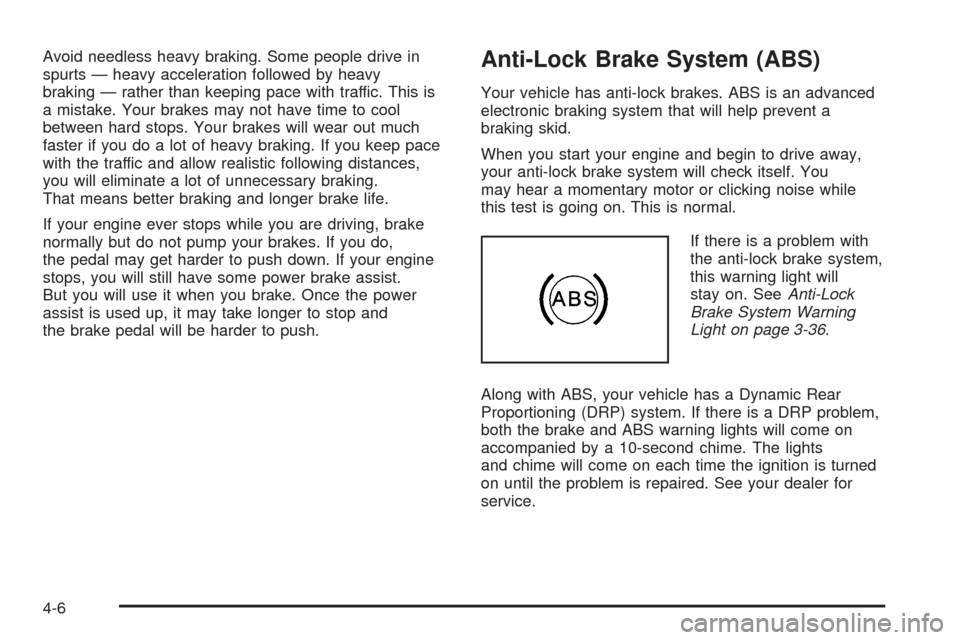
If there is a problem with
the anti-lock brake system,
this warning light will
stay on. SeeAnti-Lock
Brake System Warning
Light on page 3-36.
Along with ABS, your vehicle has a Dynamic Rear
Proportioning (DRP) system. If there is a DRP problem,
both the brake and ABS warning lights will come on
accompanied by a 10-second chime. The lights
and chime will come on each time the ignition is turned
on until the problem is repaired. See your dealer for
service.
4-6
Page 270 of 496
If desired, you can change the TAS automatic
engagement feature so that the system will not come on
automatically when the engine is started. To do so:
1. Park the vehicle with the ignition off and the
transmission in PARK (P).
2. Turn the ignition to RUN; do not start the engine.
3. Apply the brake pedal, shift into NEUTRAL (N),
press the accelerator pedal to the oor and then
press the TAS on/off button and hold it down for at
least six seconds.
4. Release the TAS button and both pedals.
5. Turn off the ignition and wait a few seconds.
The next time you start your vehicle, the TAS will not
automatically come on. You can restore the automatic
feature by using the same procedure. Whether the TAS
is set to come on automatically or not, you can always
turn the system on or off by pressing the TAS on/off
button.
Locking Rear Axle
If your vehicle has this feature, it can give you additional
traction on snow, mud, ice, sand or gravel. It works
like a standard axle most of the time, but when one of
the rear wheels has no traction and the other does, this
feature will allow the wheel with traction to move the
vehicle.
StabiliTrak®System
Your vehicle may be equipped with StabiliTrak®which
combines antilock brake, traction and stability control
systems and helps the driver maintain directional control
of the vehicle in most driving conditions.
When you rst start your vehicle and begin to drive away,
the system performs several diagnostic checks to insure
there are no problems. You may hear or feel the system
working. This is normal and does not mean there is a
problem with your vehicle. The system should initialize
before the vehicle reaches 20 mph (32 km/h). In some
cases, it may take approximately two miles of driving
before the system initializes.
If the system fails to turn on or activate, the STABILITY
SYS DISABLED or SERVICE STABILITY message
will be displayed. If the vehicle has gone through heavy
acceleration or braking or multiple turns during the
rst two miles of driving after starting your vehicle, the
STABILITY SYS DISABLED message may appear.
If this is the case, your vehicle does not need servicing.
You will need to turn the vehicle off and then restart
it to initialize StabiliTrak
®. If either message appears on
the Driver Information Center (DIC), and your vehicle
hasn’t gone through hard acceleration, braking or
multiple turns in the rst two miles of driving, your
vehicle should be taken in for service.
4-10
Page 290 of 496
Driving in Water
Heavy rain can mean ash ooding, and ood waters
demand extreme caution.
Find out how deep the water is before you drive through
it. If it is deep enough to cover your wheel hubs,
axles or exhaust pipe, do not try — you probably will
not get through. Also, water that deep can damage your
axle and other vehicle parts.
If the water is not too deep, drive slowly through it.
At faster speeds, water splashes on your ignition system
and your vehicle can stall. Stalling can also occur if you
get your tailpipe under water. And, as long as your
tailpipe is under water, you will never be able to start your
engine. When you go through water, remember that when
your brakes get wet, it may take you longer to stop.
{CAUTION:
Driving through rushing water can be
dangerous. Deep water can sweep your vehicle
downstream and you and your passengers
CAUTION: (Continued)
CAUTION: (Continued)
could drown. If it is only shallow water, it can
still wash away the ground from under your
tires, and you could lose traction and roll the
vehicle over. Do not drive through rushing
water.
SeeDriving in Rain and on Wet Roads on page 4-32for
more information on driving through water.
After Off-Road Driving
Remove any brush or debris that has collected on the
underbody, chassis or under the hood. These
accumulations can be a re hazard.
After operation in mud or sand, have the brake linings
cleaned and checked. These substances can cause
glazing and uneven braking. Check the body structure,
steering, suspension, wheels, tires and exhaust
system for damage. Also, check the fuel lines and
cooling system for any leakage.
Your vehicle will require more frequent service due to
off-road use. Refer to the Maintenance Schedule
for additional information.
4-30