audio CHEVROLET AVALANCHE 2005 1.G Owner's Guide
[x] Cancel search | Manufacturer: CHEVROLET, Model Year: 2005, Model line: AVALANCHE, Model: CHEVROLET AVALANCHE 2005 1.GPages: 496, PDF Size: 3.25 MB
Page 257 of 496
Rear Seat Audio (RSA)
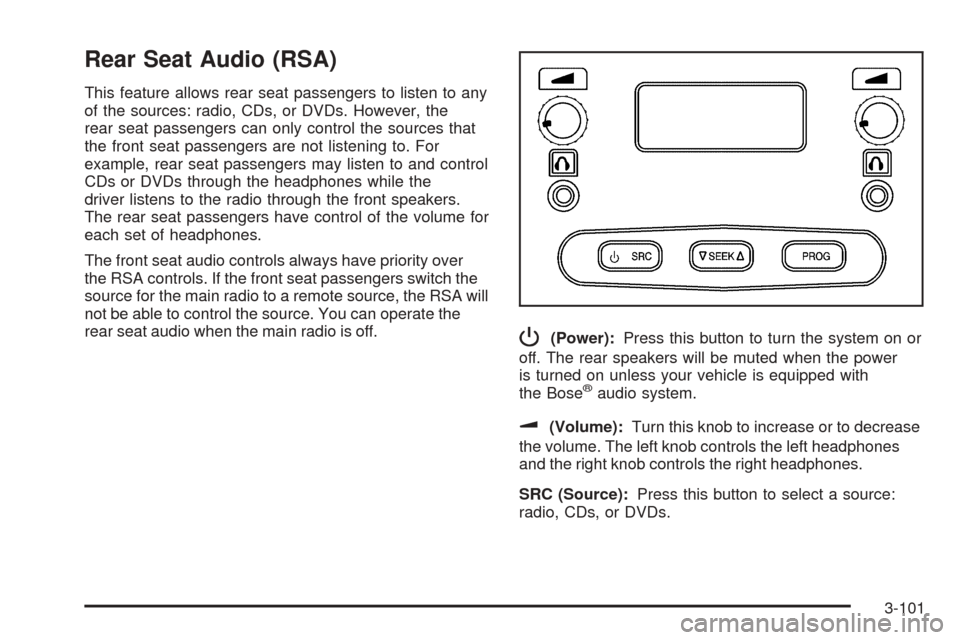
This feature allows rear seat passengers to listen to any
of the sources: radio, CDs, or DVDs. However, the
rear seat passengers can only control the sources that
the front seat passengers are not listening to. For
example, rear seat passengers may listen to and control
CDs or DVDs through the headphones while the
driver listens to the radio through the front speakers.
The rear seat passengers have control of the volume for
each set of headphones.
The front seat audio controls always have priority over
the RSA controls. If the front seat passengers switch the
source for the main radio to a remote source, the RSA will
not be able to control the source. You can operate the
rear seat audio when the main radio is off.
P(Power):Press this button to turn the system on or
off. The rear speakers will be muted when the power
is turned on unless your vehicle is equipped with
the Bose
®audio system.
u(Volume):Turn this knob to increase or to decrease
the volume. The left knob controls the left headphones
and the right knob controls the right headphones.
SRC (Source):Press this button to select a source:
radio, CDs, or DVDs.
3-101
Page 258 of 496
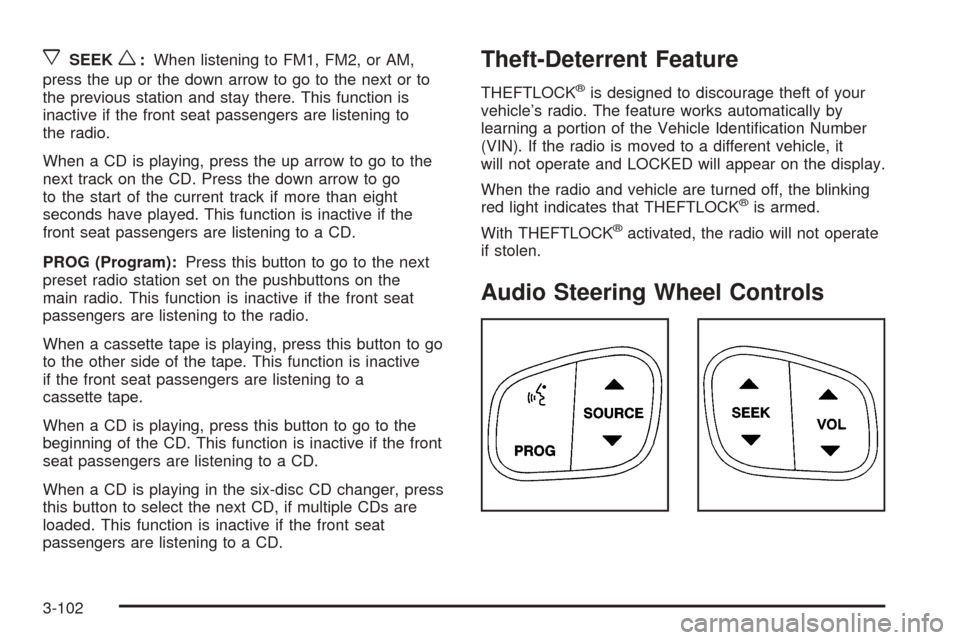
xSEEKw:When listening to FM1, FM2, or AM,
press the up or the down arrow to go to the next or to
the previous station and stay there. This function is
inactive if the front seat passengers are listening to
the radio.
When a CD is playing, press the up arrow to go to the
next track on the CD. Press the down arrow to go
to the start of the current track if more than eight
seconds have played. This function is inactive if the
front seat passengers are listening to a CD.
PROG (Program):Press this button to go to the next
preset radio station set on the pushbuttons on the
main radio. This function is inactive if the front seat
passengers are listening to the radio.
When a cassette tape is playing, press this button to go
to the other side of the tape. This function is inactive
if the front seat passengers are listening to a
cassette tape.
When a CD is playing, press this button to go to the
beginning of the CD. This function is inactive if the front
seat passengers are listening to a CD.
When a CD is playing in the six-disc CD changer, press
this button to select the next CD, if multiple CDs are
loaded. This function is inactive if the front seat
passengers are listening to a CD.Theft-Deterrent Feature
THEFTLOCK®is designed to discourage theft of your
vehicle’s radio. The feature works automatically by
learning a portion of the Vehicle Identication Number
(VIN). If the radio is moved to a different vehicle, it
will not operate and LOCKED will appear on the display.
When the radio and vehicle are turned off, the blinking
red light indicates that THEFTLOCK
®is armed.
With THEFTLOCK
®activated, the radio will not operate
if stolen.
Audio Steering Wheel Controls
3-102
Page 259 of 496
Some audio controls can be adjusted at the steering
wheel. They include the following:
g(OnStar/Mute):If your vehicle has OnStar®, press
this button to interact with the OnStar®system. See
the OnStar®manual provided with your vehicle for more
information.
If your vehicle does not have OnStar
®, press this button
to silence the system. Press it again, or any other
radio button, to turn on the sound.
PROG (Program):Press this button to play a station
you have programmed on the radio preset pushbuttons.
The radio will only seek preset stations with a strong
signal that are in the selected band.
When a CD is playing in the CD changer, press this
button to go to the next available CD, if multiple CDs are
loaded.
QSOURCER:Press this button to switch between
FM1, FM2, AM, or XM1 or XM2 (if equipped), or a
CD. If a CD is loaded the CD symbol will appear on the
display.
QSEEKR:Press the up or the down arrow to go to
the next or to the previous radio station and stay
there. The radio will only seek stations with a strong
signal that are in the selected band.When a CD is playing, press the up or the down arrow
to fast forward or reverse.
QVOLR(Volume):Press the up or the down arrow
to increase or to decrease the volume.
Radio Reception
AM
The range for most AM stations is greater than for FM,
especially at night. The longer range can cause
station frequencies to interfere with each other. Static
can occur on AM stations caused by things like
storms and power lines. Try reducing the treble to
reduce this noise.
FM Stereo
FM stereo will give the best sound, but FM signals will
reach only about 10 to 40 miles (16 to 65 km). Tall
buildings or hills can interfere with FM signals, causing
the sound to fade in and out.
XM™ Satellite Radio Service
XM™ Satellite Radio Service gives digital radio
reception from coast to coast. Just as with FM, tall
buildings or hills can interfere with satellite radio signals,
causing the sound to fade in and out. The radio may
display NO SIGNAL to indicate interference.
3-103
Page 448 of 496
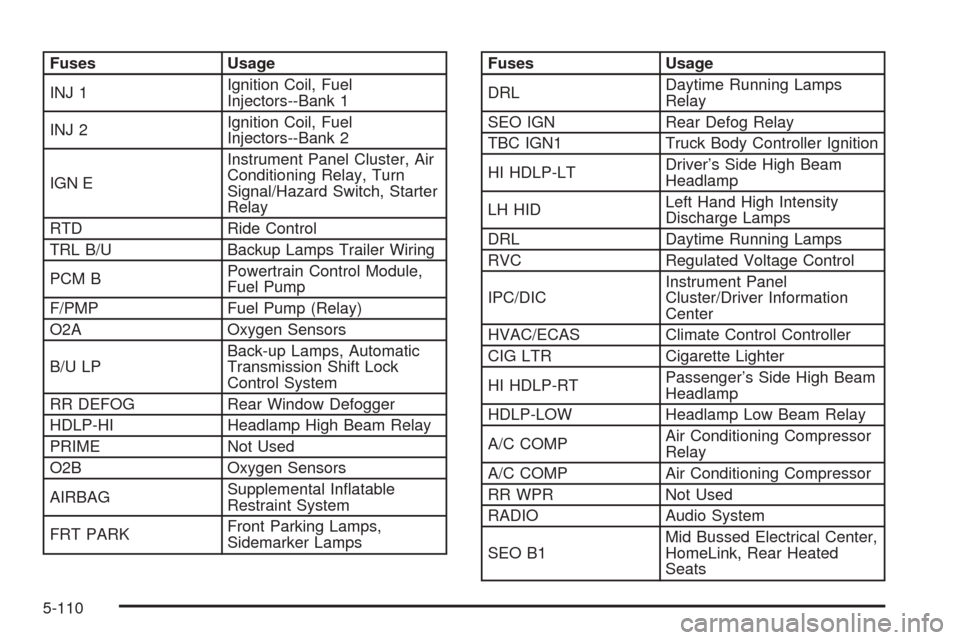
Fuses Usage
INJ 1Ignition Coil, Fuel
Injectors--Bank 1
INJ 2Ignition Coil, Fuel
Injectors--Bank 2
IGN EInstrument Panel Cluster, Air
Conditioning Relay, Turn
Signal/Hazard Switch, Starter
Relay
RTD Ride Control
TRL B/U Backup Lamps Trailer Wiring
PCM BPowertrain Control Module,
Fuel Pump
F/PMP Fuel Pump (Relay)
O2A Oxygen Sensors
B/U LPBack-up Lamps, Automatic
Transmission Shift Lock
Control System
RR DEFOG Rear Window Defogger
HDLP-HI Headlamp High Beam Relay
PRIME Not Used
O2B Oxygen Sensors
AIRBAGSupplemental Inatable
Restraint System
FRT PARKFront Parking Lamps,
Sidemarker LampsFuses Usage
DRLDaytime Running Lamps
Relay
SEO IGN Rear Defog Relay
TBC IGN1 Truck Body Controller Ignition
HI HDLP-LTDriver’s Side High Beam
Headlamp
LH HIDLeft Hand High Intensity
Discharge Lamps
DRL Daytime Running Lamps
RVC Regulated Voltage Control
IPC/DICInstrument Panel
Cluster/Driver Information
Center
HVAC/ECAS Climate Control Controller
CIG LTR Cigarette Lighter
HI HDLP-RTPassenger’s Side High Beam
Headlamp
HDLP-LOW Headlamp Low Beam Relay
A/C COMPAir Conditioning Compressor
Relay
A/C COMP Air Conditioning Compressor
RR WPR Not Used
RADIO Audio System
SEO B1Mid Bussed Electrical Center,
HomeLink, Rear Heated
Seats
5-110
Page 483 of 496
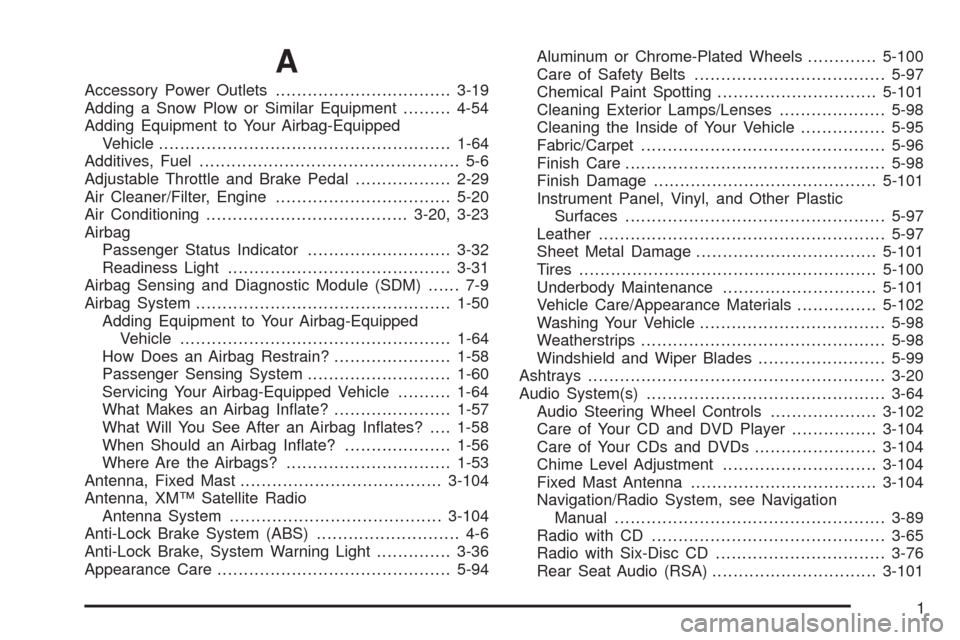
A
Accessory Power Outlets.................................3-19
Adding a Snow Plow or Similar Equipment.........4-54
Adding Equipment to Your Airbag-Equipped
Vehicle.......................................................1-64
Additives, Fuel................................................. 5-6
Adjustable Throttle and Brake Pedal..................2-29
Air Cleaner/Filter, Engine.................................5-20
Air Conditioning......................................3-20, 3-23
Airbag
Passenger Status Indicator...........................3-32
Readiness Light..........................................3-31
Airbag Sensing and Diagnostic Module (SDM)...... 7-9
Airbag System................................................1-50
Adding Equipment to Your Airbag-Equipped
Vehicle...................................................1-64
How Does an Airbag Restrain?......................1-58
Passenger Sensing System...........................1-60
Servicing Your Airbag-Equipped Vehicle..........1-64
What Makes an Airbag Inate?......................1-57
What Will You See After an Airbag Inates?....1-58
When Should an Airbag Inate?....................1-56
Where Are the Airbags?...............................1-53
Antenna, Fixed Mast......................................3-104
Antenna, XM™ Satellite Radio
Antenna System........................................3-104
Anti-Lock Brake System (ABS)........................... 4-6
Anti-Lock Brake, System Warning Light..............3-36
Appearance Care............................................5-94Aluminum or Chrome-Plated Wheels.............5-100
Care of Safety Belts....................................5-97
Chemical Paint Spotting..............................5-101
Cleaning Exterior Lamps/Lenses....................5-98
Cleaning the Inside of Your Vehicle................5-95
Fabric/Carpet..............................................5-96
Finish Care.................................................5-98
Finish Damage..........................................5-101
Instrument Panel, Vinyl, and Other Plastic
Surfaces.................................................5-97
Leather......................................................5-97
Sheet Metal Damage..................................5-101
Tires........................................................5-100
Underbody Maintenance.............................5-101
Vehicle Care/Appearance Materials...............5-102
Washing Your Vehicle...................................5-98
Weatherstrips..............................................5-98
Windshield and Wiper Blades........................5-99
Ashtrays........................................................3-20
Audio System(s).............................................3-64
Audio Steering Wheel Controls....................3-102
Care of Your CD and DVD Player................3-104
Care of Your CDs and DVDs.......................3-104
Chime Level Adjustment.............................3-104
Fixed Mast Antenna...................................3-104
Navigation/Radio System, see Navigation
Manual...................................................3-89
Radio with CD............................................3-65
Radio with Six-Disc CD................................3-76
Rear Seat Audio (RSA)...............................3-101
1
Page 484 of 496
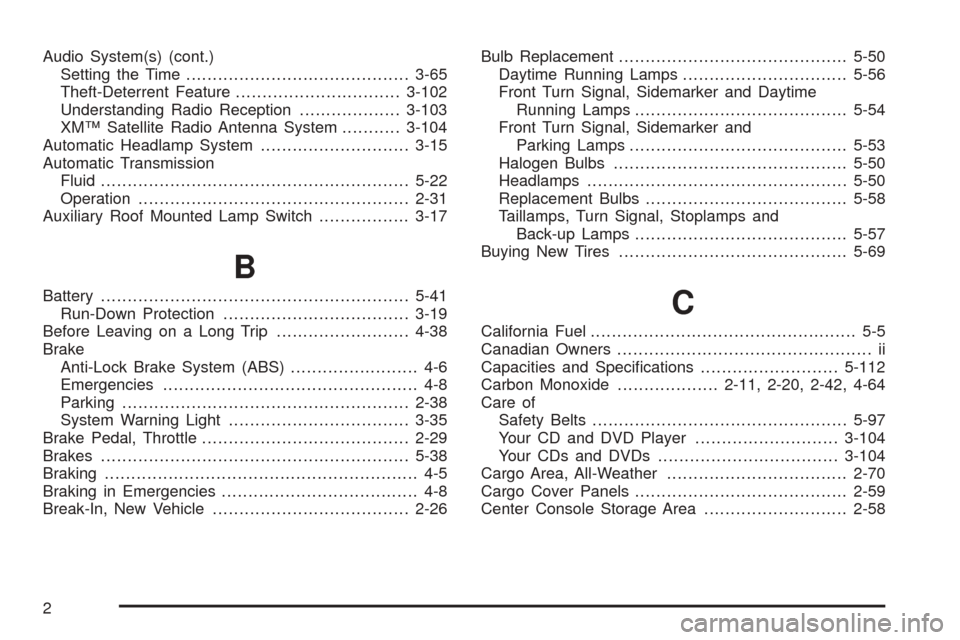
Audio System(s) (cont.)
Setting the Time..........................................3-65
Theft-Deterrent Feature...............................3-102
Understanding Radio Reception...................3-103
XM™ Satellite Radio Antenna System...........3-104
Automatic Headlamp System............................3-15
Automatic Transmission
Fluid..........................................................5-22
Operation...................................................2-31
Auxiliary Roof Mounted Lamp Switch.................3-17
B
Battery..........................................................5-41
Run-Down Protection...................................3-19
Before Leaving on a Long Trip.........................4-38
Brake
Anti-Lock Brake System (ABS)........................ 4-6
Emergencies................................................ 4-8
Parking......................................................2-38
System Warning Light..................................3-35
Brake Pedal, Throttle.......................................2-29
Brakes..........................................................5-38
Braking........................................................... 4-5
Braking in Emergencies..................................... 4-8
Break-In, New Vehicle.....................................2-26Bulb Replacement...........................................5-50
Daytime Running Lamps...............................5-56
Front Turn Signal, Sidemarker and Daytime
Running Lamps........................................5-54
Front Turn Signal, Sidemarker and
Parking Lamps.........................................5-53
Halogen Bulbs............................................5-50
Headlamps.................................................5-50
Replacement Bulbs......................................5-58
Taillamps, Turn Signal, Stoplamps and
Back-up Lamps........................................5-57
Buying New Tires...........................................5-69C
California Fuel.................................................. 5-5
Canadian Owners................................................ ii
Capacities and Specications..........................5-112
Carbon Monoxide...................2-11, 2-20, 2-42, 4-64
Care of
Safety Belts................................................5-97
Your CD and DVD Player...........................3-104
Your CDs and DVDs..................................3-104
Cargo Area, All-Weather..................................2-70
Cargo Cover Panels........................................2-59
Center Console Storage Area...........................2-58
2
Page 492 of 496
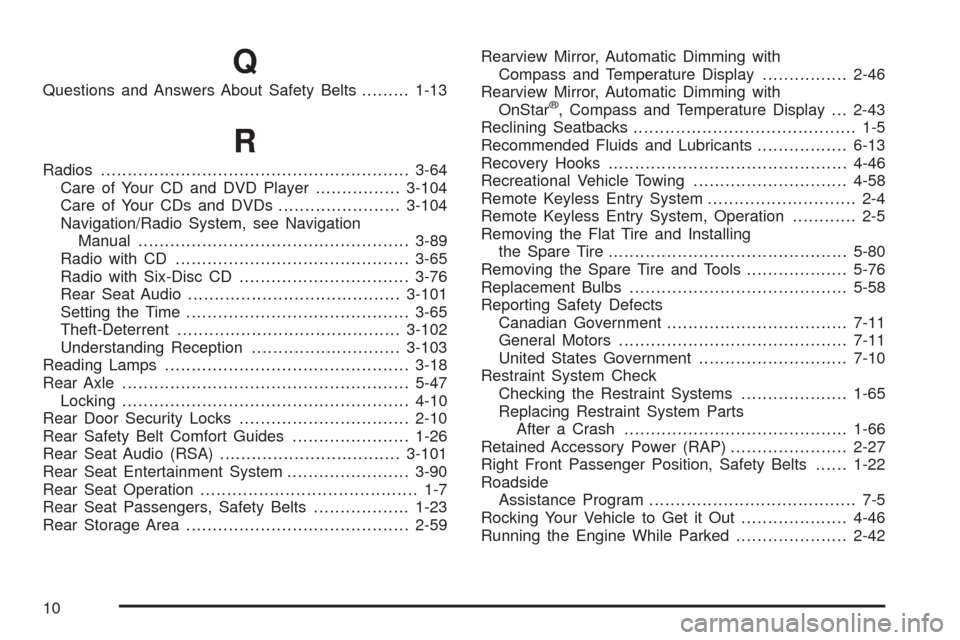
Q
Questions and Answers About Safety Belts.........1-13
R
Radios..........................................................3-64
Care of Your CD and DVD Player................3-104
Care of Your CDs and DVDs.......................3-104
Navigation/Radio System, see Navigation
Manual...................................................3-89
Radio with CD............................................3-65
Radio with Six-Disc CD................................3-76
Rear Seat Audio........................................3-101
Setting the Time..........................................3-65
Theft-Deterrent..........................................3-102
Understanding Reception............................3-103
Reading Lamps..............................................3-18
Rear Axle......................................................5-47
Locking......................................................4-10
Rear Door Security Locks................................2-10
Rear Safety Belt Comfort Guides......................1-26
Rear Seat Audio (RSA)..................................3-101
Rear Seat Entertainment System.......................3-90
Rear Seat Operation......................................... 1-7
Rear Seat Passengers, Safety Belts..................1-23
Rear Storage Area..........................................2-59Rearview Mirror, Automatic Dimming with
Compass and Temperature Display................2-46
Rearview Mirror, Automatic Dimming with
OnStar
®, Compass and Temperature Display . . . 2-43
Reclining Seatbacks.......................................... 1-5
Recommended Fluids and Lubricants.................6-13
Recovery Hooks.............................................4-46
Recreational Vehicle Towing.............................4-58
Remote Keyless Entry System............................ 2-4
Remote Keyless Entry System, Operation............ 2-5
Removing the Flat Tire and Installing
the Spare Tire.............................................5-80
Removing the Spare Tire and Tools...................5-76
Replacement Bulbs.........................................5-58
Reporting Safety Defects
Canadian Government..................................7-11
General Motors...........................................7-11
United States Government............................7-10
Restraint System Check
Checking the Restraint Systems....................1-65
Replacing Restraint System Parts
After a Crash..........................................1-66
Retained Accessory Power (RAP)......................2-27
Right Front Passenger Position, Safety Belts......1-22
Roadside
Assistance Program....................................... 7-5
Rocking Your Vehicle to Get it Out....................4-46
Running the Engine While Parked.....................2-42
10
Page 494 of 496
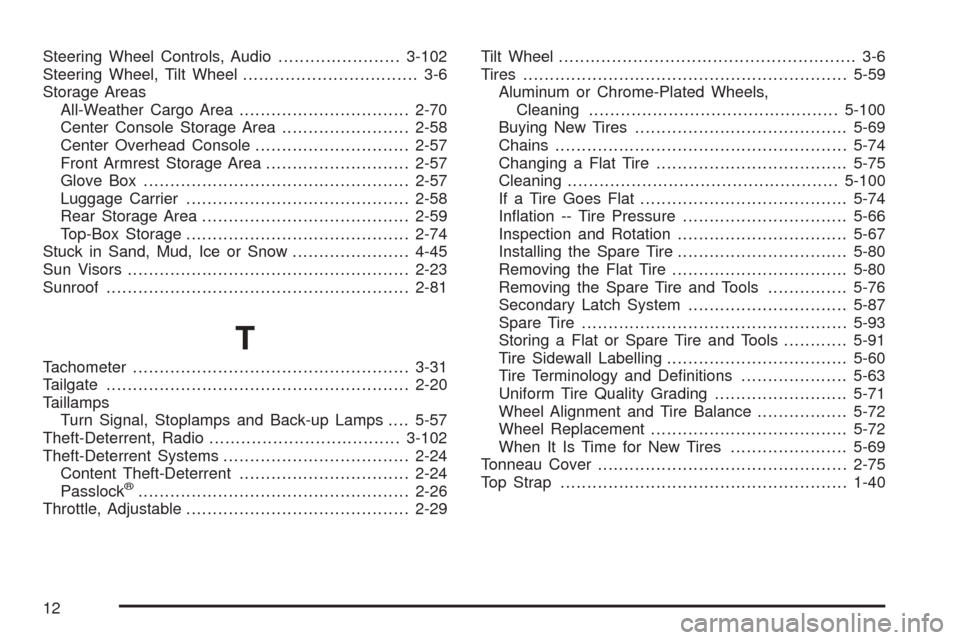
Steering Wheel Controls, Audio.......................3-102
Steering Wheel, Tilt Wheel................................. 3-6
Storage Areas
All-Weather Cargo Area................................2-70
Center Console Storage Area........................2-58
Center Overhead Console.............................2-57
Front Armrest Storage Area...........................2-57
Glove Box..................................................2-57
Luggage Carrier..........................................2-58
Rear Storage Area.......................................2-59
Top-Box Storage..........................................2-74
Stuck in Sand, Mud, Ice or Snow......................4-45
Sun Visors.....................................................2-23
Sunroof.........................................................2-81
T
Tachometer....................................................3-31
Tailgate.........................................................2-20
Taillamps
Turn Signal, Stoplamps and Back-up Lamps....5-57
Theft-Deterrent, Radio....................................3-102
Theft-Deterrent Systems...................................2-24
Content Theft-Deterrent................................2-24
Passlock
®...................................................2-26
Throttle, Adjustable..........................................2-29Tilt Wheel........................................................ 3-6
Tires.............................................................5-59
Aluminum or Chrome-Plated Wheels,
Cleaning...............................................5-100
Buying New Tires........................................5-69
Chains.......................................................5-74
Changing a Flat Tire....................................5-75
Cleaning...................................................5-100
If a Tire Goes Flat.......................................5-74
Ination -- Tire Pressure...............................5-66
Inspection and Rotation................................5-67
Installing the Spare Tire................................5-80
Removing the Flat Tire.................................5-80
Removing the Spare Tire and Tools...............5-76
Secondary Latch System..............................5-87
Spare Tire..................................................5-93
Storing a Flat or Spare Tire and Tools............5-91
Tire Sidewall Labelling..................................5-60
Tire Terminology and Denitions....................5-63
Uniform Tire Quality Grading.........................5-71
Wheel Alignment and Tire Balance.................5-72
Wheel Replacement.....................................5-72
When It Is Time for New Tires......................5-69
Tonneau Cover...............................................2-75
Top Strap......................................................1-40
12