ECO mode CHEVROLET AVALANCHE 2007 2.G Owner's Guide
[x] Cancel search | Manufacturer: CHEVROLET, Model Year: 2007, Model line: AVALANCHE, Model: CHEVROLET AVALANCHE 2007 2.GPages: 618, PDF Size: 3.25 MB
Page 342 of 618
{(Subtitles):Press this button to turn ON/OFF
subtitles and to move through subtitle options
when a DVD is playing. The format and content
of this function varies for each disc.
AUX (Auxiliary):Press this button to switch the
system between the DVD player and an auxiliary
source.
d(Camera):Press this button to change
camera angles on DVDs that have this feature
when a DVD is playing. The format and content
of this function varies for each disc.
1 through 0 (Numeric Keypad):The numeric
keypad provides the capability of direct chapter
or track number selection.
\(Clear):Press this button within three seconds
after entering a numeric selection, to clear all
numerical inputs.
}10 (Double Digit Entries):Press this button
to select chapter or track numbers greater
than nine. Press this button before entering
the number.
Battery Replacement
To change the remote control batteries, do the
following:
1. Remove the battery compartment door
located on the bottom of the remote control.
2. Replace the two batteries in the compartment.
Make sure that they are installed correctly,
using the diagram on the inside of the
battery compartment.
3. Close the battery door securely.
If the remote control is to be stored for a long
period of time, remove the batteries and keep
them in a cool, dry place.
Problem Recommended Action
No power. The ignition might not be
turned on or in accessory.
The picture does not ll
the screen. There are
black borders on the
top and bottom or on
both sides or it looks
stretched out.Check the display mode
settings in the setup
menu by pressing the
display menu button on
the remote control.
342
Page 343 of 618
Problem Recommended Action
In auxiliary mode, the
picture moves or scrolls.Check the auxiliary
input connections at
both devices.
The remote contro
does not work.Check to make sure
there is no obstruction
between the remote
control and the
transmitter window.
Check the batteries to
make sure they are
not dead or installed
incorrectly.
After stopping the player,
I push Play but sometimes
the DVD starts where
I left off and sometimes
at the beginning.If the stop button was
pressed one time, the
DVD player resumes
playing where the DVD
was stopped. If the
stop button was pressed
two times the DVD player
begins to play from the
beginning of the DVD.Problem Recommended Action
The auxiliary source is
running but there is no
picture or sound.Check that the RSE video
screen is in the auxiliary
source mode.
Check the auxiliary input
connections at both
devices.
Sometimes the wireless
headphone audio cuts
out or buzzes.Check for obstructions,
low batteries, reception
range, and interference
from cellular telephone
towers or by using your
cellular telephone in
the vehicle.
Check that the
headphones are on
correctly using the
L (left) and R (right)
on the headphones.
I lost the remote and/or
the headphones.See your dealer for
assistance.
The DVD is playing,
but there is no picture
or sound.Check that the RSE video
screen is sourced to
the DVD player.
343
Page 347 of 618
Theft-Deterrent Feature
THEFTLOCK®is designed to discourage theft
of your vehicle’s radio. The feature works
automatically by learning a portion of the
Vehicle Identication Number (VIN). If the radio
is moved to a different vehicle, it does not operate
and LOCKED displays.
Audio Steering Wheel Controls
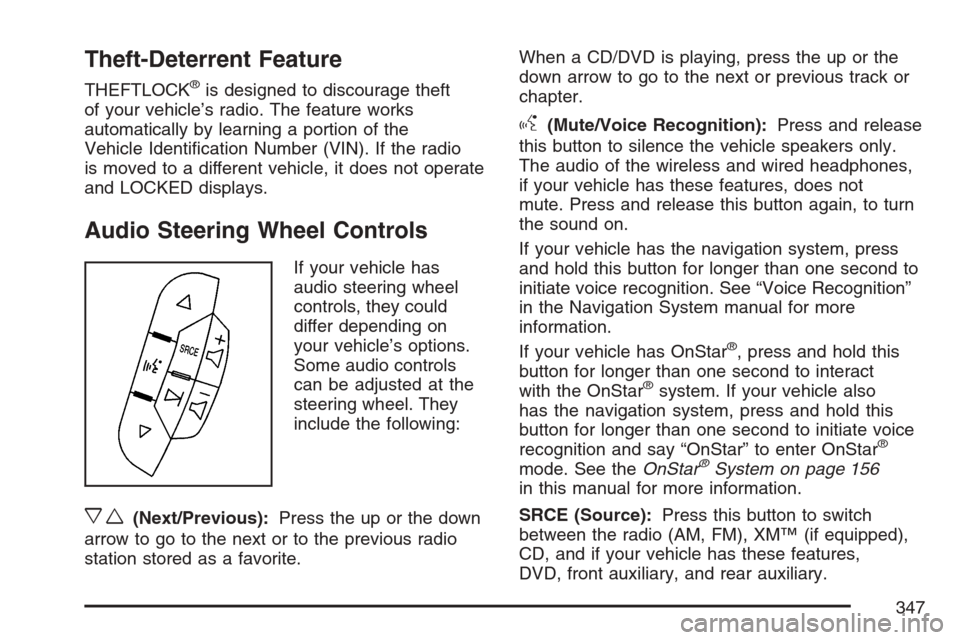
If your vehicle has
audio steering wheel
controls, they could
differ depending on
your vehicle’s options.
Some audio controls
can be adjusted at the
steering wheel. They
include the following:
xw(Next/Previous):Press the up or the down
arrow to go to the next or to the previous radio
station stored as a favorite.When a CD/DVD is playing, press the up or the
down arrow to go to the next or previous track or
chapter.
g(Mute/Voice Recognition):Press and release
this button to silence the vehicle speakers only.
The audio of the wireless and wired headphones,
if your vehicle has these features, does not
mute. Press and release this button again, to turn
the sound on.
If your vehicle has the navigation system, press
and hold this button for longer than one second to
initiate voice recognition. See “Voice Recognition”
in the Navigation System manual for more
information.
If your vehicle has OnStar
®, press and hold this
button for longer than one second to interact
with the OnStar
®system. If your vehicle also
has the navigation system, press and hold this
button for longer than one second to initiate voice
recognition and say “OnStar” to enter OnStar
®
mode. See theOnStar®System on page 156
in this manual for more information.
SRCE (Source):Press this button to switch
between the radio (AM, FM), XM™ (if equipped),
CD, and if your vehicle has these features,
DVD, front auxiliary, and rear auxiliary.
347
Page 416 of 618
Tow/haul is designed to be most effective when
the vehicle and trailer combined weight is at least
75 percent of the vehicle’s Gross Combination
Weight Rating (GCWR). See “Weight of the
Trailer” later in this section.
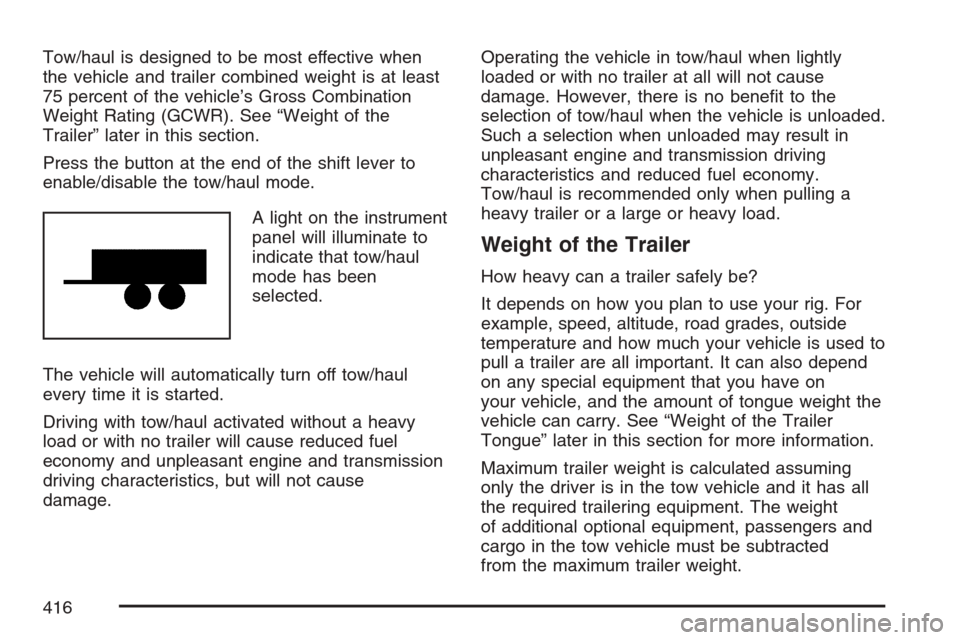
Press the button at the end of the shift lever to
enable/disable the tow/haul mode.
A light on the instrument
panel will illuminate to
indicate that tow/haul
mode has been
selected.
The vehicle will automatically turn off tow/haul
every time it is started.
Driving with tow/haul activated without a heavy
load or with no trailer will cause reduced fuel
economy and unpleasant engine and transmission
driving characteristics, but will not cause
damage.Operating the vehicle in tow/haul when lightly
loaded or with no trailer at all will not cause
damage. However, there is no benet to the
selection of tow/haul when the vehicle is unloaded.
Such a selection when unloaded may result in
unpleasant engine and transmission driving
characteristics and reduced fuel economy.
Tow/haul is recommended only when pulling a
heavy trailer or a large or heavy load.
Weight of the Trailer
How heavy can a trailer safely be?
It depends on how you plan to use your rig. For
example, speed, altitude, road grades, outside
temperature and how much your vehicle is used to
pull a trailer are all important. It can also depend
on any special equipment that you have on
your vehicle, and the amount of tongue weight the
vehicle can carry. See “Weight of the Trailer
Tongue” later in this section for more information.
Maximum trailer weight is calculated assuming
only the driver is in the tow vehicle and it has all
the required trailering equipment. The weight
of additional optional equipment, passengers and
cargo in the tow vehicle must be subtracted
from the maximum trailer weight.
416
Page 427 of 618
Trailer Wiring Harness
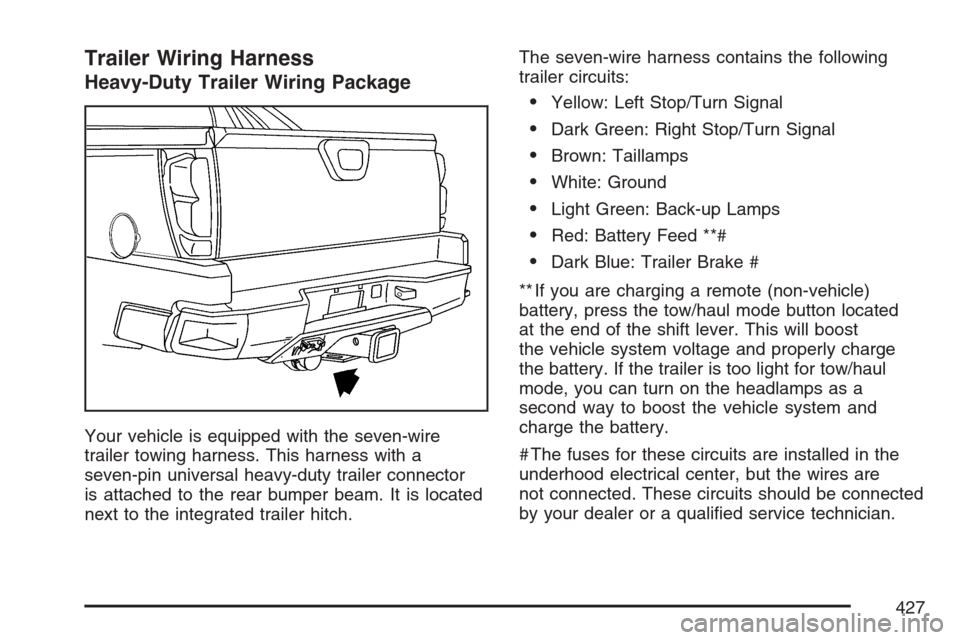
Heavy-Duty Trailer Wiring Package
Your vehicle is equipped with the seven-wire
trailer towing harness. This harness with a
seven-pin universal heavy-duty trailer connector
is attached to the rear bumper beam. It is located
next to the integrated trailer hitch.The seven-wire harness contains the following
trailer circuits:
Yellow: Left Stop/Turn Signal
Dark Green: Right Stop/Turn Signal
Brown: Taillamps
White: Ground
Light Green: Back-up Lamps
Red: Battery Feed **#
Dark Blue: Trailer Brake #
** If you are charging a remote (non-vehicle)
battery, press the tow/haul mode button located
at the end of the shift lever. This will boost
the vehicle system voltage and properly charge
the battery. If the trailer is too light for tow/haul
mode, you can turn on the headlamps as a
second way to boost the vehicle system and
charge the battery.
# The fuses for these circuits are installed in the
underhood electrical center, but the wires are
not connected. These circuits should be connected
by your dealer or a qualied service technician.
427
Page 505 of 618

4. If your vehicle has the DIC buttons, press the
set/reset button. The horn will sound twice to
indicate the TPMS receiver is ready, and
the TIRE LEARNING ACTIVE message will
display. If your vehicle does not have the
DIC buttons, press and hold the trip odometer
reset stem until the horn chirps twice and
the TIRE LEARNING ACTIVE message
is displayed.
5. Start with the driver’s side front tire.
6. Remove the valve cap from the valve cap
stem. Activate the TPMS sensor by
increasing or decreasing the tire’s air pressure
for ve seconds, or until a horn chirp
sounds. The horn chirp, which make take
up to 30 seconds to sound, conrms that the
sensor identication code has been matched
to this tire and wheel position. To decrease
air-pressure out of a tire you can use the
pointed end of the valve cap, a pencil-style
air pressure gage, or a key.
7. Proceed to the passenger’s side front tire,
and repeat the procedure in Step 6.8. Proceed to the passenger’s side rear tire,
and repeat the procedure in Step 6.
9. Proceed to the driver’s side rear tire, and
repeat the procedure in Step 6.
10. After hearing the conrming horn chirp for
the driver’s side rear tire, the horn chirp will
sound two more times to signal the tire
learning mode is no longer active. Turn the
ignition switch to LOCK.
11. Set all four tires to the recommended air
pressure level as indicated on the Tire
and Loading Information label.
12. Put the valve caps back on the valve stems
The spare tire does not have a TPMS sensor.
If you replace one of the road tires with the spare,
the SERVICE TIRE MONITOR message will be
displayed on the DIC screen. This message should
go off once you re-install the road tire containing
the TPMS sensor.
505
Page 591 of 618
For prompt and efficient assistance when calling,
please provide the following to the Roadside
Assistance Representative:
Your name, home address, and home
telephone number.
Telephone number of your location.
Location of the vehicle.
Model, year, color, and license plate number.
Odometer reading, Vehicle Identication
Number (VIN), and delivery date of the vehicle.
Description of the problem.
While we hope you never have the occasion to
use our service, it is added security while traveling
for you and your family. Remember, we are
only a phone call away. U.S. customers call
Chevrolet Roadside Assistance:1-800-CHEV-USA
(1-800-243-8872), text telephone (TTY) users,
call1-888-889-2438, Canadian customers
call1-800-268-6800.Chevrolet and General Motors of Canada Limited
reserve the right to limit services or reimbursement
to an owner or driver when, in their sole
discretion, the claims become excessive in
frequency or type of occurrence.
Roadside Assistance is not part of or included in
the coverage provided by the New Vehicle Limited
Warranty. Chevrolet and General Motors of
Canada Limited reserve the right to make any
changes or discontinue the Roadside Assistance
program at any time without notication.Towing and Road Service Exclusions
Specically excluded from Roadside Assistance
coverage are towing or services for vehicles
operated on a non-public roadway or highway,
nes, impound towing caused by a violation
of local, Municipal, State, Provincial, or Federal
law, and mounting, dismounting or changing
of snow tires, chains, or other traction devices.
591
Page 594 of 618
Additional Program Information
All program options, such as shuttle service,
may not be available at every dealer. Please
contact your dealer for specic information
about availability. All Courtesy Transportation
arrangements will be administered by appropriate
dealer personnel.
General Motors reserves the right to unilaterally
modify, change or discontinue Courtesy
Transportation at any time and to resolve all
questions of claim eligibility pursuant to the terms
and conditions described herein at its sole
discretion.
Vehicle Data Collection and Event
Data Recorders
Your vehicle, like other modern motor vehicles, has
a number of sophisticated computer systems that
monitor and control several aspects of the vehicle’s
performance. Your vehicle uses on-board vehicle
computers to monitor emission control components
to optimize fuel economy, to monitor conditions
for airbag deployment and, if so equipped, to
provide anti-lock braking and to help the driver
control the vehicle in difficult driving situations.Some information may be stored during regular
operations to facilitate repair of detected
malfunctions; other information is stored only in a
crash event by computer systems, such as those
commonly called Event Data Recorders (EDR).
In a crash event, computer systems, such as the
airbag Sensing and Diagnostic Module (SDM) in
your vehicle may record information about the
condition of the vehicle and how it was operated,
such as data related to engine speed, brake
application, throttle position, vehicle speed, safety
belt usage, airbag readiness, airbag performance,
and the severity of a collision. If your vehicle is
equipped with StabiliTrak
®, steering performance,
including yaw rate, steering wheel angle, and lateral
acceleration, is also recorded. This information has
been used to improve vehicle crash performance
and may be used to improve crash performance of
future vehicles and driving safety. Unlike the data
recorders on many airplanes, these on-board
systems do not record sounds, such as
conversation of vehicle occupants.
594
Page 607 of 618
Driving (cont.)
Freeway................................................... 391
Hill and Mountain Roads.......................... 394
In Rain and on Wet Roads...................... 387
Off-Road.................................................. 368
Recovery Hooks....................................... 401
Rocking Your Vehicle to Get it Out.......... 400
Winter...................................................... 396
Dual Automatic Climate Control System....... 230
Dual Climate Control System....................... 227
DVD
Rear Seat Entertainment System............. 334
E
Electric Power Management........................ 220
Electrical System
Add-On Equipment................................... 547
Center Instrument Panel Fuse Block........ 550
Fuses and Circuit Breakers...................... 548
Instrument Panel Fuse Block................... 548
Power Windows and Other Power
Options................................................. 547
Underhood Fuse Block............................. 551
Windshield Wiper Fuses........................... 547Engine
Air Cleaner/Filter...................................... 451
Battery..................................................... 475
Check and Service Engine Soon Light..... 250
Coolant.................................................... 457
Coolant Heater......................................... 126
Coolant Temperature Gage...................... 249
Drive Belt Routing.................................... 577
Engine Compartment Overview ................ 444
Exhaust................................................... 143
Fan Noise................................................ 469
Oil ........................................................... 446
Oil Life System........................................ 449
Overheated Protection Operating Mode...... 463
Overheating............................................. 460
Starting.................................................... 124
Entry/Exit Lighting....................................... 220
Event Data Recorders (EDR)...................... 594
Extender, Safety Belt..................................... 44
Exterior Cargo Lamps................................. 219
Exterior Lamps............................................ 215
607
Page 612 of 618
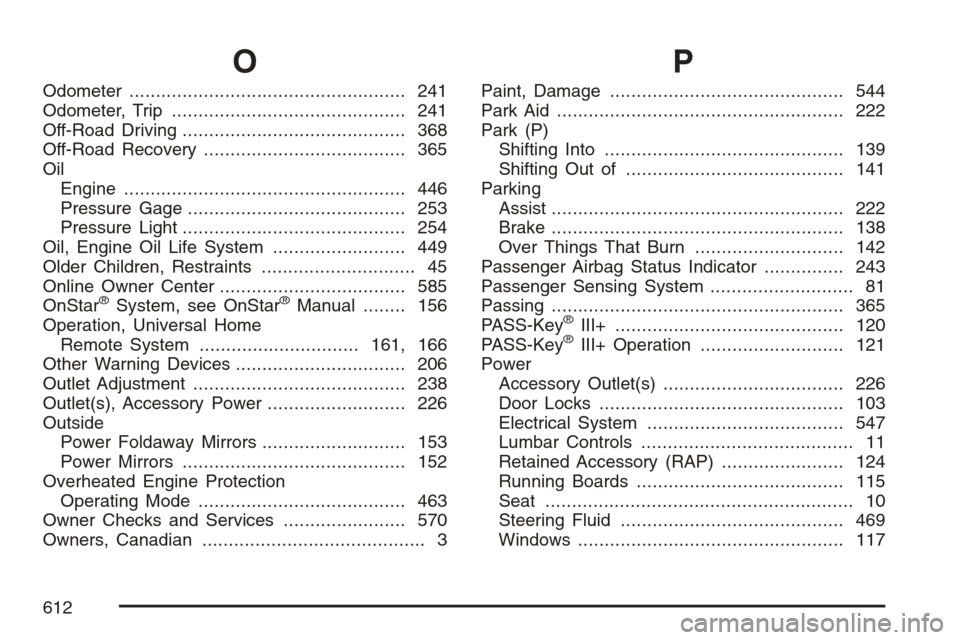
O
Odometer.................................................... 241
Odometer, Trip............................................ 241
Off-Road Driving.......................................... 368
Off-Road Recovery...................................... 365
Oil
Engine..................................................... 446
Pressure Gage......................................... 253
Pressure Light.......................................... 254
Oil, Engine Oil Life System......................... 449
Older Children, Restraints............................. 45
Online Owner Center................................... 585
OnStar
®System, see OnStar®Manual........ 156
Operation, Universal Home
Remote System..............................161, 166
Other Warning Devices................................ 206
Outlet Adjustment........................................ 238
Outlet(s), Accessory Power.......................... 226
Outside
Power Foldaway Mirrors........................... 153
Power Mirrors.......................................... 152
Overheated Engine Protection
Operating Mode....................................... 463
Owner Checks and Services....................... 570
Owners, Canadian.......................................... 3
P
Paint, Damage............................................ 544
Park Aid...................................................... 222
Park (P)
Shifting Into............................................. 139
Shifting Out of......................................... 141
Parking
Assist....................................................... 222
Brake....................................................... 138
Over Things That Burn............................ 142
Passenger Airbag Status Indicator............... 243
Passenger Sensing System........................... 81
Passing....................................................... 365
PASS-Key
®III+........................................... 120
PASS-Key®III+ Operation........................... 121
Power
Accessory Outlet(s).................................. 226
Door Locks.............................................. 103
Electrical System..................................... 547
Lumbar Controls........................................ 11
Retained Accessory (RAP)....................... 124
Running Boards....................................... 115
Seat.......................................................... 10
Steering Fluid.......................................... 469
Windows.................................................. 117
612