light CHEVROLET AVALANCHE 2007 2.G Workshop Manual
[x] Cancel search | Manufacturer: CHEVROLET, Model Year: 2007, Model line: AVALANCHE, Model: CHEVROLET AVALANCHE 2007 2.GPages: 618, PDF Size: 3.25 MB
Page 202 of 618
Malfunction Indicator Lamp........................ 250
Oil Pressure Gage..................................... 253
Oil Pressure Light..................................... 254
Security Light............................................ 255
Fog Lamp Light......................................... 255
Cruise Control Light.................................. 255
Highbeam On Light................................... 256
Tow/Haul Mode Light................................ 256
Fuel Gage................................................. 256
Driver Information Center (DIC).................. 257
DIC Operation and Displays
(With DIC Buttons)................................. 258
DIC Operation and Displays
(Without DIC Buttons)............................ 264
DIC Warnings and Messages.................... 267
DIC Vehicle Customization
(With DIC Buttons)................................. 278
Audio System(s)......................................... 286
Setting the Time (MP3 Radio
with a Single CD Player)........................ 288
Setting the Time (MP3 Radio
with a CD and DVD Player)................... 289Setting the Time (MP3 Radio
with a Six-Disc CD Player)..................... 290
Radio with CD (MP3)................................ 291
Radio with CD and DVD (MP3) ................. 301
Using an MP3 (Radio with CD
or Six-Disc CD Player)........................... 319
Using an MP3 (Radio with CD
and DVD Player).................................... 325
XM Radio Messages................................. 332
Navigation/Radio System........................... 334
Rear Seat Entertainment System............... 334
Rear Seat Audio (RSA)............................. 345
Theft-Deterrent Feature............................. 347
Audio Steering Wheel Controls.................. 347
Radio Reception........................................ 348
Care of Your CDs and DVDs.................... 349
Care of the CD and DVD Player............... 349
Fixed Mast Antenna.................................. 349
XM™ Satellite Radio Antenna System....... 349
Section 3 Instrument Panel
202
Page 205 of 618
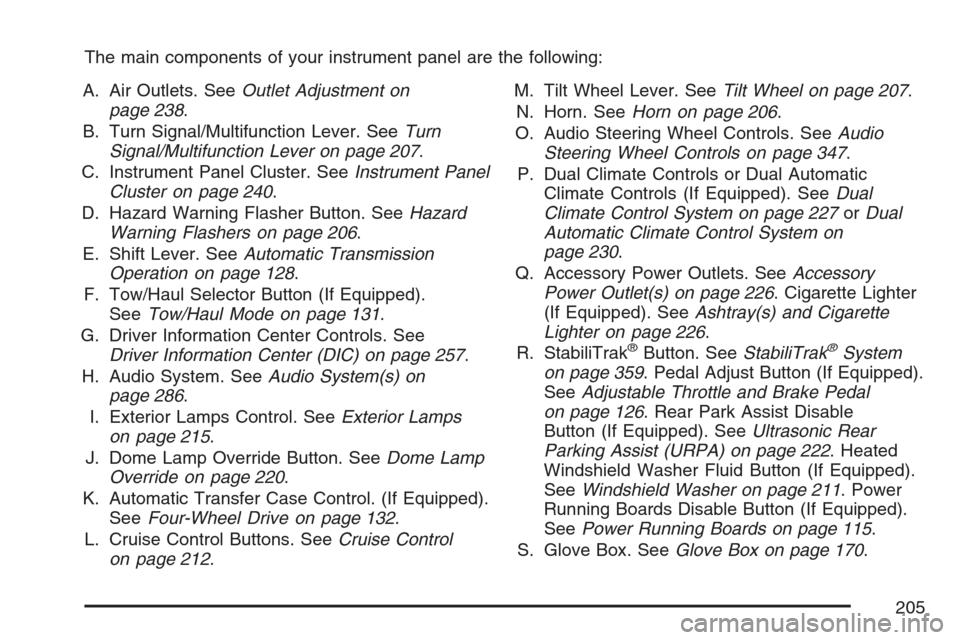
The main components of your instrument panel are the following:
A. Air Outlets. SeeOutlet Adjustment on
page 238.
B. Turn Signal/Multifunction Lever. SeeTurn
Signal/Multifunction Lever on page 207.
C. Instrument Panel Cluster. SeeInstrument Panel
Cluster on page 240.
D. Hazard Warning Flasher Button. SeeHazard
Warning Flashers on page 206.
E. Shift Lever. SeeAutomatic Transmission
Operation on page 128.
F. Tow/Haul Selector Button (If Equipped).
SeeTow/Haul Mode on page 131.
G. Driver Information Center Controls. See
Driver Information Center (DIC) on page 257.
H. Audio System. SeeAudio System(s) on
page 286.
I. Exterior Lamps Control. SeeExterior Lamps
on page 215.
J. Dome Lamp Override Button. SeeDome Lamp
Override on page 220.
K. Automatic Transfer Case Control. (If Equipped).
SeeFour-Wheel Drive on page 132.
L. Cruise Control Buttons. SeeCruise Control
on page 212.M. Tilt Wheel Lever. SeeTilt Wheel on page 207.
N. Horn. SeeHorn on page 206.
O. Audio Steering Wheel Controls. SeeAudio
Steering Wheel Controls on page 347.
P. Dual Climate Controls or Dual Automatic
Climate Controls (If Equipped). SeeDual
Climate Control System on page 227orDual
Automatic Climate Control System on
page 230.
Q. Accessory Power Outlets. SeeAccessory
Power Outlet(s) on page 226. Cigarette Lighter
(If Equipped). SeeAshtray(s) and Cigarette
Lighter on page 226.
R. StabiliTrak
®Button. SeeStabiliTrak®System
on page 359. Pedal Adjust Button (If Equipped).
SeeAdjustable Throttle and Brake Pedal
on page 126. Rear Park Assist Disable
Button (If Equipped). SeeUltrasonic Rear
Parking Assist (URPA) on page 222. Heated
Windshield Washer Fluid Button (If Equipped).
SeeWindshield Washer on page 211. Power
Running Boards Disable Button (If Equipped).
SeePower Running Boards on page 115.
S. Glove Box. SeeGlove Box on page 170.
205
Page 209 of 618
Headlamp High/Low-Beam Changer
53(Headlamp High/Low Beam Changer):
To change the headlamps from low to high beam,
push the lever toward the instrument panel.
To return to low-beam headlamps, pull the
multifunction lever toward you. Then release it.
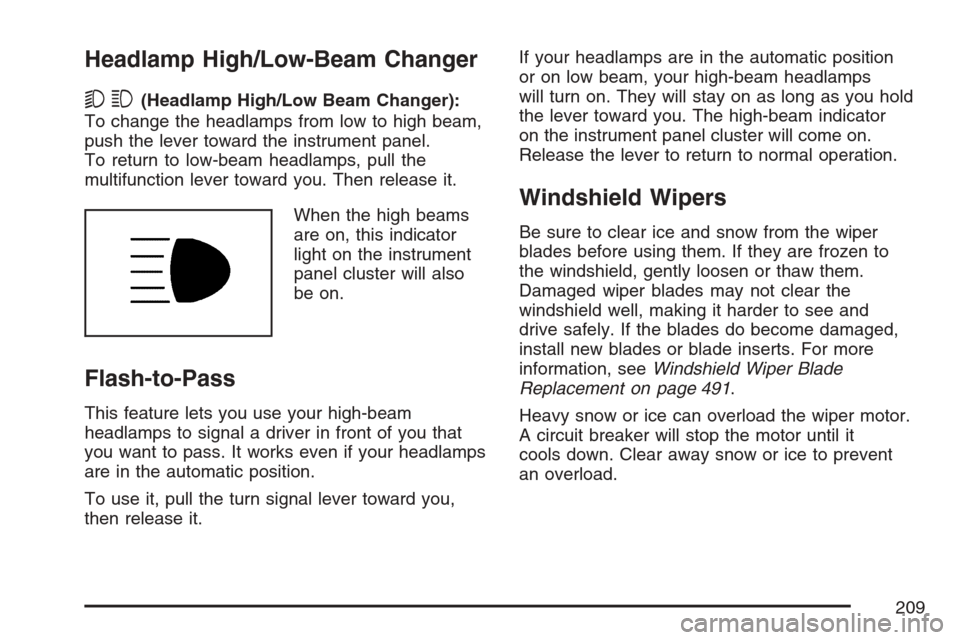
When the high beams
are on, this indicator
light on the instrument
panel cluster will also
be on.
Flash-to-Pass
This feature lets you use your high-beam
headlamps to signal a driver in front of you that
you want to pass. It works even if your headlamps
are in the automatic position.
To use it, pull the turn signal lever toward you,
then release it.If your headlamps are in the automatic position
or on low beam, your high-beam headlamps
will turn on. They will stay on as long as you hold
the lever toward you. The high-beam indicator
on the instrument panel cluster will come on.
Release the lever to return to normal operation.
Windshield Wipers
Be sure to clear ice and snow from the wiper
blades before using them. If they are frozen to
the windshield, gently loosen or thaw them.
Damaged wiper blades may not clear the
windshield well, making it harder to see and
drive safely. If the blades do become damaged,
install new blades or blade inserts. For more
information, seeWindshield Wiper Blade
Replacement on page 491.
Heavy snow or ice can overload the wiper motor.
A circuit breaker will stop the motor until it
cools down. Clear away snow or ice to prevent
an overload.
209
Page 210 of 618

You control the windshield wipers by turning the
band with the wiper symbol on it.
8(Mist):For a single wiping cycle, turn the
band to mist. Hold it there until the wipers start.
Then let go. The wipers will stop after
one wipe. If you want more wipe cycles, hold
the band on mist longer.
6(Delay):You can set the wiper speed for a long
or short delay between wiping cycles. This can
be very useful in light rain or snow. Turn the band
to choose the delay time. The closer to the top
of the lever, the shorter the delay.
6(Low Speed):For steady wiping at low
speed, turn the band away from you to the
rst solid band past the delay settings.
1(High Speed):For high-speed wiping,
turn the band further, to the second solid band
past the delay settings.
9(Off):To stop the wipers, move the band to off.
Rainsense™ II Wipers
If your vehicle has Rainsense™ II windshield
wipers, the moisture sensor is located next to
the inside rearview mirror and is mounted on the
windshield. When active, these sensors are
able to detect moisture on the windshield and
automatically turn on the wipers.
To turn on the Rainsense™ feature, the wipers
must be set to one of the ve delay settings on
the multifunction lever. Each of the ve settings
adjusts the sensitivity of the rainsensor.
Since different drivers have different setting
preferences, it is recommended that the mid-range
setting (position 3) be used initially. For more
wipes, select the higher settings; for fewer wipes,
select the lower settings located closer to the
off position on the multifunction lever.
The rainsensor will automatically control the
frequency of the wipes from the off setting to
the high speed setting according to the weather
conditions. The wipers can be left in a rainsense
mode even when it is not raining.
Notice:Going through an automatic car
wash with the wipers on can damage them.
Turn the wipers off when going through
an automatic car wash.
210
Page 211 of 618
Windshield Washer
{CAUTION:
In freezing weather, do not use your
washer until the windshield is warmed.
Otherwise the washer uid can form ice
on the windshield, blocking your vision.
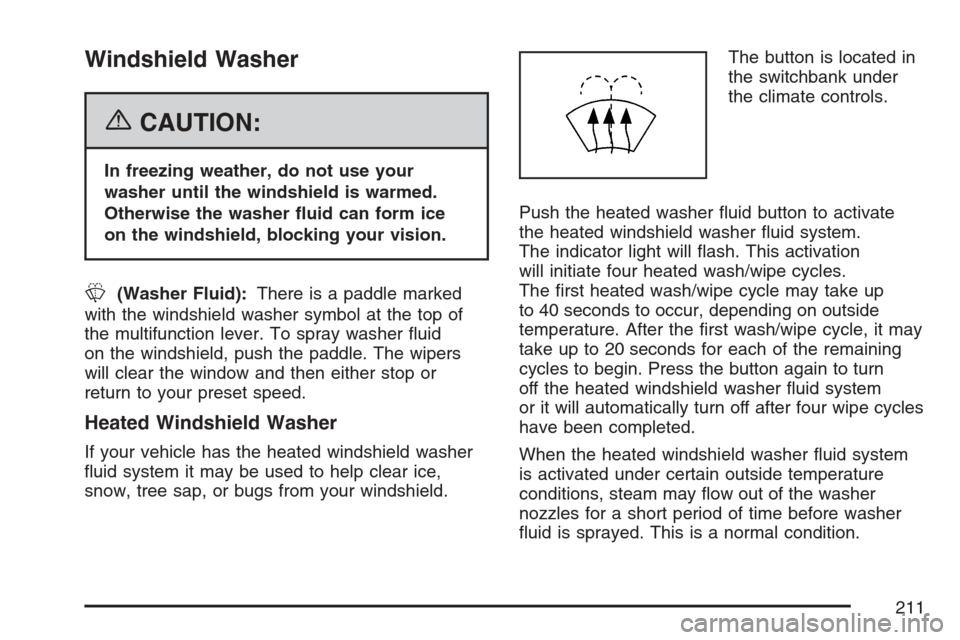
L(Washer Fluid):There is a paddle marked
with the windshield washer symbol at the top of
the multifunction lever. To spray washer uid
on the windshield, push the paddle. The wipers
will clear the window and then either stop or
return to your preset speed.
Heated Windshield Washer
If your vehicle has the heated windshield washer
uid system it may be used to help clear ice,
snow, tree sap, or bugs from your windshield.The button is located in
the switchbank under
the climate controls.
Push the heated washer uid button to activate
the heated windshield washer uid system.
The indicator light will ash. This activation
will initiate four heated wash/wipe cycles.
The rst heated wash/wipe cycle may take up
to 40 seconds to occur, depending on outside
temperature. After the rst wash/wipe cycle, it may
take up to 20 seconds for each of the remaining
cycles to begin. Press the button again to turn
off the heated windshield washer uid system
or it will automatically turn off after four wipe cycles
have been completed.
When the heated windshield washer uid system
is activated under certain outside temperature
conditions, steam may ow out of the washer
nozzles for a short period of time before washer
uid is sprayed. This is a normal condition.
211
Page 212 of 618
Cruise Control
{CAUTION:
Cruise control can be dangerous where
you cannot drive safely at a steady speed.
So, do not use your cruise control on
winding roads or in heavy traffic.
Cruise control can be dangerous on
slippery roads. On such roads, fast
changes in tire traction can cause
excessive wheel slip, and you could lose
control. Do not use cruise control on
slippery roads.
With cruise control, you can maintain a speed
of about 25 mph (40 km/h) or more without
keeping your foot on the accelerator. This can
really help on long trips. Cruise control does not
work at speeds below about 25 mph (40 km/h).
When you apply your brakes, cruise control
is turned off.If your vehicle has the StabiliTrak
®system and
begins to limit wheel spin while you are using cruise
control, the cruise control will automatically
disengage. SeeStabiliTrak
®System on page 359.
When road conditions allow you to safely use it
again, you may turn the cruise control back on.
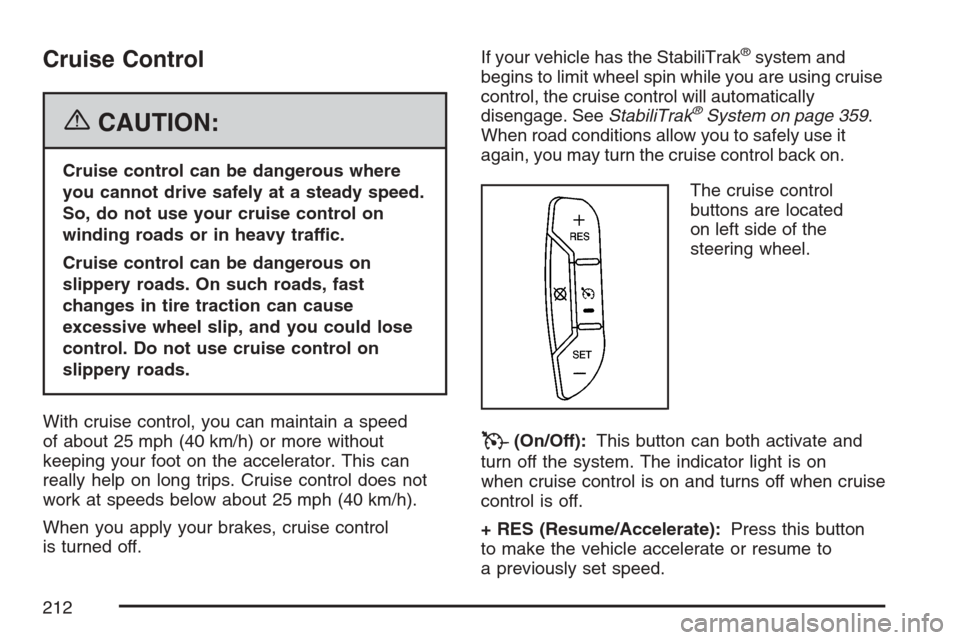
The cruise control
buttons are located
on left side of the
steering wheel.
T(On/Off):This button can both activate and
turn off the system. The indicator light is on
when cruise control is on and turns off when cruise
control is off.
+ RES (Resume/Accelerate):Press this button
to make the vehicle accelerate or resume to
a previously set speed.
212
Page 213 of 618
SET−(Set/Coast):Press this button to set the
speed or make the vehicle decelerate.
[(Cancel):Press this button to cancel cruise
control without erasing the set speed from memory.
Setting Cruise Control
Cruise control will not work if your parking brake is
set, or if the master cylinder brake uid level is low.
The cruise control light on the instrument panel
cluster will come on after the cruise control
has been set to the desired speed.
{CAUTION:
If you leave your cruise control on when
you are not using cruise, you might hit a
button and go into cruise when you do not
want to. You could be startled and even
lose control. Keep the cruise control switch
off until you want to use cruise control.
1. Press the cruise control On/Off button.
2. Get up to the desired speed.3. Press the SET−button located on the steering
wheel and release it.
4. Take your foot off the accelerator.
Resuming a Set Speed
Suppose you set your cruise control at a
desired speed and then you apply the brake.
This shuts off the cruise control. But you do
not need to reset it.
Once you are driving about 25 mph (40 km/h) or
more, press the +RES button on your steering
wheel. The vehicle will go back to the previous
set speed and stay there.
Increasing Speed While Using
Cruise Control
To increase the cruise speed while using
cruise control:
Press and hold the +RES button on the steering
wheel until you reach your new desired speed,
then release it.
To increase vehicle speed in small increments,
press the +RES button. Each time you do this,
you will go about 1 mph (1.6 km/h) faster.
213
Page 214 of 618
Reducing Speed While Using
Cruise Control
To reduce your speed while using cruise control:
Press and hold the SET– button on the
steering wheel until the desired lower speed
is reached, then release it.
To slow down in very small amounts, press
the SET– button on the steering wheel
briey. Each time you do this, the vehicle
will go about 1 mph (1.6 km/h) slower.
Passing Another Vehicle While Using
Cruise Control
Use the accelerator pedal to increase your speed.
When you take your foot off the pedal, your
vehicle will slow down to the previous set
cruise speed.
Using Cruise Control on Hills
How well your cruise control will work on hills
depends upon your speed, load, and the
steepness of the hills. When going up steep hills,
you may have to step on the accelerator pedal
to maintain the vehicle’s speed. When going
downhill, you may have to brake or shift to a
lower gear to keep the vehicle’s speed down.
Of course, applying the brake takes you out
of cruise control. Many drivers nd this to be
too much trouble and do not use cruise control
on steep hills.
Ending Cruise Control
There are three ways to end cruise control:
Step lightly on the brake pedal.
Press the cancel button on the steering wheel.
Press the On/Off button on the steering
wheel.
Erasing Speed Memory
When you turn off the cruise control or the ignition,
your cruise control set speed memory is erased.
214
Page 215 of 618
Exterior Lamps
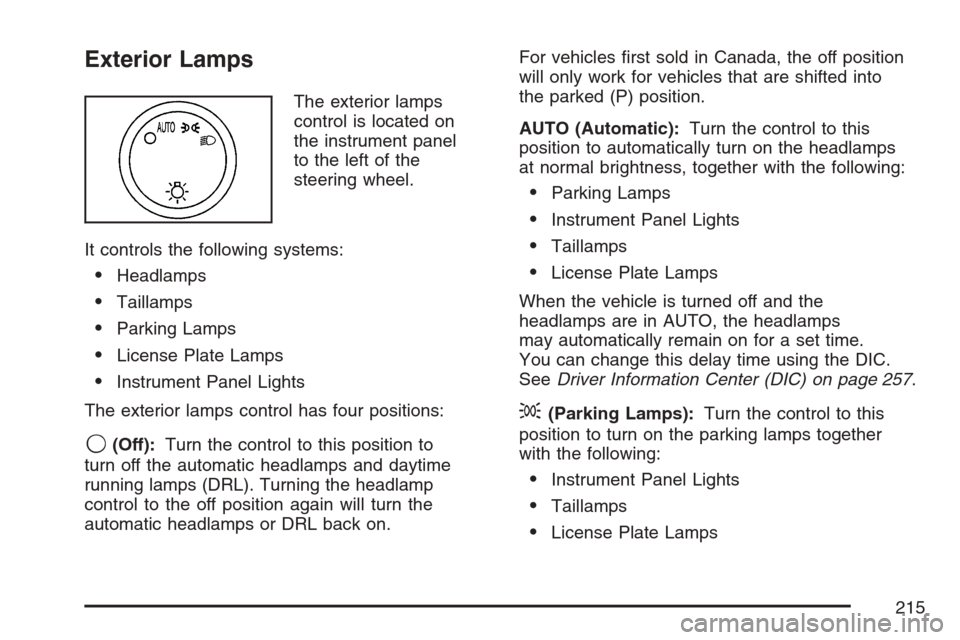
The exterior lamps
control is located on
the instrument panel
to the left of the
steering wheel.
It controls the following systems:
Headlamps
Taillamps
Parking Lamps
License Plate Lamps
Instrument Panel Lights
The exterior lamps control has four positions:
9(Off):Turn the control to this position to
turn off the automatic headlamps and daytime
running lamps (DRL). Turning the headlamp
control to the off position again will turn the
automatic headlamps or DRL back on.For vehicles rst sold in Canada, the off position
will only work for vehicles that are shifted into
the parked (P) position.
AUTO (Automatic):Turn the control to this
position to automatically turn on the headlamps
at normal brightness, together with the following:
Parking Lamps
Instrument Panel Lights
Taillamps
License Plate Lamps
When the vehicle is turned off and the
headlamps are in AUTO, the headlamps
may automatically remain on for a set time.
You can change this delay time using the DIC.
SeeDriver Information Center (DIC) on page 257.
;(Parking Lamps):Turn the control to this
position to turn on the parking lamps together
with the following:
Instrument Panel Lights
Taillamps
License Plate Lamps
215
Page 216 of 618
2(Headlamps):Turn the control to this
position to turn on the headlamps together
with the following lamps listed below.
When the headlamps are turned on while the
vehicle is on, the headlamps will turn off
automatically 10 minutes after the ignition is
turned off. When the headlamps are turned
on while the vehicle is off, the headlamps will
continue to stay on. Turn the control to the
off position to turn the headlamps off or the
battery will be drained.
A warning chime will sound if you open the
driver’s door when the ignition switch is off
and the headlamps are on.
Parking Lamps
Instrument Panel Lights
Taillamps
License Plate Lamps
You can switch your headlamps from low to high
beam by pushing the turn signal/multifunction
lever toward the instrument panel.
Headlamps on Reminder
If a door is open, a reminder chime will sound
when your headlamps or parking lamps are
manually turned on and your key is out of the
ignition. To turn off the chime, turn the headlamp
switch to off or AUTO and then back on, or
close and re-open the door. In the AUTO mode,
the headlamps turn off once the ignition is in
LOCK or may remain on until the headlamp delay
ends (if enabled in the DIC). See “Exit Lighting”
underDIC Vehicle Customization (With DIC
Buttons) on page 278.
Daytime Running Lamps (DRL)
Daytime Running Lamps (DRL) can make it easier
for others to see the front of your vehicle during
the day. DRL can be helpful in many different
driving conditions, but they can be especially
helpful in the short periods after dawn and before
sunset. Fully functional daytime running lamps
are required on all vehicles rst sold in Canada.
216