set clock CHEVROLET AVALANCHE 2008 2.G User Guide
[x] Cancel search | Manufacturer: CHEVROLET, Model Year: 2008, Model line: AVALANCHE, Model: CHEVROLET AVALANCHE 2008 2.GPages: 528, PDF Size: 3.05 MB
Page 275 of 528
Using the Auxiliary Input Jack
The radio system has an auxiliary input jack located on
the lower right side of the faceplate. This is not an
audio output; do not plug the headphone set into the
front auxiliary input jack. An external audio device such
as an iPod, laptop computer, MP3 player, CD player,
or cassette tape player, etc. can be connected to
the auxiliary input jack for use as another audio source.
Drivers are encouraged to set up any auxiliary device
while the vehicle is in PARK (P). SeeDefensive Driving
on page 4-2for more information on driver distraction.
To use a portable audio player, connect a 3.5 mm
(1/8 inch) cable to the radio’s front auxiliary input jack.
When a device is connected, press the radio CD/AUX
button to begin playing audio from the device over
the vehicle speakers.
For optimal sound quality, increase the portable audio
device’s volume to the loudest level.
It is always best to power the portable audio device
through its own battery while playing.
O(Power/Volume):Turn clockwise or
counterclockwise to increase or decrease the volume of
the portable player. Additional volume adjustments
might have to be made from the portable device if the
volume is not loud or soft enough.BAND:Press to listen to the radio when a portable
audio device is playing. The portable audio device also
continues to play.
CD/AUX (CD/Auxiliary):Press to play a CD when a
portable audio device is playing. Press again and
the system begins playing audio from the connected
portable audio player. If a portable audio player is
not connected, “No Input Device Found” displays.
DVD/CD AUX (CD/Auxiliary):Press this button to cycle
through DVD, CD, or Auxiliary when listening to the radio.
The DVD/CD text label and a message showing track or
chapter number displays when a disc is in either slot.
Press this button again and the system automatically
searches for an auxiliary input device, such as a portable
audio player. If a portable audio player is not connected,
“No Aux Input Device” displays. If a disc is in both the
DVD slot and the CD slot the DVD/CD AUX button cycles
between the two sources and does not indicate “No Aux
Input Device”. If a front auxiliary device is connected, the
DVD/CD AUX button cycles through all available options,
such as: DVD slot, CD slot, Front Auxiliary, and Rear
Auxiliary (if available). See “Using the Auxiliary Input
Jack(s)” later in this section, or “Audio/Video (A/V) Jacks”
under,Rear Seat Entertainment (RSE) System on
page 3-107for more information.
3-95
Page 306 of 528
StabiliTrak®System
Your vehicle may have the StabiliTrak®system which
combines antilock brake, traction and stability control
systems and helps the driver maintain directional control
of the vehicle in most driving conditions.
When you rst start your vehicle and begin to drive
away, the system performs several diagnostic checks to
ensure there are no problems. You may hear or feel the
system working. This is normal and does not mean there
is a problem with your vehicle. The system should
initialize before the vehicle reaches 20 mph (32 km/h).
In some cases, it may take approximately two miles of
driving before the system initializes.
If the system fails to turn on or activate, the StabiliTrak
®
light along with one of the following messages will be
displayed on the Driver Information Center (DIC):
TRACTION CONTROL OFF, SERVICE TRACTION
CONTROL, STABILITRAK OFF, SERVICE
STABILITRAK. If these DIC messages appear, make
sure the StabiliTrak
®system has not been turned offusing the StabiliTrak
®on/off button. Then turn the
steering wheel clockwise from the nine o’clock position to
the three o’clock position. If this clears the message(s),
your vehicle does not need servicing. If this does not
clear the message(s), then turn the vehicle off, wait
15 seconds, and then turn it back on again to reset the
system. If any of these messages still appear on the
Driver Information Center (DIC), your vehicle should be
taken in for service. For more information on the DIC
messages, seeDriver Information Center (DIC) on
page 3-50.
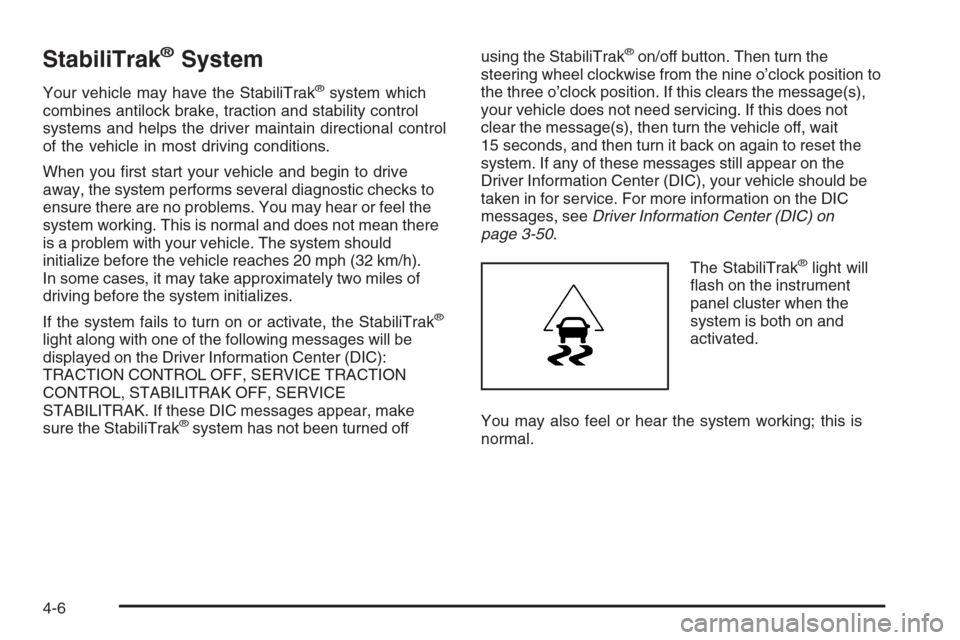
The StabiliTrak
®light will
ash on the instrument
panel cluster when the
system is both on and
activated.
You may also feel or hear the system working; this is
normal.
4-6
Page 515 of 528
A
Accessories and Modications............................ 5-3
Accessory Power Outlets.................................3-20
Adding Equipment to Your Airbag-Equipped
Vehicle.......................................................1-74
Additives, Fuel................................................. 5-6
Add-On Electrical Equipment...........................5-108
Adjustable Throttle and Brake Pedal..................2-33
Air Cleaner/Filter, Engine.................................5-20
Air Conditioning......................................3-21, 3-24
Airbag
Passenger Status Indicator...........................3-36
Readiness Light..........................................3-35
Airbag System................................................1-60
Adding Equipment to Your Airbag-Equipped
Vehicle...................................................1-74
How Does an Airbag Restrain?......................1-67
Passenger Sensing System...........................1-69
Servicing Your Airbag-Equipped Vehicle..........1-74
What Makes an Airbag Inate?......................1-67
What Will You See After an Airbag Inates?....1-68
When Should an Airbag Inate?....................1-65
Where Are the Airbags?...............................1-63
Antenna, Fixed Mast......................................3-120
Antenna, XM™ Satellite Radio Antenna
System.....................................................3-120
Antilock Brake System (ABS)............................. 4-4
Anti-lock Brake, System Warning Light...............3-41Appearance Care
Aluminum or Chrome-Plated Wheels.............5-104
Care of Safety Belts...................................5-102
Chemical Paint Spotting..............................5-106
Cleaning Exterior Lamps/Lenses..................5-103
Fabric/Carpet............................................5-100
Finish Care...............................................5-103
Finish Damage..........................................5-105
Instrument Panel, Vinyl, and Other
Plastic Surfaces.....................................5-101
Interior Cleaning..........................................5-99
Leather....................................................5-101
Sheet Metal Damage..................................5-105
Tires........................................................5-105
Underbody Maintenance.............................5-105
Vehicle Care/Appearance Materials...............5-106
Washing Your Vehicle.................................5-102
Weatherstrips............................................5-102
Windshield and Wiper Blades......................5-104
Appointments, Scheduling Service....................... 7-9
Ashtray.........................................................3-20
Audio System.................................................3-75
Audio Steering Wheel Controls....................3-118
Fixed Mast Antenna...................................3-120
Navigation/Radio System,
see Navigation Manual............................3-107
Radio Reception........................................3-119
Rear Seat Audio (RSA)...............................3-116
Setting the Clock.........................................3-76
1
Page 517 of 528
Child Restraints (cont.)
Securing a Child Restraint in a
Rear Seat Position...................................1-53
Securing a Child Restraint in the
Center Front Seat Position........................1-56
Securing a Child Restraint in the
Right Front Seat Position..........................1-56
Where to Put the Restraint...........................1-44
Cigarette Lighter.............................................3-20
Cleaning
Aluminum or Chrome-Plated Wheels.............5-104
Exterior Lamps/Lenses................................5-103
Fabric/Carpet............................................5-100
Finish Care...............................................5-103
Instrument Panel, Vinyl, and Other
Plastic Surfaces.....................................5-101
Interior.......................................................5-99
Leather....................................................5-101
Tires........................................................5-105
Underbody Maintenance.............................5-105
Washing Your Vehicle.................................5-102
Weatherstrips............................................5-102
Windshield and Wiper Blades......................5-104
Climate Control System...................................3-21
Dual Automatic............................................3-24
Outlet Adjustment........................................3-31
Clock, Setting.................................................3-76Collision Damage Repair..................................7-11
Compass...............................................2-49, 2-52
Content Theft-Deterrent....................................2-26
Control of a Vehicle.......................................... 4-3
Coolant
Engine.......................................................5-25
Engine Temperature Gage............................3-42
Surge Tank Pressure Cap.............................5-28
Cooling System..............................................5-31
Cruise Control................................................3-12
Cruise Control Light........................................3-48
Cupholders....................................................2-71
Customer Assistance Information
Courtesy Transportation.................................. 7-9
Customer Assistance for Text Telephone (TTY)
Users....................................................... 7-5
Customer Assistance Offices........................... 7-5
Customer Satisfaction Procedure..................... 7-2
GM Mobility Reimbursement Program............... 7-6
Reporting Safety Defects to General Motors....7-14
Reporting Safety Defects to the
Canadian Government..............................7-14
Reporting Safety Defects to the
United States Government.........................7-14
Roadside Assistance Program......................... 7-6
Service Publications Ordering Information........7-15
3
Page 524 of 528
Privacy..........................................................7-16
Event Data Recorders..................................7-16
Navigation System.......................................7-17
OnStar .......................................................7-17
Radio Frequency Identication.......................7-17
Programmable Automatic Door Locks.................2-11
R
Radio Frequency Identication (RFID), Privacy....7-17
Radio(s)........................................................3-78
Radios
Navigation/Radio System, see Navigation
Manual.................................................3-107
Rear Seat Audio........................................3-116
Reception.................................................3-119
Setting the Clock.........................................3-76
Theft-Deterrent..........................................3-118
Rainsense™ II Wipers.....................................3-10
Reading Lamps..............................................3-18
Rear Axle......................................................5-47
Locking........................................................ 4-5
Rear Door Security Locks................................2-11
Rear Seat Audio (RSA)..................................3-116
Rear Seat Entertainment System.....................3-107
Rear Seat Operation.......................................1-12
Rear Storage Area..........................................2-73
Rearview Mirror, Automatic Dimming with
Compass and Temperature Display................2-52Rearview Mirror, Automatic Dimming with
OnStar
®, Compass and Temperature Display . . . 2-49
Reclining Seatbacks.......................................... 1-8
Recommended Fluids and Lubricants.................6-13
Recovery Hooks.............................................4-35
Recreational Vehicle Towing.............................4-42
Remote Keyless Entry (RKE) System.................. 2-4
Remote Keyless Entry (RKE) System, Operation . . . 2-5
Remote Vehicle Start........................................ 2-7
Removing the Flat Tire and Installing the
Spare Tire..................................................5-85
Removing the Spare Tire and Tools...................5-81
Replacement Bulbs.........................................5-55
Replacement Parts, Maintenance......................6-15
Reporting Safety Defects
Canadian Government..................................7-14
General Motors...........................................7-14
United States Government............................7-14
Restraint System Check
Checking the Restraint Systems....................1-76
Replacing Restraint System Parts
After a Crash..........................................1-77
Retained Accessory Power (RAP)......................2-32
Roadside
Assistance Program....................................... 7-6
Rocking Your Vehicle to Get it Out....................4-34
Routing, Engine Drive Belt...............................6-16
Running Boards, Power...................................2-22
Running Out of Fuel........................................2-48
10
Page 525 of 528
S
Safety Belt
Reminder Light............................................3-34
Safety Belts
Care of ....................................................5-102
How to Wear Safety Belts Properly................1-19
Lap Belt.....................................................1-34
Lap-Shoulder Belt........................................1-28
Safety Belt Extender....................................1-35
Safety Belt Use During Pregnancy.................1-33
Safety Belts Are for Everyone.......................1-14
Safety Warnings and Symbols.............................. iii
Scheduled Maintenance..................................... 6-4
Seats
Center Seat................................................1-11
Head Restraints..........................................1-11
Heated Seats............................................... 1-5
Manual Lumbar............................................. 1-4
Memory, Mirrors and Pedals........................... 1-6
Power Lumbar .............................................. 1-4
Power Seats................................................. 1-3
Rear Seat Operation....................................1-12
Reclining Seatbacks...................................... 1-8
Secondary Latch System.................................5-91
Securing a Child Restraint
Center Front Seat Position............................1-56
Rear Seat Position......................................1-53
Right Front Seat Position..............................1-56
Security Light.................................................3-47Service........................................................... 5-3
Accessories and Modications......................... 5-3
Adding Equipment to the Outside of
Your Vehicle.............................................. 5-5
California Perchlorate Materials Requirements.... 5-4
California Proposition 65 Warning.................... 5-4
Doing Your Own Work................................... 5-4
Engine Soon Light.......................................3-43
Publications Ordering Information...................7-15
Service, Scheduling Appointments....................... 7-9
Servicing Your Airbag-Equipped Vehicle..............1-74
Setting the Clock............................................3-76
Sheet Metal Damage.....................................5-105
Shifting Into Park............................................2-45
Shifting Out of Park........................................2-47
Signals, Turn and Lane-Change.......................... 3-8
Spare Tire.....................................................5-98
Installing....................................................5-85
Removing...................................................5-81
Storing.......................................................5-94
Specications, Capacities...............................5-115
Speedometer..................................................3-34
StabiliTrak
®Indicator Light...............................3-41
Stabilitrak®System........................................... 4-6
Start Vehicle, Remote....................................... 2-7
Starting the Engine.........................................2-32
Steering.......................................................... 4-8
Steering Wheel Controls, Audio.......................3-118
Steering Wheel, Tilt Wheel................................. 3-7
11