seats CHEVROLET AVALANCHE 2008 2.G Owner's Manual
[x] Cancel search | Manufacturer: CHEVROLET, Model Year: 2008, Model line: AVALANCHE, Model: CHEVROLET AVALANCHE 2008 2.GPages: 528, PDF Size: 3.05 MB
Page 199 of 528
Electric Power Management
The vehicle has Electric Power Management (EPM) that
estimates the battery’s temperature and state of charge.
It then adjusts the voltage for best performance and
extended life of the battery.
When the battery’s state of charge is low, the voltage is
raised slightly to quickly put the charge back in. When
the state of charge is high, the voltage is lowered slightly
to prevent overcharging. If the vehicle has a voltmeter
gage or a voltage display on the Driver Information
Center (DIC), you may see the voltage move up
or down. This is normal. If there is a problem,
an alert will be displayed.
The battery can be discharged at idle if the electrical
loads are very high. This is true for all vehicles. This is
because the generator (alternator) may not be spinning
fast enough at idle to produce all the power that is
needed for very high electrical loads.
A high electrical load occurs when several of the
following loads are on: headlamps, high beams, fog
lamps, rear window defogger, climate control fan at
high speed, heated seats, engine cooling fans, trailer
loads, and loads plugged into accessory power outlets.EPM works to prevent excessive discharge of the
battery. It does this by balancing the generator’s output
and the vehicle’s electrical needs. It can increase
engine idle speed to generate more power, whenever
needed. It can temporarily reduce the power demands of
some accessories.
Normally, these actions occur in steps or levels, without
being noticeable. In rare cases at the highest levels of
corrective action, this action may be noticeable to the
driver. If so, a Driver Information Center (DIC) message
might be displayed, such as Battery Saver Active or
Service Battery Charging System. If this message is
displayed, it is recommended that the driver reduce the
electrical loads as much as possible. SeeDIC Warnings
and Messages on page 3-59.
Battery Run-Down Protection
This feature shuts off the dome lamps if they are left on
for more than 10 minutes when the ignition is in LOCK.
This will help prevent the battery from running down.
3-19
Page 211 of 528
Rear Window Defogger
The rear window defogger uses a warming grid to
remove fog from the rear window.
<(Rear Window Defogger):Press this button to
turn on the rear window defogger. It will automatically
turn off several minutes after it has been activated.
The defogger can also be turned off by pressing
the button again or by turning off the engine. Do not
drive the vehicle until all the windows are clear.
If your vehicle has heated outside rearview mirrors,
the mirrors will heat to help clear fog or frost from the
surface of the mirror when the rear window defog button
is pressed.
Notice:Do not use a razor blade or sharp object
to clear the inside rear window. Do not adhere
anything to the defogger grid lines in the rear glass.
These actions may damage the rear defogger.
Repairs would not be covered by your warranty.
Outlet Adjustment
Your vehicle has air outlets located in the center and on
the side of your instrument panel that allow you to adjust
the direction and amount of airow inside the vehicle.
Move the louvers up or down. Use the thumbwheel next
to or underneath the outlet to close the louvers. For the
most efficient airow and temperature control, keep the
outlet in the fully opened position.
Operation Tips
Keep the hood and front air inlets free of ice, snow,
or any other obstruction, such as leaves. The
heater and defroster will work far better, reducing
the chance of fogging the inside of your windows.
Keep the air path under the front seats clear
of objects. This helps air to circulate throughout
your vehicle.
Adding outside equipment to the front of your
vehicle, such as hood-air deectors, etc., may affect
the performance of the heating and air conditioning
system. Check with your dealer before adding
equipment to the outside of your vehicle.
3-31
Page 235 of 528
Units
Press the vehicle information button until UNITS
displays. This display allows you to select between
English or Metric units of measurement. Once in this
display, press the set/reset button to select between
ENGLISH or METRIC units. All of the vehicle information
will then be displayed in the unit of measurement
selected.
Tire Pressure
The pressure for each tire can be viewed in the DIC.
The tire pressure will be shown in either pounds per
square inch (psi) or kilopascals (kPa). Press the vehicle
information button until the DIC displays FRONT TIRES
PSI (kPa) LEFT ## RIGHT ##. Press the vehicle
information button again until the DIC displays REAR
TIRES PSI (kPa) LEFT ## RIGHT ##.
If a low or high tire pressure condition is detected by the
system while driving, a message advising you to check
the pressure in a specic tire will appear in the display.
SeeInation - Tire Pressure on page 5-64andDIC
Warnings and Messages on page 3-59for more
information.
If the tire pressure display shows dashes instead of a
value, there may be a problem with your vehicle. If this
consistently occurs, see your dealer/retailer for service.
Engine Hours
Press the vehicle information button until ENGINE
HOURS displays. This display shows the total number
of hours the engine has run.
Relearn Remote Key
This display allows you to match Remote Keyless
Entry (RKE) transmitters to your vehicle. To match
an RKE transmitter to your vehicle:
1. Press the vehicle information button until
PRESS
VTO RELEARN REMOTE KEY displays.
2. Press the set/reset button until REMOTE KEY
LEARNING ACTIVE is displayed.
3. Press and hold the lock and unlock buttons on
the rst transmitter at the same time for about
15 seconds.
On vehicles with memory recall seats, the rst
transmitter learned will match driver 1 and
the second will match driver 2.
A chime will sound indicating that the transmitter is
matched.
4. To match additional transmitters at this time, repeat
Step 3.
Each vehicle can have a maximum of
eight transmitters matched to it.
5. To exit the programming mode, you must cycle the
key to LOCK/OFF.
3-55
Page 238 of 528
Relearn Remote Key
To access this display, the vehicle must be in PARK (P).
This display allows you to match Remote Keyless
Entry (RKE) transmitters to your vehicle. To match
an RKE transmitter to your vehicle:
1. Press the trip odometer reset stem until RELEARN
REMOTE KEY displays.
2. Press and hold the trip odometer reset stem for
three seconds.
The message REMOTE KEY LEARNING ACTIVE
will display.
3. Press and hold the lock and unlock buttons on
the rst transmitter at the same time for about
15 seconds.
On vehicles with memory recall seats, the rst
transmitter learned will match driver 1 and
the second will match driver 2.
A chime will sound indicating that the transmitter is
matched.
4. To match additional transmitters at this time, repeat
Step 3.
Each vehicle can have a maximum of
eight transmitters matched to it.
5. To exit the programming mode, you must cycle the
key to LOCK/OFF.
Language
This display allows you to select the language in which
the DIC messages will appear. To select a language:
1. Press the trip odometer reset stem until
ODOMETER displays.
2. While in the ODOMETER display, press and hold
the trip odometer reset stem for three seconds until
the currently set language displays.
3. Continue to press and hold the trip odometer reset
stem to scroll through all of the available languages.
The available languages are ENGLISH (default),
FRANCAIS (French), ESPANOL (Spanish), and
NO CHANGE.
4. Once the desired language is displayed, release
the trip odometer reset stem to set your choice.
3-58
Page 341 of 528
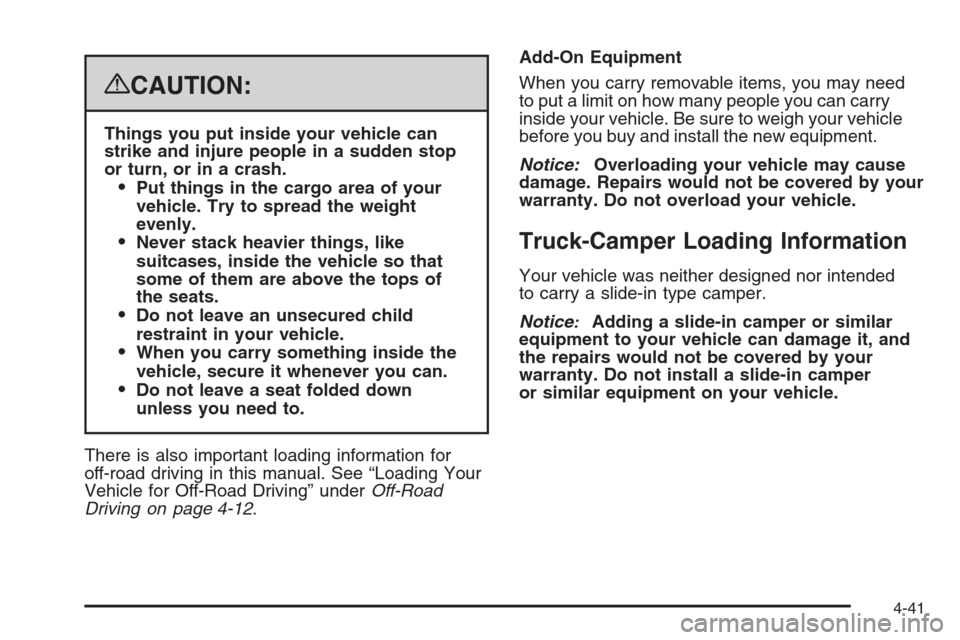
{CAUTION:
Things you put inside your vehicle can
strike and injure people in a sudden stop
or turn, or in a crash.
Put things in the cargo area of your
vehicle. Try to spread the weight
evenly.
Never stack heavier things, like
suitcases, inside the vehicle so that
some of them are above the tops of
the seats.
Do not leave an unsecured child
restraint in your vehicle.
When you carry something inside the
vehicle, secure it whenever you can.
Do not leave a seat folded down
unless you need to.
There is also important loading information for
off-road driving in this manual. See “Loading Your
Vehicle for Off-Road Driving” underOff-Road
Driving on page 4-12.Add-On Equipment
When you carry removable items, you may need
to put a limit on how many people you can carry
inside your vehicle. Be sure to weigh your vehicle
before you buy and install the new equipment.
Notice:Overloading your vehicle may cause
damage. Repairs would not be covered by your
warranty. Do not overload your vehicle.
Truck-Camper Loading Information
Your vehicle was neither designed nor intended
to carry a slide-in type camper.
Notice
:Adding a slide-in camper or similar
equipment to your vehicle can damage it, and
the repairs would not be covered by your
warranty. Do not install a slide-in camper
or similar equipment on your vehicle.
4-41
Page 421 of 528
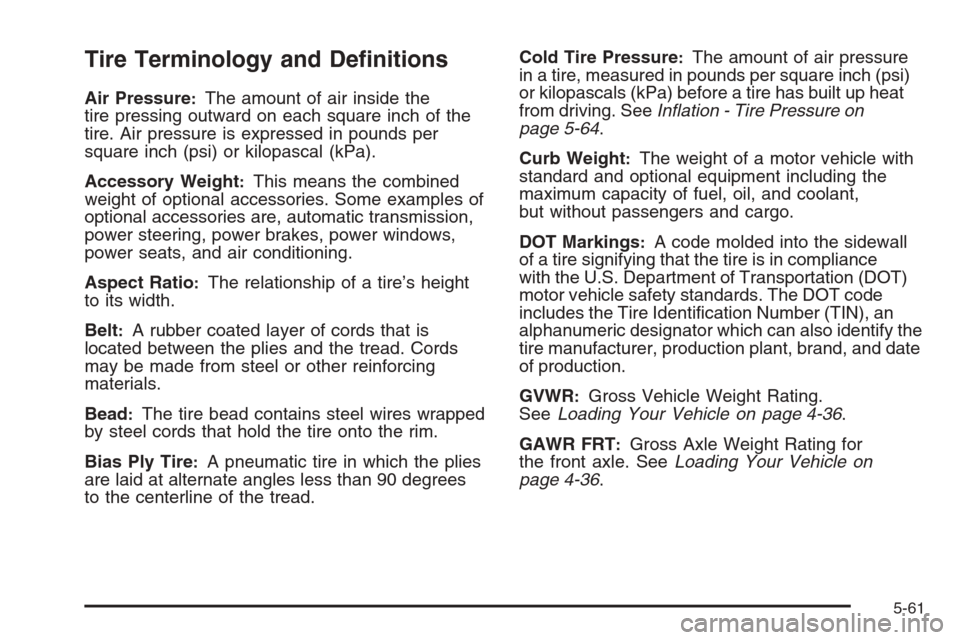
Tire Terminology and Denitions
Air Pressure:The amount of air inside the
tire pressing outward on each square inch of the
tire. Air pressure is expressed in pounds per
square inch (psi) or kilopascal (kPa).
Accessory Weight
:This means the combined
weight of optional accessories. Some examples of
optional accessories are, automatic transmission,
power steering, power brakes, power windows,
power seats, and air conditioning.
Aspect Ratio
:The relationship of a tire’s height
to its width.
Belt
:A rubber coated layer of cords that is
located between the plies and the tread. Cords
may be made from steel or other reinforcing
materials.
Bead
:The tire bead contains steel wires wrapped
by steel cords that hold the tire onto the rim.
Bias Ply Tire
:A pneumatic tire in which the plies
are laid at alternate angles less than 90 degrees
to the centerline of the tread.Cold Tire Pressure
:The amount of air pressure
in a tire, measured in pounds per square inch (psi)
or kilopascals (kPa) before a tire has built up heat
from driving. SeeInation - Tire Pressure on
page 5-64.
Curb Weight
:The weight of a motor vehicle with
standard and optional equipment including the
maximum capacity of fuel, oil, and coolant,
but without passengers and cargo.
DOT Markings
:A code molded into the sidewall
of a tire signifying that the tire is in compliance
with the U.S. Department of Transportation (DOT)
motor vehicle safety standards. The DOT code
includes the Tire Identication Number (TIN), an
alphanumeric designator which can also identify the
tire manufacturer, production plant, brand, and date
of production.
GVWR
:Gross Vehicle Weight Rating.
SeeLoading Your Vehicle on page 4-36.
GAWR FRT
:Gross Axle Weight Rating for
the front axle. SeeLoading Your Vehicle on
page 4-36.
5-61
Page 469 of 528
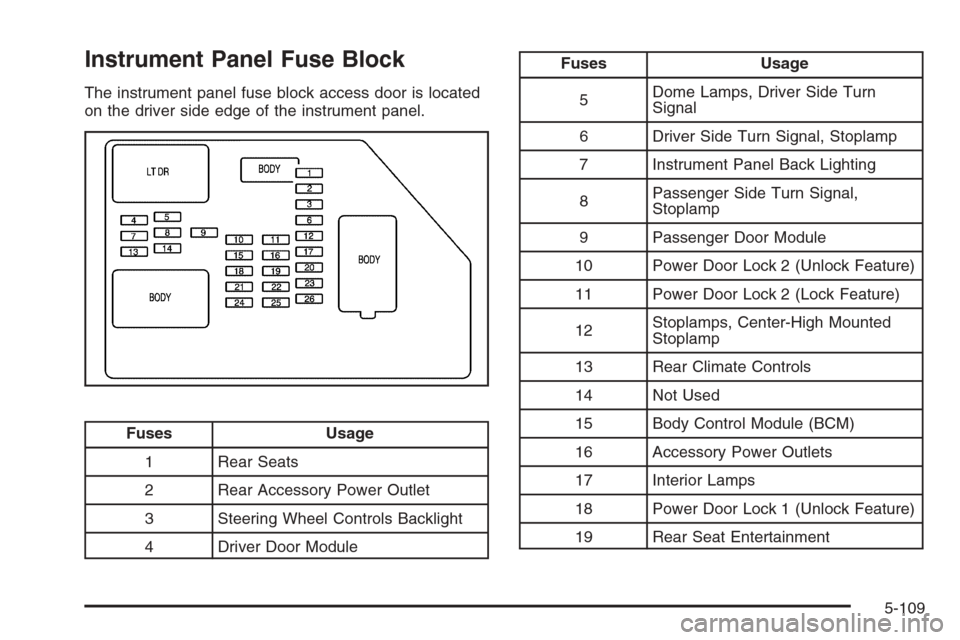
Instrument Panel Fuse Block
The instrument panel fuse block access door is located
on the driver side edge of the instrument panel.
Fuses Usage
1 Rear Seats
2 Rear Accessory Power Outlet
3 Steering Wheel Controls Backlight
4 Driver Door Module
Fuses Usage
5Dome Lamps, Driver Side Turn
Signal
6 Driver Side Turn Signal, Stoplamp
7 Instrument Panel Back Lighting
8Passenger Side Turn Signal,
Stoplamp
9 Passenger Door Module
10 Power Door Lock 2 (Unlock Feature)
11 Power Door Lock 2 (Lock Feature)
12Stoplamps, Center-High Mounted
Stoplamp
13 Rear Climate Controls
14 Not Used
15 Body Control Module (BCM)
16 Accessory Power Outlets
17 Interior Lamps
18 Power Door Lock 1 (Unlock Feature)
19 Rear Seat Entertainment
5-109
Page 520 of 528
G
Gage
Engine Coolant Temperature.........................3-42
Fuel..........................................................3-49
Oil Pressure...............................................3-46
Speedometer..............................................3-34
Tachometer.................................................3-34
Voltmeter Gage...........................................3-39
Garage Door Opener.......................................2-64
Gasoline
Octane........................................................ 5-5
Specications............................................... 5-6
Glove Box.....................................................2-71
GM Mobility Reimbursement Program.................. 7-6
H
Hazard Warning Flashers................................... 3-6
Head Restraints..............................................1-11
Headlamp
Aiming .......................................................5-50
Headlamps
Bulb Replacement.......................................5-53
Daytime Running Lamps...............................3-16
Exterior Lamps............................................3-14
Flash-to-Pass............................................... 3-9Headlamps (cont.)
Halogen Bulbs............................................5-53
High/Low Beam Changer................................ 3-9
On Reminder..............................................3-15
Heated Seats................................................... 1-5
Heater...........................................................3-21
Engine Coolant...........................................2-34
Heater...........................................................3-24
Highbeam On Light.........................................3-48
Highway Hypnosis...........................................4-29
Hill and Mountain Roads..................................4-30
Hood
Checking Things Under................................5-12
Release.....................................................5-12
Horn ............................................................... 3-6
How to Wear Safety Belts Properly...................1-19I
Ignition Positions.............................................2-30
Infants and Young Children, Restraints...............1-38
Ination - Tire Pressure...................................5-64
Instrument Panel
Brightness..................................................3-18
Cluster.......................................................3-33
Overview..................................................... 3-4
6
Page 522 of 528
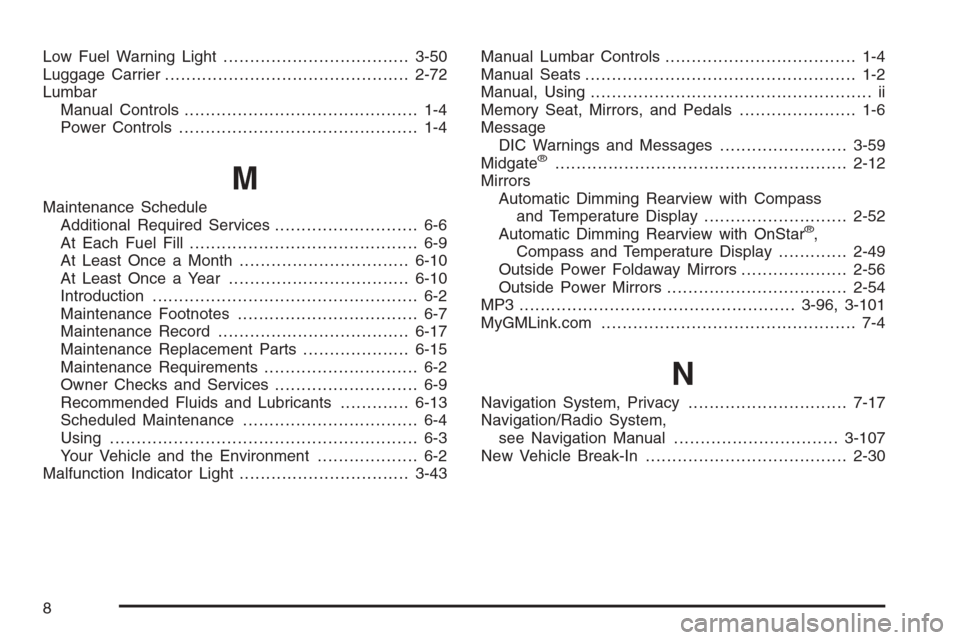
Low Fuel Warning Light...................................3-50
Luggage Carrier..............................................2-72
Lumbar
Manual Controls............................................ 1-4
Power Controls............................................. 1-4
M
Maintenance Schedule
Additional Required Services........................... 6-6
At Each Fuel Fill........................................... 6-9
At Least Once a Month................................6-10
At Least Once a Year..................................6-10
Introduction.................................................. 6-2
Maintenance Footnotes.................................. 6-7
Maintenance Record....................................6-17
Maintenance Replacement Parts....................6-15
Maintenance Requirements............................. 6-2
Owner Checks and Services........................... 6-9
Recommended Fluids and Lubricants.............6-13
Scheduled Maintenance................................. 6-4
Using.......................................................... 6-3
Your Vehicle and the Environment................... 6-2
Malfunction Indicator Light................................3-43Manual Lumbar Controls.................................... 1-4
Manual Seats................................................... 1-2
Manual, Using..................................................... ii
Memory Seat, Mirrors, and Pedals...................... 1-6
Message
DIC Warnings and Messages........................3-59
Midgate
®.......................................................2-12
Mirrors
Automatic Dimming Rearview with Compass
and Temperature Display...........................2-52
Automatic Dimming Rearview with OnStar
®,
Compass and Temperature Display.............2-49
Outside Power Foldaway Mirrors....................2-56
Outside Power Mirrors..................................2-54
MP3 ....................................................3-96, 3-101
MyGMLink.com................................................ 7-4
N
Navigation System, Privacy..............................7-17
Navigation/Radio System,
see Navigation Manual...............................3-107
New Vehicle Break-In......................................2-30
8
Page 525 of 528
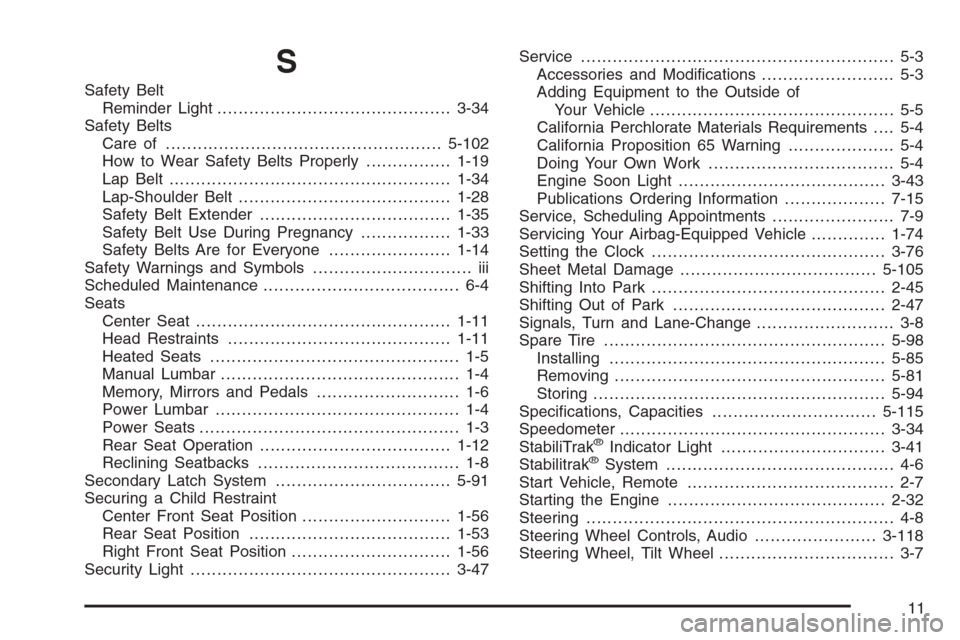
S
Safety Belt
Reminder Light............................................3-34
Safety Belts
Care of ....................................................5-102
How to Wear Safety Belts Properly................1-19
Lap Belt.....................................................1-34
Lap-Shoulder Belt........................................1-28
Safety Belt Extender....................................1-35
Safety Belt Use During Pregnancy.................1-33
Safety Belts Are for Everyone.......................1-14
Safety Warnings and Symbols.............................. iii
Scheduled Maintenance..................................... 6-4
Seats
Center Seat................................................1-11
Head Restraints..........................................1-11
Heated Seats............................................... 1-5
Manual Lumbar............................................. 1-4
Memory, Mirrors and Pedals........................... 1-6
Power Lumbar .............................................. 1-4
Power Seats................................................. 1-3
Rear Seat Operation....................................1-12
Reclining Seatbacks...................................... 1-8
Secondary Latch System.................................5-91
Securing a Child Restraint
Center Front Seat Position............................1-56
Rear Seat Position......................................1-53
Right Front Seat Position..............................1-56
Security Light.................................................3-47Service........................................................... 5-3
Accessories and Modications......................... 5-3
Adding Equipment to the Outside of
Your Vehicle.............................................. 5-5
California Perchlorate Materials Requirements.... 5-4
California Proposition 65 Warning.................... 5-4
Doing Your Own Work................................... 5-4
Engine Soon Light.......................................3-43
Publications Ordering Information...................7-15
Service, Scheduling Appointments....................... 7-9
Servicing Your Airbag-Equipped Vehicle..............1-74
Setting the Clock............................................3-76
Sheet Metal Damage.....................................5-105
Shifting Into Park............................................2-45
Shifting Out of Park........................................2-47
Signals, Turn and Lane-Change.......................... 3-8
Spare Tire.....................................................5-98
Installing....................................................5-85
Removing...................................................5-81
Storing.......................................................5-94
Specications, Capacities...............................5-115
Speedometer..................................................3-34
StabiliTrak
®Indicator Light...............................3-41
Stabilitrak®System........................................... 4-6
Start Vehicle, Remote....................................... 2-7
Starting the Engine.........................................2-32
Steering.......................................................... 4-8
Steering Wheel Controls, Audio.......................3-118
Steering Wheel, Tilt Wheel................................. 3-7
11