ECO mode CHEVROLET AVALANCHE 2008 2.G Owner's Guide
[x] Cancel search | Manufacturer: CHEVROLET, Model Year: 2008, Model line: AVALANCHE, Model: CHEVROLET AVALANCHE 2008 2.GPages: 528, PDF Size: 3.05 MB
Page 295 of 528
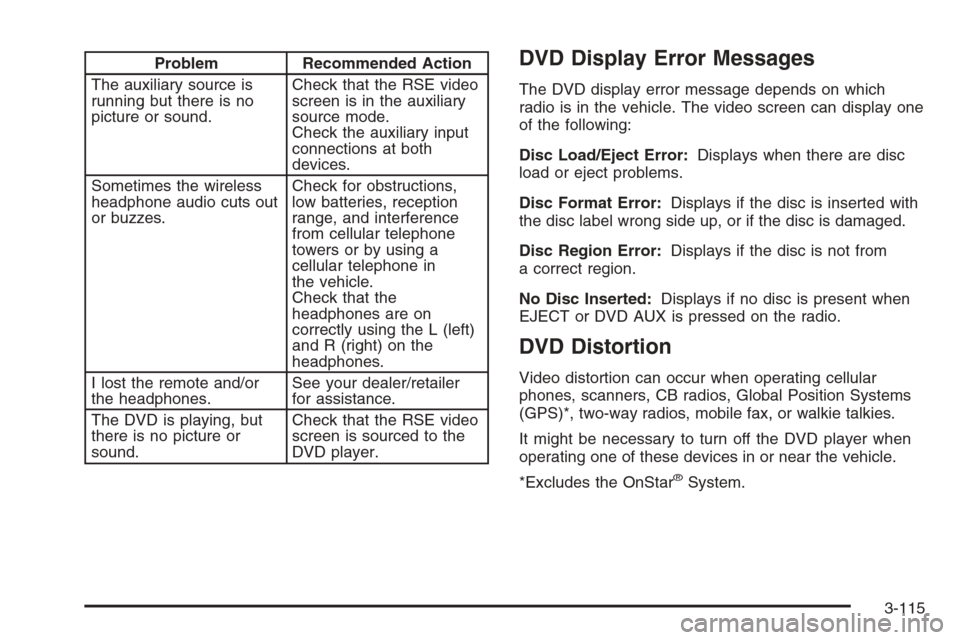
Problem Recommended Action
The auxiliary source is
running but there is no
picture or sound.Check that the RSE video
screen is in the auxiliary
source mode.
Check the auxiliary input
connections at both
devices.
Sometimes the wireless
headphone audio cuts out
or buzzes.Check for obstructions,
low batteries, reception
range, and interference
from cellular telephone
towers or by using a
cellular telephone in
the vehicle.
Check that the
headphones are on
correctly using the L (left)
and R (right) on the
headphones.
I lost the remote and/or
the headphones.See your dealer/retailer
for assistance.
The DVD is playing, but
there is no picture or
sound.Check that the RSE video
screen is sourced to the
DVD player.DVD Display Error Messages
The DVD display error message depends on which
radio is in the vehicle. The video screen can display one
of the following:
Disc Load/Eject Error:Displays when there are disc
load or eject problems.
Disc Format Error:Displays if the disc is inserted with
the disc label wrong side up, or if the disc is damaged.
Disc Region Error:Displays if the disc is not from
a correct region.
No Disc Inserted:Displays if no disc is present when
EJECT or DVD AUX is pressed on the radio.
DVD Distortion
Video distortion can occur when operating cellular
phones, scanners, CB radios, Global Position Systems
(GPS)*, two-way radios, mobile fax, or walkie talkies.
It might be necessary to turn off the DVD player when
operating one of these devices in or near the vehicle.
*Excludes the OnStar
®System.
3-115
Page 299 of 528
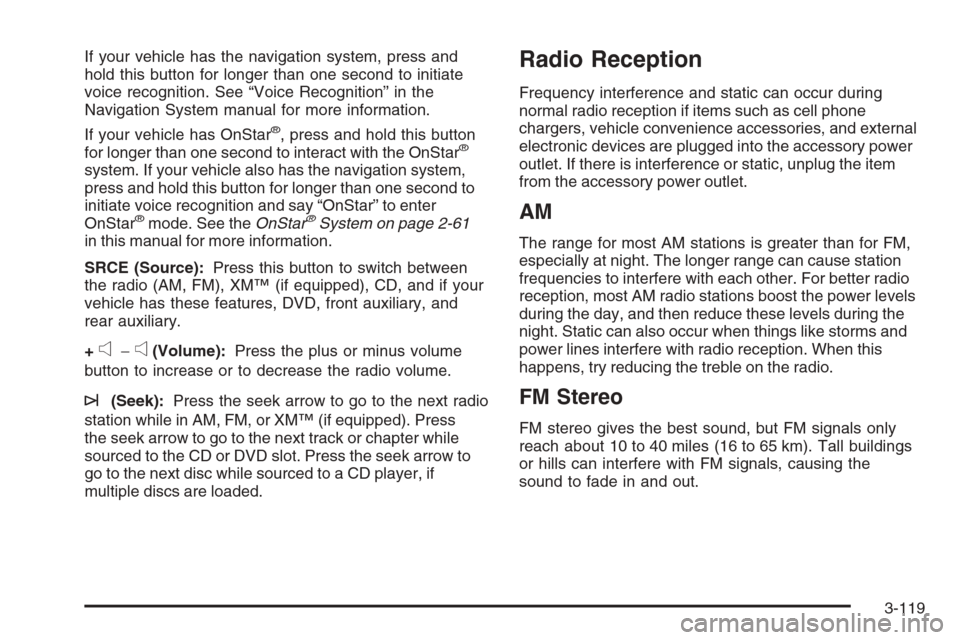
If your vehicle has the navigation system, press and
hold this button for longer than one second to initiate
voice recognition. See “Voice Recognition” in the
Navigation System manual for more information.
If your vehicle has OnStar
®, press and hold this button
for longer than one second to interact with the OnStar®
system. If your vehicle also has the navigation system,
press and hold this button for longer than one second to
initiate voice recognition and say “OnStar” to enter
OnStar
®mode. See theOnStar®System on page 2-61
in this manual for more information.
SRCE (Source):Press this button to switch between
the radio (AM, FM), XM™ (if equipped), CD, and if your
vehicle has these features, DVD, front auxiliary, and
rear auxiliary.
+
e−e(Volume):Press the plus or minus volume
button to increase or to decrease the radio volume.
¨(Seek):Press the seek arrow to go to the next radio
station while in AM, FM, or XM™ (if equipped). Press
the seek arrow to go to the next track or chapter while
sourced to the CD or DVD slot. Press the seek arrow to
go to the next disc while sourced to a CD player, if
multiple discs are loaded.
Radio Reception
Frequency interference and static can occur during
normal radio reception if items such as cell phone
chargers, vehicle convenience accessories, and external
electronic devices are plugged into the accessory power
outlet. If there is interference or static, unplug the item
from the accessory power outlet.
AM
The range for most AM stations is greater than for FM,
especially at night. The longer range can cause station
frequencies to interfere with each other. For better radio
reception, most AM radio stations boost the power levels
during the day, and then reduce these levels during the
night. Static can also occur when things like storms and
power lines interfere with radio reception. When this
happens, try reducing the treble on the radio.
FM Stereo
FM stereo gives the best sound, but FM signals only
reach about 10 to 40 miles (16 to 65 km). Tall buildings
or hills can interfere with FM signals, causing the
sound to fade in and out.
3-119
Page 349 of 528
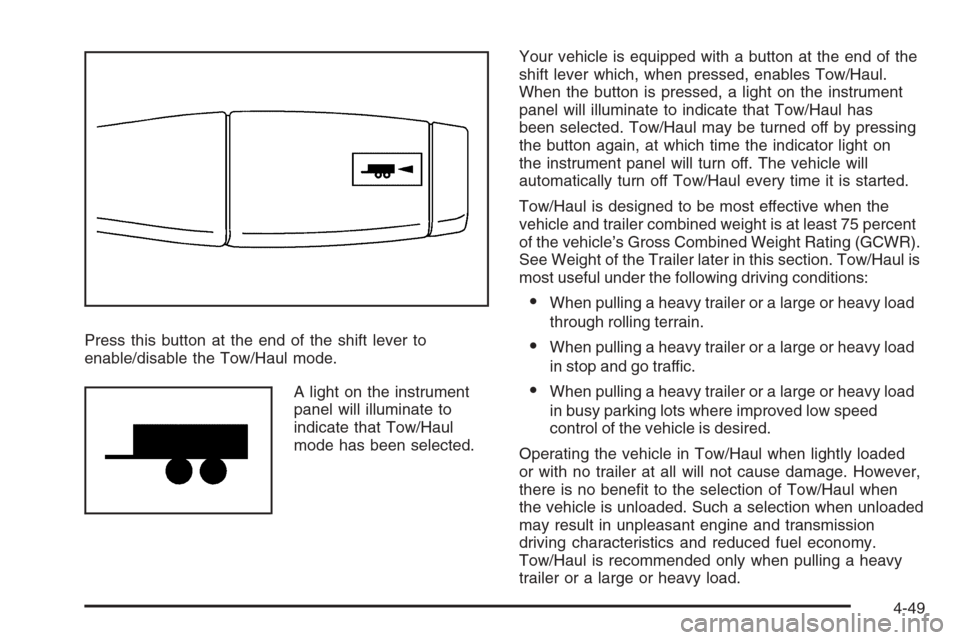
Press this button at the end of the shift lever to
enable/disable the Tow/Haul mode.
A light on the instrument
panel will illuminate to
indicate that Tow/Haul
mode has been selected.Your vehicle is equipped with a button at the end of the
shift lever which, when pressed, enables Tow/Haul.
When the button is pressed, a light on the instrument
panel will illuminate to indicate that Tow/Haul has
been selected. Tow/Haul may be turned off by pressing
the button again, at which time the indicator light on
the instrument panel will turn off. The vehicle will
automatically turn off Tow/Haul every time it is started.
Tow/Haul is designed to be most effective when the
vehicle and trailer combined weight is at least 75 percent
of the vehicle’s Gross Combined Weight Rating (GCWR).
See Weight of the Trailer later in this section. Tow/Haul is
most useful under the following driving conditions:
When pulling a heavy trailer or a large or heavy load
through rolling terrain.
When pulling a heavy trailer or a large or heavy load
in stop and go traffic.
When pulling a heavy trailer or a large or heavy load
in busy parking lots where improved low speed
control of the vehicle is desired.
Operating the vehicle in Tow/Haul when lightly loaded
or with no trailer at all will not cause damage. However,
there is no benet to the selection of Tow/Haul when
the vehicle is unloaded. Such a selection when unloaded
may result in unpleasant engine and transmission
driving characteristics and reduced fuel economy.
Tow/Haul is recommended only when pulling a heavy
trailer or a large or heavy load.
4-49
Page 359 of 528
Trailer Wiring Harness
Heavy-Duty Trailer Wiring Package
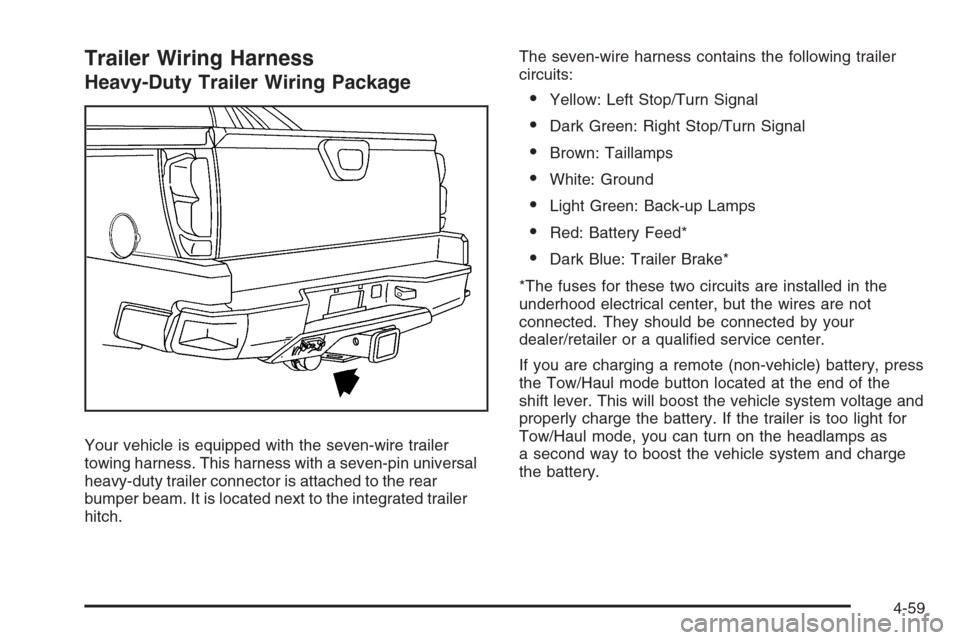
Your vehicle is equipped with the seven-wire trailer
towing harness. This harness with a seven-pin universal
heavy-duty trailer connector is attached to the rear
bumper beam. It is located next to the integrated trailer
hitch.The seven-wire harness contains the following trailer
circuits:
Yellow: Left Stop/Turn Signal
Dark Green: Right Stop/Turn Signal
Brown: Taillamps
White: Ground
Light Green: Back-up Lamps
Red: Battery Feed*
Dark Blue: Trailer Brake*
*The fuses for these two circuits are installed in the
underhood electrical center, but the wires are not
connected. They should be connected by your
dealer/retailer or a qualied service center.
If you are charging a remote (non-vehicle) battery, press
the Tow/Haul mode button located at the end of the
shift lever. This will boost the vehicle system voltage and
properly charge the battery. If the trailer is too light for
Tow/Haul mode, you can turn on the headlamps as
a second way to boost the vehicle system and charge
the battery.
4-59
Page 422 of 528
GAWR RR:Gross Axle Weight Rating for the rear
axle. SeeLoading Your Vehicle on page 4-36.
Intended Outboard Sidewall
:The side of
an asymmetrical tire, that must always face
outward when mounted on a vehicle.
Kilopascal (kPa)
:The metric unit for air pressure.
Light Truck (LT-Metric) Tire
:A tire used on
light duty trucks and some multipurpose passenger
vehicles.
Load Index
:An assigned number ranging
from 1 to 279 that corresponds to the load
carrying capacity of a tire.
Maximum Ination Pressure
:The maximum
air pressure to which a cold tire can be inated.
The maximum air pressure is molded onto the
sidewall.
Maximum Load Rating
:The load rating for a tire
at the maximum permissible ination pressure
for that tire.
Maximum Loaded Vehicle Weight
:The sum of
curb weight, accessory weight, vehicle capacity
weight, and production options weight.Normal Occupant Weight
:The number of
occupants a vehicle is designed to seat multiplied
by 150 lbs (68 kg). SeeLoading Your Vehicle
on page 4-36.
Occupant Distribution
:Designated seating
positions.
Outward Facing Sidewall
:The side of an
asymmetrical tire that has a particular side that
faces outward when mounted on a vehicle.
The side of the tire that contains a whitewall,
bears white lettering, or bears manufacturer,
brand, and/or model name molding that is higher
or deeper than the same moldings on the other
sidewall of the tire.
Passenger (P-Metric) Tire
:A tire used on
passenger cars and some light duty trucks and
multipurpose vehicles.
Recommended Ination Pressure
:Vehicle
manufacturer’s recommended tire ination
pressure as shown on the tire placard. See
Ination - Tire Pressure on page 5-64and
Loading Your Vehicle on page 4-36.
5-62
Page 429 of 528
TPMS Sensor Matching Process
Each TPMS sensor has a unique identication code.
Any time you rotate your vehicle’s tires or replace one or
more of the TPMS sensors, the identication codes will
need to be matched to the new tire/wheel position. The
sensors are matched to the tire/wheel positions in the
following order: driver side front tire, passenger side front
tire, passenger side rear tire, and driver side rear tire
using a TPMS diagnostic tool. See your dealer/retailer
for service.
The TPMS sensors can also be matched to each
tire/wheel position by increasing or decreasing the tire’s
air pressure. If increasing the tire’s air pressure, do
not exceed the maximum ination pressure indicated
on the tire’s sidewall.
To decrease air-pressure out of a tire you can use the
pointed end of the valve cap, a pencil-style air pressure
gage, or a key.
You have two minutes to match the rst tire/wheel
position, and ve minutes overall to match all four
tire/wheel positions. If it takes longer than two minutes,
to match the rst tire and wheel, or more than
ve minutes to match all four tire and wheel positions
the matching process stops and you need to start over.The TPMS sensor matching process is outlined below:
1. Set the parking brake.
2. Turn the ignition switch to ON/RUN with the
engine off.
3. Press the Remote Keyless Entry (RKE) transmitter’s
LOCK and UNLOCK buttons at the same time for
approximately ve seconds. The horn sounds twice
to signal the receiver is in relearn mode and TIRE
LEARNING ACTIVE message displays on the DIC
screen.
4. Start with the driver side front tire.
5. Remove the valve cap from the valve cap stem.
Activate the TPMS sensor by increasing or
decreasing the tire’s air pressure for ve seconds, or
until a horn chirp sounds. The horn chirp, which may
take up to 30 seconds to sound, conrms that the
sensor identication code has been matched to this
tire and wheel position.
6. Proceed to the passenger side front tire, and repeat
the procedure in Step 5.
7. Proceed to the passenger side rear tire, and repeat
the procedure in Step 5.
5-69
Page 504 of 528
Trip Interruption Benets and Assistance
(Canada only):In the event of a warranty related
vehicle disablement, while en route and over
250 kilometres from the original point of departure,
you may qualify for trip interruption expense
assistance. This assistance covers reasonable
reimbursement of up to a maximum of $500
(Canadian) for (A) meals (maximum of $50/day),
(B) lodging (maximum of $100/night) and
(C) alternate ground transportation (maximum of
$40/day). This benet is to assist you with some of
the unplanned expense you may incur while waiting
for your vehicle to be repaired.
Pre-authorization, original detailed receipts and a
copy of the repair order are required.
Once authorization has been given, your advisor will
help you make any necessary arrangements and
explain how to claim for trip interruption expense
assistance.
Alternative Service (Canada only):There may be
times, when Roadside Assistance cannot provide
timely assistance. Your advisor may authorize you
to secure local emergency road service, and you will
be reimbursed up to $100 upon submission of the
original receipt to Roadside Assistance.In many instances, mechanical failures may be covered.
However, any cost for parts and labor for non-warranty
repairs are the responsibility of the driver.
Chevrolet and General Motors of Canada Limited
reserve the right to limit services or reimbursement
to an owner or driver when, in their sole discretion,
the claims become excessive in frequency or type of
occurrence.
Calling for Assistance
For prompt and efficient assistance when calling, please
provide the following to the Roadside Assistance
Representative:
Your name, home address, and home telephone
number
Telephone number of your location
Location of the vehicle
Model, year, color, and license plate number of the
vehicle
Odometer reading, Vehicle Identication
Number (VIN), and delivery date of the vehicle
Description of the problem
7-8
Page 509 of 528
Gather the important information you will need from
the other driver. Things like name, address, phone
number, driver’s license number, vehicle license
plate, vehicle make, model and model year, Vehicle
Identication Number (VIN), insurance company
and policy number, and a general description of
the damage to the other vehicle.
If possible, call your insurance company from the
scene of the crash. They will walk you through the
information they will need. If they ask for a police
report, phone or go to the police department
headquarters the next day and you can get a copy of
the report for a nominal fee. In some states/provinces
with “no fault” insurance laws, a report may not be
necessary. This is especially true if there are no
injuries and both vehicles are driveable.
Choose a reputable collision repair facility for your
vehicle. Whether you select a dealer/retailer or a
private collision repair facility to x the damage,
make sure you are comfortable with them.
Remember, you will have to feel comfortable
with their work for a long time.
Once you have an estimate, read it carefully and
make sure you understand what work will be
performed on your vehicle. If you have a question,
ask for an explanation. Reputable shops welcome
this opportunity.
Managing the Vehicle Damage Repair
Process
In the event that your vehicle requires damage repairs,
GM recommends that you take an active role in its
repair. If you have a pre-determined repair facility of
choice, take your vehicle there, or have it towed there.
Specify to the facility that any required replacement
collision parts be original equipment parts, either new
Genuine GM parts or recycled original GM parts.
Remember, recycled parts will not be covered by
your GM vehicle warranty.
Insurance pays the bill for the repair, but you must
live with the repair. Depending on your policy limits,
your insurance company may initially value the repair
using aftermarket parts. Discuss this with your repair
professional, and insist on Genuine GM parts. Remember
if your vehicle is leased you may be obligated to have the
vehicle repaired with Genuine GM parts, even if your
insurance coverage does not pay the full cost.
If another party’s insurance company is paying for
the repairs, you are not obligated to accept a repair
valuation based on that insurance company’s collision
policy repair limits, as you have no contractual limits with
that company. In such cases, you can have control of
the repair and parts choices as long as cost stays within
reasonable limits.
7-13
Page 519 of 528
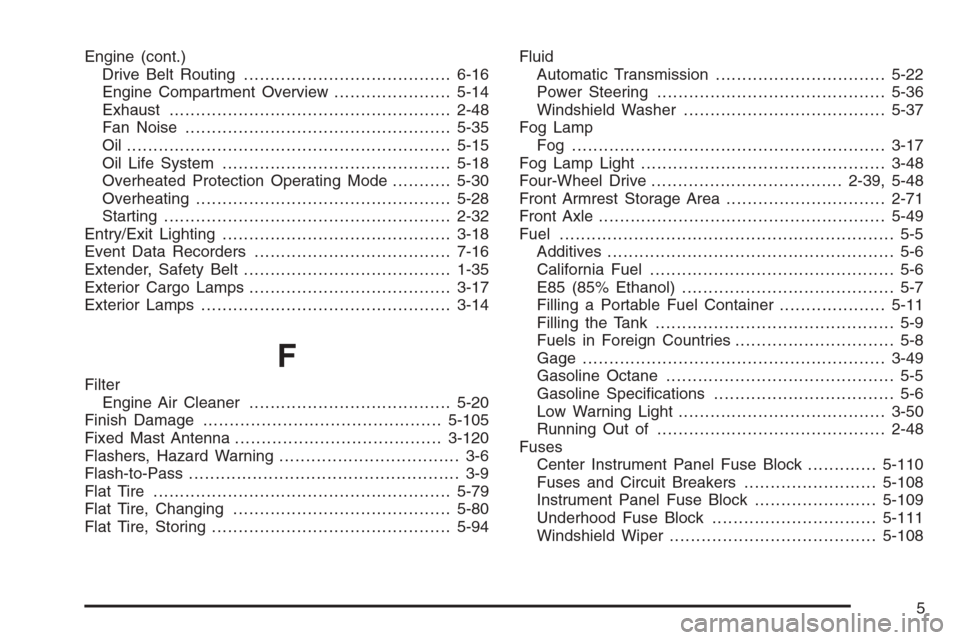
Engine (cont.)
Drive Belt Routing.......................................6-16
Engine Compartment Overview......................5-14
Exhaust.....................................................2-48
Fan Noise..................................................5-35
Oil .............................................................5-15
Oil Life System...........................................5-18
Overheated Protection Operating Mode...........5-30
Overheating................................................5-28
Starting......................................................2-32
Entry/Exit Lighting...........................................3-18
Event Data Recorders.....................................7-16
Extender, Safety Belt.......................................1-35
Exterior Cargo Lamps......................................3-17
Exterior Lamps...............................................3-14
F
Filter
Engine Air Cleaner......................................5-20
Finish Damage.............................................5-105
Fixed Mast Antenna.......................................3-120
Flashers, Hazard Warning.................................. 3-6
Flash-to-Pass................................................... 3-9
Flat Tire........................................................5-79
Flat Tire, Changing.........................................5-80
Flat Tire, Storing.............................................5-94Fluid
Automatic Transmission................................5-22
Power Steering...........................................5-36
Windshield Washer......................................5-37
Fog Lamp
Fog ...........................................................3-17
Fog Lamp Light..............................................3-48
Four-Wheel Drive....................................2-39, 5-48
Front Armrest Storage Area..............................2-71
Front Axle......................................................5-49
Fuel............................................................... 5-5
Additives...................................................... 5-6
California Fuel.............................................. 5-6
E85 (85% Ethanol)........................................ 5-7
Filling a Portable Fuel Container....................5-11
Filling the Tank............................................. 5-9
Fuels in Foreign Countries.............................. 5-8
Gage .........................................................3-49
Gasoline Octane........................................... 5-5
Gasoline Specications.................................. 5-6
Low Warning Light.......................................3-50
Running Out of...........................................2-48
Fuses
Center Instrument Panel Fuse Block.............5-110
Fuses and Circuit Breakers.........................5-108
Instrument Panel Fuse Block.......................5-109
Underhood Fuse Block...............................5-111
Windshield Wiper.......................................5-108
5
Page 523 of 528
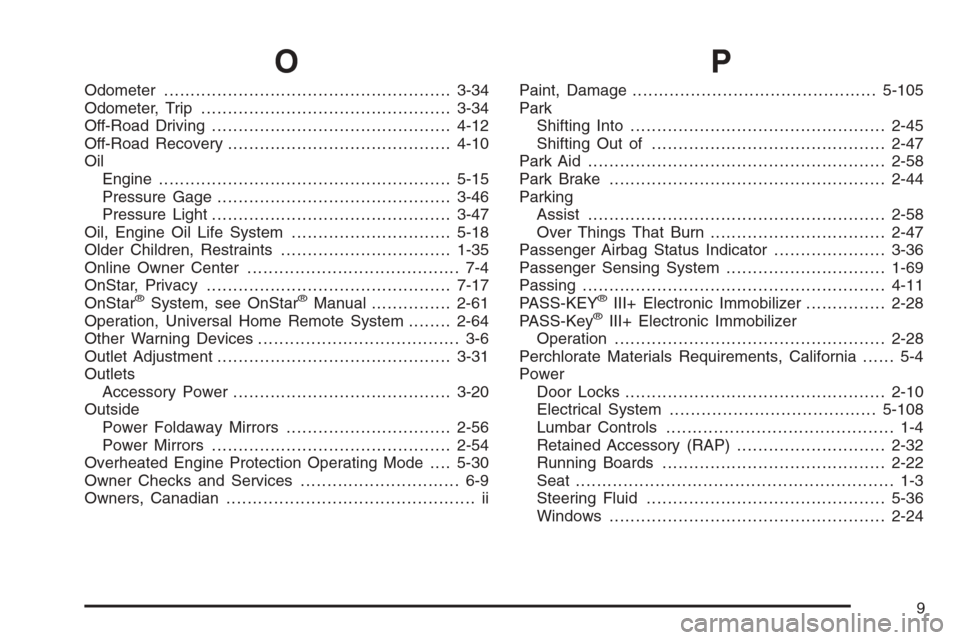
O
Odometer......................................................3-34
Odometer, Trip...............................................3-34
Off-Road Driving.............................................4-12
Off-Road Recovery..........................................4-10
Oil
Engine.......................................................5-15
Pressure Gage............................................3-46
Pressure Light.............................................3-47
Oil, Engine Oil Life System..............................5-18
Older Children, Restraints................................1-35
Online Owner Center........................................ 7-4
OnStar, Privacy..............................................7-17
OnStar
®System, see OnStar®Manual...............2-61
Operation, Universal Home Remote System........2-64
Other Warning Devices...................................... 3-6
Outlet Adjustment............................................3-31
Outlets
Accessory Power.........................................3-20
Outside
Power Foldaway Mirrors...............................2-56
Power Mirrors.............................................2-54
Overheated Engine Protection Operating Mode....5-30
Owner Checks and Services.............................. 6-9
Owners, Canadian............................................... ii
P
Paint, Damage..............................................5-105
Park
Shifting Into................................................2-45
Shifting Out of............................................2-47
Park Aid........................................................2-58
Park Brake....................................................2-44
Parking
Assist........................................................2-58
Over Things That Burn.................................2-47
Passenger Airbag Status Indicator.....................3-36
Passenger Sensing System..............................1-69
Passing.........................................................4-11
PASS-KEY
®III+ Electronic Immobilizer...............2-28
PASS-Key®III+ Electronic Immobilizer
Operation...................................................2-28
Perchlorate Materials Requirements, California...... 5-4
Power
Door Locks.................................................2-10
Electrical System.......................................5-108
Lumbar Controls........................................... 1-4
Retained Accessory (RAP)............................2-32
Running Boards..........................................2-22
Seat............................................................ 1-3
Steering Fluid.............................................5-36
Windows....................................................2-24
9