wheel CHEVROLET AVALANCHE 2011 2.G Owner's Guide
[x] Cancel search | Manufacturer: CHEVROLET, Model Year: 2011, Model line: AVALANCHE, Model: CHEVROLET AVALANCHE 2011 2.GPages: 528, PDF Size: 7.65 MB
Page 224 of 528
Black plate (8,1)Chevrolet Avalanche Owner Manual - 2011
7-8 Infotainment System
Radio
AM-FM Radio
Radio Data System (RDS)
For radios with the Radio Data
System (RDS) feature, it only works
with FM stations that broadcast
RDS information. This system relies
upon receiving specific information
from these stations and only works
when the information is available.
While the radio is tuned to an
FM-RDS station, the station name
or call letters displays. In rare
cases, a radio station could
broadcast incorrect information that
causes the radio features to work
improperly. If this happens, contact
the radio station.
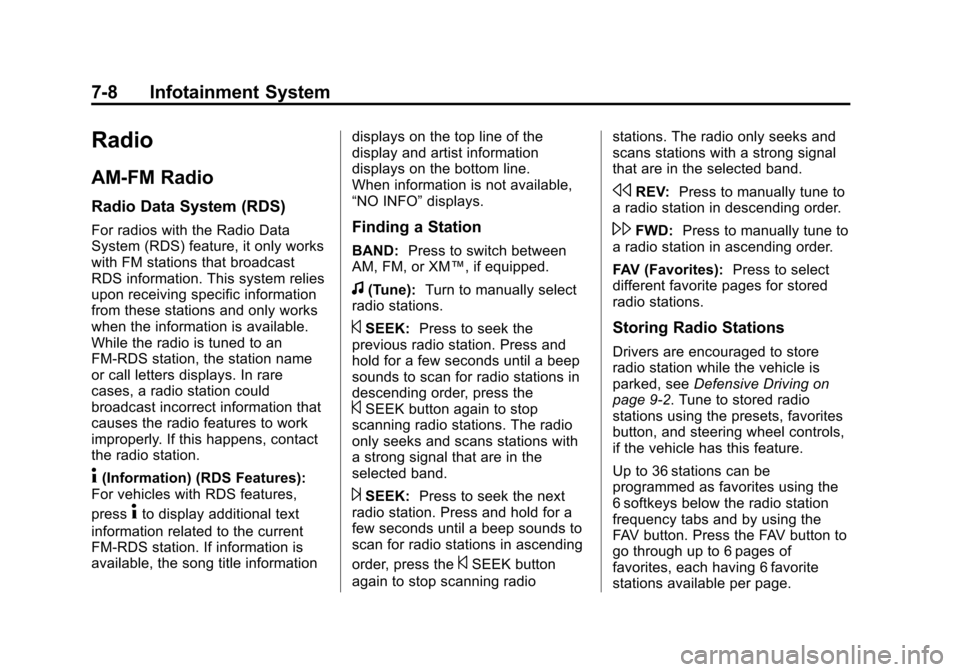
4(Information) (RDS Features):
For vehicles with RDS features,
press
4to display additional text
information related to the current
FM-RDS station. If information is
available, the song title information displays on the top line of the
display and artist information
displays on the bottom line.
When information is not available,
“NO INFO”
displays.
Finding a Station
BAND:Press to switch between
AM, FM, or XM™, if equipped.
f(Tune): Turn to manually select
radio stations.
©SEEK: Press to seek the
previous radio station. Press and
hold for a few seconds until a beep
sounds to scan for radio stations in
descending order, press the
©SEEK button again to stop
scanning radio stations. The radio
only seeks and scans stations with
a strong signal that are in the
selected band.
¨SEEK: Press to seek the next
radio station. Press and hold for a
few seconds until a beep sounds to
scan for radio stations in ascending
order, press the
©SEEK button
again to stop scanning radio stations. The radio only seeks and
scans stations with a strong signal
that are in the selected band.
sREV:
Press to manually tune to
a radio station in descending order.
\FWD: Press to manually tune to
a radio station in ascending order.
FAV (Favorites): Press to select
different favorite pages for stored
radio stations.
Storing Radio Stations
Drivers are encouraged to store
radio station while the vehicle is
parked, see Defensive Driving on
page 9‑2. Tune to stored radio
stations using the presets, favorites
button, and steering wheel controls,
if the vehicle has this feature.
Up to 36 stations can be
programmed as favorites using the
6 softkeys below the radio station
frequency tabs and by using the
FAV button. Press the FAV button to
go through up to 6 pages of
favorites, each having 6 favorite
stations available per page.
Page 226 of 528
Black plate (10,1)Chevrolet Avalanche Owner Manual - 2011
7-10 Infotainment System
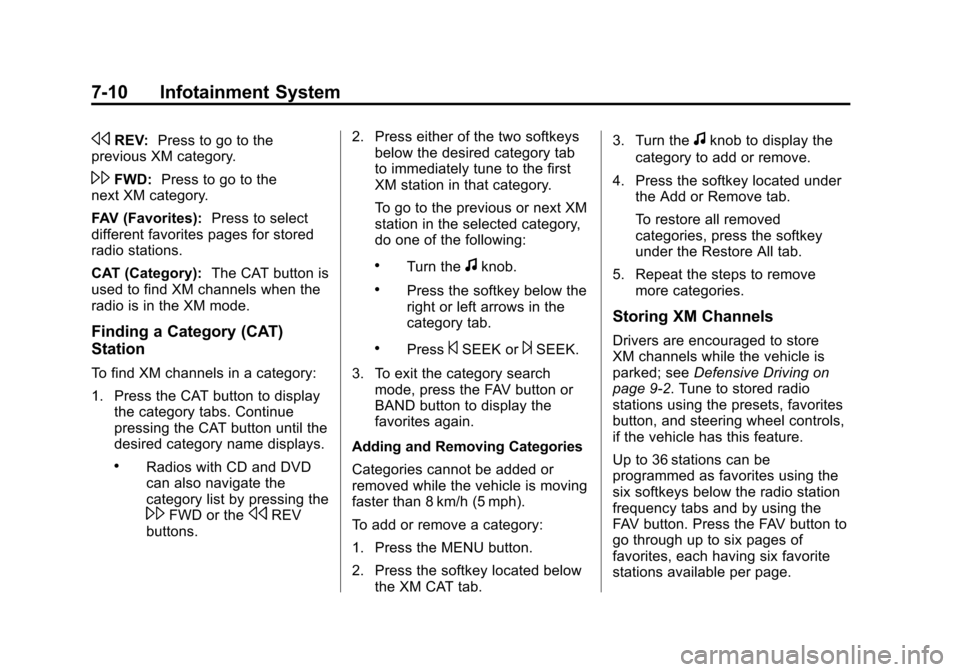
sREV:Press to go to the
previous XM category.
\FWD: Press to go to the
next XM category.
FAV (Favorites): Press to select
different favorites pages for stored
radio stations.
CAT (Category): The CAT button is
used to find XM channels when the
radio is in the XM mode.
Finding a Category (CAT)
Station
To find XM channels in a category:
1. Press the CAT button to display the category tabs. Continue
pressing the CAT button until the
desired category name displays.
.Radios with CD and DVD
can also navigate the
category list by pressing the
\FWD or thesREV
buttons. 2. Press either of the two softkeys
below the desired category tab
to immediately tune to the first
XM station in that category.
To go to the previous or next XM
station in the selected category,
do one of the following:
.Turn thefknob.
.Press the softkey below the
right or left arrows in the
category tab.
.Press©SEEK or¨SEEK.
3. To exit the category search mode, press the FAV button or
BAND button to display the
favorites again.
Adding and Removing Categories
Categories cannot be added or
removed while the vehicle is moving
faster than 8 km/h (5 mph).
To add or remove a category:
1. Press the MENU button.
2. Press the softkey located below the XM CAT tab. 3. Turn the
fknob to display the
category to add or remove.
4. Press the softkey located under the Add or Remove tab.
To restore all removed
categories, press the softkey
under the Restore All tab.
5. Repeat the steps to remove more categories.
Storing XM Channels
Drivers are encouraged to store
XM channels while the vehicle is
parked; see Defensive Driving on
page 9‑2. Tune to stored radio
stations using the presets, favorites
button, and steering wheel controls,
if the vehicle has this feature.
Up to 36 stations can be
programmed as favorites using the
six softkeys below the radio station
frequency tabs and by using the
FAV button. Press the FAV button to
go through up to six pages of
favorites, each having six favorite
stations available per page.
Page 263 of 528
Black plate (47,1)Chevrolet Avalanche Owner Manual - 2011
Infotainment System 7-47
Bluetooth Controls
Use the buttons located on the
steering wheel to operate the
in‐vehicle Bluetooth system.
SeeSteering Wheel Controls on
page 5‑3 for more information.
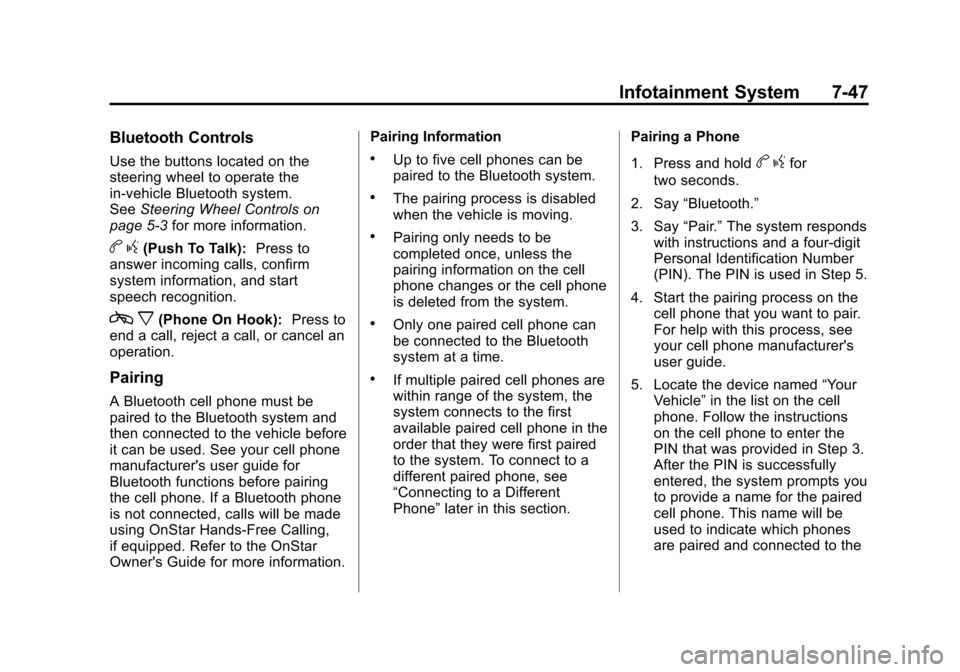
bg(Push To Talk): Press to
answer incoming calls, confirm
system information, and start
speech recognition.
c x(Phone On Hook): Press to
end a call, reject a call, or cancel an
operation.
Pairing
A Bluetooth cell phone must be
paired to the Bluetooth system and
then connected to the vehicle before
it can be used. See your cell phone
manufacturer's user guide for
Bluetooth functions before pairing
the cell phone. If a Bluetooth phone
is not connected, calls will be made
using OnStar Hands‐Free Calling,
if equipped. Refer to the OnStar
Owner's Guide for more information. Pairing Information
.Up to five cell phones can be
paired to the Bluetooth system.
.The pairing process is disabled
when the vehicle is moving.
.Pairing only needs to be
completed once, unless the
pairing information on the cell
phone changes or the cell phone
is deleted from the system.
.Only one paired cell phone can
be connected to the Bluetooth
system at a time.
.If multiple paired cell phones are
within range of the system, the
system connects to the first
available paired cell phone in the
order that they were first paired
to the system. To connect to a
different paired phone, see
“Connecting to a Different
Phone”
later in this section. Pairing a Phone
1. Press and hold
b
gfor
two seconds.
2. Say “Bluetooth.”
3. Say “Pair.”The system responds
with instructions and a four‐digit
Personal Identification Number
(PIN). The PIN is used in Step 5.
4. Start the pairing process on the cell phone that you want to pair.
For help with this process, see
your cell phone manufacturer's
user guide.
5. Locate the device named “Your
Vehicle” in the list on the cell
phone. Follow the instructions
on the cell phone to enter the
PIN that was provided in Step 3.
After the PIN is successfully
entered, the system prompts you
to provide a name for the paired
cell phone. This name will be
used to indicate which phones
are paired and connected to the
Page 269 of 528
Black plate (1,1)Chevrolet Avalanche Owner Manual - 2011
Climate Controls 8-1
Climate Controls
Climate Control Systems
Climate Control Systems . . . . . . 8-1
Dual Automatic Climate ControlSystem . . . . . . . . . . . . . . . . . . . . . . 8-4
Air Vents
Air Vents . . . . . . . . . . . . . . . . . . . . . 8-10
Climate Control Systems
The heating, cooling, defrost, defog and ventilation of the vehicle can be
controlled with this system.
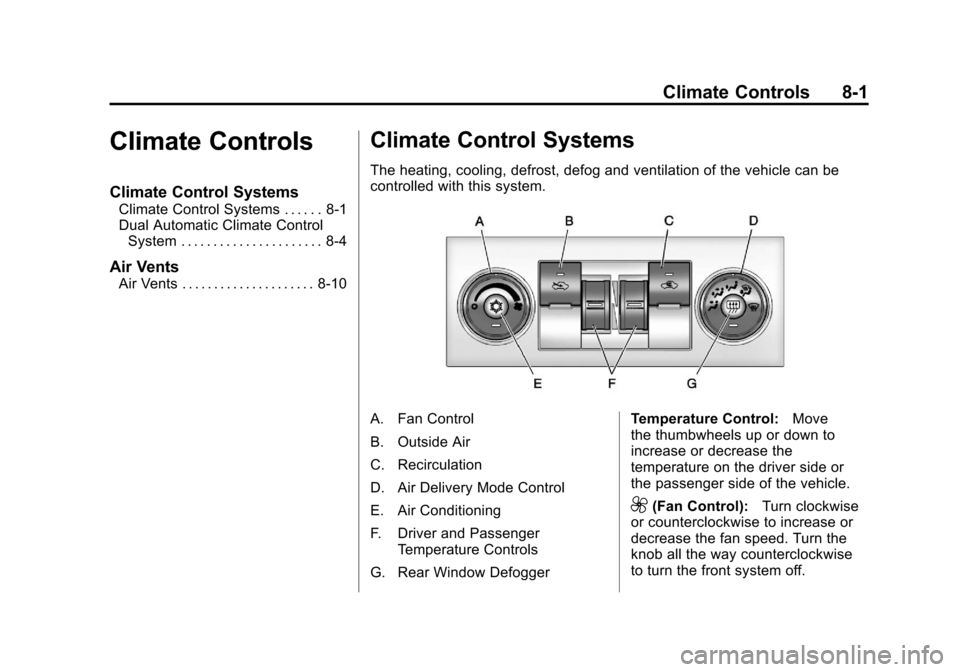
A. Fan Control
B. Outside Air
C. Recirculation
D. Air Delivery Mode Control
E. Air Conditioning
F. Driver and Passenger
Temperature Controls
G. Rear Window Defogger Temperature Control:
Move
the thumbwheels up or down to
increase or decrease the
temperature on the driver side or
the passenger side of the vehicle.
9(Fan Control): Turn clockwise
or counterclockwise to increase or
decrease the fan speed. Turn the
knob all the way counterclockwise
to turn the front system off.
Page 277 of 528
Black plate (9,1)Chevrolet Avalanche Owner Manual - 2011
Climate Controls 8-9
Rear Window Defogger
The rear window defogger uses a
warming grid to remove fog from the
rear window.
<(Rear Window Defogger):
Press to turn the rear window
defogger on or off. It automatically
turns off several minutes after it has
been activated. The defogger can
also be turned off by turning off the
engine. Do not drive the vehicle until
all the windows are clear.
Notice: Do not use a razor blade
or sharp object to clear the inside
rear window. Do not adhere
anything to the defogger grid
lines in the rear glass. These
actions may damage the rear
defogger. Repairs would not be
covered by your warranty.
Heated Mirrors: For vehicles with
heated outside rearview mirrors, the
mirrors heat to help clear fog or frost
from the surface of the mirror when
the rear window defog button is
pressed. See Power Mirrors on
page 2‑20.
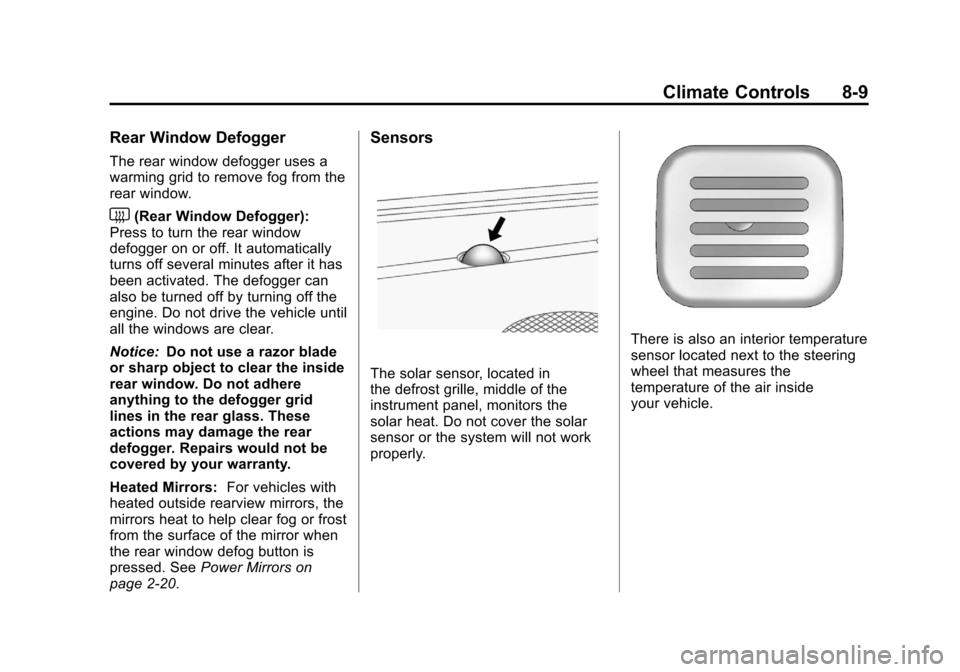
Sensors
The solar sensor, located in
the defrost grille, middle of the
instrument panel, monitors the
solar heat. Do not cover the solar
sensor or the system will not work
properly.
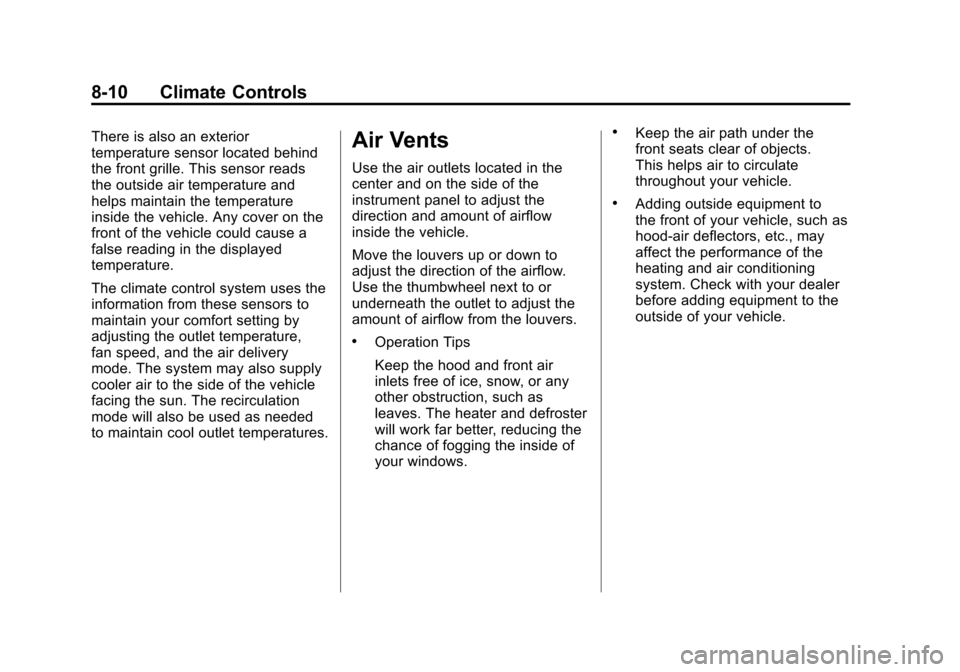
There is also an interior temperature
sensor located next to the steering
wheel that measures the
temperature of the air inside
your vehicle.
Page 278 of 528
Black plate (10,1)Chevrolet Avalanche Owner Manual - 2011
8-10 Climate Controls
There is also an exterior
temperature sensor located behind
the front grille. This sensor reads
the outside air temperature and
helps maintain the temperature
inside the vehicle. Any cover on the
front of the vehicle could cause a
false reading in the displayed
temperature.
The climate control system uses the
information from these sensors to
maintain your comfort setting by
adjusting the outlet temperature,
fan speed, and the air delivery
mode. The system may also supply
cooler air to the side of the vehicle
facing the sun. The recirculation
mode will also be used as needed
to maintain cool outlet temperatures.Air Vents
Use the air outlets located in the
center and on the side of the
instrument panel to adjust the
direction and amount of airflow
inside the vehicle.
Move the louvers up or down to
adjust the direction of the airflow.
Use the thumbwheel next to or
underneath the outlet to adjust the
amount of airflow from the louvers.
.Operation Tips
Keep the hood and front air
inlets free of ice, snow, or any
other obstruction, such as
leaves. The heater and defroster
will work far better, reducing the
chance of fogging the inside of
your windows.
.Keep the air path under the
front seats clear of objects.
This helps air to circulate
throughout your vehicle.
.Adding outside equipment to
the front of your vehicle, such as
hood-air deflectors, etc., may
affect the performance of the
heating and air conditioning
system. Check with your dealer
before adding equipment to the
outside of your vehicle.
Page 279 of 528
Black plate (1,1)Chevrolet Avalanche Owner Manual - 2011
Driving and Operating 9-1
Driving and
Operating
Driving Information
Defensive Driving . . . . . . . . . . . . . 9-2
Drunk Driving . . . . . . . . . . . . . . . . . 9-2
Control of a Vehicle . . . . . . . . . . . 9-3
Braking . . . . . . . . . . . . . . . . . . . . . . . 9-3
Steering . . . . . . . . . . . . . . . . . . . . . . . 9-4
Off-Road Recovery . . . . . . . . . . . . 9-6
Loss of Control . . . . . . . . . . . . . . . . 9-6
Off-Road Driving . . . . . . . . . . . . . . 9-7
Driving on Wet Roads . . . . . . . 9-18
Highway Hypnosis . . . . . . . . . . . 9-19
Hill and Mountain Roads . . . . . 9-19
Winter Driving . . . . . . . . . . . . . . . 9-20
If the Vehicle is Stuck . . . . . . . . 9-22
Vehicle Load Limits . . . . . . . . . . 9-24
Truck-Camper LoadingInformation . . . . . . . . . . . . . . . . . 9-29
Starting and Operating
New Vehicle Break-In . . . . . . . . 9-30
Adjustable Throttle and BrakePedal . . . . . . . . . . . . . . . . . . . . . . . 9-30
Ignition Positions . . . . . . . . . . . . 9-31
Starting the Engine . . . . . . . . . . 9-32
Engine Heater . . . . . . . . . . . . . . . 9-33
Retained Accessory Power (RAP) . . . . . . . . . . . . . . . 9-34
Shifting Into Park . . . . . . . . . . . . 9-35
Shifting Out of Park . . . . . . . . . . 9-36
Parking Over Things That Burn . . . . . . . . . . . . . . . . . . 9-37
Active Fuel Management™ . . . . . . . . . . . . . 9-37
Engine Exhaust
Engine Exhaust . . . . . . . . . . . . . . 9-38
Running the Vehicle While
Parked . . . . . . . . . . . . . . . . . . . . . 9-38
Automatic Transmission
Automatic Transmission . . . . . 9-39
Manual Mode . . . . . . . . . . . . . . . . 9-42
Tow/Haul Mode . . . . . . . . . . . . . . 9-43
Drive Systems
Four-Wheel Drive(Two Speed Automatic
Transfer Case) . . . . . . . . . . . . . 9-44
Four-Wheel Drive (Single Speed Automatic
Transfer Case) . . . . . . . . . . . . . 9-50
Brakes
Antilock Brake
System (ABS) . . . . . . . . . . . . . . 9-52
Parking Brake . . . . . . . . . . . . . . . 9-53
Brake Assist . . . . . . . . . . . . . . . . . 9-53
Ride Control Systems
StabiliTrak®System . . . . . . . . . 9-54
Locking Rear Axle . . . . . . . . . . . 9-56
Continuous Damping Control (CDC) . . . . . . . . . . . . . . 9-57
Automatic Level Control . . . . . 9-57
Cruise Control
Cruise Control . . . . . . . . . . . . . . . 9-58
Object Detection Systems
Ultrasonic Parking Assist . . . . 9-60
Rear Vision Camera (RVC) . . . . . . . . . . . . . 9-62
Page 282 of 528
Black plate (4,1)Chevrolet Avalanche Owner Manual - 2011
9-4 Driving and Operating
And, of course, actual stopping
distances vary greatly with the
surface of the road, whether it is
pavement or gravel; the condition of
the road, whether it is wet, dry,
or icy; tire tread; the condition of the
brakes; the weight of the vehicle;
and the amount of brake force
applied.
Avoid needless heavy
braking. Some people drive in
spurts—heavy acceleration
followed by heavy braking —rather
than keeping pace with traffic. This
is a mistake. The brakes might not
have time to cool between hard
stops. The brakes will wear out
much faster with a lot of heavy
braking. Keeping pace with the
traffic and allowing realistic following
distances eliminates a lot of
unnecessary braking. That means
better braking and longer brake life. If the engine ever stops while the
vehicle is being driven, brake
normally but do not pump the
brakes. If the brakes are pumped,
the pedal could get harder to push
down. If the engine stops, there will
still be some power brake assist but
it will be used when the brake is
applied. Once the power assist is
used up, it can take longer to stop
and the brake pedal will be harder
to push.
Adding non‐dealer accessories can
affect vehicle performance. See
Accessories and Modifications on
page 10‑3.Steering
Power Steering
If power steering assist is lost
because the engine stops or the
power steering system is not
functioning, the vehicle can be
steered but it will take more effort.
Steering Tips
It is important to take curves at a
reasonable speed.
Traction in a curve depends on the
condition of the tires and the road
surface, the angle at which the
curve is banked, and vehicle speed.
While in a curve, speed is the one
factor that can be controlled.
If there is a need to reduce speed,
do it before entering the curve, while
the front wheels are straight.
Try to adjust the speed so you can
drive through the curve. Maintain a
reasonable, steady speed. Wait to
accelerate until out of the curve, and
then accelerate gently into the
straightaway.
Page 283 of 528
Black plate (5,1)Chevrolet Avalanche Owner Manual - 2011
Driving and Operating 9-5
Steering in Emergencies
There are times when steering can
be more effective than braking. For
example, you come over a hill and
find a truck stopped in your lane,
or a car suddenly pulls out from
nowhere, or a child darts out from
between parked cars and stops right
in front of you. These problems can
be avoided by braking—if you can
stop in time. But sometimes you
cannot stop in time because there is
no room. That is the time for
evasive action —steering around
the problem.
The vehicle can perform very well in
emergencies like these. First apply
the brakes. See Braking on
page 9‑3. It is better to remove as
much speed as possible from a
collision. Then steer around the
problem, to the left or right
depending on the space available.
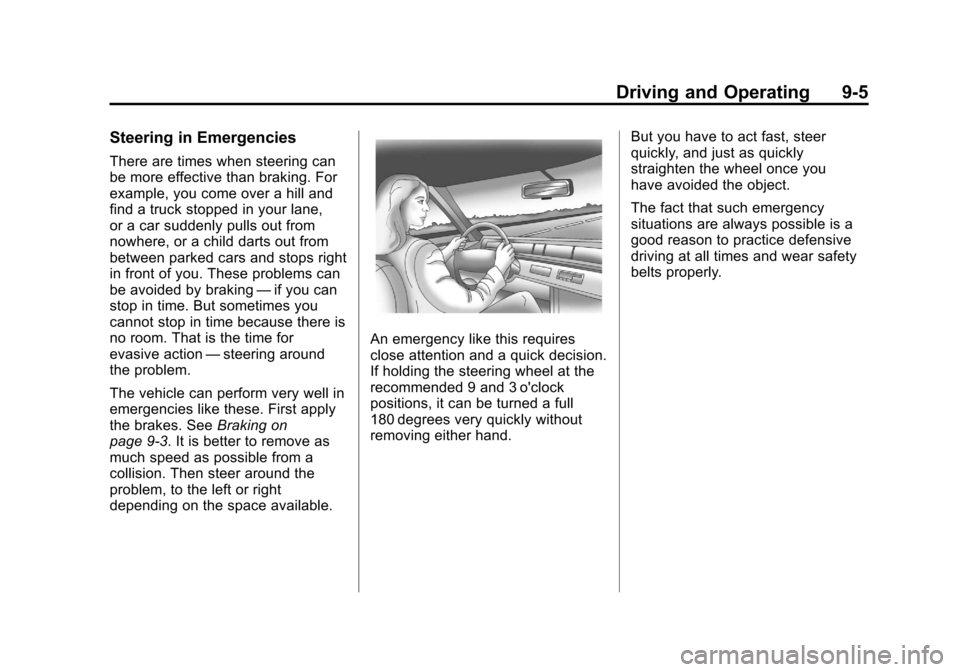
An emergency like this requires
close attention and a quick decision.
If holding the steering wheel at the
recommended 9 and 3 o'clock
positions, it can be turned a full
180 degrees very quickly without
removing either hand. But you have to act fast, steer
quickly, and just as quickly
straighten the wheel once you
have avoided the object.
The fact that such emergency
situations are always possible is a
good reason to practice defensive
driving at all times and wear safety
belts properly.
Page 284 of 528
Black plate (6,1)Chevrolet Avalanche Owner Manual - 2011
9-6 Driving and Operating
Off-Road Recovery
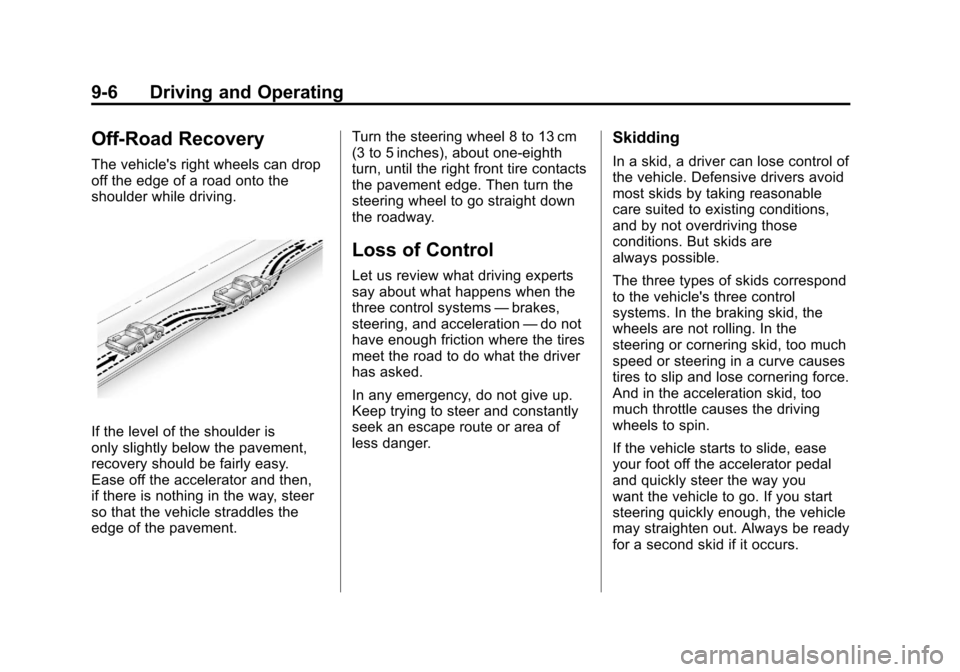
The vehicle's right wheels can drop
off the edge of a road onto the
shoulder while driving.
If the level of the shoulder is
only slightly below the pavement,
recovery should be fairly easy.
Ease off the accelerator and then,
if there is nothing in the way, steer
so that the vehicle straddles the
edge of the pavement.Turn the steering wheel 8 to 13 cm
(3 to 5 inches), about one-eighth
turn, until the right front tire contacts
the pavement edge. Then turn the
steering wheel to go straight down
the roadway.
Loss of Control
Let us review what driving experts
say about what happens when the
three control systems
—brakes,
steering, and acceleration —do not
have enough friction where the tires
meet the road to do what the driver
has asked.
In any emergency, do not give up.
Keep trying to steer and constantly
seek an escape route or area of
less danger.
Skidding
In a skid, a driver can lose control of
the vehicle. Defensive drivers avoid
most skids by taking reasonable
care suited to existing conditions,
and by not overdriving those
conditions. But skids are
always possible.
The three types of skids correspond
to the vehicle's three control
systems. In the braking skid, the
wheels are not rolling. In the
steering or cornering skid, too much
speed or steering in a curve causes
tires to slip and lose cornering force.
And in the acceleration skid, too
much throttle causes the driving
wheels to spin.
If the vehicle starts to slide, ease
your foot off the accelerator pedal
and quickly steer the way you
want the vehicle to go. If you start
steering quickly enough, the vehicle
may straighten out. Always be ready
for a second skid if it occurs.