instrument cluster CHEVROLET AVALANCHE 2013 2.G Owner's Manual
[x] Cancel search | Manufacturer: CHEVROLET, Model Year: 2013, Model line: AVALANCHE, Model: CHEVROLET AVALANCHE 2013 2.GPages: 494, PDF Size: 7.72 MB
Page 292 of 494
Black plate (34,1)Chevrolet Avalanche Owner Manual - 2013 - CRC - 8/27/12
9-34 Driving and Operating
Drive Systems
Four-Wheel Drive (Two
Speed Automatic
Transfer Case)
If the vehicle has four-wheel drive,
you can send the engine's driving
power to all four wheels for extra
traction. Read the following before
using four-wheel drive.
Notice:Driving on clean, dry
pavement in Four-Wheel Drive
High or Four-Wheel Drive Low for
an extended period of time may
cause premature wear on the
vehicle's powertrain. Do not drive
on clean, dry pavement in
Four-Wheel Drive High or
Four-Wheel Drive Low for
extended periods of time. While driving on clean dry pavement
and during tight turns, you may
experience a vibration in the
steering system.
The vehicle has StabiliTrak
®.
Shifting into Four-Wheel Drive Low
will turn Traction Control and
StabiliTrak off. See StabiliTrak
®
System on page 9‑43.
Front Axle
The front axle engages and
disengages automatically when you
shift the transfer case. Some delay
for the axle to engage or disengage
is normal.
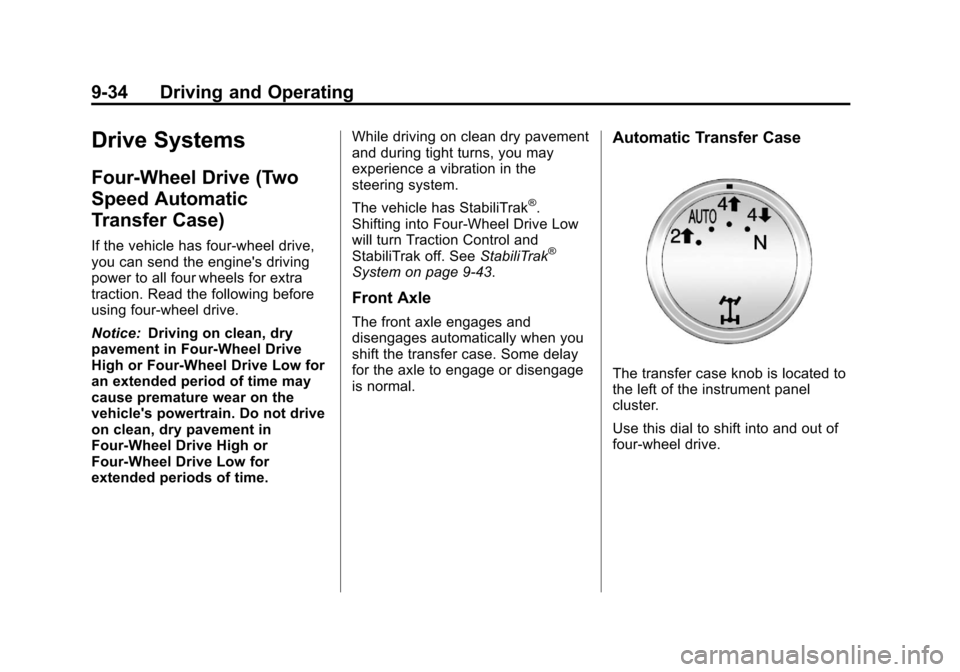
Automatic Transfer Case
The transfer case knob is located to
the left of the instrument panel
cluster.
Use this dial to shift into and out of
four-wheel drive.
Page 297 of 494
Black plate (39,1)Chevrolet Avalanche Owner Manual - 2013 - CRC - 8/27/12
Driving and Operating 9-39
Four-Wheel Drive (Single
Speed Automatic
Transfer Case)
If the vehicle has four-wheel drive,
you can send the engine's driving
power to all four wheels for extra
traction. Read the following before
using four-wheel drive.
Notice:Driving on clean, dry
pavement in Four-Wheel Drive
High for an extended period of
time may cause premature wear
on the vehicle's powertrain. Do
not drive on clean, dry pavement
in Four-Wheel Drive High for
extended periods of time.
While driving on clean dry pavement
and during tight turns, you may
experience a vibration in the
steering system.
Front Axle
The front axle engages and
disengages automatically when you
shift the transfer case. Some delay
for the axle to engage or disengage
is normal.
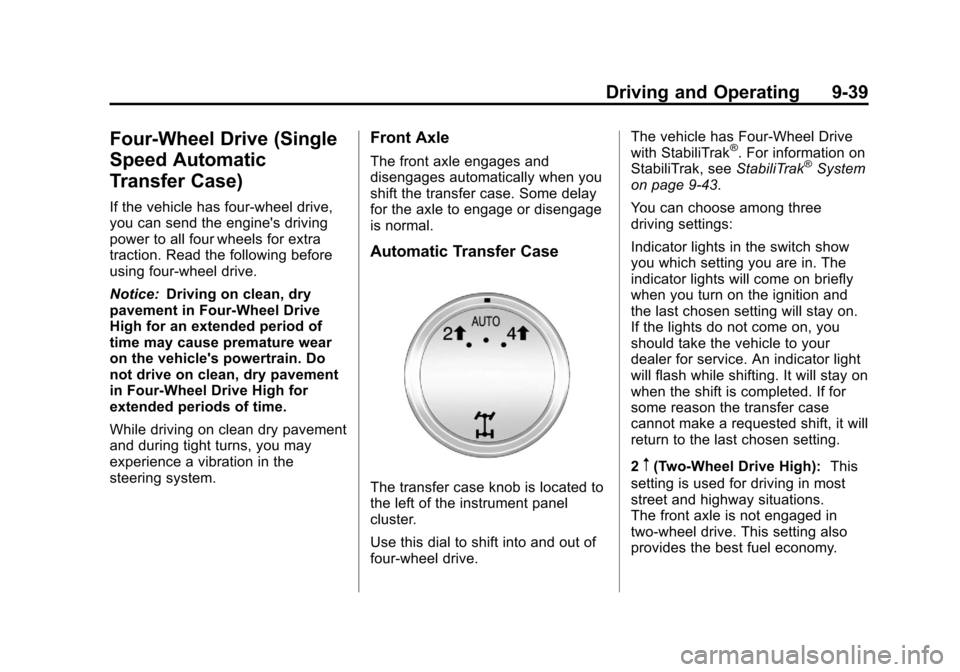
Automatic Transfer Case
The transfer case knob is located to
the left of the instrument panel
cluster.
Use this dial to shift into and out of
four-wheel drive. The vehicle has Four-Wheel Drive
with StabiliTrak
®. For information on
StabiliTrak, see StabiliTrak®System
on page 9‑43.
You can choose among three
driving settings:
Indicator lights in the switch show
you which setting you are in. The
indicator lights will come on briefly
when you turn on the ignition and
the last chosen setting will stay on.
If the lights do not come on, you
should take the vehicle to your
dealer for service. An indicator light
will flash while shifting. It will stay on
when the shift is completed. If for
some reason the transfer case
cannot make a requested shift, it will
return to the last chosen setting.
2
m(Two-Wheel Drive High): This
setting is used for driving in most
street and highway situations.
The front axle is not engaged in
two-wheel drive. This setting also
provides the best fuel economy.
Page 302 of 494
Black plate (44,1)Chevrolet Avalanche Owner Manual - 2013 - CRC - 8/27/12
9-44 Driving and Operating
If the system fails to turn on or
activate, the StabiliTrak light along
with a message will be displayed on
the Driver Information Center (DIC).
If a DIC message appears, make
sure the StabiliTrak system has not
been turned off using the Traction
Control System (TCS)/StabiliTrak
button. Then turn the vehicle off,
wait 15 seconds, and then turn it
back on again to reset the system.
If any of the messages still appear
on the DIC, the vehicle should be
taken in for service. For more
information on the DIC messages,
seeRide Control System Messages
on page 5‑39.
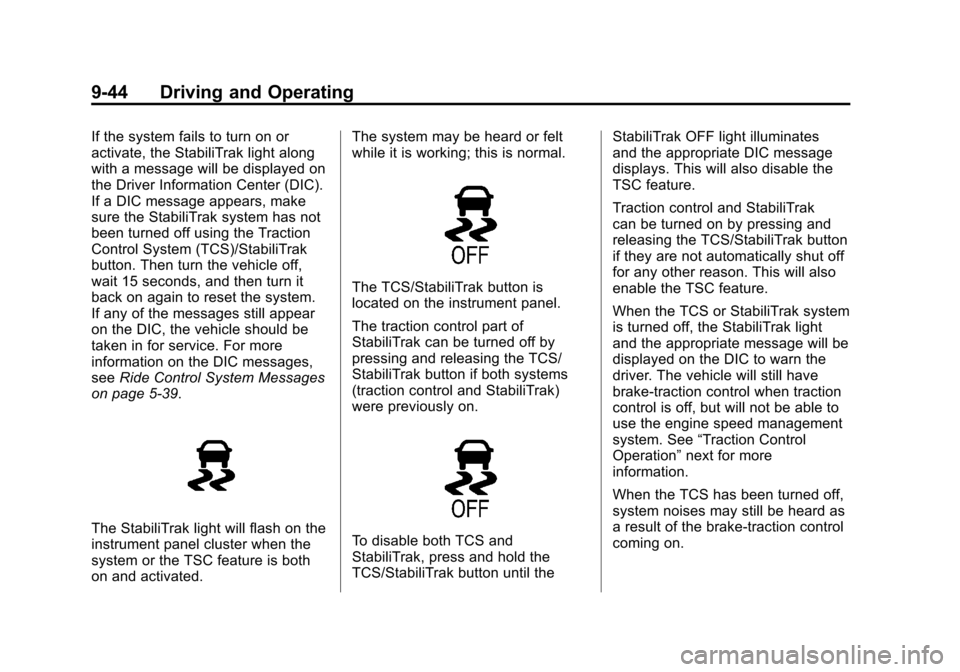
The StabiliTrak light will flash on the
instrument panel cluster when the
system or the TSC feature is both
on and activated. The system may be heard or felt
while it is working; this is normal.
The TCS/StabiliTrak button is
located on the instrument panel.
The traction control part of
StabiliTrak can be turned off by
pressing and releasing the TCS/
StabiliTrak button if both systems
(traction control and StabiliTrak)
were previously on.
To disable both TCS and
StabiliTrak, press and hold the
TCS/StabiliTrak button until the
StabiliTrak OFF light illuminates
and the appropriate DIC message
displays. This will also disable the
TSC feature.
Traction control and StabiliTrak
can be turned on by pressing and
releasing the TCS/StabiliTrak button
if they are not automatically shut off
for any other reason. This will also
enable the TSC feature.
When the TCS or StabiliTrak system
is turned off, the StabiliTrak light
and the appropriate message will be
displayed on the DIC to warn the
driver. The vehicle will still have
brake-traction control when traction
control is off, but will not be able to
use the engine speed management
system. See
“Traction Control
Operation” next for more
information.
When the TCS has been turned off,
system noises may still be heard as
a result of the brake-traction control
coming on.
Page 306 of 494
Black plate (48,1)Chevrolet Avalanche Owner Manual - 2013 - CRC - 8/27/12
9-48 Driving and Operating
+RES (Resume/Accelerate):
Press briefly to make the vehicle
resume to a previously set speed,
or press and hold to accelerate.
SET−(Set/Coast): Press to set the
speed and activate cruise control or
make the vehicle decelerate.
[(Cancel): Press to disengage
cruise control without erasing the
set speed from memory.
Setting Cruise Control
If the cruise button is on when not in
use, it could get bumped and go into
cruise when not desired. Keep the
cruise control switch off when cruise
is not being used.
The cruise control light on the
instrument panel cluster comes on
after the cruise control has been set
to the desired speed.
1. Press the
Ibutton.
2. Get up to the desired speed.
3. Press the SET− button located
on the steering wheel and
release it. 4. Take your foot off the
accelerator.
Resuming a Set Speed
If the cruise control is set at a
desired speed and then the brakes
are applied, the cruise control is
disengaged without erasing the set
speed from memory.
Once the vehicle speed reaches
about 40 km/h (25 mph) or more,
press the +RES button on the
steering wheel. The vehicle returns
to the previous set speed and stays
there.
Increasing Speed While Using
Cruise Control
If the cruise control system is
already activated,
.Press and hold the +RES button
on the steering wheel until the
desired speed is reached, then
release it.
.To increase vehicle speed in
small amounts, press the +RES
button. Each time this is done,
the vehicle goes about 1.6 km/h
(1 mph) faster.
Reducing Speed While Using
Cruise Control
If the cruise control system is
already activated,
.Press and hold the SET– button
on the steering wheel until the
desired lower speed is reached,
then release it.
.To slow down in small amounts,
press the SET– button on the
steering wheel briefly. Each time
this is done, the vehicle goes
about 1.6 km/h (1 mph) slower.
Passing Another Vehicle While
Using Cruise Control
Use the accelerator pedal to
increase the vehicle speed. When
you take your foot off the pedal, the
vehicle will slow down to the
previous set cruise speed.
Page 320 of 494
Black plate (62,1)Chevrolet Avalanche Owner Manual - 2013 - CRC - 8/27/12
9-62 Driving and Operating
Backing Up
Hold the bottom of the steering
wheel with one hand. To move the
trailer to the left, move that hand to
the left. To move the trailer to the
right, move your hand to the right.
Always back up slowly and,
if possible, have someone
guide you.
Making Turns
Notice:Making very sharp turns
while trailering could cause the
trailer to come in contact with the
vehicle. The vehicle could be
damaged. Avoid making very
sharp turns while trailering.
When turning with a trailer, make
wider turns than normal. Do this
so the trailer will not strike soft
shoulders, curbs, road signs, trees,
or other objects. Avoid jerky or
sudden maneuvers. Signal well in
advance.
If the trailer turn signal bulbs burn
out, the arrows on the instrument
cluster will still flash for turns. It is important to check occasionally to
be sure the trailer bulbs are still
working.
Driving on Grades
Reduce speed and shift to a
lower gear
beforestarting down a
long or steep downgrade. If the
transmission is not shifted down, the
brakes might get hot and no longer
work well.
Vehicles can tow in D (Drive). Shift
the transmission to a lower gear if
the transmission shifts too often
under heavy loads and/or hilly
conditions.
The Tow/Haul Mode may be used if
the transmission shifts too often.
See Tow/Haul Mode on page 9‑33.
When towing at high altitude on
steep uphill grades, consider the
following: Engine coolant will boil at
a lower temperature than at normal
altitudes. If the engine is turned off
immediately after towing at high
altitude on steep uphill grades, the
vehicle may show signs similar to engine overheating. To avoid this,
let the engine run while parked,
preferably on level ground, with the
automatic transmission in P (Park)
for a few minutes before turning the
engine off. If the overheat warning
comes on, see
Engine Overheating
on page 10‑18.
Parking on Hills
{WARNING
Parking the vehicle on a hill with
the trailer attached can be
dangerous. If something goes
wrong, the rig could start to move.
People can be injured, and both
the vehicle and the trailer can be
damaged. When possible, always
park the rig on a flat surface.
If parking the rig on a hill:
1. Press the brake pedal, but do not shift into P (Park) yet. Turn
the wheels into the curb if facing
downhill or into traffic if facing
uphill.
Page 327 of 494
Black plate (69,1)Chevrolet Avalanche Owner Manual - 2013 - CRC - 8/27/12
Driving and Operating 9-69
The seven-wire harness contains
the following trailer circuits:
.Yellow: Left Stop/Turn Signal
.Dark Green: Right Stop/Turn
Signal
.Brown: Taillamps
.White: Ground
.Light Green: Back-up Lamps
.Red: Battery Feed
.Dark Blue: Trailer Brake
If charging a remote (non-vehicle)
battery, press the tow/haul mode
button located at the end of the shift
lever. This will boost the vehicle
system voltage and properly charge
the battery. If the trailer is too light
for Tow/Haul Mode, turn on the
headlamps as a second way to
boost the vehicle system and
charge the battery.
Electric Brake Control Wiring
Provisions
These wiring provisions are
included with the vehicle as part of
the trailer wiring package. These
provisions are for an electric brake
controller. The instrument panel
contains blunt cut wires near the
data link connector for the trailer
brake controller. The harness
contains the following wires:
.Dark Blue: Brake Signal to
Trailer Connector
.Red/Black: Battery
.Light Blue/White: Brake Switch
.White: Ground
The harness should be installed by
your dealer or a qualified service
center.
If the vehicle is equipped with an
Integrated Trailer Brake Control
(ITBC) System, the blunt cuts exist,
but are not connected further in the
harness. If an aftermarket trailer
brake controller is installed, the ITBC must be disconnected. Do not
power both ITBC and aftermarket
controllers to control the trailer
brakes at the same time.
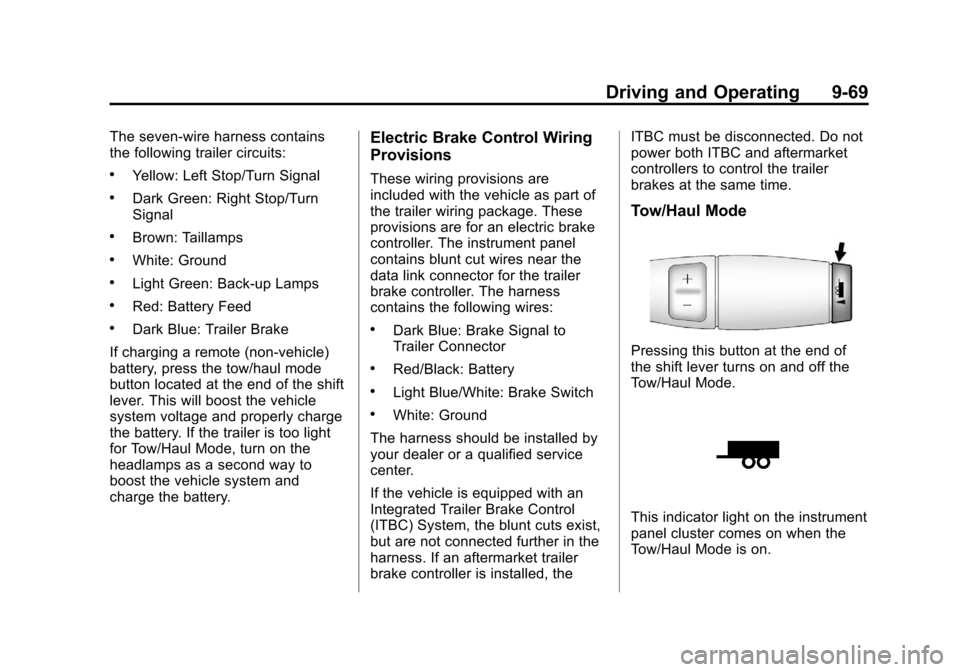
Tow/Haul Mode
Pressing this button at the end of
the shift lever turns on and off the
Tow/Haul Mode.
This indicator light on the instrument
panel cluster comes on when the
Tow/Haul Mode is on.
Page 334 of 494
Black plate (76,1)Chevrolet Avalanche Owner Manual - 2013 - CRC - 8/27/12
9-76 Driving and Operating
Trailer Sway
Control (TSC)
Vehicles with StabiliTrak have a
Trailer Sway Control (TSC) feature.
If the vehicle is towing a trailer and
the system detects that the trailer is
swaying, the vehicle brakes are
applied without the driver pressing
the brake pedal. If the vehicle is
equipped with the Integrated Trailer
Brake Control (ITBC) system,
StabiliTrak may also apply the trailer
brakes. The TCS/StabiliTrak
warning light will flash on the
instrument panel cluster to notify the
driver to reduce speed. If the trailer
continues to sway, StabiliTrak will
reduce engine torque to help slow
the vehicle. SeeStabiliTrak
®
System on page 9‑43.
Adding non-dealer accessories can
affect the vehicle performance. See
Accessories and Modifications on
page 10‑3.
Conversions and
Add-Ons
Add-On Electrical
Equipment
Notice:Some electrical
equipment can damage the
vehicle or cause components to
not work and would not be
covered by the warranty. Always
check with your dealer before
adding electrical equipment.
Add-on equipment can drain the
vehicle's 12-volt battery, even if the
vehicle is not operating.
The vehicle has an airbag system.
Before attempting to add anything
electrical to the vehicle, see
Servicing the Airbag-Equipped
Vehicle on page 3‑32 andAdding
Equipment to the Airbag-Equipped
Vehicle on page 3‑32.
Page 371 of 494
Black plate (37,1)Chevrolet Avalanche Owner Manual - 2013 - CRC - 8/27/12
Vehicle Care 10-37
FusesUsage
31 Daytime Running Lamps (DRL) (If
Equipped)
32 Driver Side High-Beam
Headlamp
33 Daytime Running Lamps 2 (If
Equipped)
34 Sunroof
35 Key Ignition System, Theft‐
Deterrent System
36 Windshield Wiper
37 SEO B2 Upfitter Usage (Battery)
38 Electric Adjustable Pedals
39 Climate Controls (Battery) Fuses
Usage
40 Airbag System (Ignition)
41 Amplifier
42 Audio System
43 Miscellaneous (Ignition), Cruise
Control
44 Liftgate Release
45 Airbag System (Battery)
46 Instrument Panel Cluster
47 Not Used
48 Auxiliary Climate Control (Ignition)
49 Center High-Mounted
Stoplamp (CHMSL) Fuses
Usage
50 Rear Defogger
51 Heated Mirrors
52 SEO B1 Upfitter Usage (Battery)
53 Accessory Power Outlet, Cigarette
Lighter (If
Equipped)
54 Automatic Level Control
Compressor Relay
55 Climate Controls (Ignition)
56 Engine Control Module, Secondary
Fuel Pump
(Ignition)
Page 387 of 494
Black plate (53,1)Chevrolet Avalanche Owner Manual - 2013 - CRC - 8/27/12
Vehicle Care 10-53
tread life, and may affect the
vehicle's handling and stopping
ability.
Please note that the TPMS is not a
substitute for proper tire
maintenance, and it is the driver's
responsibility to maintain correct tire
pressure, even if under-inflation has
not reached the level to trigger
illumination of the TPMS low tire
pressure telltale.
Your vehicle has also been
equipped with a TPMS malfunction
indicator to indicate when the
system is not operating properly.
The TPMS malfunction indicator is
combined with the low tire pressure
telltale. When the system detects a
malfunction, the telltale will flash for
approximately one minute and then
remain continuously illuminated.
This sequence will continue upon
subsequent vehicle start-ups as
long as the malfunction exists.
When the malfunction indicator is
illuminated, the system may not be
able to detect or signal low tirepressure as intended. TPMS
malfunctions may occur for a variety
of reasons, including the installation
of replacement or alternate tires or
wheels on the vehicle that prevent
the TPMS from functioning properly.
Always check the TPMS malfunction
telltale after replacing one or more
tires or wheels on your vehicle to
ensure that the replacement or
alternate tires and wheels allow the
TPMS to continue to function
properly.
See
Tire Pressure Monitor
Operation on page 10‑53.
Federal Communications
Commission (FCC) Rules and
with Industry Canada
Standards
See Radio Frequency Statement on
page 13‑21 for information
regarding Part 15 of the Federal
Communications Commission (FCC)
Rules and with Industry Canada
Standards RSS-GEN/210/220/310.
Tire Pressure Monitor
Operation
This vehicle may have a Tire
Pressure Monitor System (TPMS).
The TPMS is designed to warn the
driver when a low tire pressure
condition exists. TPMS sensors are
mounted onto each tire and wheel
assembly, excluding the spare tire
and wheel assembly. The TPMS
sensors monitor the air pressure in
the tires and transmit the tire
pressure readings to a receiver
located in the vehicle.
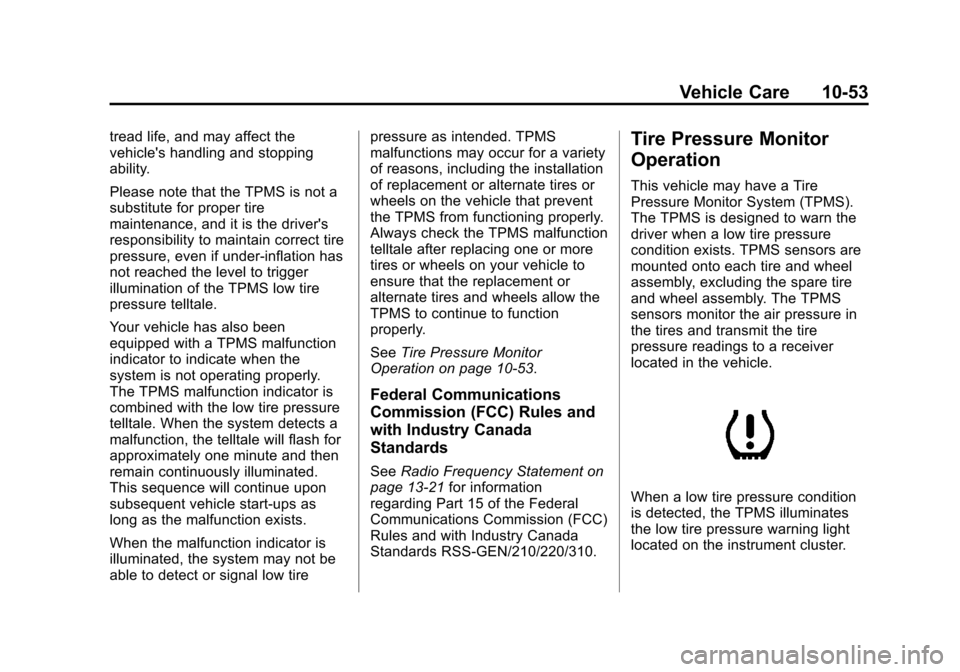
When a low tire pressure condition
is detected, the TPMS illuminates
the low tire pressure warning light
located on the instrument cluster.
Page 425 of 494
Black plate (91,1)Chevrolet Avalanche Owner Manual - 2013 - CRC - 8/27/12
Vehicle Care 10-91
Underbody Maintenance
Use plain water to flush dirt and
debris from the vehicle's underbody.
Your dealer or an underbody car
washing system can do this. If not
removed, rust and corrosion can
develop.
Sheet Metal Damage
If the vehicle is damaged and
requires sheet metal repair or
replacement, make sure the body
repair shop applies anti-corrosion
material to parts repaired or
replaced to restore corrosion
protection.
Original manufacturer replacement
parts will provide the corrosion
protection while maintaining the
vehicle warranty.
Finish Damage
Quickly repair minor chips and
scratches with touch-up materials
available from your dealer to avoidcorrosion. Larger areas of finish
damage can be corrected in your
dealer's body and paint shop.
Chemical Paint Spotting
Airborne pollutants can fall upon
and attack painted vehicle surfaces
causing blotchy, ring-shaped
discolorations, and small, irregular
dark spots etched into the paint
surface.
Interior Care
To prevent dirt particle abrasions,
regularly clean the vehicle's interior.
Immediately remove any soils. Note
that newspapers or dark garments
that can transfer color to home
furnishings can also permanently
transfer color to the vehicle's
interior.
Use a soft bristle brush to remove
dust from knobs and crevices on the
instrument cluster. Using a mild
soap solution, immediately removehand lotions, sunscreen, and insect
repellent from all interior surfaces or
permanent damage may result.
Your dealer may have products for
cleaning the interior. Use cleaners
specifically designed for the
surfaces being cleaned to prevent
permanent damage. Apply all
cleaners directly to the cleaning
cloth. Do not spray cleaners directly
on any switches or controls.
Cleaners should be removed
quickly. Never allow cleaners to
remain on the surface being
cleaned for extended periods
of time.
Cleaners may contain solvents that
can become concentrated in the
interior. Before using cleaners, read
and adhere to all safety instructions
on the label. While cleaning the
interior, maintain adequate
ventilation by opening the doors and
windows.