tow CHEVROLET AVALANCHE 2013 2.G Owner's Manual
[x] Cancel search | Manufacturer: CHEVROLET, Model Year: 2013, Model line: AVALANCHE, Model: CHEVROLET AVALANCHE 2013 2.GPages: 494, PDF Size: 7.72 MB
Page 118 of 494
Black plate (4,1)Chevrolet Avalanche Owner Manual - 2013 - CRC - 8/27/12
4-4 Storage
2. Do not force the grate. If it doesnot clip into place, realign the
clips with the holes and try
again.
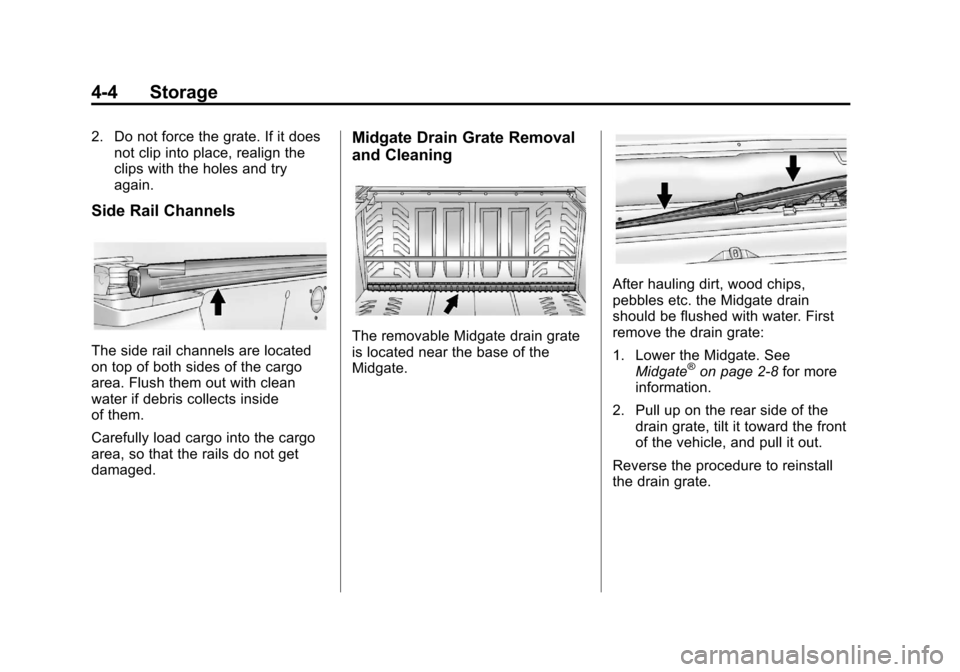
Side Rail Channels
The side rail channels are located
on top of both sides of the cargo
area. Flush them out with clean
water if debris collects inside
of them.
Carefully load cargo into the cargo
area, so that the rails do not get
damaged.
Midgate Drain Grate Removal
and Cleaning
The removable Midgate drain grate
is located near the base of the
Midgate.
After hauling dirt, wood chips,
pebbles etc. the Midgate drain
should be flushed with water. First
remove the drain grate:
1. Lower the Midgate. SeeMidgate
®on page 2‑8 for more
information.
2. Pull up on the rear side of the drain grate, tilt it toward the front
of the vehicle, and pull it out.
Reverse the procedure to reinstall
the drain grate.
Page 121 of 494
Black plate (7,1)Chevrolet Avalanche Owner Manual - 2013 - CRC - 8/27/12
Storage 4-7
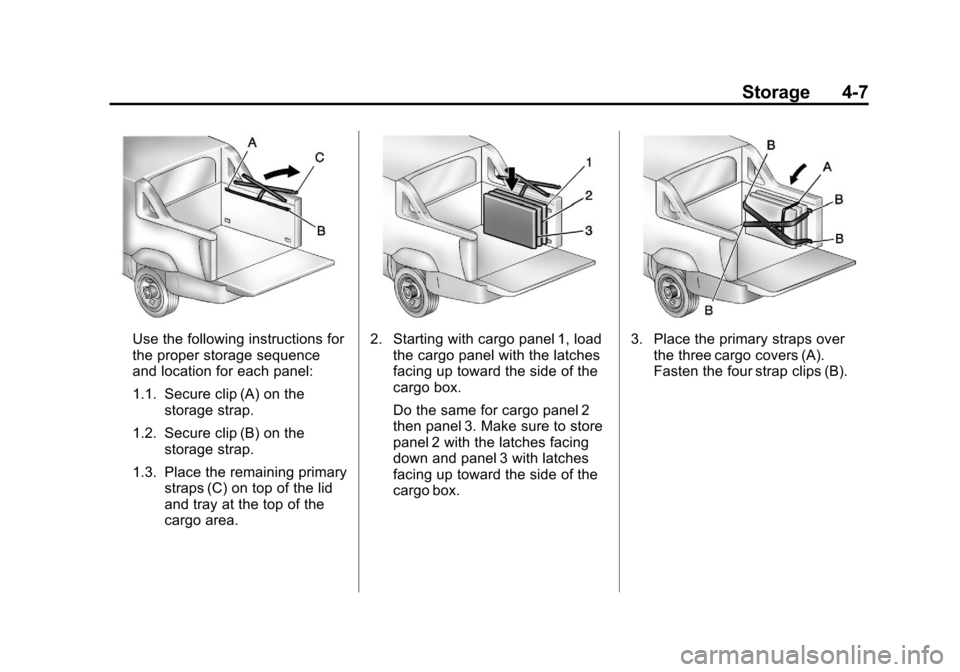
Use the following instructions for
the proper storage sequence
and location for each panel:
1.1. Secure clip (A) on thestorage strap.
1.2. Secure clip (B) on the storage strap.
1.3. Place the remaining primary straps (C) on top of the lid
and tray at the top of the
cargo area.2. Starting with cargo panel 1, loadthe cargo panel with the latches
facing up toward the side of the
cargo box.
Do the same for cargo panel 2
then panel 3. Make sure to store
panel 2 with the latches facing
down and panel 3 with latches
facing up toward the side of the
cargo box.3. Place the primary straps overthe three cargo covers (A).
Fasten the four strap clips (B).
Page 123 of 494
Black plate (9,1)Chevrolet Avalanche Owner Manual - 2013 - CRC - 8/27/12
Storage 4-9
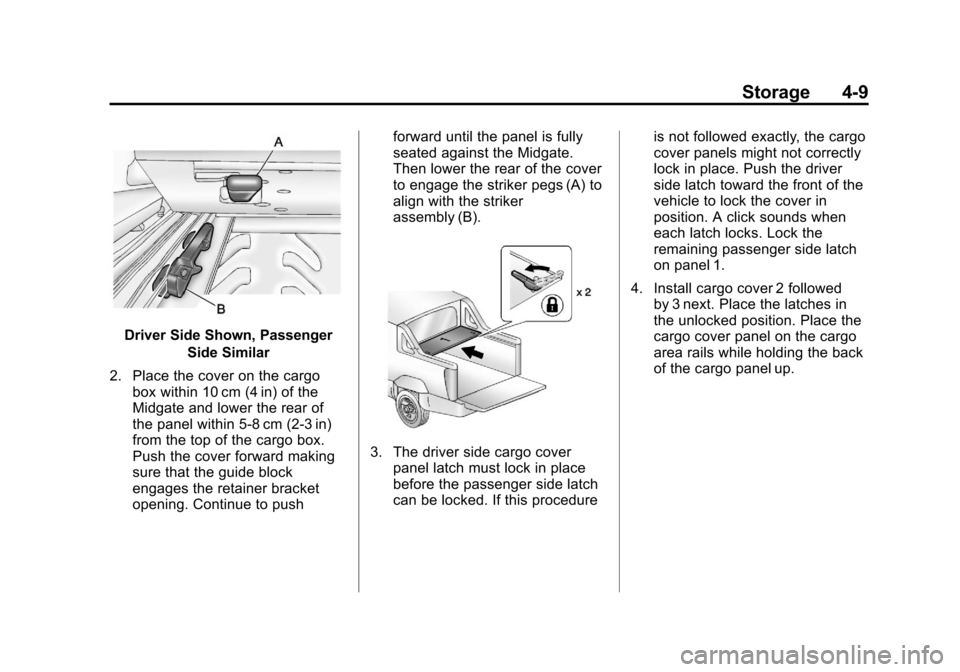
Driver Side Shown, PassengerSide Similar
2. Place the cover on the cargo box within 10 cm (4 in) of the
Midgate and lower the rear of
the panel within 5‐8 cm (2‐3 in)
from the top of the cargo box.
Push the cover forward making
sure that the guide block
engages the retainer bracket
opening. Continue to push forward until the panel is fully
seated against the Midgate.
Then lower the rear of the cover
to engage the striker pegs (A) to
align with the striker
assembly (B).
3. The driver side cargo cover
panel latch must lock in place
before the passenger side latch
can be locked. If this procedure is not followed exactly, the cargo
cover panels might not correctly
lock in place. Push the driver
side latch toward the front of the
vehicle to lock the cover in
position. A click sounds when
each latch locks. Lock the
remaining passenger side latch
on panel 1.
4. Install cargo cover 2 followed by 3 next. Place the latches in
the unlocked position. Place the
cargo cover panel on the cargo
area rails while holding the back
of the cargo panel up.
Page 124 of 494
Black plate (10,1)Chevrolet Avalanche Owner Manual - 2013 - CRC - 8/27/12
4-10 Storage
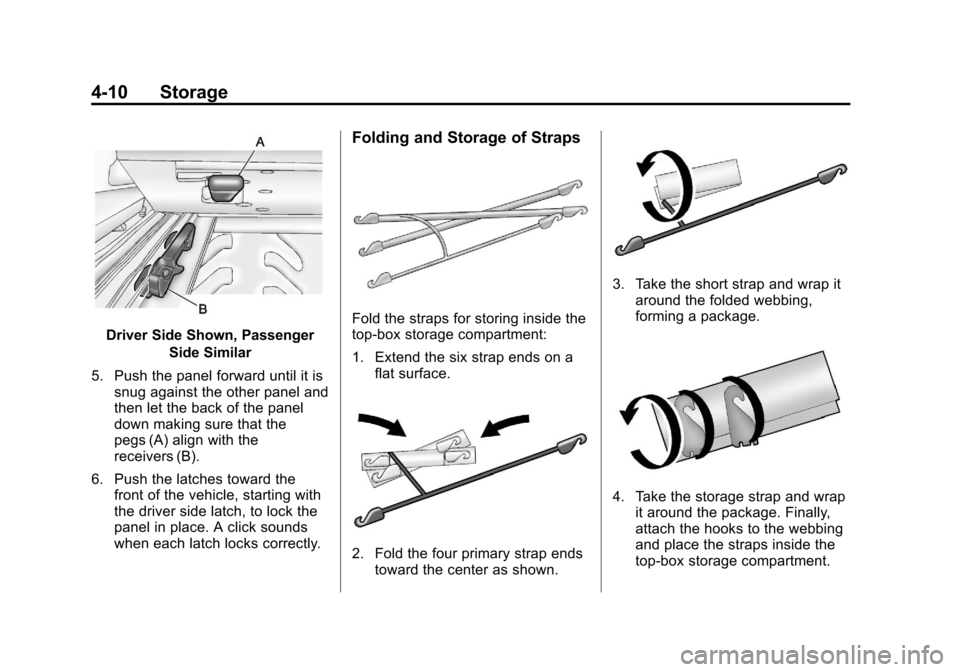
Driver Side Shown, PassengerSide Similar
5. Push the panel forward until it is snug against the other panel and
then let the back of the panel
down making sure that the
pegs (A) align with the
receivers (B).
6. Push the latches toward the front of the vehicle, starting with
the driver side latch, to lock the
panel in place. A click sounds
when each latch locks correctly.
Folding and Storage of Straps
Fold the straps for storing inside the
top-box storage compartment:
1. Extend the six strap ends on aflat surface.
2. Fold the four primary strap endstoward the center as shown.
3. Take the short strap and wrap itaround the folded webbing,
forming a package.
4. Take the storage strap and wrapit around the package. Finally,
attach the hooks to the webbing
and place the straps inside the
top-box storage compartment.
Page 127 of 494
Black plate (1,1)Chevrolet Avalanche Owner Manual - 2013 - CRC - 8/27/12
Instruments and Controls 5-1
Instruments and
Controls
Controls
Steering Wheel Adjustment . . . 5-2
Steering Wheel Controls . . . . . . 5-2
Horn . . . . . . . . . . . . . . . . . . . . . . . . . . 5-4
Windshield Wiper/Washer . . . . . 5-4
Compass . . . . . . . . . . . . . . . . . . . . . 5-5
Clock . . . . . . . . . . . . . . . . . . . . . . . . . 5-7
Power Outlets . . . . . . . . . . . . . . . . . 5-8
Warning Lights, Gauges, and
Indicators
Warning Lights, Gauges, andIndicators . . . . . . . . . . . . . . . . . . . . 5-9
Instrument Cluster . . . . . . . . . . . 5-10
Speedometer . . . . . . . . . . . . . . . . 5-11
Odometer . . . . . . . . . . . . . . . . . . . . 5-11
Trip Odometer . . . . . . . . . . . . . . . 5-11
Tachometer . . . . . . . . . . . . . . . . . . 5-11
Fuel Gauge . . . . . . . . . . . . . . . . . . 5-11
Engine Oil Pressure Gauge . . . . . . . . . . . . . . . . . . . . . . 5-12 Engine Coolant Temperature
Gauge . . . . . . . . . . . . . . . . . . . . . . 5-13
Voltmeter Gauge . . . . . . . . . . . . . 5-14
Safety Belt Reminders . . . . . . . 5-14
Airbag Readiness Light . . . . . . 5-15
Passenger Airbag Status Indicator . . . . . . . . . . . . . . . . . . . . 5-16
Charging System Light . . . . . . 5-17
Malfunction Indicator Lamp . . . . . . . . . . . . . 5-17
Brake System Warning Light . . . . . . . . . . . . . . . . . . . . . . . 5-20
Antilock Brake System (ABS) Warning Light . . . . . . . . . . . . . . 5-21
Tow/Haul Mode Light . . . . . . . . 5-21
StabiliTrak
®OFF Light . . . . . . . 5-21
Traction Control System (TCS)/StabiliTrak
®Light . . . . 5-22
Tire Pressure Light . . . . . . . . . . 5-22
Engine Oil Pressure Light . . . . 5-23
Low Fuel Warning Light . . . . . . 5-23
Security Light . . . . . . . . . . . . . . . . 5-23
High-Beam On Light . . . . . . . . . 5-24
Front Fog Lamp Light . . . . . . . . 5-24
Cruise Control Light . . . . . . . . . 5-24
Information Displays
Driver Information Center (DIC) . . . . . . . . . . . . . . . 5-25
Vehicle Messages
Vehicle Messages . . . . . . . . . . . 5-34
Battery Voltage and ChargingMessages . . . . . . . . . . . . . . . . . . 5-34
Brake System Messages . . . . 5-35
Door Ajar Messages . . . . . . . . . 5-35
Engine Cooling System Messages . . . . . . . . . . . . . . . . . . 5-36
Engine Oil Messages . . . . . . . . 5-37
Engine Power Messages . . . . 5-38
Fuel System Messages . . . . . . 5-38
Key and Lock Messages . . . . . 5-38
Lamp Messages . . . . . . . . . . . . . 5-38
Object Detection System Messages . . . . . . . . . . . . . . . . . . 5-39
Ride Control System Messages . . . . . . . . . . . . . . . . . . 5-39
Airbag System Messages . . . . 5-40
Security Messages . . . . . . . . . . 5-41
Tire Messages . . . . . . . . . . . . . . . 5-41
Transmission Messages . . . . . 5-42
Vehicle Reminder Messages . . . . . . . . . . . . . . . . . . 5-43
Washer Fluid Messages . . . . . 5-43
Page 144 of 494
Black plate (18,1)Chevrolet Avalanche Owner Manual - 2013 - CRC - 8/27/12
5-18 Instruments and Controls
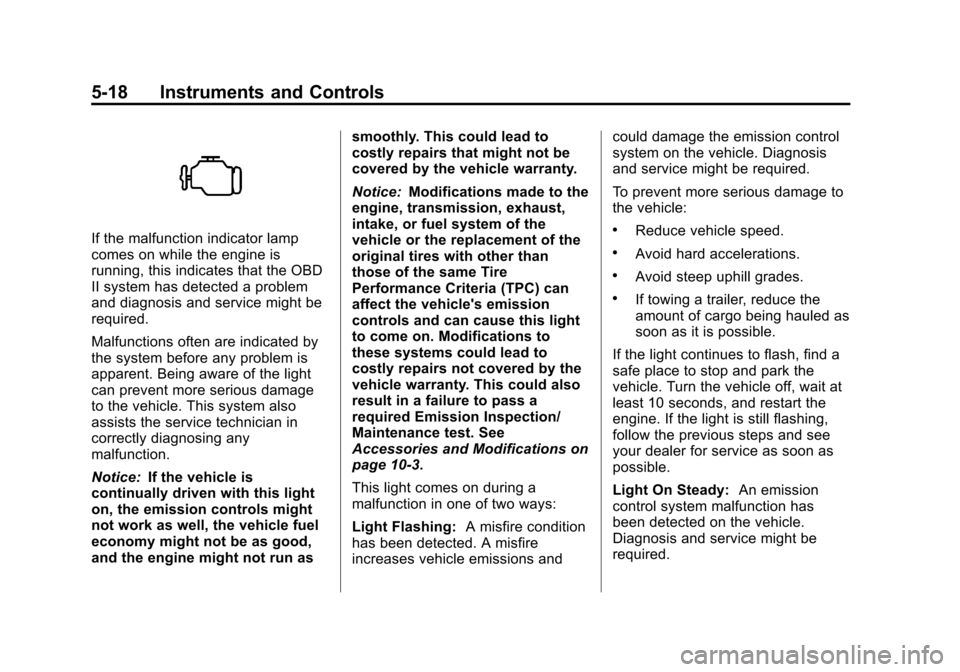
If the malfunction indicator lamp
comes on while the engine is
running, this indicates that the OBD
II system has detected a problem
and diagnosis and service might be
required.
Malfunctions often are indicated by
the system before any problem is
apparent. Being aware of the light
can prevent more serious damage
to the vehicle. This system also
assists the service technician in
correctly diagnosing any
malfunction.
Notice:If the vehicle is
continually driven with this light
on, the emission controls might
not work as well, the vehicle fuel
economy might not be as good,
and the engine might not run as smoothly. This could lead to
costly repairs that might not be
covered by the vehicle warranty.
Notice:
Modifications made to the
engine, transmission, exhaust,
intake, or fuel system of the
vehicle or the replacement of the
original tires with other than
those of the same Tire
Performance Criteria (TPC) can
affect the vehicle's emission
controls and can cause this light
to come on. Modifications to
these systems could lead to
costly repairs not covered by the
vehicle warranty. This could also
result in a failure to pass a
required Emission Inspection/
Maintenance test. See
Accessories and Modifications on
page 10‑3.
This light comes on during a
malfunction in one of two ways:
Light Flashing: A misfire condition
has been detected. A misfire
increases vehicle emissions and could damage the emission control
system on the vehicle. Diagnosis
and service might be required.
To prevent more serious damage to
the vehicle:.Reduce vehicle speed.
.Avoid hard accelerations.
.Avoid steep uphill grades.
.If towing a trailer, reduce the
amount of cargo being hauled as
soon as it is possible.
If the light continues to flash, find a
safe place to stop and park the
vehicle. Turn the vehicle off, wait at
least 10 seconds, and restart the
engine. If the light is still flashing,
follow the previous steps and see
your dealer for service as soon as
possible.
Light On Steady: An emission
control system malfunction has
been detected on the vehicle.
Diagnosis and service might be
required.
Page 146 of 494
Black plate (20,1)Chevrolet Avalanche Owner Manual - 2013 - CRC - 8/27/12
5-20 Instruments and Controls
This can happen if the 12-volt
battery has recently been
replaced or run down. The
diagnostic system is designed to
evaluate critical emission control
systems during normal driving.
This can take several days of
routine driving. If this has been
done and the vehicle still does
not pass the inspection for lack
of OBD II system readiness,
your dealer can prepare the
vehicle for inspection.
Brake System Warning
Light
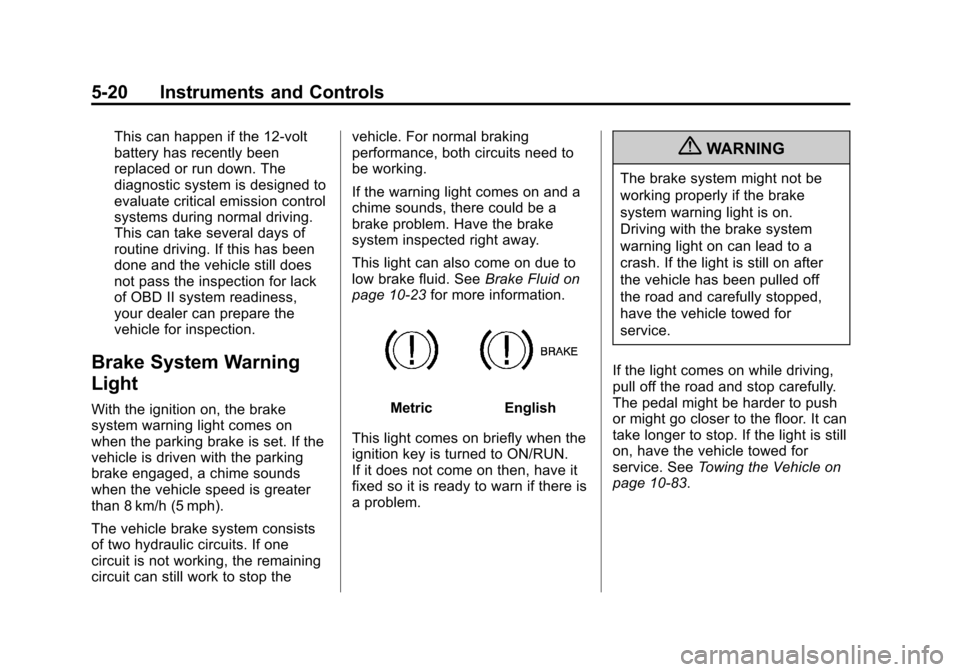
With the ignition on, the brake
system warning light comes on
when the parking brake is set. If the
vehicle is driven with the parking
brake engaged, a chime sounds
when the vehicle speed is greater
than 8 km/h (5 mph).
The vehicle brake system consists
of two hydraulic circuits. If one
circuit is not working, the remaining
circuit can still work to stop thevehicle. For normal braking
performance, both circuits need to
be working.
If the warning light comes on and a
chime sounds, there could be a
brake problem. Have the brake
system inspected right away.
This light can also come on due to
low brake fluid. See
Brake Fluid on
page 10‑23 for more information.MetricEnglish
This light comes on briefly when the
ignition key is turned to ON/RUN.
If it does not come on then, have it
fixed so it is ready to warn if there is
a problem.
{WARNING
The brake system might not be
working properly if the brake
system warning light is on.
Driving with the brake system
warning light on can lead to a
crash. If the light is still on after
the vehicle has been pulled off
the road and carefully stopped,
have the vehicle towed for
service.
If the light comes on while driving,
pull off the road and stop carefully.
The pedal might be harder to push
or might go closer to the floor. It can
take longer to stop. If the light is still
on, have the vehicle towed for
service. See Towing the Vehicle on
page 10‑83.
Page 147 of 494
Black plate (21,1)Chevrolet Avalanche Owner Manual - 2013 - CRC - 8/27/12
Instruments and Controls 5-21
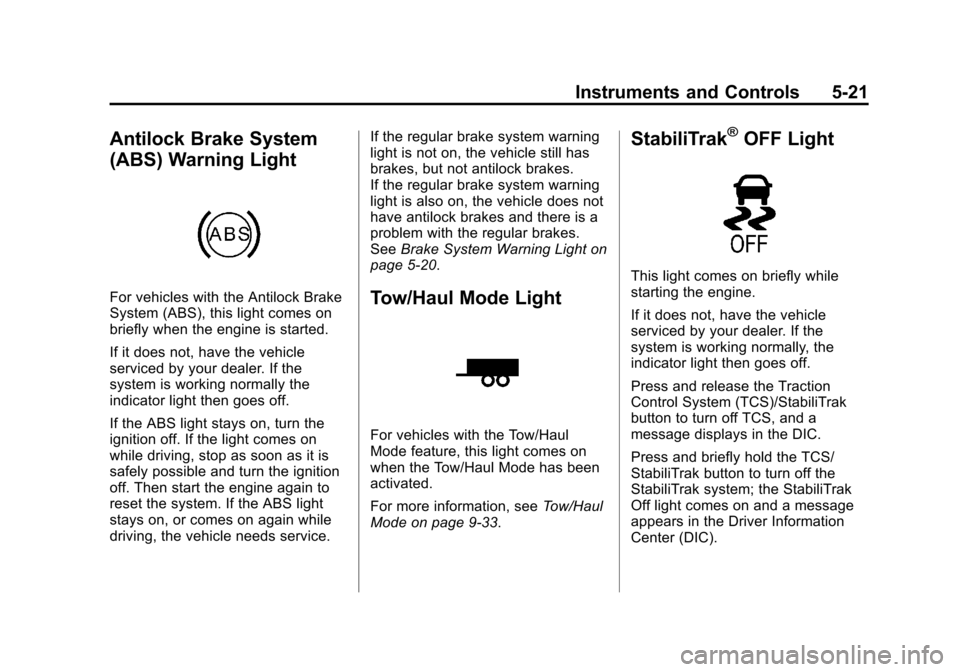
Antilock Brake System
(ABS) Warning Light
For vehicles with the Antilock Brake
System (ABS), this light comes on
briefly when the engine is started.
If it does not, have the vehicle
serviced by your dealer. If the
system is working normally the
indicator light then goes off.
If the ABS light stays on, turn the
ignition off. If the light comes on
while driving, stop as soon as it is
safely possible and turn the ignition
off. Then start the engine again to
reset the system. If the ABS light
stays on, or comes on again while
driving, the vehicle needs service.If the regular brake system warning
light is not on, the vehicle still has
brakes, but not antilock brakes.
If the regular brake system warning
light is also on, the vehicle does not
have antilock brakes and there is a
problem with the regular brakes.
See
Brake System Warning Light on
page 5‑20.Tow/Haul Mode Light
For vehicles with the Tow/Haul
Mode feature, this light comes on
when the Tow/Haul Mode has been
activated.
For more information, see Tow/Haul
Mode on page 9‑33.
StabiliTrak®OFF Light
This light comes on briefly while
starting the engine.
If it does not, have the vehicle
serviced by your dealer. If the
system is working normally, the
indicator light then goes off.
Press and release the Traction
Control System (TCS)/StabiliTrak
button to turn off TCS, and a
message displays in the DIC.
Press and briefly hold the TCS/
StabiliTrak button to turn off the
StabiliTrak system; the StabiliTrak
Off light comes on and a message
appears in the Driver Information
Center (DIC).
Page 156 of 494
Black plate (30,1)Chevrolet Avalanche Owner Manual - 2013 - CRC - 8/27/12
5-30 Instruments and Controls
If a low tire pressure condition is
detected by the system while
driving, a message advising you to
add pressure in a specific tire will
appear in the display. SeeTire
Pressure on page 10‑51 andTire
Messages on page 5‑41 for more
information.
If the tire pressure display shows
dashes instead of a value, there
may be a problem with your vehicle.
If this consistently occurs, see your
dealer for service.
Trailer Gain and Output
On vehicles with the Integrated
Trailer Brake Control (ITBC) system,
the trailer brake display appears in
the DIC. Press the vehicle
information button until TRAILER
GAIN and OUTPUT display. TRAILER GAIN shows the trailer
gain setting. This setting can be
adjusted from 0.0 to 10.0 with
either a trailer connected or
disconnected. To adjust this setting,
see
“Integrated Trailer Brake Control
System” underTowing Equipment
on page 9‑67 for more information.
OUTPUT shows the power output to
the trailer anytime a trailer with
electric brakes is connected. Output
is displayed in 0 to 10 bars. Dashes
may appear in the OUTPUT display.
See “Integrated Trailer Brake
Control System” underTowing
Equipment on page 9‑67 for more
information.
Engine Hours
Press the vehicle information button
until ENGINE HOURS displays. This
display shows the total number of
hours the engine has run. Compass Zone Setting
This display allows for setting the
compass zone. See
Compass on
page 5‑5.
Compass Recalibration
This display allows for calibrating
the compass. See Compass on
page 5‑5.
Blank Display
This display shows no information.
Trip Odometer Reset Stem
Menu Items (with DIC Buttons)
Use the trip odometer reset stem to
view the odometer and trip
odometer. The Language selection
and Engine Hours display can also
be accessed with the trip odometer
reset stem.
Page 159 of 494
Black plate (33,1)Chevrolet Avalanche Owner Manual - 2013 - CRC - 8/27/12
Instruments and Controls 5-33
Trailer Gain and Output
On vehicles with the Integrated
Trailer Brake Control (ITBC) system,
the trailer brake display appears in
the DIC. Press the trip odometer
reset stem until TRAILER GAIN and
OUTPUT display.
TRAILER GAIN shows the trailer
gain setting. This setting can be
adjusted from 0.0 to 10.0 with
either a trailer connected or
disconnected. To adjust this setting,
see“Integrated Trailer Brake Control
System” underTowing Equipment
on page 9‑67 for more information.
OUTPUT shows the power output to
the trailer anytime a trailer with
electric brakes is connected. Output
is displayed in 0 to 10 bars. Dashes
may appear in the OUTPUT display.
See “Integrated Trailer Brake
Control System” underTowing
Equipment on page 9‑67 for more
information. Speedometer
The speedometer shows how fast
the vehicle is moving in either
kilometers per hour (km/h) or miles
per hour (mph). The speedometer
cannot be reset.
Compass Zone Setting
This display allows for setting the
compass zone. See
Compass on
page 5‑5 for more information.
Compass Recalibration
This display allows for calibrating
the compass. See Compass on
page 5‑5 for more information.
Oil Life
To access this display, the vehicle
must be in P (Park). Press the trip
odometer reset stem until OIL LIFE
REMAINING displays. This display
shows an estimate of the oil's
remaining useful life. If you see
99% OIL LIFE REMAINING on the
display, that means 99% of the
current oil life remains. The engine
oil life system will alert you to change the oil on a schedule
consistent with your driving
conditions.
When the remaining oil life is low,
the CHANGE ENGINE OIL SOON
message will appear on the display.
See
“CHANGE ENGINE OIL SOON”
under Engine Oil Messages on
page 5‑37. You should change the
oil as soon as you can. See Engine
Oil on page 10‑6. In addition to the
engine oil life system monitoring the
oil life, additional maintenance is
recommended in the Maintenance
Schedule in this manual. See
Maintenance Schedule on
page 11‑3 for more information.
Remember, you must reset the OIL
LIFE display yourself after each oil
change. It will not reset itself. Also,
be careful not to reset the OIL LIFE
display accidentally at any time
other than when the oil has just
been changed. It cannot be reset
accurately until the next oil change.
To reset the engine oil life system,
see Engine Oil Life System on
page 10‑9.