CD player CHEVROLET AVEO 2002 Service User Guide
[x] Cancel search | Manufacturer: CHEVROLET, Model Year: 2002, Model line: AVEO, Model: CHEVROLET AVEO 2002Pages: 5127, PDF Size: 41.82 MB
Page 1765 of 5127
B
Backglass Antenna.........................................3-44
Battery..........................................................5-39
Battery Replacement......................................... 2-6
Before Leaving on a Long Trip.........................4-21
Body Lubrication Service..................................6-21
Brake
Parking......................................................2-28
System Inspection.......................................6-25
System Warning Light..................................3-20
Brake Fluid....................................................5-36
Brake Wear...................................................5-37
Brakes..........................................................5-36
Braking........................................................... 4-6
Braking in Emergencies..................................... 4-9
Break-In, New Vehicle.....................................2-18
Bulb Replacement...........................................5-45
Fog Lamps.................................................5-48
Front Turn Signal and Parking Lamps.............5-46
Halogen Bulbs............................................5-45
Headlamp Aiming........................................5-45
Headlamps.................................................5-46
Sidemarker Lamps...............................5-48, 5-49
Taillamps, Turn Signal, Stoplamps and
Back-up Lamps........................................5-49
Turn Signal Lamps......................................5-47
Buying New Tires...........................................5-62
C
California Fuel.................................................. 5-6
Canada – Customer Assistance.......................... 7-4
Canadian Owners................................................ ii
Canadian Roadside Assistance........................... 7-7
Canceling the Rear Door Security Lock............... 2-9
Capacities and Specifications............................5-91
Carbon Monoxide...........4-24, 4-37, 2-10, 2-12, 2-32
Care of
Safety Belts................................................5-79
Your CD Player...........................................3-44
Your CDs ...................................................3-44
Cassette Tape Player Service...........................6-19
CD Messages................................................3-42
Center Rear Passenger Position, Safety Belts.....1-26
Chains, Tires..................................................5-66
Charging System Light....................................3-27
Check
Engine Light...............................................3-28
Check Engine Light.........................................3-28
Checking Coolant............................................5-24
Checking Engine Oil........................................5-15
Checking Things Under the Hood......................5-11
Checking Your Restraint Systems......................1-58
Chemical Paint Spotting...................................5-82
2
Page 1773 of 5127
Parking Brake and Automatic Transaxle
Park (P) Mechanism Check...........................6-23
Parking Your Vehicle.......................................2-31
Part A - Scheduled Maintenance Services............ 6-4
Part B - Owner Checks and Services................6-19
Part C - Periodic Maintenance Inspections..........6-24
Part D - Recommended Fluids and
Lubricants..................................................6-26
Part E - Maintenance Record...........................6-28
Passenger Compartment Air Filter.....................3-16
Passing.........................................................4-12
Plan Ahead When Possible................................ 7-7
Playing a CD.................................................3-38
Playing the Radio...................................3-34, 3-36
Power
Accessory Outlets........................................3-11
Electrical System.........................................5-84
Steering Fluid.............................................5-34
Windows....................................................2-14
Power Steering...............................................4-10
Pretensioners, Safety Belt................................1-27
Q
Questions and Answers About Safety Belts.........1-14
R
Radios..........................................................3-34
AM-FM Radio.............................................3-34
Care of Your CD Player...............................3-44
Care of Your CDs........................................3-44
Radio with CD............................................3-36
Theft-Deterrent............................................3-43
Understanding Reception..............................3-43
Rear Door Security Locks.................................. 2-9
Rear Seat Operation...................................1-6, 1-8
Rear Seat Outside Positions.............................1-23
Rear Seat Passengers, Safety Belts..................1-23
Rear Window and Outside Mirror Defogger.........3-15
Rear Window Washer/Wiper............................... 3-7
Rearview Mirrors.............................................2-34
Reclining Seatbacks.......................................... 1-3
Recreational Vehicle Towing.............................4-29
Remote Keyless Entry System............................ 2-4
Remote Keyless Entry System, Operation............ 2-5
Remote Trunk Release....................................2-11
Removing the Flat Tire and Installing the
Spare Tire..................................................5-69
Removing the Spare Tire and Tools...................5-68
Replacing Brake System Parts..........................5-38
Replacing Restraint System Parts
After a Crash..............................................1-59
10
Page 1893 of 5127
Audio System(s).............................................3-38
AM-FM Radio...............................................3-39
Radio with CD (Single Display, Base Level)......3-41
Radio with CD (Single Display, MP3)...............3-45
Radio with CD (Double Display, MP3/WMA).....3-52Radio with Six-Disc CD (Double Display,
MP3/WMA) ...............................................3-61
Radio Reception...........................................3-70
Care of Your CDs.........................................3-71
Care of the CD Player...................................3-71
Fixed Mast Antenna......................................3-71
Section 3 Instrument Panel
3-2
Page 1930 of 5127
Keeping your mind on the drive is important for safe
driving. For more information, seeDefensive Driving on
page 4-2.
Here are some ways in which you can help avoid
distraction while driving.
While your vehicle is parked:
•Familiarize yourself with all of its controls.
•Familiarize yourself with its operation.
•Set up your audio system by presetting your
favorite radio stations, setting the tone, and
adjusting the speakers. Then, when driving
conditions permit, you can tune to your favorite
radio stations using the presets and steering wheel
controls if the vehicle has them.
Notice:Before adding any sound equipment to
your vehicle, such as an audio system, CD player,
CB radio, mobile telephone, or two-way radio, make
sure that it can be added by checking with your
dealer. Also, check federal rules covering mobile
radio and telephone units. If sound equipment can
be added, it is very important to do it properly.
Added sound equipment may interfere with
the operation of your vehicle’s engine, radio, or
other systems, and even damage them. Your
vehicle’s systems may interfere with the operation
of sound equipment that has been added.
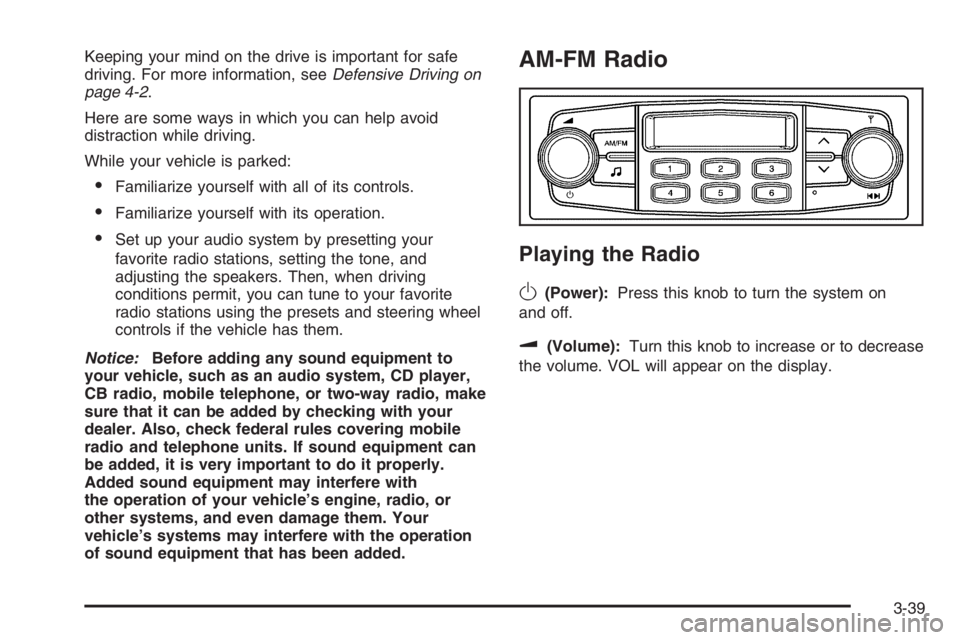
AM-FM Radio
Playing the Radio
O
(Power):Press this knob to turn the system on
and off.
u(Volume):Turn this knob to increase or to decrease
the volume. VOL will appear on the display.
3-39
Page 1934 of 5127
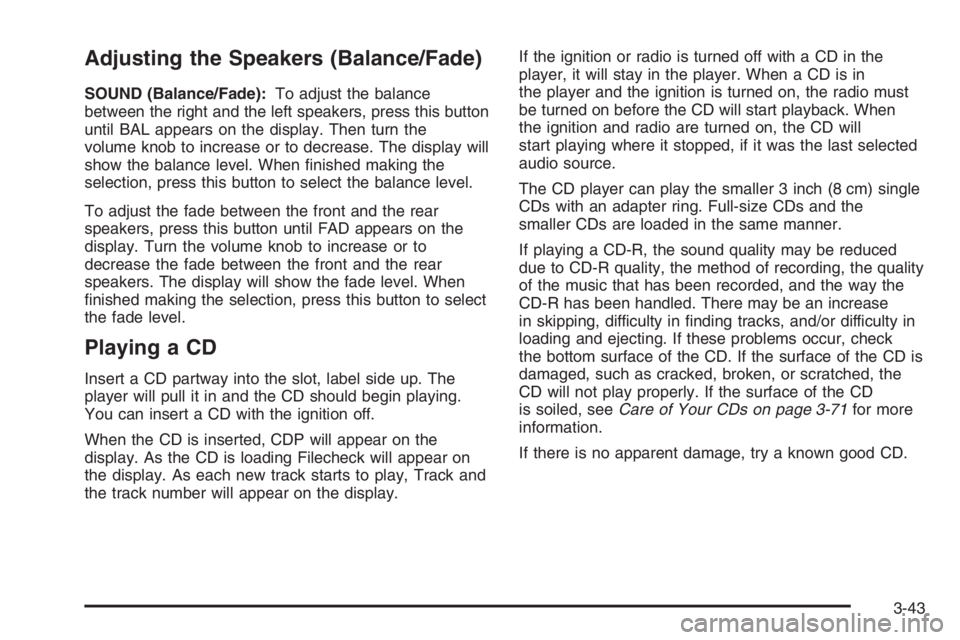
Adjusting the Speakers (Balance/Fade)
SOUND (Balance/Fade):To adjust the balance
between the right and the left speakers, press this button
until BAL appears on the display. Then turn the
volume knob to increase or to decrease. The display will
show the balance level. When finished making the
selection, press this button to select the balance level.
To adjust the fade between the front and the rear
speakers, press this button until FAD appears on the
display. Turn the volume knob to increase or to
decrease the fade between the front and the rear
speakers. The display will show the fade level. When
finished making the selection, press this button to select
the fade level.
Playing a CD
Insert a CD partway into the slot, label side up. The
player will pull it in and the CD should begin playing.
You can insert a CD with the ignition off.
When the CD is inserted, CDP will appear on the
display. As the CD is loading Filecheck will appear on
the display. As each new track starts to play, Track and
the track number will appear on the display.If the ignition or radio is turned off with a CD in the
player, it will stay in the player. When a CD is in
the player and the ignition is turned on, the radio must
be turned on before the CD will start playback. When
the ignition and radio are turned on, the CD will
start playing where it stopped, if it was the last selected
audio source.
The CD player can play the smaller 3 inch (8 cm) single
CDs with an adapter ring. Full-size CDs and the
smaller CDs are loaded in the same manner.
If playing a CD-R, the sound quality may be reduced
due to CD-R quality, the method of recording, the quality
of the music that has been recorded, and the way the
CD-R has been handled. There may be an increase
in skipping, difficulty in finding tracks, and/or difficulty in
loading and ejecting. If these problems occur, check
the bottom surface of the CD. If the surface of the CD is
damaged, such as cracked, broken, or scratched, the
CD will not play properly. If the surface of the CD
is soiled, seeCare of Your CDs on page 3-71for more
information.
If there is no apparent damage, try a known good CD.
3-43
Page 1935 of 5127
Do not add any label to a CD, it could get caught in the
CD player. If a CD is recorded on a personal computer
and a description label is needed, try labeling the top of
the recorded CD with a marking pen instead.
Notice:If you add any label to a CD, insert more
than one CD into the slot at a time, or attempt
to play scratched or damaged CDs, you could
damage the CD player. When using the CD player,
use only CDs in good condition without any
label, load one CD at a time, and keep the CD player
and the loading slot free of foreign materials,
liquids, and debris.
If an error appears on the display, see “CD Messages”
later in this section.
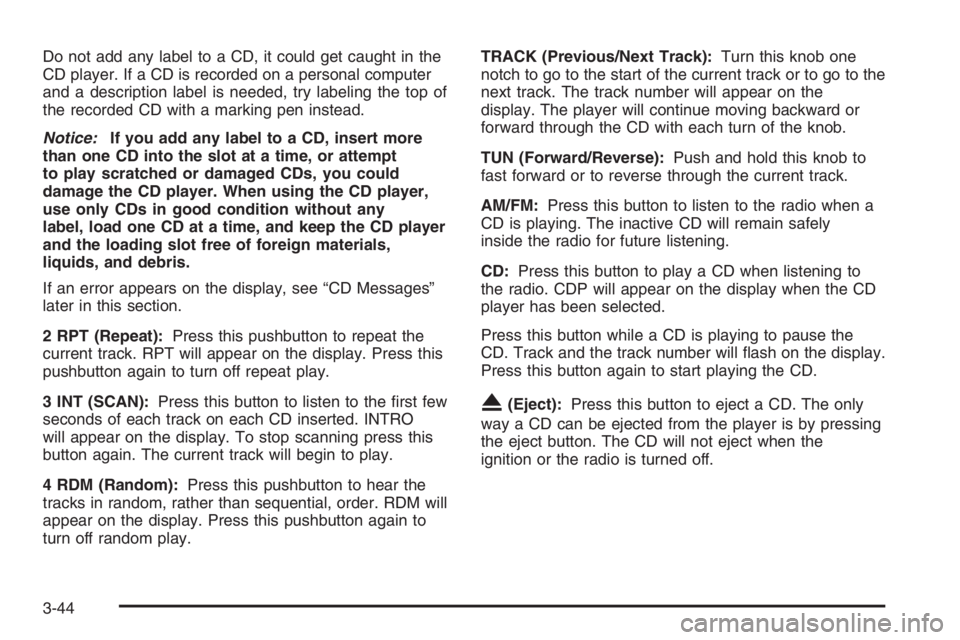
2 RPT (Repeat):Press this pushbutton to repeat the
current track. RPT will appear on the display. Press this
pushbutton again to turn off repeat play.
3 INT (SCAN):Press this button to listen to the first few
seconds of each track on each CD inserted. INTRO
will appear on the display. To stop scanning press this
button again. The current track will begin to play.
4 RDM (Random):Press this pushbutton to hear the
tracks in random, rather than sequential, order. RDM will
appear on the display. Press this pushbutton again to
turn off random play.TRACK (Previous/Next Track):Turn this knob one
notch to go to the start of the current track or to go to the
next track. The track number will appear on the
display. The player will continue moving backward or
forward through the CD with each turn of the knob.
TUN (Forward/Reverse):Push and hold this knob to
fast forward or to reverse through the current track.
AM/FM:Press this button to listen to the radio when a
CD is playing. The inactive CD will remain safely
inside the radio for future listening.
CD:Press this button to play a CD when listening to
the radio. CDP will appear on the display when the CD
player has been selected.
Press this button while a CD is playing to pause the
CD. Track and the track number will flash on the display.
Press this button again to start playing the CD.
X(Eject):Press this button to eject a CD. The only
way a CD can be ejected from the player is by pressing
the eject button. The CD will not eject when the
ignition or the radio is turned off.
3-44
Page 1936 of 5127
CD Messages
CHECK CD:If this message appears on the display
and/or the CD comes out, it could be for one of the
following reasons:
•It is very hot. When the temperature returns to
normal, the CD should play.
•You are driving on a very rough road. When the
road becomes smoother, the CD should play.
•The CD is dirty, scratched, wet, or upside down.
•The air is very humid. If so, wait about an hour and
try again.
•There may have been a problem while burning
the CD.
•The label may be caught in the CD player.
If the CD is not playing correctly, for any other reason,
try a known good CD.
If any error occurs repeatedly or if an error cannot be
corrected, contact your dealer. If the radio displays
an error message, write it down and provide it to your
dealer when reporting the problem.
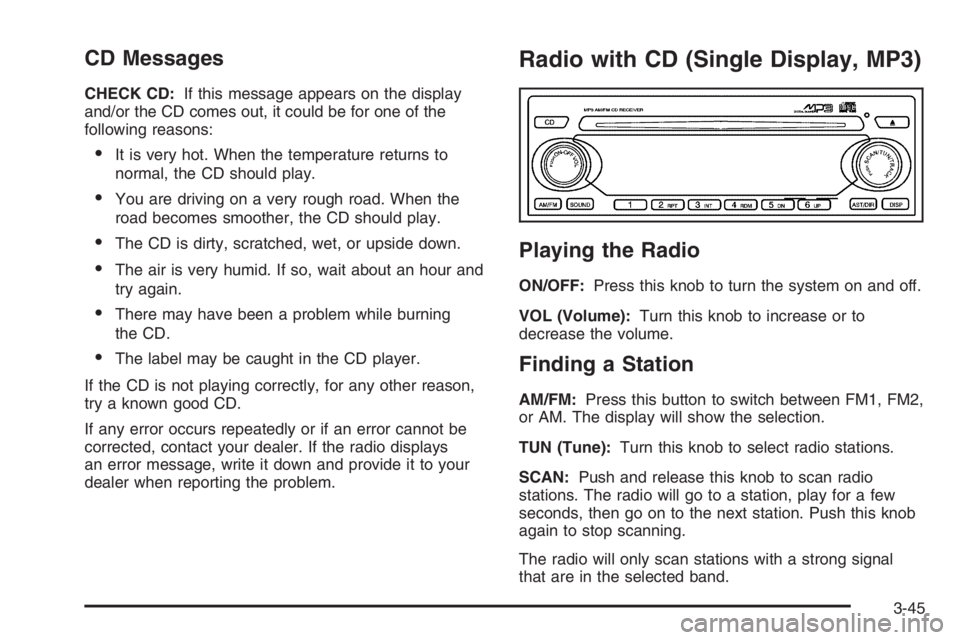
Radio with CD (Single Display, MP3)
Playing the Radio
ON/OFF:Press this knob to turn the system on and off.
VOL (Volume):Turn this knob to increase or to
decrease the volume.
Finding a Station
AM/FM:Press this button to switch between FM1, FM2,
or AM. The display will show the selection.
TUN (Tune):Turn this knob to select radio stations.
SCAN:Push and release this knob to scan radio
stations. The radio will go to a station, play for a few
seconds, then go on to the next station. Push this knob
again to stop scanning.
The radio will only scan stations with a strong signal
that are in the selected band.
3-45
Page 1938 of 5127
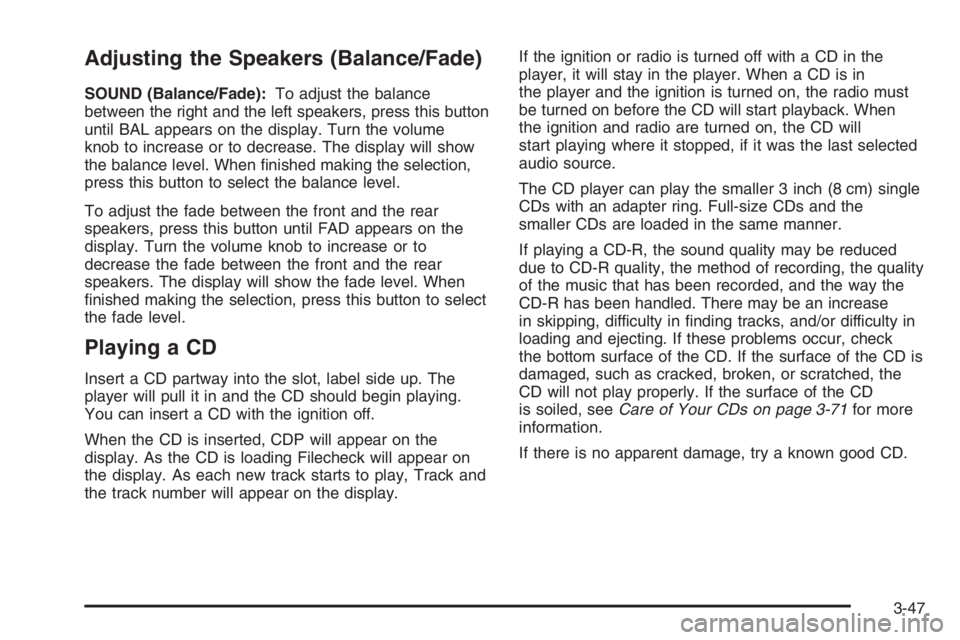
Adjusting the Speakers (Balance/Fade)
SOUND (Balance/Fade):To adjust the balance
between the right and the left speakers, press this button
until BAL appears on the display. Turn the volume
knob to increase or to decrease. The display will show
the balance level. When finished making the selection,
press this button to select the balance level.
To adjust the fade between the front and the rear
speakers, press this button until FAD appears on the
display. Turn the volume knob to increase or to
decrease the fade between the front and the rear
speakers. The display will show the fade level. When
finished making the selection, press this button to select
the fade level.
Playing a CD
Insert a CD partway into the slot, label side up. The
player will pull it in and the CD should begin playing.
You can insert a CD with the ignition off.
When the CD is inserted, CDP will appear on the
display. As the CD is loading Filecheck will appear on
the display. As each new track starts to play, Track and
the track number will appear on the display.If the ignition or radio is turned off with a CD in the
player, it will stay in the player. When a CD is in
the player and the ignition is turned on, the radio must
be turned on before the CD will start playback. When
the ignition and radio are turned on, the CD will
start playing where it stopped, if it was the last selected
audio source.
The CD player can play the smaller 3 inch (8 cm) single
CDs with an adapter ring. Full-size CDs and the
smaller CDs are loaded in the same manner.
If playing a CD-R, the sound quality may be reduced
due to CD-R quality, the method of recording, the quality
of the music that has been recorded, and the way the
CD-R has been handled. There may be an increase
in skipping, difficulty in finding tracks, and/or difficulty in
loading and ejecting. If these problems occur, check
the bottom surface of the CD. If the surface of the CD is
damaged, such as cracked, broken, or scratched, the
CD will not play properly. If the surface of the CD
is soiled, seeCare of Your CDs on page 3-71for more
information.
If there is no apparent damage, try a known good CD.
3-47
Page 1939 of 5127
Do not add any label to a CD, it could get caught in the
CD player. If a CD is recorded on a personal computer
and a description label is needed, try labeling the top of
the recorded CD with a marking pen instead.
Notice:If you add any label to a CD, insert more
than one CD into the slot at a time, or attempt
to play scratched or damaged CDs, you could
damage the CD player. When using the CD player,
use only CDs in good condition without any
label, load one CD at a time, and keep the CD player
and the loading slot free of foreign materials,
liquids, and debris.
If an error appears on the display, see “CD Messages”
later in this section.
2 RPT (Repeat):Press this pushbutton to repeat the
current track. RPT will appear on the display. Press this
pushbutton again to turn off repeat play.
3 INT (Scan):Press this button to listen to the first few
seconds of each track on each loaded CD. INTRO
will appear on the display. To stop scanning press this
button again. The current track will begin to play.
4 RDM (Random):Press this pushbutton to hear the
tracks in random, rather than sequential, order. RDM will
appear on the display. Press this pushbutton again to
turn off random play.TRACK (Previous/Next Track):Turn this knob one
notch to go to the start of the current track or to go to the
next track. The track number will appear on the
display. The player will continue moving backward or
forward through the CD with each turn of the knob.
TUN (Forward/Reverse):Turn this knob and wait
momentarily for the system to fast forward or to reverse
through the current track.
AM/FM:Press this button to listen to the radio when a
CD is playing. The inactive CD will remain safely
inside the radio for future listening.
CD:Press this button to play a CD when listening to
the radio. CDP will appear on the display when the CD
player has been selected. The CD symbol will appear
on the display when a CD is loaded.
Press this button while a CD is playing to pause the
CD. Track and the track number will flash on the display.
Press this button again to start playing the CD.
X(Eject):Press this button to eject a CD. The only
way a CD can be ejected from the player is by pressing
the eject button. The CD will not eject when the
ignition or the radio is turned off.
3-48
Page 1940 of 5127
Using an MP3 CD
MP3 Format
If you burn your own MP3 disc on a personal computer:
•Make sure the MP3 files are recorded on a
CD-R disc.
•Do not mix standard audio and MP3 files on one disc.
•Make sure playlists have a .m3u or .wpl extension,
other file extensions may not work.
•Files can be recorded with a variety of fixed or
variable bit rates. Song title, artist name, and album
will be available for display by the radio when
recorded using ID3 tags version 1 and 2.
•Create a folder structure that makes it easy to find
songs while driving. Organize songs by albums using
one folder for each album. Each folder or album
should contain 18 songs or less.
•Make sure to finalize the disc when burning an MP3
disc, using multiple sessions. It is usually better to
burn the disc all at once.
The player will be able to read and play a maximum of
50 folders, 50 playlists, 10 sessions, and 255 files.
Long file names, folder names, or playlist names may
use more disc memory space than necessary. To
conserve space on the disc, minimize the length of the
file, folder or playlist names.You can also play an MP3 CD that was recorded using no
file folders. The system can support up to 11 folders in
depth, though, keep the depth of the folders to a minimum
in order to keep down the complexity and confusion in
trying to locate a particular folder during playback. If a
CD contains more than the maximum of 50 folders,
50 playlists, 10 sessions, and 255 files the player will let
you access and navigate up to the maximum, but all
items over the maximum will be ignored.
Root Directory
The root directory will be treated as a folder. If the root
directory has compressed audio files, the directory
will be displayed as F1 ROOT. All files contained directly
under the root directory will be accessed prior to any
root directory folders. However, playlists (Px) will always
be accessed before root folders or files.
Empty Directory or Folder
If a root directory or a folder exists somewhere in the
file structure that contains only folders/subfolders and no
compressed files directly beneath them, the player will
advance to the next folder in the file structure that
contains compressed audio files and the empty folder
will not be displayed or numbered.
3-49