light CHEVROLET AVEO 2004 1.G User Guide
[x] Cancel search | Manufacturer: CHEVROLET, Model Year: 2004, Model line: AVEO, Model: CHEVROLET AVEO 2004 1.GPages: 334, PDF Size: 2.35 MB
Page 81 of 334
Theft-Deterrent Systems
Vehicle theft is big business, especially in some cities.
Although your vehicle has a number of theft-deterrent
features, we know that nothing we put on it can make it
impossible to steal.
Theft-Deterrent System
Your vehicle may have a theft-deterrent system.
The theft-deterrent system will not arm when you lock
the doors using the key or the manual door lock. It arms
only when you use the remote keyless entry transmitter.
Arming the System
To arm the system, do the following:
1. Close the doors, the windows, the hood, and the
trunk or liftgate.
Ensure that the windows are closed, as the system
can be armed even if the windows are open.
2. Turn the key to LOCK and remove the key from
the ignition.
If the key is inserted in the ignition, the transmitter
will not arm the theft-deterrent system.3. Lock the doors by pressing the lock button on the
remote keyless entry transmitter.
•The LED on the transmitter will flash once.
•All of the doors will lock.
•The hazard warning lamps will flash once and
the horn will chirp.
•The theft-deterrent mode will arm.
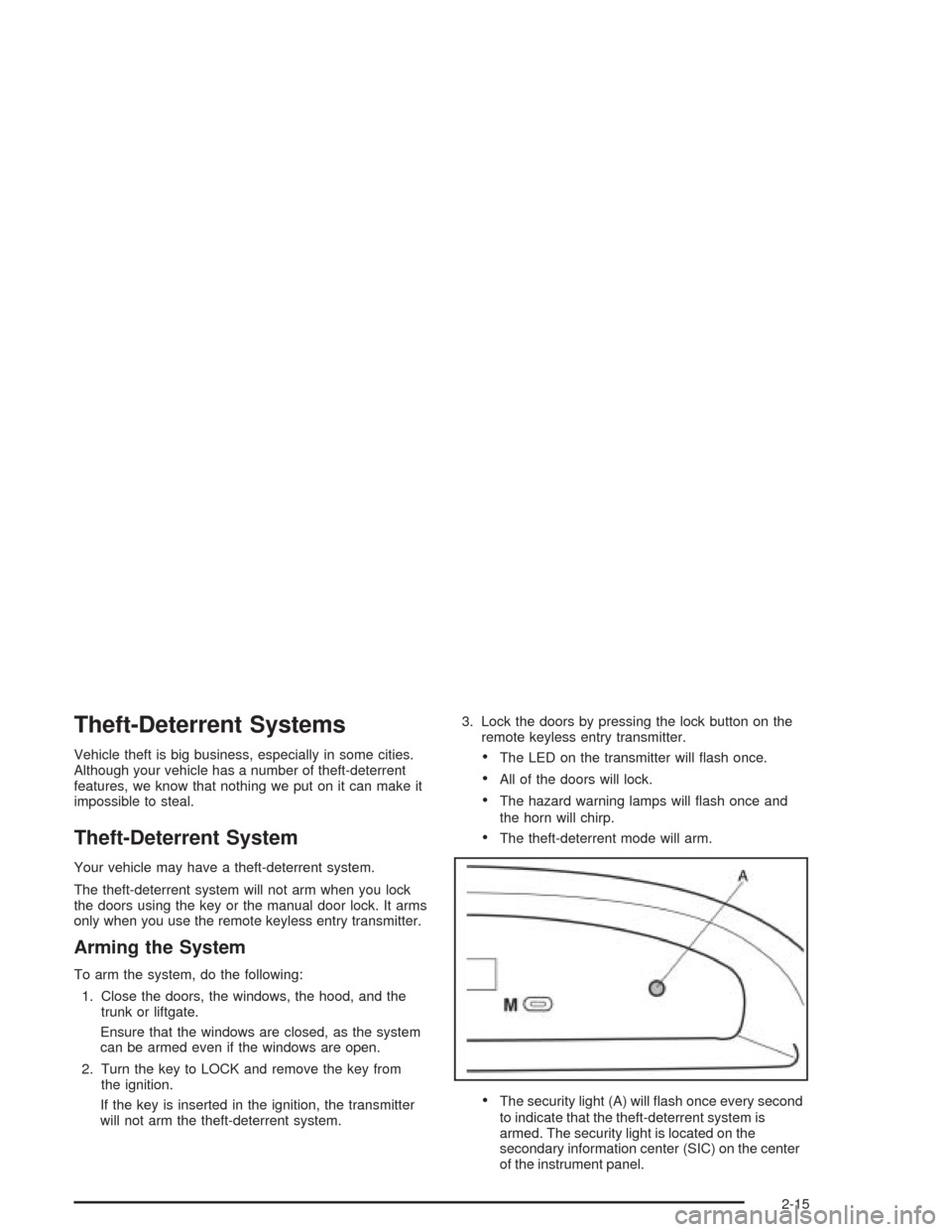
•The security light (A) will flash once every second
to indicate that the theft-deterrent system is
armed. The security light is located on the
secondary information center (SIC) on the center
of the instrument panel.
2-15
Page 83 of 334
Immobilizer
This device complies with Part 15 of the FCC Rules.
Operation is subject to the following two conditions:
1. this device may not cause interference, and
2. this device must accept any interference received,
including interference that may cause undesired
operation.
This device complies with RSS-210 of Industry Canada.
Operation is subject to the following two conditions:
1. this device may not cause interference, and
2. this device must accept any interference received,
including interference that may cause undesired
operation of the device.
Changes or modifications to this system by other than
an authorized service facility could void authorization to
use this equipment.
Immobilizer Operation
Your vehicle may have a passive theft-deterrent system.
The immobilizer system prevents your vehicle from
being started by unauthorized persons.
If your vehicle has an immobilizer system, your vehicle
has a special key that works with the theft-deterrent
system. There is a transponder in the key head that is
electronically coded. The correct key will start the
vehicle. An invalid key immobilizes the engine.
The immobilizer system isolates the power supply to
the ignition system, the fuel pump and the fuel injectors.
The engine immobilizer is activated after the key is
turned to LOCK and removed from the ignition.
The security light located on the top center of the
instrument panel in the secondary information center
will flash when the immobilizer is active. If the light does
not flash after removing the key, have the system
checked by your dealer.
The immobilizer system works when you turn the key to
START. If the immobilizer system does not recognize the
electronic code, the engine will not start and the security
indicator will continue blinking. If your key is ever
damaged, you may not be able to start your vehicle.
2-17
Page 84 of 334
When trying to start the vehicle, if the engine does not
start and the security light continues flashing, the
key may have a damaged transponder. Turn the ignition
off and try again.
If the engine still does not start, and the key appears
to be undamaged, try another key. At this time, you may
also want to check the fuse. SeeFuses and Circuit
Breakers on page 5-85. If the engine still does not start
with the other key, your vehicle needs service.
If your vehicle does start, the first key may be faulty.
See your dealer who can have a new key made.
Up to five keys may be programmed for the vehicle.
If you lose or damage your keys, only a GM dealer can
have new keys made.
If you are ever driving and the security light comes on
and stays on, you will be able to restart your engine
if you turn it off. The theft-deterrent system, however,
is not working properly and must be serviced by
your dealer. Your vehicle is not protected by the
theft-deterrent system at this time.
In an emergency, contact Chevrolet Roadside
Assistance. SeeRoadside Assistance Program on
page 7-6.Starting and Operating
Your Vehicle
New Vehicle Break-In
Notice:Your vehicle does not need an elaborate
“break-in.” But it will perform better in the long run
if you follow these guidelines:
Do not drive at any one speed — fast or
slow — for the rst 500 miles (805 km).
Do not make full-throttle starts.
Avoid making hard stops for the rst 200 miles
(322 km) or so. During this time your new brake
linings are not yet broken in. Hard stops with new
linings can mean premature wear and earlier
replacement. Follow this breaking-in guideline
every time you get new brake linings.
Do not tow a trailer during break-in. SeeTowing a
Trailer on page 4-37for more information.
2-18
Page 85 of 334
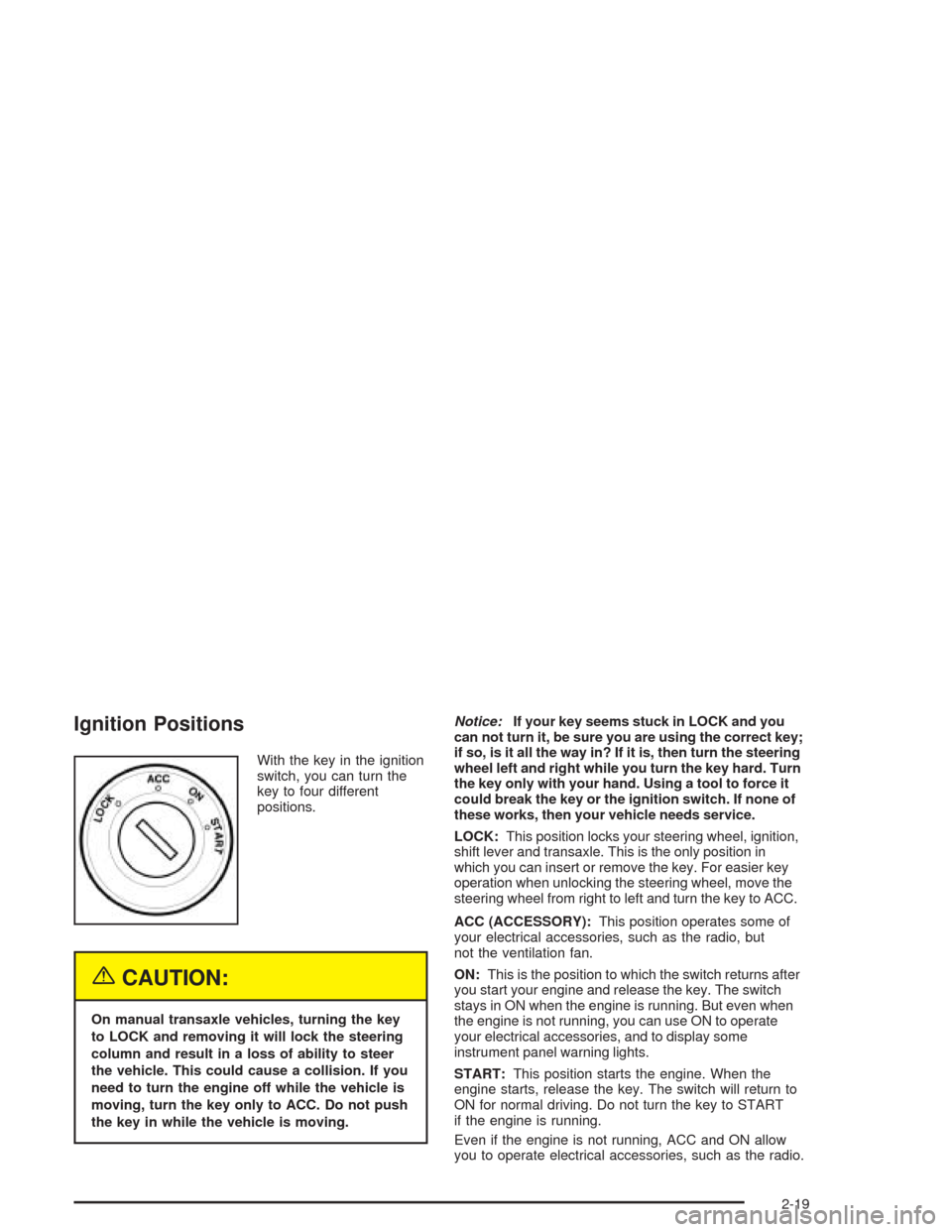
Ignition Positions
With the key in the ignition
switch, you can turn the
key to four different
positions.
{CAUTION:
On manual transaxle vehicles, turning the key
to LOCK and removing it will lock the steering
column and result in a loss of ability to steer
the vehicle. This could cause a collision. If you
need to turn the engine off while the vehicle is
moving, turn the key only to ACC. Do not push
the key in while the vehicle is moving.Notice:If your key seems stuck in LOCK and you
can not turn it, be sure you are using the correct key;
if so, is it all the way in? If it is, then turn the steering
wheel left and right while you turn the key hard. Turn
the key only with your hand. Using a tool to force it
could break the key or the ignition switch. If none of
these works, then your vehicle needs service.
LOCK:This position locks your steering wheel, ignition,
shift lever and transaxle. This is the only position in
which you can insert or remove the key. For easier key
operation when unlocking the steering wheel, move the
steering wheel from right to left and turn the key to ACC.
ACC (ACCESSORY):This position operates some of
your electrical accessories, such as the radio, but
not the ventilation fan.
ON:This is the position to which the switch returns after
you start your engine and release the key. The switch
stays in ON when the engine is running. But even when
the engine is not running, you can use ON to operate
your electrical accessories, and to display some
instrument panel warning lights.
START:This position starts the engine. When the
engine starts, release the key. The switch will return to
ON for normal driving. Do not turn the key to START
if the engine is running.
Even if the engine is not running, ACC and ON allow
you to operate electrical accessories, such as the radio.
2-19
Page 90 of 334
AUTOMATIC OVERDRIVE (D4):This position is for
normal driving.
Notice:Driving your vehicle if you notice that it is
moving slowly or not shifting gears as you increase
speed may damage the transaxle. Have your vehicle
serviced right away. You can drive in SECOND (2)
when you are driving less than 35 mph (55 km/h) and
AUTOMATIC OVERDRIVE (D4) for higher speeds
until then.
SECOND (2):This position gives you more power but
lower fuel economy. You can use SECOND (2) on
hills. It can help control your speed as you go down
steep mountain roads, but then you would also want to
use your brakes off and on.
Notice:Do not drive in SECOND (2) at speeds
over 65 mph (105 km/h), or you can damage
the transaxle. Use AUTOMATIC OVERDRIVE (D4) as
much as possible. Do not shift into SECOND (2)
unless you are going slower than 65 mph (105 km/h)
or you can damage your engine.FIRST (1):This position gives you even more power
but lower fuel economy than SECOND (2). You can use
it on very steep hills, or in deep snow or mud. If the
shift lever is put in FIRST (1), the transaxle will not shift
into first gear until the vehicle is going slowly enough.
Notice:Spinning the tires or holding the vehicle
in one place on a hill using only the accelerator
pedal may damage the transaxle. If you are stuck,
do not spin the tires. When stopping on a hill,
use the brakes to hold the vehicle in place.
If there is a malfunction with the automatic transaxle,
the malfunction indicator lamp (MIL) or the HOLD
indicator light will turn on or flash. SeeMalfunction
Indicator Lamp on page 3-28orHold Mode Light
on page 3-28.
Have your vehicle fixed as soon as possible.
2-24
Page 91 of 334
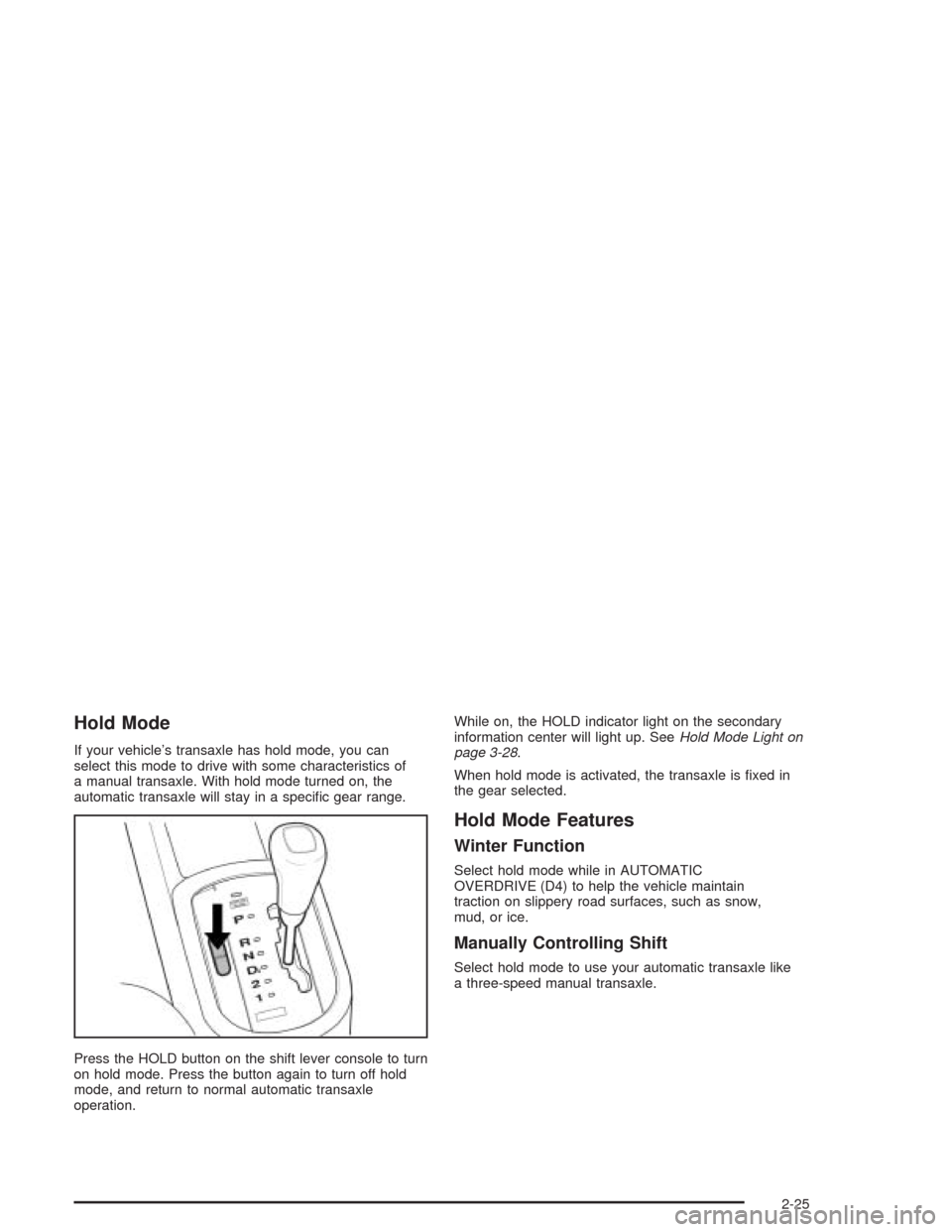
Hold Mode
If your vehicle’s transaxle has hold mode, you can
select this mode to drive with some characteristics of
a manual transaxle. With hold mode turned on, the
automatic transaxle will stay in a specific gear range.
Press the HOLD button on the shift lever console to turn
on hold mode. Press the button again to turn off hold
mode, and return to normal automatic transaxle
operation.While on, the HOLD indicator light on the secondary
information center will light up. SeeHold Mode Light on
page 3-28.
When hold mode is activated, the transaxle is fixed in
the gear selected.
Hold Mode Features
Winter Function
Select hold mode while in AUTOMATIC
OVERDRIVE (D4) to help the vehicle maintain
traction on slippery road surfaces, such as snow,
mud, or ice.
Manually Controlling Shift
Select hold mode to use your automatic transaxle like
a three-speed manual transaxle.
2-25
Page 94 of 334
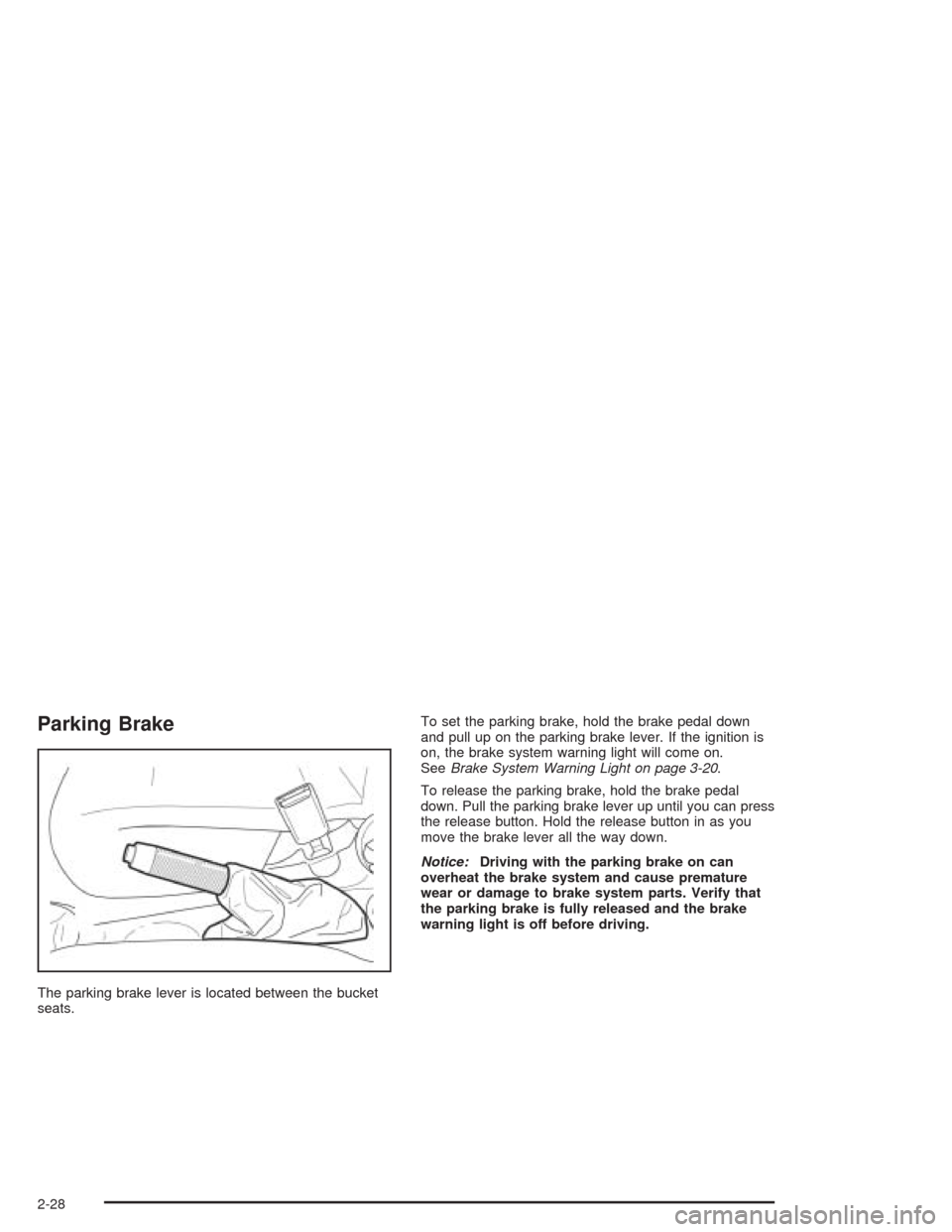
Parking Brake
The parking brake lever is located between the bucket
seats.To set the parking brake, hold the brake pedal down
and pull up on the parking brake lever. If the ignition is
on, the brake system warning light will come on.
SeeBrake System Warning Light on page 3-20.
To release the parking brake, hold the brake pedal
down. Pull the parking brake lever up until you can press
the release button. Hold the release button in as you
move the brake lever all the way down.
Notice:Driving with the parking brake on can
overheat the brake system and cause premature
wear or damage to brake system parts. Verify that
the parking brake is fully released and the brake
warning light is off before driving.
2-28
Page 105 of 334
Instrument Panel Overview...............................3-2
Hazard Warning Flashers................................3-3
Other Warning Devices...................................3-4
Horn.............................................................3-4
Tilt Wheel.....................................................3-4
Turn Signal/Multifunction Lever.........................3-5
Windshield Wiper Lever...................................3-6
Exterior Lamps...............................................3-8
Interior Lamps..............................................3-10
Accessory Power Outlets...............................3-11
Ashtrays and Cigarette Lighter........................3-12
Climate Controls............................................3-12
Climate Control System.................................3-12
Outlet Adjustment.........................................3-15
Passenger Compartment Air Filter...................3-16
Warning Lights, Gages, and Indicators............3-17
Instrument Panel Cluster................................3-18
Speedometer and Odometer...........................3-19
Tachometer.................................................3-19
Safety Belt Reminder Tone............................3-20
Brake System Warning Light..........................3-20
Engine Coolant Temperature Gage..................3-21Highbeam On Light.......................................3-22
Fuel Gage...................................................3-22
Low Fuel Warning Light.................................3-23
Secondary Information Center (SIC).................3-24
Clock..........................................................3-25
Safety Belt Reminder Light.............................3-25
Air Bag Readiness Light................................3-26
Charging System Light..................................3-27
Anti-Lock Brake System Warning Light.............3-27
Hold Mode Light...........................................3-28
Malfunction Indicator Lamp.............................3-28
Oil Pressure Light.........................................3-32
Fog Lamp Light............................................3-32
Daytime Running Lamps Indicator Light...........3-33
Door Ajar Light.............................................3-33
Audio System(s).............................................3-34
AM-FM Radio...............................................3-34
Radio with CD..............................................3-36
Theft-Deterrent Feature..................................3-43
Radio Reception...........................................3-43
Care of Your CDs.........................................3-44
Care of Your CD Player................................3-44
Backglass Antenna.......................................3-44
Section 3 Instrument Panel
3-1
Page 107 of 334
The main components of your instrument panel are the
following:
A. Air Outlet. SeeOutlet Adjustment on page 3-15.
B. Instrument Panel Cluster. SeeInstrument Panel
Cluster on page 3-18.
C. Digital Clock and Secondary Information Center.
SeeClock on page 3-25andSecondary Information
Center (SIC) on page 3-24.
D. Hazard Warning Flashers Button. SeeHazard
Warning Flashers on page 3-3.
E. Instrument Panel Brightness Control. See
“Instrument Panel Brightness” underInterior Lamps
on page 3-10.
F. Hood Release. SeeHood Release on page 5-11.
G. Horn. SeeHorn on page 3-4.
H. Audio System. SeeAudio System(s) on page 3-34.
I. Cupholder. SeeCupholder(s) on page 2-36.
J. Ashtray. SeeAshtrays and Cigarette Lighter on
page 3-12.
K. Cigarette Lighter. SeeAshtrays and Cigarette
Lighter on page 3-12.
L. Climate Control System. SeeClimate Control
System on page 3-12.
M. Glove Box. SeeGlove Box on page 2-36.Hazard Warning Flashers
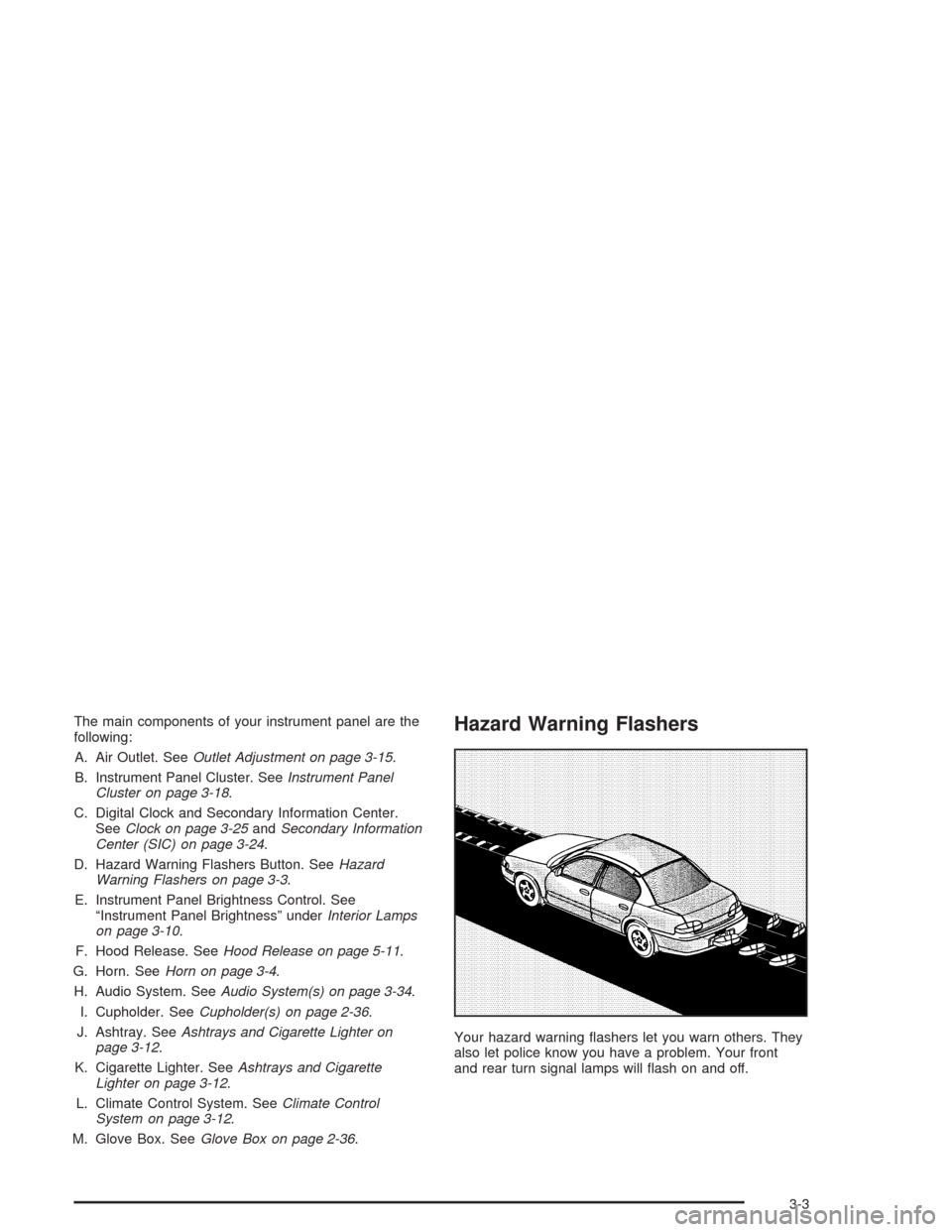
Your hazard warning flashers let you warn others. They
also let police know you have a problem. Your front
and rear turn signal lamps will flash on and off.
3-3
Page 108 of 334
The hazard warning
flasher button is located
on the center of the
instrument panel.
Your hazard warning flashers work no matter what
position your key is in, and even if the key is not in.
Press the button to make the front and rear turn signal
lamps flash on and off. Press the button again to
turn the flashers off.
When the hazard warning flashers are on, your turn
signals will not work.
Other Warning Devices
If you carry reflective triangles, you can set one up at
the side of the road about 300 feet (100 m) behind your
vehicle.
Horn
Press the horn symbols on your steering wheel pad to
sound the horn.
Tilt Wheel
Your vehicle has a tilt wheel which allows you to adjust
the steering wheel before you drive. You can raise it
to the highest level to give your legs more room when
you exit and enter the vehicle.
The tilt wheel lever is
located underneath the
steering column slightly to
the left.
To tilt the steering wheel, hold the wheel and push the
lever down. Then, move the wheel to a comfortable
position and pull the lever up to lock the wheel in place.
3-4