display CHEVROLET AVEO 2004 1.G Owners Manual
[x] Cancel search | Manufacturer: CHEVROLET, Model Year: 2004, Model line: AVEO, Model: CHEVROLET AVEO 2004 1.GPages: 334, PDF Size: 2.35 MB
Page 85 of 334
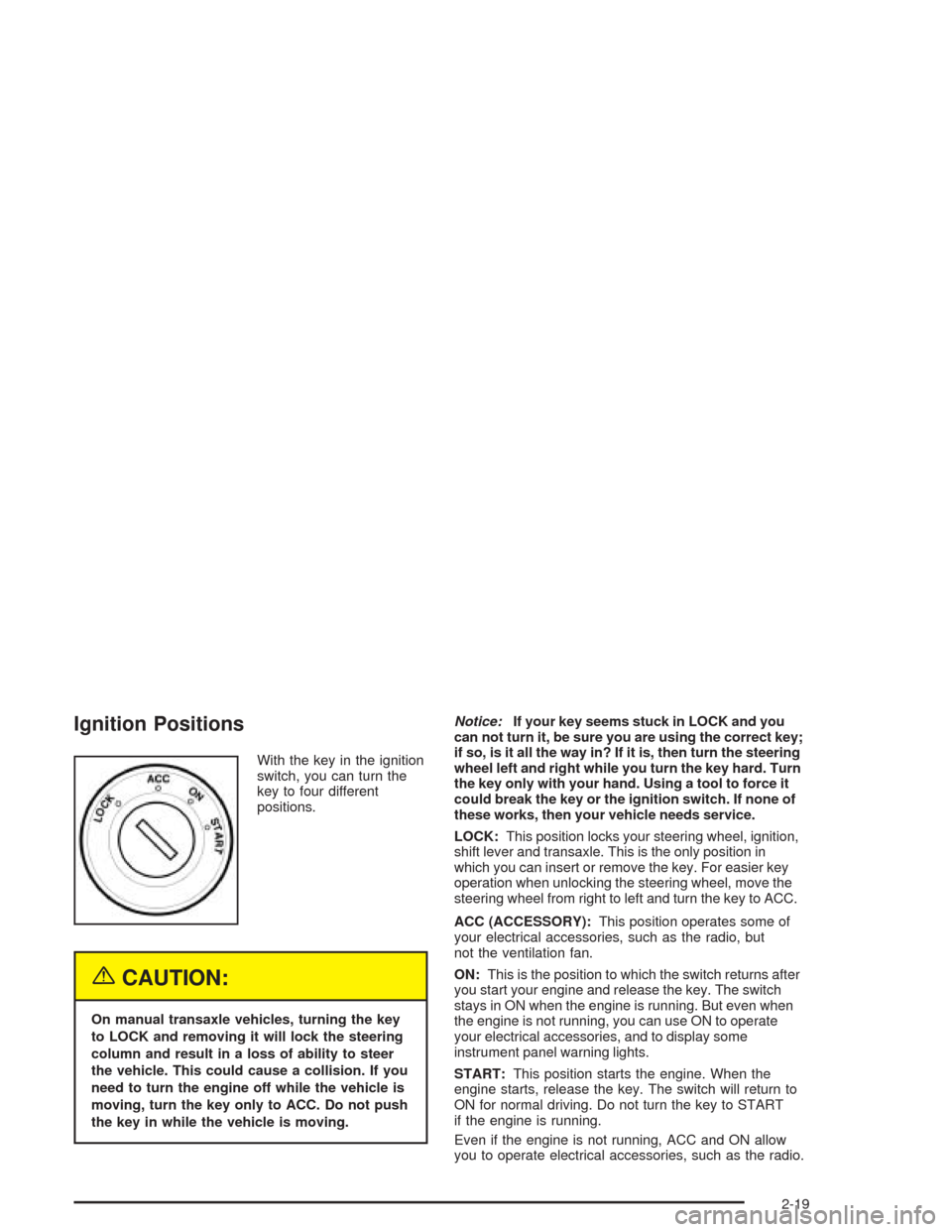
Ignition Positions
With the key in the ignition
switch, you can turn the
key to four different
positions.
{CAUTION:
On manual transaxle vehicles, turning the key
to LOCK and removing it will lock the steering
column and result in a loss of ability to steer
the vehicle. This could cause a collision. If you
need to turn the engine off while the vehicle is
moving, turn the key only to ACC. Do not push
the key in while the vehicle is moving.Notice:If your key seems stuck in LOCK and you
can not turn it, be sure you are using the correct key;
if so, is it all the way in? If it is, then turn the steering
wheel left and right while you turn the key hard. Turn
the key only with your hand. Using a tool to force it
could break the key or the ignition switch. If none of
these works, then your vehicle needs service.
LOCK:This position locks your steering wheel, ignition,
shift lever and transaxle. This is the only position in
which you can insert or remove the key. For easier key
operation when unlocking the steering wheel, move the
steering wheel from right to left and turn the key to ACC.
ACC (ACCESSORY):This position operates some of
your electrical accessories, such as the radio, but
not the ventilation fan.
ON:This is the position to which the switch returns after
you start your engine and release the key. The switch
stays in ON when the engine is running. But even when
the engine is not running, you can use ON to operate
your electrical accessories, and to display some
instrument panel warning lights.
START:This position starts the engine. When the
engine starts, release the key. The switch will return to
ON for normal driving. Do not turn the key to START
if the engine is running.
Even if the engine is not running, ACC and ON allow
you to operate electrical accessories, such as the radio.
2-19
Page 123 of 334
Speedometer and Odometer
Your speedometer lets you see your speed in both
miles per hour (mph) and kilometers per hour (km/h).
Your odometer shows how far your vehicle has
been driven in either miles, used in the United States,
or kilometers, used in Canada.
Trip Odometer
The trip odometer can record the number of miles, used
in the United States, or kilometers, used in Canada,
traveled for up to two trips.
You can cycle between the odometer and trip odometers
A and B by pressing the reset button located in the
lower right area of the speedometer. By pressing the
reset button, you can tell how many miles or kilometers
have been recorded on either Trip A or Trip B since
you last set the trip odometer back to zero.
To reset each trip odometer to zero, press and hold the
reset button. The reset button resets only the trip
odometer that is being displayed. Each trip odometer
must be reset individually.
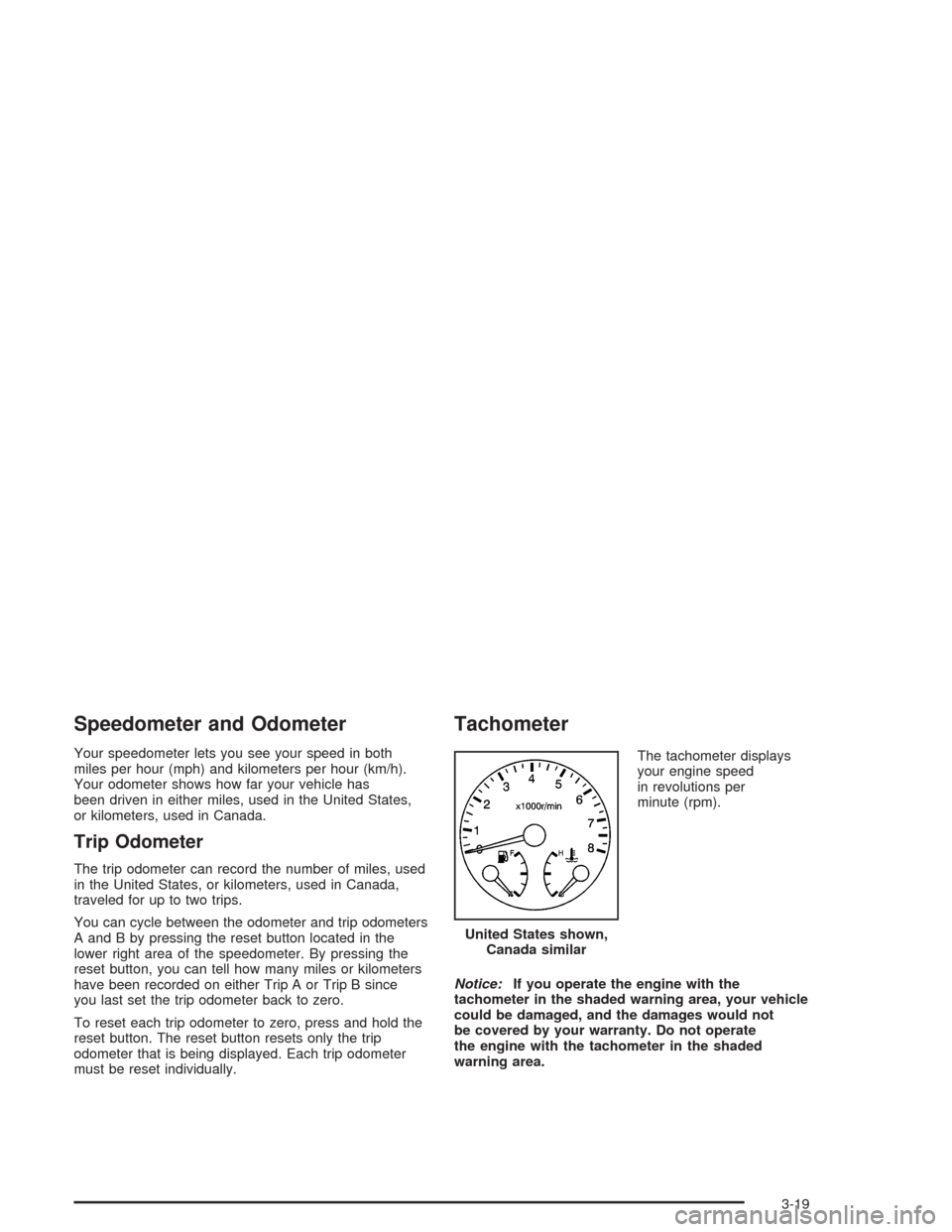
Tachometer
The tachometer displays
your engine speed
in revolutions per
minute (rpm).
Notice:If you operate the engine with the
tachometer in the shaded warning area, your vehicle
could be damaged, and the damages would not
be covered by your warranty. Do not operate
the engine with the tachometer in the shaded
warning area.United States shown,
Canada similar
3-19
Page 128 of 334
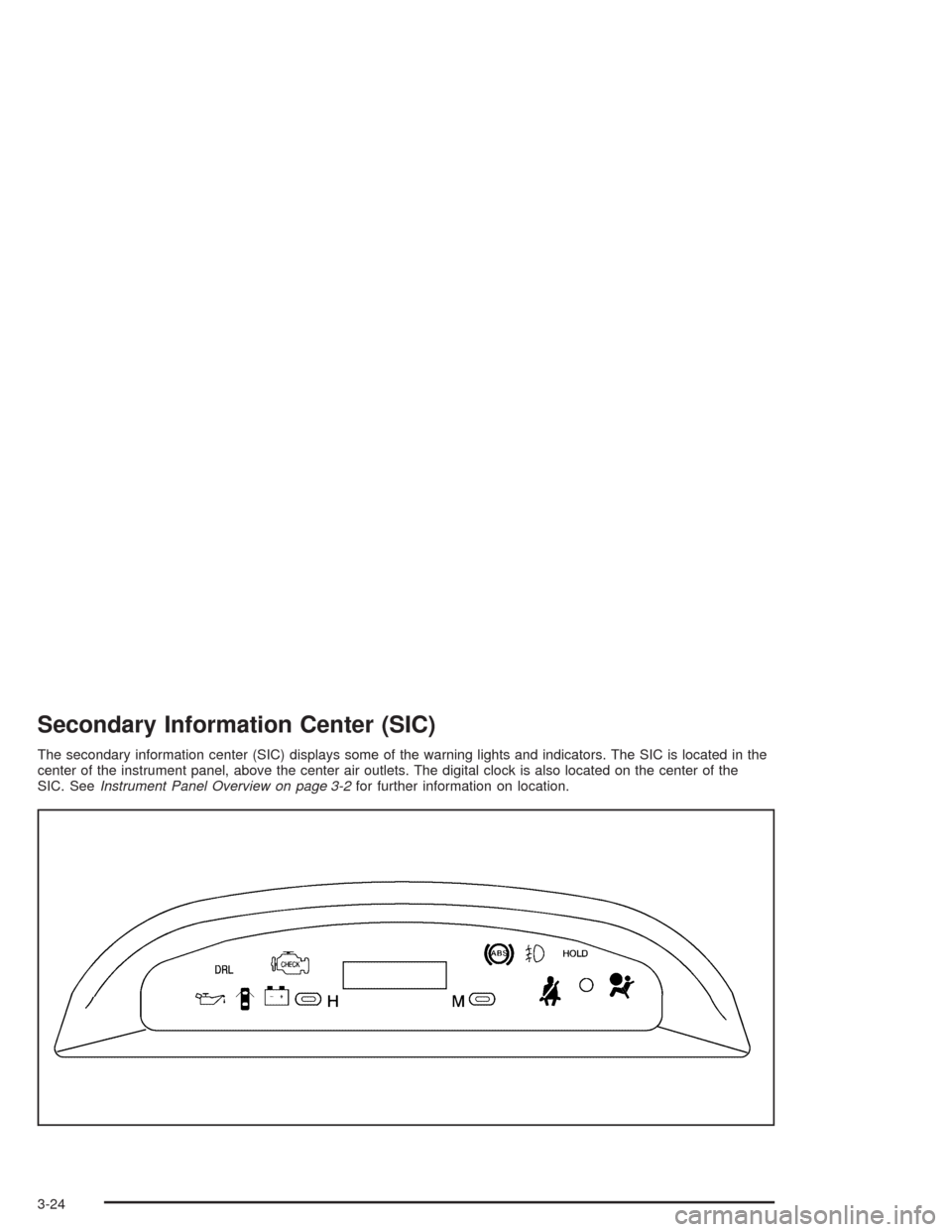
Secondary Information Center (SIC)
The secondary information center (SIC) displays some of the warning lights and indicators. The SIC is located in the
center of the instrument panel, above the center air outlets. The digital clock is also located on the center of the
SIC. SeeInstrument Panel Overview on page 3-2for further information on location.
3-24
Page 129 of 334
Clock
Your vehicle has a digital clock. The clock is located in
the secondary instrument cluster on the center of
the instrument panel, above the center air outlets.
When the ignition is turned to ACC or ON, the time is
displayed in the digital clock. There are two adjusting
buttons for the digital clock:
H (Hour):To go forward one hour, press the H button
once. To go forward more than one hour, press and hold
the button until the correct hour is reached.
M (Minute):To go forward one minute, press the
M button once. To go forward more than one minute,
press and hold the button until the correct minute
is reached.
After disconnecting the battery or replacing the fuse,
reset the clock.
Safety Belt Reminder Light
The safety belt light will
come on and stay on until
the driver’s safety belt
is buckled.
If the driver’s belt is already buckled, the light will not
come on.
3-25
Page 138 of 334
Audio System(s)
Notice:Before you add any sound equipment to
your vehicle – like a tape player, CB radio, mobile
telephone or two-way radio – be sure you can
add what you want. If you can, it’s very important to
do it properly. Added sound equipment may
interfere with the operation of your vehicle’s engine,
radio or other systems, and even damage them.
Your vehicle’s systems may interfere with the
operation of sound equipment that has been added
improperly.
So, before adding sound equipment, check with
your dealer and be sure to check federal rules
covering mobile radio and telephone units.
Your audio system has been designed to operate easily
and to give years of listening pleasure. You will get
the most enjoyment out of it if you acquaint yourself with
it first. Figure out which radio you have in your vehicle,
find out what your audio system can do, and how to
operate all of its controls to be sure you are getting
the most out of the advanced engineering that went
into it.
AM-FM Radio
Playing the Radio
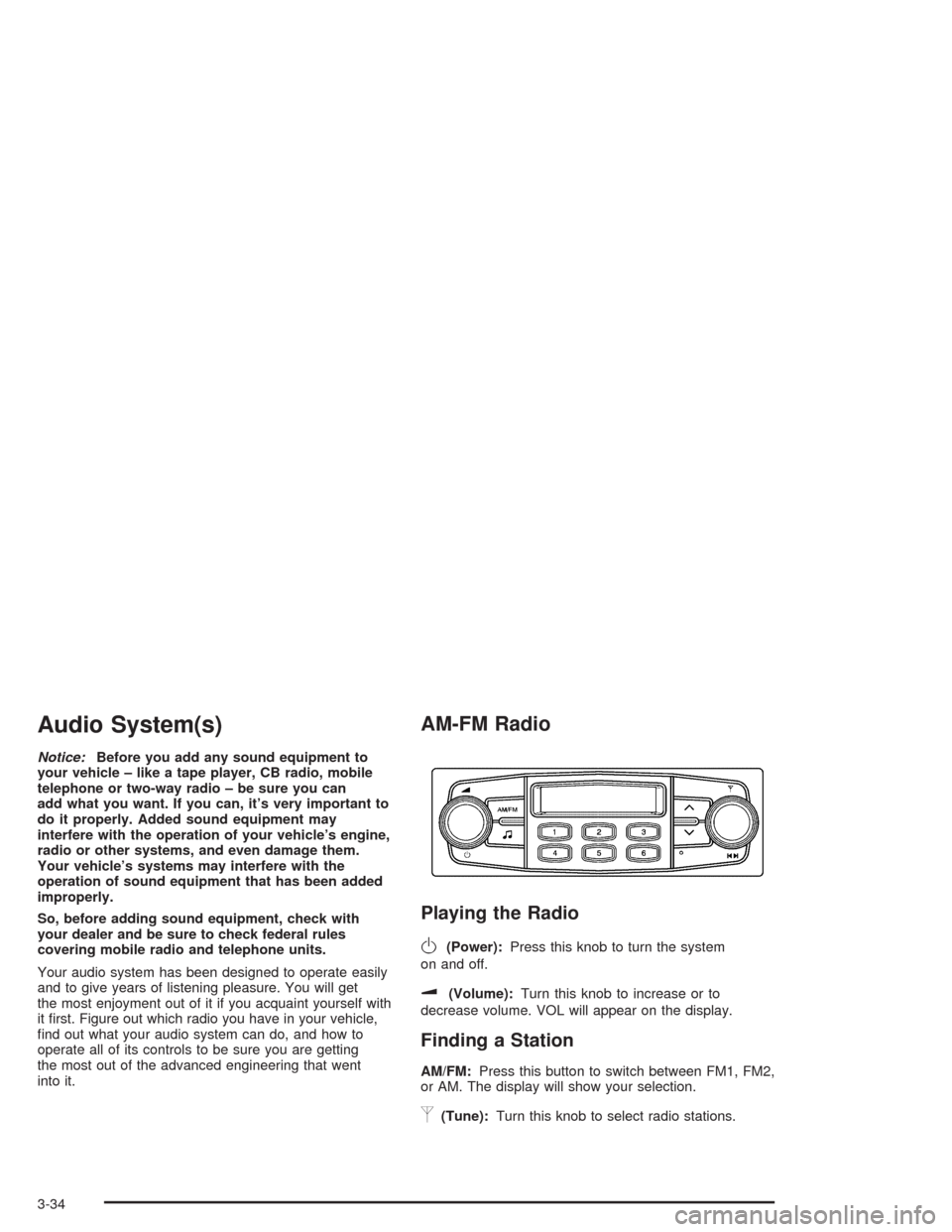
O
(Power):Press this knob to turn the system
on and off.
u(Volume):Turn this knob to increase or to
decrease volume. VOL will appear on the display.
Finding a Station
AM/FM:Press this button to switch between FM1, FM2,
or AM. The display will show your selection.
p(Tune):Turn this knob to select radio stations.
3-34
Page 139 of 334
tu(Scan):Press this knob until SCAN flashes
on the display, then press either the up or the down
arrow buttons to determine the direction for the radio to
scan the stations. The radio will go to a station, play
for a few seconds, then go on to the next station.
Press either arrow button again to stop scanning.
The radio will scan only to stations that are in the
selected band and only to those with a strong signal.
Setting Preset Stations
The six numbered pushbuttons let you return to your
favorite stations. You can set up to 18 stations (six FM1,
six FM2, and six AM), by performing the following steps:
1. Turn the radio on.
2. Press AM/FM to select FM1, FM2, or AM.
3. Tune in the desired station.
4. Press and hold one of the six numbered pushbuttons
for longer than two seconds. Ch will appear on the
display when the station has been set. Whenever
you press that numbered pushbutton, the station you
set will return.
5. Repeat the steps for each pushbutton.
Setting the Tone (Bass/Treble)
f
(Bass/Treble):Press this button until BAS appears
on the display. Then turn the volume knob to increase
or to decrease the bass. The display will show the
bass level.
Press this button until TRE appears on the display.
Then turn the volume knob to increase or to decrease
the treble. The display will show the treble level.
If a station is weak or noisy, you may want to decrease
the treble.
Adjusting the Speakers (Balance/Fade)
f
(Balance/Fade):To adjust the balance between
the right and the left speakers, press this button
until BAL appears on the display. Then turn the volume
knob to increase or to decrease the balance between
the right and the left speakers. The display will show the
balance level.
To adjust the fade between the front and the rear
speakers, press this button until FAD appears on the
display. Then turn the volume knob to increase or
to decrease the fade between the front and the rear
speakers. The display will show the fade level.
3-35
Page 140 of 334
Radio with CD
Playing the Radio
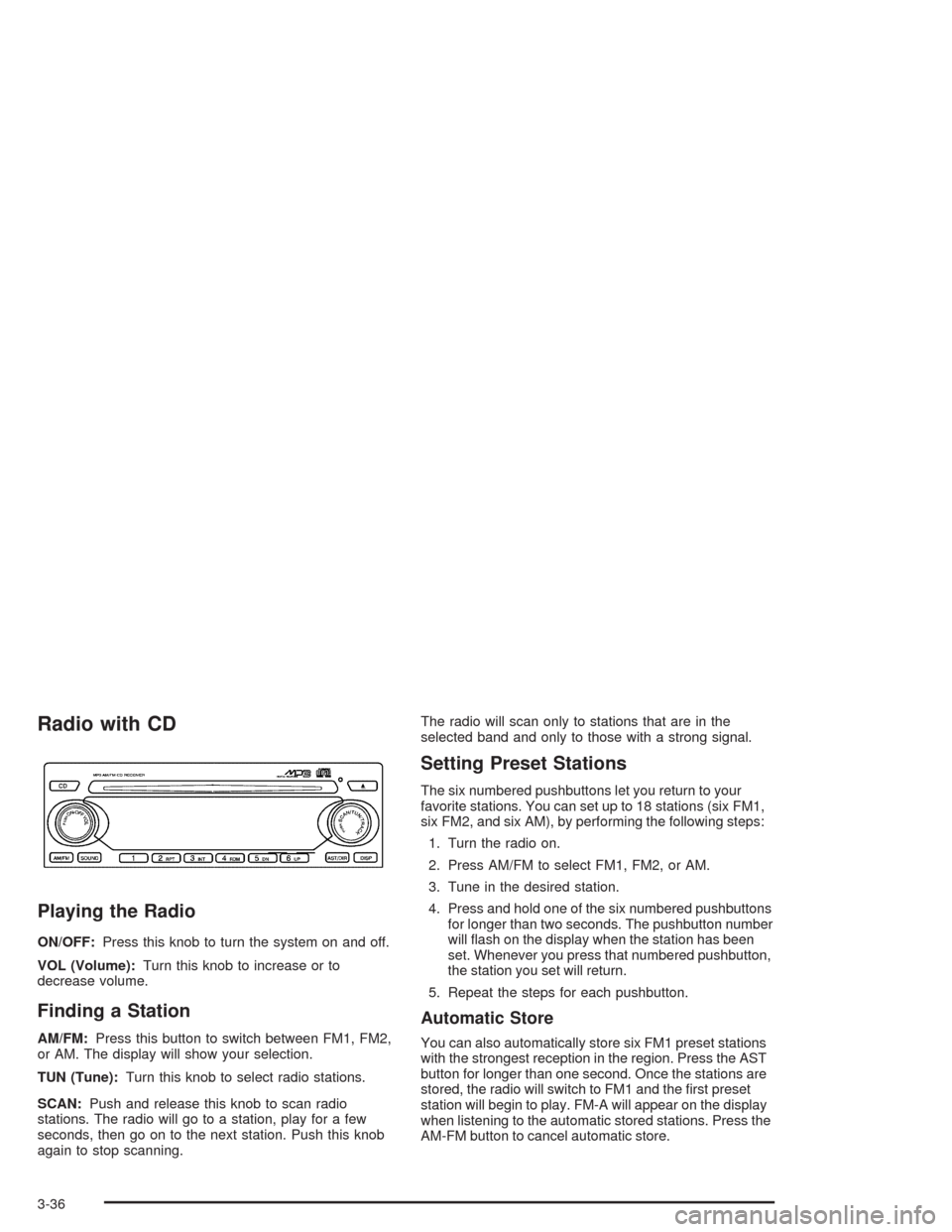
ON/OFF:Press this knob to turn the system on and off.
VOL (Volume):Turn this knob to increase or to
decrease volume.
Finding a Station
AM/FM:Press this button to switch between FM1, FM2,
or AM. The display will show your selection.
TUN (Tune):Turn this knob to select radio stations.
SCAN:Push and release this knob to scan radio
stations. The radio will go to a station, play for a few
seconds, then go on to the next station. Push this knob
again to stop scanning.The radio will scan only to stations that are in the
selected band and only to those with a strong signal.
Setting Preset Stations
The six numbered pushbuttons let you return to your
favorite stations. You can set up to 18 stations (six FM1,
six FM2, and six AM), by performing the following steps:
1. Turn the radio on.
2. Press AM/FM to select FM1, FM2, or AM.
3. Tune in the desired station.
4. Press and hold one of the six numbered pushbuttons
for longer than two seconds. The pushbutton number
will flash on the display when the station has been
set. Whenever you press that numbered pushbutton,
the station you set will return.
5. Repeat the steps for each pushbutton.
Automatic Store
You can also automatically store six FM1 preset stations
with the strongest reception in the region. Press the AST
button for longer than one second. Once the stations are
stored, the radio will switch to FM1 and the first preset
station will begin to play. FM-A will appear on the display
when listening to the automatic stored stations. Press the
AM-FM button to cancel automatic store.
3-36
Page 141 of 334
Setting the Tone (Bass/Treble)
SOUND (Bass/Treble):Press this button until BAS
appears on the display. Then turn the volume knob to
increase or to decrease the bass. The display will show
the bass level. When finished making your selection,
press this button to select the bass level.
Press this button until TRE appears on the display.
Then turn the volume knob to increase or to decrease
the treble. The display will show the treble level.
When finished making your selection, press this button
to select the treble level. If a station is weak or noisy,
you may want to decrease the treble.
SOUND (Equalization):Press this button until EQ OFF
appears on the display to select customized equalization
settings designed for classic, pop, rock, jazz, and
voice. Then turn the volume knob until the desired
equalization setting appears on the display. When
finished making your selection, press the SOUND button
to select the equalization setting.
To cancel an equalization setting, press the SOUND
button until EQ OFF appears on the display, turn the
volume knob until OFF appears on the display,
then press the SOUND button again to select the
equalization setting.
Adjusting the Speakers (Balance/Fade)
SOUND (Balance/Fade):To adjust the balance
between the right and the left speakers, press this button
until BAL appears on the display. Then turn the
volume knob to increase or to decrease the balance
between the right and the left speakers. The display will
show the balance level. When finished making your
selection, press this button to select the balance level.
To adjust the fade between the front and the rear
speakers, press this button until FAD appears on the
display. Then turn the volume knob to increase or
to decrease the fade between the front and the rear
speakers. The display will show the fade level. When
finished making your selection, press this button to
select the fade level.
3-37
Page 142 of 334
Playing a CD
Insert a CD partway into the slot, label side up.
The player will pull it in and the CD should begin
playing. You can insert a CD with the ignition off.
When the CD is inserted, CDP will appear on the
display. As the CD is loading Filecheck will appear on
the display. As each new track starts to play, Track and
the track number will appear on the display.
If you turn off the ignition or radio with a CD in the
player, it will stay in the player. When you turn on the
ignition or radio, the CD will start playing where it
stopped, if it was the last selected audio source.
The CD player can play the smaller 8 cm single CDs
with an adapter ring. Full-size CDs and the smaller CDs
are loaded in the same manner.
If playing a CD-R the sound quality may be reduced
due to CD-R quality, the method of recording, the quality
of the music that has been recorded, and the way the
CD-R has been handled. You may experience an
increase in skipping, difficulty in finding tracks, and/or
difficulty in loading and ejecting. If these problems occur
try a known good CD.Do not add paper labels to CDs, they could get caught
in the CD player.
Do not play 3 inch CDs without a standard adapter CD.
If an error appears on the display, see “CD Messages”
later in this section.
2 RPT (Repeat):Press this pushbutton to repeat the
current track. RPT will appear on the display. Press this
pushbutton again to turn off repeat play.
3 INT (SCAN):Press this button to listen to the first few
seconds of each track on each CD inserted. INTRO
will appear on the display. To stop scanning press this
button again. The current track will begin to play.
4 RDM (Random):Press this pushbutton to hear the
tracks in random, rather than sequential, order. RDM will
appear on the display. Press this pushbutton again to
turn off random play.
3-38
Page 143 of 334
TRACK (Previous/Next Track):Turn this knob one
notch to go to the start of the current track or to go to the
next track. The track number will appear on the
display. The player will continue moving backward or
forward through the CD with each turn of the knob.
TUN (Forward/Reverse):Push and hold this knob to
fast forward or to reverse through the current track.
AM/FM:Press this button to listen to the radio when a
CD is playing. The inactive CD will remain safely
inside the radio for future listening.
CD:Press this button to play a CD when listening to
the radio. CDP will appear on the display when the CD
player has been selected.
Press this button while a CD is playing to pause the
CD. Track and the track number will flash on the display.
Press this button again to start playing the CD.
X(Eject):Press this button to eject a CD. Eject may
be activated with either the ignition or radio off.
Using an MP3 CD
MP3 Format
If this radio has MP3 capabilities, this MP3 player will
accept MP3 files that were recorded on an up to 700 MB
CD-R CD. The files can be recorded with the following
fixed bit rates: 32 kbps, 40 kpbs, 56 kpbs, 64 kpbs,
80 kpbs, 96 kpbs, 112 kpbs, 128 kpbs, 160 kpbs,
192 kpbs, 224 kpbs, 256 kpbs, and 320 kpbs or a
variable bit rate. Song title, artist name, and album will be
available when recorded using ID3 tags versions 1 and 2.
The player will be able to read and play a maximum of
50 folders, 50 playlists, 10 sessions, and 255 files.
Long file, folder, or playlist names or a combination of a
large number of files and folders or playlists may cause
the player to be unable to play up to the maximum
number of files, folders, playlists, or sessions. If you
wish to play large numbers of files, folders, playlists or
sessions minimize the length of the file, folder or playlist
name. You can also play an MP3 CD that was recorded
using no file folders. The system can support up to
11 folders in depth, though, keep the depth of the folders
to a minimum in order to keep down the complexity and
confusion in trying to locate a particular folder during
playback. If a CD contains more than the maximum of
50 folders, 50 playlists, 10 sessions, and 255 files the
player will let you access and navigate up to the
maximum, but all items over the maximum will be
ignored.
3-39