instrument panel CHEVROLET AVEO 2006 1.G User Guide
[x] Cancel search | Manufacturer: CHEVROLET, Model Year: 2006, Model line: AVEO, Model: CHEVROLET AVEO 2006 1.GPages: 362, PDF Size: 2.24 MB
Page 76 of 362
Adding Equipment to Your
Airbag-Equipped Vehicle
Q:Is there anything I might add to the front or
sides of the vehicle that could keep the
airbags from working properly?
A:Yes. If you add things that change your vehicle’s
frame, bumper system, height, front end or side
sheet metal, they may keep the airbag system from
working properly. Also, the airbag system may
not work properly if you relocate any of the airbag
sensors. If you have any questions about this,
you should contact Customer Assistance before you
modify your vehicle. The phone numbers and
addresses for Customer Assistance are in Step Two
of the Customer Satisfaction Procedure in this
manual. SeeCustomer Satisfaction Procedure on
page 7-2.
Q:Because I have a disability, I have to get my
vehicle modied. How can I nd out whether
this will affect my airbag system?
A:Changing or moving any parts of the front seats,
safety belts, the airbag sensing and diagnostic
module, steering wheel, the instrument panel, or
airbag wiring can affect the operation of the airbag
system. If you have questions, call Customer
Assistance. The phone numbers and addresses for
Customer Assistance are in Step Two of the
Customer Satisfaction Procedure in this manual.
SeeCustomer Satisfaction Procedure on page 7-2.
1-70
Page 77 of 362
Restraint System Check
Checking the Restraint Systems
Now and then, make sure the safety belt reminder light
and all your belts, buckles, latch plates, retractors
and anchorages are working properly. Look for any other
loose or damaged safety belt system parts. If you see
anything that might keep a safety belt system from doing
its job, have it repaired.
Torn or frayed safety belts may not protect you in a
crash. They can rip apart under impact forces. If a belt
is torn or frayed, get a new one right away.Also look for any opened or broken airbag covers, and
have them repaired or replaced. (The airbag system
does not need regular maintenance.)
Notice:If you damage the covering for the driver’s
or the right front passenger’s frontal airbag, or an
airbag covering (if equipped) on a seatback, the
airbag may not work properly. You may have to
replace the airbag module in the steering wheel, both
the airbag module and the instrument panel for the
right front passenger’s frontal airbag, or both the
airbag module and the seatback for seating positions
with a side impact airbag (if equipped.) Do not open
or break the airbag coverings.
1-71
Page 87 of 362
Lockout Protection
This feature helps prevent locking your key in the car.
The driver’s door can only be locked with the door
closed. From the outside of the vehicle, close the
driver’s door and lock it using the key or the remote
keyless entry transmitter, if equipped.
This feature cannot guarantee that you will never be
locked out of your vehicle. Always remember to
take your key with you.
Trunk (Sedan)
{CAUTION:
It can be dangerous to drive with the trunk lid
open because carbon monoxide (CO) gas can
come into your vehicle. You cannot see or
smell CO. It can cause unconsciousness and
even death.
CAUTION: (Continued)
CAUTION: (Continued)
If you must drive with the trunk lid open or if
electrical wiring or other cable connections
must pass through the seal between the body
and the trunk lid:
Make sure all other windows are shut.
Turn the fan on your heating or cooling
system to its highest speed and select the
control setting that will force outside air
into your vehicle. See Climate Control
System.
If you have air outlets on or under the
instrument panel, open them all the way.
SeeEngine Exhaust on page 2-30.
To open the trunk on your sedan from outside of your
vehicle, insert the key into the lock cylinder and turn the
key clockwise or use the remote keyless entry
transmitter, if equipped.
2-9
Page 89 of 362
Liftgate (Hatchback)
{CAUTION:
It can be dangerous to drive with the liftgate
open because carbon monoxide (CO) gas can
come into your vehicle. You cannot see or
smell CO. It can cause unconsciousness and
even death. If you must drive with the liftgate
open or if electrical wiring or other cable
connections must pass through the seal
between the body and the liftgate:
Make sure all other windows are shut.
Turn the fan on your heating or cooling
system to its highest speed and select the
control setting that will force outside air
into your vehicle. SeeClimate Control
System on page 3-18.
If you have air outlets on or under the
instrument panel, open them all the way.
SeeEngine Exhaust on page 2-30.To open the liftgate on your hatchback from outside of
the vehicle, insert the key into the lock cylinder and
turn it counterclockwise or use the remote keyless entry
transmitter, if equipped. Then pull up the handle
above the license plate to open the liftgate.
When closing the liftgate, close from the center to
ensure it fully latches.
To lock the liftgate, insert the key into the lock cylinder
and turn it clockwise or use the remote keyless entry
transmitter, if equipped.
The liftgate can also be locked or unlocked by the
central door unlocking system or remote keyless entry,
if equipped. SeeCentral Door Unlocking System on
page 2-7andRemote Keyless Entry System Operation
on page 2-5.
2-11
Page 92 of 362
Theft-Deterrent Systems
Vehicle theft is big business, especially in some cities.
Although your vehicle has a number of theft-deterrent
features, we know that nothing we put on it can make
it impossible to steal.
Theft-Deterrent System
Your vehicle may have a theft-deterrent system.
The theft-deterrent system will not arm when you lock
the doors using the key or the manual door lock. It arms
only when you use the remote keyless entry transmitter.
Arming the System
To arm the system, do the following:
1. Close the doors, the windows, the hood, and the
trunk or liftgate.
Ensure that the windows are closed, as the system
can be armed even if the windows are open.
2. Turn the key to LOCK and remove the key from the
ignition.
If the key is inserted in the ignition, the transmitter
will not arm the theft-deterrent system.3. Lock the doors by pressing the lock button on the
remote keyless entry transmitter.
•The LED light on the transmitter will flash once.
•All of the doors will lock.
•The hazard warning lamps will flash once and
the horn will chirp.
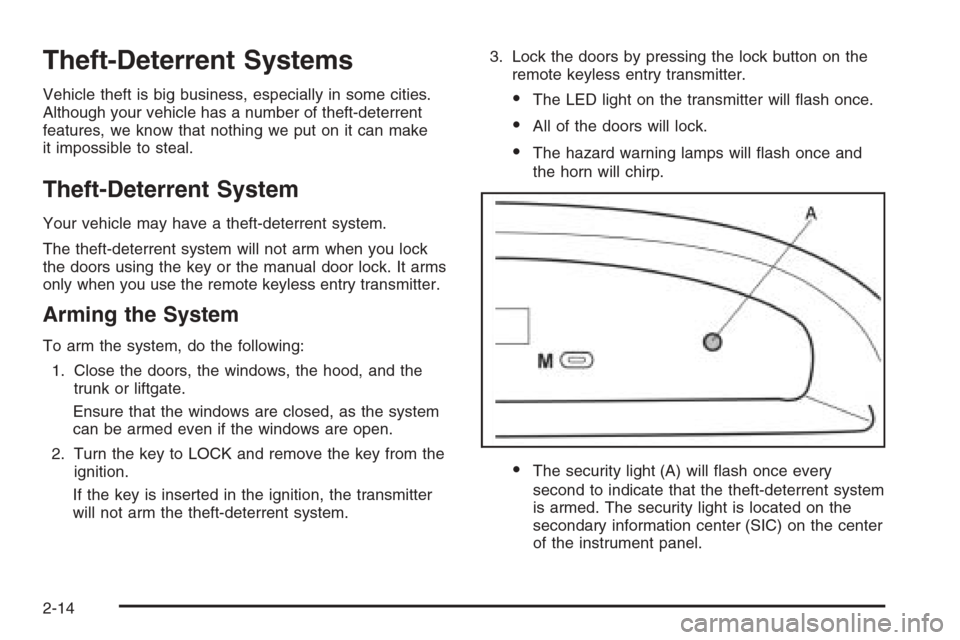
•The security light (A) will flash once every
second to indicate that the theft-deterrent system
is armed. The security light is located on the
secondary information center (SIC) on the center
of the instrument panel.
2-14
Page 94 of 362
Immobilizer
This device complies with Part 15 of the FCC Rules.
Operation is subject to the following two conditions:
1. This device may not cause interference.
2. This device must accept any interference received,
including interference that may cause undesired
operation.
This device complies with RSS-210 of Industry Canada.
Operation is subject to the following two conditions:
1. This device may not cause interference.
2. This device must accept any interference received,
including interference that may cause undesired
operation of the device.
Changes or modifications to this system by other than
an authorized service facility could void authorization to
use this equipment.
Immobilizer Operation
Your vehicle may have a passive theft-deterrent system.
The immobilizer system prevents your vehicle from
being started by unauthorized persons.
If your vehicle has an immobilizer system, your vehicle
has a special key that works with the theft-deterrent
system. There is a transponder in the key head that is
electronically coded. The correct key will start the
vehicle. An invalid key immobilizes the engine. The
immobilizer system isolates the power supply to
the ignition system, the fuel pump and the fuel injectors.
The engine immobilizer is activated after the key is
turned to LOCK and removed from the ignition.
The security light located on the top center of the
instrument panel in the secondary information center will
flash when the immobilizer is active. If the light does
not flash after removing the key, have the system
checked by your dealer.
The immobilizer system works when you turn the key to
START. If the immobilizer system does not recognize the
electronic code, the engine will not start and the security
indicator will continue blinking. If your key is ever
damaged, you may not be able to start your vehicle.
2-16
Page 96 of 362
Ignition Positions
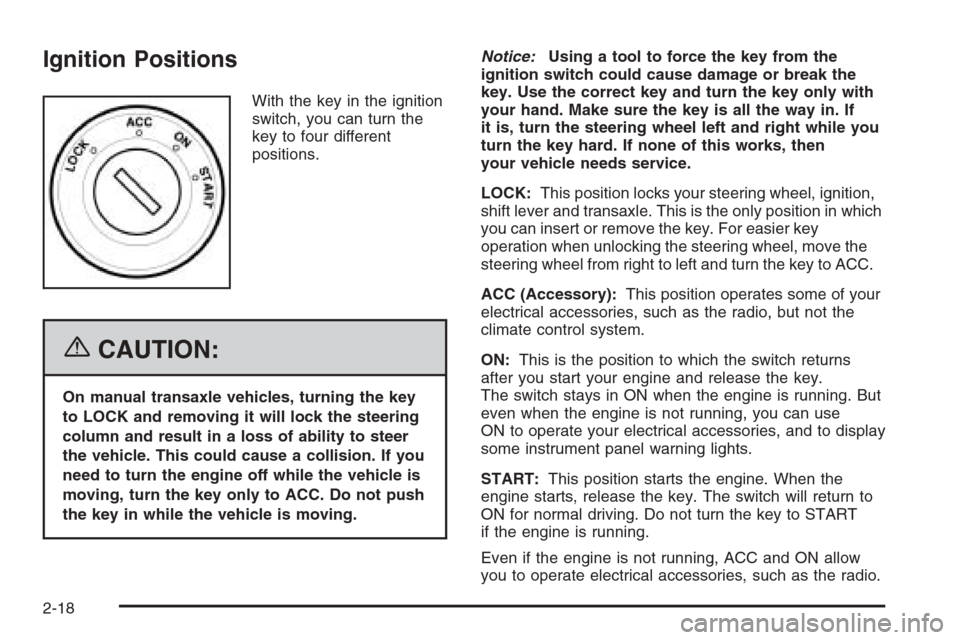
With the key in the ignition
switch, you can turn the
key to four different
positions.
{CAUTION:
On manual transaxle vehicles, turning the key
to LOCK and removing it will lock the steering
column and result in a loss of ability to steer
the vehicle. This could cause a collision. If you
need to turn the engine off while the vehicle is
moving, turn the key only to ACC. Do not push
the key in while the vehicle is moving.Notice:Using a tool to force the key from the
ignition switch could cause damage or break the
key. Use the correct key and turn the key only with
your hand. Make sure the key is all the way in. If
it is, turn the steering wheel left and right while you
turn the key hard. If none of this works, then
your vehicle needs service.
LOCK:This position locks your steering wheel, ignition,
shift lever and transaxle. This is the only position in which
you can insert or remove the key. For easier key
operation when unlocking the steering wheel, move the
steering wheel from right to left and turn the key to ACC.
ACC (Accessory):This position operates some of your
electrical accessories, such as the radio, but not the
climate control system.
ON:This is the position to which the switch returns
after you start your engine and release the key.
The switch stays in ON when the engine is running. But
even when the engine is not running, you can use
ON to operate your electrical accessories, and to display
some instrument panel warning lights.
START:This position starts the engine. When the
engine starts, release the key. The switch will return to
ON for normal driving. Do not turn the key to START
if the engine is running.
Even if the engine is not running, ACC and ON allow
you to operate electrical accessories, such as the radio.
2-18
Page 112 of 362
Storage Areas
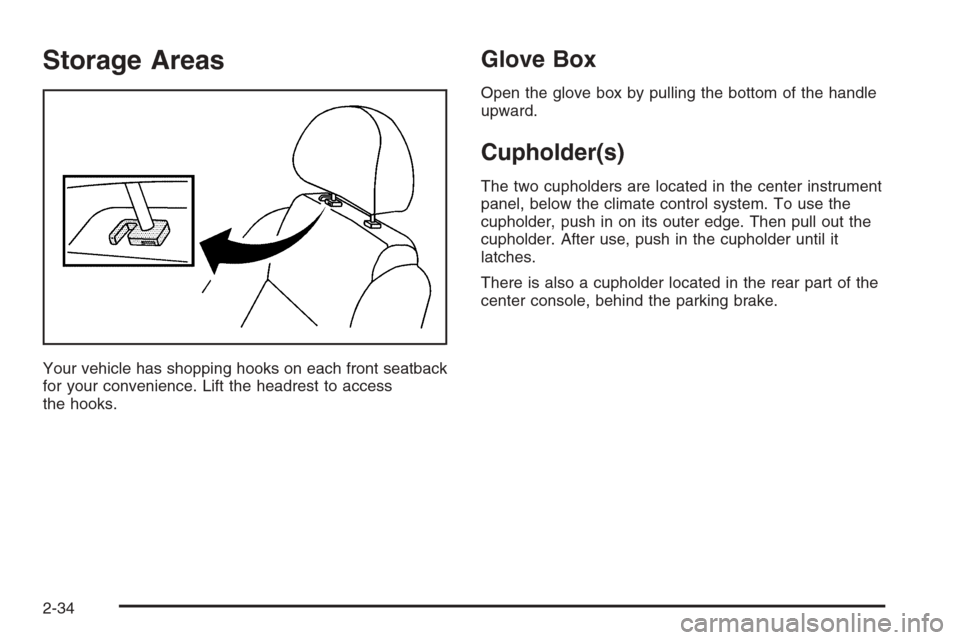
Your vehicle has shopping hooks on each front seatback
for your convenience. Lift the headrest to access
the hooks.
Glove Box
Open the glove box by pulling the bottom of the handle
upward.
Cupholder(s)
The two cupholders are located in the center instrument
panel, below the climate control system. To use the
cupholder, push in on its outer edge. Then pull out the
cupholder. After use, push in the cupholder until it
latches.
There is also a cupholder located in the rear part of the
center console, behind the parking brake.
2-34
Page 115 of 362
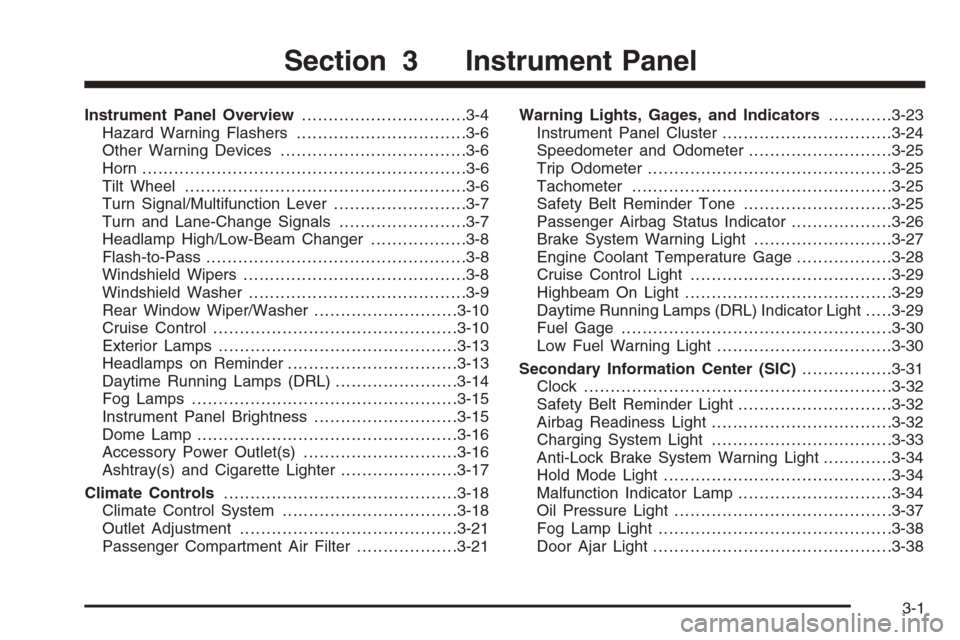
Instrument Panel Overview...............................3-4
Hazard Warning Flashers................................3-6
Other Warning Devices...................................3-6
Horn .............................................................3-6
Tilt Wheel.....................................................3-6
Turn Signal/Multifunction Lever.........................3-7
Turn and Lane-Change Signals........................3-7
Headlamp High/Low-Beam Changer..................3-8
Flash-to-Pass.................................................3-8
Windshield Wipers..........................................3-8
Windshield Washer.........................................3-9
Rear Window Wiper/Washer...........................3-10
Cruise Control..............................................3-10
Exterior Lamps.............................................3-13
Headlamps on Reminder................................3-13
Daytime Running Lamps (DRL).......................3-14
Fog Lamps ..................................................3-15
Instrument Panel Brightness...........................3-15
Dome Lamp .................................................3-16
Accessory Power Outlet(s).............................3-16
Ashtray(s) and Cigarette Lighter......................3-17
Climate Controls............................................3-18
Climate Control System.................................3-18
Outlet Adjustment.........................................3-21
Passenger Compartment Air Filter...................3-21Warning Lights, Gages, and Indicators............3-23
Instrument Panel Cluster................................3-24
Speedometer and Odometer...........................3-25
Trip Odometer..............................................3-25
Tachometer.................................................3-25
Safety Belt Reminder Tone............................3-25
Passenger Airbag Status Indicator...................3-26
Brake System Warning Light..........................3-27
Engine Coolant Temperature Gage..................3-28
Cruise Control Light......................................3-29
Highbeam On Light.......................................3-29
Daytime Running Lamps (DRL) Indicator Light.....3-29
Fuel Gage...................................................3-30
Low Fuel Warning Light.................................3-30
Secondary Information Center (SIC).................3-31
Clock..........................................................3-32
Safety Belt Reminder Light.............................3-32
Airbag Readiness Light..................................3-32
Charging System Light..................................3-33
Anti-Lock Brake System Warning Light.............3-34
Hold Mode Light...........................................3-34
Malfunction Indicator Lamp.............................3-34
Oil Pressure Light.........................................3-37
Fog Lamp Light............................................3-38
Door Ajar Light.............................................3-38
Section 3 Instrument Panel
3-1
Page 116 of 362
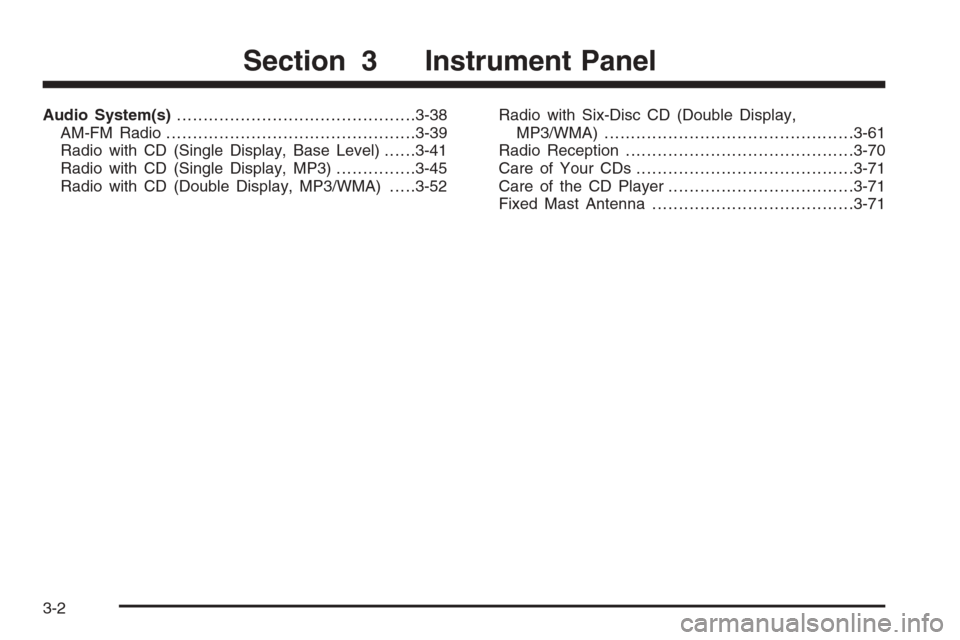
Audio System(s).............................................3-38
AM-FM Radio...............................................3-39
Radio with CD (Single Display, Base Level)......3-41
Radio with CD (Single Display, MP3)...............3-45
Radio with CD (Double Display, MP3/WMA).....3-52Radio with Six-Disc CD (Double Display,
MP3/WMA) ...............................................3-61
Radio Reception...........................................3-70
Care of Your CDs.........................................3-71
Care of the CD Player...................................3-71
Fixed Mast Antenna......................................3-71
Section 3 Instrument Panel
3-2