audio CHEVROLET AVEO 2006 1.G Owner's Manual
[x] Cancel search | Manufacturer: CHEVROLET, Model Year: 2006, Model line: AVEO, Model: CHEVROLET AVEO 2006 1.GPages: 362, PDF Size: 2.24 MB
Page 184 of 362
Using the Auxiliary Input Jack
Your radio system has an auxiliary input jack located on
the lower right side of the faceplate. This is not an
audio output; do not plug the headphone set into the
front auxiliary input jack. You can however, connect an
external audio device such as an iPod, laptop
computer, MP3 player, CD changer, or cassette tape
player, etc. to the auxiliary input jack for use as another
source for audio listening.
The auxiliary input jack will also accept cell phone
connectors. Plug the cell phone connector into
the auxiliary input jack to hear the other side of a cell
phone’s conversation through the vehicle sound system.
To use a portable audio player, connect a 3.5 mm
(1/8 inch) cable to the radio’s front auxiliary input jack.
When a device is connected, press the radio CD/AUX
button as needed to begin playing audio from the device
over the car speakers.
CD/AUX (CD/Auxiliary):Press this button once to play
a CD while a portable audio device is playing. Press
this button a second time for the system will begin
playing audio from the connected portable audio player.
Once in this mode, “Auxinput” will appear on display.
If the auxiliary jack does not detect the presence of an
output jack, the aux mode will be prevented from
coming up.
O(Power/Volume):Turn this knob clockwise or
counterclockwise to increase or decrease the volume of
the portable player. You may need to do additional
volume adjustments from the portable device if
the volume does not go loud or soft enough.
Radio Reception
You may experience frequency interference and static
during normal radio reception if items such as cellphone
chargers, vehicle convenience accessories, and
external electronic devices are plugged into the
accessory power outlet. If there is interference or static,
unplug the item from the accessory power outlet.
AM
The range for most AM stations is greater than for FM,
especially at night. The longer range can cause
station frequencies to interfere with each other. For
better radio reception, most AM radio stations will boost
the power levels during the day, and then reduce
these levels during the night. Static can also occur when
things like storms and power lines interfere with radio
reception. When this happens, try reducing the treble on
your radio.
3-70
Page 299 of 362
Fuses Usage
LTR Cigar Lighter
HORN,
REAR/FOGHorn, Rear Fog Lamps
RADIO, CLK Audio, Clock
STOP Stop Lamp
TRN/SIG Turn Signal
CLSTR,
HAZRDInstrument Panel Cluster, Hazard
Flasher
CLSTR, CLK Instrument Panel Cluster, Clock
DR/LCK Door Lock, Remote Keyless Entry
BCK/UP Back-Up Lamp
ECM, TCMEngine Control Module,
Transmission Control Module
ECM, TCMEngine Control Module,
Transmission Control Module
WPR, WSWA Wiper, Washer
DIS,
INJECTORDirect Ignition System, Injector
ENG FUSE Engine Fuse
AIRBAG Airbag
HVAC HVAC Blower
ABS Anti-lock Brake System
BLANK Not Used
BLANK Not Used
DIODE (ABS) Anti-lock Brake System DiodeFuses Usage
BLANK Not Used
BLANK Not Used
CLK, RADIO Clock, Audio
Engine Compartment Fuse Block
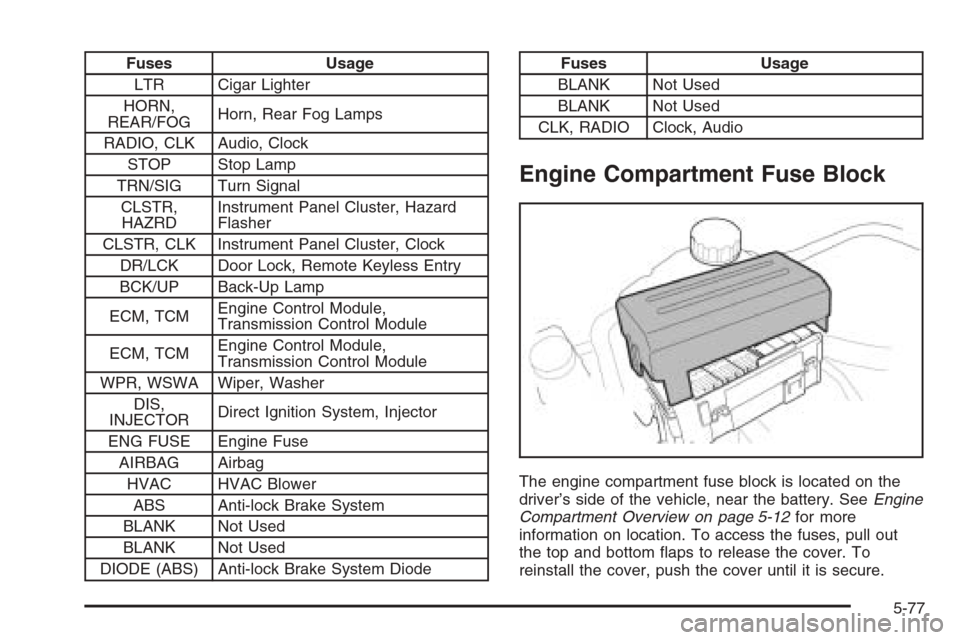
The engine compartment fuse block is located on the
driver’s side of the vehicle, near the battery. SeeEngine
Compartment Overview on page 5-12for more
information on location. To access the fuses, pull out
the top and bottom flaps to release the cover. To
reinstall the cover, push the cover until it is secure.
5-77
Page 351 of 362
A
Accessories and Modifications............................ 5-3
Accessory Power Outlet(s)...............................3-16
Adding Equipment to Your Airbag-Equipped
Vehicle.......................................................1-70
Additives, Fuel................................................. 5-6
Add-On Electrical Equipment............................5-74
Air Cleaner/Filter, Engine.................................5-17
Air Conditioning..............................................3-18
Airbag
Passenger Status Indicator...........................3-26
Readiness Light..........................................3-32
Airbag Sensing and Diagnostic Module (SDM)....7-10
Airbag System................................................1-56
Adding Equipment to Your Airbag-Equipped
Vehicle...................................................1-70
How Does an Airbag Restrain?......................1-63
Passenger Sensing System...........................1-65
Servicing Your Airbag-Equipped Vehicle..........1-69
What Makes an Airbag Inflate?......................1-63
What Will You See After an Airbag Inflates?....1-64
When Should an Airbag Inflate?....................1-61
Where Are the Airbags?...............................1-59
AM-FM Radio.................................................3-39
Antenna, Fixed Mast.......................................3-71
Anti-Lock Brake System (ABS)........................... 4-7
Anti-Lock Brake, System Warning Light..............3-34Appearance Care
Aluminum Wheels........................................5-71
Care of Safety Belts....................................5-69
Chemical Paint Spotting...............................5-72
Cleaning Exterior Lamps/Lenses....................5-69
Cleaning the Inside of Your Vehicle................5-66
Fabric/Carpet..............................................5-67
Finish Care.................................................5-70
Finish Damage............................................5-72
Instrument Panel, Vinyl, and Other Plastic
Surfaces.................................................5-68
Sheet Metal Damage...................................5-72
Tires..........................................................5-71
Underbody Maintenance...............................5-72
Vehicle Care/Appearance Materials................5-73
Washing Your Vehicle...................................5-69
Weatherstrips..............................................5-69
Windshield and Wiper Blades........................5-70
Ashtray(s)......................................................3-17
Audio System(s).............................................3-38
AM-FM Radio.............................................3-39
Care of Your CD Player...............................3-71
Care of Your CDs ........................................3-71
Fixed Mast Antenna.....................................3-71
Radio with CD............................3-41, 3-45, 3-52
Radio with Six-Disc CD................................3-61
Understanding Radio Reception.....................3-70
1