Section 3 CHEVROLET AVEO 2007 1.G Owners Manual
[x] Cancel search | Manufacturer: CHEVROLET, Model Year: 2007, Model line: AVEO, Model: CHEVROLET AVEO 2007 1.GPages: 436, PDF Size: 2.52 MB
Page 5 of 436
Vehicle Damage Warnings
Also, in this manual you will find these notices:
Notice:These mean there is something
that could damage your vehicle.
A notice tells about something that can damage
the vehicle. Many times, this damage would not be
covered by your vehicle’s warranty, and it could
be costly. But the notice will tell what to do to help
avoid the damage.
When you read other manuals, you might see
CAUTION and NOTICE warnings in different colors
or in different words.
There are also warning labels on the vehicle.
They use the same words, CAUTION or NOTICE.
Vehicle Symbols
The vehicle has components and labels that use
symbols instead of text. Symbols are shown
along with the text describing the operation or
information relating to a specific component,
control, message, gage, or indicator.
If you need help figuring out a specific name of
a component, gage, or indicator, reference
the following topics:
•Seats and Restraint Systems in Section 1
•Features and Controls in Section 2
•Instrument Panel Overview in Section 3
•Climate Controls in Section 3
•Warning Lights, Gages, and Indicators in
Section 3
•Audio System(s) in Section 3
•Engine Compartment Overview in Section 5
5
Page 7 of 436
Front Seats..................................................... 8
Manual Seats................................................ 8
Driver Seat Height Adjuster........................... 9
Manual Lumbar (Sedan)................................ 9
Reclining Seatbacks.................................... 10
Head Restraints.......................................... 12
Rear Seats.................................................... 13
Rear Seat Operation (Sedan)...................... 13
Rear Seat Operation (Hatchback)................ 15
Safety Belts.................................................. 20
Safety Belts: They Are for Everyone........... 20
Questions and Answers About
Safety Belts............................................. 24
How to Wear Safety Belts Properly............. 25
Driver Position............................................. 26
Shoulder Belt Height Adjustment................. 33
Safety Belt Use During Pregnancy.............. 34
Right Front Passenger Position................... 34
Rear Seat Passengers................................ 35
Center Rear Passenger Position.................. 39
Safety Belt Pretensioners............................ 40
Safety Belt Extender................................... 40Child Restraints............................................ 41
Older Children............................................. 41
Infants and Young Children......................... 44
Child Restraint Systems.............................. 47
Where to Put the Restraint.......................... 52
Lower Anchors and Tethers for
Children (LATCH).................................... 53
Securing a Child Restraint in a
Rear Seat Position................................... 61
Securing a Child Restraint in the
Right Front Seat Position......................... 64
Airbag System.............................................. 68
Where Are the Airbags?.............................. 71
When Should an Airbag Inflate?.................. 74
What Makes an Airbag Inflate?................... 75
How Does an Airbag Restrain?................... 75
What Will You See After an Airbag Inflates? ... 76
Passenger Sensing System......................... 77
Servicing Your Airbag-Equipped Vehicle...... 82
Adding Equipment to Your
Airbag-Equipped Vehicle.......................... 83
Restraint System Check............................... 84
Checking the Restraint Systems.................. 84
Replacing Restraint System Parts
After a Crash........................................... 85
Section 1 Seats and Restraint Systems
7
Page 86 of 436
If an airbag inflates, you will need to replace
airbag system parts. See the part about the airbag
system earlier in this section.
If the frontal airbags inflate, you will also need to
replace the driver’s and right front passenger’s
safety belt pretensioners and safety belt. Be sure
to do so. Then the new pretensioner and safety
belt will be there to help protect you in a collision.After a crash you may need to replace the driver
and right front passenger’s safety belt retractor
assemblies, even if the frontal airbags have
not deployed. The driver and right front
passenger’s safety belt retractor assemblies
contain the safety belt pretensioners. Have your
safety belt pretensioners checked if your
vehicle has been in a collision, or if your airbag
readiness light stays on after you start your vehicle
or while you are driving. SeeAirbag Readiness
Light on page 176.
86
Page 87 of 436
Keys.............................................................. 88
Remote Keyless Entry (RKE) System.......... 90
Remote Keyless Entry (RKE) System
Operation................................................. 91
Doors and Locks.......................................... 94
Door Locks................................................. 94
Central Door Unlocking System................... 95
Door Ajar Reminder.................................... 95
Rear Door Security Locks........................... 96
Lockout Protection....................................... 97
Trunk.......................................................... 97
Liftgate (Hatchback)................................... 100
Windows...................................................... 101
Manual Windows....................................... 101
Power Windows........................................ 102
Sun Visors................................................ 103
Theft-Deterrent Systems............................. 103
Theft-Deterrent System.............................. 103
Immobilizer................................................ 106
Immobilizer Operation................................ 106
Starting and Operating Your Vehicle......... 107
New Vehicle Break-In................................ 107
Ignition Positions....................................... 108Starting the Engine.................................... 109
Engine Coolant Heater.............................. 110
Automatic Transaxle Operation.................. 112
Manual Transaxle Operation...................... 116
Parking Brake........................................... 117
Shifting Into Park (P)
(Automatic Transaxle)............................ 118
Shifting Out of Park (P)............................. 120
Parking Your Vehicle (Manual Transaxle).... 121
Parking Over Things That Burn................. 121
Engine Exhaust......................................... 122
Running the Engine While Parked............. 123
Mirrors......................................................... 124
Manual Rearview Mirror............................. 124
Outside Manual Mirrors............................. 124
Outside Power Mirror................................ 125
Outside Convex Mirror............................... 126
Outside Heated Mirrors............................. 126
Storage Areas............................................. 126
Glove Box................................................. 127
Cupholder(s).............................................. 127
Sunglasses Storage Compartment............. 127
Sunroof....................................................... 128
Section 2 Features and Controls
87
Page 129 of 436
Instrument Panel Overview........................ 132
Hazard Warning Flashers.......................... 135
Other Warning Devices............................. 136
Horn.......................................................... 136
Tilt Wheel.................................................. 136
Turn Signal/Multifunction Lever.................. 137
Turn and Lane-Change Signals................. 138
Headlamp High/Low-Beam Changer.......... 138
Flash-to-Pass............................................ 139
Windshield Wipers..................................... 139
Windshield Washer.................................... 140
Rear Window Wiper/Washer (Hatchback) ... 141
Cruise Control........................................... 141
Exterior Lamps.......................................... 144
Headlamps on Reminder........................... 145
Daytime Running Lamps (DRL)................. 145
Fog Lamps................................................ 146
Instrument Panel Brightness...................... 146
Dome Lamp.............................................. 147
Inadvertent Power Battery Saver............... 147
Accessory Power Outlet(s)........................ 147
Ashtray(s) and Cigarette Lighter................ 148
Clock......................................................... 149Climate Controls......................................... 150
Climate Control System............................. 150
Outlet Adjustment...................................... 154
Passenger Compartment Air Filter............. 154
Warning Lights, Gages, and Indicators..... 156
Instrument Panel Cluster........................... 156
Speedometer and Odometer...................... 159
Trip Odometer........................................... 159
Tachometer............................................... 159
Safety Belt Reminder Light........................ 160
Safety Belt Reminder Tone....................... 160
Airbag Readiness Light............................. 160
Passenger Airbag Status Indicator
(Sedan).................................................. 161
Charging System Light.............................. 163
Brake System Warning Light..................... 163
Anti-Lock Brake System Warning Light...... 164
Hold Mode Light........................................ 165
Engine Coolant Temperature Gage............ 165
Malfunction Indicator Lamp........................ 166
Oil Pressure Light..................................... 169
Fog Lamp Light......................................... 170
Section 3 Instrument Panel
129
Page 130 of 436
Cruise Control Light.................................. 171
Highbeam On Light................................... 171
Daytime Running Lamps (DRL)
Indicator Light........................................ 171
Door Ajar Light.......................................... 172
Fuel Gage................................................. 172
Low Fuel Warning Light............................ 173
Secondary Information Center (SIC).......... 174
Secondary Information Center (SIC)
(Hatchback Only)................................... 174
Clock (Hatchback Only)............................. 175
Safety Belt Reminder Light........................ 175
Airbag Readiness Light............................. 176
Passenger Airbag Status Indicator
(Hatchback)............................................ 177
Charging System Light.............................. 179
Anti-Lock Brake System Warning Light...... 179
Hold Mode Light........................................ 180
Malfunction Indicator Lamp........................ 180Oil Pressure Light..................................... 184
Fog Lamp Light......................................... 185
Door Ajar Light.......................................... 185
Audio System(s)......................................... 186
AM-FM Radio (Single Display,
Base Level)........................................... 187
AM-FM Radio (Double Display,
Base Level)........................................... 189
Radio with CD (MP3/WMA)....................... 193
Radio with Six-Disc CD (MP3/WMA)......... 200
Using an MP3 (Radio with CD Player)...... 207
Using an MP3 (Radio with Six-Disc
Player)................................................... 211
Audio Steering Wheel Controls.................. 215
Radio Reception........................................ 216
Care of Your CDs..................................... 216
Care of the CD Player.............................. 216
Fixed Mast Antenna (Hatchback)............... 217
Backglass Antenna (Sedan)....................... 217
Section 3 Instrument Panel
130
Page 151 of 436
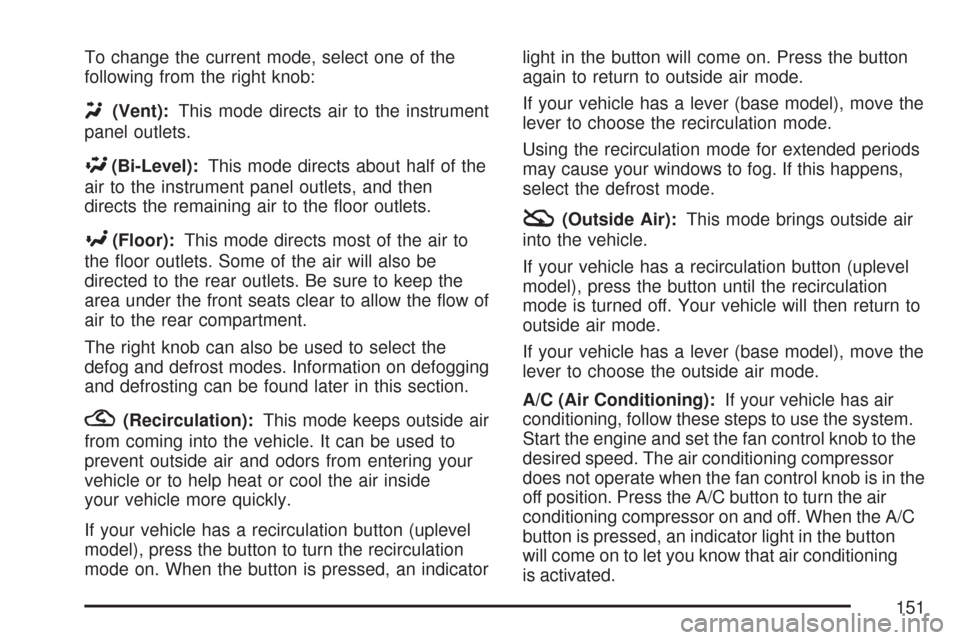
To change the current mode, select one of the
following from the right knob:
Y(Vent):This mode directs air to the instrument
panel outlets.
\(Bi-Level):This mode directs about half of the
air to the instrument panel outlets, and then
directs the remaining air to the floor outlets.
[(Floor):This mode directs most of the air to
the floor outlets. Some of the air will also be
directed to the rear outlets. Be sure to keep the
area under the front seats clear to allow the flow of
air to the rear compartment.
The right knob can also be used to select the
defog and defrost modes. Information on defogging
and defrosting can be found later in this section.
?(Recirculation):This mode keeps outside air
from coming into the vehicle. It can be used to
prevent outside air and odors from entering your
vehicle or to help heat or cool the air inside
your vehicle more quickly.
If your vehicle has a recirculation button (uplevel
model), press the button to turn the recirculation
mode on. When the button is pressed, an indicatorlight in the button will come on. Press the button
again to return to outside air mode.
If your vehicle has a lever (base model), move the
lever to choose the recirculation mode.
Using the recirculation mode for extended periods
may cause your windows to fog. If this happens,
select the defrost mode.
:(Outside Air):This mode brings outside air
into the vehicle.
If your vehicle has a recirculation button (uplevel
model), press the button until the recirculation
mode is turned off. Your vehicle will then return to
outside air mode.
If your vehicle has a lever (base model), move the
lever to choose the outside air mode.
A/C (Air Conditioning):If your vehicle has air
conditioning, follow these steps to use the system.
Start the engine and set the fan control knob to the
desired speed. The air conditioning compressor
does not operate when the fan control knob is in the
off position. Press the A/C button to turn the air
conditioning compressor on and off. When the A/C
button is pressed, an indicator light in the button
will come on to let you know that air conditioning
is activated.
151
Page 156 of 436
Warning Lights, Gages, and
Indicators
This part describes the warning lights and gages on
your vehicle. The pictures help to locate them.
Warning lights and gages can signal that something
is wrong before it becomes serious enough to
cause an expensive repair or replacement. Paying
attention to the warning lights and gages could also
save you or others from injury.
Warning lights come on when there may be or is a
problem with one of your vehicle’s functions. As
the details show on the next few pages, some
warning lights come on briefly when you start the
engine just to let you know they are working. If
you are familiar with this section, you should
not be alarmed when this happens.
Gages can indicate when there may be or is a
problem with one of your vehicle’s functions. Often
gages and warning lights work together to let you
know when there is a problem with your vehicle.When one of the warning lights comes on and
stays on as you are driving, or when one of
the gages shows there may be a problem, check
the section that tells you what to do about it.
Please follow this manual’s advice. Waiting to do
repairs can be costly and even dangerous. So
please get to know your vehicle’s warning
lights and gages. They can be a big help.
Instrument Panel Cluster
Your instrument panel cluster is designed to let you
know at a glance how your vehicle is running. You
will know how fast you are going, how much fuel
you are using, and many other things you will need
to drive safely and economically.
156
Page 197 of 436
If there is no apparent damage, try a known
good CD.
Do not add any label to a CD, it could get caught
in the CD player. If a CD is recorded on a
personal computer and a description label is
needed, try labeling the top of the recorded CD
with a marking pen.
Notice:If a label is added to a CD, or more
than one CD is inserted into the slot at a time,
or an attempt is made to play scratched or
damaged CDs, the CD player could be
damaged. While using the CD player, use only
CDs in good condition without any label,
load one CD at a time, and keep the CD player
and the loading slot free of foreign materials,
liquids, and debris.
If an error displays, see “CD Messages” later in
this section.
2 RPT (Repeat):Press this button to repeat the
current track. RPT displays. Press this button
again to turn off repeat play.
3 RDM (Random):Press this button to hear the
tracks in random, rather than sequential, order.
RDM displays. Press this button again to turn off
random play.4 INT (Scan):Press this button to listen to the
first few seconds of each track on each loaded CD.
INTRO displays. To stop scanning press this
button again. The current track begins to play.
()TUNE (Previous/Next Track):Press the
up
(TUNE arrow to go to the next track.
The track number displays. Press the down
)
TUNE arrow to go to the start of the current track.
The player continues moving forward or backward
through the CD with each press of the up or
down arrows.
AM:Press this button to listen to the radio while a
CD is playing. The inactive CD remains inside
the radio for future listening.
FM:Press this button to listen to the radio while a
CD is playing. The inactive CD remains inside
the radio for future listening.
CD/AUX:Press this button to play a CD while
listening to the radio. CDP displays when the CD
player has been selected. The CD symbol
displays when a CD is loaded.
Press this button while a CD is playing to pause
the CD. PAUSE flashes on the display. Press
this button again to start playing the CD.
197
Page 198 of 436
EJECT:Press this button to eject a CD. This is
the only way a CD can be ejected from the player.
The CD can eject when the ignition or the radio
is turned off.
Playing an MP3/WMA CD-R Disc
If you have a radio with a single CD (MP3), it is
capable of playing an MP3/WMA CD-R disc.
For more information on how to play an MP3/WMA
CD-R disc, see “Using an MP3” in the index.
CD Messages
CHECK CD:If this message displays and/or the
CD comes out, it could be for one of the
following reasons:
•It is very hot. When the temperature returns to
normal, the CD should play.
•You are driving on a very rough road.
When the road becomes smoother, the CD
should play.
•The CD is dirty, scratched, wet, or
upside down.
•The air is very humid. If so, wait about an
hour and try again.
•The format of the CD might not be compatible.
SeeUsing an MP3 (Radio with CD Player) on
page 207orUsing an MP3 (Radio with
Six-Disc Player) on page 211later in this
section.
•There could have been a problem while
burning the CD.
•The label could be caught in the CD player.
If the CD is not playing correctly, for any
other reason, try a known good CD.
If any error occurs repeatedly or if an error cannot
be corrected, contact your dealer/retailer. If the
radio displays an error message, write it down and
provide it to your dealer/retailer when reporting
the problem.
198