audio CHEVROLET AVEO 2009 1.G User Guide
[x] Cancel search | Manufacturer: CHEVROLET, Model Year: 2009, Model line: AVEO, Model: CHEVROLET AVEO 2009 1.GPages: 354, PDF Size: 2.07 MB
Page 175 of 354
No Folder
When a CD contains only compressed les, the les are
located under the root folder. The next and previous
folder function does not function on a CD that was
recorded without folders or playlists. When displaying
the name of the folder the radio displays ROOT.
When a CD contains only compressed audio les, but
no folders, all les are located under the root folder.
When the radio displays the name of the folder, the radio
displays ROOT.
Order of Play
The player play will begin from the rst track under the
root directory. When all tracks from the root directory
have been played, play will continue from les according
to their numerical listing. After playing the last track
from the last folder, the player will begin playing again
at the rst track of the rst folder or root directory.
File System and Naming
The song name in the ID3 tag is displayed. If the song
name is not present in the ID3 tag, then the radio
displays the le name without the extension (such as
MP3/WMA) instead.
Track names longer than 32 characters or four pages
are shortened. Parts of words on the last page of
text and the extension of the lename does not display.
Playing an MP3/WMA
With the ignition in the ON/RUN position, insert a CD
partway into the slot, label side up. The player pulls the
disc in. LOADING, and then MP3 or WMA appears
on the display. The CD should begin playing. As each
new track starts to play, the track number, and the
song name will appear on the display. If the ignition or
radio is turned off with a CD in the player, it will stay
in the player. When a CD is in the player and the ignition
is turned on, the radio must be turned on before the
CD will start playback. When the ignition and radio are
turned on, the CD will start playing where it stopped,
if it was the last selected audio source.
The CD player can play the smaller 3 inch (8 cm)
single CDs with an adapter ring. Full-size CDs and the
smaller CDs are loaded in the same manner.
Sound quality may be reduced due to CD-R quality,
the method of recording, the quality of the music
that has been recorded, and the way the CD-R has
been handled.
DIR (Directory):Press to repeat the tracks in the
current directory. DIR displays.
Press DIR again to repeat the tracks in all of the
directories. ALL displays.
Press DIR again to turn off repeat play.
3-55
Page 176 of 354
uSEEKt(Next/Previous Folder) (in MP3/WMA
Mode):Press to change the folder. If CD-R does not
have any folders, “ROOT” ashes on the display
for a short time.
[TUNE (Next Track):Press the up TUNE arrow to
go to the next track. The track number displays.
The player continues moving forward through the CD
each time TUNE is pressed.
rTUNE (Previous Track):Press the down TUNE
arrow to go to the start of the current track. The track
number displays. The player continues moving backward
through the CD each time TUNE is pressed.
INFO/DISP (Information/Display):Press to display
additional text information related to the current
MP3/WMA song. A choice of additional information such
as: Song Title, Album Title, and Artist. Bit rate might
also display.
When information is not available, No Info displays.
Press this button for longer than two seconds to change
display mode.
SCROLL (MP3/WMA Mode Only):Press the SOUND
button for longer than two seconds. The song title or
other available information of a song scrolls on/off.
The offset is scroll on. The scroll mode can be changed
only when the SOUND button is pressed for longer than
two seconds.
XM Radio Messages
UPDATING:The encryption code in the receiver is
being updated, and no action is required. This process
should take no longer than 30 seconds.
NO SIGNAL:The system is functioning correctly, but
the vehicle is in a location that is blocking the XM™
signal. When the vehicle is moved into an open area,
the signal should return.
LOADING:The audio system is acquiring and
processing audio and text data. No action is needed.
This message should disappear shortly.
OFF AIR:This channel is not currently in service.
Tune in to another channel.
CH UNAVAILABLE:This previously assigned channel
is no longer assigned. Tune to another station. If this
station was one of the presets, choose another station
for that preset button.
RADIO ID:If tuned to channel 0, this message
alternates with the XM™ Radio 8 digit radio ID label.
This label is needed to activate the service.
CHECK XM TUNER:If this message does not clear
within a short period of time, the receiver could have a
fault. Consult with your dealer/retailer.
3-56
Page 177 of 354
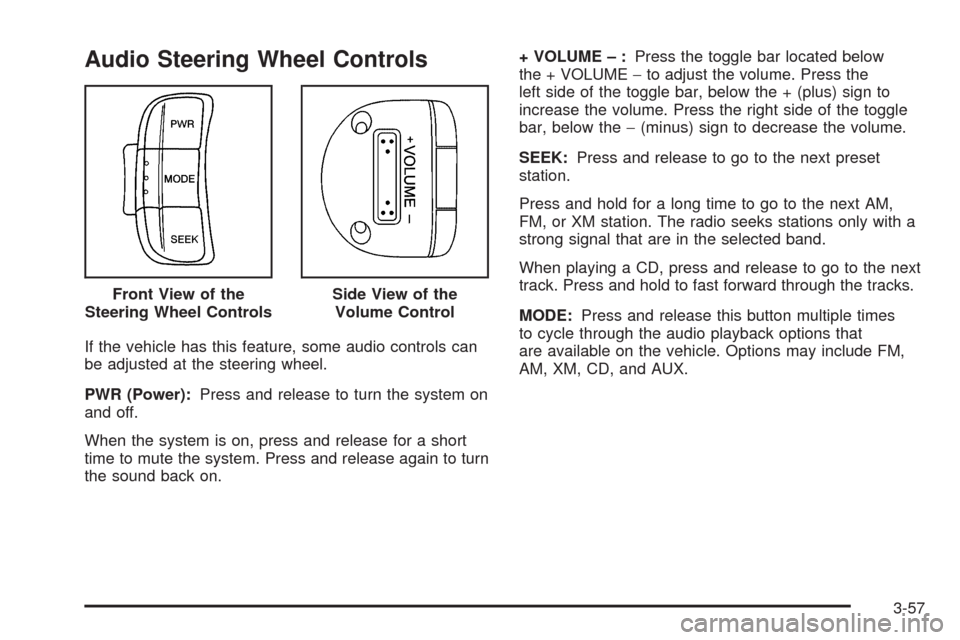
Audio Steering Wheel Controls
If the vehicle has this feature, some audio controls can
be adjusted at the steering wheel.
PWR (Power):Press and release to turn the system on
and off.
When the system is on, press and release for a short
time to mute the system. Press and release again to turn
the sound back on.+ VOLUME – :Press the toggle bar located below
the + VOLUME−to adjust the volume. Press the
left side of the toggle bar, below the + (plus) sign to
increase the volume. Press the right side of the toggle
bar, below the−(minus) sign to decrease the volume.
SEEK:Press and release to go to the next preset
station.
Press and hold for a long time to go to the next AM,
FM, or XM station. The radio seeks stations only with a
strong signal that are in the selected band.
When playing a CD, press and release to go to the next
track. Press and hold to fast forward through the tracks.
MODE:Press and release this button multiple times
to cycle through the audio playback options that
are available on the vehicle. Options may include FM,
AM, XM, CD, and AUX. Front View of the
Steering Wheel Controls
Side View of the
Volume Control
3-57
Page 296 of 354
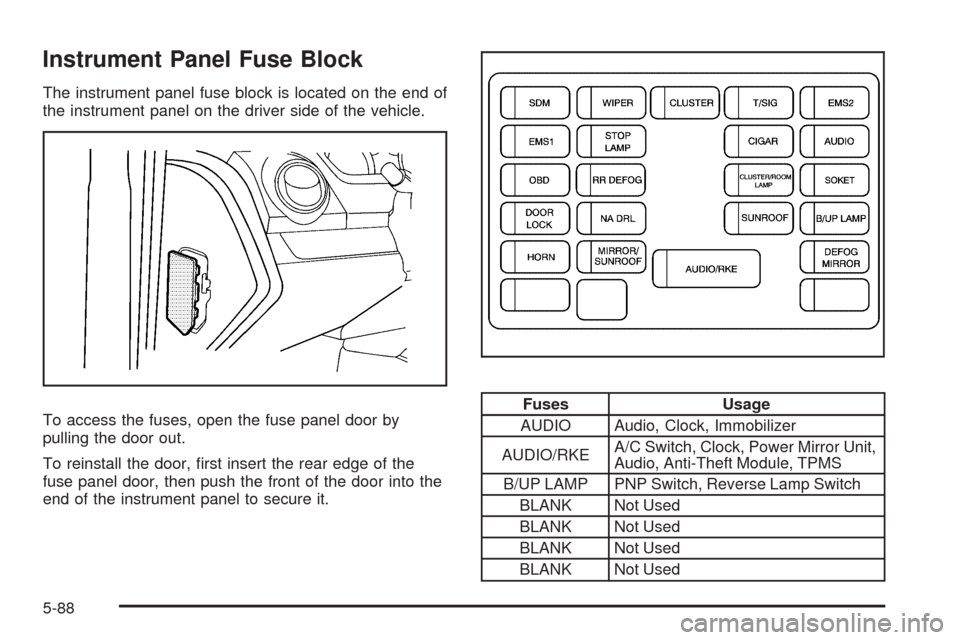
Instrument Panel Fuse Block
The instrument panel fuse block is located on the end of
the instrument panel on the driver side of the vehicle.
To access the fuses, open the fuse panel door by
pulling the door out.
To reinstall the door, rst insert the rear edge of the
fuse panel door, then push the front of the door into the
end of the instrument panel to secure it.
Fuses Usage
AUDIO Audio, Clock, Immobilizer
AUDIO/RKEA/C Switch, Clock, Power Mirror Unit,
Audio, Anti-Theft Module, TPMS
B/UP LAMP PNP Switch, Reverse Lamp Switch
BLANK Not Used
BLANK Not Used
BLANK Not Used
BLANK Not Used
5-88
Page 343 of 354
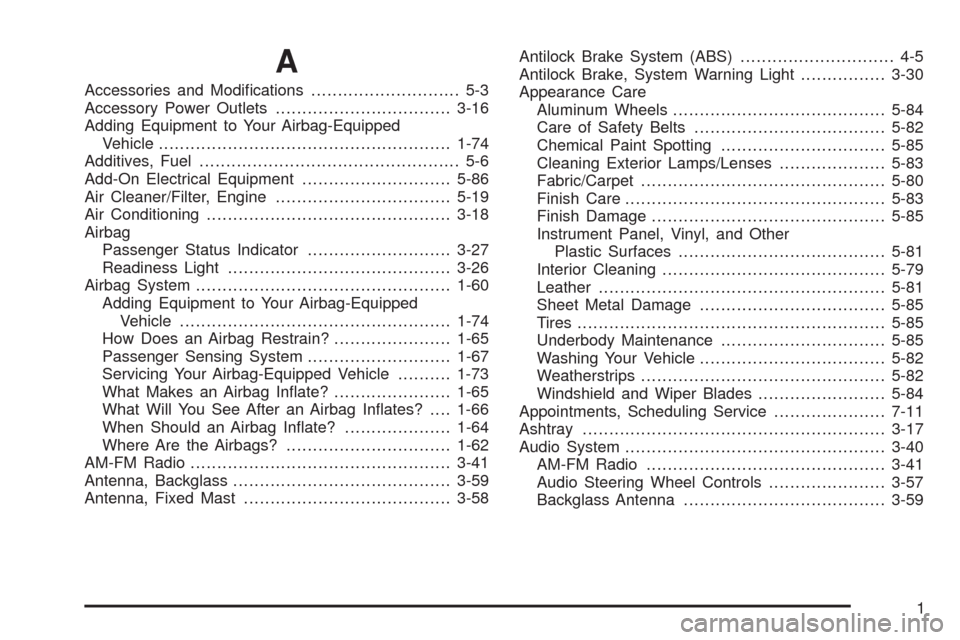
A
Accessories and Modications............................ 5-3
Accessory Power Outlets.................................3-16
Adding Equipment to Your Airbag-Equipped
Vehicle.......................................................1-74
Additives, Fuel................................................. 5-6
Add-On Electrical Equipment............................5-86
Air Cleaner/Filter, Engine.................................5-19
Air Conditioning..............................................3-18
Airbag
Passenger Status Indicator...........................3-27
Readiness Light..........................................3-26
Airbag System................................................1-60
Adding Equipment to Your Airbag-Equipped
Vehicle...................................................1-74
How Does an Airbag Restrain?......................1-65
Passenger Sensing System...........................1-67
Servicing Your Airbag-Equipped Vehicle..........1-73
What Makes an Airbag Inate?......................1-65
What Will You See After an Airbag Inates?....1-66
When Should an Airbag Inate?....................1-64
Where Are the Airbags?...............................1-62
AM-FM Radio.................................................3-41
Antenna, Backglass.........................................3-59
Antenna, Fixed Mast.......................................3-58Antilock Brake System (ABS)............................. 4-5
Antilock Brake, System Warning Light................3-30
Appearance Care
Aluminum Wheels........................................5-84
Care of Safety Belts....................................5-82
Chemical Paint Spotting...............................5-85
Cleaning Exterior Lamps/Lenses....................5-83
Fabric/Carpet..............................................5-80
Finish Care.................................................5-83
Finish Damage............................................5-85
Instrument Panel, Vinyl, and Other
Plastic Surfaces.......................................5-81
Interior Cleaning..........................................5-79
Leather......................................................5-81
Sheet Metal Damage...................................5-85
Tires..........................................................5-85
Underbody Maintenance...............................5-85
Washing Your Vehicle...................................5-82
Weatherstrips..............................................5-82
Windshield and Wiper Blades........................5-84
Appointments, Scheduling Service.....................7-11
Ashtray.........................................................3-17
Audio System.................................................3-40
AM-FM Radio.............................................3-41
Audio Steering Wheel Controls......................3-57
Backglass Antenna......................................3-59
1
Page 344 of 354
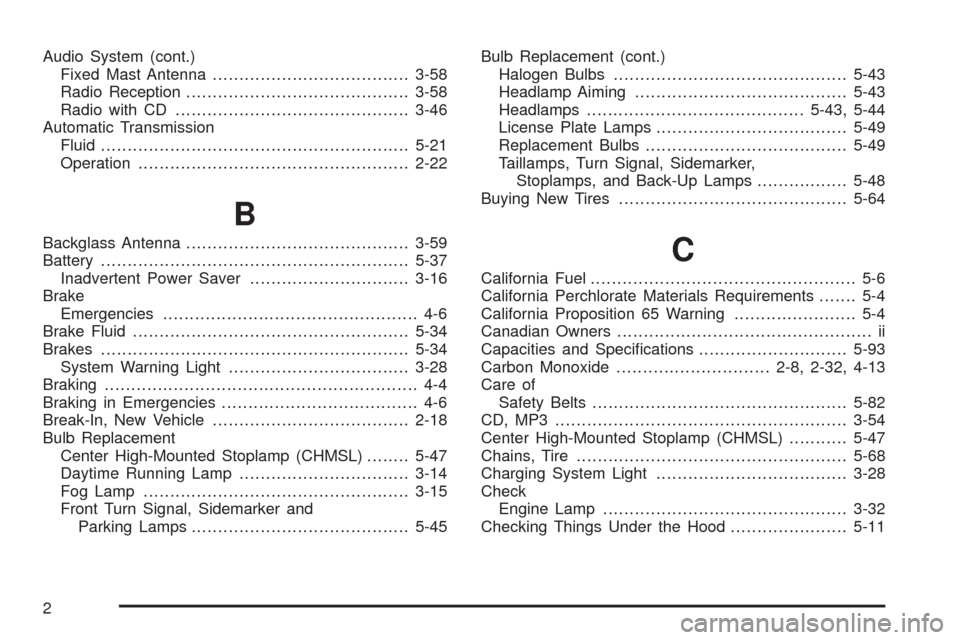
Audio System (cont.)
Fixed Mast Antenna.....................................3-58
Radio Reception..........................................3-58
Radio with CD............................................3-46
Automatic Transmission
Fluid..........................................................5-21
Operation...................................................2-22
B
Backglass Antenna..........................................3-59
Battery..........................................................5-37
Inadvertent Power Saver..............................3-16
Brake
Emergencies................................................ 4-6
Brake Fluid....................................................5-34
Brakes..........................................................5-34
System Warning Light..................................3-28
Braking........................................................... 4-4
Braking in Emergencies..................................... 4-6
Break-In, New Vehicle.....................................2-18
Bulb Replacement
Center High-Mounted Stoplamp (CHMSL)........5-47
Daytime Running Lamp................................3-14
Fog Lamp ..................................................3-15
Front Turn Signal, Sidemarker and
Parking Lamps.........................................5-45Bulb Replacement (cont.)
Halogen Bulbs............................................5-43
Headlamp Aiming........................................5-43
Headlamps.........................................5-43, 5-44
License Plate Lamps....................................5-49
Replacement Bulbs......................................5-49
Taillamps, Turn Signal, Sidemarker,
Stoplamps, and Back-Up Lamps.................5-48
Buying New Tires...........................................5-64C
California Fuel.................................................. 5-6
California Perchlorate Materials Requirements....... 5-4
California Proposition 65 Warning....................... 5-4
Canadian Owners................................................ ii
Capacities and Specications............................5-93
Carbon Monoxide.............................2-8, 2-32, 4-13
Care of
Safety Belts................................................5-82
CD, MP3 .......................................................3-54
Center High-Mounted Stoplamp (CHMSL)...........5-47
Chains, Tire...................................................5-68
Charging System Light....................................3-28
Check
Engine Lamp..............................................3-32
Checking Things Under the Hood......................5-11
2
Page 352 of 354
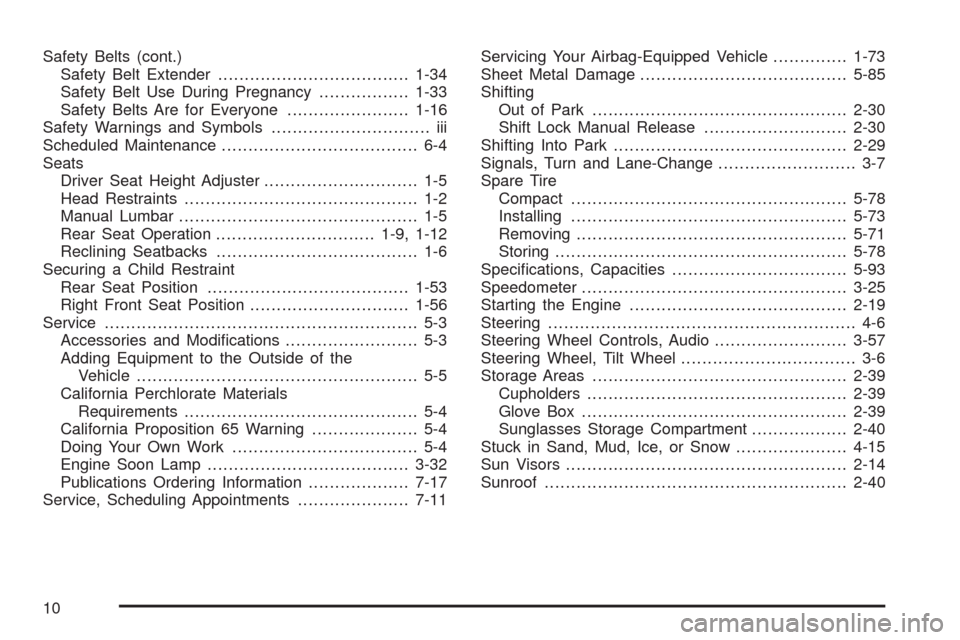
Safety Belts (cont.)
Safety Belt Extender....................................1-34
Safety Belt Use During Pregnancy.................1-33
Safety Belts Are for Everyone.......................1-16
Safety Warnings and Symbols.............................. iii
Scheduled Maintenance..................................... 6-4
Seats
Driver Seat Height Adjuster............................. 1-5
Head Restraints............................................ 1-2
Manual Lumbar............................................. 1-5
Rear Seat Operation..............................1-9, 1-12
Reclining Seatbacks...................................... 1-6
Securing a Child Restraint
Rear Seat Position......................................1-53
Right Front Seat Position..............................1-56
Service........................................................... 5-3
Accessories and Modications......................... 5-3
Adding Equipment to the Outside of the
Vehicle..................................................... 5-5
California Perchlorate Materials
Requirements............................................ 5-4
California Proposition 65 Warning.................... 5-4
Doing Your Own Work................................... 5-4
Engine Soon Lamp......................................3-32
Publications Ordering Information...................7-17
Service, Scheduling Appointments.....................7-11Servicing Your Airbag-Equipped Vehicle..............1-73
Sheet Metal Damage.......................................5-85
Shifting
Out of Park................................................2-30
Shift Lock Manual Release...........................2-30
Shifting Into Park............................................2-29
Signals, Turn and Lane-Change.......................... 3-7
Spare Tire
Compact....................................................5-78
Installing....................................................5-73
Removing...................................................5-71
Storing.......................................................5-78
Specications, Capacities.................................5-93
Speedometer..................................................3-25
Starting the Engine.........................................2-19
Steering.......................................................... 4-6
Steering Wheel Controls, Audio.........................3-57
Steering Wheel, Tilt Wheel................................. 3-6
Storage Areas................................................2-39
Cupholders.................................................2-39
Glove Box..................................................2-39
Sunglasses Storage Compartment..................2-40
Stuck in Sand, Mud, Ice, or Snow.....................4-15
Sun Visors.....................................................2-14
Sunroof.........................................................2-40
10