light CHEVROLET BLAZER 1994 2.G Service Manual
[x] Cancel search | Manufacturer: CHEVROLET, Model Year: 1994, Model line: BLAZER, Model: CHEVROLET BLAZER 1994 2.GPages: 348, PDF Size: 17.88 MB
Page 141 of 348
Downloaded from www.Manualslib.com manuals search engine FM Stereo
FM stereo will give you the best sound. But FM signals will reach only
about
10 to 40 miles (16 to 65 km). Tall buildings or hills can interfere with
FM signals, causing the sound to come and go.
AM
The range for most AM stations is greater than for FM, especially at night.
The longer range, however, can cause stations to interfere
with each other.
AM can pick up noise from things like storms and power lines. Try reducing
the treble to reduce this noise if you ever get it.
AM Stereo
This means the Delco@ system can receive C-QUAM@ stereo broadcasts.
Many AM stations around the country use C-QUAM@ to produce stereo,
though some do not. (C-QUAM’ is a registered trademark
of Motorola,
Inc.)
If your Delco@ system can get C-QUAM@, your “STEREO” light will
come on when you’re receiving
it.
NOTICE:
Before you add any sound equipment to your vehicle - like a
1 tape player, CB radio, mobile telephone or two-way radio - be
sure you can add what you want.
If you can, it’s very important
to do it properly. Added sound equipment may interfere with the
operation
of your vehicle’s engine, Delco@ radio or other
systems, and even damage them. And, your vehicle’s systems
may interfere with the operation of sound equipment that has
been added improperly.
So, before adding sound equipment, check with your dealer and
be sure to check Federal rules covering mobile radio and
telephone units.
3-7
Page 148 of 348
Downloaded from www.Manualslib.com manuals search engine Clock
To set the clock, just:
Push SET.
Within 5 seconds, push and hold SCAN until the correct hour appears.
Press and hold SEEK until the correct minute appears.
To display the clock with the ignition off, push the upper knob. The time
will be displayed for
a few seconds.
To Way A Cassette
Your tape player is built to work best with tapes that are 30 to 45 minutes
long
on each side. Tapes longer than that are so thin they may not work well
in this player.
To play a cassette tape:
Have the radio on.
Insert the tape squarely through the tape door.
The longer side with the tape visible goes in first. If you hear nothing or
hear just garbled sound, it may not be in squarely. Push STOP-EJECT to
remove the tape and start over.
Once the tape is playing, use the upper and lower knobs for volume and
balance, just as you
do for radio. The arrows show which side of the tape is
playing.
0 To go forward to another part of the tape, push the button with an
arrow pointing toward the lighted arrow. To stop the tape, push the
STOP-E JECT button lightly.
To go backward, push the button with an arrow pointing away from
the lighted arrow. To stop the tape, push the STOP-EJECT button
lightly.
To go from one side of the tape to the other, push in the upper knob on
To remove or stop the tape, push STOP-EJECT.
your radio.
3-14
Page 151 of 348
Downloaded from www.Manualslib.com manuals search engine Clock
To set the clock, just:
Press SET. (SET appears in the VF display for a few seconds.)
Within 5 seconds, push and hold SCAN until the correct hour appears.
Press and hold SEEK until the correct minute appears.
To display the clock with the ignition off, push the upper knob. The time
will be displayed for a few seconds.
To Play A Cassette
Your tape player is built to work best with tapes that are 30 to 45 minutes
long on each side. Tapes longer
than that are so thin they may not work well
in this player.
To play a cassette tape:
Have the radio on.
Insert the tape squarely through the tape door.
The longer side
with the tape visible goes in first. If you hear nothing or
hear just garbled sound,
it may not be in squarely.
Push
STOP-EJECT to remove the tape and start over.
Once the tape is playing, use the upper and lower knobs for volume and
balance, just as
you do for radio. The arrows show which side of the tape is
playing.
0 To go forward to another part of the tape, push b.
0 To go backward, push 4. To stop the tape, push the other button
lightly.
your radio.
To remove or stop the tape, push STOP-EJECT.
0 To go from one side of the tape to the other, push in the upper knob on
APS (Automatic Program Search)
Press this button to activate the automatic program search. When the b
button is pressed, the tape will rapidly advance to the beginning of the next
selection. When
the 4 button is pressed, the tape will rapidly reverse to the
beginning of the current selection.
Press
STOP-E JECT to remove the cassette and start the radio.
3-17
Page 152 of 348
Downloaded from www.Manualslib.com manuals search engine Care of Your Cassette Tape Player
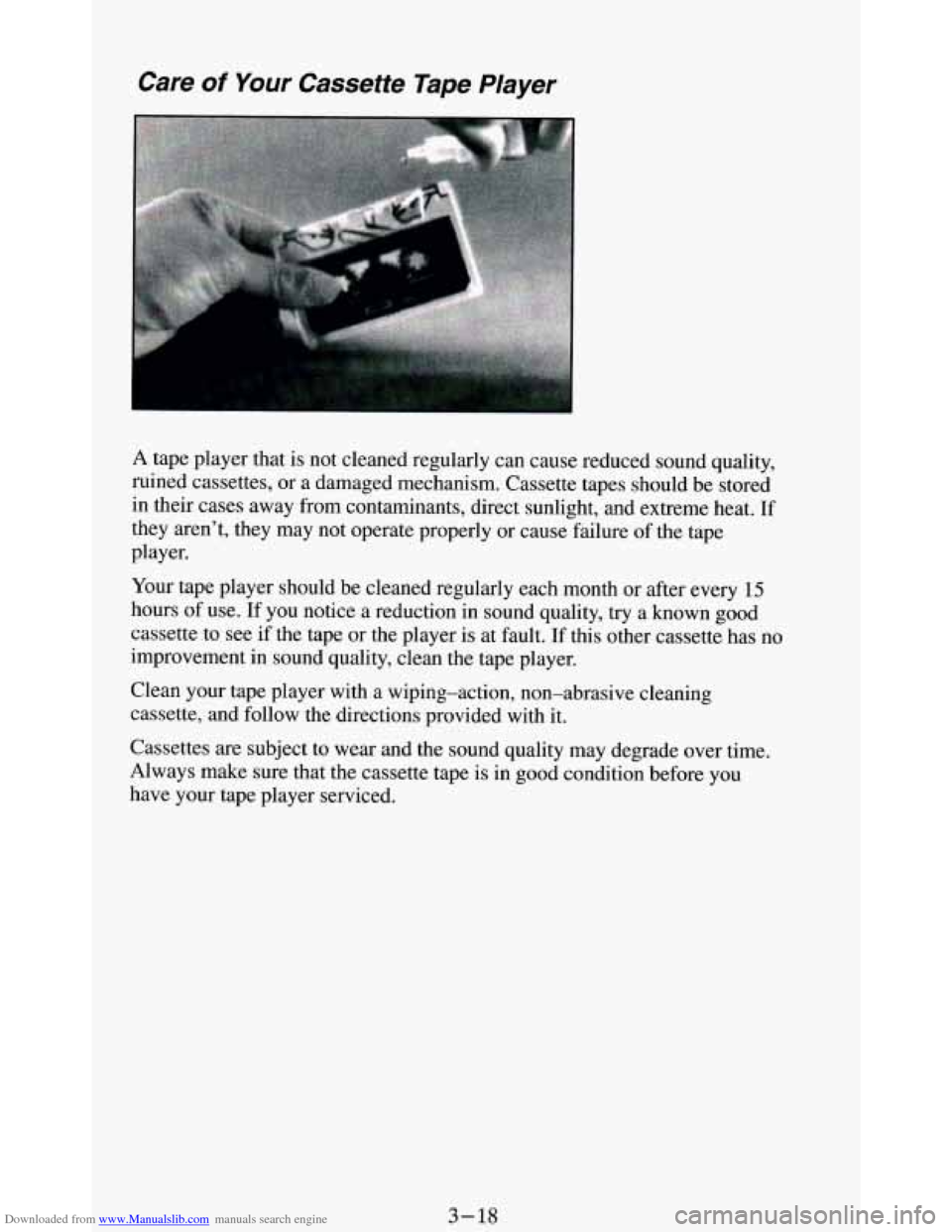
A tape player that is not cleaned regularly can cause reduced sound quality,
ruined cassettes, or a damaged mechanism. Cassette tapes should be stored
in their cases away from contaminants, direct sunlight, and extreme heat.
If
they aren’t, they may not operate properly or cause failure of the tape
player.
Your tape player should be cleaned regularly each month
or after every 15
hours of use. If you notice a reduction in sound quality, try a known good
cassette to see if the tape or the player is at fault.
If this other cassette has no
improvement in sound quality, clean the tape player.
Clean your tape player with a wiping-action, non-abrasive cleaning
cassette, and follow the directions provided with it.
Cassettes
are subject to wear and the sound quality may degrade over time.
Always make sure that the cassette tape is in good condition before you
have your tape player serviced.
3-18
Page 158 of 348
Downloaded from www.Manualslib.com manuals search engine Care of Your Compact Discs
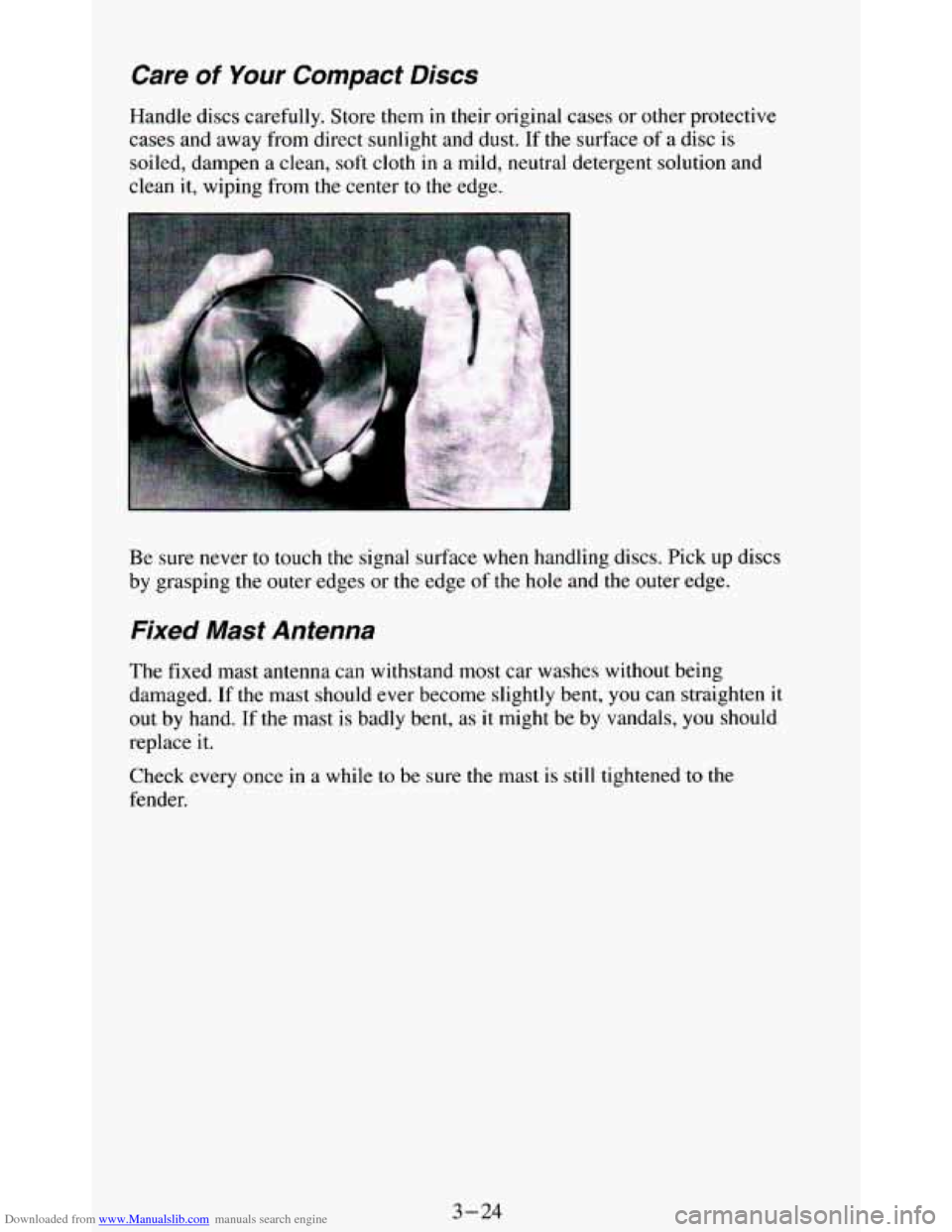
Handle discs carefully. Store them in their original cases or other protective
cases and away from direct sunlight and dust. If the surface of
a disc is
soiled, dampen
a clean, soft cloth in a mild, neutral detergent solution and
clean it, wiping from
the center to the edge.
Be sure never to touch
the signal surface when handling discs. Pick up discs
by grasping the outer edges or the edge of the
hole and the outer edge.
Fixed Mast Antenna
The fixed mast antenna can withstand most car washes without being
damaged. If the mast should ever become slightly bent,
you can straighten it
out by hand. If the mast
is badly bent, as it might be by vandals, you should
replace it.
Check every once in a while to be sure the mast is
still tightened to the
fender.
3-24
Page 161 of 348
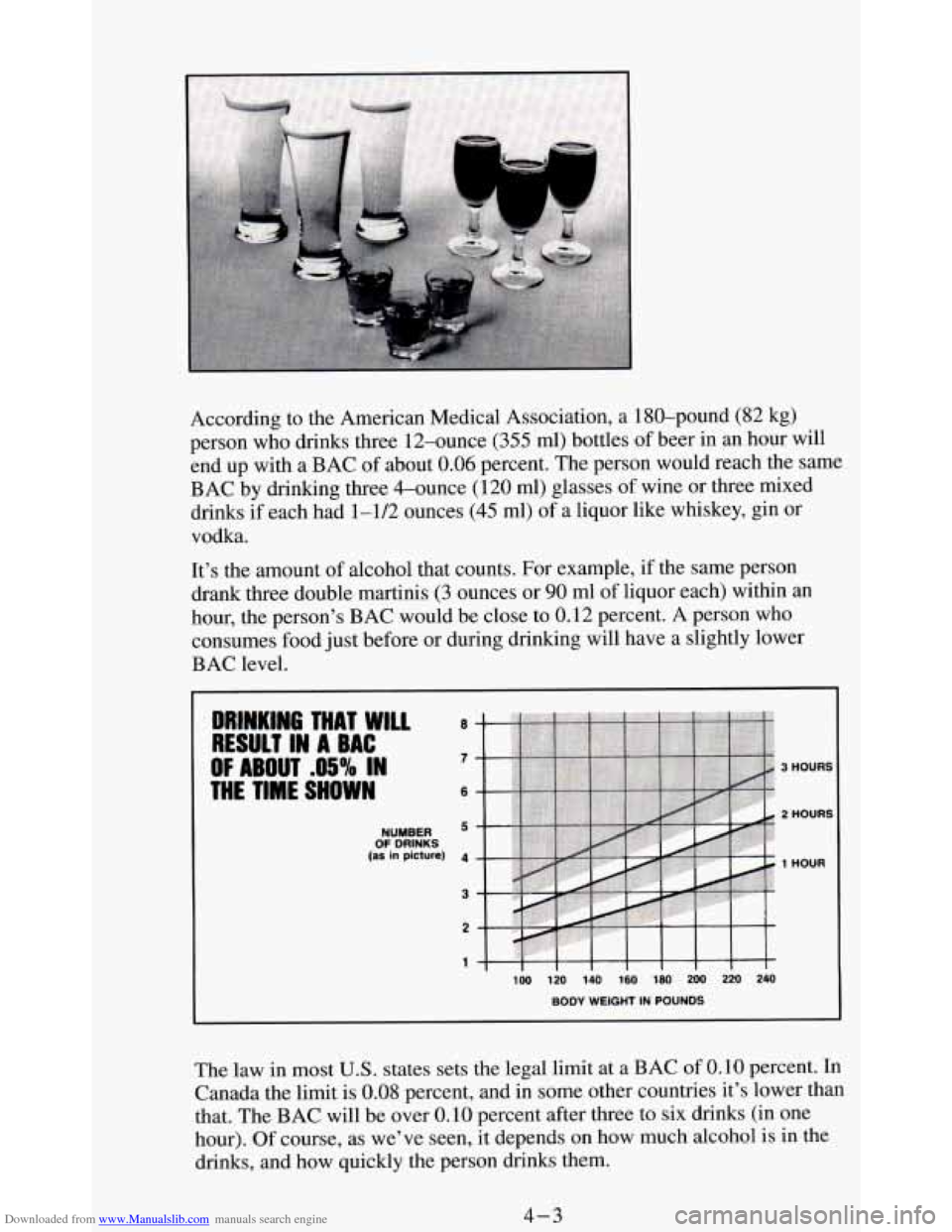
Downloaded from www.Manualslib.com manuals search engine According to the American Medical Association, a 180-pound (82 kg)
person who drinks three 12-ounce
(355 ml) bottles of beer in an hour will
end up with a BAC
of about 0.06 percent. The person would reach the same
BAC by drinking three &ounce (120
ml) glasses of wine or three mixed
drinks if each had 1-1/2 ounces
(45 ml) of a liquor like whiskey, gin or
vodka.
It’s the amount of alcohol that counts. For example, if the same person
drank three double martinis
(3 ounces or 90 ml of liquor each) within an
hour, the person’s BAC would be close to 0.12 percent. A person who
consumes food
just before or during drinking will have a slightly lower
BAC level.
OF DRINKS NUMBER
(as in picture) 1 HOUR
The law in most U.S. states sets the legal limit at a BAC of 0.10 percent. In
Canada the limit is 0.08 percent, and in some other countries it’s lower than
that. The BAC will be over
0.10 percent after three to six drinks (in one
hour).
Of course, as we’ve seen, it depends on how much alcohol is in the
drinks, and how quickly the person drinks them.
4-3
Page 168 of 348
Downloaded from www.Manualslib.com manuals search engine Off-Road Recovery
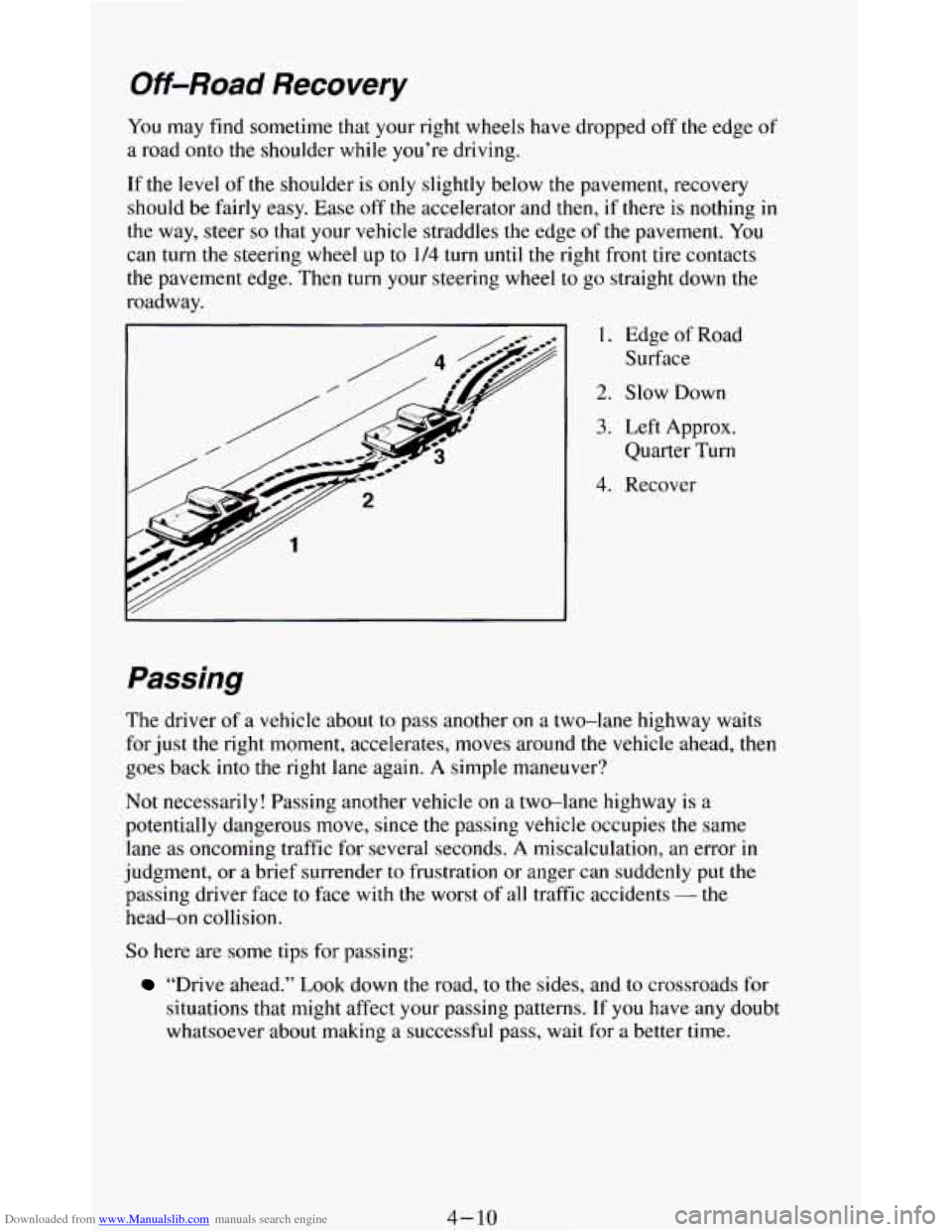
You may find sometime that your right wheels have dropped off the edge of
a road onto the shoulder while you’re driving.
If the
level of the shoulder is only slightly below the pavement, recovery
should be fairly easy. Ease
off the accelerator and then, if there is nothing in
the way, steer so that your vehicle straddles the edge of the pavement. You
can turn the steering wheel up to
1/4 turn until the right front tire contacts
the pavement edge. Then turn your steering wheel to go straight down the
roadway.
1. Edge of Road
Surface
2. Slow Down
3. Left Approx.
Quarter Turn
4. Recover
Passing
The driver of a vehicle about to pass another on a two-lane highway waits
for just the right moment, accelerates, moves around
the vehicle ahead, then
goes back into the right lane again. A simple maneuver?
Not necessarily! Passing another vehicle on a two-lane highway is a
potentially dangerous move, since the passing vehicle occupies the same
lane as oncoming traffic for several seconds.
A miscalculation, an error in
judgment, or a brief surrender to frustration or anger can suddenly put the
passing driver face to face with the worst of all traffic accidents - the
head-on collision.
So here are some tips for passing:
“Drive ahead.” Look down the road, to the sides, and to crossroads for
situations that might affect your passing patterns. If
you have any doubt
whatsoever about making a successful pass, wait for a better time.
4- 10
Page 169 of 348
Downloaded from www.Manualslib.com manuals search engine 0
0
0
0
0
0
0
0
Watch for traffic signs, pavement markings, and lines. If you can see a
sign up ahead
that might indicate a turn or an intersection, delay your
pass.
A broken center line usually indicates it’s all right to pass
(providing the road ahead is clear). Never cross a solid line
on your
side
of the lane or a double solid line, even if the road seems empty of
approaching traffic.
Do not get too close to the vehicle you want to pass while you’re
awaiting an opportunity. For one thing, following too closely reduces
your area
of vision, especially if you’re following a larger vehicle.
Also,
you won’t have adequate space if the vehicle ahead suddenly
slows or stops. Keep back a reasonable distance.
When
it looks like a chance to pass is coming up, start to accelerate but
stay
in the right lane and don’t get too close. Time your move so you
will be increasing speed as the time comes to move into the other lane.
If the way is clear to pass,
you will have a “running start” that more
than makes up for
the distance you would lose by dropping back. And
if something happens to cause you to cancel your pass, you need only
slow down and drop back again and wait for another opportunity.
If other cars are lined up to pass a slow vehicle, wait your turn. But
take care that someone isn’t trying to pass you as
you pull out to pass
the slow vehicle. Remember
to glance over your shoulder and check
the blind spot.
Check your mirrors
, glance over your shoulder, and start your left lane
change signal before moving out of the right lane to pass. When
you
are far enough ahead of the passed vehicle to see its front in your inside
mirror, activate your right lane change signal and move back
into the
right lane. (Remember that your right outside mirror is convex. The
vehicle
you just passed may seem to be farther away from you than it
really is.)
Try
not to pass more than one vehicle at a time on two-lane roads.
Reconsider before passing the next vehicle.
Don’t overtake a
slowly moving vehicle too rapidly. Even though the
brake lights are not flashing,
it may be slowing down or starting to turn.
If you’re being passed, make it easy for the following driver to get
ahead
of you. Perhaps you can ease a little to the right.
Loss of Control
Let’s review what driving experts say about what happens when the three
control systems (brakes, steering and acceleration) don’t have enough
friction where the tires meet the road to do what the driver has asked.
In any emergency, don’t give up. Keep trying to steer and constantly seek an
escape route or area of less danger.
4- 11
Page 174 of 348
Downloaded from www.Manualslib.com manuals search engine When you drive over bumps, rocks, or other obstacles, your wheels can
leave the ground.
If this happens, even with one or two wheels, you can’t
control the vehicle as well or at all.
Because you
will be on an unpaved surface, it’s especially important to
avoid sudden acceleration, sudden turns, or sudden braking.
In a way, off-road driving requires a different kind
of alertness from driving
on paved roads and highways. There are no road signs, posted speed limits
or signal lights. You have to use your own good judgment about what is safe
and what isn’t.
Drinking and driving can be very dangerous on any road. And this is
certainly true for off-road driving. At the very
time you need special
alertness and driving skills, your reflexes, perceptions and judgment
can be
affected by even a small amount of alcohol. You could have a serious
- or
even fatal - accident if you drink and drive or ride with a driver who has
been drinking. (See “Drunken Driving”
in the Index.)
Driving On Ofl-Road Hills
Off-road driving often takes you up, down, or across a hill. Driving safely
on hills requires good judgment and an understanding of what your vehicle
can and can’t do. There are some hills that simply can’t be driven, no matter
how well built the vehicle.
1
Approaching a Hill
When you approach a hill, you need to decide if it’s one of those hills that’s
just
too steep to climb, descend, or cross. Steepness can be hard to judge.
On a very small hill, for example, there may be a smooth, constant incline
with only a small change
in elevation where you can easily see all the way
to the top.
On a large hill, the incline may get steeper as you near the top,
but
you may not see this because the crest of the hill is hidden by bushes,
grass, or shrubs.
4-16
Page 175 of 348
Downloaded from www.Manualslib.com manuals search engine Here are some other things to consider as you approach a hill.
0
0
0
0
0
0
Is there a constant incline, or does the hill get sharply steeper in places?
Is there good traction on the hillside, or will the surface cause tire
slipping?
Is there a straight path up or down the
hill so you won’t have to make
turning maneuvers?
Are there obstructions on
the hill that can block your path (boulders,
trees, logs or ruts)?
What’s beyond the hill?
Is there a cliff, an embankment, a drop-off, a
fence? Get out and walk the hill
if you don’t know. It’s the smart way
to find out.
Is the hill simply too rough? Steep hills often have ruts, gullies, troughs
and exposed rocks because they are more susceptible to the effects of
erosion.
Driving Uphill
Once you decide you can safely drive up the hill, you need to take Some
special steps.
0
0
0
Use a low gear and get a firm grip on the steering wheel.
Get a smooth start up the hill and try
to maintain your speed. Don’t use
more power
than you need, because you don’t want your wheels to start
spinning or sliding.
Try to drive straight up the hill
if at all possible. If the path twists and
turns, you might want to find another route.
0
0
0
0
Ease up on your speed as you approach the top of the hill.
Attach a flag to the vehicle to make you more visible to approaching
traffic on trails or hills.
Sound the horn
as you approach the top of the hill to let opposing
traffic know you’re there.
Use your headlights even during the day. They make you more visible
to oncoming traffic.
4- 17