brake light CHEVROLET BLAZER 1994 2.G Owners Manual
[x] Cancel search | Manufacturer: CHEVROLET, Model Year: 1994, Model line: BLAZER, Model: CHEVROLET BLAZER 1994 2.GPages: 348, PDF Size: 17.88 MB
Page 11 of 348
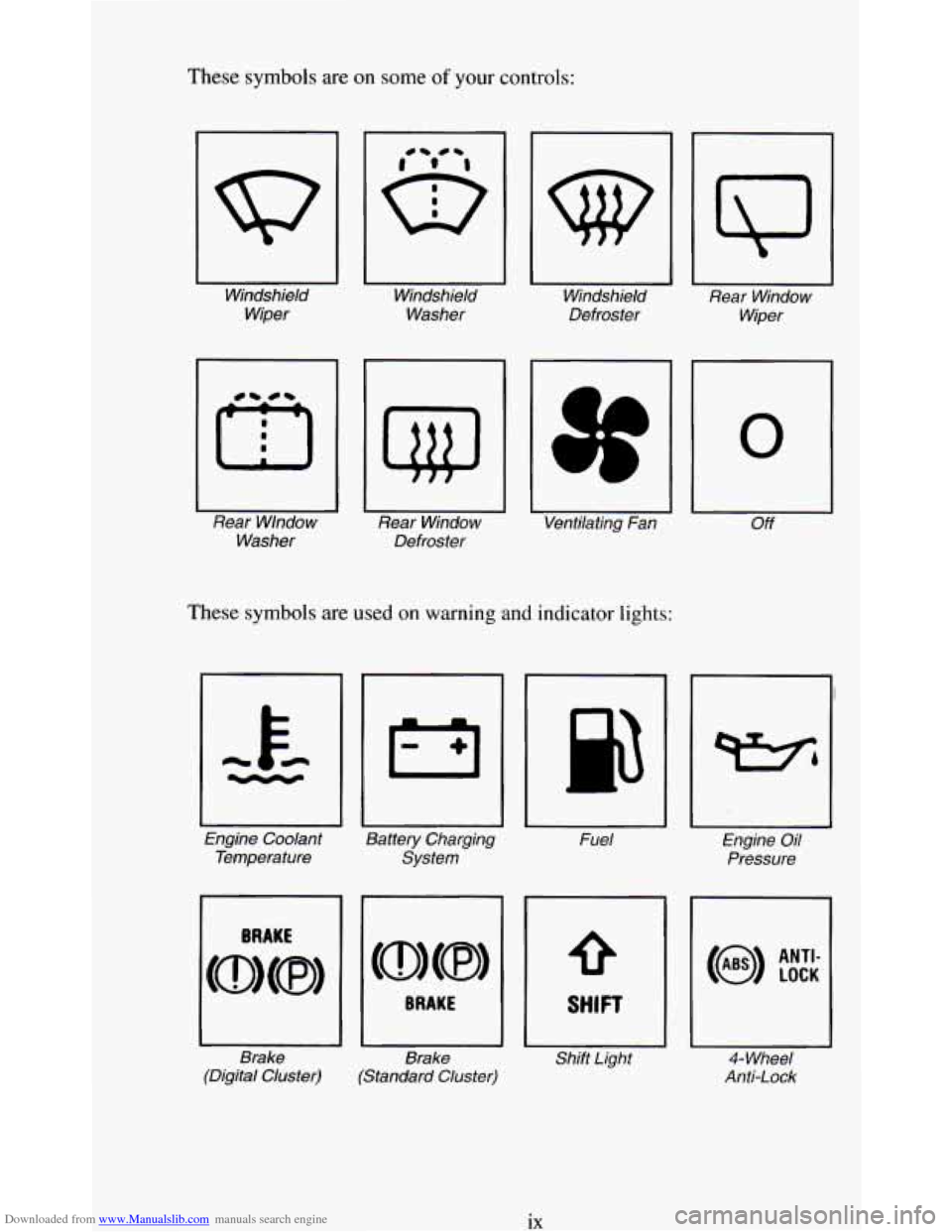
Downloaded from www.Manualslib.com manuals search engine These symbols are on some of your controls:
Windshield Windshield Windshield
Rear Window
Wiper Washer
Defroster
Wiper
Rear Wlndow Rear Window Ventilating Fan
Off
Washer Defroster
These symbols are usea on warning and indicator lights:
0
Engine Coolant
Battery Charging Fuel Engine Oil
Temperature System Pressure
Brake Brake Shift Light
4- Wheel
(Digital Cluster) (Standard Cluster) Anti-Lock
ix
Page 78 of 348
Downloaded from www.Manualslib.com manuals search engine a
0
a
To Stop - Let up on the accelerator pedal and press the brake pedal.
Just before the vehicle stops, press
the clutch pedal and the brake pedal,
and shift to
“N” (Neutral).
N (Neutral) - Use this position when you start or idle your engine.
R (Reverse) - To back up, press down the clutch pedal, wait about 6
seconds, then shift into “R” (Reverse). Then let up on the clutch pedal
slowly while pressing the accelerator pedal.
NOTICE:
Shift to “R” (Reverse) only after your vehicle is stopped.
Shifting to
“R” (Reverse) while your vehicle is moving could
damage your transmission.
Also, use “R’ (Reverse), along with the parking brake, for parking your
vehicle.
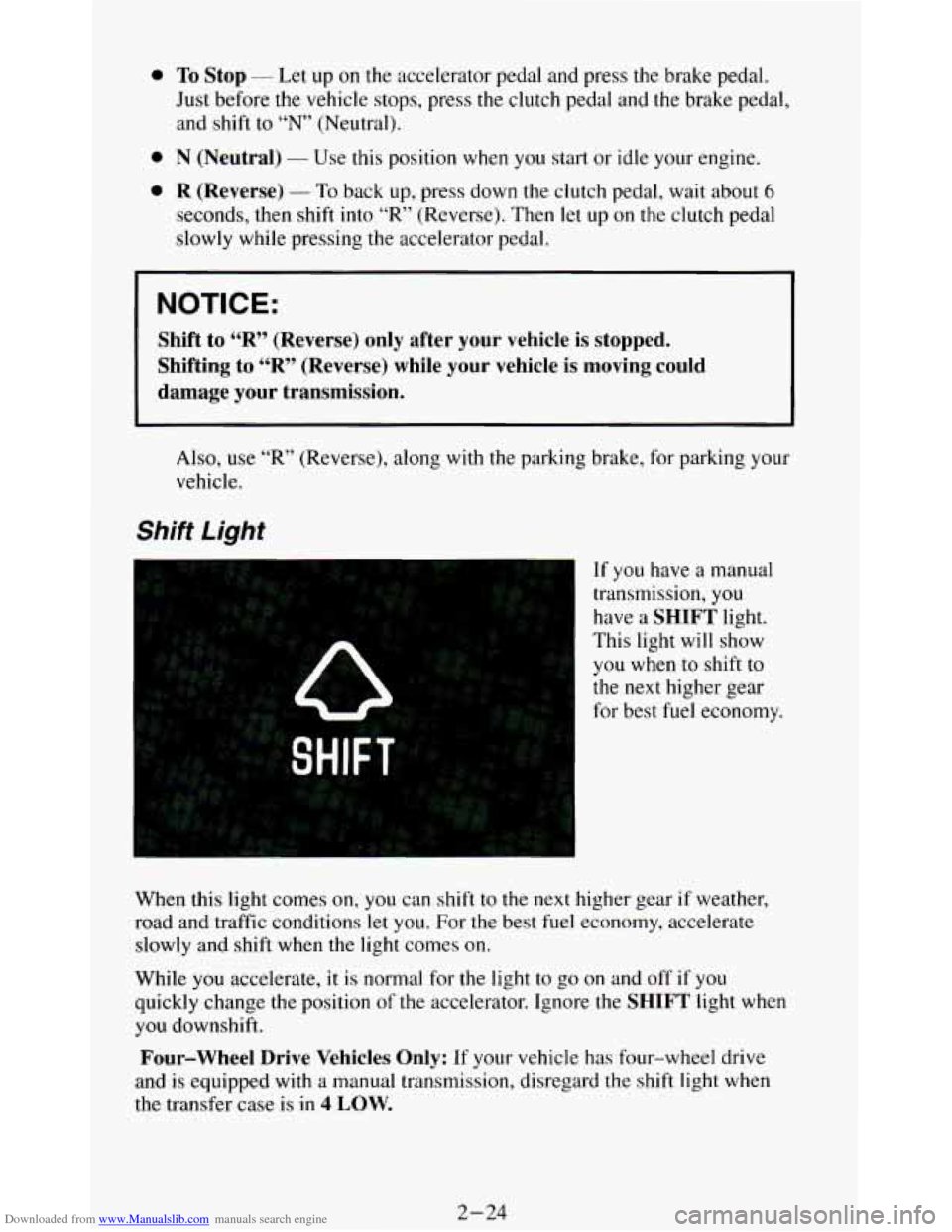
Shift Light
If you have a manual
transmission,
you
have a SHIFT light.
This light will show
you when to shift to
the next higher gear
for best fuel economy.
When this light comes
on, you can shift to the next higher gear if weather,
road and traffic conditions
let you. For the best fuel economy, accelerate
slowly and shift when the light comes on.
While
you accelerate, it is normal for the light to go on and off if you
quickly change the position
of the accelerator. Ignore the SHIFT light when
you downshift.
Four-wheel Drive Vehicles Only: If your vehicle has four-wheel drive
and
is equipped with a manual transmission, disregard the shift light when
the transfer case is in
4 LOW.
2-24
Page 79 of 348
Downloaded from www.Manualslib.com manuals search engine Locking Rear Axle
If you have this feature, your rear axle can give you additional traction on
snow, mud, ice, sand or gravel. It works like a standard axle most of the
time, but when one of the rear wheels has no traction and the other does, the
locking feature will allow the wheel with traction
to move the vehicle.
Parking Brake
-
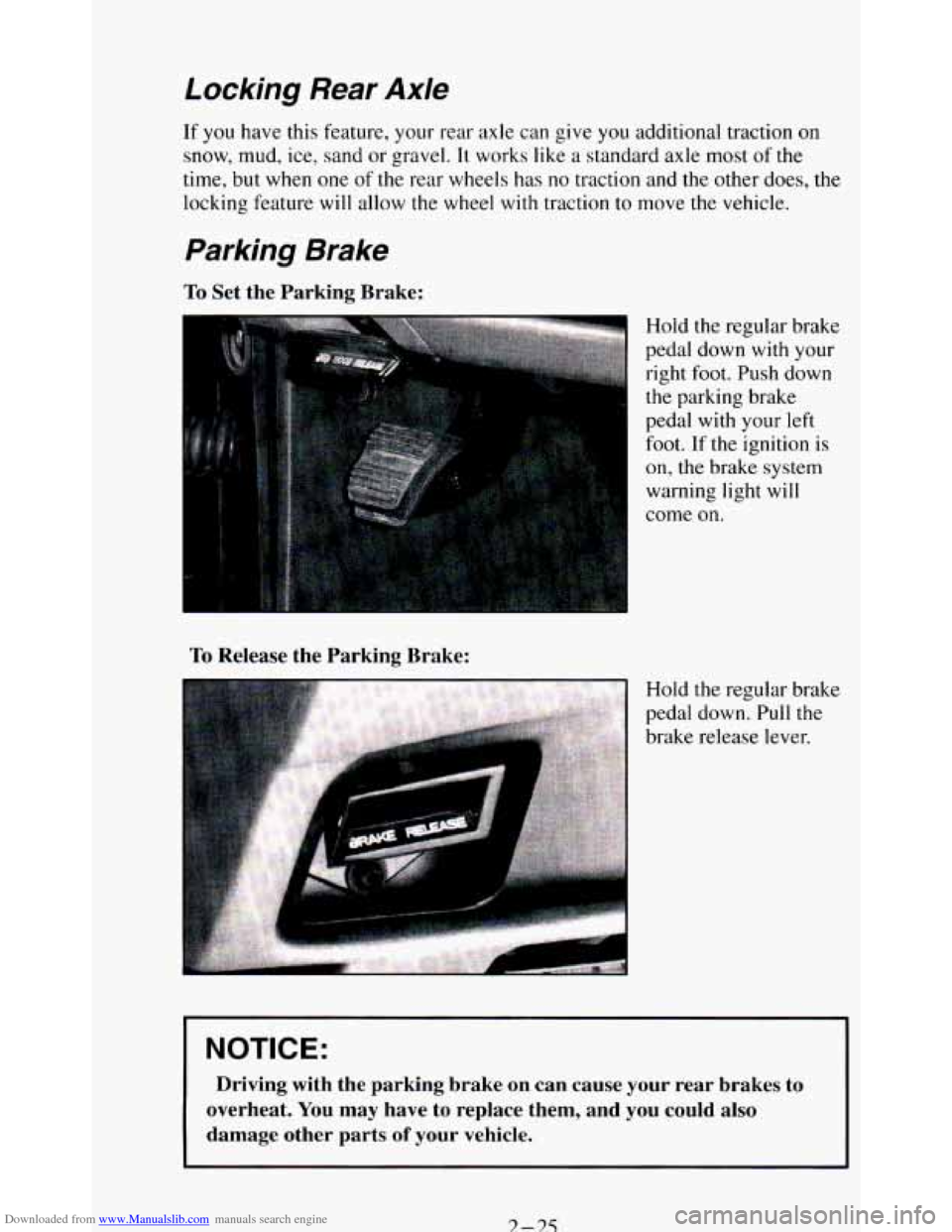
To Set the Parking Brake:
To Release the Parking Brake:
Hold the regular brake
pedal down
with your
right foot. Push down
the parking brake
pedal with your left
foot. If the ignition is
on, the brake system
warning light will
come
on.
Hold the regular brake
pedal down. Pull the
brake release lever.
I NOTICE: I
Driving with the parking brake on can cause your rear brakes to
overheat.
You may have to replace them, and you could also
damage other parts
of your vehicle.
3 -3.5
Page 86 of 348
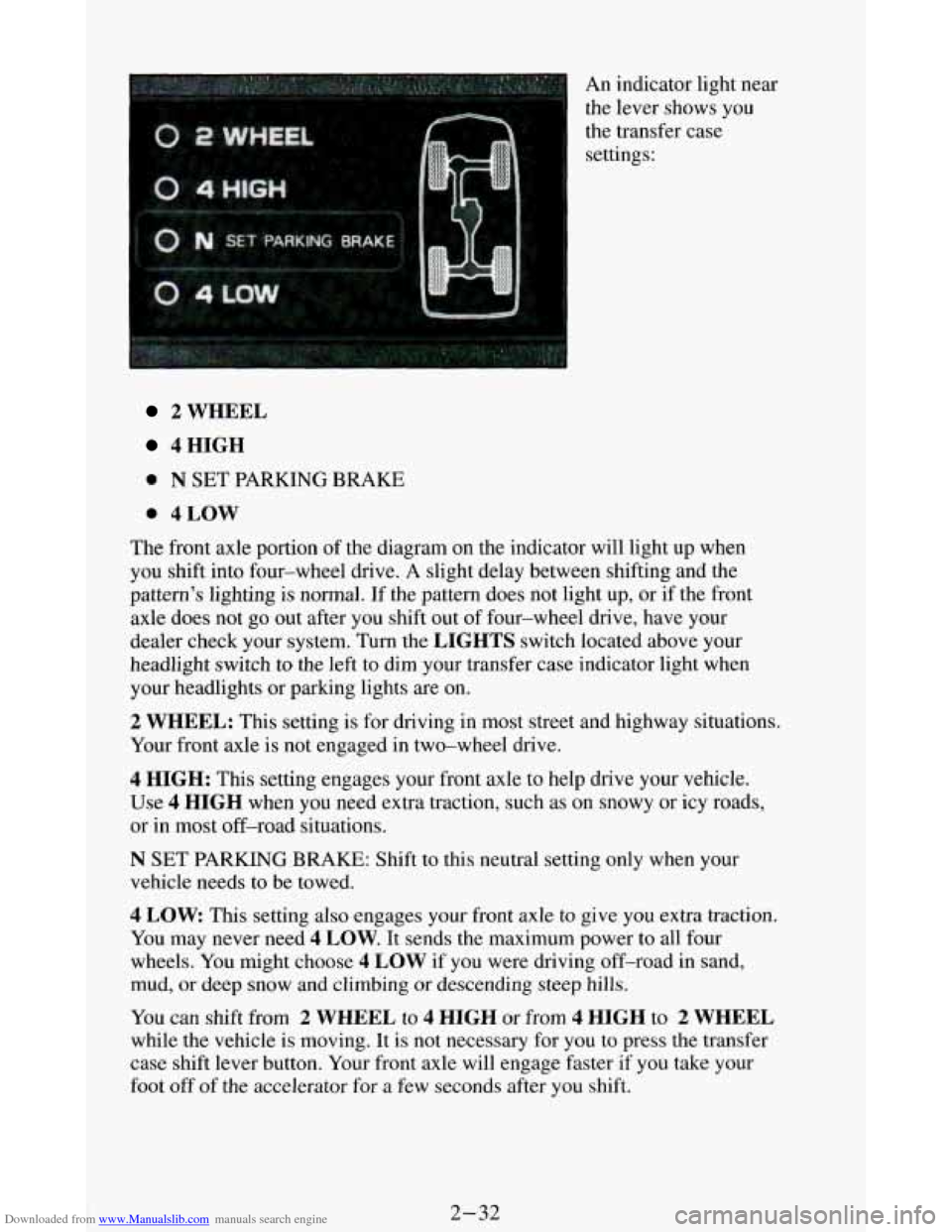
Downloaded from www.Manualslib.com manuals search engine An indicator light near
the lever shows you
the transfer case
settings:
2 WHEEL
4HIGH
0 N SET PARKING BRAKE
0 4LOW
The front axle portion of the diagram on the indicator will light up when
you shift into four-wheel drive.
A slight delay between shifting and the
pattern's lighting
is normal. If the pattern does not light up, or if the front
axle does not go out after you shift out of four-wheel drive, have your
dealer check your system. Turn the
LIGHTS switch located above your
headlight switch
to the left to dim your transfer case indicator light when
your headlights or parking lights are on.
2 WHEEL: This setting is for driving in most street and highway situations.
Your front axle
is not engaged in two-wheel drive.
4 HIGH: This setting engages your front axle to help drive your vehicle.
Use 4 HIGH when you need extra traction, such as on snowy or icy roads,
or
in most off-road situations.
N SET PARKING BRAKE: Shift to this neutral setting only when your
vehicle needs to be towed.
4 LOW This setting also engages your front axle to give you extra traction.
You may never need
4 LOW. It sends the maximum power to all four
wheels. You might choose
4 LOW if you were driving off-road in sand,
mud, or deep snow and climbing or descending steep hills.
You can shift from 2 WHEEL to 4 HIGH or from 4 HIGH to 2 WHEEL
while the vehicle is moving. It is not necessary for you to press the transfer
case shift lever button. Your front axle will engage faster if you take your
foot off of the accelerator for a few seconds after you shift.
2-32
Page 87 of 348
Downloaded from www.Manualslib.com manuals search engine To shift your transfer case into N SET PARKING BRAKE:
1. Stop the vehicle and shift your transmission into “N” (Neutral).
2. Set the parking brake. Your vehicle can roll unless the brakes are
applied.
To shift into or out of 4 LOW :
1. Allow your vehicle to roll at one-to-two mph or stop your vehicle and
shift your transmission into
“N” (Neutral).
2. Press the transfer case shift button and shift in one continuous motion.
Don’t pause in
N SET PARKING BRAKE as you shift into or out of 4
LOW, or your gears could clash.
Kemember that driving in
4 HIGH or 4 LOW may reduce fuel economy.
Also, driving in four-wheel drive on dry pavement could cause your tires to
wear faster and make
your transfer case harder to shift.
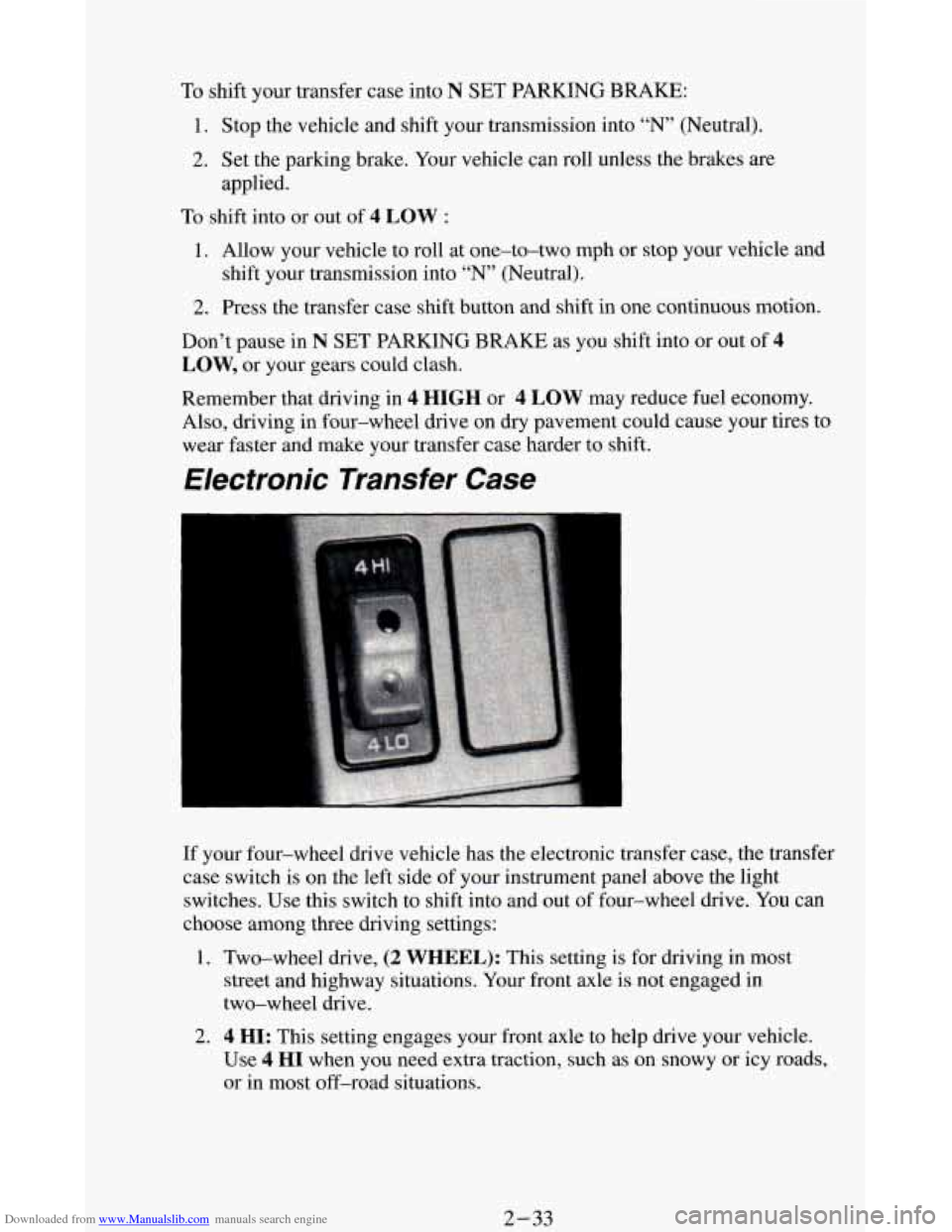
Electronic Transfer Case
If your four-wheel drive vehicle has the electronic transfer case, the transfer
case switch is on the left side of your instrument panel above the light
switches. Use this switch to shift into and out
of four-wheel drive. You can
choose among three driving settings:
1. Two-wheel drive, (2 WHEEL): This setting is for driving in most
street and highway situations. Your front axle is not engaged in
two-wheel drive.
2. 4 HI: This setting engages your front axle to help drive your vehicle.
Use
4 HI when you need extra traction, such as on snowy or icy roads,
or in most off-road situations.
2-33
Page 105 of 348
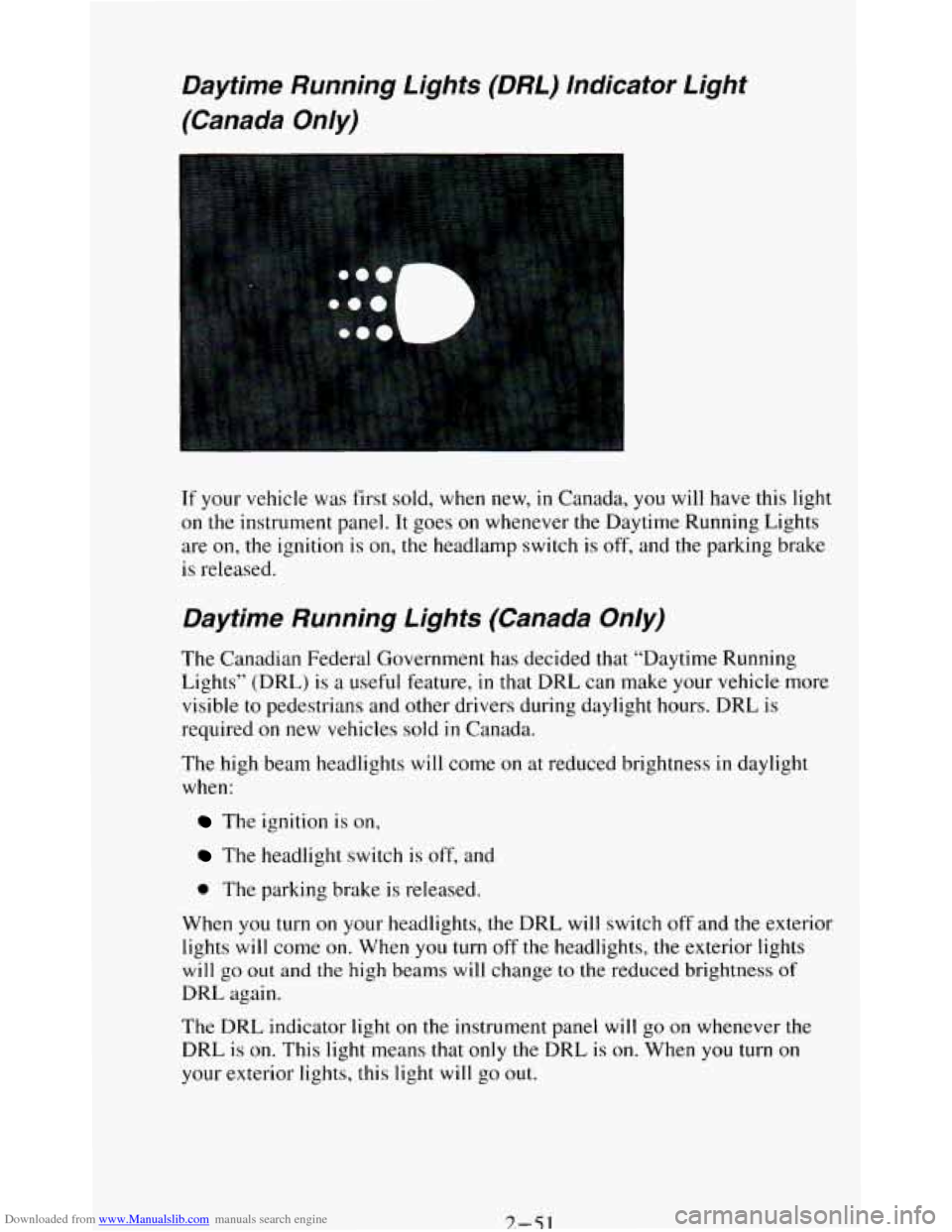
Downloaded from www.Manualslib.com manuals search engine Daytime Running Lights (DRL) Indicator Light
(Canada
Only)
If your vehicle was first sold, when new, in Canada, you will have this light
on
the instrument panel. It goes on whenever the Daytime Running Lights
are
on, the ignition is on, the headlamp switch is off, and the parking brake
is released.
Daytime Running Lights (Canada Only)
The Canadian Federal Government has decided that “Daytime Running
Lights” (DRL)
is a useful feature, in that DRL can make your vehicle more
visible to pedestrians and other drivers during daylight hours. DRL is
required
on new vehicles sold in Canada.
The high beam headlights will come on at reduced brightness
in daylight
when:
The ignition is on,
The headlight switch is off, and
0 The parking brake is released.
When you turn
on your headlights, the DRL will switch off and the exterior
lights
will come on. When you turn off the headlights, the exterior lights
will go out and the high beams will change to the reduced brightness of
DRL again.
The DRL indicator light
on the instrument panel will go on whenever the
DRL
is on. This light means that only the DRL is on. When you turn on
your exterior lights, this light
will go out.
7.-51
Page 106 of 348
Downloaded from www.Manualslib.com manuals search engine If the DRL indicator light is on at dawn or dusk, it is a reminder to turn on
your headlights.
Of course, you may still turn on the headlights any time you need to.
To idle your vehicle with the DRL off, set the parking brake. The DRL will
stay
off until you release the parking brake.
Headlights-On Reminder
A reminder tone will sound when your headlights or parking lights are
turned on and your ignition is in
OFF, LOCK or ACC. To turn the tone off,
turn the dimmer switch all the way to the left.
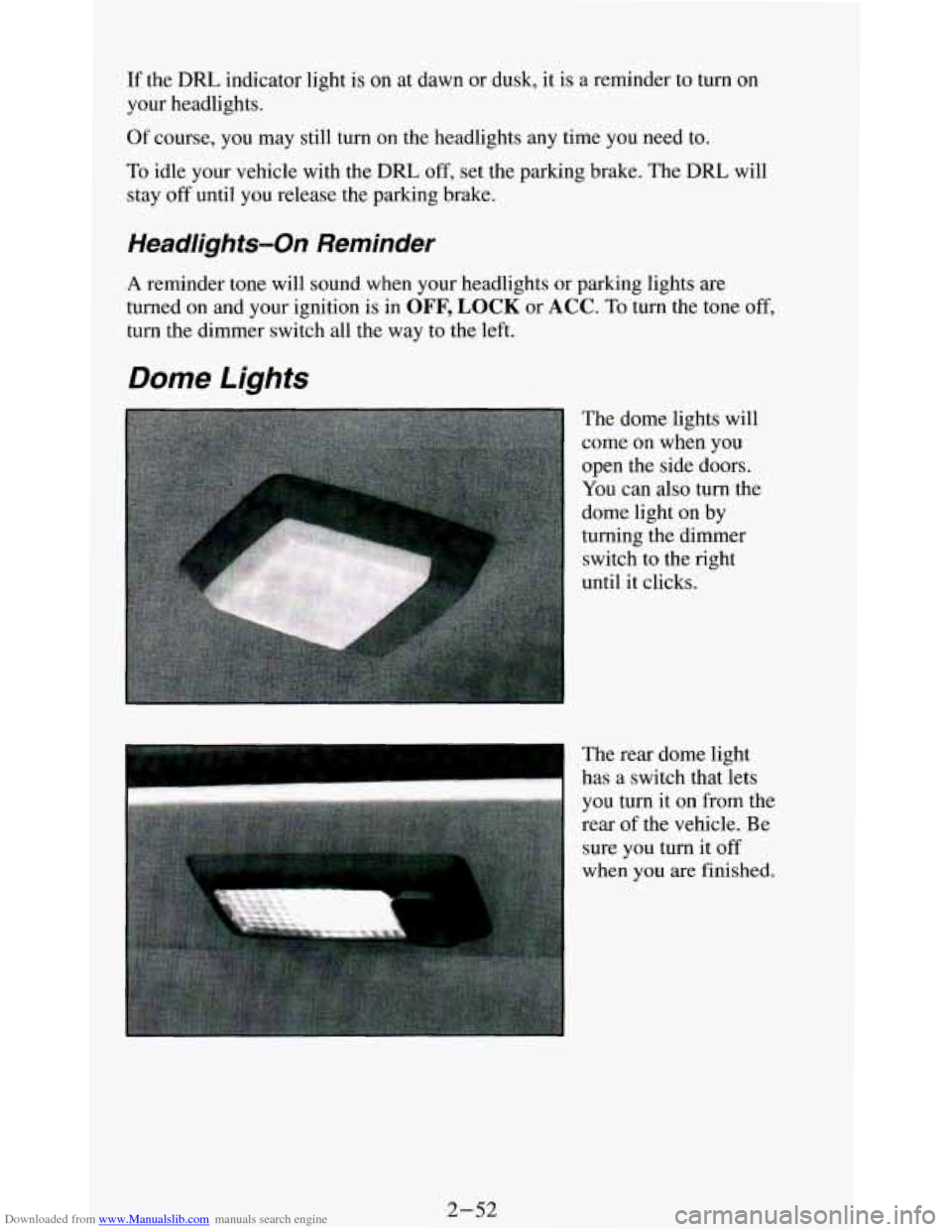
Dome Lights
The dome lights will
come on when you
open the side doors.
You can also turn the
dome light on by
turning the dimmer
switch
to the right
until it clicks.
I
The rear dome light
has a switch that lets
you turn it on from the
rear
of the vehicle. Be
sure you turn it
off
when you are finished.
2-52
Page 118 of 348
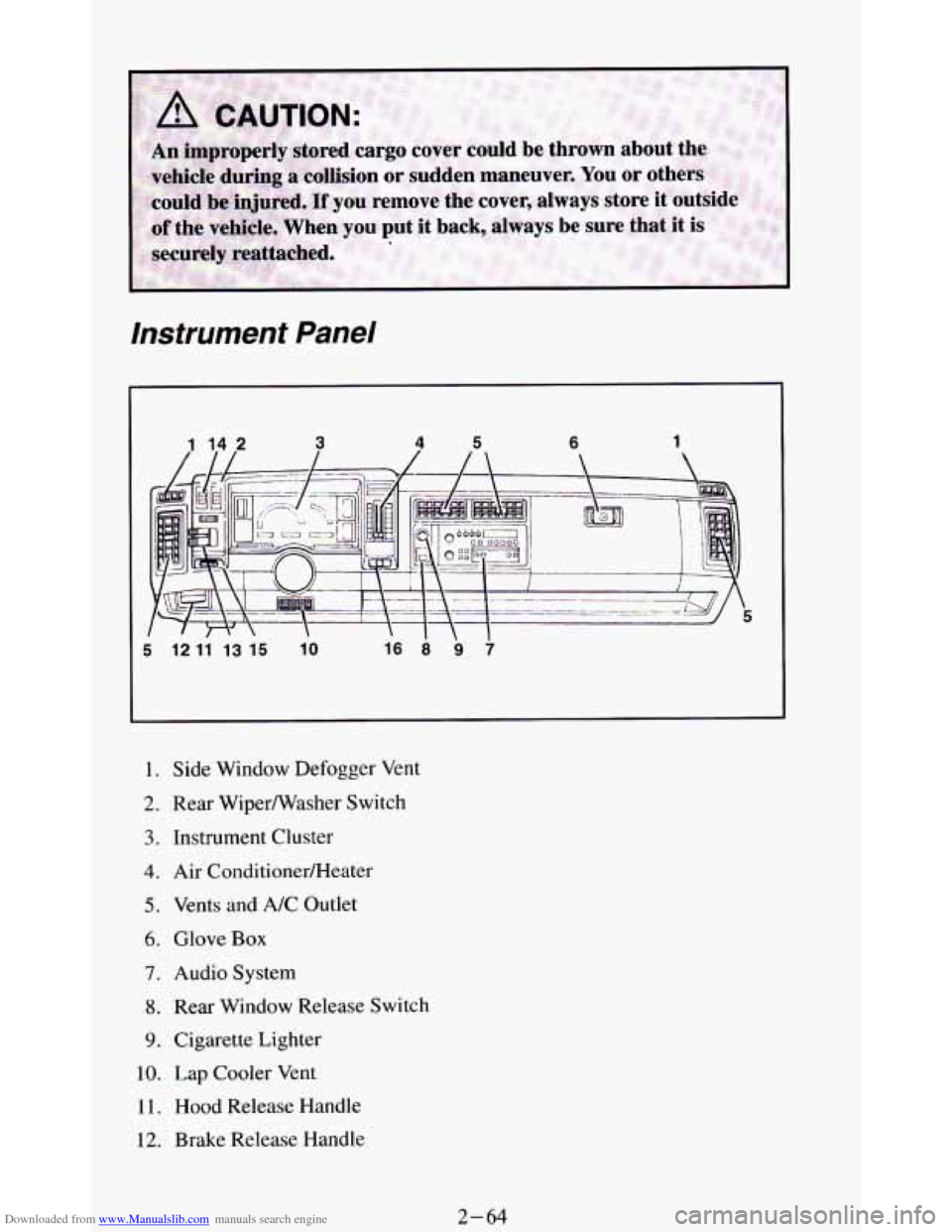
Downloaded from www.Manualslib.com manuals search engine instrument Panel
I l2 l1 l3 l5 lo
I. Side Window Defogger Vent
2. Rear Wiperwasher Switch
3. Instrument Cluster
4. Air ConditionerRIeater
5. Vents and A/C Outlet
6. Glove Box
7. Audio System
8. Rear Window Release Switch
9. Cigarette Lighter
10. Lap Cooler Vent
11. Hood Release Handle
12. Brake Release Handle
2-64
Page 122 of 348
Downloaded from www.Manualslib.com manuals search engine Gages can indicate when there may be or is a problem with one of your
vehicle’s functions. Often gages and warning lights work together to let you
know when there’s
a problem with your vehicle.
When
one of the warning lights comes on and stays on when you are
driving, or when
one of the gages shows there may be a problem, check the
section that tells you what to do about it. Please follow the manual’s advice.
Waiting
to do repairs can be costly - and even dangerous. So please get to
know your warning lights and gages. They’re a big help.
Brake System Warning Light
Standard Cluster Digital Cluster
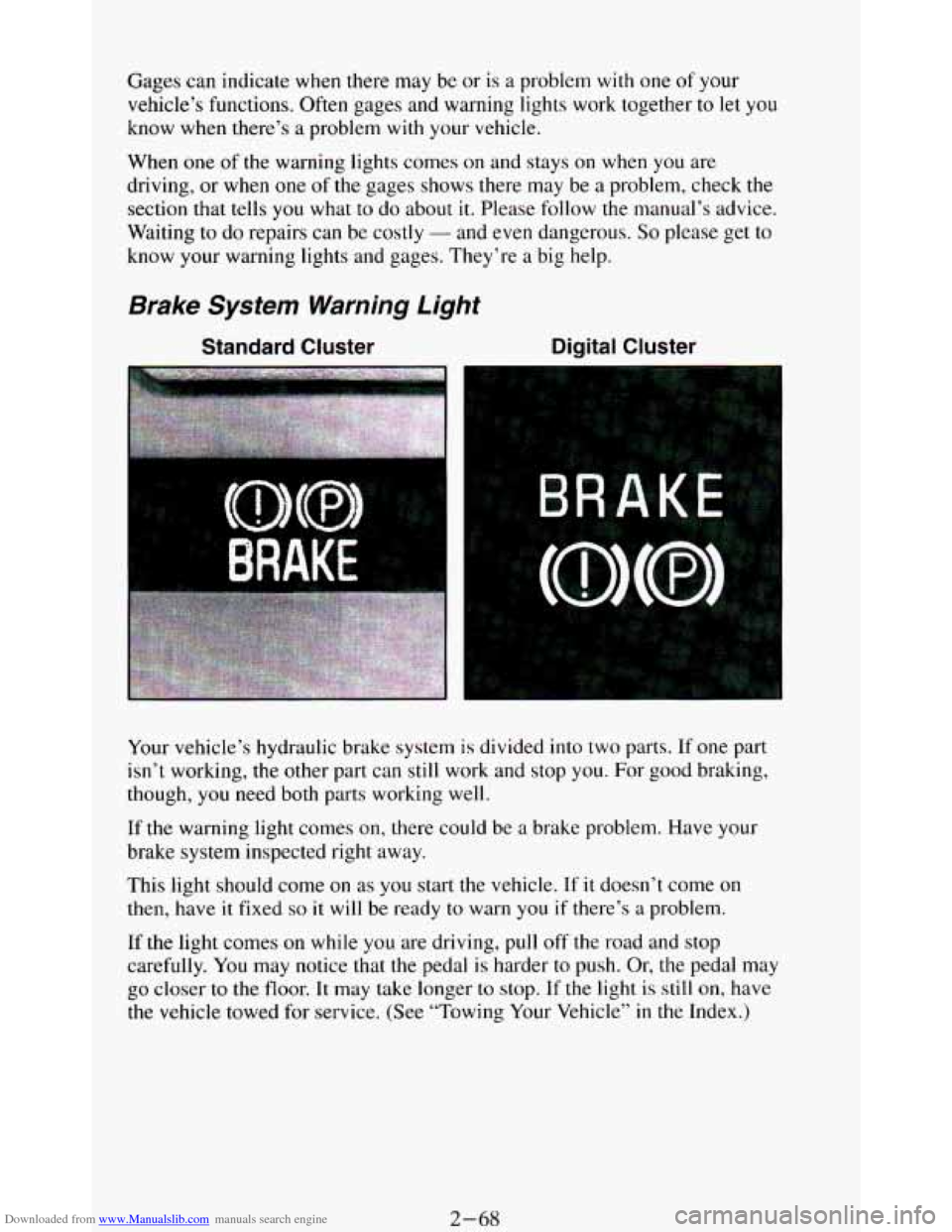
Your vehicle’s hydraulic brake system is divided into two parts. If one part
isn’t working,
the other part can still work and stop you. For good braking,
though,
you need both parts working well.
If the warning light comes on, there could be a brake problem. Have your
brake system inspected right away.
This light should come
on as you start the vehicle. If it doesn’t come on
then, have it fixed so it will be ready to warn you if there’s a problem.
If
the light comes on while you are driving, pull off the road and stop
carefully.
You may notice that the pedal is harder to push. Or, the pedal may
go closer to the floor. It may take longer to stop. If the light is still on, have
the vehicle towed for service. (See “Towing Your Vehicle’’
in the Index.)
2-68
Page 123 of 348
Downloaded from www.Manualslib.com manuals search engine The brake system warning light will also come on when you set your
parking brake, and it will stay on if your parking brake doesn’t release fully.
If it stays on after your parking brake
is fully released, it means you have a
brake problem.
Anti-Lock Brake System Warning Light
Standard Cluster Digital Cluster
ANTI -
LOCK
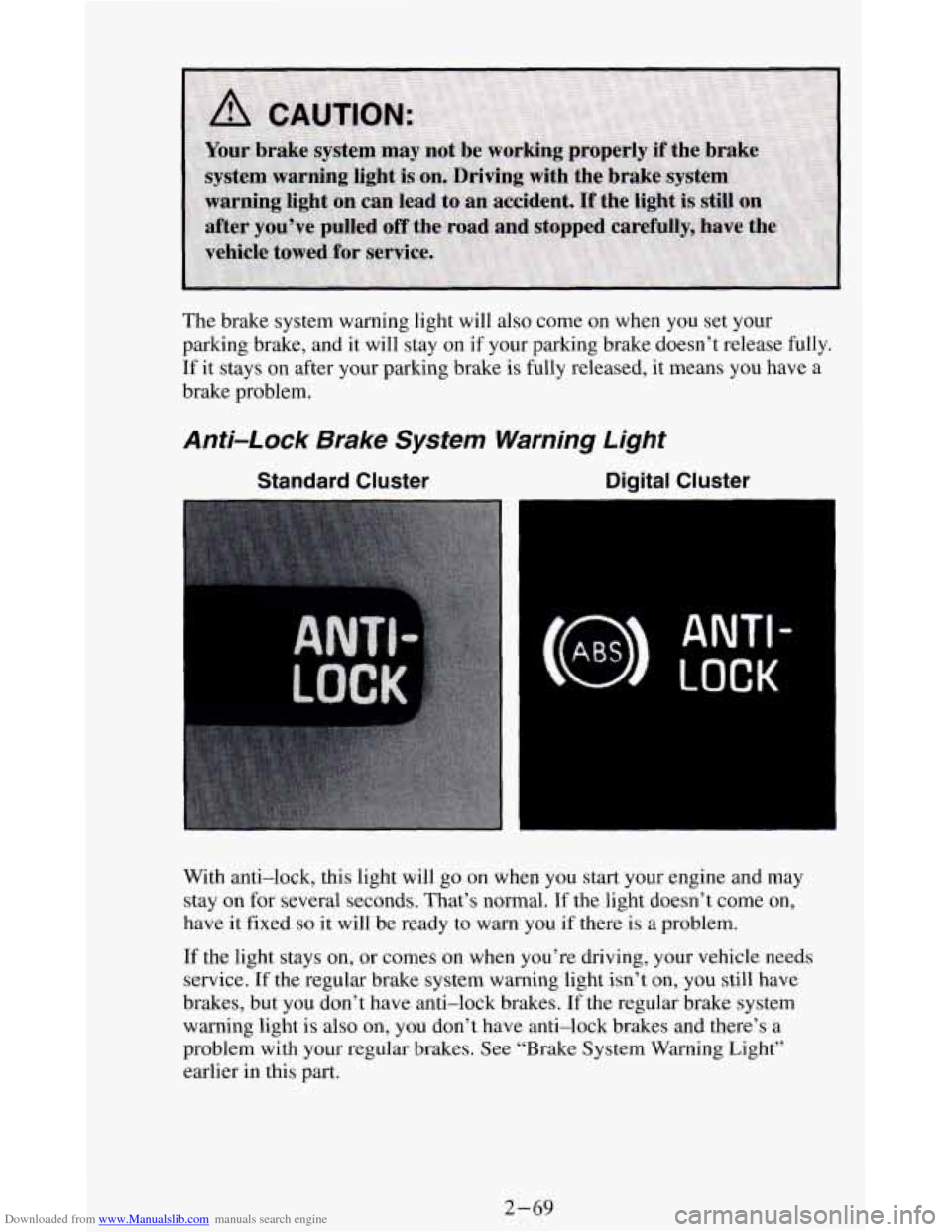
With anti-lock, this light will go on when you start your engine and may
stay on for several seconds. That’s normal.
If the light doesn’t come on,
have
it fixed so it will be ready to warn you if there is a problem.
If the light stays on, or comes
on when you’re driving, your vehicle needs
service.
If the regular brake system warning light isn’t on, you still have
brakes, but you don’t have anti-lock brakes. If the regular brake system
warning light
is also on, you don’t have anti-lock brakes and there’s a
problem with your regular brakes. See “Brake System Warning Light’’
earlier in this
part.
2-69