air condition CHEVROLET BLAZER 1996 2.G Owners Manual
[x] Cancel search | Manufacturer: CHEVROLET, Model Year: 1996, Model line: BLAZER, Model: CHEVROLET BLAZER 1996 2.GPages: 392, PDF Size: 20.35 MB
Page 33 of 392
Downloaded from www.Manualslib.com manuals search engine When should an air bag inflate?
The air bag is designed to inflate in moaerate to severe
frontal or near-frontal crashes. The air bag will inflate
only if
the impact speed is above the system’s designed
“threshold level.” If your vehicle goes straight into a
wall that doesn’t move or deform, the threshold level is
about
14 to 18 mph (23 to 29 km/h). The threshold level
can vary, however, with specific vehicle design, so that
it can be somewhat above or below this range. If your
vehicle strikes something that will move or deform, such
as
a parked car, the threshold level will be higher. The .
air bag is not designed to inflate in rollovers, side
impacts or rear impacts, because inflation would not
help the occupant.
In any particular crash,
no one can say whether an air
bag should have inflated simply because
of the damage
to
a vehicle or because of what the repair costs were.
Inflation is determined by the angle of the impact and
the vehicle’s deceleration. Vehicle damage
is only one
indication
of this.
The air bag system is designed to work properly under a
wide range of conditions, including off-road usage.
Observe safe driving speeds, especially
on rough terrain.
As always, wear your safety belt. See “Off-Road
Driving” in the Index for more tips
on off-road driving.
What makes an air bag inflate?
In a frontal or near-frontal impact of sufficient severity,
the air bag sensing system detects that the vehicle is
suddenly stopping as a result of a crash. The sensing
system triggers
a chemical reaction of the sodium azide
sealed in
the inflator. The reaction produces nitrogen
gas, which inflates
the air bag. The inflator, air bag and
related hardware are all part of the air bag module
packed inside the steering wheel.
How does an air bag restrain?
In moderate to severe frontal or near-frontal collisions,
even belted occupants can contact the steering wheel.
The air bag supplements the protection provided by
safety belts. Air bags distribute the force
of the impact
more evenly over the occupant’s upper body, stopping
the occupant more gradually. But air bags would not
help you
in many types of collisions, including
rollovers, rear impacts and side impacts, primarily
because an occupant’s motion is not toward the air
bag.
Air bags should never be regarded as anything more
than a supplement
to safety belts, and then only in
moderate to severe frontal or near-frontal collisions.
1-21
Page 109 of 392
Downloaded from www.Manualslib.com manuals search engine Temperature and Compass Display Turn the display on or off by pressing the ON/OFF
switch. Display the temperature in either degrees
Fahrenheit (English) or Celsius (metric) by pressing
the USMET switch.
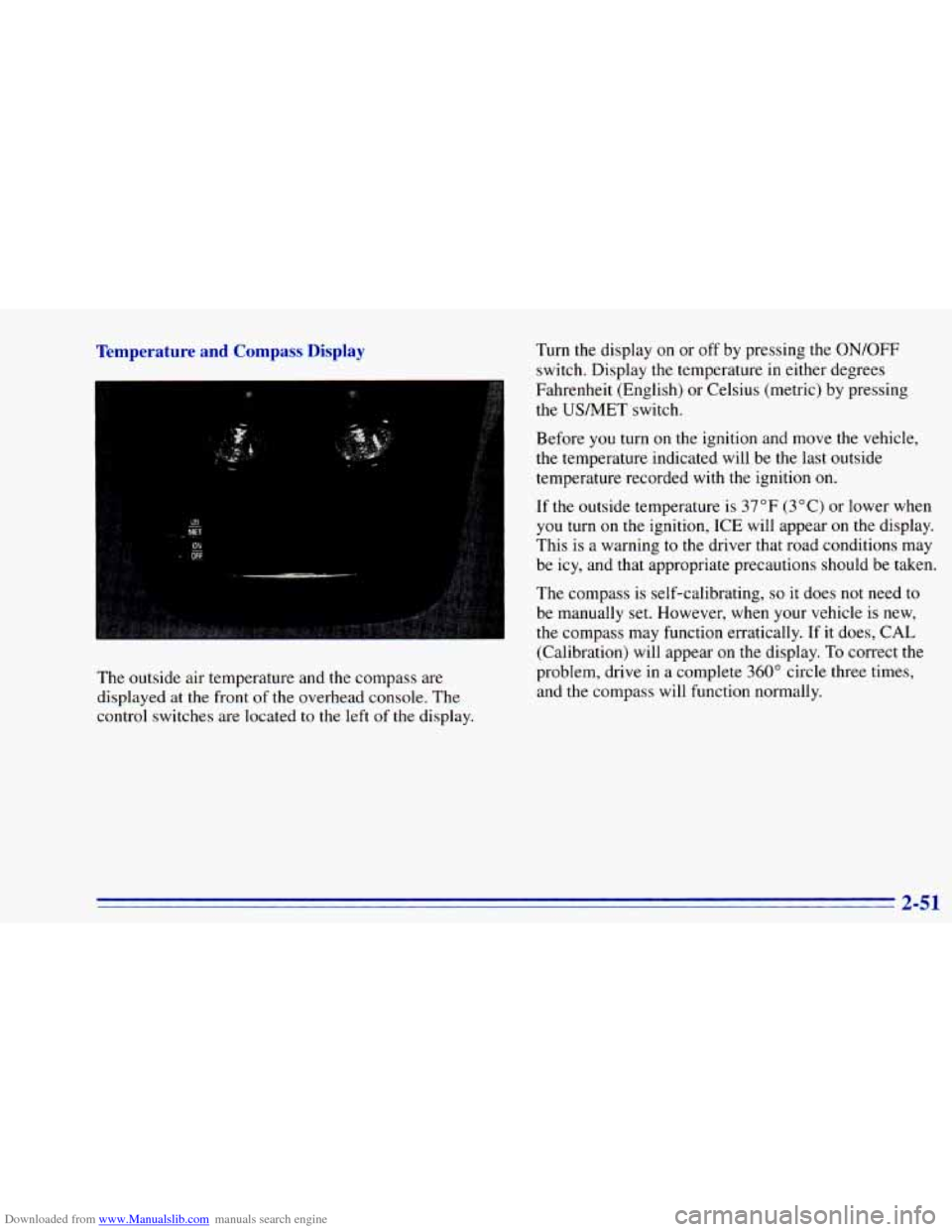
The outside air temperature and the compass are
displayed at the front of the overhead console. The
control switches are located
to the left of the display. Before
you turn on the
ignition and move the vehicle,
the temperature indicated will be the last outside
temperature recorded with the ignition
on.
If the outsidl- -3mperarure is 37°F (3°C) or lower when
you turn on
me ignition, ICE will appear on the display.
This is a warning to the driver that road conditions may
be icy, and that appropriate precautions should be taken.
The compass is self-calibrating,
so it does not need to
be manually set. However, when your vehicle is new,
the compass may function erratically.
If it does, CAL
(Calibration) will appear
on the display. To correct the
problem, drive
in a complete 360" circle three times,
and the compass will function normally.
Page 124 of 392
Downloaded from www.Manualslib.com manuals search engine Air Bag Readiness Light
There is an air bag readiness light on the instrument
panel, which shows AIR
BAG. The system checks the
air bag’s electrical system for malfunctions. The light
tells you if there is an electrical problem. The system
check includes the air bag sensors, the air bag module,
the wiring and the diagnostic module. For more
information
on the air bag system, see “Air Bag” in
the Index.
AIR
BAG
You will see this light flash
for a few seconds when you
turn your ignition to RUN
or START. Then the light
should go
out. This means
the system is ready.
If the air bag readiness light doesn’t come on when you
start your vehicle, or stays on,
or comes on when you
are driving, your air bag system may not work properly.
Have your vehicle serviced right away.
Charging System Indicator Light
The charging system light
will come on briefly when
you turn on the ignition,
but the engine is not
running, as a check to
show you it is working.
It should go
out once the engine is running. If it stays
on, or comes on while you are driving, you may have a
problem with the charging system. It could indicate that
you have problems with a generator drive belt, or
another electrical problem. Have it checked right away.
Driving while
this light is on could drain your battery.
If you must drive a short distance with the light on, be
certain
to turn off all your accessories, such as the radio
and air conditioner.
2-66
Page 128 of 392
Downloaded from www.Manualslib.com manuals search engine NOTICE:
If you keep driving your vehicle with this light
on, after a while, your emission controls may not work as well, your fuel economy may not be. as
good and your engine may not run as smoothly.
This could lead to costly repairs that may not be
covered by your warranty.
This light should come on, as a check to show you it is
working, when the ignition is
on and the engine is not
running. If the light doesn’t come on, have
it repaired.
This light will
also come on during a malfunction in one
of two ways:
0
0
Light Flashing -- A misfire condition has been
detected. A misfire increases vehicle emissions and
may damage the emission control system on your
vehicle. Dealer or qualified service center diagnosis
and service is required.
Light On Steady -- An emission control system
malfunction has been detected
on your vehicle.
Dealer or qualified service center diagnosis and
service may be required.
If the Light Is Flashing
The following may prevent more serious damage to
your vehicle:
Reduce vehicle speed.
Avoid hard accelerations.
0 Avoid steep uphill grades.
0 If towing a trailer, reduce the amount of cargo being
hauled as soon as it
is possible.
If the light stops flashing and remains
on steady, see “If
the Light Is On Steady” following.
If the light continues to flash, when it
is safe to do so,
stop the vehicle. Put your vehicle in PARK (P). Turn the
key off, wait at least
10 seconds and restart the engine.
If the light remains on steady, see
“If the Light Is On
Steady” following. If the light is still flashing follow the
previous steps, and drive the vehicle
to your dealer or
qualified service center for service.
2-70
Page 129 of 392
Downloaded from www.Manualslib.com manuals search engine If the Light Is On Steady
You may be able to correct the emission system
malfunction by considering
the following:
Did
you just put fuel into your vehicle?
If
so, reinstall the fuel cap, making sure to fully install
the cap. The diagnostic system
can determine if the fuel
cap has been left off or improperly installed. This will
allow fuel to evaporate
into the atmosphere. A few
driving trips should turn the light
off.
Have you recently changed brands of fuel?
Did
you just drive through a deep puddle of water?
If
so, your electrical system may be wet. The condition
will usually be corrected when
the electrical system
dries out. A few driving trips should turn
the light off.
Are
you low on fuel?
As your engine starts to run out of fuel, your engine
may
not run as efficiently as designed since small amounts of
air are sucked into the fuel line causing a misfire. The
system can detect this. Adding fuel should correct this
condition. Make sure
to install the fuel cap properly. It
will take a few driving trips to turn the light off. If
so, be
sure to fuel your vehicle with quality fuel (see
“Fuel” in the Index). Poor
fuel quality will cause your
engine
not to run as efficiently as designed. You may
notice this as stalling after start-up, stalling when you
put the vehicle into gear, misfiring, hesitation on
acceleration or stumbling
on acceleration. (These
conditions may go away once the engine is warmed up.)
This will be detected by the system and cause
the light
to turn on.
If you experience this condition, change the fuel brand
you use. It will require at least one full tank of the
proper fuel to turn the light off.
If none of the above steps have made the light turn off,
have your dealer or qualified service center check the
vehicle. Your dealer has the proper test equipment and
diagnostic tools
to fix any mechanical or electrical
problems that may have developed.
2-71
Page 136 of 392
Downloaded from www.Manualslib.com manuals search engine MAX A/C: This setting provides maximum cooling
with the
least amount of work. MAX A/C recirculates
much
of the air inside your vehicle so it cools quickly.
A/C: This setting cools the air entering your vehicle and
directs it through the instrument panel outlets.
+' BI-LEVEL A/C: Air is delivered through the
heater floor outlets as well as the instrument panel
outlets.
/J VENT: This setting directs airflow through the
instrument panel outlets. The air conditioning
compressor is
not working when VENT is selected.
+' HEATER: This setting directs warmed air through
the heater floor outlets and windshield defroster outlets.
+, BLEND: Airflow is divided equally between the
heater floor outlet and
the windshield defroster outlets.
'sw DEFROST This setting directs most air through
the windshield defroster outlets and some through the
heater outlets.
I,.
+.
0
w0
Air Conditioning
On hot days, open the windows long enough to let hot
inside air escape. This reduces the time it takes
for your
vehicle to cool down. Then keep your windows closed
for the air conditioner
to work its best.
For quick cool-down
on very hot days, use MAX A/C
with the temperature knob turned counterclockwise.
This setting should be used
to keep odors and/or dust
from entering the vehicle. For normal cooling on
hot
days, use A/C with the temperature knob turned
counterclockwise.
On cool but sunny days, use BI-LEVEL
A/C to deliver
warm air to the floor and cooler air to the instrument
panel outlets.
When the air conditioner is
on, you may sometimes notice
slight changes
in your vehicle's engine speed and power.
This is normal because the system is designed to cycle the
compressor
on and off to keep the desired temperature.
Page 138 of 392
Downloaded from www.Manualslib.com manuals search engine Ventilation Tips
a
0
0
Keep the hood and front air inlet free of ice, snow or
any
other obstruction (such as leaves). The heater
and defroster will work far better, reducing the
chance
of fogging the inside of your windows.
When
you enter a vehicle in cold weather, turn the
blower fan to
HI for a few moments before driving
off. This helps clear the intake ducts of snow and
moisture, and reduces the chance
of fogging the
inside of your windows.
Keep
the air path under the front seats clear of
objects. This helps air
to circulate throughout
your vehicle.
Defogging and Defrosting
On cool, humid days, use BLEND to keep the
windshield and side windows clear.
Use DEFROST to remove fog or ice from the
windshield quickly in extremely humid or cold
conditions. Turn the temperature knob clockwise and move
the fan control toward HI.
Rear Window Defogger (Option)
1
If your vehicle has this option, the rear window will
have lines that warm the glass. For best results, clear the
window of
as much snow or ice as possible before using
the rear window defogger.
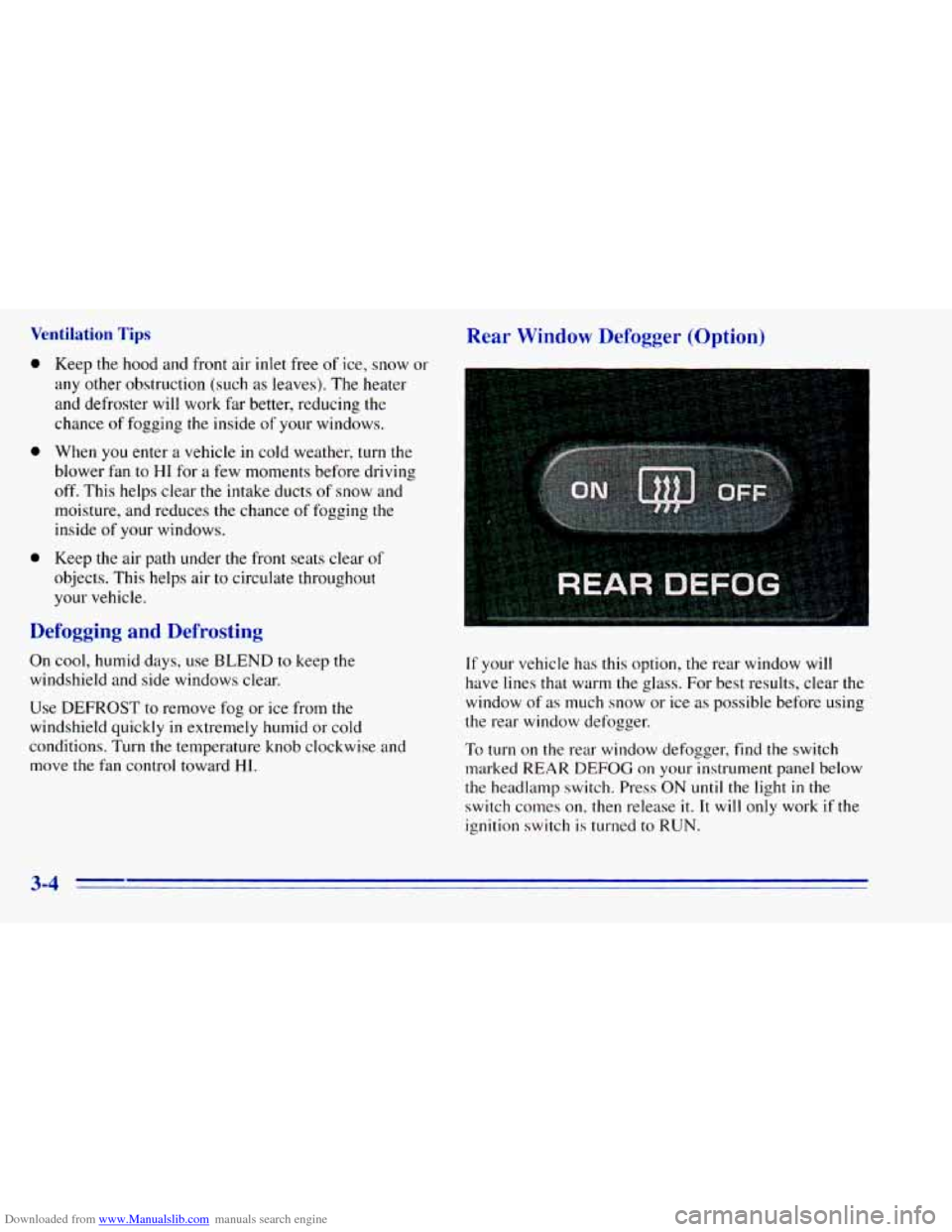
To turn on the rear window defogger, find
the switch
marked REAR
DEFOG on your instrument panel below
the headlamp switch. Press ON
until the light in the
switch conles on, then release
it. It will only work if the
ignition switch
is turned to RUN.
3-4
Page 215 of 392
Downloaded from www.Manualslib.com manuals search engine 2. Get the vehicles close enough so the jumper cables
can reach, but be sure the vehicles aren’t touching
each other.
If they are, it could cause a ground
connection
you don’t want. You wouldn’t be able to
start your vehicle, and the bad grounding could
damage the electrical systems.
You could be injured if the vehicles roll. Set the
parking brake firmly on each vehicle. Put an
automatic transmission
in PARK (P) or a manual
transmission in NEUTRAL (N). If
you have a
four-wheel-drive vehicle with a manual transfer
case shift lever, be sure the transfer case is
not in
NEUTRAL (N).
3. Turn off the ignition on both vehicles. Unplug
unnecessary accessories plugged
into the cigarette
lighter, or accessory power outlets,
if you have this
option. Turn
off all lamps that aren’t needed as well
as radios. This will avoid sparks and help save both
batteries.
In addition, it could save your radio!
NOTICE:
If you leave your radio on, it could be badly
damaged. The repair wouldn’t be covered by
your warranty.
I A CAUTION:
If your vehicle has air conditioning, the auxiliary
electric fan under the hood can
start up even
when the engine is not running and can injure
you. Keep hands, clothing and tools away from
any underhood electric fan.
5-3
Page 224 of 392
Downloaded from www.Manualslib.com manuals search engine If No Steam Is Coming From Your Engine
If you get the overheat warning but see or hear no
steam, the problem may not be too serious. Sometimes
the engine can get a little too hot when you:
Climb a long hill on a hot day.
Stop after high-speed driving.
Idle for long periods in traffic.
Tow a trailer. See “Driving on Grades” in the Index.
If
you get the overheat warning with no sign of steam,
try this for a minute or
so:
1. Turn off your air conditioner.
2. Turn on your heater to full hot at the highest fan
speed and open the window as necessary.
3. If you’re in a traffic jam, shift to NEUTRAL (N);
otherwise, shift to the highest gear while
driving
-- AUTOMATIC OVERDRIVE (@)
or DRIVE (D) for automatic transmissions. If
you no longer have the overheat warning, you
can drive.
Just to be safe, drive slower for about
10 minutes. If the warning doesn’t come back on,
you can drive normally.
If
the warning continues, pull over, stop, and park your
vehicle right away.
If there’s still
no sign of steam, push the accelerator
until the engine speed is about twice as fast as normal
idle speed. Bring
the engine speed back to normal
idle speed after two or three minutes. Now see if the
warning stops. But then, if you still have the warning,
turn ofthe engine and get everyone out of the vehicle
until it cools down.
You may decide not to
lift the hood but to get service
help right away.
5-12
Page 225 of 392
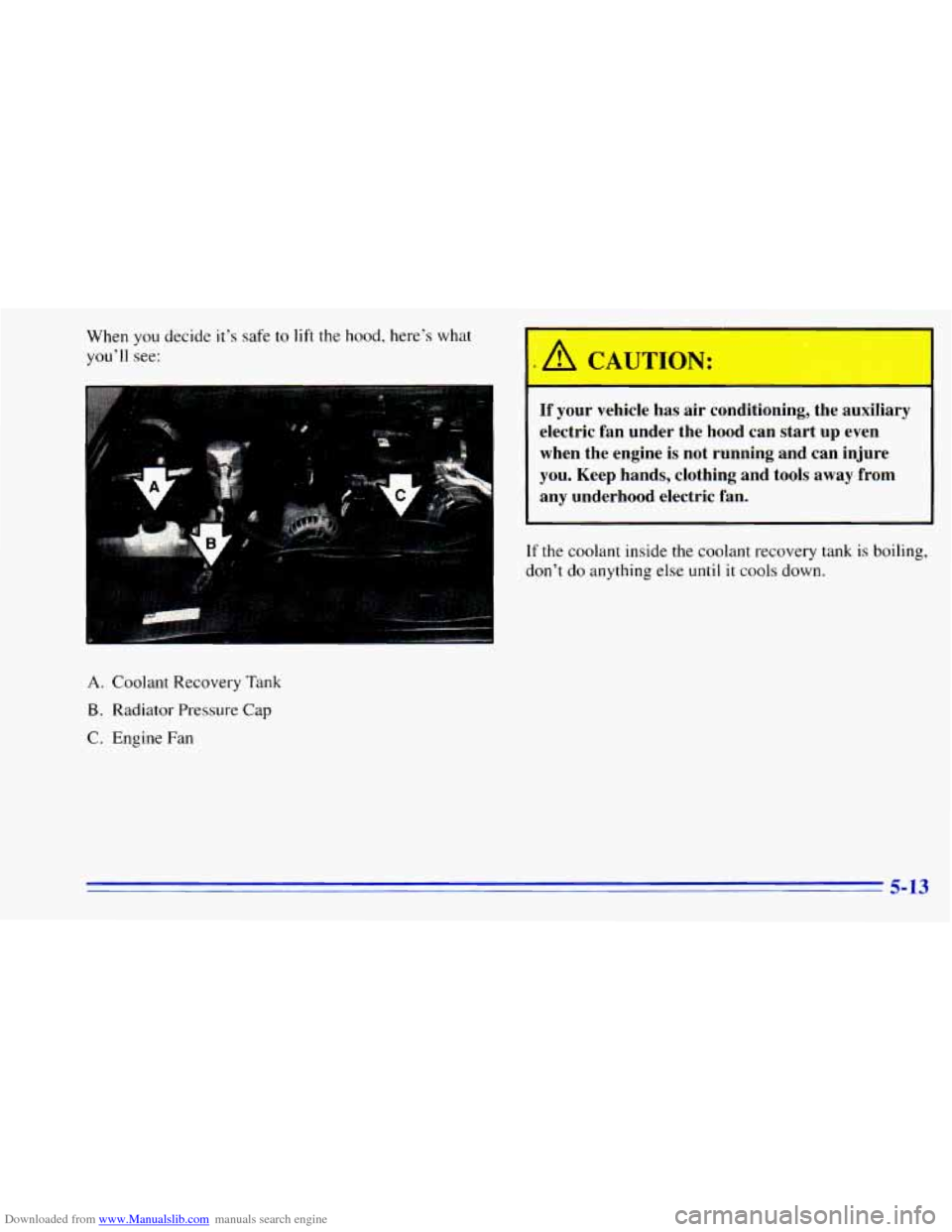
Downloaded from www.Manualslib.com manuals search engine When you decide it's safe to lift the hood, here's what
you'll see:
A. Coolant Recovery Tank
B. Radiator Pressure Cap
C. Engine Fan
If your vehicle has air conditioning, the auxiliary
electric fan under the hood can start up even
when the engine is not running and can injure
you. Keep hands, clothing and tools away from
any underhood electric fan.
If the coolant inside the coolant recovery tank is boiling,
don't
do anything else until it cools down.
5-13