key CHEVROLET BLAZER 2003 2.G Owner's Manual
[x] Cancel search | Manufacturer: CHEVROLET, Model Year: 2003, Model line: BLAZER, Model: CHEVROLET BLAZER 2003 2.GPages: 420, PDF Size: 2.94 MB
Page 90 of 420
PARK (P):This position locks your rear wheels. It's the
best position to use when you start your engine
because your vehicle can't move easily.
{CAUTION:
It is dangerous to get out of your vehicle if the
shift lever is not fully in PARK (P) with the
parking brake ®rmly set. Your vehicle can roll.
Don't leave your vehicle when the engine is
running unless you have to. If you have left the
engine running, the vehicle can move
suddenly. You or others could be injured. To
be sure your vehicle won't move, even when
you're on fairly level ground, always set your
parking brake and move the shift lever to
PARK (P). See ªShifting Into Park (P)º in the
Index. If you're pulling a trailer, see ªTowing a
Trailerº in the Index.
{CAUTION:
If you have four-wheel drive, your vehicle will
be free to roll Ð even if your shift lever is in
PARK (P) Ð if your transfer case is in
NEUTRAL. So, be sure the transfer case is in a
drive gear Ð not in NEUTRAL. See
ªFour-Wheel Drive (Automatic Transfer Case)º
in the Index. See ªShifting Into Park (P)º in
the Index.
Ensure the shift lever is fully in PARK (P) before starting
the engine. Your vehicle has an automatic transmission
shift lock control system. You have to fully apply
your regular brakes before you can shift from PARK (P)
when the ignition key is in RUN. If you cannot shift
out of PARK (P), ease pressure on the shift lever; then,
while pressing the button on the console shift lever,
push the shift lever all the way in PARK (P) as
you maintain brake application. Then move the shift
lever into the gear you wish. See
Shifting Out of Park (P)
on page 2-37.
REVERSE (R):Use this gear to back up.
2-24
Page 102 of 420
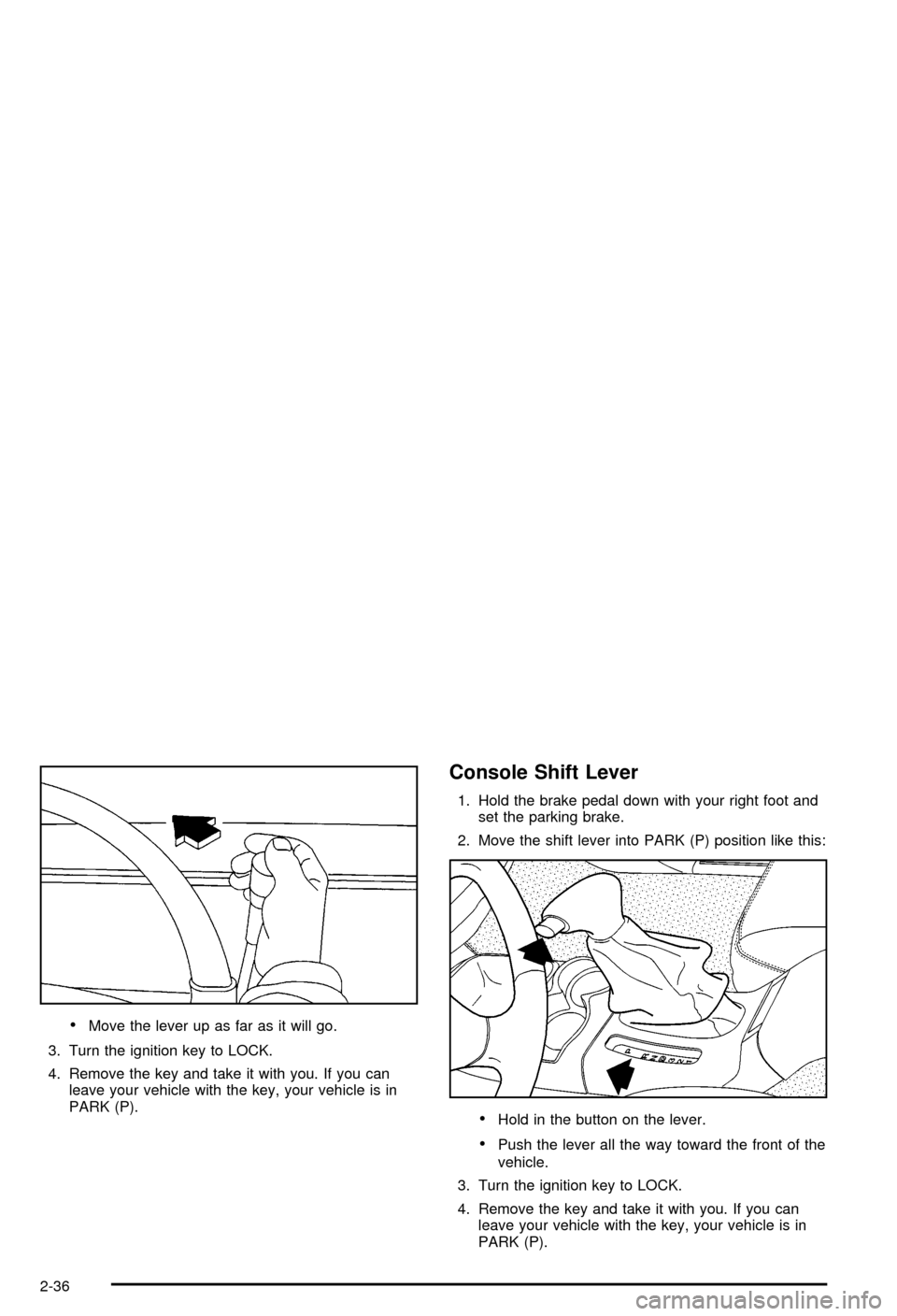
·Move the lever up as far as it will go.
3. Turn the ignition key to LOCK.
4. Remove the key and take it with you. If you can
leave your vehicle with the key, your vehicle is in
PARK (P).
Console Shift Lever
1. Hold the brake pedal down with your right foot and
set the parking brake.
2. Move the shift lever into PARK (P) position like this:
·Hold in the button on the lever.
·Push the lever all the way toward the front of the
vehicle.
3. Turn the ignition key to LOCK.
4. Remove the key and take it with you. If you can
leave your vehicle with the key, your vehicle is in
PARK (P).
2-36
Page 104 of 420

If you cannot shift out of PARK (P), ease pressure on
the shift lever±push the shift lever all the way into
PARK (P) as you maintain brake application. Then move
the shift lever into the gear you want. You must press
the shift lever button on the shift lever.
If you ever hold the brake pedal down but still can't shift
out of PARK (P), try this:
1. Turn the key to OFF.
2. Apply and hold the brake until the end of Step 4.
3. Shift the transmission to NEUTRAL (N).
4. Start the vehicle and then shift to the drive gear
you want.
5. Have the vehicle ®xed as soon as possible.
Parking Your Vehicle
Before you get out of your vehicle, move the shift lever
into REVERSE (R), and ®rmly apply the parking
brake. Once the shift lever has been placed into
REVERSE (R) with the clutch pedal pressed in, you can
turn the ignition key to OFF, remove the key and
release the clutch.
If you are parking on a hill, or if your vehicle is pulling a
trailer, see
Towing a Trailer on page 4-54.
Parking Over Things That Burn
{CAUTION:
Things that can burn could touch hot exhaust
parts under your vehicle and ignite. Don't park
over papers, leaves, dry grass or other things
that can burn.
2-38
Page 127 of 420

Vehicle Personalization
Memory Seat
If your vehicle has this
feature, the control located
on the outboard side of
the driver's seat looks
like this.
Use this memory function to save your seat cushion and
seatback settings by using the following procedure:
1. Adjust the driver's seat to a safe and comfortable
driving position.
2. Press the SET button and then press and hold
button 1 (for Driver 1) for three seconds. A chime will
sound to let you know that the position has been
stored.
A second seating can be programmed by repeating
the procedure with a second driver and pressing
button 2 for three seconds.When your vehicle is in PARK (P) for an automatic
transmission or the parking brake is engaged for
a manual transmission, press and release the numbered
memory button you just stored. The seat will move to
the set position. You will hear one chime.
Pressing the UNLOCK button of a keyless entry
transmitter will adjust the seat to the corresponding
stored memory position. You will hear one chime.
Repeat Steps 1 and 2 to readjust the seat. The
transmitter need not be reprogrammed unless it needs
to correspond to the other numbered memory button.
If there is a third driver, use the seat adjuster switch to
adjust the seat.
Pressing any of the seat adjuster switches, the SET
button or pressing the desired memory button twice will
cause the seat to stop moving.
If you press the numbered button to adjust the seat and
start the vehicle while the seat is still adjusting,
adjustment will pause while the ignition is in START.
Adjustment will resume after the ignition is in RUN.
Setting the seat memory function for a particular driver
will also personalize the radio station presets that have
been selected. Each time the driver sets this function, the
respective radio station presets will also be retained.
2-61
Page 132 of 420
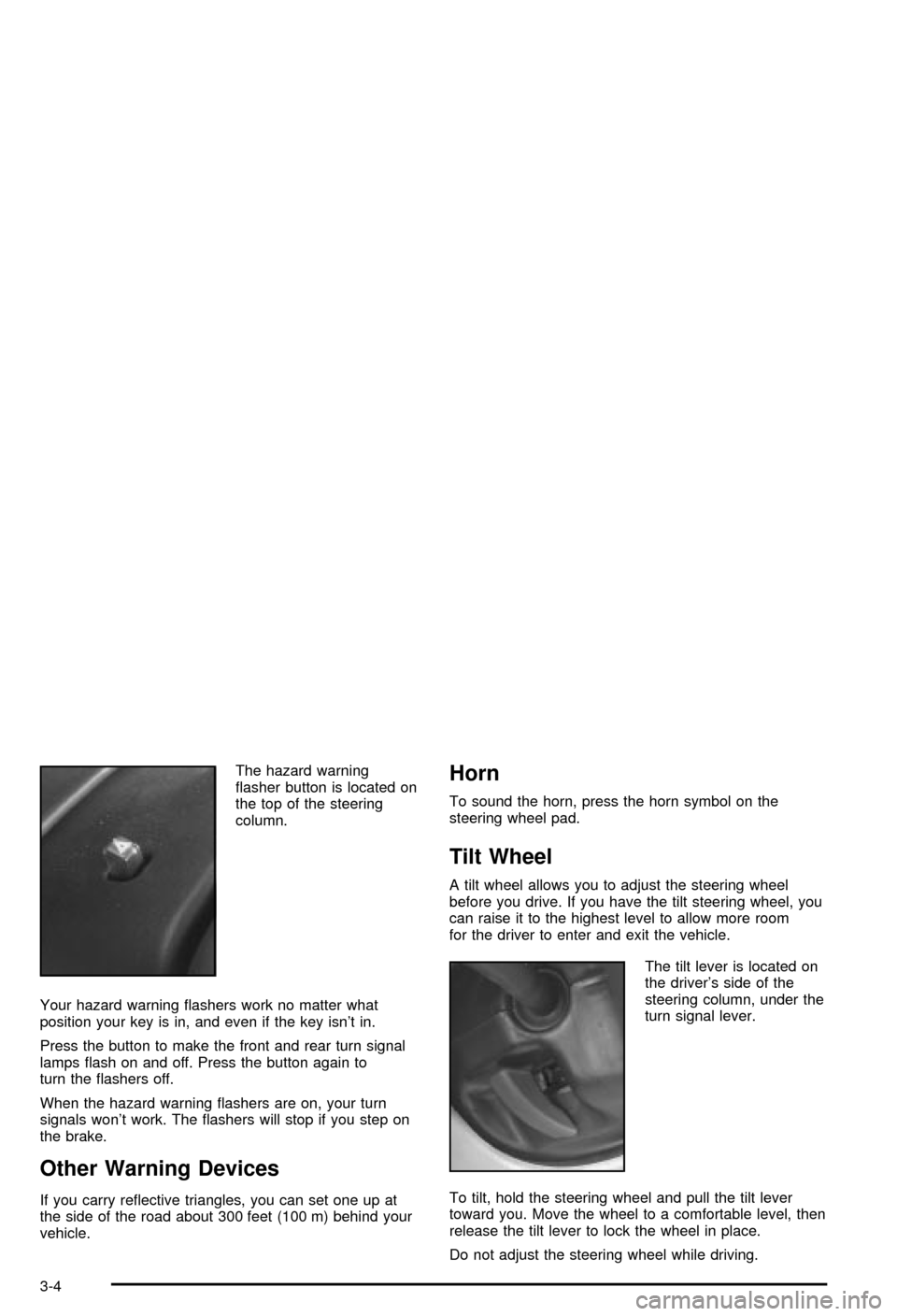
The hazard warning
¯asher button is located on
the top of the steering
column.
Your hazard warning ¯ashers work no matter what
position your key is in, and even if the key isn't in.
Press the button to make the front and rear turn signal
lamps ¯ash on and off. Press the button again to
turn the ¯ashers off.
When the hazard warning ¯ashers are on, your turn
signals won't work. The ¯ashers will stop if you step on
the brake.
Other Warning Devices
If you carry re¯ective triangles, you can set one up at
the side of the road about 300 feet (100 m) behind your
vehicle.
Horn
To sound the horn, press the horn symbol on the
steering wheel pad.
Tilt Wheel
A tilt wheel allows you to adjust the steering wheel
before you drive. If you have the tilt steering wheel, you
can raise it to the highest level to allow more room
for the driver to enter and exit the vehicle.
The tilt lever is located on
the driver's side of the
steering column, under the
turn signal lever.
To tilt, hold the steering wheel and pull the tilt lever
toward you. Move the wheel to a comfortable level, then
release the tilt lever to lock the wheel in place.
Do not adjust the steering wheel while driving.
3-4
Page 140 of 420

There is a delay in the transition between the daytime
and nighttime operation of the Daytime Running
Lamps (DRL) and the automatic headlamp systems so
that driving under bridges or bright overhead street
lights does not affect the system. The DRL and
automatic headlamp system will only be affected when
the light sensor sees a change in lighting lasting
longer than the delay.
To idle your vehicle with the automatic headlamp
system off, set the parking brake while the ignition is off.
Then start your vehicle. The automatic headlamp
system will stay off until you release the parking brake.
As with any vehicle, you should turn on the regular
headlamps when you need them.
You may be able to turn off your automatic headlamp
system. See ªDaytime Running Lamps (DRL)º later
in this section for more information.
If you start your vehicle in a dark garage, the automatic
headlamp system will come on immediately. Once
you leave the garage, it will take approximately
one minute for the automatic headlamp system to
change to DRL if it is light outside. During that delay,
your instrument panel cluster may not be as bright
as usual. Make sure your instrument panel brightness
control is in the full bright position. See ªInstrument
Panel Brightness Controlº under
Interior Lamps
on page 3-14.
Lamps On Reminder
A reminder chime will sound when your headlamps or
parking lamps are manually turned on, the driver's door
is opened and your ignition is in OFF, LOCK or
ACCESSORY. To turn the chime off, turn the control
counterclockwise or turn the instrument panel brightness
thumbwheel down to the fully dimmed position. In the
automatic mode, the headlamps turn off once the ignition
key is in OFF.
Daytime Running Lamps
Daytime Running Lamps (DRL) can make it easier for
others to see the front of your vehicle during the
day. DRL can be helpful in many different driving
conditions, but they can be especially helpful in the short
periods after dawn and before sunset. Fully functional
daytime running lamps are required on all vehicles
®rst sold in Canada.
The DRL system will make your headlamps come on
at reduced brightness when the following conditions
are met:
·The ignition is on,
·the exterior lamp control is in OFF,
·the sensor detects daytime light,
·an automatic transmission is not in PARK (P), and
·the parking brake is released.
3-12
Page 142 of 420

Press the button to turn the fog lamps on. Press the
button again to turn them off. A light will glow in
the button when the fog lamps are on.
Fog lamps will go off whenever your high-beam
headlamps come on. When the high-beams go off, the
fog lamps will come on again.
Interior Lamps
Instrumental Panel Brightness
The thumbwheel for this feature is located on the
driver's side of the instrument panel next to the exterior
lamps control.
Turn the thumbwheel up to make your instrument panel
lights brighter. Turn the thumbwheel all the way up to
turn on the interior lamps. To dim the instrument
panel lights, turn the thumbwheel down.
Entry Lighting
Your vehicle is equipped with an illuminated entry feature.
When a door is opened, the dome lamps will come
on if the DOME OVERRIDE button is in the out position.
When the doors are closed, the lamps will stay on for
a short period of time and will turn off automatically.
If you use your keyless entry transmitter, if equipped, to
unlock your vehicle, the interior lamps will come on
for a short time whether or not the DOME OVERRIDE
button is in the out position.
Exit Lighting
With exit lighting, the interior lamps will come on when
you remove the key from the ignition to help you
see while exiting the vehicle. If the DOME OVERRIDE
button is in the out position, these lamps will stay
on for a short period of time and then will go out.
Front Reading Lamps
Press the button located near each lamp on the
overhead console to turn a reading lamp on and off.
The lamps can be swiveled to point in the desired
direction.
If you have the mini console, press the lens on each
lamp to turn it on or off.
Front Map Lamps
If your vehicle has front map lamps, they are located on
the inside rearview mirror. They will automatically
come on for about 40 seconds when the doors are
unlocked with the keyless entry transmitter, if equipped,
or until the ignition key is turned to RUN or
ACCESSORY. The lamps will also stay on for about
40 seconds after you exit the vehicle unless you lock the
doors with the keyless entry transmitter.
You can also turn the lamps on and off by pressing the
button near each lamp.
3-14
Page 143 of 420

Dome Lamps
The dome lamps will come on when you open a door.
You can also turn the dome lamps on by turning
the thumbwheel, located next to the exterior lamps
control, all the way up to the top position. In this
position, the dome lamps will remain on until they are
turned off.
You can press the DOME OVERRIDE button, located
below the exterior lamp control. This will override
the entry lighting feature, unless you use your keyless
entry transmitter (if equipped) to unlock the vehicle.
Battery Run-Down Protection
This feature shuts off the dome, courtesy, vanity,
reading, glove box and underhood lamps if they are left
on for more than 20 minutes when the ignition is off.
This will keep your battery from running down.
If the battery run-down protection shuts off the interior
lamps, it may be necessary to do one of the following to
return to normal operation:
·Shut off all lamps and close all doors.
·Turn the ignition key to RUN.
Accessory Power Outlets
Your vehicle may be equipped with accessory power
outlets.
With accessory power outlets you can plug in auxiliary
electrical equipment such as a cellular telephone or
CB radio.
There maybe two accessory power outlets located near
the center of the vehicle on the lower part of the
instrument panel. There may also be additional
accessory power outlets located behind the front storage
area for rear seat passengers. A small cap must be
pulled down to access an accessory power outlet. When
not using an outlet be sure to cover it with the
protective cap.
Notice:When using an accessory power outlet,
maximum electrical load must not exceed 20 amps.
Always turn off any electrical equipment when
not in use. Leaving electrical equipment on for
extended periods will drain your battery.
3-15
Page 153 of 420

Safety Belt Reminder Light
When the key is turned to RUN or START, a chime will
come on for several seconds to remind people to
fasten their safety belts, unless the driver's safety belt is
already buckled.
The safety belt light will
also come on and stay on
for several seconds,
then it will ¯ash for
several more.
If the driver's belt is already buckled, neither the chime
nor the light will come on.
Air Bag Readiness Light
There is an air bag readiness light on the instrument
panel, which shows the air bag symbol. The system
checks the air bag's electrical system for malfunctions.
The light tells you if there is an electrical problem.
The system check includes the air bag sensors, the air
bag modules, the wiring and the crash sensing and
diagnostic module. For more information on the air bag
system, see
Air Bag System on page 1-52.
This light will come on
when you start your
vehicle, and it will ¯ash for
a few seconds. Then
the light should go out.
This means the system is
ready.
If the air bag readiness light stays on after you start the
vehicle or comes on when you are driving, your air
bag system may not work properly. Have your vehicle
serviced right away.
3-25
Page 154 of 420

{CAUTION:
If the air bag readiness light stays on after you
start your vehicle, it means the air bag system
may not be working properly. The air bags in
your vehicle may not in¯ate in a crash, or they
could even in¯ate without a crash. To help
avoid injury to yourself or others, have your
vehicle serviced right away if the air bag
readiness light stays on after you start your
vehicle.
The air bag readiness light should ¯ash for a few
seconds when you turn the ignition key to RUN. If the
light doesn't come on then, have it ®xed so it will
be ready to warn you if there is a problem.
Charging System Light
The charging system light
will come on brie¯y when
you turn on the ignition,
but the engine is not
running, as a check to
show you it is working.
It should go out once the engine is running. If it stays
on, or comes on while you are driving, you may have a
problem with the charging system. It could indicate
that you have problems with a generator drive belt, or
another electrical problem. Have it checked right
away. Driving while this light is on could drain your
battery.
If you must drive a short distance with the light on, be
certain to turn off all your accessories, such as the radio
and air conditioner.
3-26