tow CHEVROLET BLAZER 2003 2.G Owner's Manual
[x] Cancel search | Manufacturer: CHEVROLET, Model Year: 2003, Model line: BLAZER, Model: CHEVROLET BLAZER 2003 2.GPages: 420, PDF Size: 2.94 MB
Page 106 of 420
{CAUTION:
It can be dangerous to get out of your vehicle
if the shift lever is not fully in PARK (P) with
the parking brake ®rmly set. Your vehicle can
roll. Don't leave your vehicle when the engine
is running unless you have to. If you've left the
engine running, the vehicle can move
suddenly. You or others could be injured. To
be sure your vehicle won't move, even when
you're on fairly level ground, always set your
parking brake and move the shift lever to
PARK (P).
{CAUTION:
If you have four-wheel drive, your vehicle will
be free to roll Ð even if your shift lever is in
PARK (P) Ð if your transfer case is in
NEUTRAL. So be sure the transfer case is in a
drive gear Ð not in NEUTRAL. See
ªFour-Wheel Drive (Automatic Transfer case)º
in the Index.
Follow the proper steps to be sure your vehicle won't
move. See
Shifting Into Park (P) on page 2-35.
If you're pulling a trailer, see
Towing a Trailer on
page 4-54.
2-40
Page 107 of 420

Mirrors
Manual Rearview Mirror
Pull the tab under the mirror toward you to reduce the
glare from headlamps behind you after dark. Push
the tab away from you for normal daytime operation.
Automatic Dimming Rearview Mirror
If your vehicle has this feature, the mirror automatically
changes to reduce glare from headlamps behind
you. A photocell on the back of the mirror senses when
it is becoming dark outside. Another photocell built
into the mirror surface senses when headlamps
are behind you.At night, when the glare is too high, the mirror will
gradually darken to reduce glare. This change may take
a few seconds. The mirror will return to its clear
daytime state when the vehicle is put into REVERSE (R)
or when the glare is reduced.
AUTO (Automatic Dimming):This button is located at
the base of the mirror. Use it to turn on the automatic
feature. The button has an indicator light to show it is on.
OFF:Press this button to turn the automatic feature off.Time Delay
The automatic mirror has a time delay feature which
prevents unnecessary switching from the night back to
the day position. This delay prevents rapid changing
of the mirror as you drive under lights and through traffic.
2-41
Page 108 of 420
Cleaning the Photocells
Use a cotton swab and glass cleaner to clean the
photocells and mirror face when necessary.
Cleaning the Mirror
When cleaning the mirror, use a paper towel or similar
material dampened with glass cleaner. Do not spray
glass cleaner directly on the mirror as that may cause
the liquid cleaner to enter the mirror housing.
Outside Manual Mirror
Adjust your outside mirrors so you can see a little of the
side of your vehicle and the area beside and behind
your vehicle from a comfortable driving position.
You can also fold the mirrors in before entering a car
wash. Pull the mirrors in toward the vehicle. Push
the mirrors back out when ®nished.
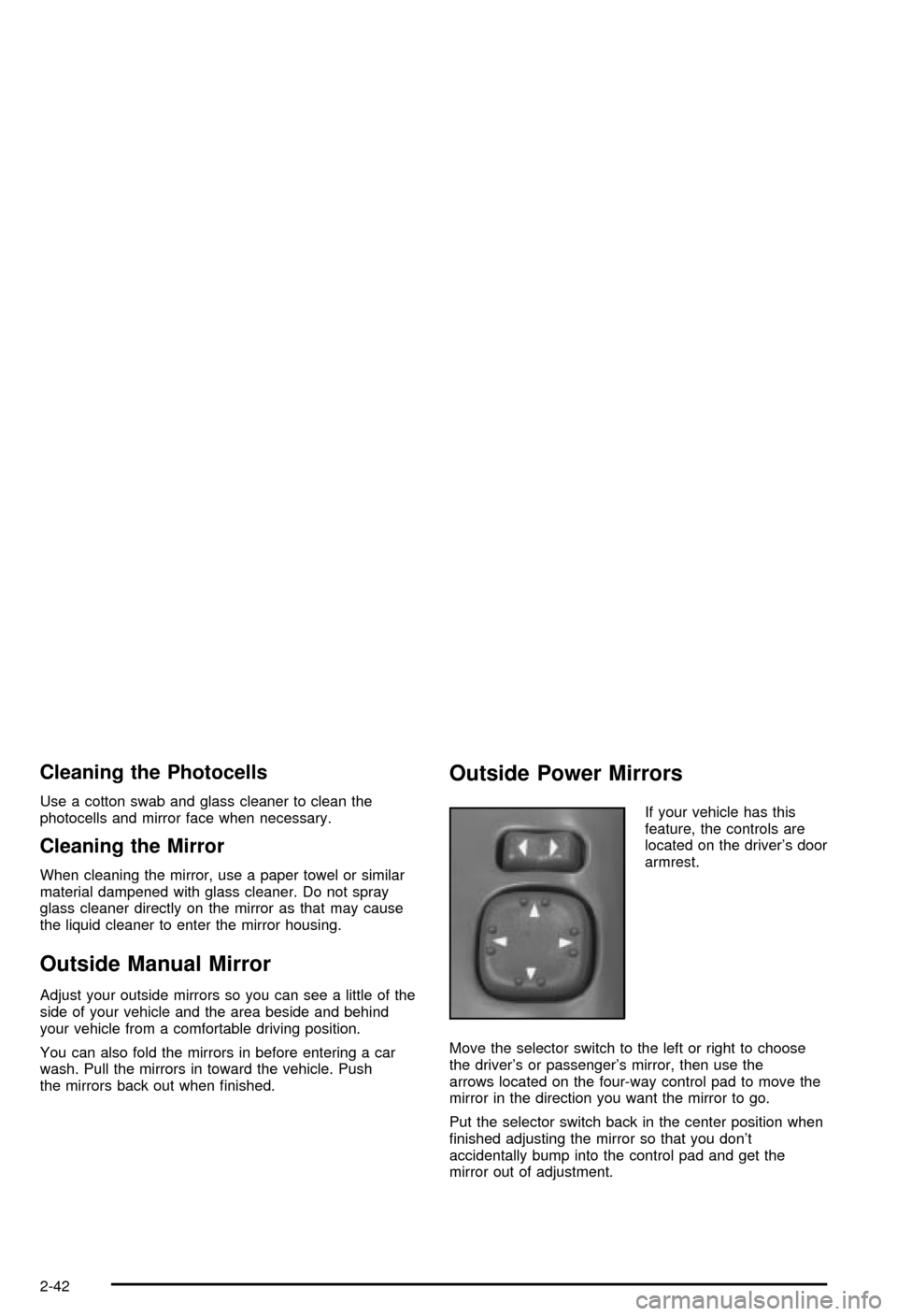
Outside Power Mirrors
If your vehicle has this
feature, the controls are
located on the driver's door
armrest.
Move the selector switch to the left or right to choose
the driver's or passenger's mirror, then use the
arrows located on the four-way control pad to move the
mirror in the direction you want the mirror to go.
Put the selector switch back in the center position when
®nished adjusting the mirror so that you don't
accidentally bump into the control pad and get the
mirror out of adjustment.
2-42
Page 126 of 420

To increase the space in the convenience system, do
the following:
1. Pull up on the individual partitions (C) to
remove them.. Storage for the partitions is located
in area (E).
2. Fold the collapsible dividers (A) by pulling upward
and folding the dividers toward each other.
To reinstall or rearrange the partitions, push down
gently on the partitions making sure both sides ®t into
the appropriate slots of the collapsible dividers (A).
Located on the top of each collapsible divider (A) are
T-pins designed to hold grocery bags, etc., in an upright
position.
The anchor bracket/cargo tie down plugs (B), located in
the center and on each side of the convenience
system nearest the passenger compartment, are used
to help seal the convenience system. However, the
plugs also cover the anchor bracket/cargo tie-downs. To
remove the plugs, grasp the edges of the plugs and
pull straight out. See
Child Restraint Systems on
page 1-38andTop Strap on page 1-42for more
information on using anchor brackets.There are two cutouts (F) for the rear cargo tie-downs
located near the tailgate sill. In order to access the rear
cargo tie-downs, the cutouts must be removed.
You will also ®nd a soda pop/gallon jug holder (D) on
the passenger side of the convenience system.
Some vehicles do not have this feature, but instead
include a smaller storage area.
To remove the entire convenience system, do the
following:
1. Remove the convenience net if it is in place. See
Convenience Net on page 2-57for more
information. You may also want to remove the
partitions (C) and fold the collapsible dividers (A) to
make the convenience system easier to handle.
2. Grasp the sides of the convenience system and
push the sides together while sliding the unit out
until it clears the sides of the tailgate opening.
To reinstall the convenience system, reverse the
removal procedure.
2-60
Page 129 of 420

Instrument Panel Overview...............................3-2
Hazard Warning Flashers................................3-3
Other Warning Devices...................................3-4
Horn.............................................................3-4
Tilt Wheel.....................................................3-4
Turn Signal/Multifunction Lever.........................3-5
Exterior Lamps.............................................3-11
Interior Lamps..............................................3-14
Accessory Power Outlets...............................3-15
Ashtrays and Cigarette Lighter........................3-16
Climate Controls............................................3-17
Climate Control System.................................3-17
Outlet Adjustment.........................................3-20
Warning Lights, Gages and Indicators.............3-21
Instrument Panel Cluster................................3-22
Speedometer and Odometer...........................3-24
Trip Odometer..............................................3-24
Tachometer.................................................3-24
Safety Belt Reminder Light.............................3-25
Air Bag Readiness Light................................3-25
Charging System Light..................................3-26
Voltmeter Gage............................................3-27
Up-Shift Light...............................................3-27
Brake System Warning Light..........................3-28
Anti-Lock Brake System Warning Light.............3-29
Engine Coolant Temperature Gage..................3-29Malfunction Indicator Lamp.............................3-30
Oil Pressure Gage........................................3-33
Security Light...............................................3-34
Service Four-Wheel Drive Warning Light..........3-34
Tow/Haul Mode Light....................................3-35
Check Gages Warning Light...........................3-35
Gate Ajar Light.............................................3-35
Fuel Gage...................................................3-35
Low Fuel Warning Light.................................3-36
Audio System(s).............................................3-37
Setting the Time for Radios without Radio
Data Systems (RDS)..................................3-37
Setting the Time for Radios with Radio Data
Systems (RDS).........................................3-38
AM-FM Radio...............................................3-38
Radio with CD..............................................3-41
Radio with Cassette and CD..........................3-48
Radio with Six-Disc CD.................................3-58
Theft-Deterrent Feature (Non-RDS Radios).......3-68
Theft-Deterrent Feature (RDS Radios).............3-68
Understanding Radio Reception......................3-69
Care of Your Cassette Tape Player.................3-69
Care of Your CDs.........................................3-70
Care of Your CD Player................................3-70
Fixed Mast Antenna......................................3-70
Section 3 Instrument Panel
3-1
Page 132 of 420
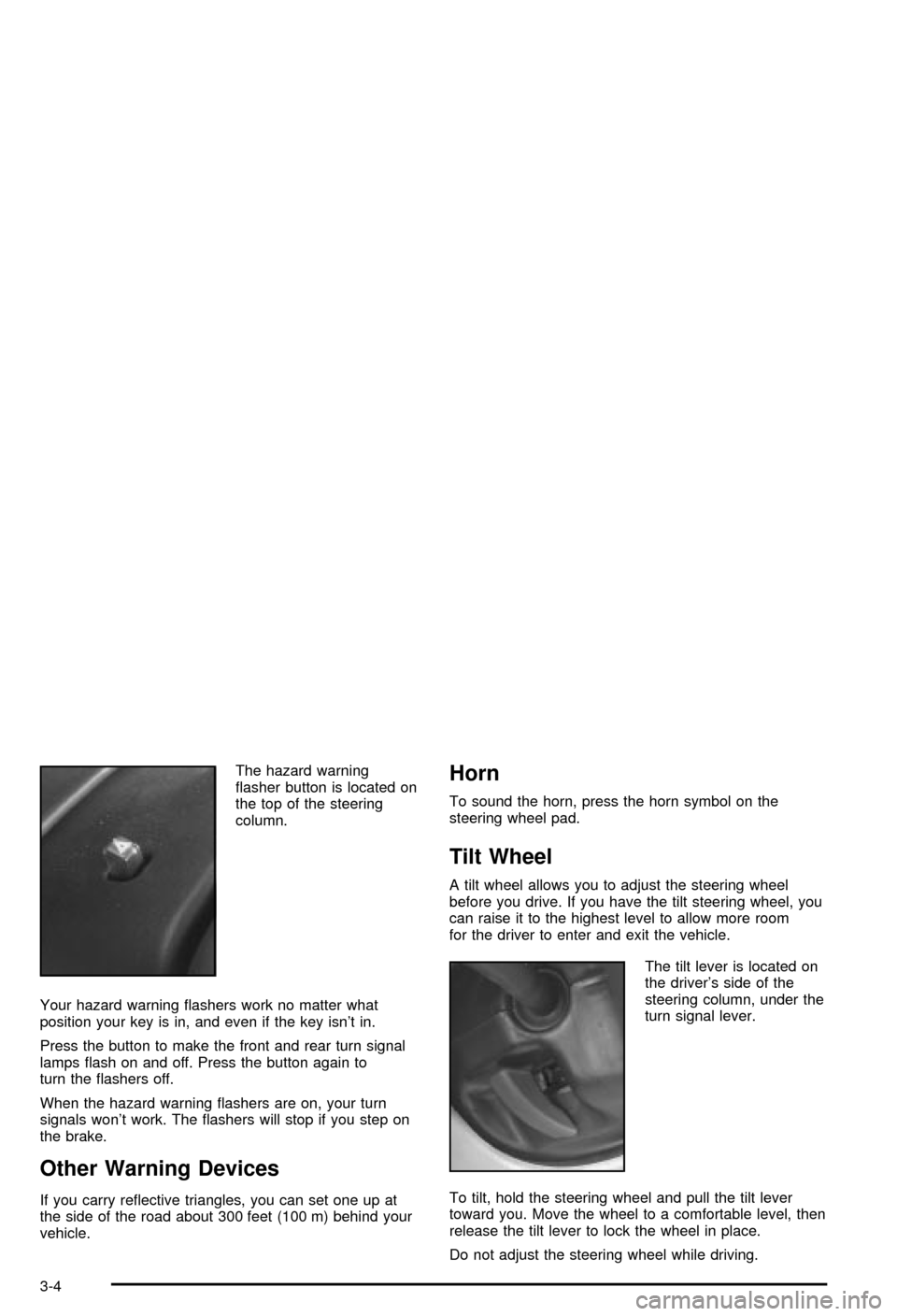
The hazard warning
¯asher button is located on
the top of the steering
column.
Your hazard warning ¯ashers work no matter what
position your key is in, and even if the key isn't in.
Press the button to make the front and rear turn signal
lamps ¯ash on and off. Press the button again to
turn the ¯ashers off.
When the hazard warning ¯ashers are on, your turn
signals won't work. The ¯ashers will stop if you step on
the brake.
Other Warning Devices
If you carry re¯ective triangles, you can set one up at
the side of the road about 300 feet (100 m) behind your
vehicle.
Horn
To sound the horn, press the horn symbol on the
steering wheel pad.
Tilt Wheel
A tilt wheel allows you to adjust the steering wheel
before you drive. If you have the tilt steering wheel, you
can raise it to the highest level to allow more room
for the driver to enter and exit the vehicle.
The tilt lever is located on
the driver's side of the
steering column, under the
turn signal lever.
To tilt, hold the steering wheel and pull the tilt lever
toward you. Move the wheel to a comfortable level, then
release the tilt lever to lock the wheel in place.
Do not adjust the steering wheel while driving.
3-4
Page 134 of 420

If you have a trailer towing option with added wiring for
the trailer lamps, a different turn signal ¯asher is
used. With this ¯asher installed, the signal indicator will
¯ash even if a turn signal bulb is burned out. Check
the front and rear turn signal lamps regularly to make
sure they are working.
Turn Signal On Chime
If your turn signal is left on for more than 3/4 of a mile
(1.2 km), a chime will sound at each ¯ash of the
turn signal. To turn off the chime, move the turn signal
lever to the off position.
Headlamp High/Low-Beam Changer
To change the headlamps from low beam to high or high
to low, pull the multifunction lever all the way toward
you. Then release it.
When the high beams are
on, this indicator light on
the instrument panel
cluster will also be on.
Flash-to-Pass Feature
This feature lets you use your high-beam headlamps to
signal a driver in front of you that you want to pass.
It works even if your headlamps are in the automatic
position.
To use it, pull the turn signal lever toward you, but not
so far that you hear a click.
If your headlamps are in the automatic position or on
low beam, your high-beam headlamps will turn on.
They'll stay on as long as you hold the lever toward you
and the high-beam indicator on the instrument panel
cluster will come on. Release the lever to return
to normal operation.
Windshield Wipers
To operate the windshield wipers turn the band, located
on the multifunction lever, upward or downward.
MIST:Turn the band to MIST for a single wiping cycle.
Hold it until the windshield wipers start. Then let it
go. The windshield wipers will stop after one wipe. If
you want more wipes, hold the band on MIST longer.
OFF:Turn the band to OFF to turn off the windshield
wipers.
3-6
Page 145 of 420

Climate Controls
Climate Control System
With this system you can control the heating, cooling
and ventilation for your vehicle.
Directing the Air¯ow
Mode Knob:Turn the right knob clockwise or
counterclockwise to direct the air¯ow inside of your
vehicle.
H(Vent):This mode directs air to the instrument
panel outlets, with a little air directed toward the ¯oor
outlets.
)(Bi-Level):This mode directs half of the air to the
instrument panel outlets, then directs most of the
remaining air to the ¯oor outlets. A little air is also
directed toward the windshield and the side window
outlets. Cooler air is directed to the upper outlets and
warmer air to the ¯oor outlets.
6(Floor):This mode directs most of the air to the
¯oor outlets with a little air directed to the windshield and
the side window outlets.
9(Fan):Turn the left knob clockwise or
counterclockwise to increase or decrease the fan speed.
Turn the mode knob to OFF to turn off the fan.
The mode knob can also be used to select defog or
defrost mode. For more information, see ªDefogging and
Defrostingº later in this section.
3-17
Page 156 of 420

Brake System Warning Light
When the ignition is on, the brake system warning light
will come on when you set your parking brake. The
light will stay on if your parking brake doesn't release
fully. If it stays on after your parking brake is fully
released, it means you have a brake problem.
Your vehicle's hydraulic brake system is divided into two
parts. If one part isn't working, the other part can still
work and stop you. For good braking, though, you need
both parts working well.
If the warning light comes on, there could be a brake
problem. Have your brake system inspected right away.This light should come on brie¯y when you turn the
ignition key to RUN. If it doesn't come on then, have it
®xed so it will be ready to warn you if there's a
problem.
If the light comes on while you are driving, pull off the
road and stop carefully. You may notice that the pedal is
harder to push. Or, the pedal may go closer to the
¯oor. It may take longer to stop. If the light is still on,
have the vehicle towed for service. See
Towing
Your Vehicle on page 4-45.
{CAUTION:
Your brake system may not be working
properly if the brake system warning light is
on. Driving with the brake system warning light
on can lead to an accident. If the light is still
on after you've pulled off the road and stopped
carefully, have the vehicle towed for service.
United States
Canada
3-28
Page 159 of 420

This light should come on, as a check to show you it is
working, when the ignition is on and the engine is
not running. If the light doesn't come on, have it
repaired. This light will also come on during a
malfunction in one of two ways:
·Light FlashingÐ A mis®re condition has been
detected. A mis®re increases vehicle emissions
and may damage the emission control system on
your vehicle. Diagnosis and service may be
required.
·Light On SteadyÐ An emission control system
malfunction has been detected on your vehicle.
Diagnosis and service may be required.
If the Light Is Flashing
The following may prevent more serious damage to
your vehicle:
·Reducing vehicle speed.
·Avoiding hard accelerations.
·Avoiding steep uphill grades.
·If you are towing a trailer, reduce the amount of
cargo being hauled as soon as it is possible.
If the light stops ¯ashing and remains on steady, see ªIf
the Light Is On Steadyº following.If the light continues to ¯ash, when it is safe to do so,
stop the vehicle.Find a safe place to park your vehicle.
Turn the key off, wait at least 10 seconds and restart
the engine. If the light remains on steady, see ªIf
the Light Is On Steadyº following. If the light is still
¯ashing, follow the previous steps, and see your dealer
for service as soon as possible.
If the Light Is On Steady
You may be able to correct the emission system
malfunction by considering the following:
Did you recently put fuel into your vehicle?
If so, reinstall the fuel cap, making sure to fully install
the cap. See
Filling Your Tank on page 5-6. The
diagnostic system can determine if the fuel cap has
been left off or improperly installed. A loose or missing
fuel cap will allow fuel to evaporate into the atmosphere.
A few driving trips with the cap properly installed
should turn the light off.
Did you just drive through a deep puddle of water?
If so, your electrical system may be wet. The condition
will usually be corrected when the electrical system
dries out. A few driving trips should turn the light off.
3-31