instrument panel CHEVROLET BLAZER 2003 2.G Owners Manual
[x] Cancel search | Manufacturer: CHEVROLET, Model Year: 2003, Model line: BLAZER, Model: CHEVROLET BLAZER 2003 2.GPages: 420, PDF Size: 2.94 MB
Page 1 of 420

Seats and Restraint Systems........................... 1-1
Front Seats
............................................... 1-2
Rear Seats
............................................... 1-7
Safety Belts
.............................................. 1-9
Child Restraints
.......................................1-32
Air Bag System
.......................................1-52
Restraint System Check
............................1-58
Features and Controls..................................... 2-1
Keys
........................................................ 2-3
Doors and Locks
....................................... 2-7
Windows
.................................................2-11
Theft-Deterrent Systems
............................2-17
Starting and Operating Your Vehicle
...........2-19
Mirrors
....................................................2-41
HomeLink
žTransmitter
.............................2-44
Storage Areas
.........................................2-48
Vehicle Personalization
.............................2-61
Instrument Panel............................................. 3-1
Instrument Panel Overview
.......................... 3-2
Climate Controls
......................................3-17
Warning Lights, Gages and Indicators
.........3-21
Audio System(s)
.......................................3-37Driving Your Vehicle....................................... 4-1
Your Driving, the Road, and Your Vehicle
..... 4-2
Towing
...................................................4-45
Service and Appearance Care.......................... 5-1
Service
..................................................... 5-3
Fuel
......................................................... 5-4
Checking Things Under the Hood
................. 5-8
Rear Axle
...............................................5-45
Four-Wheel Drive
.....................................5-45
Front Axle
...............................................5-46
Bulb Replacement
....................................5-47
Windshield Wiper Blade Replacement
.........5-52
Tires
......................................................5-54
Appearance Care
.....................................5-76
Vehicle Identi®cation
.................................5-83
Electrical System
......................................5-84
Capacities and Speci®cations
.....................5-91
Normal Maintenance Replacement Parts
......5-92
Maintenance Schedule..................................... 6-1
Maintenance Schedule
................................ 6-2
Customer Assistance Information.................... 7-1
Customer Assistance Information
.................. 7-2
Reporting Safety Defects
...........................7-10
INDEX................................................................1
2003 Chevrolet Blazer Owner ManualM
Page 4 of 420

Vehicle Damage Warnings
Also, in this book you will ®nd these notices:
Notice:These mean there is something that could
damage your vehicle.
A notice will tell you about something that can damage
your vehicle. Many times, this damage would not be
covered by your warranty, and it could be costly. But the
notice will tell you what to do to help avoid the
damage.
When you read other manuals, you might see CAUTION
and NOTICE warnings in different colors or in different
words.
You'll also see warning labels on your vehicle. They use
the same words, CAUTION or NOTICE.
Vehicle Symbols
Your vehicle has components and labels that use
symbols instead of text. Symbols, used on your vehicle,
are shown along with the text describing the operation
or information relating to a speci®c component, control,
message, gage or indicator.
If you need help ®guring out a speci®c name of a
component, gage or indicator, reference the following
topics:
·Seats and Restraint Systems in Section 1
·Features and Controls in Section 2
·Instrument Panel Overview in Section 3
·Climate Controls in Section 3
·Warning Lights, Gages and Indicators in Section 3
·Audio System(s) in Section 3
·Engine Compartment Overview in Section 5
iv
Page 18 of 420
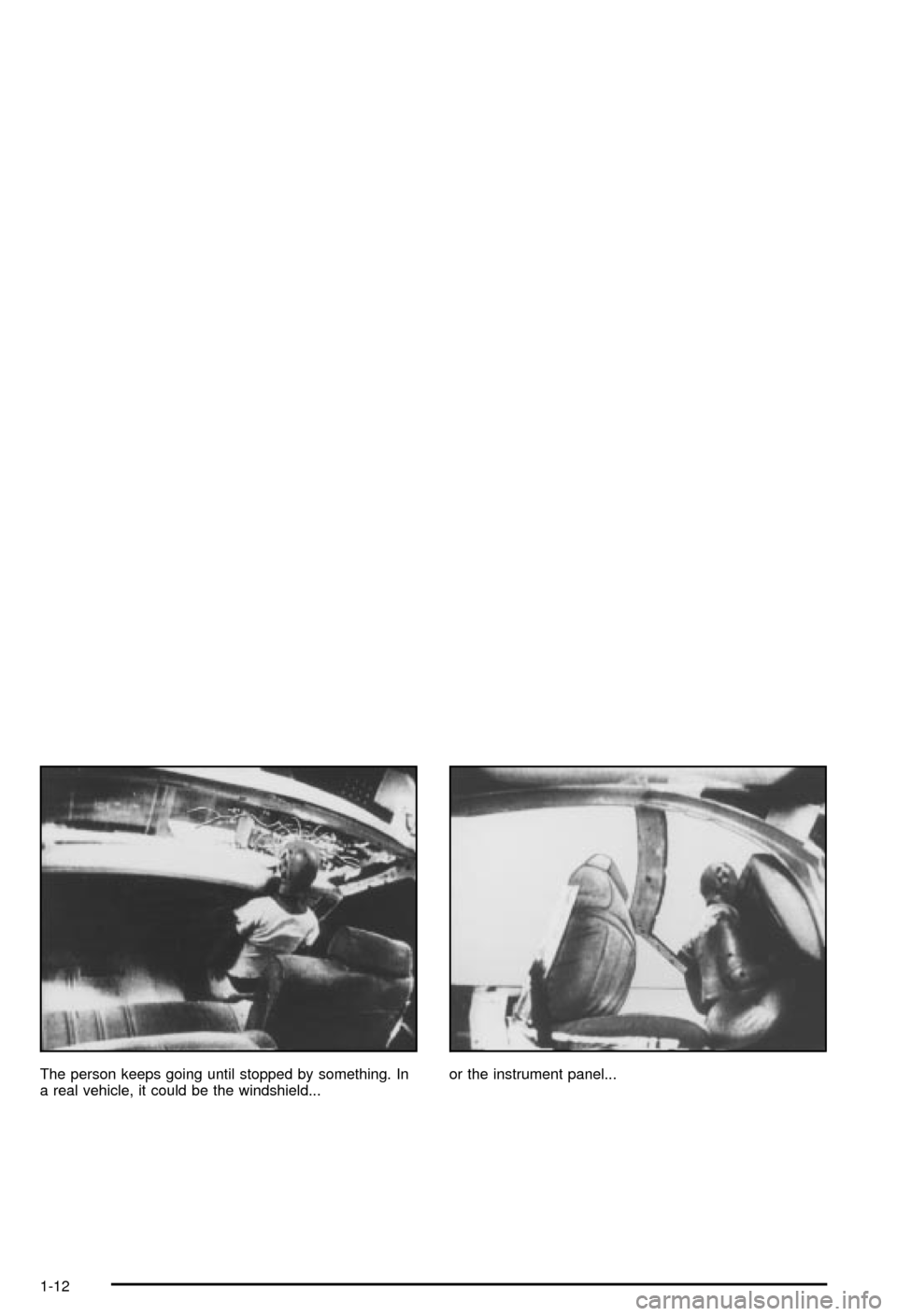
The person keeps going until stopped by something. In
a real vehicle, it could be the windshield...or the instrument panel...
1-12
Page 59 of 420
{CAUTION:
Anyone who is up against, or very close to,
any air bag when it in¯ates can be seriously
injured or killed. Air bags plus lap-shoulder
belts offer the best protection for adults, but
not for young children and infants. Neither the
vehicle's safety belt system nor its air bag
system is designed for them. Young children
and infants need the protection that a child
restraint system can provide. Always secure
children properly in your vehicle. To read how,
see
Older Children on page 1-32andInfants and
Young Children on page 1-34
.
There is a air bag
readiness light on the
instrument panel, which
shows the air bag symbol.The system checks the air bag electrical system for
malfunctions. The light tells you if there is an electrical
problem. See
Air Bag Readiness Light on page 3-25.
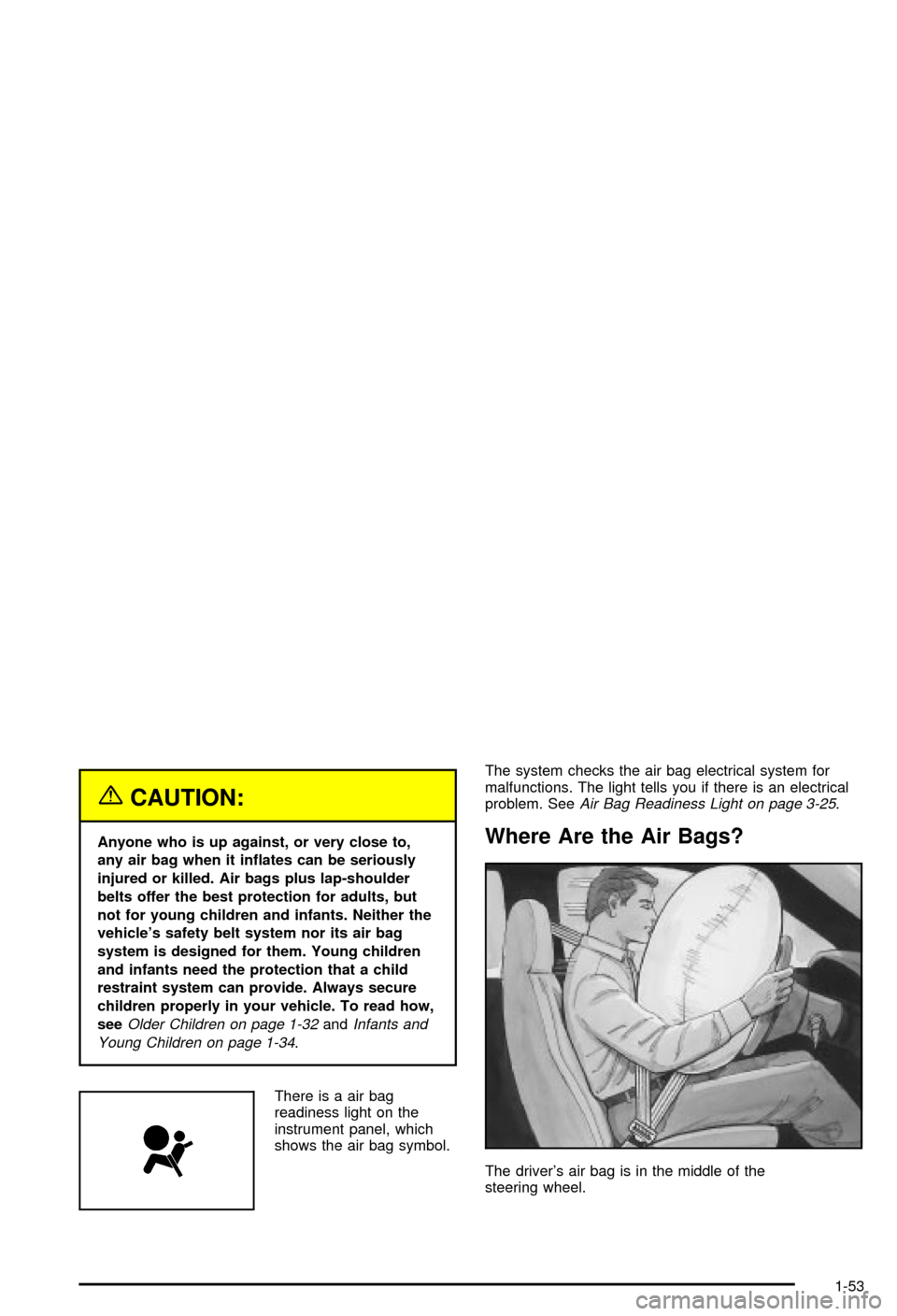
Where Are the Air Bags?
The driver's air bag is in the middle of the
steering wheel.
1-53
Page 60 of 420
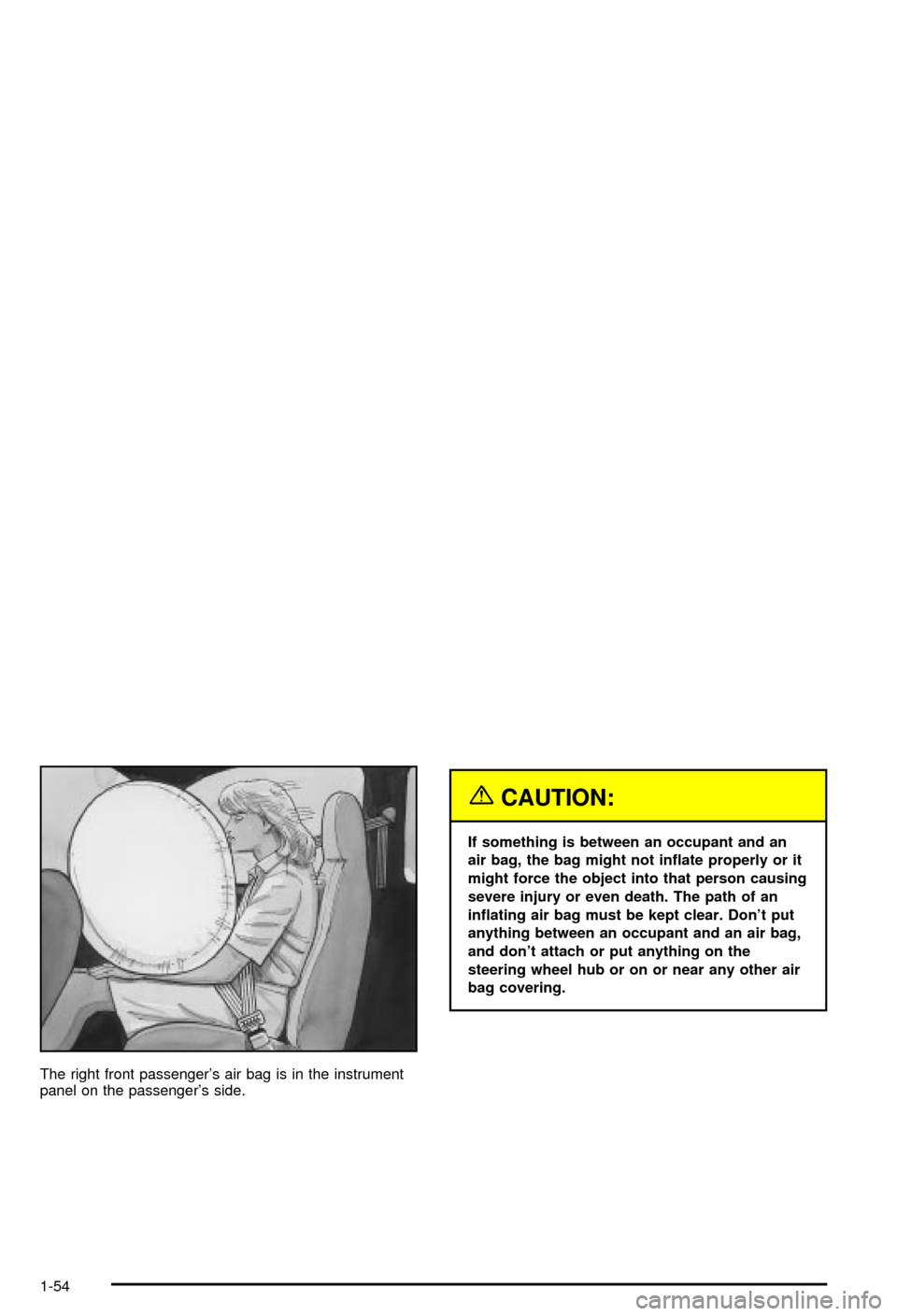
The right front passenger's air bag is in the instrument
panel on the passenger's side.
{CAUTION:
If something is between an occupant and an
air bag, the bag might not in¯ate properly or it
might force the object into that person causing
severe injury or even death. The path of an
in¯ating air bag must be kept clear. Don't put
anything between an occupant and an air bag,
and don't attach or put anything on the
steering wheel hub or on or near any other air
bag covering.
1-54
Page 61 of 420

When Should an Air Bag In¯ate?
An air bag is designed to in¯ate in a moderate to severe
frontal, or near-frontal crash. The air bag will in¯ate
only if the impact speed is above the system's designed
©threshold level©. If your vehicle goes straight into a
wall that doesn't move or deform, the threshold level is
about 9 to 16 mph (14 to 26 km/h). The threshold
level can vary, however, with speci®c vehicle design, so
that it can be somewhat above or below this range. If
your vehicle strikes something that will move or deform,
such as a parked car, the threshold level will be
higher. The air bag is not designed to in¯ate in rollovers,
rear impacts, or in many side impacts because in¯ation
would not help the occupant.
In any particular crash, no one can say whether an air
bag should have in¯ated simply because of the damage
to a vehicle or because of what the repair costs were.
In¯ation is determined by the angle of the impact
and how quickly the vehicle slows down in frontal or
near-frontal impacts.
The air bag system is designed to work properly under
a wide range of conditions, including off-road usage.
Observe safe driving speeds, especially on rough
terrain. As always, wear your safety belt. See
Off-Road
Driving with Your Four-Wheel-Drive Vehicle on
page 4-15
for more tips on off-road driving.
What Makes an Air Bag In¯ate?
In an impact of sufficient severity, the air bag sensing
system detects that the vehicle is in a crash. The
sensing system triggers a release of gas from the
in¯ator, which in¯ates the air bag. The in¯ator, air bag,
and related hardware are all part of the air bag
modules inside the steering wheel and in the instrument
panel in front of the right front passenger.
How Does an Air Bag Restrain?
In moderate to severe frontal or near-frontal collisions,
even belted occupants can contact the steering wheel or
the instrument panel. Air bags supplement the
protection provided by safety belts. Air bags distribute
the force of the impact more evenly over the occupant's
upper body, stopping the occupant more gradually.
But air bags would not help you in many types of
collisions, including rollovers, rear impacts and many
side impacts, primarily because an occupant's motion is
not toward those air bags. Air bags should never be
regarded as anything more than a supplement to safety
belts, and then only in moderate to severe frontal or
near-frontal collisions.
1-55
Page 62 of 420

What Will You See After an Air Bag
In¯ates?
After an air bag in¯ates, it quickly de¯ates, so quickly
that some people may not even realize the air bag
in¯ated. Some components of the air bag module Ð the
steering wheel hub for the driver's air bag, or the
instrument panel for the right front passenger's
bag Ð will be hot for a short time. The parts of the bag
that come into contact with you may be warm, but
not too hot to touch. There will be some smoke and dust
coming from the vents in the de¯ated air bags. Air
bag in¯ation doesn't prevent the driver from seeing or
being able to steer the vehicle, nor does it stop
people from leaving the vehicle.
{CAUTION:
When an air bag in¯ates, there is dust in the
air. This dust could cause breathing problems
for people with a history of asthma or other
breathing trouble. To avoid this, everyone in
the vehicle should get out as soon as it is safe
to do so. If you have breathing problems but
CAUTION: (Continued)
CAUTION: (Continued)
can't get out of the vehicle after an air bag
in¯ates, then get fresh air by opening a
window or a door. If you experience breathing
problems following an air bag deployment, you
should seek medical attention.
·Air bags are designed to in¯ate only once. After
they in¯ate, you'll need some new parts for your
air bag system. If you don't get them, the air
bag system won't be there to help protect you in
another crash. A new system will include air
bag modules and possibly other parts. The service
manual for your vehicle covers the need to
replace other parts.
·Your vehicle is equipped with a diagnostic module,
which records information about the air bag
system. The module records information about the
readiness of the system, when the system
commands air bag in¯ation and driver's safety belt
usage at deployment.
·Let only quali®ed technicians work on your air bag
system. Improper service can mean that an air
bag system won't work properly. See your dealer
for service.
1-56
Page 63 of 420

Notice:If you damage the covering for the driver's
or the right front passenger's air bag, the bag
may not work properly. You may have to replace the
air bag module in the steering wheel or both the
air bag module and the instrument panel for
the right front passenger's air bag. Do not open or
break the air bag coverings.
Servicing Your Air Bag-Equipped
Vehicle
Air bags affect how your vehicle should be serviced.
There are parts of the air bag system in several places
around your vehicle. You don't want the system to
in¯ate while someone is working on your vehicle. Your
dealer and the service manual have information
about servicing your vehicle and the air bag system. To
purchase a service manual, see
Service Publications
Ordering Information on page 7-11.
{CAUTION:
For up to 10 minutes after the ignition key is
turned off and the battery is disconnected, an
air bag can still in¯ate during improper
service. You can be injured if you are close to
an air bag when it in¯ates. Avoid wires
wrapped with yellow tape or yellow
connectors. They are probably part of the air
bag system. Be sure to follow proper service
procedures, and make sure the person
performing work for you is quali®ed to do so.
The air bag system does not need regular maintenance.
1-57
Page 79 of 420
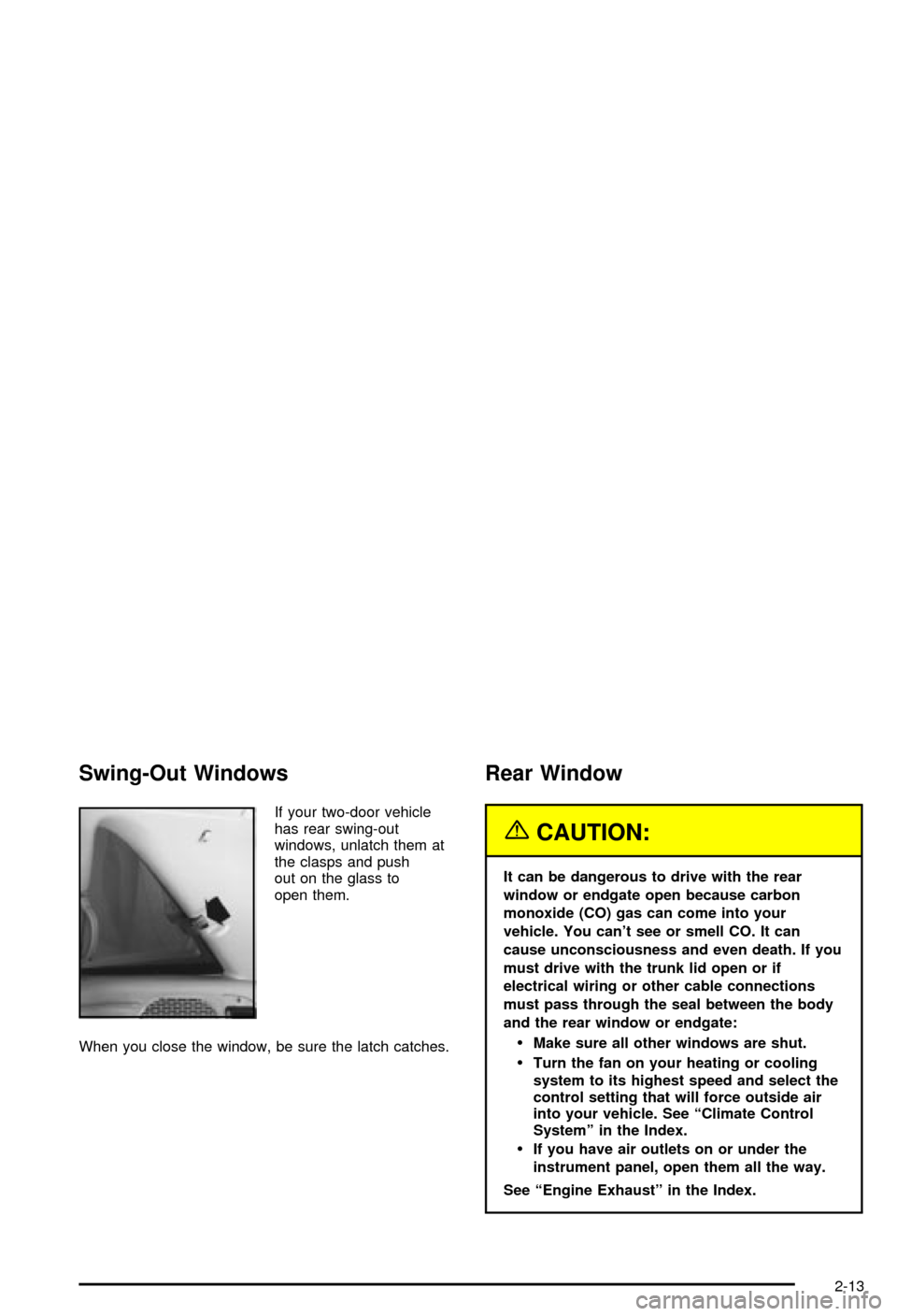
Swing-Out Windows
If your two-door vehicle
has rear swing-out
windows, unlatch them at
the clasps and push
out on the glass to
open them.
When you close the window, be sure the latch catches.
Rear Window
{CAUTION:
It can be dangerous to drive with the rear
window or endgate open because carbon
monoxide (CO) gas can come into your
vehicle. You can't see or smell CO. It can
cause unconsciousness and even death. If you
must drive with the trunk lid open or if
electrical wiring or other cable connections
must pass through the seal between the body
and the rear window or endgate:
·Make sure all other windows are shut.
·Turn the fan on your heating or cooling
system to its highest speed and select the
control setting that will force outside air
into your vehicle. See ªClimate Control
Systemº in the Index.
·If you have air outlets on or under the
instrument panel, open them all the way.
See ªEngine Exhaustº in the Index.
2-13
Page 81 of 420
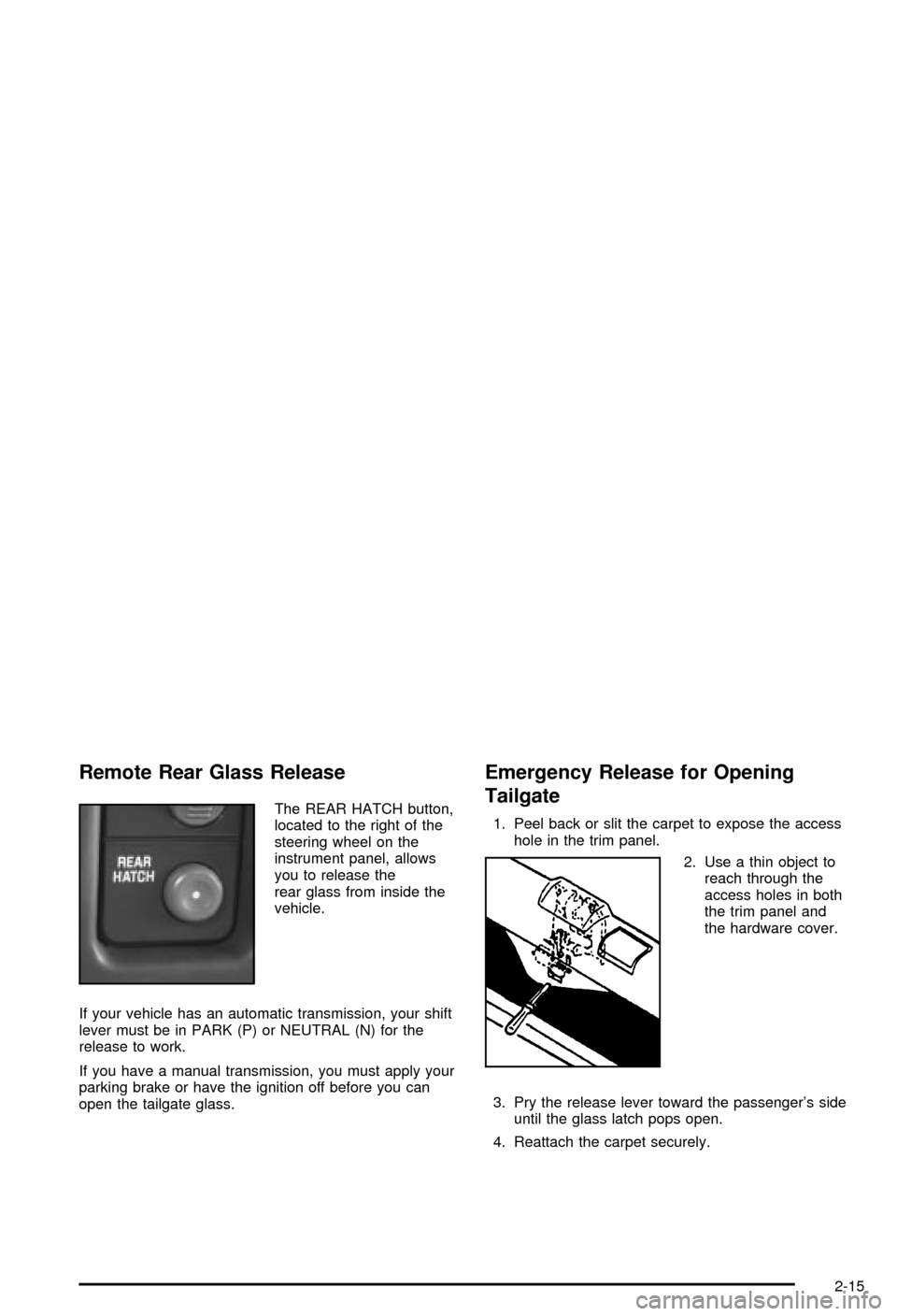
Remote Rear Glass Release
The REAR HATCH button,
located to the right of the
steering wheel on the
instrument panel, allows
you to release the
rear glass from inside the
vehicle.
If your vehicle has an automatic transmission, your shift
lever must be in PARK (P) or NEUTRAL (N) for the
release to work.
If you have a manual transmission, you must apply your
parking brake or have the ignition off before you can
open the tailgate glass.
Emergency Release for Opening
Tailgate
1. Peel back or slit the carpet to expose the access
hole in the trim panel.
2. Use a thin object to
reach through the
access holes in both
the trim panel and
the hardware cover.
3. Pry the release lever toward the passenger's side
until the glass latch pops open.
4. Reattach the carpet securely.
2-15