instrument panel CHEVROLET BLAZER 2004 2.G Owner's Manual
[x] Cancel search | Manufacturer: CHEVROLET, Model Year: 2004, Model line: BLAZER, Model: CHEVROLET BLAZER 2004 2.GPages: 446, PDF Size: 2.93 MB
Page 139 of 446
Rear Window Washer/Wiper
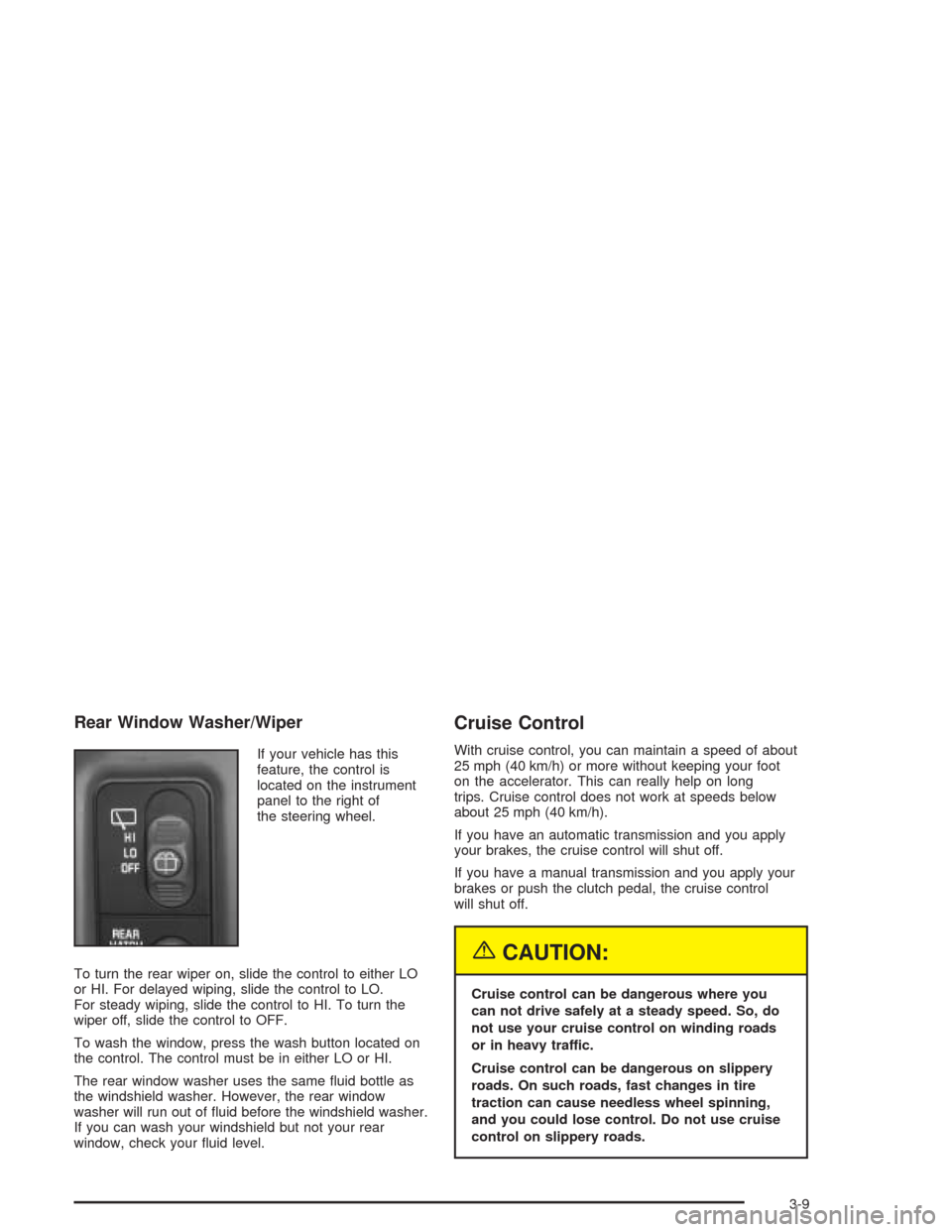
If your vehicle has this
feature, the control is
located on the instrument
panel to the right of
the steering wheel.
To turn the rear wiper on, slide the control to either LO
or HI. For delayed wiping, slide the control to LO.
For steady wiping, slide the control to HI. To turn the
wiper off, slide the control to OFF.
To wash the window, press the wash button located on
the control. The control must be in either LO or HI.
The rear window washer uses the same uid bottle as
the windshield washer. However, the rear window
washer will run out of uid before the windshield washer.
If you can wash your windshield but not your rear
window, check your uid level.
Cruise Control
With cruise control, you can maintain a speed of about
25 mph (40 km/h) or more without keeping your foot
on the accelerator. This can really help on long
trips. Cruise control does not work at speeds below
about 25 mph (40 km/h).
If you have an automatic transmission and you apply
your brakes, the cruise control will shut off.
If you have a manual transmission and you apply your
brakes or push the clutch pedal, the cruise control
will shut off.
{CAUTION:
Cruise control can be dangerous where you
can not drive safely at a steady speed. So, do
not use your cruise control on winding roads
or in heavy traffic.
Cruise control can be dangerous on slippery
roads. On such roads, fast changes in tire
traction can cause needless wheel spinning,
and you could lose control. Do not use cruise
control on slippery roads.
3-9
Page 142 of 446
Exterior Lamps
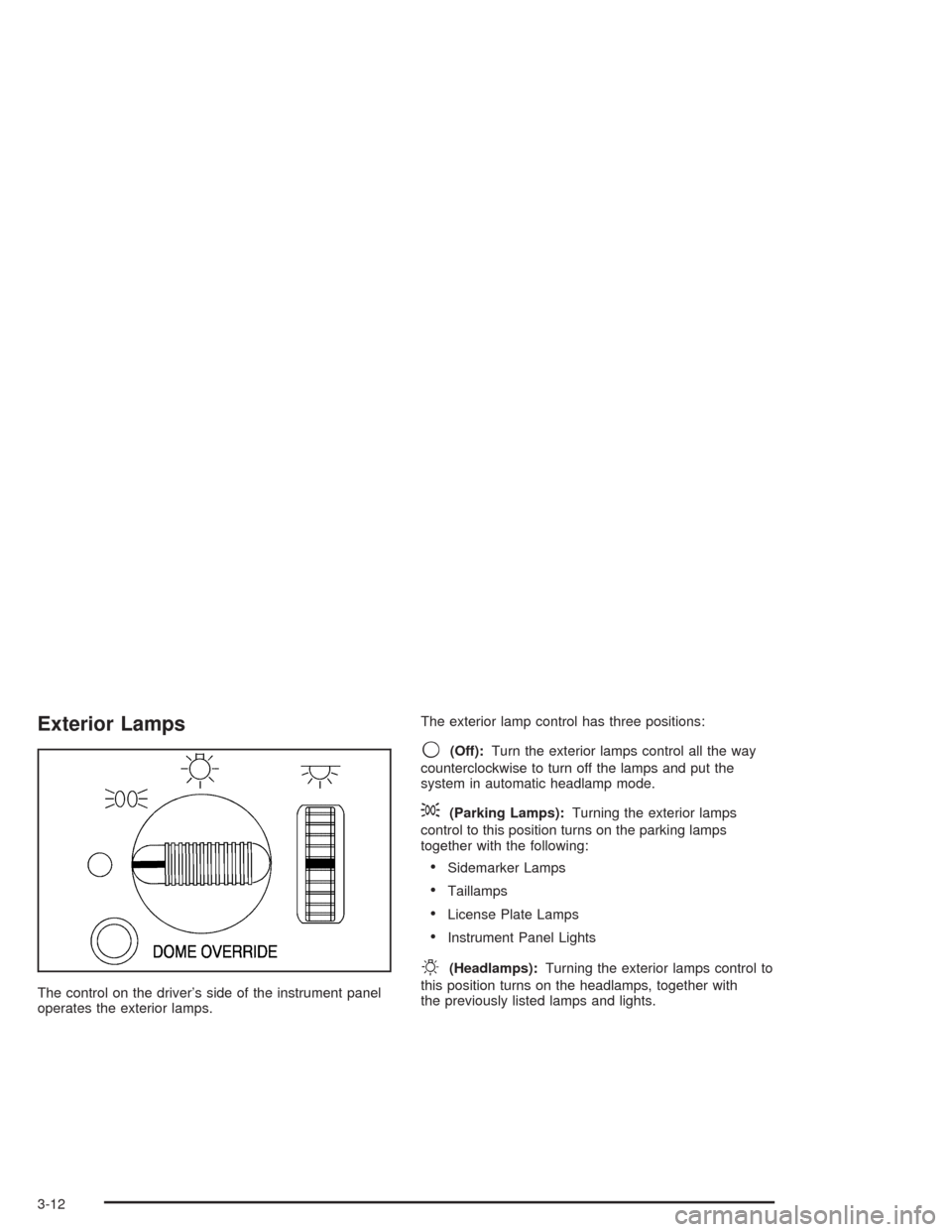
The control on the driver’s side of the instrument panel
operates the exterior lamps.The exterior lamp control has three positions:
9(Off):Turn the exterior lamps control all the way
counterclockwise to turn off the lamps and put the
system in automatic headlamp mode.
;(Parking Lamps):Turning the exterior lamps
control to this position turns on the parking lamps
together with the following:
Sidemarker Lamps
Taillamps
License Plate Lamps
Instrument Panel Lights
O(Headlamps):Turning the exterior lamps control to
this position turns on the headlamps, together with
the previously listed lamps and lights.
3-12
Page 143 of 446
Automatic Headlamp System
When it is dark enough outside, your automatic
headlamp system will turn on your headlamps at the
normal brightness along with other lamps such as
the taillamps, sidemarker, parking lamps and the
instrument panel lights. The radio lights will also be dim.
Your vehicle is equipped with a light sensor on the
top of the instrument panel under the radio speaker grill.
Be sure it is not covered or the system will be on
whenever the ignition is on.
The system may also turn on your headlamps when
driving through a parking garage, heavy overcast
weather or a tunnel. This is normal.
There is a delay in the transition between the daytime
and nighttime operation of the Daytime Running
Lamps (DRL) and the automatic headlamp systems so
that driving under bridges or bright overhead street
lights does not affect the system. The DRL and
automatic headlamp system will only be affected when
the light sensor sees a change in lighting lasting
longer than the delay.
To idle your vehicle with the automatic headlamp
system off, set the parking brake while the ignition is off.
Then start your vehicle. The automatic headlamp
system will stay off until you release the parking brake.As with any vehicle, you should turn on the regular
headlamps when you need them.
You may be able to turn off your automatic headlamp
system. See “Daytime Running Lamps (DRL)” later
in this section for more information.
If you start your vehicle in a dark garage, the automatic
headlamp system will come on immediately. Once
you leave the garage, it will take approximately
one minute for the automatic headlamp system to
change to DRL if it is light outside. During that delay,
your instrument panel cluster may not be as bright
as usual. Make sure your instrument panel brightness
control is in the full bright position. See “Instrument
Panel Brightness Control” underInterior Lamps
on page 3-15.
Lamps On Reminder
A reminder chime will sound when your headlamps or
parking lamps are manually turned on, the driver’s door
is opened and your ignition is in OFF, LOCK or
ACCESSORY. To turn the chime off, turn the control
counterclockwise or turn the instrument panel brightness
thumbwheel down to the fully dimmed position. In the
automatic mode, the headlamps turn off once the ignition
key is in OFF.
3-13
Page 144 of 446
Daytime Running Lamps
Daytime Running Lamps (DRL) can make it easier for
others to see the front of your vehicle during the
day. DRL can be helpful in many different driving
conditions, but they can be especially helpful in the short
periods after dawn and before sunset. Fully functional
daytime running lamps are required on all vehicles
rst sold in Canada.
The DRL system will make your headlamps come on
at reduced brightness when the following conditions
are met:
The ignition is on,
the exterior lamp control is in OFF,
the sensor detects daytime light,
an automatic transmission is not in PARK (P), and
the parking brake is released.
When the DRL are on, only your headlamps will be on.
The taillamps, sidemarker and other lamps won’t be
on. The instrument panel won’t be lit up either.
When it begins to get dark, the headlamps will
automatically switch from DRL to the regular headlamps.The DRL system on some vehicles may turn off
temporarily while the turn signals are activated.
To idle an automatic transmission vehicle with the DRL
off, put the transmission in PARK (P). To idle a
manual transmission vehicle with the DRL off, set the
parking brake. The DRL will stay off until you shift out of
PARK (P) or release the parking brake.
The following does not apply to vehicles sold in Canada.
When necessary, you may turn off the automatic
headlamp system and the Daytime Running
Lamps (DRL) feature by following the steps below:
1. Turn the ignition to RUN.
2. Press the DOME OVERRIDE button four times
within six seconds. After the fourth press of the
button, a chime will sound informing you that
the system is off. The system will revert back to the
automatic on mode when the ignition is turned to
OFF and then to RUN again.
3. To return to the automatic mode, push the DOME
OVERRIDE button four times within six seconds
(a chime will sound), or turn the ignition to OFF and
then to RUN again.
As with any vehicle, you should turn on the regular
headlamp system when you need it.
3-14
Page 145 of 446
Fog Lamps
Your vehicle may be equipped with fog lamps. Use your
fog lamps for better vision in foggy or misty conditions.
Your parking lamps or headlamps must be on for
your fog lamps to work.
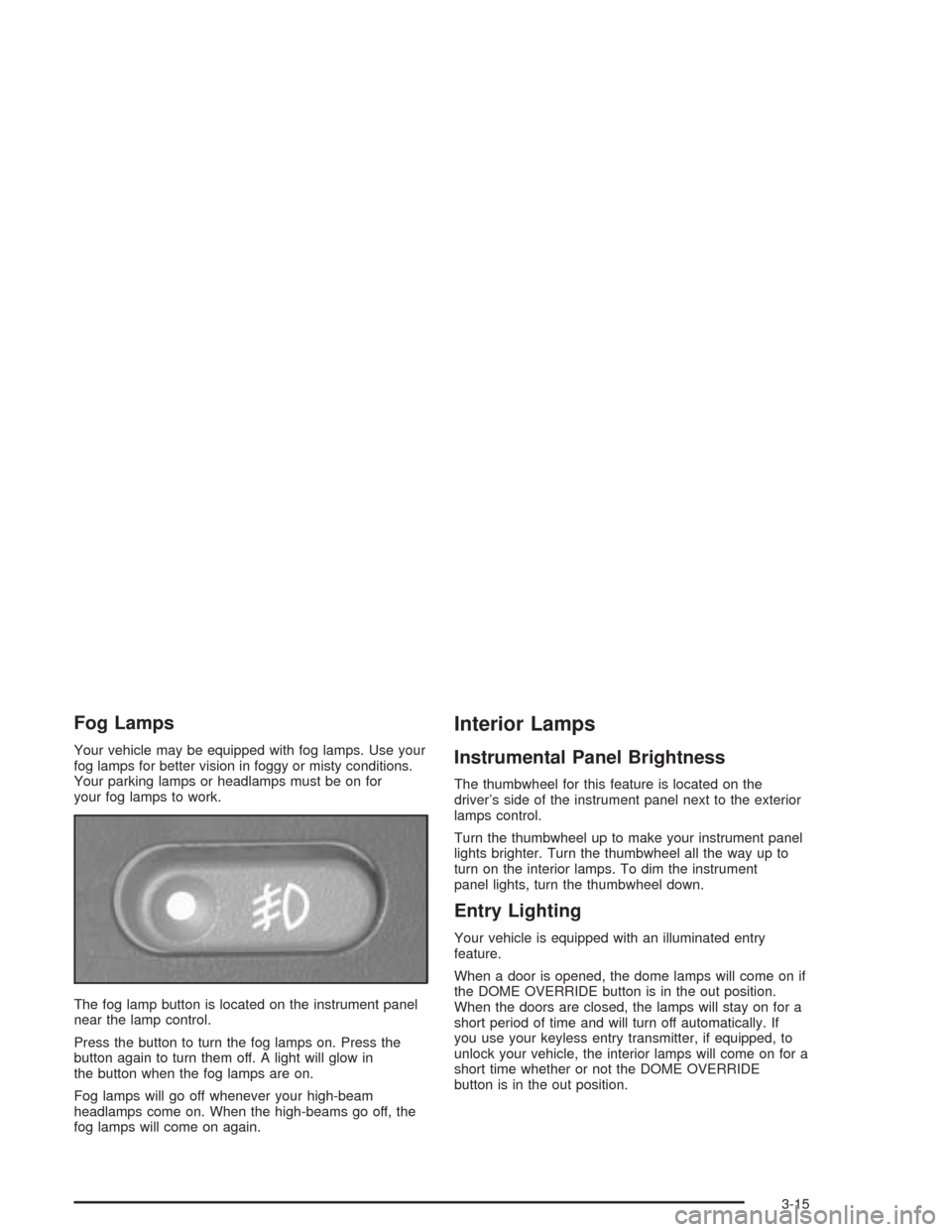
The fog lamp button is located on the instrument panel
near the lamp control.
Press the button to turn the fog lamps on. Press the
button again to turn them off. A light will glow in
the button when the fog lamps are on.
Fog lamps will go off whenever your high-beam
headlamps come on. When the high-beams go off, the
fog lamps will come on again.
Interior Lamps
Instrumental Panel Brightness
The thumbwheel for this feature is located on the
driver’s side of the instrument panel next to the exterior
lamps control.
Turn the thumbwheel up to make your instrument panel
lights brighter. Turn the thumbwheel all the way up to
turn on the interior lamps. To dim the instrument
panel lights, turn the thumbwheel down.
Entry Lighting
Your vehicle is equipped with an illuminated entry
feature.
When a door is opened, the dome lamps will come on if
the DOME OVERRIDE button is in the out position.
When the doors are closed, the lamps will stay on for a
short period of time and will turn off automatically. If
you use your keyless entry transmitter, if equipped, to
unlock your vehicle, the interior lamps will come on for a
short time whether or not the DOME OVERRIDE
button is in the out position.
3-15
Page 148 of 446
Directing the Airow
Mode Knob:Turn the right knob clockwise or
counterclockwise to direct the airow inside of your
vehicle.
H(Vent):This mode directs air to the instrument
panel outlets, with a little air directed toward the oor
outlets.
)(Bi-Level):This mode directs half of the air to the
instrument panel outlets, then directs most of the
remaining air to the oor outlets. A little air is also
directed toward the windshield and the side window
outlets. Cooler air is directed to the upper outlets and
warmer air to the oor outlets.
6(Floor):This mode directs most of the air to the
oor outlets with a little air directed to the windshield and
the side window outlets.
9(Fan):Turn the left knob clockwise or
counterclockwise to increase or decrease the fan speed.
Turn the mode knob to OFF to turn off the fan.
The mode knob can also be used to select defog or
defrost mode. For more information, see “Defogging and
Defrosting” later in this section.
Heating
Turn the center knob clockwise or counterclockwise to
raise or lower the temperature on the inside of your
vehicle.
When it’s cold outside 0°F (−18°C) or lower, use the
engine coolant heater, if equipped, to provide warmer air
faster to your vehicle. An engine coolant heater warms
the coolant that the engine uses to provide heat to
warm the inside of your vehicle. For more information,
seeEngine Coolant Heater on page 2-22.
Cooling
On hot days, open the windows to let hot inside air
escape; then close them. This helps to reduce the time
it takes for your vehicle to cool down. It also helps
the system to operate more efficiently.
A/C (Air Conditioning):Turn the knob to the A/C
position to turn the air-conditioning system on or
off. When the system is on, this setting cools and
dehumidies the air entering your vehicle and directs it
through the oor outlets as well as the instrument
panel outlets.
3-18
Page 149 of 446
MAX A/C (Maximum Air Conditioning):This mode
recirculates much of the air inside your vehicle so
it cools quickly. It directs most of the air through the
instrument panel vents and a small amount through the
oor vents.
You may notice a slight change in engine performance
when the air-conditioning compressor shuts off and
turns on again. This is normal. The system is designed
to make adjustments to help with fuel economy while
still maintaining the selected temperature.
For quick cool down on hot days, do the following:
1. Select A/C.
2. Select the coolest temperature.
3. Select the highest fan speed.
On cool, but sunny days, the sun may warm the upper
part of your body, but the lower part may not be
warm enough. To remedy this, do the following:
1. Select the bi-level mode.
2. Select the temperature.
3. Select the fan speed.
The air-conditioning system removes moisture from the
air, so you may sometimes notice a small amount of
water dripping underneath your vehicle while idling
or after turning off the engine. This is normal.Defogging and Defrosting
Fog on the inside of windows is a result of high humidity
(moisture) condensing on the cool window glass. This
can be minimized if the climate control system is
used properly. There are two modes to clear fog or frost
from your windshield and side windows. Use the
defog mode to clear the windows of fog or moisture and
warm the passengers. use the defrost mode to
remove fog or frost from the windshield more quickly.
For best results, clear all snow and ice from the
windshield before defrosting.
-(Defog):Use this mode to direct half the air to the
windshield and half to the oor outlet. Close the
center outlets to help defrost the side windows more
quickly. In this mode, the system will automatically force
outside air into your vehicle and it will also run the
air-conditioning compressor, unless it falls below the
temperature at which air conditioning is effective.
1(Defrost):This mode directs most of the air to the
windshield and the side window vents, with only a
little air directed to the oor vents. When you select this
mode, the system runs the air-conditioning compressor
unless the outside temperature is at or below freezing.
Do not drive the vehicle until all the windows are clear.
3-19
Page 152 of 446
Instrument Panel Cluster
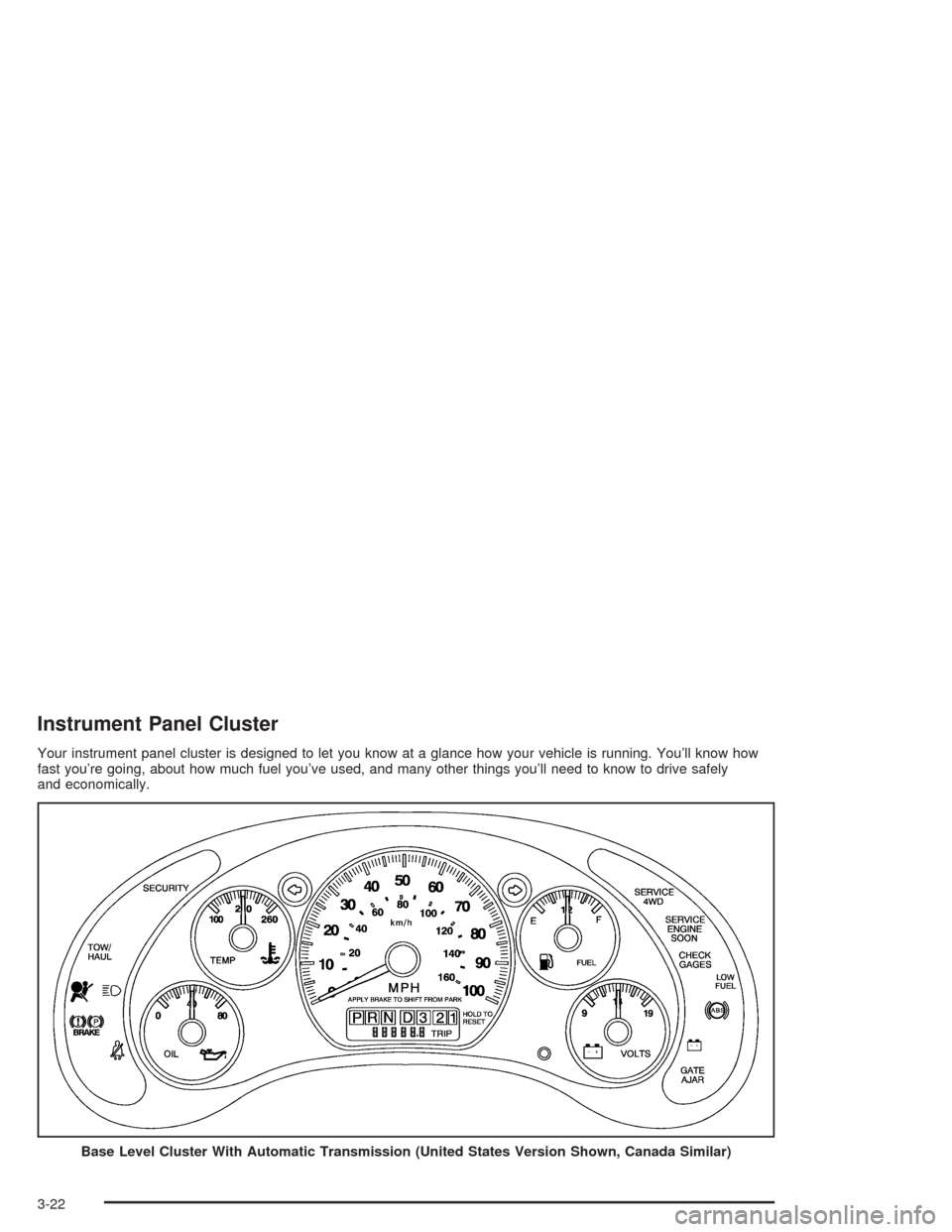
Your instrument panel cluster is designed to let you know at a glance how your vehicle is running. You’ll know how
fast you’re going, about how much fuel you’ve used, and many other things you’ll need to know to drive safely
and economically.
Base Level Cluster With Automatic Transmission (United States Version Shown, Canada Similar)
3-22
Page 155 of 446
Air Bag Readiness Light
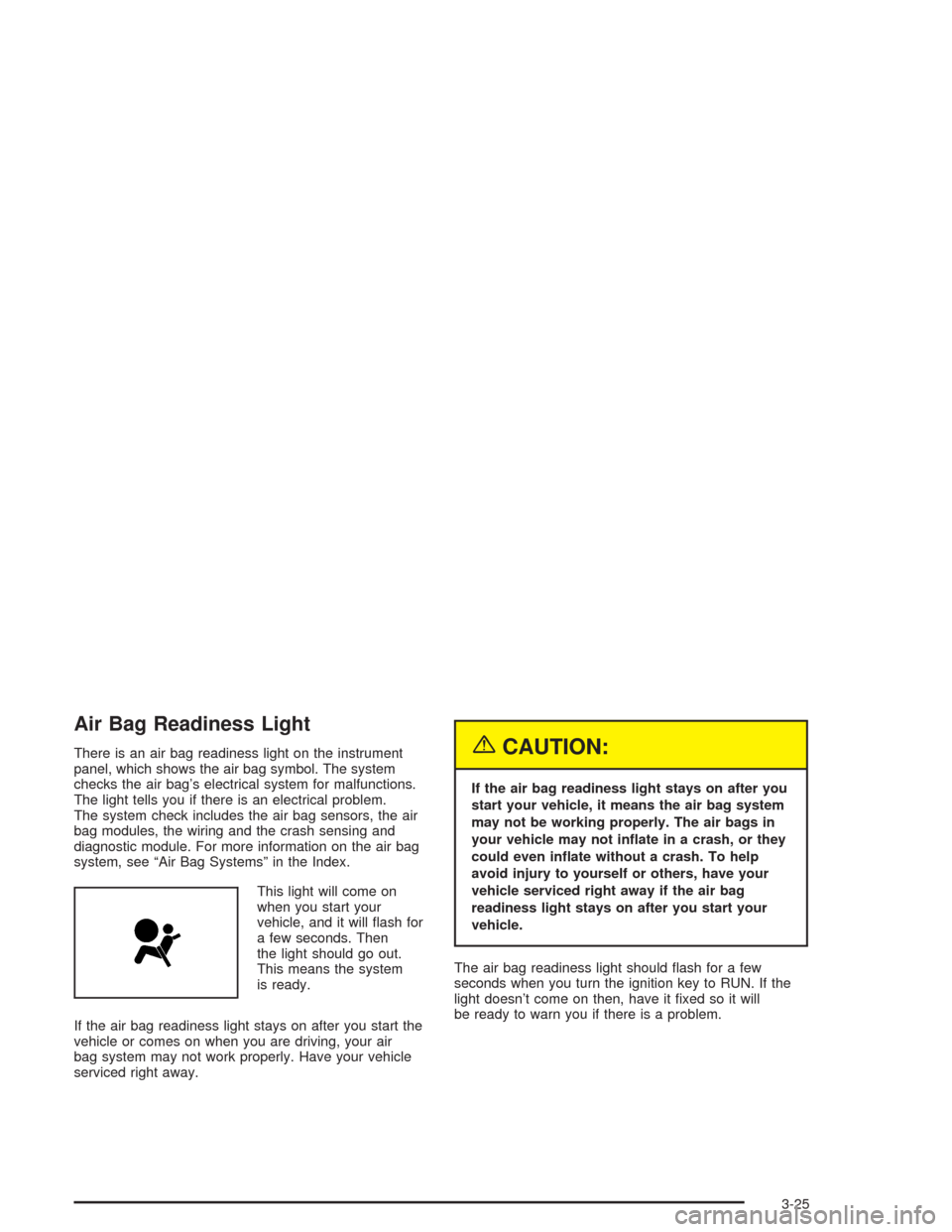
There is an air bag readiness light on the instrument
panel, which shows the air bag symbol. The system
checks the air bag’s electrical system for malfunctions.
The light tells you if there is an electrical problem.
The system check includes the air bag sensors, the air
bag modules, the wiring and the crash sensing and
diagnostic module. For more information on the air bag
system, see “Air Bag Systems” in the Index.
This light will come on
when you start your
vehicle, and it will ash for
a few seconds. Then
the light should go out.
This means the system
is ready.
If the air bag readiness light stays on after you start the
vehicle or comes on when you are driving, your air
bag system may not work properly. Have your vehicle
serviced right away.{CAUTION:
If the air bag readiness light stays on after you
start your vehicle, it means the air bag system
may not be working properly. The air bags in
your vehicle may not inate in a crash, or they
could even inate without a crash. To help
avoid injury to yourself or others, have your
vehicle serviced right away if the air bag
readiness light stays on after you start your
vehicle.
The air bag readiness light should ash for a few
seconds when you turn the ignition key to RUN. If the
light doesn’t come on then, have it xed so it will
be ready to warn you if there is a problem.
3-25
Page 252 of 446
5. Release the parking brake only after the vehicle
being towed is rmly attached to the towing
vehicle.
Notice:If you exceed 55 mph (90 km/h) while
towing your vehicle, it could be damaged. Never
exceed 55 mph (90 km/h) while towing your vehicle.
Notice:Do not exceed the posted speed limit
when towing your vehicle. If you do, your vehicle
could be badly damaged.
6. Turn the ignition to OFF. To prevent your battery
from draining while towing, remove the RDO BATT
and CLSTR fuses from the instrument panel
fuse block. Be sure to replace the fuse when you
reach your destination. SeeFuses and Circuit
Breakers on page 5-99.Dinghy Towing (Two-Wheel Drive Vehicles
and Vehicles with the Electronic
Transfer Case)
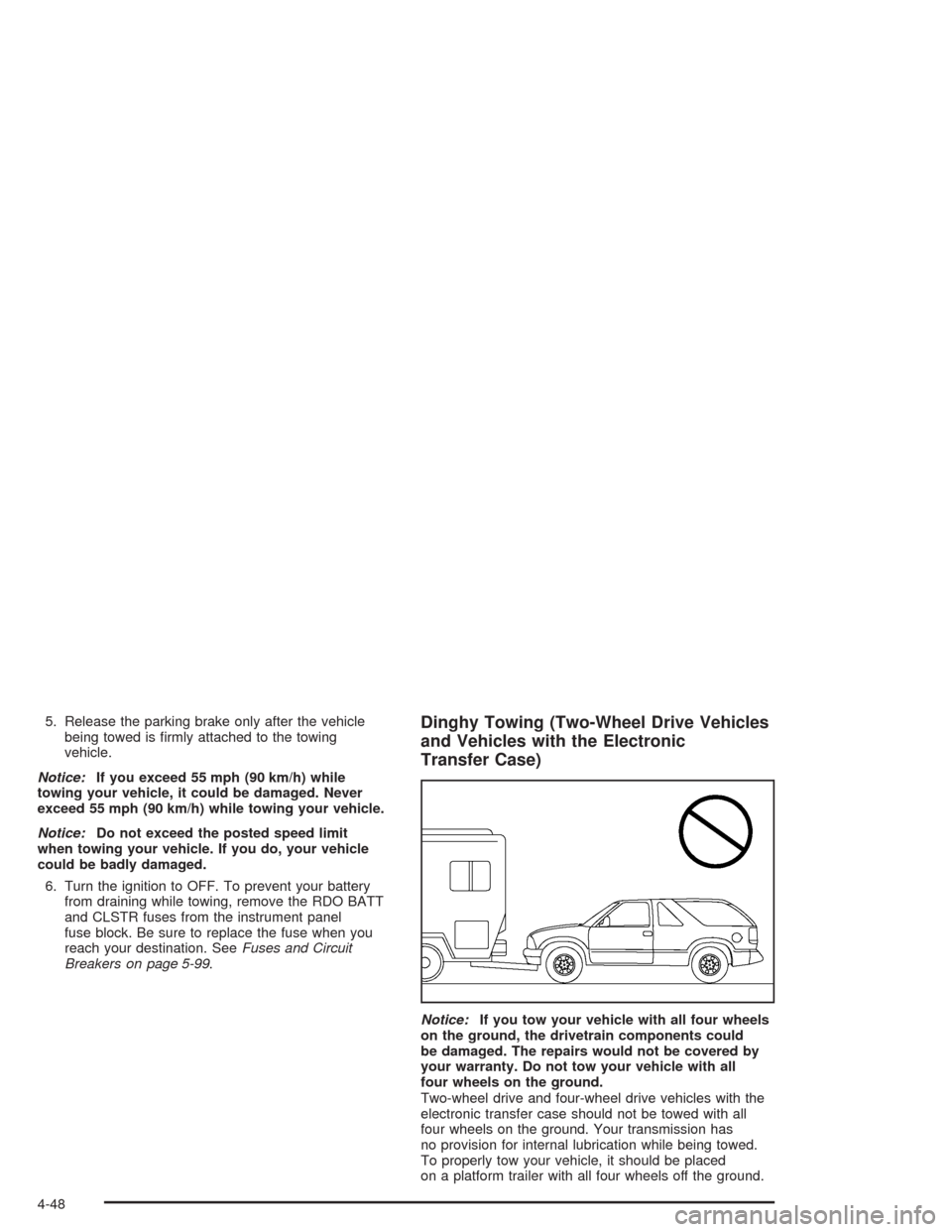
Notice:If you tow your vehicle with all four wheels
on the ground, the drivetrain components could
be damaged. The repairs would not be covered by
your warranty. Do not tow your vehicle with all
four wheels on the ground.
Two-wheel drive and four-wheel drive vehicles with the
electronic transfer case should not be towed with all
four wheels on the ground. Your transmission has
no provision for internal lubrication while being towed.
To properly tow your vehicle, it should be placed
on a platform trailer with all four wheels off the ground.
4-48