lock CHEVROLET BLAZER 2004 2.G Owner's Guide
[x] Cancel search | Manufacturer: CHEVROLET, Model Year: 2004, Model line: BLAZER, Model: CHEVROLET BLAZER 2004 2.GPages: 446, PDF Size: 2.93 MB
Page 95 of 446
Electronic Transfer Case
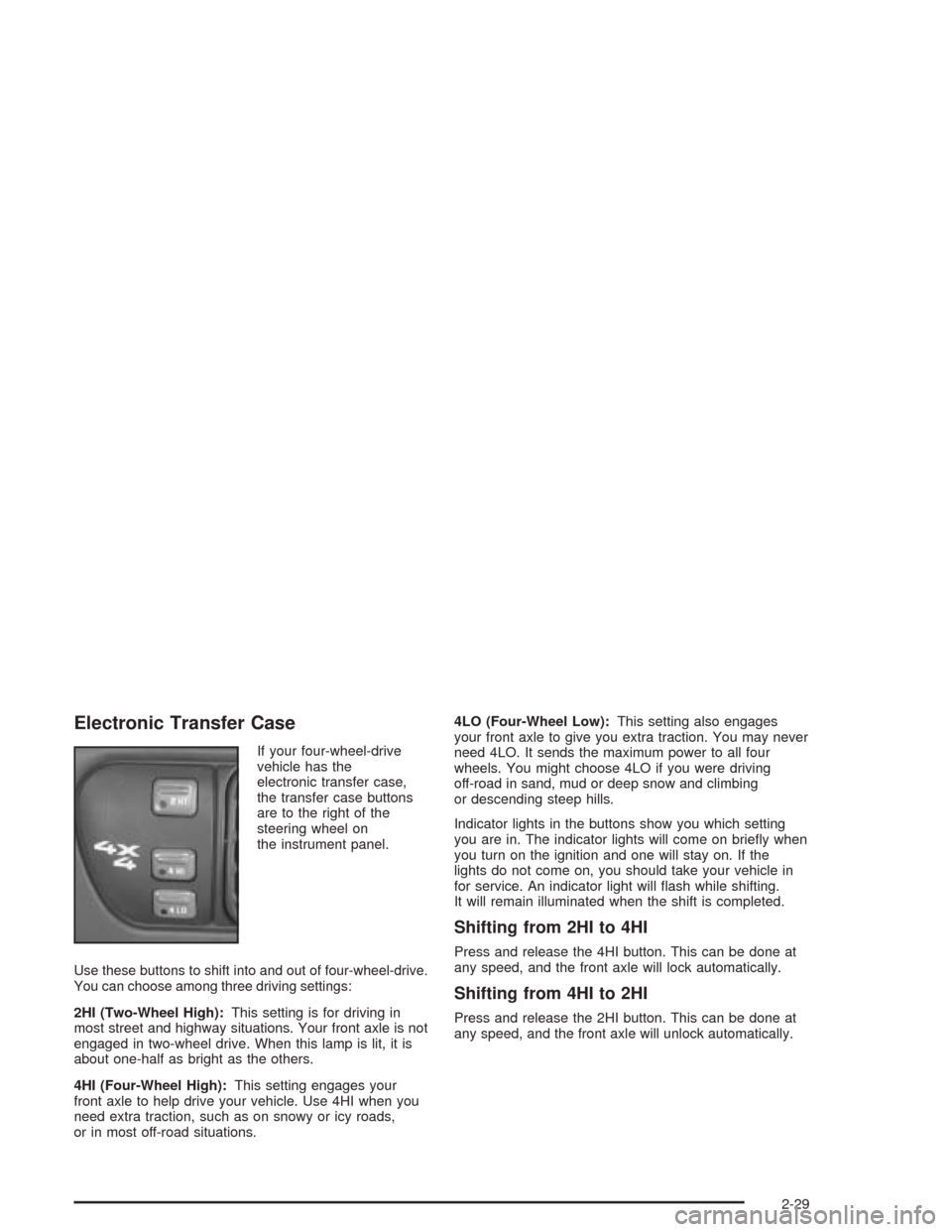
If your four-wheel-drive
vehicle has the
electronic transfer case,
the transfer case buttons
are to the right of the
steering wheel on
the instrument panel.
Use these buttons to shift into and out of four-wheel-drive.
You can choose among three driving settings:
2HI (Two-Wheel High):This setting is for driving in
most street and highway situations. Your front axle is not
engaged in two-wheel drive. When this lamp is lit, it is
about one-half as bright as the others.
4HI (Four-Wheel High):This setting engages your
front axle to help drive your vehicle. Use 4HI when you
need extra traction, such as on snowy or icy roads,
or in most off-road situations.4LO (Four-Wheel Low):This setting also engages
your front axle to give you extra traction. You may never
need 4LO. It sends the maximum power to all four
wheels. You might choose 4LO if you were driving
off-road in sand, mud or deep snow and climbing
or descending steep hills.
Indicator lights in the buttons show you which setting
you are in. The indicator lights will come on briey when
you turn on the ignition and one will stay on. If the
lights do not come on, you should take your vehicle in
for service. An indicator light will ash while shifting.
It will remain illuminated when the shift is completed.
Shifting from 2HI to 4HI
Press and release the 4HI button. This can be done at
any speed, and the front axle will lock automatically.
Shifting from 4HI to 2HI
Press and release the 2HI button. This can be done at
any speed, and the front axle will unlock automatically.
2-29
Page 103 of 446
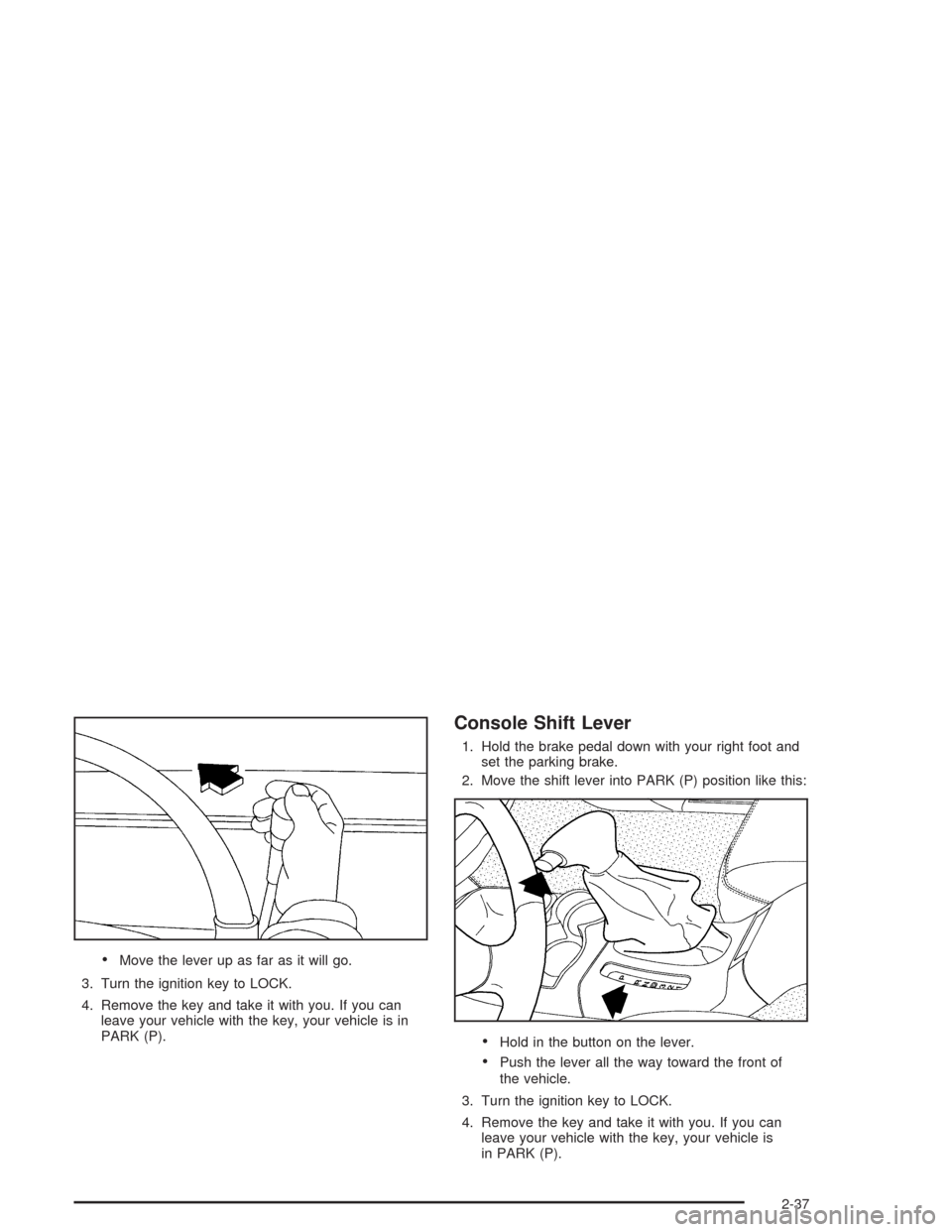
Move the lever up as far as it will go.
3. Turn the ignition key to LOCK.
4. Remove the key and take it with you. If you can
leave your vehicle with the key, your vehicle is in
PARK (P).
Console Shift Lever
1. Hold the brake pedal down with your right foot and
set the parking brake.
2. Move the shift lever into PARK (P) position like this:
Hold in the button on the lever.
Push the lever all the way toward the front of
the vehicle.
3. Turn the ignition key to LOCK.
4. Remove the key and take it with you. If you can
leave your vehicle with the key, your vehicle is
in PARK (P).
2-37
Page 104 of 446
Leaving Your Vehicle With the Engine
Running
{CAUTION:
It can be dangerous to leave your vehicle with
the engine running. Your vehicle could move
suddenly if the shift lever is not fully in
PARK (P) with the parking brake rmly set.
If you have four-wheel drive, your vehicle
will be free to roll – even if your lever is in
PARK (P) – if your transfer case is in NEUTRAL.
So be sure the transfer case is in a drive
gear – not NEUTRAL. See “Four-Wheel Drive
(Automatic Transfer Case)” in the Index.
And, if you leave the vehicle with the engine
running, it could overheat and even catch re.
You or others could be injured. Don’t leave
your vehicle with the engine running unless
you have to.If you have to leave your vehicle with the engine
running, be sure your vehicle is in PARK (P) and
your parking brake is rmly set before you leave it.
After you’ve moved the shift lever into PARK (P), hold
the regular brake pedal down. Then, see if you can
move the shift lever away from PARK (P) without rst
pulling it toward you (or pressing the button on a console
shift lever). If you can, it means that the shift lever
wasn’t fully locked into PARK (P).
Torque Lock
If you are parking on a hill and you don’t shift your
transmission into PARK (P) properly, the weight of the
vehicle may put too much force on the parking pawl
in the transmission. You may nd it difficult to pull the
shift lever out of PARK (P). This is called torque lock.
To prevent torque lock, set the parking brake and
then shift into PARK (P) properly before you leave the
driver’s seat. To nd out how, seeShifting Into Park (P)
on page 2-36.
When you are ready to drive, move the shift lever out of
PARK (P)beforeyou release the parking brake.
If torque lock does occur, you may need to have another
vehicle push yours a little uphill to take some of the
pressure from the parking pawl in the transmission,
so you can pull the shift lever out of PARK (P).
2-38
Page 105 of 446
Shifting Out of Park (P)
Your vehicle has an automatic transmission shift lock
control system which locks the shift lever in PARK when
the ignition is in the OFF position. In addition, you
have to fully apply the regular brakes before you can
shift from PARK (P) when the ignition is in RUN.
SeeAutomatic Transmission Operation on page 2-23.
If you cannot shift out of PARK (P), ease pressure
on the shift lever. Push the shift lever all the way into
PARK (P) as you maintain brake application and
then move the shift lever into the gear you want.
You must press the shift lever button on the shift lever.
If you ever hold the brake pedal down but still can’t
shift out of PARK (P), try this:
1. Turn the key to OFF.
2. Apply and hold the brake until the end of Step 4.
3. Shift the transmission to NEUTRAL (N).
4. Start the vehicle and then shift to the drive gear
you want.
5. Have the vehicle xed as soon as you can.
Parking Your Vehicle
Before you get out of your vehicle, move the shift lever
into REVERSE (R), and rmly apply the parking
brake. Once the shift lever has been placed into
REVERSE (R) with the clutch pedal pressed in, you can
turn the ignition key to OFF, remove the key and
release the clutch.
If you are parking on a hill, or if your vehicle is pulling a
trailer, seeTowing a Trailer on page 4-60.
2-39
Page 111 of 446
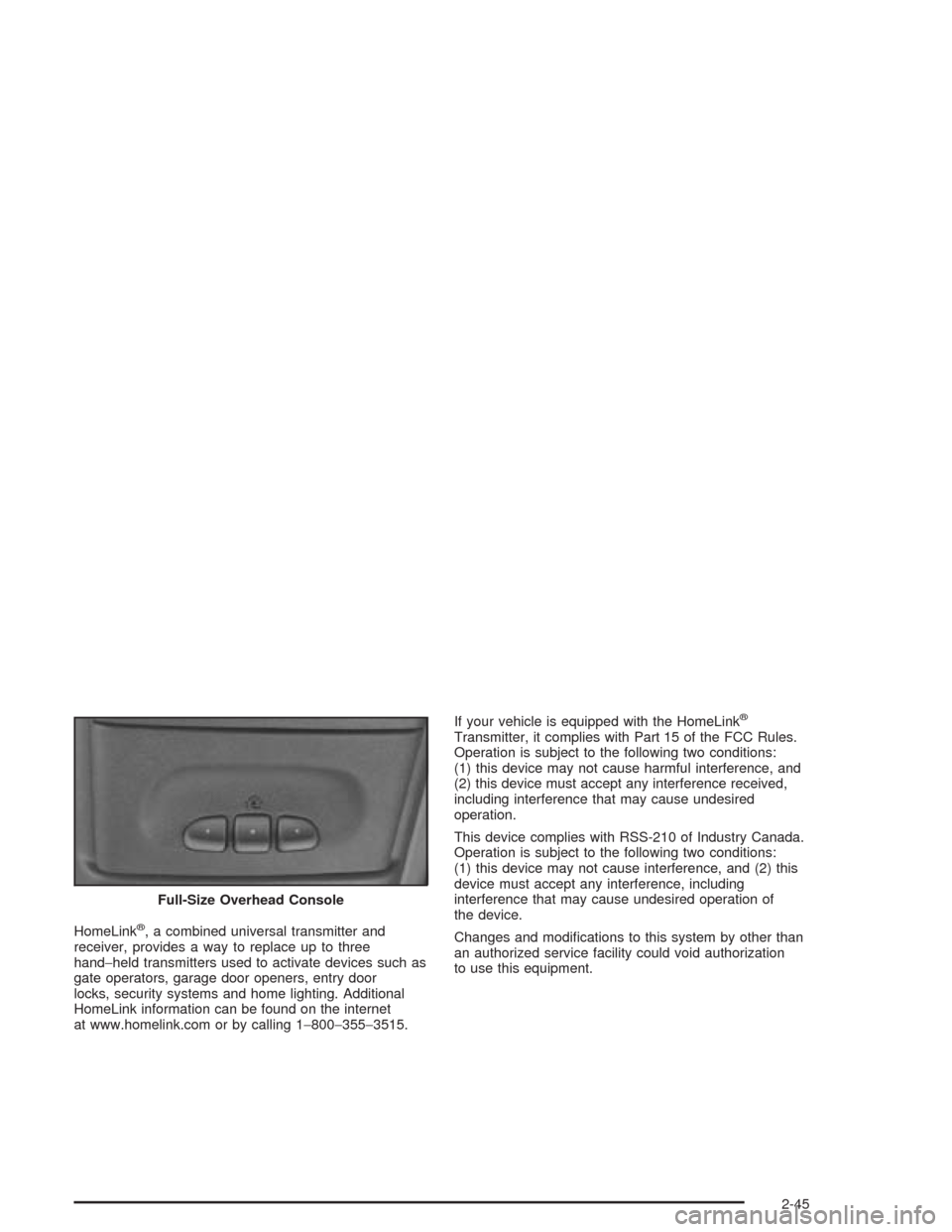
HomeLink®, a combined universal transmitter and
receiver, provides a way to replace up to three
hand−held transmitters used to activate devices such as
gate operators, garage door openers, entry door
locks, security systems and home lighting. Additional
HomeLink information can be found on the internet
at www.homelink.com or by calling 1−800−355−3515.If your vehicle is equipped with the HomeLink
®
Transmitter, it complies with Part 15 of the FCC Rules.
Operation is subject to the following two conditions:
(1) this device may not cause harmful interference, and
(2) this device must accept any interference received,
including interference that may cause undesired
operation.
This device complies with RSS-210 of Industry Canada.
Operation is subject to the following two conditions:
(1) this device may not cause interference, and (2) this
device must accept any interference, including
interference that may cause undesired operation of
the device.
Changes and modications to this system by other than
an authorized service facility could void authorization
to use this equipment. Full-Size Overhead Console
2-45
Page 129 of 446
To open your sunroof do one of the following:
To open in vent mode, press and hold the front
side of the switch until the sunroof ips up to
the desired position and then release it to stop the
glass from moving.
If you continue to hold the button, the glass will
automatically stop when it is fully opened.
To open in slide mode, press and release the rear
side of the switch to fully open the roof. The roof
will open automatically and stop when it is fully
opened.
To stop the roof at any position before it reaches
the fully open position, press and release the
button again.To close your sunroof do one of the following:
To close from the vent position, push and hold the
rear side of the switch.
The glass will automatically stop when it is fully
closed.
To close from the slide position, press and hold the
front side of the switch.
The glass will automatically stop when it is fully
closed.
The sunroof is also equipped with a sunshade that you
can pull forward to block sun rays.
2-63
Page 130 of 446
Vehicle Personalization
Memory Seat
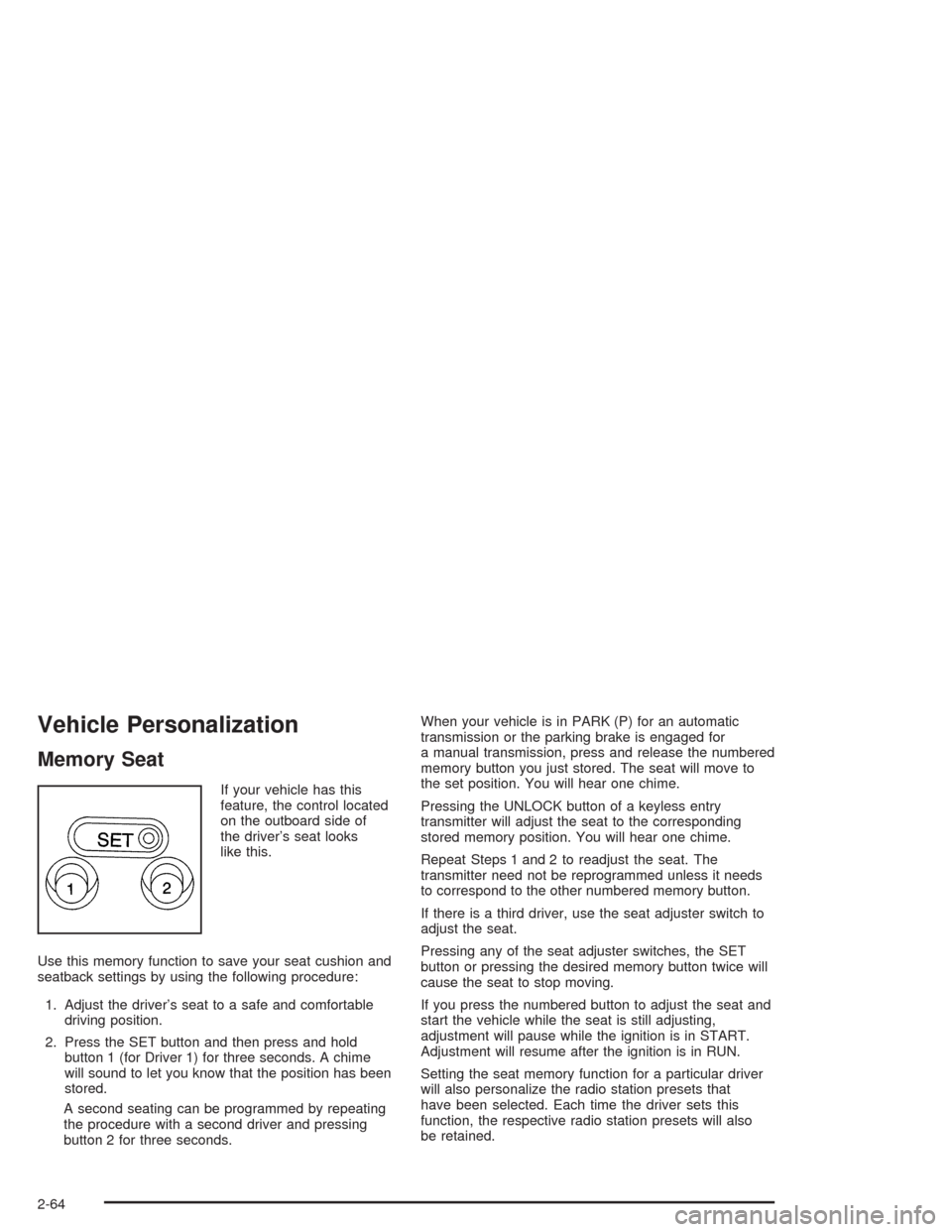
If your vehicle has this
feature, the control located
on the outboard side of
the driver’s seat looks
like this.
Use this memory function to save your seat cushion and
seatback settings by using the following procedure:
1. Adjust the driver’s seat to a safe and comfortable
driving position.
2. Press the SET button and then press and hold
button 1 (for Driver 1) for three seconds. A chime
will sound to let you know that the position has been
stored.
A second seating can be programmed by repeating
the procedure with a second driver and pressing
button 2 for three seconds.When your vehicle is in PARK (P) for an automatic
transmission or the parking brake is engaged for
a manual transmission, press and release the numbered
memory button you just stored. The seat will move to
the set position. You will hear one chime.
Pressing the UNLOCK button of a keyless entry
transmitter will adjust the seat to the corresponding
stored memory position. You will hear one chime.
Repeat Steps 1 and 2 to readjust the seat. The
transmitter need not be reprogrammed unless it needs
to correspond to the other numbered memory button.
If there is a third driver, use the seat adjuster switch to
adjust the seat.
Pressing any of the seat adjuster switches, the SET
button or pressing the desired memory button twice will
cause the seat to stop moving.
If you press the numbered button to adjust the seat and
start the vehicle while the seat is still adjusting,
adjustment will pause while the ignition is in START.
Adjustment will resume after the ignition is in RUN.
Setting the seat memory function for a particular driver
will also personalize the radio station presets that
have been selected. Each time the driver sets this
function, the respective radio station presets will also
be retained.
2-64
Page 131 of 446
Instrument Panel Overview...............................3-2
Hazard Warning Flashers................................3-4
Other Warning Devices...................................3-4
Horn.............................................................3-5
Tilt Wheel.....................................................3-5
Turn Signal/Multifunction Lever.........................3-5
Exterior Lamps.............................................3-12
Interior Lamps..............................................3-15
Ashtrays and Cigarette Lighter........................3-17
Climate Controls............................................3-17
Climate Control System.................................3-17
Outlet Adjustment.........................................3-20
Warning Lights, Gages, and Indicators............3-21
Instrument Panel Cluster................................3-22
Speedometer and Odometer...........................3-24
Trip Odometer..............................................3-24
Tachometer.................................................3-24
Safety Belt Reminder Light.............................3-24
Air Bag Readiness Light................................3-25
Charging System Light..................................3-26
Voltmeter Gage............................................3-26
Up-Shift Light...............................................3-27
Brake System Warning Light..........................3-28
Anti-Lock Brake System Warning Light.............3-29
Engine Coolant Temperature Gage..................3-29
Malfunction Indicator Lamp.............................3-30Oil Pressure Gage........................................3-33
Security Light...............................................3-34
Service Four-Wheel Drive
Warning Light...........................................3-34
Tow/Haul Mode Light....................................3-35
Check Gages Warning Light...........................3-35
Gate Ajar Light.............................................3-35
Fuel Gage...................................................3-36
Low Fuel Warning Light.................................3-36
Audio System(s).............................................3-37
Setting the Time for Radios without
Radio Data Systems (RDS)........................3-37
Setting the Time for Radios with Radio
Data Systems (RDS)..................................3-38
AM-FM Radio...............................................3-38
Radio with CD..............................................3-41
Radio with Cassette and CD..........................3-49
Radio with Six-Disc CD.................................3-60
Theft-Deterrent Feature (Non-RDS Radios).......3-72
Theft-Deterrent Feature (RDS Radios).............3-72
Radio Reception...........................................3-72
Care of Your Cassette Tape Player.................3-72
Care of Your CDs.........................................3-74
Care of Your CD Player................................3-74
Fixed Mast Antenna......................................3-74
Section 3 Instrument Panel
3-1
Page 135 of 446
Horn
To sound the horn, press the horn symbol on the
steering wheel pad.
Tilt Wheel
A tilt wheel allows you to adjust the steering wheel
before you drive. You can raise it to the highest level to
allow more room for the driver to enter and exit the
vehicle.
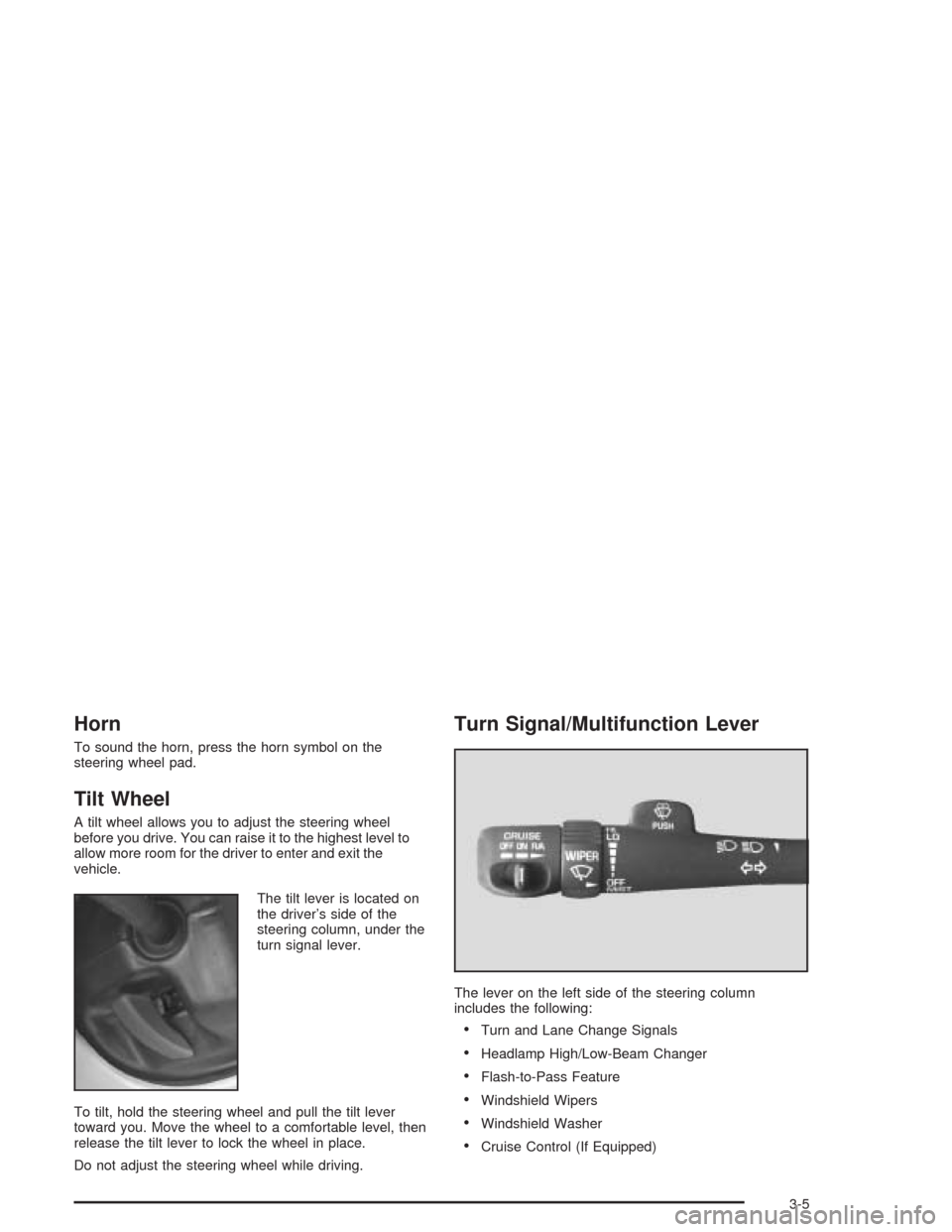
The tilt lever is located on
the driver’s side of the
steering column, under the
turn signal lever.
To tilt, hold the steering wheel and pull the tilt lever
toward you. Move the wheel to a comfortable level, then
release the tilt lever to lock the wheel in place.
Do not adjust the steering wheel while driving.
Turn Signal/Multifunction Lever
The lever on the left side of the steering column
includes the following:
Turn and Lane Change Signals
Headlamp High/Low-Beam Changer
Flash-to-Pass Feature
Windshield Wipers
Windshield Washer
Cruise Control (If Equipped)
3-5
Page 138 of 446
Windshield Wipers
To operate the windshield wipers turn the band, located
on the multifunction lever, upward or downward.
MIST:Turn the band to MIST for a single wiping cycle.
Hold it until the windshield wipers start. Then let it
go. The windshield wipers will stop after one wipe. If
you want more wipes, hold the band on MIST longer.
OFF:Turn the band to OFF to turn off the windshield
wipers.
LO (Low Speed):Turn the band away from you to
LO and past the delay settings for steady wiping at
low speed.
HI (High Speed):Turn the band away from you, to
HI, and past the delay settings for wiping steady at
high speed.
Delayed Wiping:You can set the wiper speed for a
long or short delay between wipes. Turn the band
to choose the delay time. The closer to LO, the shorter
the delay.
JPUSH (Windshield Washer):There is a paddle
marked with the windshield washer symbol at the top of
the multifunction lever. To spray washer uid on the
windshield, push the paddle. The wipers will clear the
window and then either stop or return to your preset
speed.
Be sure to clear ice and snow from the wiper blades
before using them. If they’re frozen to the windshield,
carefully loosen or thaw them. If your blades do become
worn or damaged, get new blades or blade inserts.
Heavy snow or ice can overload your wipers. A circuit
breaker will stop them until the motor cools. Clear away
snow or ice to prevent an overload.
{CAUTION:
In freezing weather, do not use your washer
until the windshield is warmed. Otherwise the
washer uid can form ice on the windshield,
blocking your vision.
3-8