instrument panel CHEVROLET BLAZER 2005 2.G User Guide
[x] Cancel search | Manufacturer: CHEVROLET, Model Year: 2005, Model line: BLAZER, Model: CHEVROLET BLAZER 2005 2.GPages: 436, PDF Size: 2.55 MB
Page 90 of 436
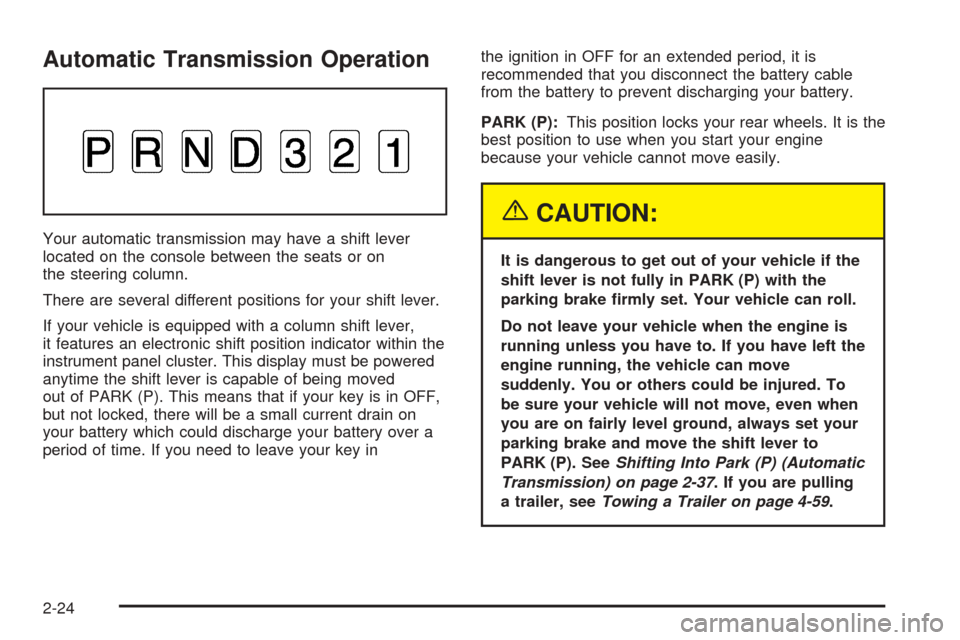
Automatic Transmission Operation
Your automatic transmission may have a shift lever
located on the console between the seats or on
the steering column.
There are several different positions for your shift lever.
If your vehicle is equipped with a column shift lever,
it features an electronic shift position indicator within the
instrument panel cluster. This display must be powered
anytime the shift lever is capable of being moved
out of PARK (P). This means that if your key is in OFF,
but not locked, there will be a small current drain on
your battery which could discharge your battery over a
period of time. If you need to leave your key inthe ignition in OFF for an extended period, it is
recommended that you disconnect the battery cable
from the battery to prevent discharging your battery.
PARK (P):This position locks your rear wheels. It is the
best position to use when you start your engine
because your vehicle cannot move easily.
{CAUTION:
It is dangerous to get out of your vehicle if the
shift lever is not fully in PARK (P) with the
parking brake rmly set. Your vehicle can roll.
Do not leave your vehicle when the engine is
running unless you have to. If you have left the
engine running, the vehicle can move
suddenly. You or others could be injured. To
be sure your vehicle will not move, even when
you are on fairly level ground, always set your
parking brake and move the shift lever to
PARK (P). SeeShifting Into Park (P) (Automatic
Transmission) on page 2-37. If you are pulling
a trailer, seeTowing a Trailer on page 4-59.
2-24
Page 93 of 436
SECOND (2):This position gives you more power but
lower fuel economy than THIRD (3). You can use
SECOND (2) on hills. It can help control your speed as
you go down steep mountain roads, but then you
would also want to use your brakes off and on.
You can also use SECOND (2) for starting your vehicle
from a stop on slippery road surfaces.
FIRST (1):This position gives you even more power
but lower fuel economy than SECOND (2). You can use
it on very steep hills, or in deep snow or mud. If the
shift lever is put in FIRST (1) while the vehicle is moving
forward, the transmission will not shift into rst gear
until the vehicle is going slowly enough.
Notice:Spinning the tires or holding the vehicle in
one place on a hill using only the accelerator
pedal may damage the transmission. If you are
stuck, do not spin the tires. When stopping on a hill,
use the brakes to hold the vehicle in place.Tow/Haul Mode
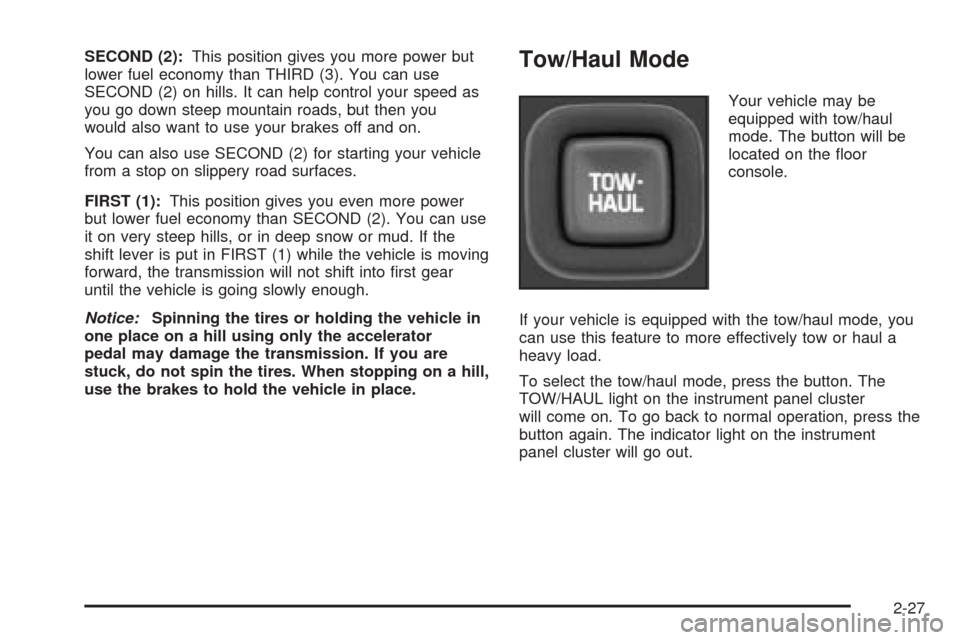
Your vehicle may be
equipped with tow/haul
mode. The button will be
located on the oor
console.
If your vehicle is equipped with the tow/haul mode, you
can use this feature to more effectively tow or haul a
heavy load.
To select the tow/haul mode, press the button. The
TOW/HAUL light on the instrument panel cluster
will come on. To go back to normal operation, press the
button again. The indicator light on the instrument
panel cluster will go out.
2-27
Page 95 of 436
Up-Shift Light
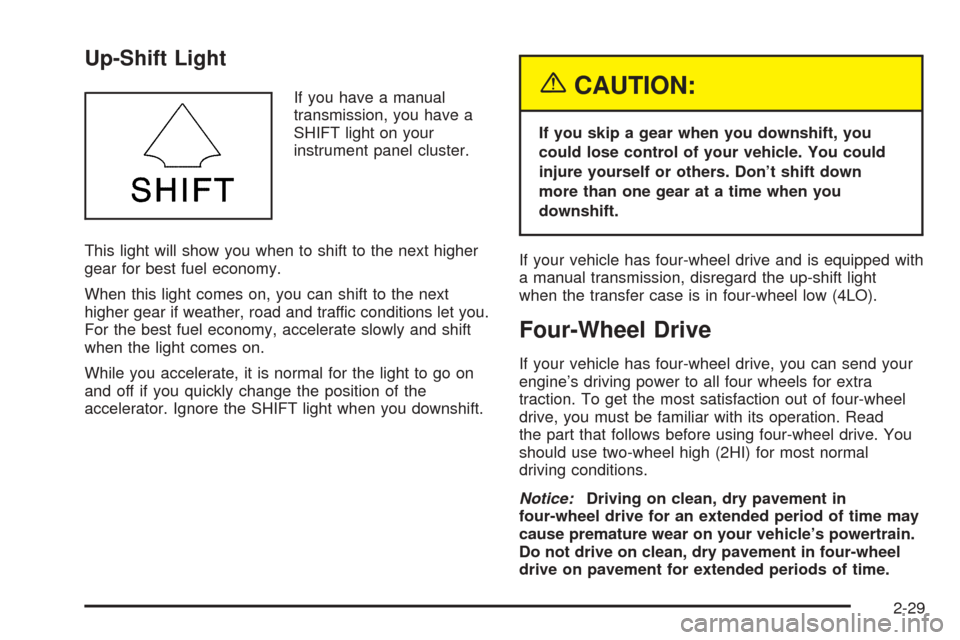
If you have a manual
transmission, you have a
SHIFT light on your
instrument panel cluster.
This light will show you when to shift to the next higher
gear for best fuel economy.
When this light comes on, you can shift to the next
higher gear if weather, road and traffic conditions let you.
For the best fuel economy, accelerate slowly and shift
when the light comes on.
While you accelerate, it is normal for the light to go on
and off if you quickly change the position of the
accelerator. Ignore the SHIFT light when you downshift.{CAUTION:
If you skip a gear when you downshift, you
could lose control of your vehicle. You could
injure yourself or others. Don’t shift down
more than one gear at a time when you
downshift.
If your vehicle has four-wheel drive and is equipped with
a manual transmission, disregard the up-shift light
when the transfer case is in four-wheel low (4LO).
Four-Wheel Drive
If your vehicle has four-wheel drive, you can send your
engine’s driving power to all four wheels for extra
traction. To get the most satisfaction out of four-wheel
drive, you must be familiar with its operation. Read
the part that follows before using four-wheel drive. You
should use two-wheel high (2HI) for most normal
driving conditions.
Notice:Driving on clean, dry pavement in
four-wheel drive for an extended period of time may
cause premature wear on your vehicle’s powertrain.
Do not drive on clean, dry pavement in four-wheel
drive on pavement for extended periods of time.
2-29
Page 96 of 436
Electronic Transfer Case
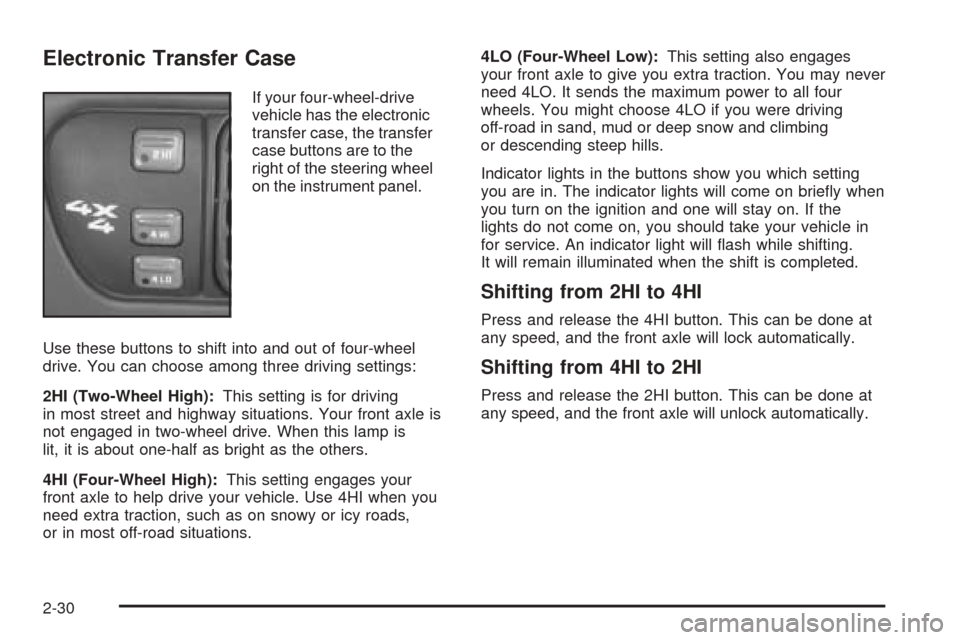
If your four-wheel-drive
vehicle has the electronic
transfer case, the transfer
case buttons are to the
right of the steering wheel
on the instrument panel.
Use these buttons to shift into and out of four-wheel
drive. You can choose among three driving settings:
2HI (Two-Wheel High):This setting is for driving
in most street and highway situations. Your front axle is
not engaged in two-wheel drive. When this lamp is
lit, it is about one-half as bright as the others.
4HI (Four-Wheel High):This setting engages your
front axle to help drive your vehicle. Use 4HI when you
need extra traction, such as on snowy or icy roads,
or in most off-road situations.4LO (Four-Wheel Low):This setting also engages
your front axle to give you extra traction. You may never
need 4LO. It sends the maximum power to all four
wheels. You might choose 4LO if you were driving
off-road in sand, mud or deep snow and climbing
or descending steep hills.
Indicator lights in the buttons show you which setting
you are in. The indicator lights will come on briey when
you turn on the ignition and one will stay on. If the
lights do not come on, you should take your vehicle in
for service. An indicator light will ash while shifting.
It will remain illuminated when the shift is completed.
Shifting from 2HI to 4HI
Press and release the 4HI button. This can be done at
any speed, and the front axle will lock automatically.
Shifting from 4HI to 2HI
Press and release the 2HI button. This can be done at
any speed, and the front axle will unlock automatically.
2-30
Page 98 of 436
Automatic Transfer Case
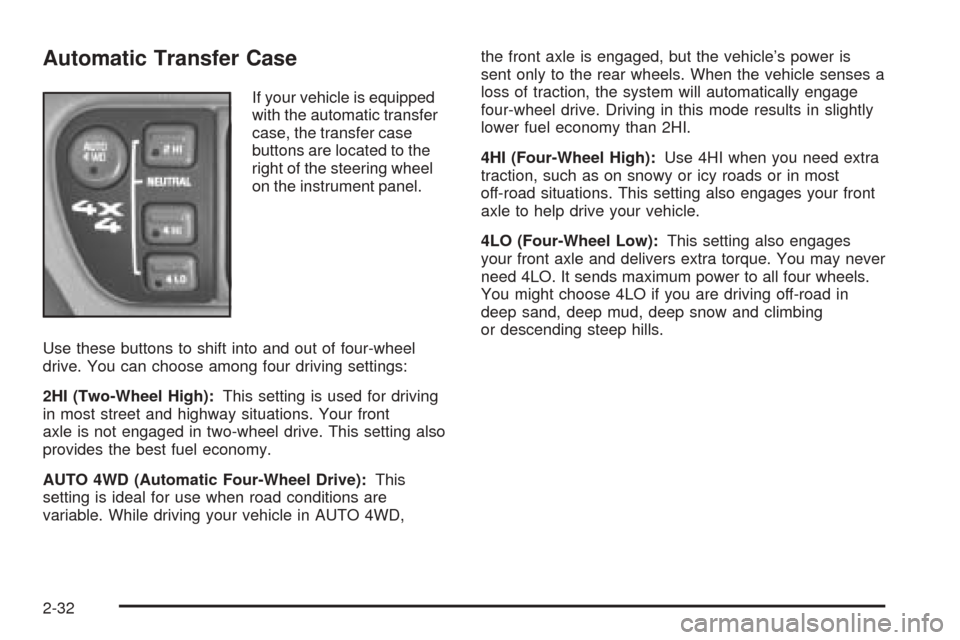
If your vehicle is equipped
with the automatic transfer
case, the transfer case
buttons are located to the
right of the steering wheel
on the instrument panel.
Use these buttons to shift into and out of four-wheel
drive. You can choose among four driving settings:
2HI (Two-Wheel High):This setting is used for driving
in most street and highway situations. Your front
axle is not engaged in two-wheel drive. This setting also
provides the best fuel economy.
AUTO 4WD (Automatic Four-Wheel Drive):This
setting is ideal for use when road conditions are
variable. While driving your vehicle in AUTO 4WD,the front axle is engaged, but the vehicle’s power is
sent only to the rear wheels. When the vehicle senses a
loss of traction, the system will automatically engage
four-wheel drive. Driving in this mode results in slightly
lower fuel economy than 2HI.
4HI (Four-Wheel High):Use 4HI when you need extra
traction, such as on snowy or icy roads or in most
off-road situations. This setting also engages your front
axle to help drive your vehicle.
4LO (Four-Wheel Low):This setting also engages
your front axle and delivers extra torque. You may never
need 4LO. It sends maximum power to all four wheels.
You might choose 4LO if you are driving off-road in
deep sand, deep mud, deep snow and climbing
or descending steep hills.
2-32
Page 102 of 436
Parking Brake
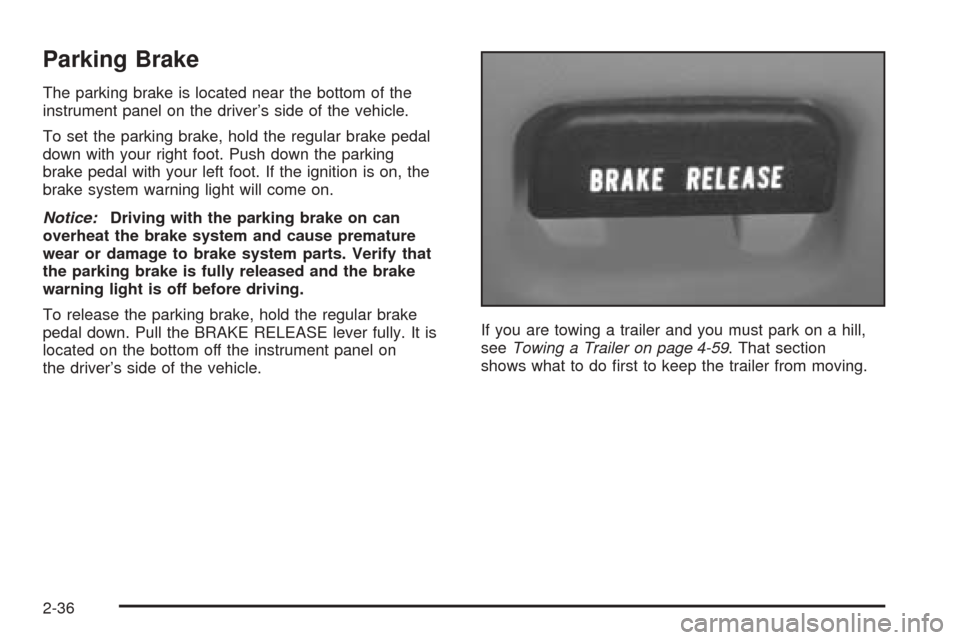
The parking brake is located near the bottom of the
instrument panel on the driver’s side of the vehicle.
To set the parking brake, hold the regular brake pedal
down with your right foot. Push down the parking
brake pedal with your left foot. If the ignition is on, the
brake system warning light will come on.
Notice:Driving with the parking brake on can
overheat the brake system and cause premature
wear or damage to brake system parts. Verify that
the parking brake is fully released and the brake
warning light is off before driving.
To release the parking brake, hold the regular brake
pedal down. Pull the BRAKE RELEASE lever fully. It is
located on the bottom off the instrument panel on
the driver’s side of the vehicle.If you are towing a trailer and you must park on a hill,
seeTowing a Trailer on page 4-59. That section
shows what to do rst to keep the trailer from moving.
2-36
Page 127 of 436
Instrument Panel Overview...............................3-4
Hazard Warning Flashers................................3-5
Other Warning Devices...................................3-6
Horn.............................................................3-6
Tilt Wheel.....................................................3-6
Turn Signal/Multifunction Lever.........................3-6
Turn and Lane-Change Signals........................3-7
Headlamp High/Low-Beam Changer..................3-8
Flash-to-Pass.................................................3-8
Windshield Wipers..........................................3-9
Cruise Control..............................................3-10
Exterior Lamps.............................................3-13
Headlamps on Reminder................................3-13
Daytime Running Lamps (DRL).......................3-14
Automatic Headlamp System..........................3-15
Fog Lamps..................................................3-16
Instrument Panel Brightness...........................3-16
Dome Lamps...............................................3-16
Entry Lighting...............................................3-17
Exit Lighting.................................................3-17
Front Reading Lamps....................................3-17
Map Lamps.................................................3-17
Battery Run-Down Protection..........................3-17
Ashtrays and Cigarette Lighter........................3-18
Climate Controls............................................3-19
Climate Control System.................................3-19
Outlet Adjustment.........................................3-21Warning Lights, Gages, and Indicators............3-21
Instrument Panel Cluster................................3-22
Speedometer and Odometer...........................3-24
Trip Odometer..............................................3-24
Tachometer.................................................3-24
Safety Belt Reminder Light.............................3-24
Airbag Readiness Light..................................3-25
Charging System Light..................................3-26
Voltmeter Gage............................................3-26
Up-Shift Light...............................................3-27
Brake System Warning Light..........................3-28
Anti-Lock Brake System
Warning Light...........................................3-29
Engine Coolant Temperature Gage..................3-29
Malfunction Indicator Lamp.............................3-30
Oil Pressure Gage........................................3-32
Security Light...............................................3-33
Highbeam On Light.......................................3-34
Service Four-Wheel Drive
Warning Light...........................................3-34
Tow/Haul Mode Light....................................3-34
Check Gages Warning Light...........................3-35
Gate Ajar Light.............................................3-35
Fuel Gage...................................................3-36
Low Fuel Warning Light.................................3-36
Section 3 Instrument Panel
3-1
Page 128 of 436
Driver Information Center (DIC).......................3-37
Audio System(s).............................................3-39
Setting the Time for Radios without Radio
Data Systems (RDS)..................................3-40
Setting the Time for Radios with Radio Data
Systems (RDS).........................................3-40
AM-FM Radio...............................................3-41
Radio with CD..............................................3-43
Radio with Cassette and CD..........................3-51Radio with Six-Disc CD.................................3-64
Theft-Deterrent Feature
(Non-RDS Radios).....................................3-74
Theft-Deterrent Feature
(RDS Radios)...........................................3-74
Radio Reception...........................................3-75
Care of Your Cassette Tape Player.................3-75
Care of Your CDs.........................................3-76
Care of Your CD Player................................3-76
Fixed Mast Antenna......................................3-76
Section 3 Instrument Panel
3-2
Page 130 of 436
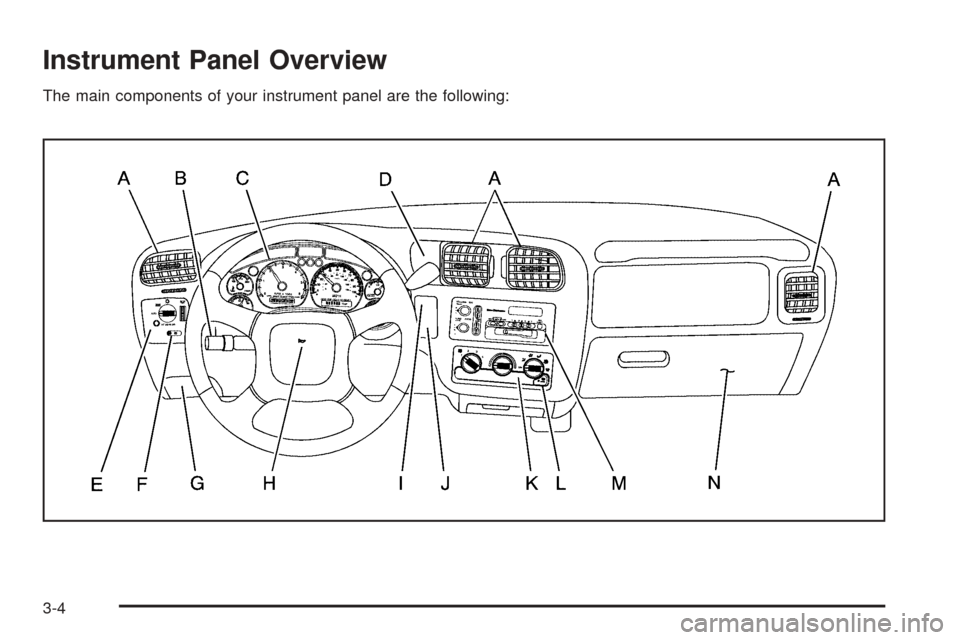
Instrument Panel Overview
The main components of your instrument panel are the following:
3-4
Page 131 of 436
A. Air Outlets. SeeOutlet Adjustment on page 3-21for
more information.
B. Turn Signal/Multifunction Lever. SeeTurn
Signal/Multifunction Lever on page 3-6for more
information.
C. Instrument Panel Cluster. SeeInstrument Panel
Cluster on page 3-22for more information.
D. Transfer Case Button (If Equipped). SeeFour-Wheel
Drive on page 2-29for more information.
E. Exterior Lamps Control. SeeExterior Lamps on
page 3-13for more information.
F. Fog Lamp Button (If Equipped). SeeFog Lamps on
page 3-16for more information.
G. Brake Release. SeeParking Brake on page 2-36for
more information.
H. Horn. SeeHorn on page 3-6for more information.
I. Rear Window Washer/Wiper. See “Rear Window
Washer/Wiper” underWindshield Wipers on page 3-9
for more information.
J. Liftgate/Tailgate Release. See “Liftgate/Tailgate
Release” underLiftgate/Tailgate on page 2-12for
more information.
K. Climate Control System. SeeClimate Control
System on page 3-19for more information.
L. Rear Window Defogger. See “Rear Window
Defogger” underClimate Control System on
page 3-19for more information.M. Audio System. SeeAudio System(s) on page 3-39
for more information.
N. Glove Box. SeeGlove Box on page 2-49for more
information.
Hazard Warning Flashers
Your hazard warning ashers let you warn others. They
also let police know you have a problem. Your front
and rear turn signal lamps will ash on and off.
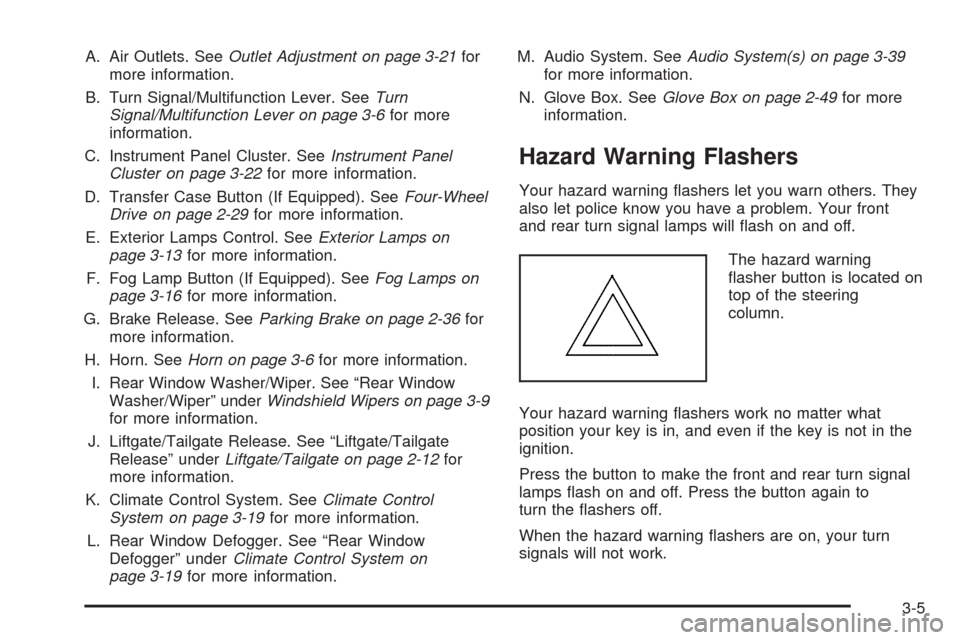
The hazard warning
asher button is located on
top of the steering
column.
Your hazard warning ashers work no matter what
position your key is in, and even if the key is not in the
ignition.
Press the button to make the front and rear turn signal
lamps ash on and off. Press the button again to
turn the ashers off.
When the hazard warning ashers are on, your turn
signals will not work.
3-5