lock CHEVROLET BLAZER 2005 2.G User Guide
[x] Cancel search | Manufacturer: CHEVROLET, Model Year: 2005, Model line: BLAZER, Model: CHEVROLET BLAZER 2005 2.GPages: 436, PDF Size: 2.55 MB
Page 51 of 436
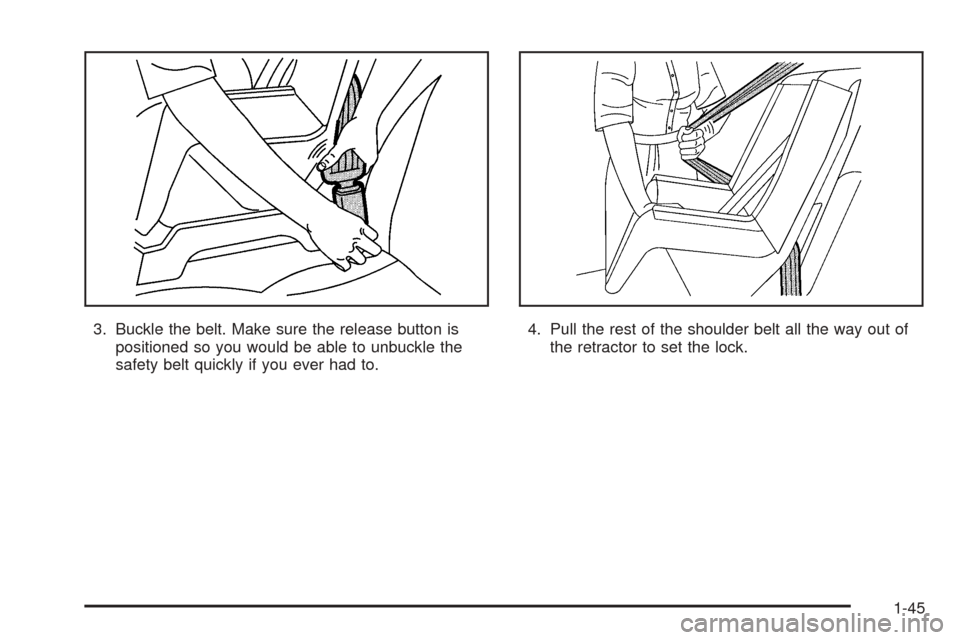
3. Buckle the belt. Make sure the release button is
positioned so you would be able to unbuckle the
safety belt quickly if you ever had to.4. Pull the rest of the shoulder belt all the way out of
the retractor to set the lock.
1-45
Page 54 of 436
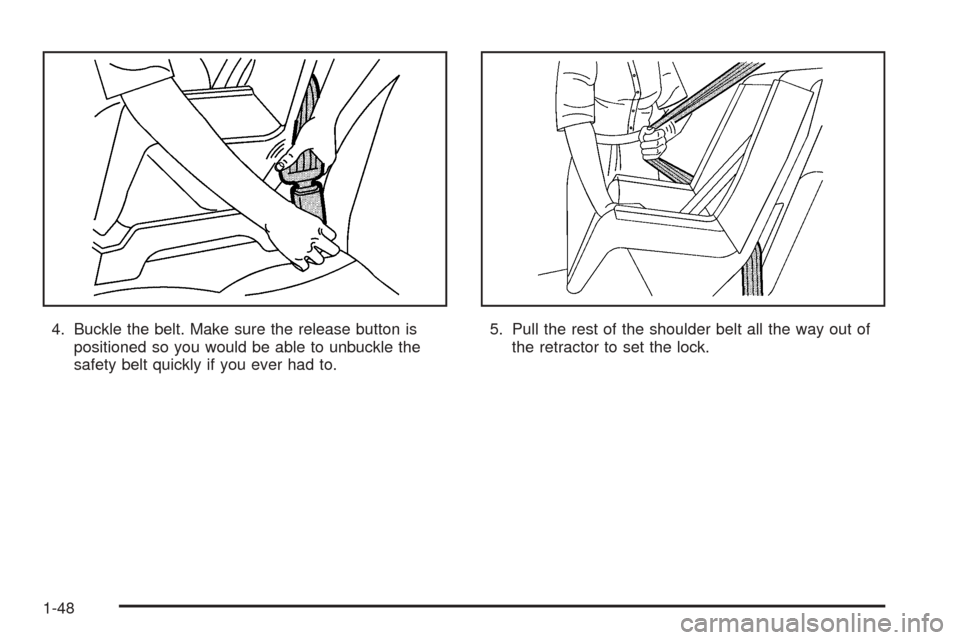
4. Buckle the belt. Make sure the release button is
positioned so you would be able to unbuckle the
safety belt quickly if you ever had to.5. Pull the rest of the shoulder belt all the way out of
the retractor to set the lock.
1-48
Page 67 of 436
Keys...............................................................2-3
Remote Keyless Entry System.........................2-5
Remote Keyless Entry System Operation...........2-6
Doors and Locks.............................................2-8
Door Locks....................................................2-8
Power Door Locks..........................................2-9
Programmable Automatic
Door Locks................................................2-9
Rear Door Security Locks..............................2-11
Lockout Protection........................................2-11
Liftgate/Tailgate............................................2-12
Windows........................................................2-15
Power Windows............................................2-16
Swing-Out Windows......................................2-17
Sun Visors...................................................2-17
Theft-Deterrent Systems..................................2-17
Content Theft-Deterrent.................................2-17
Passlock
®....................................................2-19
Starting and Operating Your Vehicle................2-19
New Vehicle Break-In....................................2-19
Ignition Positions..........................................2-20
Retained Accessory Power (RAP)...................2-21
Starting Your Engine.....................................2-21Engine Coolant Heater..................................2-23
Automatic Transmission Operation...................2-24
Tow/Haul Mode............................................2-27
Manual Transmission Operation......................2-28
Four-Wheel Drive..........................................2-29
Parking Brake..............................................2-36
Shifting Into Park (P)
(Automatic Transmission)............................2-37
Shifting Out of Park (P)
(Automatic Transmission)............................2-39
Parking Your Vehicle
(Manual Transmission)...............................2-39
Parking Over Things That Burn.......................2-40
Engine Exhaust............................................2-40
Running Your Engine While You Are Parked
(Automatic Transmission)............................2-41
Mirrors...........................................................2-42
Manual Rearview Mirror.................................2-42
Automatic Dimming Rearview Mirror................2-42
Outside Manual Mirror...................................2-43
Outside Power Mirrors...................................2-43
Outside Automatic Dimming Mirror..................2-44
Outside Convex Mirror...................................2-44
Outside Heated Mirrors..................................2-44
Section 2 Features and Controls
2-1
Page 70 of 436
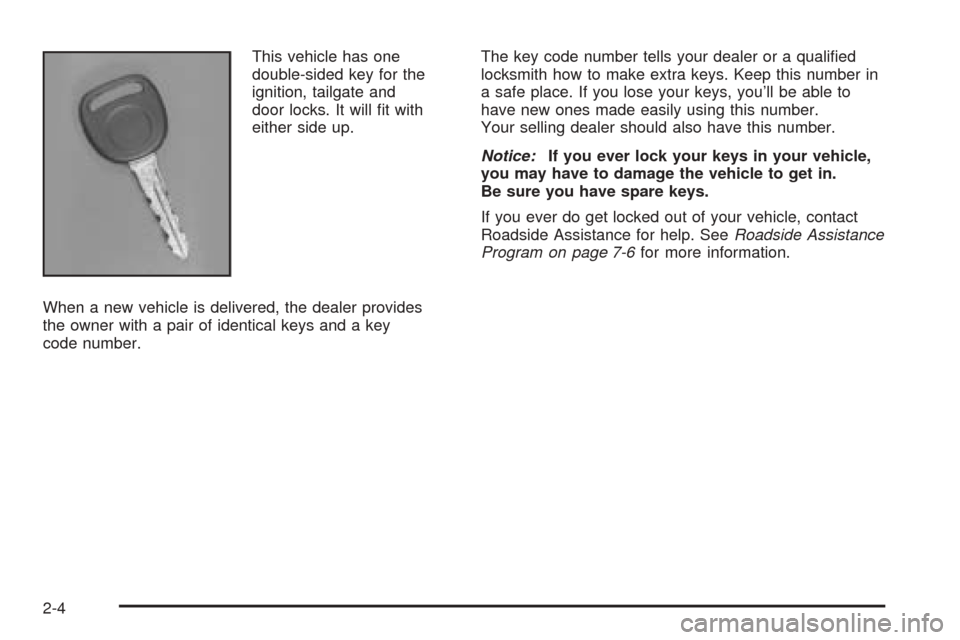
This vehicle has one
double-sided key for the
ignition, tailgate and
door locks. It will t with
either side up.
When a new vehicle is delivered, the dealer provides
the owner with a pair of identical keys and a key
code number.The key code number tells your dealer or a qualied
locksmith how to make extra keys. Keep this number in
a safe place. If you lose your keys, you’ll be able to
have new ones made easily using this number.
Your selling dealer should also have this number.
Notice:If you ever lock your keys in your vehicle,
you may have to damage the vehicle to get in.
Be sure you have spare keys.
If you ever do get locked out of your vehicle, contact
Roadside Assistance for help. SeeRoadside Assistance
Program on page 7-6for more information.
2-4
Page 71 of 436
Remote Keyless Entry System
If equipped, the keyless entry system operates on a
radio frequency subject to Federal Communications
Commission (FCC) Rules and with Industry Canada.
This device complies with Part 15 of the FCC Rules.
Operation is subject to the following two conditions:
1. This device may not cause interference.
2. This device must accept any interference received,
including interference that may cause undesired
operation of the device.
This device complies with RSS-210 of Industry Canada.
Operation is subject to the following two conditions:
1. This device may not cause interference.
2. This device must accept any interference received,
including interference that may cause undesired
operation of the device.
Changes or modications to this system by other than
an authorized service facility could void authorization to
use this equipment.At times you may notice a decrease in range. This is
normal for any remote keyless entry system. If the
transmitter does not work or if you have to stand closer
to your vehicle for the transmitter to work, try this:
Check the distance. You may be too far from your
vehicle. You may need to stand closer during
rainy or snowy weather.
Check the location. Other vehicles or objects may
be blocking the signal. Take a few steps to the
left or right, hold the transmitter higher, and
try again.
Check to determine if battery replacement is
necessary. See “Battery Replacement” under
Remote Keyless Entry System Operation on
page 2-6.
If you are still having trouble, see your dealer or a
qualied technician for service.
2-5
Page 72 of 436
Remote Keyless Entry System
Operation
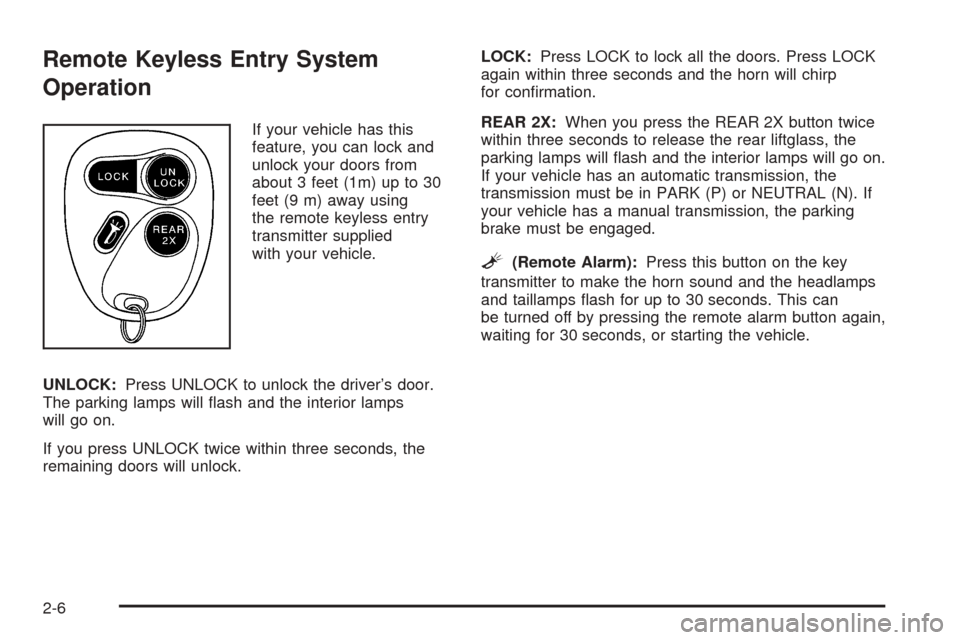
If your vehicle has this
feature, you can lock and
unlock your doors from
about 3 feet (1m) up to 30
feet (9 m) away using
the remote keyless entry
transmitter supplied
with your vehicle.
UNLOCK:Press UNLOCK to unlock the driver’s door.
The parking lamps will ash and the interior lamps
will go on.
If you press UNLOCK twice within three seconds, the
remaining doors will unlock.LOCK:Press LOCK to lock all the doors. Press LOCK
again within three seconds and the horn will chirp
for conrmation.
REAR 2X:When you press the REAR 2X button twice
within three seconds to release the rear liftglass, the
parking lamps will ash and the interior lamps will go on.
If your vehicle has an automatic transmission, the
transmission must be in PARK (P) or NEUTRAL (N). If
your vehicle has a manual transmission, the parking
brake must be engaged.
L(Remote Alarm):Press this button on the key
transmitter to make the horn sound and the headlamps
and taillamps ash for up to 30 seconds. This can
be turned off by pressing the remote alarm button again,
waiting for 30 seconds, or starting the vehicle.
2-6
Page 73 of 436
Matching Transmitter(s) to Your
Vehicle
Each remote keyless entry transmitter is coded to
prevent another transmitter from unlocking your vehicle.
If a transmitter is lost or stolen, a replacement can
be purchased through your dealer. Remember to bring
any remaining transmitters with you when you go to
your dealer. When the dealer matches the replacement
transmitter to your vehicle, any remaining transmitters
must also be matched. Once your dealer has coded the
new transmitter, the lost transmitter will not unlock
your vehicle. Each vehicle can have a maximum of four
transmitters matched to it.
Battery Replacement
Under normal use, the battery in your remote keyless
entry transmitter should last about two years.
You can tell the battery is weak if the transmitter will not
work at the normal range in any location. If you have
to get close to your vehicle before the transmitter works,
it’s probably time to change the battery.
Notice:When replacing the battery, use care not to
touch any of the circuitry. Static from your body
transferred to these surfaces may damage the
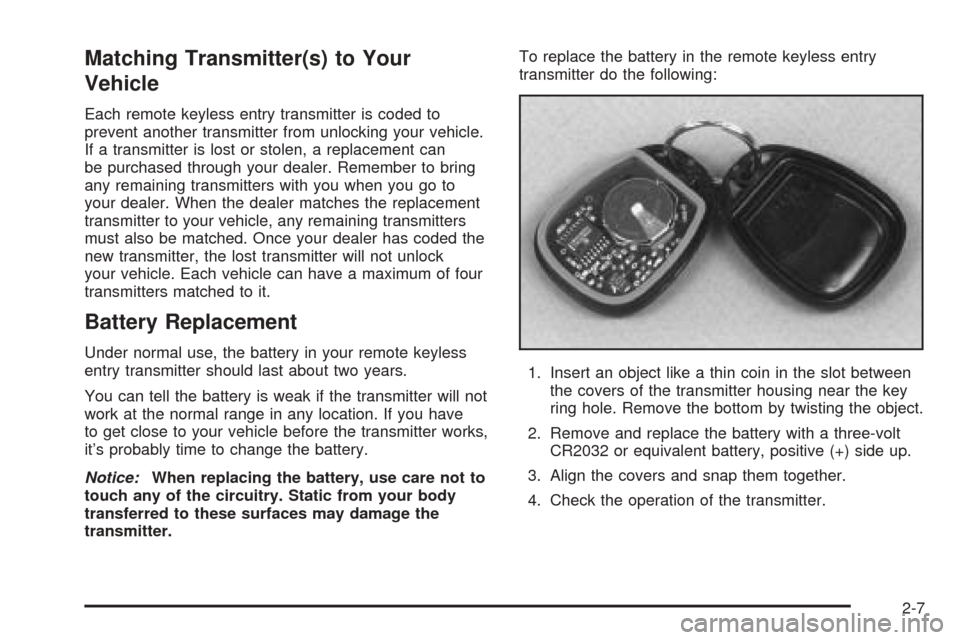
transmitter.To replace the battery in the remote keyless entry
transmitter do the following:
1. Insert an object like a thin coin in the slot between
the covers of the transmitter housing near the key
ring hole. Remove the bottom by twisting the object.
2. Remove and replace the battery with a three-volt
CR2032 or equivalent battery, positive (+) side up.
3. Align the covers and snap them together.
4. Check the operation of the transmitter.
2-7
Page 74 of 436
Doors and Locks
Door Locks
{CAUTION:
Unlocked doors can be dangerous.
Passengers — especially children — can
easily open the doors and fall out of a
moving vehicle. When a door is locked, the
handle will not open it. You increase the
chance of being thrown out of the vehicle
in a crash if the doors are not locked. So,
wear safety belts properly and lock the
doors whenever you drive.
Young children who get into unlocked
vehicles may be unable to get out. A child
can be overcome by extreme heat and can
suffer permanent injuries or even death
from heat stroke. Always lock your vehicle
whenever you leave it.
Outsiders can easily enter through an
unlocked door when you slow down or
stop your vehicle. Locking your doors can
help prevent this from happening.There are several ways to lock and unlock your vehicle:
You can use the keyless entry system, if your
vehicle has this feature.
You can use your key to unlock your door from the
outside.
You can use the power lock switch (if equipped) to
lock or unlock the doors.
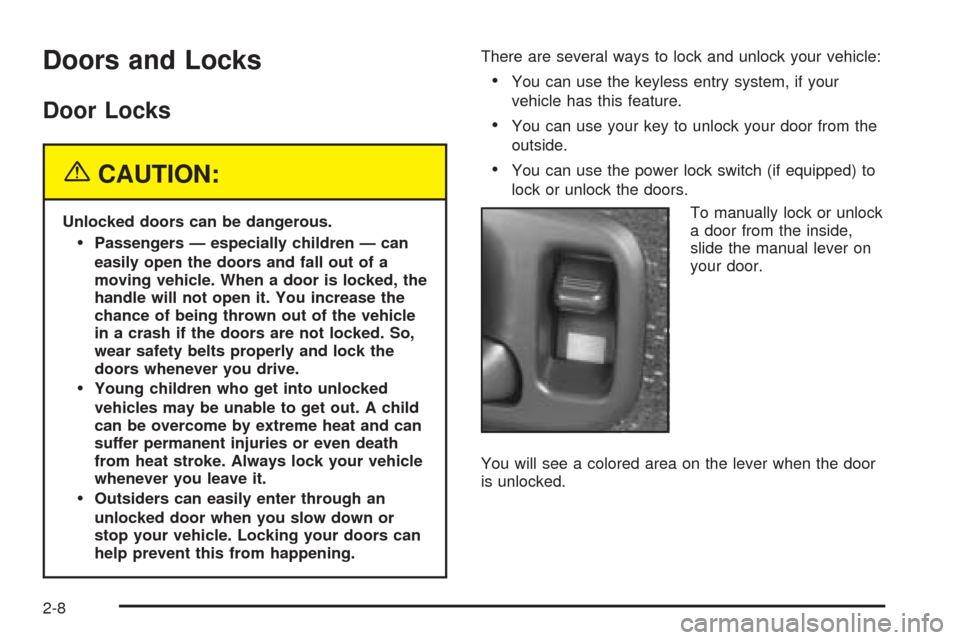
To manually lock or unlock
a door from the inside,
slide the manual lever on
your door.
You will see a colored area on the lever when the door
is unlocked.
2-8
Page 75 of 436
Power Door Locks
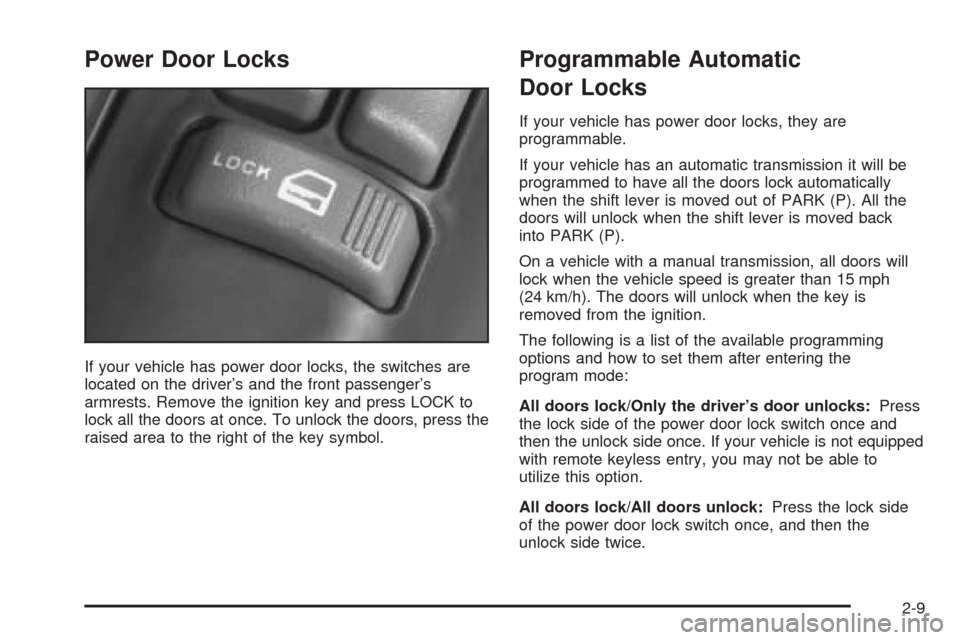
If your vehicle has power door locks, the switches are
located on the driver’s and the front passenger’s
armrests. Remove the ignition key and press LOCK to
lock all the doors at once. To unlock the doors, press the
raised area to the right of the key symbol.
Programmable Automatic
Door Locks
If your vehicle has power door locks, they are
programmable.
If your vehicle has an automatic transmission it will be
programmed to have all the doors lock automatically
when the shift lever is moved out of PARK (P). All the
doors will unlock when the shift lever is moved back
into PARK (P).
On a vehicle with a manual transmission, all doors will
lock when the vehicle speed is greater than 15 mph
(24 km/h). The doors will unlock when the key is
removed from the ignition.
The following is a list of the available programming
options and how to set them after entering the
program mode:
All doors lock/Only the driver’s door unlocks:Press
the lock side of the power door lock switch once and
then the unlock side once. If your vehicle is not equipped
with remote keyless entry, you may not be able to
utilize this option.
All doors lock/All doors unlock:Press the lock side
of the power door lock switch once, and then the
unlock side twice.
2-9
Page 76 of 436
All doors lock/None of the doors unlock:Press the
lock side of the power door lock switch once, and
then the unlock side three times.
No doors lock/None of the doors unlock:Press the
lock side of the power door lock switch twice. This
turns off the automatic lock feature. This is the factory
setting.
For more information, see your dealer.
The following instructions detail how to program your
door locks. Choose one of the programming options
before entering the programming mode.
To enter the program mode, do the following:
1. Begin with the ignition in OFF. Then pull the turn
signal/multifunction lever all the way toward you
and hold it while you perform the next step.
2. Turn your key to RUN and OFF twice. Then, with
the key in OFF, release the turn signal/multifunction
lever. Once you do this, you will hear the lock
switch lock and unlock.3. You are now ready to program the automatic door
locks. Select one of the previous four programming
options and follow the instructions. You will have
30 seconds to begin programming. If you exceed
the 30 second limit, the locks will automatically lock
and unlock to indicate you have left the program
mode. If this occurs, repeat the procedure beginning
with Step 1. You can exit the program mode any
time by turning the ignition to RUN. The locks
will automatically lock and unlock to indicate you
are leaving the program mode. If the lock/unlock
switches are not pressed while in the programming
mode, the auto lock/unlock setting will not be
modied.
2-10