ECU CHEVROLET BLAZER 2005 2.G Owner's Manual
[x] Cancel search | Manufacturer: CHEVROLET, Model Year: 2005, Model line: BLAZER, Model: CHEVROLET BLAZER 2005 2.GPages: 436, PDF Size: 2.55 MB
Page 64 of 436
Adding Equipment to Your
Airbag-Equipped Vehicle
Q:Is there anything I might add to the front of the
vehicle that could keep the airbags from
working properly?
A:Yes. If you add things that change your vehicle’s
frame, bumper system, front end sheet metal or
height, they may keep the airbag system from
working properly. Also, the airbag system may not
work properly if you relocate any of the airbag
sensors. If you have any questions about this, you
should contact Customer Assistance before you
modify your vehicle. The phone numbers and
addresses for Customer Assistance are in Step Two
of theCustomer Satisfaction Procedure on
page 7-2.
Restraint System Check
Checking Your Restraint Systems
Now and then, make sure the safety belt reminder light
and all your belts, buckles, latch plates, retractors
and anchorages are working properly. Look for any other
loose or damaged safety belt system parts. If you see
anything that might keep a safety belt system from doing
its job, have it repaired.
Torn or frayed safety belts may not protect you in a
crash. They can rip apart under impact forces. If a belt
is torn or frayed, get a new one right away.
Also look for any opened or broken airbag covers, and
have them repaired or replaced. (The airbag system
does not need regular maintenance.)
1-58
Page 67 of 436
Keys...............................................................2-3
Remote Keyless Entry System.........................2-5
Remote Keyless Entry System Operation...........2-6
Doors and Locks.............................................2-8
Door Locks....................................................2-8
Power Door Locks..........................................2-9
Programmable Automatic
Door Locks................................................2-9
Rear Door Security Locks..............................2-11
Lockout Protection........................................2-11
Liftgate/Tailgate............................................2-12
Windows........................................................2-15
Power Windows............................................2-16
Swing-Out Windows......................................2-17
Sun Visors...................................................2-17
Theft-Deterrent Systems..................................2-17
Content Theft-Deterrent.................................2-17
Passlock
®....................................................2-19
Starting and Operating Your Vehicle................2-19
New Vehicle Break-In....................................2-19
Ignition Positions..........................................2-20
Retained Accessory Power (RAP)...................2-21
Starting Your Engine.....................................2-21Engine Coolant Heater..................................2-23
Automatic Transmission Operation...................2-24
Tow/Haul Mode............................................2-27
Manual Transmission Operation......................2-28
Four-Wheel Drive..........................................2-29
Parking Brake..............................................2-36
Shifting Into Park (P)
(Automatic Transmission)............................2-37
Shifting Out of Park (P)
(Automatic Transmission)............................2-39
Parking Your Vehicle
(Manual Transmission)...............................2-39
Parking Over Things That Burn.......................2-40
Engine Exhaust............................................2-40
Running Your Engine While You Are Parked
(Automatic Transmission)............................2-41
Mirrors...........................................................2-42
Manual Rearview Mirror.................................2-42
Automatic Dimming Rearview Mirror................2-42
Outside Manual Mirror...................................2-43
Outside Power Mirrors...................................2-43
Outside Automatic Dimming Mirror..................2-44
Outside Convex Mirror...................................2-44
Outside Heated Mirrors..................................2-44
Section 2 Features and Controls
2-1
Page 77 of 436
Rear Door Security Locks
With this feature, you can lock the rear doors so they
can’t be opened from the inside by passengers.
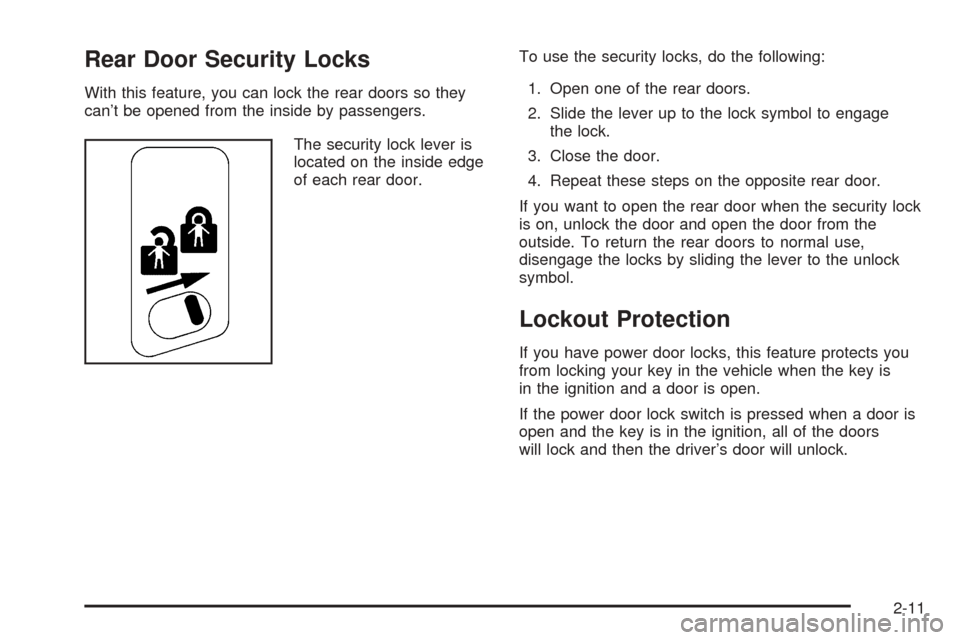
The security lock lever is
located on the inside edge
of each rear door.To use the security locks, do the following:
1. Open one of the rear doors.
2. Slide the lever up to the lock symbol to engage
the lock.
3. Close the door.
4. Repeat these steps on the opposite rear door.
If you want to open the rear door when the security lock
is on, unlock the door and open the door from the
outside. To return the rear doors to normal use,
disengage the locks by sliding the lever to the unlock
symbol.
Lockout Protection
If you have power door locks, this feature protects you
from locking your key in the vehicle when the key is
in the ignition and a door is open.
If the power door lock switch is pressed when a door is
open and the key is in the ignition, all of the doors
will lock and then the driver’s door will unlock.
2-11
Page 80 of 436
Emergency Release for Opening
Tailgate
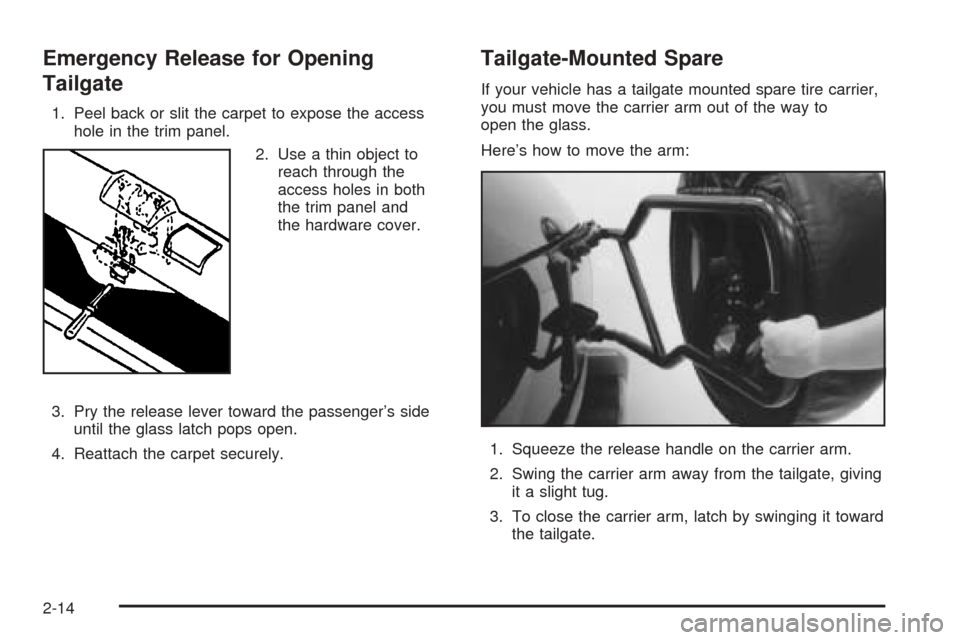
1. Peel back or slit the carpet to expose the access
hole in the trim panel.
2. Use a thin object to
reach through the
access holes in both
the trim panel and
the hardware cover.
3. Pry the release lever toward the passenger’s side
until the glass latch pops open.
4. Reattach the carpet securely.
Tailgate-Mounted Spare
If your vehicle has a tailgate mounted spare tire carrier,
you must move the carrier arm out of the way to
open the glass.
Here’s how to move the arm:
1. Squeeze the release handle on the carrier arm.
2. Swing the carrier arm away from the tailgate, giving
it a slight tug.
3. To close the carrier arm, latch by swinging it toward
the tailgate.
2-14
Page 83 of 436
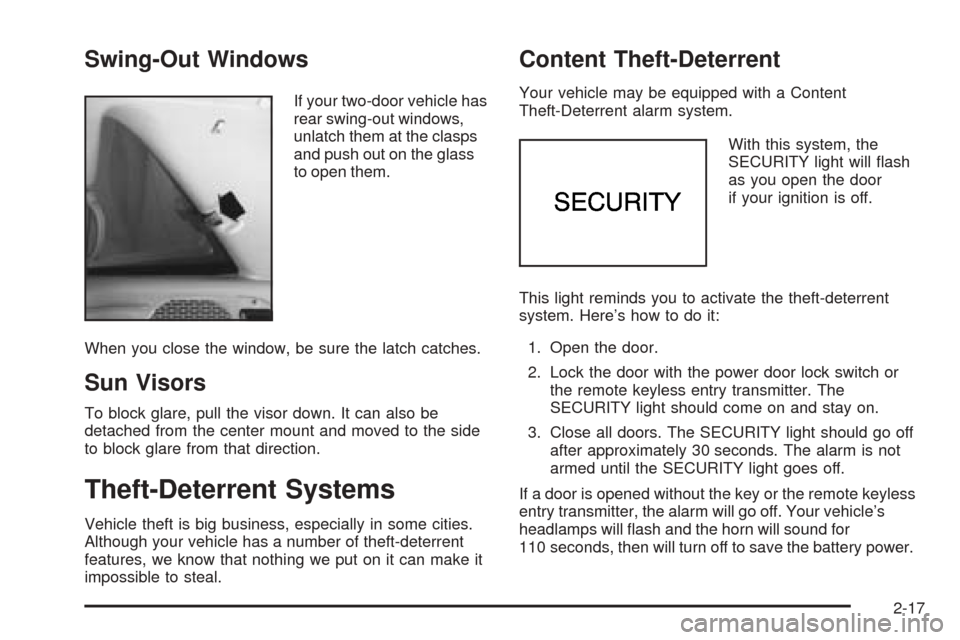
Swing-Out Windows
If your two-door vehicle has
rear swing-out windows,
unlatch them at the clasps
and push out on the glass
to open them.
When you close the window, be sure the latch catches.
Sun Visors
To block glare, pull the visor down. It can also be
detached from the center mount and moved to the side
to block glare from that direction.
Theft-Deterrent Systems
Vehicle theft is big business, especially in some cities.
Although your vehicle has a number of theft-deterrent
features, we know that nothing we put on it can make it
impossible to steal.
Content Theft-Deterrent
Your vehicle may be equipped with a Content
Theft-Deterrent alarm system.
With this system, the
SECURITY light will ash
as you open the door
if your ignition is off.
This light reminds you to activate the theft-deterrent
system. Here’s how to do it:
1. Open the door.
2. Lock the door with the power door lock switch or
the remote keyless entry transmitter. The
SECURITY light should come on and stay on.
3. Close all doors. The SECURITY light should go off
after approximately 30 seconds. The alarm is not
armed until the SECURITY light goes off.
If a door is opened without the key or the remote keyless
entry transmitter, the alarm will go off. Your vehicle’s
headlamps will ash and the horn will sound for
110 seconds, then will turn off to save the battery power.
2-17
Page 84 of 436
Remember, the theft-deterrent system won’t activate if
you lock the doors with a key or use the manual
door lock. It activates only if you use a power door lock
switch with the door open, or with the remote keyless
entry transmitter. You should also remember that
you can start your vehicle with the correct ignition key if
the alarm has been set off.
Here’s how to avoid setting off the alarm by accident:
If you don’t want to activate the theft-deterrent
system, the vehicle should be locked with the door
keyafterthe doors are closed.
Always unlock a door with a key, or use the remote
keyless entry transmitter. Unlocking a door any
other way will set off the alarm.
If you set off the alarm by accident, unlock any door
with the key. You can also turn off the alarm by pressing
UNLOCK on the remote keyless entry transmitter.
The alarm won’t stop if you try to unlock a door any
other way.
Testing the Alarm
The alarm can be tested by following these steps:
1. From inside the vehicle, lower the driver’s window
and open the driver’s door.
2. Activate the system by locking the doors with the
power door lock switch while the door is open, or
with the remote keyless entry transmitter.
3. Get out of the vehicle, close the door and wait for
the SECURITY light to go out.
4. Then reach in through the window, unlock the door
with the manual door lock and open the door. This
should set off the alarm.
If the alarm does not sound when it should but the
vehicle’s headlamps ash, check to see if the horn
works. The horn fuse may be blown. To replace
the fuse, seeFuses and Circuit Breakers on page 5-97.
If the alarm does not sound or the vehicle’s headlamps
do not ash, the vehicle should be serviced by an
authorized service center.
2-18
Page 85 of 436
Passlock®
Your vehicle is equipped with the Passlock®
theft-deterrent system.
Passlock
®is a passive theft-deterrent system.
Passlock®enables fuel if the ignition lock cylinder is
turned with a valid key. If a correct key is not used or the
ignition lock cylinder is tampered with, fuel is disabled.
During normal operation, the SECURITY light will
go off approximately ve seconds after the key is turned
to RUN.
If the engine stalls and the SECURITY light ashes,
wait about 10 minutes until the light stops ashing before
trying to restart the engine. Remember to release the
key from START as soon as the engine starts.
If the engine does not start after three tries, the vehicle
needs service.
If the engine is running and the SECURITY message
comes on, you will be able to restart the engine if
you turn the engine off. However, your Passlock
®
system is not working properly and must be serviced by
your dealer. Your vehicle is not protected by Passlock®
at this time. You may also want to check the fuse.
SeeFuses and Circuit Breakers on page 5-97. See your
dealer for service.
In an emergency, call the GM Roadside Assistance
Center. SeeRoadside Assistance Program on page 7-6.
Starting and Operating Your
Vehicle
New Vehicle Break-In
Notice:Your vehicle does not need an elaborate
break-in. But it will perform better in the long run if
you follow these guidelines:
Keep your speed at 55 mph (88 km/h) or less for
the rst 500 miles (805 km).
Do not drive at any one speed — fast or
slow — for the rst 500 miles (805 km). Do not
make full-throttle starts.
Avoid making hard stops for the rst 200 miles
(322 km) or so. During this time your new
brake linings are not yet broken in. Hard stops
with new linings can mean premature wear
and earlier replacement. Follow this breaking-in
guideline every time you get new brake
linings.
Do not tow a trailer during break-in. SeeTowing
a Trailer on page 4-59for more information.
2-19
Page 111 of 436
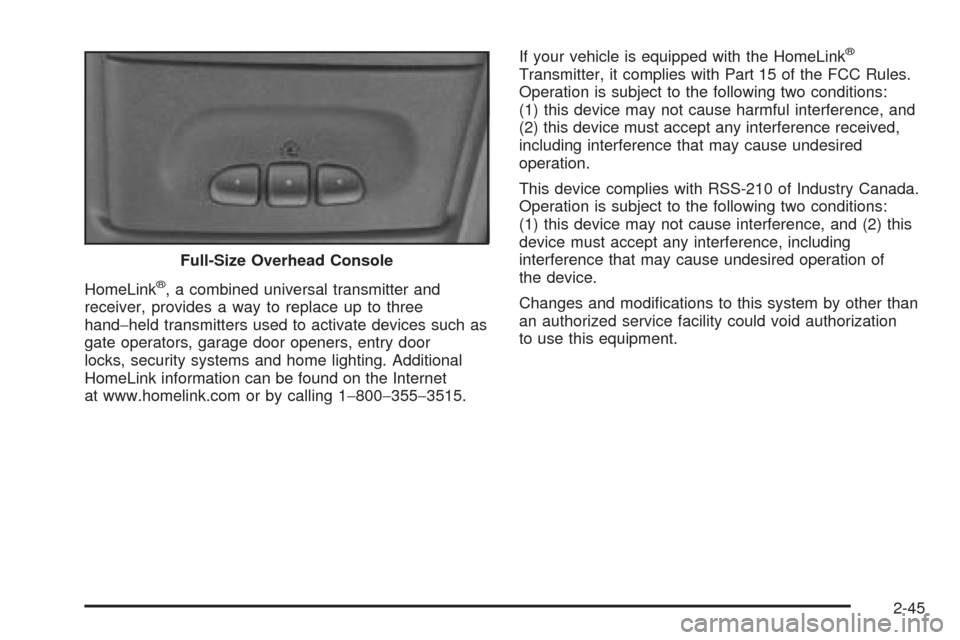
HomeLink®, a combined universal transmitter and
receiver, provides a way to replace up to three
hand−held transmitters used to activate devices such as
gate operators, garage door openers, entry door
locks, security systems and home lighting. Additional
HomeLink information can be found on the Internet
at www.homelink.com or by calling 1−800−355−3515.If your vehicle is equipped with the HomeLink
®
Transmitter, it complies with Part 15 of the FCC Rules.
Operation is subject to the following two conditions:
(1) this device may not cause harmful interference, and
(2) this device must accept any interference received,
including interference that may cause undesired
operation.
This device complies with RSS-210 of Industry Canada.
Operation is subject to the following two conditions:
(1) this device may not cause interference, and (2) this
device must accept any interference, including
interference that may cause undesired operation of
the device.
Changes and modications to this system by other than
an authorized service facility could void authorization
to use this equipment. Full-Size Overhead Console
2-45
Page 112 of 436
Programming the HomeLink®
Transmitter
Do not use the HomeLink®Transmitter with any garage
door opener that does not have the “stop and reverse”
feature. This includes any garage door opener model
manufactured before April 1, 1982. If you have a newer
garage door opener with rolling codes, please be
sure to follow Steps 6 through 8 to complete the
programming of your HomeLink
®Transmitter.
Read the instructions completely before attempting to
program the HomeLink
®Transmitter. Because of
the steps involved, it may be helpful to have another
person available to assist you in programming the
transmitter.
Keep the original transmitter for use in other vehicles as
well as for future HomeLink
®programming. It is also
recommended that upon the sale of the vehicle,
the programmed HomeLink
®buttons should be erased
for security purposes. Refer to “Erasing HomeLink®
Buttons” or, for assistance, contact HomeLink®on the
Internet at: www.homelink.com or by calling
1-800-355-3515.
Be sure that people and objects are clear of the garage
door or gate operator you are programming. When
programming a garage door, it is advised to park outside
of the garage.It is recommended that a new battery be installed in
your hand-held transmitter for quicker and more
accurate transmission of the radio frequency.
Programming HomeLink®
Your vehicle’s engine should be turned off while
programming the transmitter. Follow these steps to
program up to three channels:
1. Press and hold down the two outside buttons,
releasing only when the indicator light begins to
ash, after 20 seconds. Do not hold down the
buttons for longer than 30 seconds and do not
repeat this step to program a second and/or third
transmitter to the remaining two HomeLink
®buttons.
2. Position the end of your hand-held transmitter about
1 to 3 inches (3 to 8 cm) away from the HomeLink
®
buttons while keeping the indicator light in view.
3. Simultaneously press and hold both the desired
button on HomeLink
®and the hand-held transmitter
button. Do not release the buttons until Step 4
has been completed.
Some entry gates and garage door openers may
require you to substitute Step 3 with the procedure
noted in “Gate Operator and Canadian
Programming” later in this section.
2-46
Page 119 of 436
If your vehicle has the center armrest compartment, lift
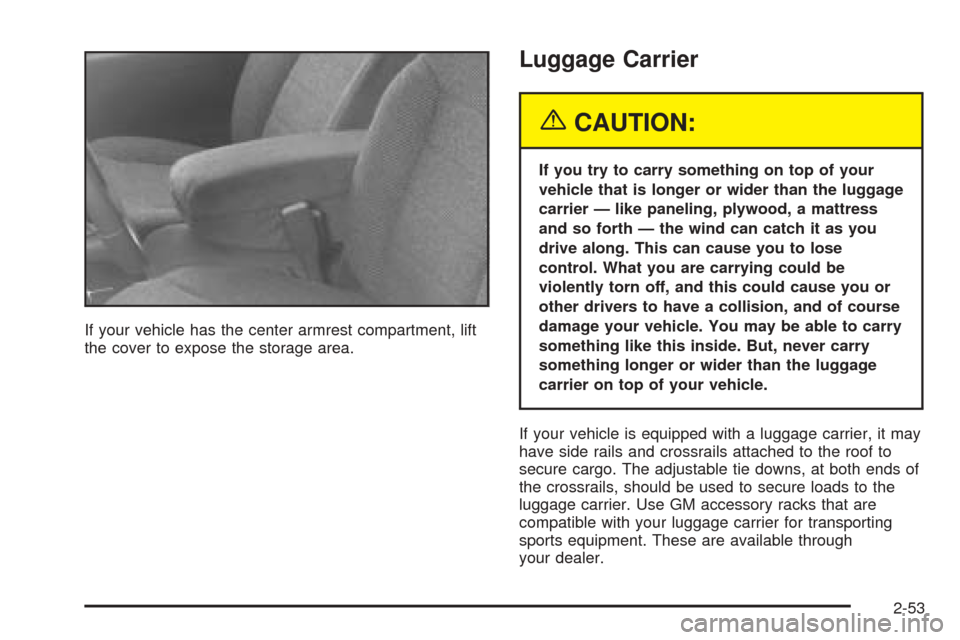
the cover to expose the storage area.
Luggage Carrier
{CAUTION:
If you try to carry something on top of your
vehicle that is longer or wider than the luggage
carrier — like paneling, plywood, a mattress
and so forth — the wind can catch it as you
drive along. This can cause you to lose
control. What you are carrying could be
violently torn off, and this could cause you or
other drivers to have a collision, and of course
damage your vehicle. You may be able to carry
something like this inside. But, never carry
something longer or wider than the luggage
carrier on top of your vehicle.
If your vehicle is equipped with a luggage carrier, it may
have side rails and crossrails attached to the roof to
secure cargo. The adjustable tie downs, at both ends of
the crossrails, should be used to secure loads to the
luggage carrier. Use GM accessory racks that are
compatible with your luggage carrier for transporting
sports equipment. These are available through
your dealer.
2-53