warning CHEVROLET BLAZER 2019 Repair Manual
[x] Cancel search | Manufacturer: CHEVROLET, Model Year: 2019, Model line: BLAZER, Model: CHEVROLET BLAZER 2019Pages: 404, PDF Size: 7.59 MB
Page 141 of 404
Chevrolet Blazer (GMNA-Localizing-U.S./Canada/Mexico-12461541) - 2019 -
CRC - 3/11/19
140 Instruments and Controls
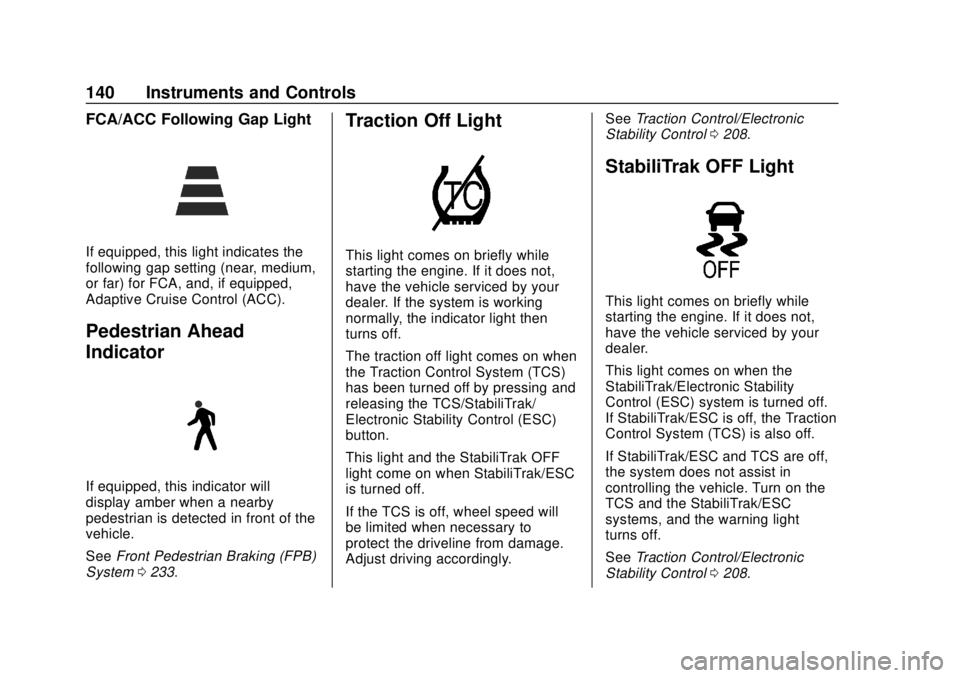
FCA/ACC Following Gap Light
If equipped, this light indicates the
following gap setting (near, medium,
or far) for FCA, and, if equipped,
Adaptive Cruise Control (ACC).
Pedestrian Ahead
Indicator
If equipped, this indicator will
display amber when a nearby
pedestrian is detected in front of the
vehicle.
SeeFront Pedestrian Braking (FPB)
System 0233.
Traction Off Light
This light comes on briefly while
starting the engine. If it does not,
have the vehicle serviced by your
dealer. If the system is working
normally, the indicator light then
turns off.
The traction off light comes on when
the Traction Control System (TCS)
has been turned off by pressing and
releasing the TCS/StabiliTrak/
Electronic Stability Control (ESC)
button.
This light and the StabiliTrak OFF
light come on when StabiliTrak/ESC
is turned off.
If the TCS is off, wheel speed will
be limited when necessary to
protect the driveline from damage.
Adjust driving accordingly. See
Traction Control/Electronic
Stability Control 0208.
StabiliTrak OFF Light
This light comes on briefly while
starting the engine. If it does not,
have the vehicle serviced by your
dealer.
This light comes on when the
StabiliTrak/Electronic Stability
Control (ESC) system is turned off.
If StabiliTrak/ESC is off, the Traction
Control System (TCS) is also off.
If StabiliTrak/ESC and TCS are off,
the system does not assist in
controlling the vehicle. Turn on the
TCS and the StabiliTrak/ESC
systems, and the warning light
turns off.
See Traction Control/Electronic
Stability Control 0208.
Page 142 of 404
Chevrolet Blazer (GMNA-Localizing-U.S./Canada/Mexico-12461541) - 2019 -
CRC - 3/11/19
Instruments and Controls 141
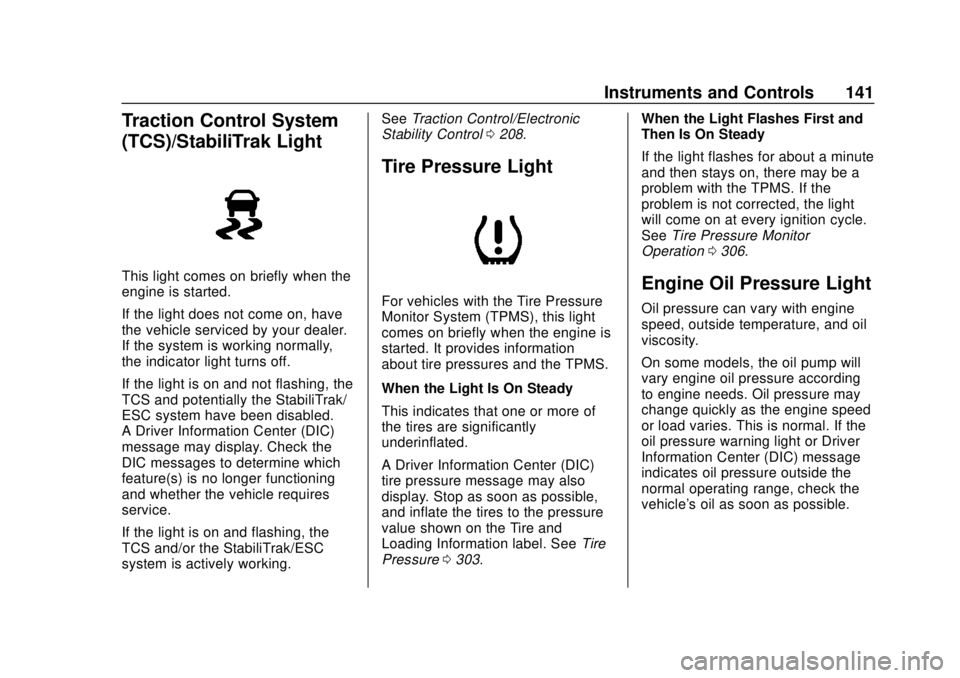
Traction Control System
(TCS)/StabiliTrak Light
This light comes on briefly when the
engine is started.
If the light does not come on, have
the vehicle serviced by your dealer.
If the system is working normally,
the indicator light turns off.
If the light is on and not flashing, the
TCS and potentially the StabiliTrak/
ESC system have been disabled.
A Driver Information Center (DIC)
message may display. Check the
DIC messages to determine which
feature(s) is no longer functioning
and whether the vehicle requires
service.
If the light is on and flashing, the
TCS and/or the StabiliTrak/ESC
system is actively working.See
Traction Control/Electronic
Stability Control 0208.
Tire Pressure Light
For vehicles with the Tire Pressure
Monitor System (TPMS), this light
comes on briefly when the engine is
started. It provides information
about tire pressures and the TPMS.
When the Light Is On Steady
This indicates that one or more of
the tires are significantly
underinflated.
A Driver Information Center (DIC)
tire pressure message may also
display. Stop as soon as possible,
and inflate the tires to the pressure
value shown on the Tire and
Loading Information label. See Tire
Pressure 0303. When the Light Flashes First and
Then Is On Steady
If the light flashes for about a minute
and then stays on, there may be a
problem with the TPMS. If the
problem is not corrected, the light
will come on at every ignition cycle.
See
Tire Pressure Monitor
Operation 0306.
Engine Oil Pressure Light
Oil pressure can vary with engine
speed, outside temperature, and oil
viscosity.
On some models, the oil pump will
vary engine oil pressure according
to engine needs. Oil pressure may
change quickly as the engine speed
or load varies. This is normal. If the
oil pressure warning light or Driver
Information Center (DIC) message
indicates oil pressure outside the
normal operating range, check the
vehicle's oil as soon as possible.
Page 143 of 404
Chevrolet Blazer (GMNA-Localizing-U.S./Canada/Mexico-12461541) - 2019 -
CRC - 3/11/19
142 Instruments and Controls
Caution
Lack of proper engine oil
maintenance can damage the
engine. Driving with the engine oil
low can also damage the engine.
The repairs would not be covered
by the vehicle warranty. Check
the oil level as soon as possible.
Add oil if required, but if the oil
level is within the operating range
and the oil pressure is still low,
have the vehicle serviced. Always
follow the maintenance schedule
for changing engine oil.
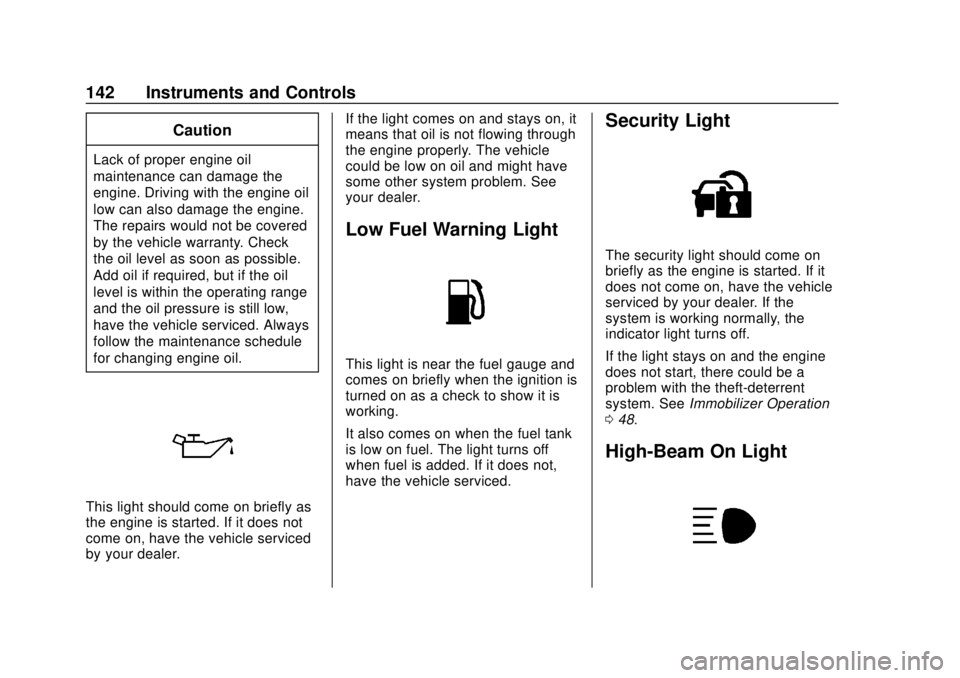
This light should come on briefly as
the engine is started. If it does not
come on, have the vehicle serviced
by your dealer.If the light comes on and stays on, it
means that oil is not flowing through
the engine properly. The vehicle
could be low on oil and might have
some other system problem. See
your dealer.
Low Fuel Warning Light
This light is near the fuel gauge and
comes on briefly when the ignition is
turned on as a check to show it is
working.
It also comes on when the fuel tank
is low on fuel. The light turns off
when fuel is added. If it does not,
have the vehicle serviced.
Security Light
The security light should come on
briefly as the engine is started. If it
does not come on, have the vehicle
serviced by your dealer. If the
system is working normally, the
indicator light turns off.
If the light stays on and the engine
does not start, there could be a
problem with the theft-deterrent
system. See
Immobilizer Operation
0 48.
High-Beam On Light
Page 147 of 404
Chevrolet Blazer (GMNA-Localizing-U.S./Canada/Mexico-12461541) - 2019 -
CRC - 3/11/19
146 Instruments and Controls
life remains. Messages will display
based on the engine air filter life and
the state of the system. When the
REPLACE AT NEXT OIL CHANGE
message displays, the engine air
filter should be replaced at the time
of the next oil change. When the
REPLACE SOON message
displays, the engine air filter should
be replaced at the earliest
convenience.
The Air Filter Life display must be
reset after the engine air filter
replacement. To reset, seeEngine
Air Filter Life System 0269.
Tire Pressure : Shows the
approximate pressures of all four
tires. Tire pressure is displayed in
either kilopascal (kPa) or in pounds
per square inch (psi). If the pressure
is low, the value for that tire is
shown in amber. See Tire Pressure
Monitor System 0305 and
Tire Pressure Monitor Operation
0 306.
Average Speed : Displays the
average vehicle speed of the
vehicle in kilometers per hour (km/h)
or miles per hour (mph). This average is based on the various
vehicle speeds recorded since the
last reset. Reset the average speed
by pressing the thumbwheel while
this display is active to show a
confirmation window to select yes or
no and press the thumbwheel.
Fuel Economy :
The center
displays the approximate
instantaneous fuel economy as a
number and bar graph. Displayed
above the bar graph is a running
average of fuel economy for the
most recently traveled selected
distance. Displayed below the bar
graph is the best average fuel
economy that has been achieved for
the selected distance. The selected
distance is displayed at the top of
the page as “last xxx mi/km.”
Press the thumbwheel to select the
distance or reset best value. Use
y
orzto choose the distance and
press the thumbwheel. Scroll
yor
zto select Reset Best Score.
Press the thumbwheel to reset the
best average fuel economy. After reset, the best value displays
“-,-”
until the selected distance has been
traveled.
The display provides information on
how current driving behavior affects
the running average and how well
recent driving compares to the best
that has been achieved for the
selected distance.
Follow Distance/Gap Setting :
If equipped, the current follow time
to the vehicle ahead is displayed as
a time value on this page. When
Adaptive Cruise Control (ACC) has
been engaged, the display switches
to the gap setting page. This page
shows the current gap setting along
with the vehicle ahead indicator.
Driver Assistance : If equipped,
shows information for Lane Keep
Assist (LKA), Lane Departure
Warning (LDW), and Forward
Collision Alert (FCA).
Economy Trend : Shows history of
the Average Fuel Economy from the
last 50 km (30 mi). Each bar
represents about 5 km (3 mi) of
driving. During driving the bars will
Page 148 of 404
Chevrolet Blazer (GMNA-Localizing-U.S./Canada/Mexico-12461541) - 2019 -
CRC - 3/11/19
Instruments and Controls 147
shift to always reflect the most
recent distance on the right side.
Press the thumbwheel to open the
menu while this display is active to
clear the graph. Select yes or no
and press the thumbwheel.
Timer :This display can be used as
a timer. To start the timer, press the
thumbwheel to open the menu while
this display is active. Use
yorz
to select Start Timer or Reset. Press
the thumbwheel. To stop the timer,
press the thumbwheel while this
display is active. The display will
show the amount of time that has
passed since the timer was last
reset.
Speed Limit : Shows sign
information, which comes from a
roadway database in the onboard
navigation, if equipped. The sign will
show “− −”when there is no
detected speed limit or the system
is unavailable.
Press the thumbwheel while this
display is active to toggle Speed
Limit sign on or off. Battery Voltage :
Displays the
current battery voltage, if equipped.
Battery voltage changes are normal
while driving. See Charging System
Light 0135. If there is a problem
with the battery charging system, a
DIC will display a message.
Oil Pressure : Oil pressure is
displayed in either kilopascal (kPa)
or in pounds per square inch (psi).
Oil pressure can vary with engine
speed, outside temperature, and oil
viscosity. On some models, the oil
pump will vary engine oil pressure
according to engine needs. Oil
pressure may change quickly as the
engine speed or load varies. This is
normal. If the oil pressure warning
light or DIC message indicates oil
pressure outside the normal
operating range, check the vehicle's
oil as soon as possible.
Coolant Temperature : Displays
the coolant temperature in degrees
Celsius (°C) or degrees
Fahrenheit (°F).
Driver Information Center
(DIC) (Uplevel)
The DIC displays are shown in the
center of the instrument cluster in
the Info app. See Instrument Cluster
(Base and Midlevel) 0124 or
Instrument Cluster (Uplevel) 0128.
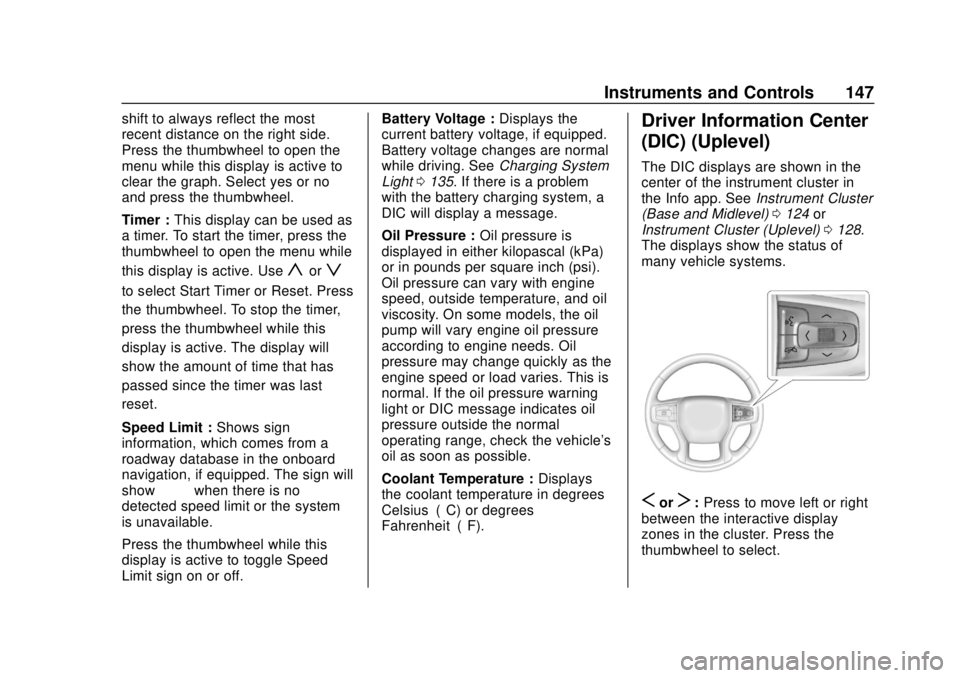
The displays show the status of
many vehicle systems.
SorT: Press to move left or right
between the interactive display
zones in the cluster. Press the
thumbwheel to select.
Page 161 of 404
Chevrolet Blazer (GMNA-Localizing-U.S./Canada/Mexico-12461541) - 2019 -
CRC - 3/11/19
160 Lighting
Lighting
Exterior Lighting
Exterior Lamp Controls . . . . . . . 160
Exterior Lamps OffReminder . . . . . . . . . . . . . . . . . . . 162
Headlamp High/Low-Beam Changer . . . . . . . . . . . . . . . . . . . . 162
Flash-to-Pass . . . . . . . . . . . . . . . . 162
Daytime Running Lamps (DRL) . . . . . . . . . . . . . . . 163
Automatic Headlamp System . . . . . . . . . . . . . . . . . . . . . . 163
Hazard Warning Flashers . . . . . 164
Turn and Lane-Change Signals . . . . . . . . . . . . . . . . . . . . . . 164
Interior Lighting
Instrument Panel IlluminationControl . . . . . . . . . . . . . . . . . . . . . . 165
Courtesy Lamps . . . . . . . . . . . . . . 165
Dome Lamps . . . . . . . . . . . . . . . . . 165
Reading Lamps . . . . . . . . . . . . . . 165
Lighting Features
Entry Lighting . . . . . . . . . . . . . . . . 166
Exit Lighting . . . . . . . . . . . . . . . . . . 167
Battery Load Management . . . 167
Battery Power Protection . . . . . 167
Exterior Lighting Battery Saver . . . . . . . . . . . . . . . . . . . . . . . 168Exterior Lighting
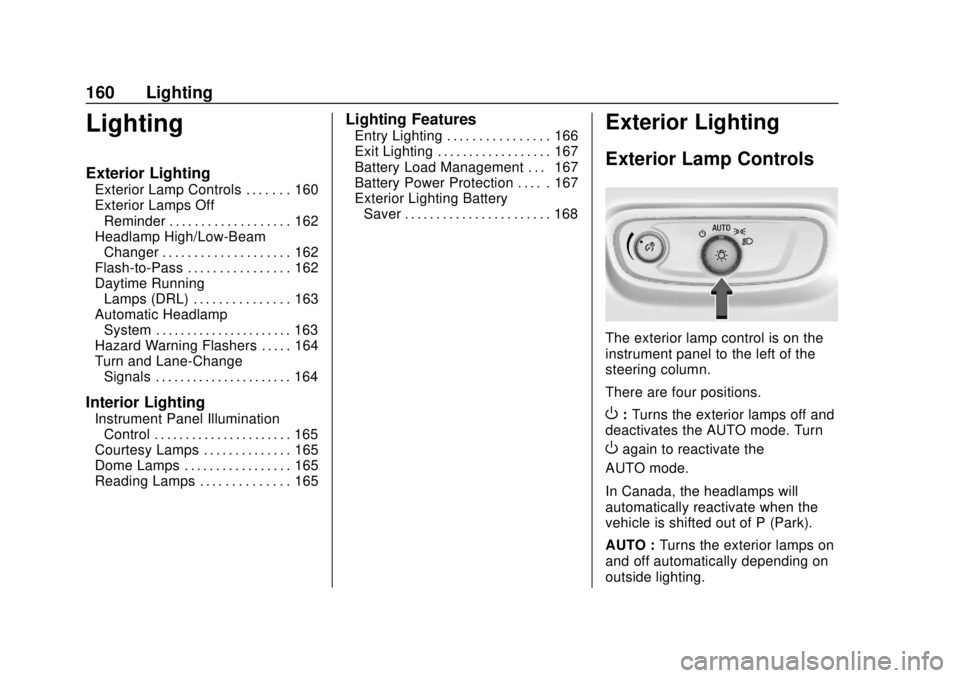
Exterior Lamp Controls
The exterior lamp control is on the
instrument panel to the left of the
steering column.
There are four positions.
O: Turns the exterior lamps off and
deactivates the AUTO mode. Turn
Oagain to reactivate the
AUTO mode.
In Canada, the headlamps will
automatically reactivate when the
vehicle is shifted out of P (Park).
AUTO : Turns the exterior lamps on
and off automatically depending on
outside lighting.
Page 163 of 404
Chevrolet Blazer (GMNA-Localizing-U.S./Canada/Mexico-12461541) - 2019 -
CRC - 3/11/19
162 Lighting
instrument cluster light will come
on to indicate the IntelliBeam
system is reactivated.
The high beams may not turn off
automatically if the system cannot
detect another vehicle's lamps
because of any of the following:
. The other vehicle's lamps are
missing, damaged, obstructed
from view, or otherwise
undetected.
. The other vehicle's lamps are
covered with dirt, snow, and/or
road spray.
. The other vehicle's lamps cannot
be detected due to dense
exhaust, smoke, fog, snow, road
spray, mist, or other airborne
obstructions.
. The vehicle's windshield is dirty,
cracked, or obstructed by
something that blocks the view
of the light sensor. .
The vehicle is loaded such that
the front end points upward,
causing the light sensor to aim
high and not detect headlamps
and taillamps.
. The vehicle is being driven on
winding or hilly roads.
The IntelliBeam system may need to
be disabled if any of the above
conditions exist.
Exterior Lamps Off
Reminder
A warning chime sounds if the driver
door is opened while the ignition is
off and the exterior lamps are on.
Headlamp High/
Low-Beam Changer
Push the turn signal lever away
from you and release, to turn the
high beams on. To return to low
beams, push the lever again or pull
it toward you and release.
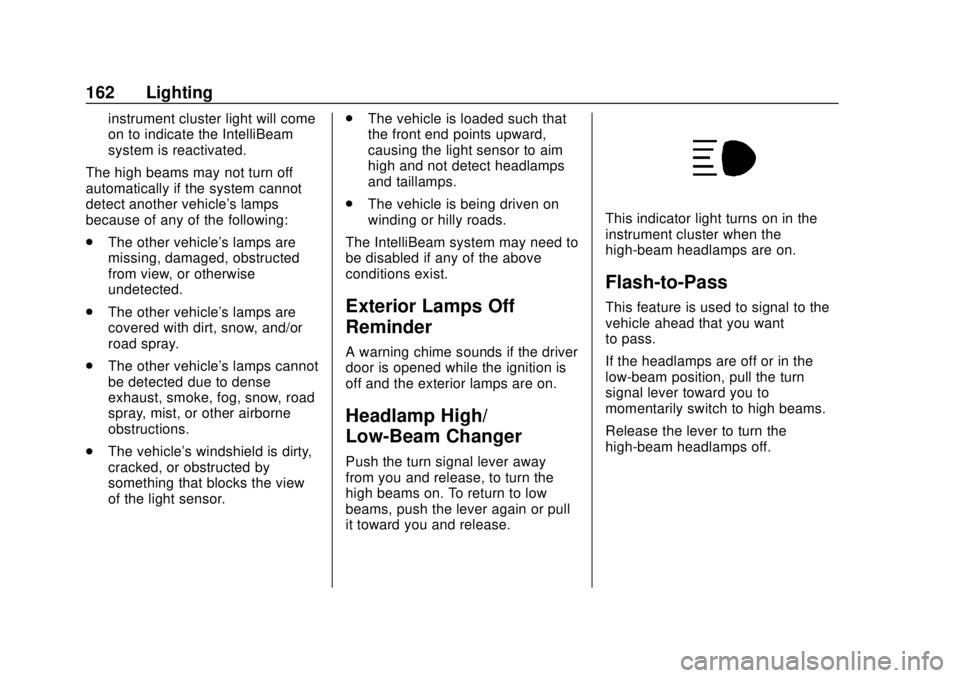
This indicator light turns on in the
instrument cluster when the
high-beam headlamps are on.
Flash-to-Pass
This feature is used to signal to the
vehicle ahead that you want
to pass.
If the headlamps are off or in the
low-beam position, pull the turn
signal lever toward you to
momentarily switch to high beams.
Release the lever to turn the
high-beam headlamps off.
Page 165 of 404
Chevrolet Blazer (GMNA-Localizing-U.S./Canada/Mexico-12461541) - 2019 -
CRC - 3/11/19
164 Lighting
lamps coming on varies based on
wiper speed. When the wipers are
not operating, these lamps turn off.
Move the exterior lamp control to
O
or;to disable this feature.
Hazard Warning Flashers
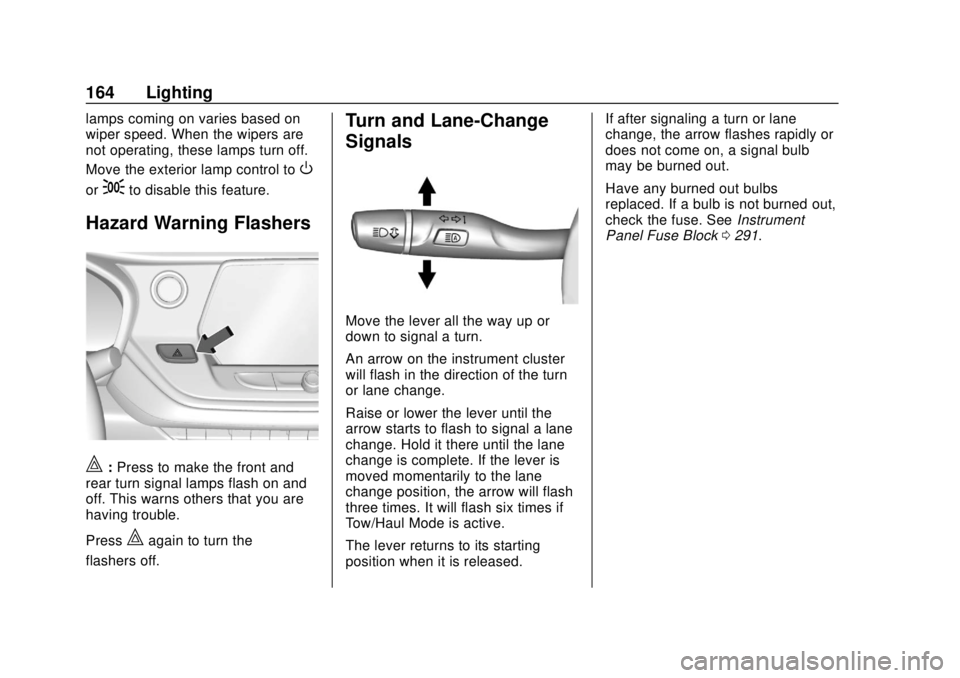
|:Press to make the front and
rear turn signal lamps flash on and
off. This warns others that you are
having trouble.
Press
|again to turn the
flashers off.
Turn and Lane-Change
Signals
Move the lever all the way up or
down to signal a turn.
An arrow on the instrument cluster
will flash in the direction of the turn
or lane change.
Raise or lower the lever until the
arrow starts to flash to signal a lane
change. Hold it there until the lane
change is complete. If the lever is
moved momentarily to the lane
change position, the arrow will flash
three times. It will flash six times if
Tow/Haul Mode is active.
The lever returns to its starting
position when it is released. If after signaling a turn or lane
change, the arrow flashes rapidly or
does not come on, a signal bulb
may be burned out.
Have any burned out bulbs
replaced. If a bulb is not burned out,
check the fuse. See
Instrument
Panel Fuse Block 0291.
Page 177 of 404
Chevrolet Blazer (GMNA-Localizing-U.S./Canada/Mexico-12461541) - 2019 -
CRC - 3/11/19
176 Driving and Operating
Driving and
Operating
Driving Information
Distracted Driving . . . . . . . . . . . . 177
Defensive Driving . . . . . . . . . . . . . 178
Drunk Driving . . . . . . . . . . . . . . . . . 178
Control of a Vehicle . . . . . . . . . . . 178
Braking . . . . . . . . . . . . . . . . . . . . . . . 178
Steering . . . . . . . . . . . . . . . . . . . . . . 179
Off-Road Recovery . . . . . . . . . . . 179
Loss of Control . . . . . . . . . . . . . . . 180
Off-Road Driving . . . . . . . . . . . . . 180
Driving on Wet Roads . . . . . . . . 184
Hill and Mountain Roads . . . . . 185
Winter Driving . . . . . . . . . . . . . . . . 186
If the Vehicle Is Stuck . . . . . . . . 187
Vehicle Load Limits . . . . . . . . . . . 188
Starting and Operating
New Vehicle Break-In . . . . . . . . . 192
Ignition Positions . . . . . . . . . . . . . 192
Starting the Engine . . . . . . . . . . . 194
Stop/Start System . . . . . . . . . . . . 195
Engine Heater . . . . . . . . . . . . . . . . 196
Retained AccessoryPower (RAP) . . . . . . . . . . . . . . . . 197
Shifting Into Park . . . . . . . . . . . . . 197 Shifting out of Park . . . . . . . . . . . 198
Parking over Things
That Burn . . . . . . . . . . . . . . . . . . . 199
Active Fuel Management . . . . . 199
Extended Parking . . . . . . . . . . . . 199
Engine Exhaust
Engine Exhaust . . . . . . . . . . . . . . 200
Running the Vehicle While Parked . . . . . . . . . . . . . . . . . . . . . . 201
Automatic Transmission
Automatic Transmission . . . . . . 201
Manual Mode . . . . . . . . . . . . . . . . . 203
Tow/Haul Mode . . . . . . . . . . . . . . . 204
Drive Systems
All-Wheel Drive . . . . . . . . . . . . . . . 204
Brakes
Antilock BrakeSystem (ABS) . . . . . . . . . . . . . . . 205
Electric Parking Brake . . . . . . . . 206
Brake Assist . . . . . . . . . . . . . . . . . . 207
Hill Start Assist (HSA) . . . . . . . . 208
Ride Control Systems
Traction Control/Electronic Stability Control . . . . . . . . . . . . . 208
Driver Mode Control . . . . . . . . . . 210
Cruise Control
Cruise Control . . . . . . . . . . . . . . . . 212
Adaptive Cruise Control . . . . . . 214
Driver Assistance Systems
Driver Assistance Systems . . . 223
Assistance Systems for Parking or Backing . . . . . . . . . . 225
Assistance Systems for Driving . . . . . . . . . . . . . . . . . . . . . . 229
Forward Collision Alert (FCA) System . . . . . . . . . . . . . . . . . . . . . . 229
Forward Automatic Braking (FAB) . . . . . . . . . . . . . . . 232
Front Pedestrian Braking (FPB) System . . . . . . . . . . . . . . . 233
Side Blind Zone Alert (SBZA) . . . . . . . . . . . . . . . . 236
Lane Change Alert (LCA) . . . . . 236
Lane Departure Warning (LDW) . . . . . . . . . . . . . 238
Lane Keep Assist (LKA) . . . . . . 238
Fuel
Top Tier Fuel . . . . . . . . . . . . . . . . . 240
Recommended Fuel . . . . . . . . . . 240
Prohibited Fuels . . . . . . . . . . . . . . 240
Fuels in Foreign Countries . . . 241
Fuel Additives . . . . . . . . . . . . . . . . 241
Filling the Tank . . . . . . . . . . . . . . . 241
Page 179 of 404
Chevrolet Blazer (GMNA-Localizing-U.S./Canada/Mexico-12461541) - 2019 -
CRC - 3/11/19
178 Driving and Operating
{Warning
Taking your eyes off the road too
long or too often could cause a
crash resulting in injury or death.
Focus your attention on driving.
Refer to the infotainment manual for
more information on using that
system and the navigation system,
if equipped, including pairing and
using a cell phone.
Defensive Driving
Defensive driving means “always
expect the unexpected.” The first
step in driving defensively is to wear
the seat belt. See Seat Belts071.
. Assume that other road users
(pedestrians, bicyclists, and
other drivers) are going to be
careless and make mistakes.
Anticipate what they might do
and be ready.
. Allow enough following distance
between you and the driver in
front of you. .
Focus on the task of driving.
Drunk Driving
Death and injury associated with
drinking and driving is a global
tragedy.
{Warning
Drinking and then driving is very
dangerous. Your reflexes,
perceptions, attentiveness, and
judgment can be affected by even
a small amount of alcohol. You
can have a serious —or even
fatal —collision if you drive after
drinking.
Do not drink and drive or ride with
a driver who has been drinking.
Ride home in a cab; or if you are
with a group, designate a driver
who will not drink.
Control of a Vehicle
Braking, steering, and accelerating
are important factors in helping to
control a vehicle while driving.
Braking
Braking action involves perception
time and reaction time. Deciding to
push the brake pedal is perception
time. Actually doing it is
reaction time.
Average driver reaction time is
about three-quarters of a second. In
that time, a vehicle moving at
100 km/h (60 mph) travels 20 m
(66 ft), which could be a lot of
distance in an emergency.
Helpful braking tips to keep in mind
include:
. Keep enough distance between
you and the vehicle in front
of you.
. Avoid needless heavy braking.
. Keep pace with traffic.
If the engine ever stops while the
vehicle is being driven, brake
normally but do not pump the
brakes. Doing so could make the
pedal harder to push down. If the
engine stops, there will be some
power brake assist but it will be
used when the brake is applied.