ad blue CHEVROLET BLAZER 2022 Owner's Manual
[x] Cancel search | Manufacturer: CHEVROLET, Model Year: 2022, Model line: BLAZER, Model: CHEVROLET BLAZER 2022Pages: 386, PDF Size: 13.37 MB
Page 228 of 386
Chevrolet Blazer Owner Manual (GMNA-Localizing-U.S./Canada/Mexico-
15165663) - 2022 - CRC - 4/27/21
Driving and Operating 227
.There is a fault in the system.
.The radar falsely reports a blockage when
driving in a desert or remote area with
no other vehicles or roadside objects.
.A DIC message may display to indicate
that ACC is temporarily unavailable.
The ACC indicator will turn white when ACC
is no longer active.
In some cases, when ACC is temporarily
unavailable, regular cruise control may be
used. See “Switching Between ACC and
Regular Cruise Control” in this section.
Always consider driving conditions before
using either cruise control system.
Notification to Resume ACC
ACC will maintain a following gap behind a
detected vehicle and slow your vehicle to a
stop behind that vehicle.
If the stopped vehicle ahead has driven
away and ACC has not resumed, the vehicle
ahead indicator will flash as a reminder to
check traffic ahead before proceeding. In
addition, the left and right sides of the
Safety Alert Seat will pulse three times,
or three beeps will sound. See “Alert Type”
and “Adaptive Cruise Go Notifier” in
“Collision/Detection Systems” underVehicle
Personalization 0117. When the vehicle drives away, ACC resumes
automatically if the stop was brief.
If necessary, press RES+ or the accelerator
pedal to resume ACC. If stopped for more
than two minutes or if the driver door is
opened and the driver seat belt is
unbuckled, the ACC automatically applies the
Electric Parking Brake (EPB) to hold the
vehicle. The EPB status light will turn on.
See
Electric Parking Brake 0215. To resume
ACC and release the EPB, press the
accelerator pedal.
A DIC warning message may display
indicating to shift to P (Park) before exiting
the vehicle. See Vehicle Messages 0116.
{Warning
If ACC has stopped the vehicle, and if ACC
is disengaged, turned off, or canceled, the
vehicle will no longer be held at a stop.
The vehicle can move. When ACC is
holding the vehicle at a stop, always be
prepared to manually apply the brakes.
{Warning
Leaving the vehicle without placing it in
P (Park) can be dangerous. Do not leave
the vehicle while it is being held at a
stop by ACC. Always place the vehicle in
P (Park) and turn off the ignition before
leaving the vehicle.
ACC Override
If using the accelerator pedal while ACC is
active, the ACC indicator turns blue on the
instrument cluster to indicate that automatic
braking will not occur. See Vehicle Messages
0 116. ACC will resume operation when the
accelerator pedal is not being pressed.
{Warning
The ACC will not automatically apply the
brakes if your foot is resting on the
accelerator pedal. You could crash into a
vehicle ahead of you.
Page 256 of 386
Chevrolet Blazer Owner Manual (GMNA-Localizing-U.S./Canada/Mexico-
15165663) - 2022 - CRC - 4/27/21
Driving and Operating 255
Safety Chains
Always attach chains between the vehicle
and the trailer, and attach the chains to the
holes on the trailer hitch platform.
Instructions for safety chains may be
provided by the hitch manufacturer or by
the trailer manufacturer.
Cross the safety chains under the tongue of
the trailer to help prevent the tongue from
contacting the road if it becomes separated
from the hitch. Always leave just enough
slack so the combination can turn. Never
allow safety chains to drag on the ground.
Trailer Brakes
Loaded trailers over 450 kg (1,000 lb) must
be equipped with brake systems and with
brakes for each axle. Trailer braking
equipment conforming to Canadian
Standards Association (CSA) requirement
CAN3-D313, or its equivalent, is
recommended.
State or local regulations may require
trailers to have their own braking system if
the loaded weight of the trailer exceeds
certain minimums that can vary from state
to state. Read and follow the instructions for
the trailer brakes so they are installed,
adjusted, and maintained properly. Neverattempt to tap into your vehicle's hydraulic
brake system. If you do, both the vehicle
antilock brakes and the trailer brakes may
not function, which could result in a crash.
Trailer Wiring Harness
Basic Trailer Wiring
The trailer wiring harness, with a seven-pin
connector, is at the rear of the vehicle and
is tied to the vehicle's frame. The harness
requires the installation of a trailer
connector, which is available through your
dealer.
Use only a round, seven-wire connector with
flat blade terminals meeting SAE J2863
specifications for proper electrical
connectivity.
The seven-wire harness contains the
following trailer circuits:
.Yellow: Left Stop/Turn Signal
.Green: Right Stop/Turn Signal
.Brown: Tail/Parking Lamps
.White: Trailer Ground
.Red: Stop Lamp Supply Voltage
.Black: Back Up Lamp Supply Voltage
.Blue: Service Brakes
The fuse for the electric trailer brake circuit
is in the engine compartment fuse block,
but the wires may not be connected. They
should be connected by your dealer or a
qualified service center. To control electric
trailer brakes, a trailer brake controller needs
to be installed on the vehicle by your dealer
or a qualified service center. See electric
brake control wiring provisions.
If a battery outside the vehicle is being
charged, place the vehicle in Tow/Haul
Mode. This will boost the vehicle system
voltage and properly charge the battery.
If the trailer is too light for Tow/Haul Mode,
turn on the non-HID only headlamps as a
second way to boost the vehicle system
voltage and charge the battery.
Electric Trailer Brake Control Wiring
Provisions
Wiring provisions for an aftermarket electric
trailer brake controller are included with the
vehicle as part of the trailer wiring package.
The harness contains the following circuits:
These wiring provisions for an electric trailer
brake controller are included with the
vehicle as part of the trailer wiring package.
The body harness, inside the front driver
side instrument panel, contains blunt cut
Page 257 of 386
Chevrolet Blazer Owner Manual (GMNA-Localizing-U.S./Canada/Mexico-
15165663) - 2022 - CRC - 4/27/21
256 Driving and Operating
wires below the headlamp switch for the
electric trailer brake controller. The harness
contains the following wires:
.Blue: Electric Trailer Brakes
.Blue: Battery Feed
.White/Blue: Brake Apply Signal
.Black: Ground
Refer to the aftermarket electric trailer brake
controller owner's manual to determine wire
color coding of the electric trailer brake
controller. The wire colors on the brake
controller may be different from the vehicle.
The electric trailer brake controller should be
installed by your dealer or a qualified
service center.
Trailer Lamps
Always check all trailer lamps are working at
the beginning of each trip, and periodically
on longer trips.
Turn Signals When Towing a Trailer
When properly connected, the trailer turn
signals will illuminate to indicate the vehicle
is turning, changing lanes, or stopping.
When towing a trailer, the arrows on the
instrument cluster will illuminate even if the
trailer is not properly connected or the bulbs
are burned out.
Tow/Haul Mode
For instructions on how to enter Tow/Haul
Mode, see Driver Mode Control 0219.
Tow/Haul assists when pulling a heavy
trailer or a large or heavy load. See Driver
Mode Control 0219.
Tow/Haul Mode is designed to be most
effective when the vehicle and trailer
combined weight is at least 75% of the
vehicle's Gross Combined Weight Rating
(GCWR). See “Weight of the Trailer” under
Trailer Towing 0250. Tow/Haul Mode is
most useful when towing a heavy trailer or
carrying a large or heavy load:
.Through rolling terrain.
.In stop-and-go traffic.
.In busy parking lots.
Operating the vehicle in Tow/Haul Mode
when lightly loaded or not towing will not
cause damage; however, it is not
recommended and may result in unpleasant
engine and transmission driving
characteristics and reduced fuel economy.
Trailer Sway Control (TSC)
Vehicles with StabiliTrak/Electronic Stability
Control (ESC) have a Trailer Sway Control
(TSC) feature. Trailer sway is unintended
side-to-side motion of a trailer while towing.
If the vehicle is towing a trailer and the TSC
detects that sway is increasing, the vehicle
brakes are selectively applied at each wheel,
to help reduce excessive trailer sway.
If equipped with the Integrated Trailer Brake
Control (ITBC) system, and the trailer has an
electric brake system, StabiliTrak/ESC may
also apply the trailer brakes.
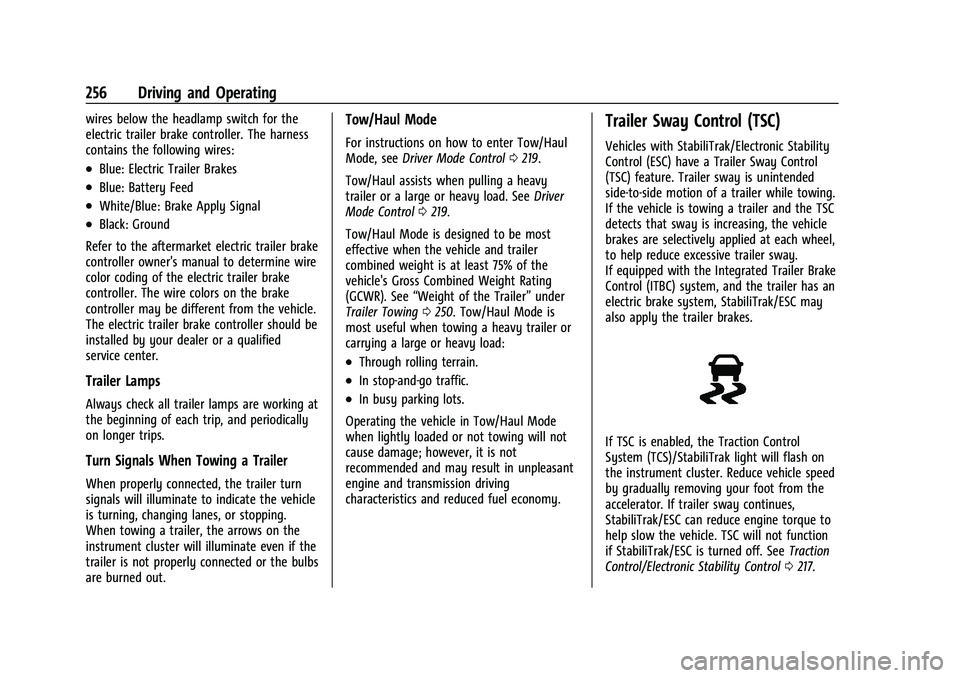
If TSC is enabled, the Traction Control
System (TCS)/StabiliTrak light will flash on
the instrument cluster. Reduce vehicle speed
by gradually removing your foot from the
accelerator. If trailer sway continues,
StabiliTrak/ESC can reduce engine torque to
help slow the vehicle. TSC will not function
if StabiliTrak/ESC is turned off. See Traction
Control/Electronic Stability Control 0217.
Page 366 of 386
Chevrolet Blazer Owner Manual (GMNA-Localizing-U.S./Canada/Mexico-
15165663) - 2022 - CRC - 4/27/21
Customer Information 365
Bluetooth, WIFI or similar technology). In
the event you suspect any security incident
impacting your data or the safe operation of
your vehicle, please stop operating your
vehicle and contact your dealer.
Event Data Recorders
This vehicle is equipped with an event data
recorder (EDR). The main purpose of an EDR
is to record, in certain crash or near
crash-like situations, such as an air bag
deployment or hitting a road obstacle, data
that will assist in understanding how a
vehicle’s systems performed. The EDR is
designed to record data related to vehicle
dynamics and safety systems for a short
period of time, typically 30 seconds or less.
The EDR in this vehicle is designed to record
such data as:
.How various systems in your vehicle were
operating;
.Whether or not the driver and passenger
safety belts were buckled/fastened;
.How far (if at all) the driver was
depressing the accelerator and/or brake
pedal; and,
.How fast the vehicle was traveling.These data can help provide a better
understanding of the circumstances in which
crashes and injuries occur.
Note
EDR data are recorded by your vehicle only
if a non-trivial crash situation occurs; no
data are recorded by the EDR under normal
driving conditions and no personal data
(e.g., name, gender, age, and crash location)
are recorded. However, other parties, such
as law enforcement, could combine the EDR
data with the type of personally identifying
data routinely acquired during a crash
investigation.
To read data recorded by an EDR, special
equipment is required, and access to the
vehicle or the EDR is needed. In addition to
the vehicle manufacturer, other parties, such
as law enforcement, that have the special
equipment, can read the information if they
have access to the vehicle or the EDR.
GM will not access these data or share it
with others except: with the consent of the
vehicle owner or, if the vehicle is leased,
with the consent of the lessee; in response
to an official request by police or similar
government office; as part of GM's defense
of litigation through the discovery process;
or, as permitted by law. Data that GM collects or receives may also be used for GM
research needs or may be made available to
others for research purposes, where a need
is shown and the data is not tied to a
specific vehicle or vehicle owner.
OnStar
If the vehicle is equipped with OnStar and
has an active service plan, additional data
may be collected and transmitted through
the OnStar system. This includes information
about the vehicle’s operation; collisions
involving the vehicle; the use of the vehicle
and its features, including infotainment; and
the location and approximate GPS speed of
the vehicle. Refer to the OnStar Terms and
Conditions and Privacy Statement on the
OnStar website.
See
OnStar Additional Information 0368.
Infotainment System
If the vehicle is equipped with a navigation
system as part of the infotainment system,
use of the system may result in the storage
of destinations, addresses, telephone
numbers, and other trip information. See the
infotainment section for information on
stored data and for deletion instructions.
Page 367 of 386
Chevrolet Blazer Owner Manual (GMNA-Localizing-U.S./Canada/Mexico-
15165663) - 2022 - CRC - 4/27/21
366 OnStar
OnStar
OnStar Overview
OnStar Overview . . . . . . . . . . . . . . . . . . . . . . 366
OnStar Services
Emergency . . . . . . . . . . . . . . . . . . . . . . . . . . . . 367
Security . . . . . . . . . . . . . . . . . . . . . . . . . . . . . . . 367
OnStar Additional Information
OnStar Additional Information . . . . . . . . 368
OnStar Overview
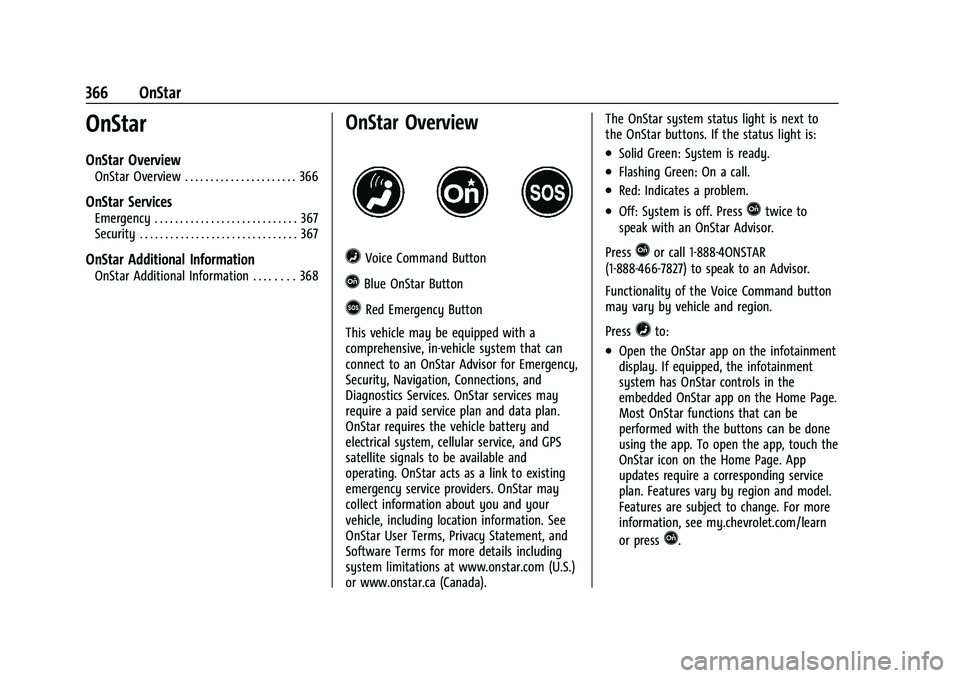
=Voice Command Button
QBlue OnStar Button
>Red Emergency Button
This vehicle may be equipped with a
comprehensive, in-vehicle system that can
connect to an OnStar Advisor for Emergency,
Security, Navigation, Connections, and
Diagnostics Services. OnStar services may
require a paid service plan and data plan.
OnStar requires the vehicle battery and
electrical system, cellular service, and GPS
satellite signals to be available and
operating. OnStar acts as a link to existing
emergency service providers. OnStar may
collect information about you and your
vehicle, including location information. See
OnStar User Terms, Privacy Statement, and
Software Terms for more details including
system limitations at www.onstar.com (U.S.)
or www.onstar.ca (Canada). The OnStar system status light is next to
the OnStar buttons. If the status light is:
.Solid Green: System is ready.
.Flashing Green: On a call.
.Red: Indicates a problem.
.Off: System is off. PressQtwice to
speak with an OnStar Advisor.
Press
Qor call 1-888-4ONSTAR
(1-888-466-7827) to speak to an Advisor.
Functionality of the Voice Command button
may vary by vehicle and region.
Press
=to:
.Open the OnStar app on the infotainment
display. If equipped, the infotainment
system has OnStar controls in the
embedded OnStar app on the Home Page.
Most OnStar functions that can be
performed with the buttons can be done
using the app. To open the app, touch the
OnStar icon on the Home Page. App
updates require a corresponding service
plan. Features vary by region and model.
Features are subject to change. For more
information, see my.chevrolet.com/learn
or press
Q.
Page 376 of 386
Chevrolet Blazer Owner Manual (GMNA-Localizing-U.S./Canada/Mexico-
15165663) - 2022 - CRC - 4/27/21
Index 375
Assistance Systems for Parking andBacking . . . . . . . . . . . . . . . . . . . . . . . . . . . . . . . . . 231
Audio Bluetooth . . . . . . . . . . . . . . . . . . . . . . . . . . . . . . 143
Auto Stop Stop/Start System . . . . . . . . . . . . . . . . . . . . . 207
Automatic
Dimming Mirrors . . . . . . . . . . . . . . . . . . . . . . . 26
Door Locks . . . . . . . . . . . . . . . . . . . . . . . . . . . . . . . 17
Emergency Braking (AEB) . . . . . . . . . . . . . . 238
Headlamp System . . . . . . . . . . . . . . . . . . . . . 126
Transmission . . . . . . . . . . . . . . . . . . . . . . . . . . . 212
Transmission Fluid . . . . . . . . . . . . . . . . . . . . . 269
Automatic Transmission Manual Mode . . . . . . . . . . . . . . . . . . . . . . . . . 213
Shift Lock Control Function Check . . . . . . 278
Avoiding Untrusted Media Devices . . . . . . . 140
B
Battery Exterior Lighting Battery Saver . . . . . . . . 130
Load Management . . . . . . . . . . . . . . . . . . . . . 129
Power Protection . . . . . . . . . . . . . . . . . . . . . . 130
Battery - North America . . . . . . . . . . . . .278, 323
Blade Replacement, Wiper . . . . . . . . . . . . . . . 279 Bluetooth
Overview . . . . . . . . . . . . . . . . . . . . . . . . . . 160, 161
Bluetooth Audio . . . . . . . . . . . . . . . . . . . . . . . . . .143
Brake Electric Boost . . . . . . . . . . . . . . . . . . . . . . . . . . 215
Parking, Electric . . . . . . . . . . . . . . . . . . . . . . . . 215
System Warning Light . . . . . . . . . . . . . . . . . 104
Brakes . . . . . . . . . . . . . . . . . . . . . . . . . . . . . . . . . . . 276 Antilock . . . . . . . . . . . . . . . . . . . . . . . . . . . . . . . . 215
Assist . . . . . . . . . . . . . . . . . . . . . . . . . . . . . . . . . . 216
Fluid . . . . . . . . . . . . . . . . . . . . . . . . . . . . . . . . . . . 277
Braking . . . . . . . . . . . . . . . . . . . . . . . . . . . . . . . . . . 193 Automatic Emergency (AEB) . . . . . . . . . . . 238
Braking System Front Pedestrian (FPB) . . . . . . . . . . . . . . . . . 239
Break-In, New Vehicle . . . . . . . . . . . . . . . . . . . . 204
Buckle To Drive . . . . . . . . . . . . . . . . . . . . . . . . . . . 45
Bulb Replacement
Back-up Lamps . . . . . . . . . . . . . . . . . . . . . . . . . 282
Headlamp Aiming . . . . . . . . . . . . . . . . . . . . . . 281
Headlamps . . . . . . . . . . . . . . . . . . . . . . . . . . . . 281
High Intensity Discharge (HID)Lighting . . . . . . . . . . . . . . . . . . . . . . . . . . . . . . 281
Buying New Tires . . . . . . . . . . . . . . . . . . . . . . . . 307
C
Calibration . . . . . . . . . . . . . . . . . . . . . . . . . . . . . . . . 88
California Perchlorate MaterialsRequirements . . . . . . . . . . . . . . . . . . . . . . . . 260
California Proposition 65 Warning . . . . . . . . . . . . . . . . . . . . . . . .278, 323, Back Cover
Camera Rear Vision (RVC) . . . . . . . . . . . . . . . . . . . . . . 231
Canadian Vehicle Owners . . . . . . . . . . . . . . . . . . . 1
Capacities and Specifications . . . . . . . . . . . . . 352
Carbon Monoxide Engine Exhaust . . . . . . . . . . . . . . . . . . . . . . . . . 211
Liftgate . . . . . . . . . . . . . . . . . . . . . . . . . . . . . . . . . 18
Winter Driving . . . . . . . . . . . . . . . . . . . . . . . . . 200
Cargo Management System . . . . . . . . . . . . . . . . . . . 82
Tie-Downs . . . . . . . . . . . . . . . . . . . . . . . . . . . . . . 81
Caution, Danger, and Warning . . . . . . . . . . . . . .2
Center Console Storage . . . . . . . . . . . . . . . . . . . 80
Chains, Tire . . . . . . . . . . . . . . . . . . . . . . . . . . . . . . 310
Charging Wireless . . . . . . . . . . . . . . . . . . . . . . . . . . . . . . . . 90
Charging System Light . . . . . . . . . . . . . . . . . . . 103
Page 382 of 386
Chevrolet Blazer Owner Manual (GMNA-Localizing-U.S./Canada/Mexico-
15165663) - 2022 - CRC - 4/27/21
Index 381
Parking or BackingAssistance Systems . . . . . . . . . . . . . . . . . . . . 231
Passenger Airbag Status Indicator . . . . . . . . 102
Passenger Compartment Air Filter . . . . . . . 190
Passenger Sensing System . . . . . . . . . . . . . . . . .57
Pedestrian Ahead Indicator . . . . . . . . . . . . . . 106
Perchlorate Materials Requirements, California . . . . . . . . . . . . . . . . . . . . . . . . . . . . . . 260
Personalization Vehicle . . . . . . . . . . . . . . . . . . . . . . . . . . . . . . . . . 117
Phone
Apple CarPlay and Android Auto . . . . . . . 164
Bluetooth . . . . . . . . . . . . . . . . . . . . . . . . . . 160, 161
Port USB . . . . . . . . . . . . . . . . . . . . . . . . . . . . . . . . . . . . 140
Positioning
Vehicle . . . . . . . . . . . . . . . . . . . . . . . . . . . . . . . . 154
Power Door Locks . . . . . . . . . . . . . . . . . . . . . . . . . . . . . . 16
Mirrors . . . . . . . . . . . . . . . . . . . . . . . . . . . . . . . . . 25
Outlets . . . . . . . . . . . . . . . . . . . . . . . . . . . . . . . . . 89
Protection, Battery . . . . . . . . . . . . . . . . . . . . . 130
Retained Accessory (RAP) . . . . . . . . . . . . . . 209
Seat Adjustment . . . . . . . . . . . . . . . . . . . . . . . . 36
Windows . . . . . . . . . . . . . . . . . . . . . . . . . . . . . . . 29
Pregnancy, Using Seat Belts . . . . . . . . . . . . . . 50
Privacy Vehicle Data Recording . . . . . . . . . . . . . . . . 364 Problems with Route Guidance . . . . . . . . . . .154
Program
Courtesy Transportation . . . . . . . . . . . . . . . 360
Prohibited Fuels . . . . . . . . . . . . . . . . . . . . . . . . . 245
Proposition 65 Warning, California . . . . . . . . . . . . . . . . . . . . . . . . . .278, 323, Back Cover
Publication Ordering Information . . . . . . . . 362
R
Radio HD Radio Technology . . . . . . . . . . . . . . . . . . 138
Radio Data System (RDS) . . . . . . . . . . . . . . . . 139
Radio Frequency Statement . . . . . . . . . . . . . . 363
Radio Reception . . . . . . . . . . . . . . . . . . . . . . . . . 140
Radios AM-FM Radio . . . . . . . . . . . . . . . . . . . . . . . . . . . 137
Satellite . . . . . . . . . . . . . . . . . . . . . . . . . . . . . . . . 139
Reading Lamps . . . . . . . . . . . . . . . . . . . . . . . . . . .128
Rear Camera Mirror . . . . . . . . . . . . . . . . . . . . . . . .27
Rear Cross Traffic Alert System . . . . . . . . . . 235
Rear Seats . . . . . . . . . . . . . . . . . . . . . . . . . . . . . . . . 42 Heated . . . . . . . . . . . . . . . . . . . . . . . . . . . . . . . . . 44
Rear Storage . . . . . . . . . . . . . . . . . . . . . . . . . . . . . . 80
Rear Vision Camera (RVC) . . . . . . . . . . . . . . . . . 231
Rear Window Washer/Wiper . . . . . . . . . . . . . 88
Rearview Mirrors . . . . . . . . . . . . . . . . . . . . . . . . . 26 Automatic Dimming . . . . . . . . . . . . . . . . . . . . 26 Reclining Seatbacks . . . . . . . . . . . . . . . . . . . . . . . 36
Recognition
Voice . . . . . . . . . . . . . . . . . . . . . . . . . . . . . . . . . . 155
Recommended Fuel . . . . . . . . . . . . . . . . . . . . . . . . . . . . . . . . . . . . 244
Recommended Fluids and Lubricants . . . . . 347
Records Maintenance . . . . . . . . . . . . . . . . . . . . . . . . . . . 350
Recreational Vehicle Towing . . . . . . . . . . . . . 326
Reimbursement Program, GM Mobility . . . . . . . . . . . . . . . . . . . . . . . . . . . . . . . 358
Remote Keyless Entry (RKE) System . . . . . . . .7
Remote Vehicle Start . . . . . . . . . . . . . . . . . . . . . . 13
Replacement Parts Airbags . . . . . . . . . . . . . . . . . . . . . . . . . . . . . . . . . 61
Maintenance . . . . . . . . . . . . . . . . . . . . . . . . . . . 348
Replacing Airbag System . . . . . . . . . . . . . . . . . . .61
Replacing LATCH System Parts after a Crash . . . . . . . . . . . . . . . . . . . . . . . . . . . . . . . . . . . 74
Replacing Seat Belt System Parts after a Crash . . . . . . . . . . . . . . . . . . . . . . . . . . . . . . . . . . 51
Reporting Safety Defects Canadian Government . . . . . . . . . . . . . . . . . 363
General Motors . . . . . . . . . . . . . . . . . . . . . . . . 364
U.S. Government . . . . . . . . . . . . . . . . . . . . . . . 363
Restraints Where to Put . . . . . . . . . . . . . . . . . . . . . . . . . . . 67
Retained Accessory Power (RAP) . . . . . . . . . 209