garage door opener CHEVROLET BLAZER 2022 Owners Manual
[x] Cancel search | Manufacturer: CHEVROLET, Model Year: 2022, Model line: BLAZER, Model: CHEVROLET BLAZER 2022Pages: 386, PDF Size: 13.37 MB
Page 122 of 386
Chevrolet Blazer Owner Manual (GMNA-Localizing-U.S./Canada/Mexico-
15165663) - 2022 - CRC - 4/27/21
Instruments and Controls 121
Valet Mode
This will lock the infotainment system and
steering wheel controls. It may also limit
access to vehicle storage locations,
if equipped.
To enable valet mode:1. Enter a four-digit code on the keypad.
2. Select Enter to go to the confirmation screen.
3. Re-enter the four-digit code.
Touch Lock or Unlock to lock or unlock the
system. Touch Back to go back to the
previous menu.
Universal Remote System
See Radio Frequency Statement 0363.
Universal Remote System
Programming
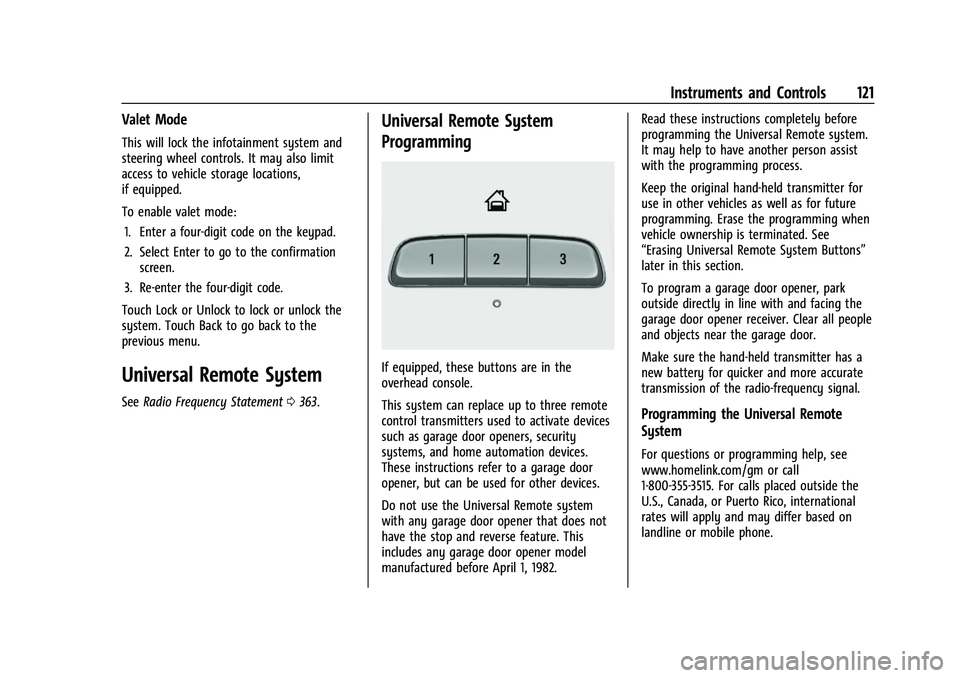
If equipped, these buttons are in the
overhead console.
This system can replace up to three remote
control transmitters used to activate devices
such as garage door openers, security
systems, and home automation devices.
These instructions refer to a garage door
opener, but can be used for other devices.
Do not use the Universal Remote system
with any garage door opener that does not
have the stop and reverse feature. This
includes any garage door opener model
manufactured before April 1, 1982. Read these instructions completely before
programming the Universal Remote system.
It may help to have another person assist
with the programming process.
Keep the original hand-held transmitter for
use in other vehicles as well as for future
programming. Erase the programming when
vehicle ownership is terminated. See
“Erasing Universal Remote System Buttons”
later in this section.
To program a garage door opener, park
outside directly in line with and facing the
garage door opener receiver. Clear all people
and objects near the garage door.
Make sure the hand-held transmitter has a
new battery for quicker and more accurate
transmission of the radio-frequency signal.
Programming the Universal Remote
System
For questions or programming help, see
www.homelink.com/gm or call
1-800-355-3515. For calls placed outside the
U.S., Canada, or Puerto Rico, international
rates will apply and may differ based on
landline or mobile phone.
Page 123 of 386
Chevrolet Blazer Owner Manual (GMNA-Localizing-U.S./Canada/Mexico-
15165663) - 2022 - CRC - 4/27/21
122 Instruments and Controls
Programming involves time-sensitive actions,
and may time out causing the procedure to
be repeated.
To program up to three devices:1. Hold the end of the hand-held transmitter about 3 to 8 cm (1 to 3 in)
away from the Universal Remote system
buttons with the indicator light in view.
The hand-held transmitter was supplied
by the manufacturer of the garage door
opener receiver.
2. Press and release one of the three Universal Remote system buttons to be
programmed. Press and hold the
hand-held transmitter button. Do not
release the hand-held transmitter button
until the indicator light changes from a
slow to a rapid flash or continuous light.
Then release the hand-held transmitter
button.
Some garage door openers may require
substitution of Step 2 with the procedure
under “Radio Signals for Some Gate
Operators” later in this section. 3. Press and hold the newly programmed
Universal Remote system button for
five seconds while watching the indicator
light and garage door activation.
.If the indicator light stays on
continuously or the garage door
moves when the button is pressed,
then programming is complete. There
is no need to complete Steps 4–6.
.If the indicator light does not come
on or the garage door does not
move, a second button press may be
required. For a second time, press
and hold the newly programmed
button for five seconds. If the
indicator light is continuously lit,
or the garage door moves,
programming is complete.
.If the indicator light flashes rapidly
and the garage door does not move,
continue with programming
Steps 4–6.
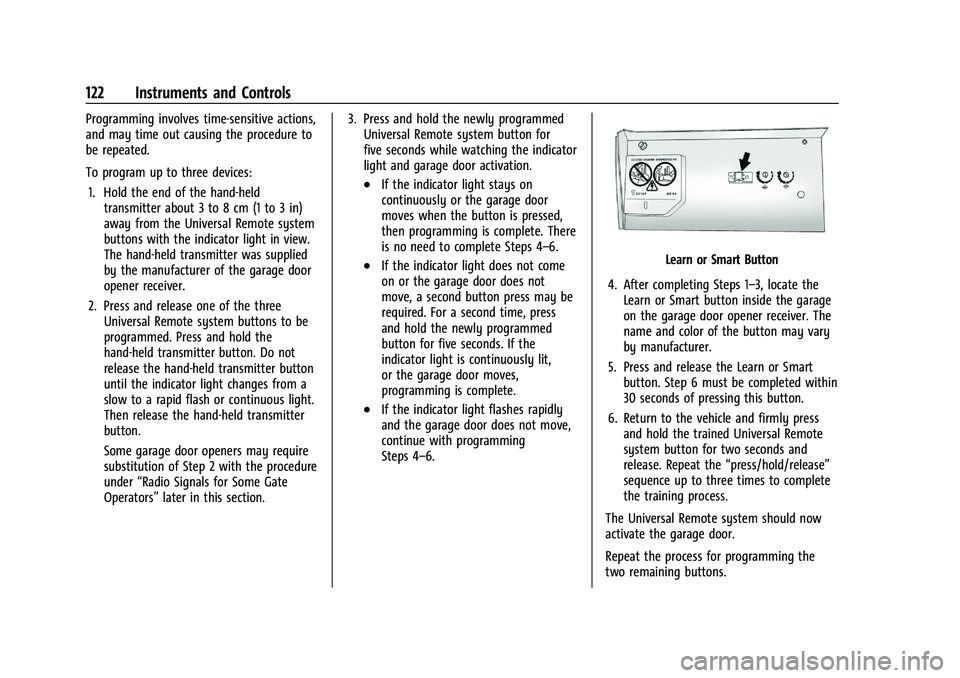
Learn or Smart Button
4. After completing Steps 1–3, locate the Learn or Smart button inside the garage
on the garage door opener receiver. The
name and color of the button may vary
by manufacturer.
5. Press and release the Learn or Smart button. Step 6 must be completed within
30 seconds of pressing this button.
6. Return to the vehicle and firmly press and hold the trained Universal Remote
system button for two seconds and
release. Repeat the “press/hold/release”
sequence up to three times to complete
the training process.
The Universal Remote system should now
activate the garage door.
Repeat the process for programming the
two remaining buttons.
Page 379 of 386
Chevrolet Blazer Owner Manual (GMNA-Localizing-U.S./Canada/Mexico-
15165663) - 2022 - CRC - 4/27/21
378 Index
FuelAdditives . . . . . . . . . . . . . . . . . . . . . . . . . . . . . . 245
Economy, Driving for Better . . . . . . . . . . . 192
Filling a Portable Fuel Container . . . . . . . 247
Filling the Tank . . . . . . . . . . . . . . . . . . . . . . . . 245
Foreign Countries . . . . . . . . . . . . . . . . . . . . . . 245
Gauge . . . . . . . . . . . . . . . . . . . . . . . . . . . . . . . . . . 98
Low Fuel Warning Light . . . . . . . . . . . . . . . 109
Management, Active . . . . . . . . . . . . . . . . . . . 210
Prohibited Fuels . . . . . . . . . . . . . . . . . . . . . . . 245
Recommended . . . . . . . . . . . . . . . . . . . . . . . . . 244
Top Tier . . . . . . . . . . . . . . . . . . . . . . . . . . . . . . . 244
Fuses Engine Compartment Fuse Block . . . . . . . 285
Fuses and Circuit Breakers . . . . . . . . . . . . . 284
Instrument Panel Fuse Block . . . . . . . . . . . 288
Rear Compartment Fuse Block . . . . . . . . . 290
G
Garage Door Opener . . . . . . . . . . . . . . . . . . . . . . 121Programming . . . . . . . . . . . . . . . . . . . . . . . . . . . 121
Gas Strut(s) . . . . . . . . . . . . . . . . . . . . . . . . . . . . . . 280
Gauges Engine Coolant Temperature . . . . . . . . . . . . 99
Engine Oil Temperature . . . . . . . . . . . . . . . . . 99
Fuel . . . . . . . . . . . . . . . . . . . . . . . . . . . . . . . . . . . . . 98
Odometer . . . . . . . . . . . . . . . . . . . . . . . . . . . . . . 98
Speedometer . . . . . . . . . . . . . . . . . . . . . . . . . . . 97 Gauges (cont'd)
Tachometer . . . . . . . . . . . . . . . . . . . . . . . . . . . . . 98
Trip Odometer . . . . . . . . . . . . . . . . . . . . . . . . . . 98
Voltmeter . . . . . . . . . . . . . . . . . . . . . . . . . . . . . . 100
Warning Lights and Indicators . . . . . . . . . . 92
General Information Service and Maintenance . . . . . . . . . . . . . . 338
Towing . . . . . . . . . . . . . . . . . . . . . . . . . . . . . . . . 247
Vehicle Care . . . . . . . . . . . . . . . . . . . . . . . . . . . 260
Global Positioning System (GPS) . . . . . . . . . . 153
Glove Box . . . . . . . . . . . . . . . . . . . . . . . . . . . . . . . . 79
GM Mobility Reimbursement Program . . . . . . . . . . . . . . . . . . . . . . . . . . . . . . . 358
Guidance Problems with the Route . . . . . . . . . . . . . . 154
H
Hazard Warning Flashers . . . . . . . . . . . . . . . . . 127
HD Radio Technology . . . . . . . . . . . . . . . . . . . . .138
Head Restraints . . . . . . . . . . . . . . . . . . . . . . . . . . . .33
HeadlampsAiming . . . . . . . . . . . . . . . . . . . . . . . . . . . . . . . . 281
Automatic . . . . . . . . . . . . . . . . . . . . . . . . . . . . . 126
Bulb Replacement . . . . . . . . . . . . . . . . . . . . . . 281
Daytime Running Lamps (DRL) . . . . . . . . . 126
Flash-to-Pass . . . . . . . . . . . . . . . . . . . . . . . . . . . 126
High Intensity Discharge (HID)
Lighting . . . . . . . . . . . . . . . . . . . . . . . . . . . . . . 281 Headlamps (cont'd)
High-Beam On Light . . . . . . . . . . . . . . . . . . . 110
High/Low Beam Changer . . . . . . . . . . . . . . 125
Lamps On Reminder . . . . . . . . . . . . . . . . . . . 110
Heated Rear Seats . . . . . . . . . . . . . . . . . . . . . . . . . . . . . . 44
Steering Wheel . . . . . . . . . . . . . . . . . . . . . . . . . 86
Heated and Ventilated Front Seats . . . . . . . .41
Heated Mirrors . . . . . . . . . . . . . . . . . . . . . . . . . . . 26
Heater Engine . . . . . . . . . . . . . . . . . . . . . . . . . . . . . . . . . 208
Heating . . . . . . . . . . . . . . . . . . . . . . . . . . . . . . . . . . 186
High Voltage Devices and Wiring . . . . . . . . 282
High-Beam On Light . . . . . . . . . . . . . . . . . . . . . .110
High-Speed Operation . . . . . . . . . . . . . . . . . . . 300
Hill and Mountain Roads . . . . . . . . . . . . . . . . 199
Hill Start Assist (HSA) . . . . . . . . . . . . . . . . . . . . . 217
Hood . . . . . . . . . . . . . . . . . . . . . . . . . . . . . . . . . . . . 261
Hooks
Shopping Bag . . . . . . . . . . . . . . . . . . . . . . . . . . . 81
Horn . . . . . . . . . . . . . . . . . . . . . . . . . . . . . . . . . . . . . . 87
How to Wear Seat Belts Properly . . . . . . . . . 46
HVAC . . . . . . . . . . . . . . . . . . . . . . . . . . . . . . . . . . . . 186
I
If the System Needs Service . . . . . . . . . . . . . .154
Ignition Positions . . . . . . . . . . . . . . . . . . . . . . . . 205
Immobilizer . . . . . . . . . . . . . . . . . . . . . . . . . . . . . . . 24