check oil CHEVROLET BLAZER 2023 User Guide
[x] Cancel search | Manufacturer: CHEVROLET, Model Year: 2023, Model line: BLAZER, Model: CHEVROLET BLAZER 2023Pages: 360, PDF Size: 17.34 MB
Page 261 of 360
Chevrolet Blazer Owner Manual (GMNA-Localizing-U.S./Canada/Mexico-
16401961) - 2023 - CRC - 5/17/22
260 Vehicle Care
{Warning
Plain water, or other liquids such as
alcohol, can boil before the proper
coolant mixture will. With plain water or
the wrong mixture, the engine could get
too hot but there would not be an
overheat warning. The engine could catch
fire and you or others could be burned.
Caution
Failure to follow the specific coolant fill
procedure could cause the engine to
overheat and could cause system
damage. If coolant is not visible in the
surge tank, contact your dealer.
If no problem is found, check to see if
coolant is visible in the coolant surge tank.
If coolant is visible but the coolant level is
not at or above the indicated mark, add a
50/50 mixture of clean, drinkable water and
DEX-COOL coolant. Be sure the cooling
system, including the coolant surge tank
pressure cap, is cool before you do it.
3.6L V6 Engine Only
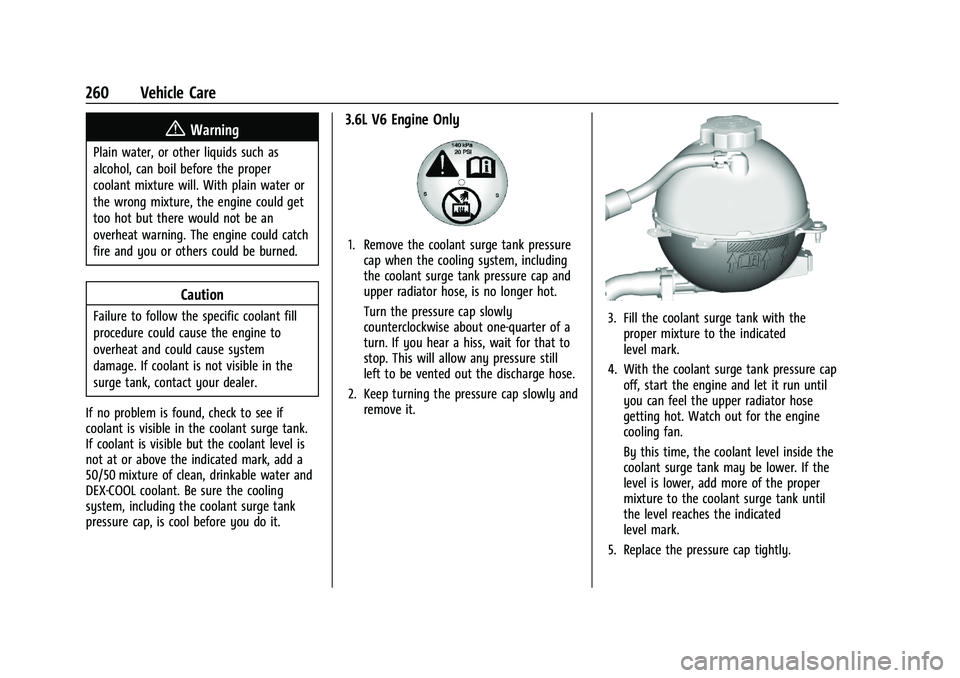
1. Remove the coolant surge tank pressure cap when the cooling system, including
the coolant surge tank pressure cap and
upper radiator hose, is no longer hot.
Turn the pressure cap slowly
counterclockwise about one-quarter of a
turn. If you hear a hiss, wait for that to
stop. This will allow any pressure still
left to be vented out the discharge hose.
2. Keep turning the pressure cap slowly and remove it.
3. Fill the coolant surge tank with theproper mixture to the indicated
level mark.
4. With the coolant surge tank pressure cap off, start the engine and let it run until
you can feel the upper radiator hose
getting hot. Watch out for the engine
cooling fan.
By this time, the coolant level inside the
coolant surge tank may be lower. If the
level is lower, add more of the proper
mixture to the coolant surge tank until
the level reaches the indicated
level mark.
5. Replace the pressure cap tightly.
Page 312 of 360
Chevrolet Blazer Owner Manual (GMNA-Localizing-U.S./Canada/Mexico-
16401961) - 2023 - CRC - 5/17/22
Vehicle Care 311
Visually check constant velocity joint boots
and axle seals for leaks.
Body Component Lubrication
Lubricate all key lock cylinders, hood hinges,
liftgate hinges, and the steel fuel door
hinges, unless the components are plastic.
Applying silicone grease on weatherstrips
with a clean cloth will make them last
longer, seal better, and not stick or squeak.
Underbody Maintenance
At least twice a year, spring and fall, use
plain water to flush any corrosive materials
from the underbody. Take care to
thoroughly clean any areas where mud and
other debris can collect.
Do not directly power wash the transfer
case and/or front/rear axle output seals.
High pressure water can overcome the seals
and contaminate the fluid. Contaminated
fluid will decrease the life of the transfer
case and/or axles and should be replaced.
Sheet Metal Damage
If the vehicle is damaged and requires sheet
metal repair or replacement, make sure the
body repair shop applies anti-corrosion
material to parts repaired or replaced to
restore corrosion protection.Original manufacturer replacement parts will
provide the corrosion protection while
maintaining the vehicle warranty.
Finish Damage
Quickly repair minor chips and scratches
with touch-up materials available from your
dealer to avoid corrosion. Larger areas of
finish damage can be corrected in your
dealer's body and paint shop.
Chemical Paint Spotting
Airborne pollutants can fall upon and attack
painted vehicle surfaces causing blotchy,
ring-shaped discolorations, and small,
irregular dark spots etched into the paint
surface. See
“Finish Care” previously in this
section.
Interior Care
To prevent dirt particle abrasions, regularly
clean the vehicle's interior. Before using
cleaners, read and follow all safety
instructions on the label. While cleaning the
interior, open the doors and windows to get
proper ventilation. Newspapers or dark
garments can transfer color to the vehicle’s
interior.
Caution
Immediately remove cleaners, hand
lotions, sunscreen, and insect repellent
from all interior surfaces or permanent
damage may result.
Caution
Use cleaners specifically designed for the
surfaces being cleaned to prevent
permanent damage to the vehicle. Apply
all cleaners directly to a cleaning cloth.
Do not spray cleaners on any switches or
controls.
When using liquid soap cleaners, follow the
directions on the specific cleaner or soap
solution for dilution instructions.
Caution
To prevent damage:
.Never use a razor or any other sharp
object to remove soil from any interior
surface
.Never use a brush with stiff bristles.(Continued)
Page 317 of 360
Chevrolet Blazer Owner Manual (GMNA-Localizing-U.S./Canada/Mexico-
16401961) - 2023 - CRC - 5/17/22
316 Service and Maintenance
Service and Maintenance
General Information
General Information . . . . . . . . . . . . . . . . . . . 316
Maintenance Schedule
Maintenance Schedule . . . . . . . . . . . . . . . . . 317
Multi-Point Vehicle Inspection (MPVI)
Multi-Point VehicleInspection (MPVI) . . . . . . . . . . . . . . . . . . . . 319
Special Application Services
Special Application Services . . . . . . . . . . . 320
Recommended Fluids, Lubricants, and
Parts
Recommended Fluids and Lubricants . . . 321
Maintenance Replacement Parts . . . . . . . 322
Maintenance Records
Maintenance Records . . . . . . . . . . . . . . . . . . 324
General Information
Your vehicle is an important investment.
This section describes the required
maintenance for the vehicle. Follow this
schedule to help protect against major repair
expenses resulting from neglect or
inadequate maintenance. It may also help to
maintain the value of the vehicle if it is
sold. It is the responsibility of the owner to
have all required maintenance performed.
Your dealer has trained technicians who can
perform required maintenance using genuine
replacement parts. They have up-to-date
tools and equipment for fast and accurate
diagnostics. Many dealers have extended
evening and Saturday hours, courtesy
transportation, and online scheduling to
assist with service needs.
Your dealer recognizes the importance of
providing competitively priced maintenance
and repair services. With trained technicians,
the dealer is the place for routine
maintenance such as oil changes and tire
rotations and additional maintenance items
like tires, brakes, batteries, and wiper blades.
Caution
Damage caused by improper maintenance
can lead to costly repairs and may not be
covered by the vehicle warranty.
Maintenance intervals, checks,
inspections, recommended fluids, and
lubricants are important to keep the
vehicle in good working condition.
Do not have chemical flushes that are not
approved by GM performed on the
vehicle. The use of flushes, solvents,
cleaners, or lubricants that are not
approved by GM could damage the
vehicle, requiring expensive repairs that
are not covered by the vehicle warranty.
The Tire Rotation and Required Services are
the responsibility of the vehicle owner. It is
recommended to have your dealer perform
these services every 12 000 km/7,500 mi.
Proper vehicle maintenance helps to keep
the vehicle in good working condition,
improves fuel economy, and reduces vehicle
emissions.
Page 318 of 360
Chevrolet Blazer Owner Manual (GMNA-Localizing-U.S./Canada/Mexico-
16401961) - 2023 - CRC - 5/17/22
Service and Maintenance 317
Because of the way people use vehicles,
maintenance needs vary. There may need to
be more frequent checks and services. The
Additional Required Services - Normal are for
vehicles that:
.Carry passengers and cargo within
recommended limits on the Tire and
Loading Information label. SeeVehicle
Load Limits 0188.
.Are driven on reasonable road surfaces
within legal driving limits.
.Use the recommended fuel. See
Recommended Fuel 0232.
Refer to the information in the Maintenance
Schedule Additional Required Services -
Normal Service.
The Additional Required Services - Severe are
for vehicles that are:
.Mainly driven in heavy city traffic in hot
weather.
.Mainly driven in hilly or mountainous
terrain.
.Frequently towing a trailer.
.Used for high speed or competitive
driving.
.Used for taxi, police, or delivery service. Refer to the information in the Maintenance
Schedule Additional Required Services -
Severe Service.
{Warning
Performing maintenance work can be
dangerous and can cause serious injury.
Perform maintenance work only if the
required information, proper tools, and
equipment are available. If they are not,
see your dealer to have a trained
technician do the work. See
Doing Your
Own Service Work 0247.
Maintenance Schedule
Tire Rotation and Required Services
Every 12 000 km (7,500 mi)
Tires are rotated to achieve a more uniform
wear for all tires. The first rotation is the
most important.
Anytime unusual wear is noticed, rotate the
tires as soon as possible, check for proper
tire inflation pressure, and check for
damaged tires or wheels. If the unusual
wear continues after the rotation, check the wheel alignment. See
When It Is Time for
New Tires 0290 and
Wheel Replacement 0294.
.Perform Multi-Point Vehicle Inspection.
See Multi-Point Vehicle Inspection (MPVI)
0 319.
.Lubricate body components. See Exterior
Care 0307.
Additional Required Services —Normal
Service
Every 12 000 km (7,500 mi)
.Check the engine oil level and oil
life percentage. If needed, change engine
the oil and filter, and reset oil the life
system. Or when the CHANGE ENGINE OIL
SOON message displays, have the engine
oil and filter changed within the next
1 000 km/600 mi. If driven under the best
conditions, the engine oil life system may
not indicate the need for vehicle service
for up to a year. The engine oil and filter
must be changed at least once a year and
the oil life system must be reset. Your
trained dealer technician can perform this
work. If the engine oil life system is reset
accidentally, service the vehicle within
5 000 km/3,000 mi since the last service.
Page 320 of 360
Chevrolet Blazer Owner Manual (GMNA-Localizing-U.S./Canada/Mexico-
16401961) - 2023 - CRC - 5/17/22
Service and Maintenance 319
suitable service maintenance intervals for
your vehicle, please contact your
authorized GM Dealer.
Extreme service is for vehicles mainly
driven off-road in four-wheel drive or used
in farming, mining, forestry, or snow
plowing.
Additional Required Services—Severe
Service
Every 72 000 km (45,000 mi)
.Change automatic transmission fluid.
Every 120 000 km (75,000 mi)
.Change rear axle fluid, if equipped with
AWD. Do not directly power wash the
transfer case and/or front/rear axle
output seals. High pressure water can
overcome the seals and contaminate the
transfer case fluid. Contaminated fluid will
decrease the life of the transfer case and/
or axles and should be replaced.
Owner Checks and Services
Every Five Years
.Replace brake fluid. Every Seven Years
.Replace Air Conditioning Desiccant and
perform air conditioning system
maintenance every seven years. This
service requires replacement of the
desiccant to help the longevity and
efficient operation of the air conditioning
system. This service can be complex. See
your dealer.
Multi-Point Vehicle
Inspection (MPVI)
A Multi Point Vehicle Inspection (MPVI)
completed by a GM dealer technician is a
maintenance assessment of your vehicle.
The benefit of the MPVI is to identify and
inform the customer of service items that
require immediate attention and those that
may require attention in the future.
The technician will perform the following
checks on your vehicle. For a complete list
of checks, inspections, and services, see your
dealer.
Some items may not apply to your vehicle
and/or region.
Diagnostics
.OnStar active, if equipped
.Service history/recall check
Engine Oil and Filter
.Engine oil
.Oil life monitor
‐
Reset oil life monitor
Exterior Lights
.Visual inspection
Windshield and Wipers
.Visual inspection
Battery
.Battery visual inspection
.Battery test results
.Battery cables and connections
Systems, Fluids, and Visible Leak
Inspection
.Engine oil
.Transmission
.Drive axle
.Transfer case
.Engine cooling system
.Power steering, if equipped
.Fuel system
.Windshield washer fluid
Page 321 of 360
Chevrolet Blazer Owner Manual (GMNA-Localizing-U.S./Canada/Mexico-
16401961) - 2023 - CRC - 5/17/22
320 Service and Maintenance
Tire Inspection
.Tire pressure, tread depth, and wear
.Rotation, if applicable
.Alignment check, optional
.Reset tire pressure monitor
.Check tire sealant expiration date,
if equipped
.Check spare tire, if equipped
Brakes
.Check brake system
Visible and Functional Inspections
.Seat belt components
.Exhaust system
.Accelerator pedal
.Passenger compartment air filter,
if equipped
.Engine air filter
.Hoses
.Belts
.Shocks and struts
.Steering components
.Axle boots or driveshaft and u-joints
.Compartment lift struts, if equipped
.Floor mats secured, no interference with
pedals
.Horn
.Ignition lock, if equipped
.Starter switch
.Evaporative control system
Lubricate
.Chassis components
Special Application Services
.Severe Commercial Use Vehicles Only:
Lubricate chassis components every oil
change.
.Have underbody flushing service
performed. See "Underbody Maintenance"
in Exterior Care 0307.
Page 347 of 360
Chevrolet Blazer Owner Manual (GMNA-Localizing-U.S./Canada/Mexico-
16401961) - 2023 - CRC - 5/17/22
346 Connected Services
Ensuring Security
.Change the default passwords for the
Wi-Fi hotspot and myChevrolet mobile
application. Make these passwords
different from each other and use a
combination of letters and numbers to
increase the security.
.Change the default name of the SSID
(Service Set Identifier). This is your
network’s name that is visible to other
wireless devices. Choose a unique name
and avoid family names or vehicle
descriptions.
Wi-Fi Hotspot (If Equipped)
The vehicle may have a built-in Wi-Fi
hotspot that provides access to the Internet
and web content at 4G LTE speed. Up to
seven mobile devices can be connected.
A data plan is required. Use the in-vehicle
controls only when it is safe to do so. 1. To retrieve Wi-Fi hotspot information, press
=to open the OnStar app on the
infotainment display, then select Wi-Fi
Hotspot. On some vehicles, touch Wi-Fi
or Wi-Fi Settings on the screen.
2. The Wi-Fi settings will display the Wi-Fi hotspot name (SSID), password, and on
some vehicles, the connection type (no Internet connection, 3G, 4G, 4G LTE), and
signal quality (poor, good, excellent). The
LTE icon shows connection to Wi-Fi. It is
possible that the icon may not illuminate
even though the vehicle has an active
connection.
3. To change the SSID or password, press
Qor call 1-888-4ONSTAR to connect
with an Advisor. On some vehicles, the
SSID and password can be changed in
the Wi-Fi Hotspot menu.
After initial set-up, your vehicle’s Wi-Fi
hotspot will connect automatically to your
mobile devices. Manage data usage by
turning Wi-Fi on or off on your mobile
device, using the myChevrolet mobile app,
or by contacting an OnStar Advisor. On
some vehicles, Wi-Fi can also be managed
from the Wi-Fi Hotspot menu.
MyChevrolet Mobile App (If Available)
Download the myChevrolet mobile app to
compatible Apple and Android smartphones.
Chevrolet users can access the following
services from a smartphone:
.Remotely start/stop the vehicle,
if factory-equipped.
.Lock/unlock doors, if equipped with
automatic locks.
.Activate the horn and lamps.
.Check the vehicle’s fuel level, oil life,
or tire pressure, if factory-equipped
with the Tire Pressure Monitor System.
.Send destinations to the vehicle.
.Locate the vehicle on a map (U.S.
market only).
.Turn the vehicle's Wi-Fi hotspot on/off,
manage settings, and monitor data
consumption, if equipped.
.Locate a dealer and schedule service.
.Request Roadside Assistance.
.Set a parking reminder with pin drop,
take a photo, make a note, and set a
timer.
.Connect with Chevrolet on social media.
Features are subject to change. For
myChevrolet mobile app information and
compatibility, see my.chevrolet.com.
An active OnStar or connected service plan
may be required. A compatible device,
factory-installed remote start, and power
locks are required. Data rates apply. See
www.onstar.com for details and system
limitations.
Page 352 of 360
Chevrolet Blazer Owner Manual (GMNA-Localizing-U.S./Canada/Mexico-
16401961) - 2023 - CRC - 5/17/22
Index 351
Driving (cont'd)Impaired . . . . . . . . . . . . . . . . . . . . . . . . . . . . . . . 180
Loss of Control . . . . . . . . . . . . . . . . . . . . . . . . 182
Off-Road . . . . . . . . . . . . . . . . . . . . . . . . . . . . . . . 182
Off-Road Recovery . . . . . . . . . . . . . . . . . . . . . . 181
Vehicle Load Limits . . . . . . . . . . . . . . . . . . . . 188
Wet Roads . . . . . . . . . . . . . . . . . . . . . . . . . . . . . 185
Winter . . . . . . . . . . . . . . . . . . . . . . . . . . . . . . . . . 187
Dual Automatic Climate Control System . . . . . 173
E
ElectricBrake Boost . . . . . . . . . . . . . . . . . . . . . . . . . . . . 202
Parking Brake . . . . . . . . . . . . . . . . . . . . . . . . . . 203
Parking Brake Light . . . . . . . . . . . . . . . . . . . . 103
Electrical
Equipment, Add-On . . . . . . . . . . . . . . . . . . . . 245
System Overload . . . . . . . . . . . . . . . . . . . . . . 268
Electrical System Engine Compartment Fuse Block . . . . . . . 270
Fuses and Circuit Breakers . . . . . . . . . . . . . 269
Instrument Panel Fuse Block . . . . . . . . . . . 273
Rear Compartment Fuse Block . . . . . . . . . 275
Emergency OnStar . . . . . . . . . . . . . . . . . . . . . . . . . . . . . . . . . 341
Engine Air Cleaner/Filter . . . . . . . . . . . . . . . . . . . . . . 256 Engine (cont'd)
Air Filter Life System . . . . . . . . . . . . . . . . . . 256
Check Light (Malfunction Indicator) . . . . 101
Compartment Overview . . . . . . . . . . . . . . . . 250
Coolant Temperature Gauge . . . . . . . . . . . . 97
Coolant Temperature Warning
Light . . . . . . . . . . . . . . . . . . . . . . . . . . . . . . . . . 106
Cooling System . . . . . . . . . . . . . . . . . . . . . . . . 258
Drive Belt Routing . . . . . . . . . . . . . . . . . . . . . 328
Exhaust . . . . . . . . . . . . . . . . . . . . . . . . . . . . . . . . 198
Heater . . . . . . . . . . . . . . . . . . . . . . . . . . . . . . . . . 195
Oil Life System . . . . . . . . . . . . . . . . . . . . . . . . 255
Oil Pressure Light . . . . . . . . . . . . . . . . . . . . . . 107
Oil Temperature Gauge . . . . . . . . . . . . . . . . . 97
Overheating . . . . . . . . . . . . . . . . . . . . . . . . . . . 261
Power Messages . . . . . . . . . . . . . . . . . . . . . . . . 114
Running While Parked . . . . . . . . . . . . . . . . . 199
Starting . . . . . . . . . . . . . . . . . . . . . . . . . . . . . . . . 193
Entry Lighting . . . . . . . . . . . . . . . . . . . . . . . . . . . . 123
Equipment, Towing . . . . . . . . . . . . . . . . . . . . . . .241
Event Data Recorders . . . . . . . . . . . . . . . . . . . . 339
Exit Lighting . . . . . . . . . . . . . . . . . . . . . . . . . . . . . . 123
Extended Parking . . . . . . . . . . . . . . . . . . . . . . . . 198
Extender, Seat Belt . . . . . . . . . . . . . . . . . . . . . . . . 51
Exterior Lamp Controls . . . . . . . . . . . . . . . . . . . . . . . . . . 118
Lamps Off Reminder . . . . . . . . . . . . . . . . . . . . 119
Lighting Battery Saver . . . . . . . . . . . . . . . . . 124
F
Filter
Engine Air Cleaner . . . . . . . . . . . . . . . . . . . . . 256
Flash-to-Pass . . . . . . . . . . . . . . . . . . . . . . . . . . . . . 120
Flashers, Hazard Warning . . . . . . . . . . . . . . . . . 121
Flat Tire . . . . . . . . . . . . . . . . . . . . . . . . . . . . . . . . . 295 Changing . . . . . . . . . . . . . . . . . . . . . . . . . . . . . . 296
Floor Mats . . . . . . . . . . . . . . . . . . . . . . . . . . . . . . . .314
Fluid Automatic Transmission . . . . . . . . . . . . . . . 255
Brakes . . . . . . . . . . . . . . . . . . . . . . . . . . . . . . . . . 263
Washer . . . . . . . . . . . . . . . . . . . . . . . . . . . . . . . . 262
Folding Mirrors . . . . . . . . . . . . . . . . . . . . . . . . . . . .27
Forward Collision Alert (FCA) System . . . . . . . . . . . 223
Frequency Statement Radio . . . . . . . . . . . . . . . . . . . . . . . . . . . . . . . . . . 337
Front Heated and Ventilated Seats . . . . . . . . . . . . 41
Pedestrian Braking (FPB) System . . . . . . . 227
Front Seats Adjustment . . . . . . . . . . . . . . . . . . . . . . . . . . . . . 36
Fuel Additives . . . . . . . . . . . . . . . . . . . . . . . . . . . . . . 233
Economy, Driving for Better . . . . . . . . . . . 179
Filling a Portable Fuel Container . . . . . . . 235
Filling the Tank . . . . . . . . . . . . . . . . . . . . . . . . 233
Foreign Countries . . . . . . . . . . . . . . . . . . . . . . 233
Page 354 of 360
Chevrolet Blazer Owner Manual (GMNA-Localizing-U.S./Canada/Mexico-
16401961) - 2023 - CRC - 5/17/22
Index 353
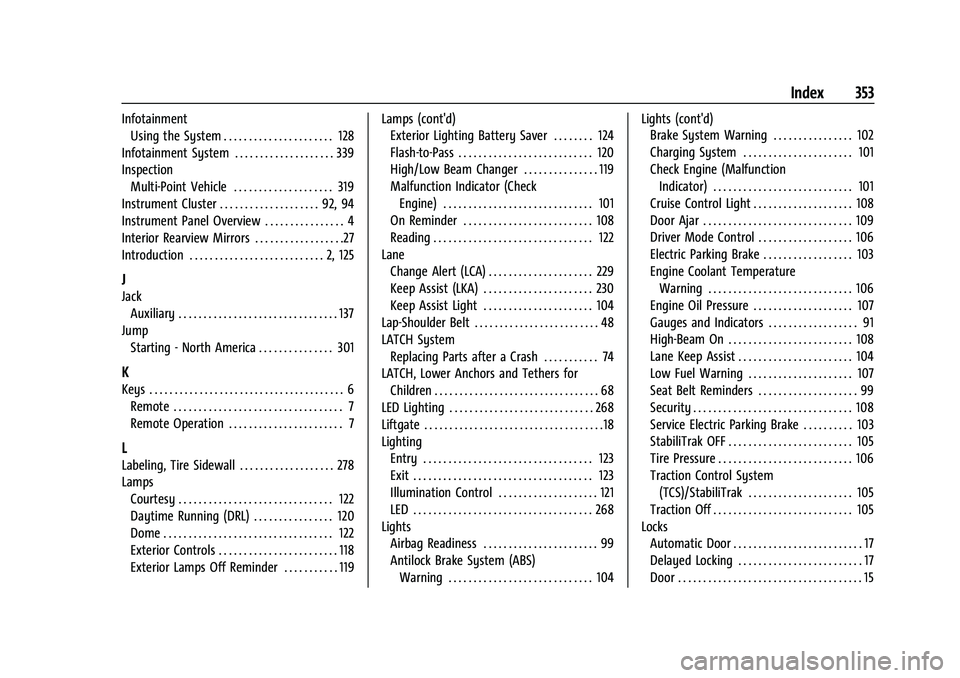
InfotainmentUsing the System . . . . . . . . . . . . . . . . . . . . . . 128
Infotainment System . . . . . . . . . . . . . . . . . . . . 339
Inspection Multi-Point Vehicle . . . . . . . . . . . . . . . . . . . . 319
Instrument Cluster . . . . . . . . . . . . . . . . . . . . 92, 94
Instrument Panel Overview . . . . . . . . . . . . . . . . 4
Interior Rearview Mirrors . . . . . . . . . . . . . . . . . .27
Introduction . . . . . . . . . . . . . . . . . . . . . . . . . . . 2, 125
J
Jack Auxiliary . . . . . . . . . . . . . . . . . . . . . . . . . . . . . . . . 137
Jump Starting - North America . . . . . . . . . . . . . . . 301
K
Keys . . . . . . . . . . . . . . . . . . . . . . . . . . . . . . . . . . . . . . . 6Remote . . . . . . . . . . . . . . . . . . . . . . . . . . . . . . . . . . 7
Remote Operation . . . . . . . . . . . . . . . . . . . . . . . 7
L
Labeling, Tire Sidewall . . . . . . . . . . . . . . . . . . . 278
LampsCourtesy . . . . . . . . . . . . . . . . . . . . . . . . . . . . . . . 122
Daytime Running (DRL) . . . . . . . . . . . . . . . . 120
Dome . . . . . . . . . . . . . . . . . . . . . . . . . . . . . . . . . . 122
Exterior Controls . . . . . . . . . . . . . . . . . . . . . . . . 118
Exterior Lamps Off Reminder . . . . . . . . . . . 119 Lamps (cont'd)
Exterior Lighting Battery Saver . . . . . . . . 124
Flash-to-Pass . . . . . . . . . . . . . . . . . . . . . . . . . . . 120
High/Low Beam Changer . . . . . . . . . . . . . . . 119
Malfunction Indicator (Check
Engine) . . . . . . . . . . . . . . . . . . . . . . . . . . . . . . 101
On Reminder . . . . . . . . . . . . . . . . . . . . . . . . . . 108
Reading . . . . . . . . . . . . . . . . . . . . . . . . . . . . . . . . 122
Lane Change Alert (LCA) . . . . . . . . . . . . . . . . . . . . . 229
Keep Assist (LKA) . . . . . . . . . . . . . . . . . . . . . . 230
Keep Assist Light . . . . . . . . . . . . . . . . . . . . . . 104
Lap-Shoulder Belt . . . . . . . . . . . . . . . . . . . . . . . . . 48
LATCH System Replacing Parts after a Crash . . . . . . . . . . . 74
LATCH, Lower Anchors and Tethers for
Children . . . . . . . . . . . . . . . . . . . . . . . . . . . . . . . . . 68
LED Lighting . . . . . . . . . . . . . . . . . . . . . . . . . . . . . 268
Liftgate . . . . . . . . . . . . . . . . . . . . . . . . . . . . . . . . . . . .18
Lighting Entry . . . . . . . . . . . . . . . . . . . . . . . . . . . . . . . . . . 123
Exit . . . . . . . . . . . . . . . . . . . . . . . . . . . . . . . . . . . . 123
Illumination Control . . . . . . . . . . . . . . . . . . . . 121
LED . . . . . . . . . . . . . . . . . . . . . . . . . . . . . . . . . . . . 268
Lights Airbag Readiness . . . . . . . . . . . . . . . . . . . . . . . 99
Antilock Brake System (ABS)
Warning . . . . . . . . . . . . . . . . . . . . . . . . . . . . . 104 Lights (cont'd)
Brake System Warning . . . . . . . . . . . . . . . . 102
Charging System . . . . . . . . . . . . . . . . . . . . . . 101
Check Engine (Malfunction
Indicator) . . . . . . . . . . . . . . . . . . . . . . . . . . . . 101
Cruise Control Light . . . . . . . . . . . . . . . . . . . . 108
Door Ajar . . . . . . . . . . . . . . . . . . . . . . . . . . . . . . 109
Driver Mode Control . . . . . . . . . . . . . . . . . . . 106
Electric Parking Brake . . . . . . . . . . . . . . . . . . 103
Engine Coolant Temperature Warning . . . . . . . . . . . . . . . . . . . . . . . . . . . . . 106
Engine Oil Pressure . . . . . . . . . . . . . . . . . . . . 107
Gauges and Indicators . . . . . . . . . . . . . . . . . . 91
High-Beam On . . . . . . . . . . . . . . . . . . . . . . . . . 108
Lane Keep Assist . . . . . . . . . . . . . . . . . . . . . . . 104
Low Fuel Warning . . . . . . . . . . . . . . . . . . . . . 107
Seat Belt Reminders . . . . . . . . . . . . . . . . . . . . 99
Security . . . . . . . . . . . . . . . . . . . . . . . . . . . . . . . . 108
Service Electric Parking Brake . . . . . . . . . . 103
StabiliTrak OFF . . . . . . . . . . . . . . . . . . . . . . . . . 105
Tire Pressure . . . . . . . . . . . . . . . . . . . . . . . . . . . 106
Traction Control System
(TCS)/StabiliTrak . . . . . . . . . . . . . . . . . . . . . 105
Traction Off . . . . . . . . . . . . . . . . . . . . . . . . . . . . 105
Locks Automatic Door . . . . . . . . . . . . . . . . . . . . . . . . . . 17
Delayed Locking . . . . . . . . . . . . . . . . . . . . . . . . . 17
Door . . . . . . . . . . . . . . . . . . . . . . . . . . . . . . . . . . . . . 15