power steering CHEVROLET BLAZER 2023 User Guide
[x] Cancel search | Manufacturer: CHEVROLET, Model Year: 2023, Model line: BLAZER, Model: CHEVROLET BLAZER 2023Pages: 360, PDF Size: 17.34 MB
Page 193 of 360
Chevrolet Blazer Owner Manual (GMNA-Localizing-U.S./Canada/Mexico-
16401961) - 2023 - CRC - 5/17/22
192 Driving and Operating
Caution (Continued)
.Avoid making hard stops for the first
300 km (200 mi) or so. During this
time the new brake linings are not yet
broken in. Hard stops with new linings
can mean premature wear and earlier
replacement. Follow this breaking-in
guideline every time you get new
brake linings.
.Do not tow a trailer during break-in.
SeeTrailer Towing 0238 for the trailer
towing capabilities of the vehicle and
more information.
Following break-in, engine speed and load
can be gradually increased.
On new vehicles, the various mechanical and
electrical systems experience a “break-in”
period during the first 6 400 km (4,000 mi)
of routine driving. As the vehicle is driven,
the mechanical systems adjust to provide
optimal fuel economy and transmission shift
performance.
Electrical systems will adapt and calibrate
during the break-in period. A one-time
occurrence of clicks and similar vehicle
noises is normal during this process. Normal driving charges the vehicle’s battery
to achieve the best operation of the vehicle,
including fuel economy and the Stop/Start
System. See
Stop/Start System 0194.
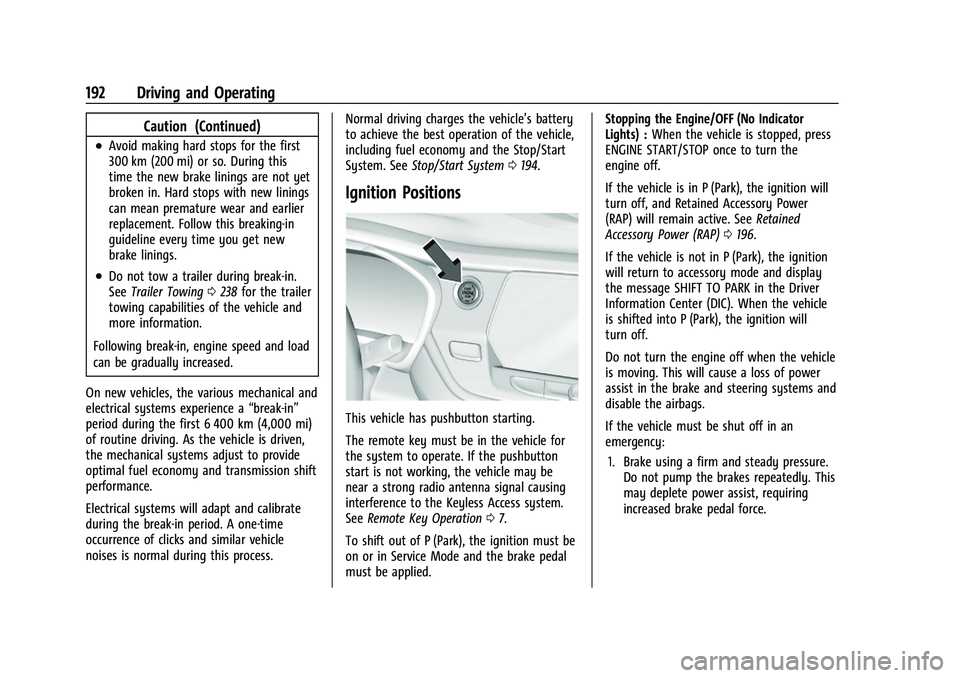
Ignition Positions
This vehicle has pushbutton starting.
The remote key must be in the vehicle for
the system to operate. If the pushbutton
start is not working, the vehicle may be
near a strong radio antenna signal causing
interference to the Keyless Access system.
See Remote Key Operation 07.
To shift out of P (Park), the ignition must be
on or in Service Mode and the brake pedal
must be applied. Stopping the Engine/OFF (No Indicator
Lights) :
When the vehicle is stopped, press
ENGINE START/STOP once to turn the
engine off.
If the vehicle is in P (Park), the ignition will
turn off, and Retained Accessory Power
(RAP) will remain active. See Retained
Accessory Power (RAP) 0196.
If the vehicle is not in P (Park), the ignition
will return to accessory mode and display
the message SHIFT TO PARK in the Driver
Information Center (DIC). When the vehicle
is shifted into P (Park), the ignition will
turn off.
Do not turn the engine off when the vehicle
is moving. This will cause a loss of power
assist in the brake and steering systems and
disable the airbags.
If the vehicle must be shut off in an
emergency: 1. Brake using a firm and steady pressure. Do not pump the brakes repeatedly. This
may deplete power assist, requiring
increased brake pedal force.
Page 194 of 360
Chevrolet Blazer Owner Manual (GMNA-Localizing-U.S./Canada/Mexico-
16401961) - 2023 - CRC - 5/17/22
Driving and Operating 193
2. Shift the vehicle to N (Neutral). This canbe done while the vehicle is moving.
After shifting to N (Neutral), firmly apply
the brakes and steer the vehicle to a
safe location.
3. Come to a complete stop, shift to P (Park), and turn the ignition off. The
shift lever must be in P (Park) to turn the
ignition off.
4. Set the parking brake. See Electric
Parking Brake 0203.
{Warning
Turning off the vehicle while moving may
cause loss of power assist in the brake
and steering systems and disable the
airbags. While driving, only shut the
vehicle off in an emergency.
If the vehicle cannot be pulled over, and
must be shut off while driving, press and
hold ENGINE START/STOP for longer than
two seconds, or press twice in five seconds.
Accessory Mode (Amber Indicator Light) :
This mode allows some electrical accessories
to be used when the engine is off. With the ignition off, pressing the button
one time without the brake pedal applied
will place the ignition system in
accessory mode.
The ignition will switch from accessory
mode to OFF after five minutes to prevent
battery rundown.
ON/RUN/START (Green Indicator Light) :
This
mode is for driving and starting. With the
ignition off, and the brake pedal applied,
pressing the button once will place the
ignition system in ON/RUN/START. Once
engine cranking begins, release the button.
Engine cranking will continue until the
engine starts. See Starting the Engine 0193.
The ignition will then remain in ON/RUN.
Service Mode
This power mode is available for service and
diagnostics, and to verify the proper
operation of the malfunction indicator lamp
as may be required for emission inspection
purposes. With the vehicle off, and the
brake pedal not applied, pressing and
holding ENGINE START/STOP for more than
five seconds will place the vehicle in Service
Mode. The instruments and audio systems
will operate as they do in ON/RUN, but the vehicle will not be able to be driven. The
engine will not start in Service Mode. Press
the button again to turn the vehicle off.
Starting the Engine
Move the shift lever to P (Park) or
N (Neutral). The engine will not start in any
other position. To restart the engine when
the vehicle is already moving, use
N (Neutral) only.
Caution
Do not try to shift to P (Park) if the
vehicle is moving. If you do, you could
damage the transmission. Shift to P (Park)
only when the vehicle is stopped.
Caution
If you add electrical parts or accessories,
you could change the way the engine
operates. Any resulting damage would
not be covered by the vehicle warranty.
See
Add-On Electrical Equipment 0245.
Page 203 of 360
Chevrolet Blazer Owner Manual (GMNA-Localizing-U.S./Canada/Mexico-
16401961) - 2023 - CRC - 5/17/22
202 Driving and Operating
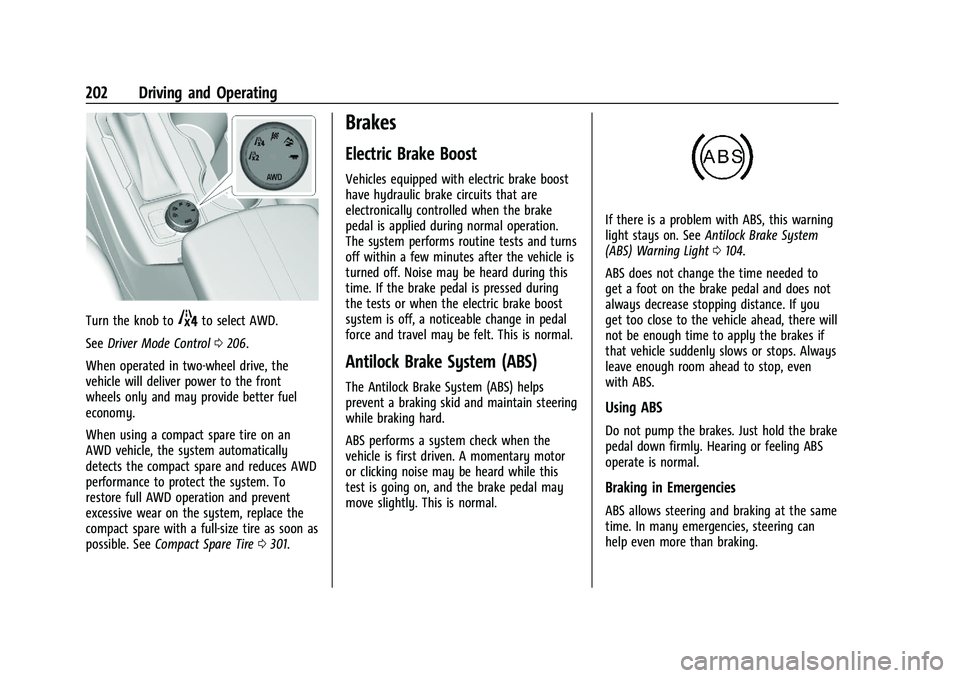
Turn the knob to4to select AWD.
See Driver Mode Control 0206.
When operated in two-wheel drive, the
vehicle will deliver power to the front
wheels only and may provide better fuel
economy.
When using a compact spare tire on an
AWD vehicle, the system automatically
detects the compact spare and reduces AWD
performance to protect the system. To
restore full AWD operation and prevent
excessive wear on the system, replace the
compact spare with a full-size tire as soon as
possible. See Compact Spare Tire 0301.
Brakes
Electric Brake Boost
Vehicles equipped with electric brake boost
have hydraulic brake circuits that are
electronically controlled when the brake
pedal is applied during normal operation.
The system performs routine tests and turns
off within a few minutes after the vehicle is
turned off. Noise may be heard during this
time. If the brake pedal is pressed during
the tests or when the electric brake boost
system is off, a noticeable change in pedal
force and travel may be felt. This is normal.
Antilock Brake System (ABS)
The Antilock Brake System (ABS) helps
prevent a braking skid and maintain steering
while braking hard.
ABS performs a system check when the
vehicle is first driven. A momentary motor
or clicking noise may be heard while this
test is going on, and the brake pedal may
move slightly. This is normal.
If there is a problem with ABS, this warning
light stays on. See Antilock Brake System
(ABS) Warning Light 0104.
ABS does not change the time needed to
get a foot on the brake pedal and does not
always decrease stopping distance. If you
get too close to the vehicle ahead, there will
not be enough time to apply the brakes if
that vehicle suddenly slows or stops. Always
leave enough room ahead to stop, even
with ABS.
Using ABS
Do not pump the brakes. Just hold the brake
pedal down firmly. Hearing or feeling ABS
operate is normal.
Braking in Emergencies
ABS allows steering and braking at the same
time. In many emergencies, steering can
help even more than braking.
Page 273 of 360
Chevrolet Blazer Owner Manual (GMNA-Localizing-U.S./Canada/Mexico-
16401961) - 2023 - CRC - 5/17/22
272 Vehicle Care
FusesUsage
F21 –
F22 Electronic Brake Control Module
F23 Parking/Trailer Lamps
F24 Right Trailer Stoplamp/ Turnlamp
F25 Spare
F26 Daytime Running Lamp Right
F27 Left Trailer Stoplamp/ Turnlamp
F28 –
F29 –
F30 Washer Pump F31 –
F32 –
F33 –
F34 Horn F35 –
F36 –
F37 – Fuses
Usage
F38 Spare
F39 Transmission Control Module
F40 Left Rear Bus Electrical Center/DC DC Ignition
F41 Instrument Cluster
F42 Heating, Ventilation, and Air Conditioning/
Central Gateway
Module Run/Crank
F43 Reflective Light Alert Display
F44 Electronic Brake Control Module/Electric Brake
Booster/Run/Crank
F45 –
F46 –
F47 –
F48 –
F49 Interior Rearview Mirror F50 Fuel Tank Zone Module Run/Crank
F51 Heated Steering Wheel Fuses
Usage
F52 Air Conditioning Clutch
F53 Coolant Pump
F54 –
F55 –
F56 –
F57 Engine Control Module/ Ignition
F58 Transmission Control Module/Ignition
F59 Engine Control Module Battery
F60 –
F61 O2 Sensor 1/ Aeroshutter/Mass Air
Flow Sensor
F62 Engine Control Module–Odd
F63 O2 Sensor 2
F64 Engine Control Module–Even
F65 Engine Control Module Powertrain 1
Page 275 of 360
Chevrolet Blazer Owner Manual (GMNA-Localizing-U.S./Canada/Mexico-
16401961) - 2023 - CRC - 5/17/22
274 Vehicle Care
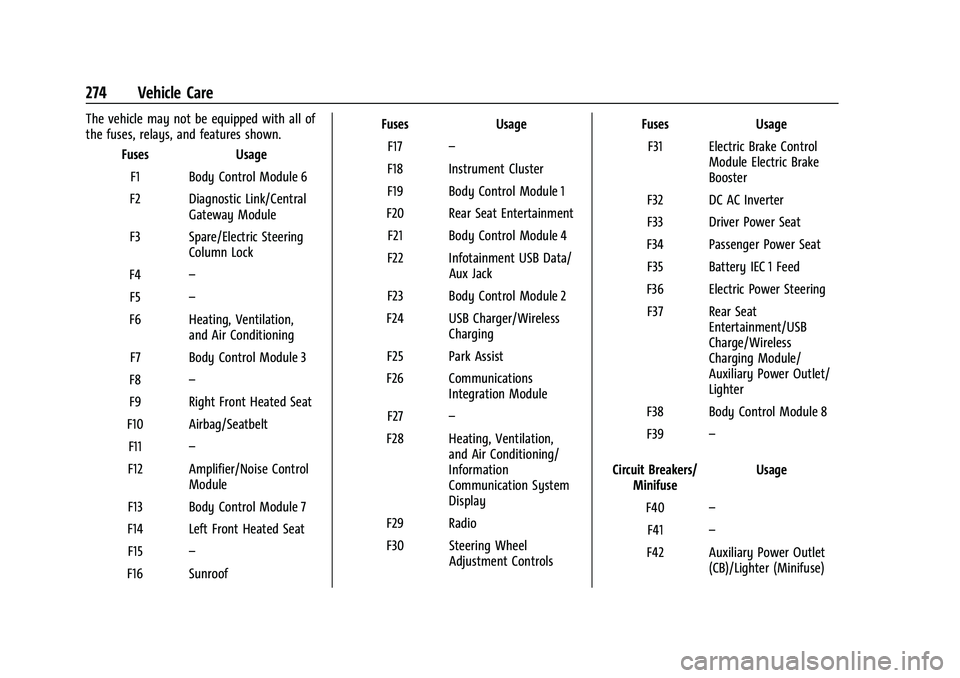
The vehicle may not be equipped with all of
the fuses, relays, and features shown.Fuses Usage
F1 Body Control Module 6
F2 Diagnostic Link/Central Gateway Module
F3 Spare/Electric Steering Column Lock
F4 –
F5 –
F6 Heating, Ventilation, and Air Conditioning
F7 Body Control Module 3
F8 –
F9 Right Front Heated Seat
F10 Airbag/Seatbelt F11 –
F12 Amplifier/Noise Control Module
F13 Body Control Module 7
F14 Left Front Heated Seat F15 –
F16 Sunroof Fuses Usage
F17 –
F18 Instrument Cluster
F19 Body Control Module 1
F20 Rear Seat Entertainment F21 Body Control Module 4
F22 Infotainment USB Data/ Aux Jack
F23 Body Control Module 2
F24 USB Charger/Wireless Charging
F25 Park Assist
F26 Communications Integration Module
F27 –
F28 Heating, Ventilation, and Air Conditioning/
Information
Communication System
Display
F29 Radio
F30 Steering Wheel Adjustment Controls Fuses Usage
F31 Electric Brake Control Module Electric Brake
Booster
F32 DC AC Inverter
F33 Driver Power Seat
F34 Passenger Power Seat F35 Battery IEC 1 Feed
F36 Electric Power Steering F37 Rear Seat Entertainment/USB
Charge/Wireless
Charging Module/
Auxiliary Power Outlet/
Lighter
F38 Body Control Module 8
F39 –
Circuit Breakers/ Minifuse Usage
F40 –
F41 –
F42 Auxiliary Power Outlet (CB)/Lighter (Minifuse)
Page 311 of 360
Chevrolet Blazer Owner Manual (GMNA-Localizing-U.S./Canada/Mexico-
16401961) - 2023 - CRC - 5/17/22
310 Vehicle Care
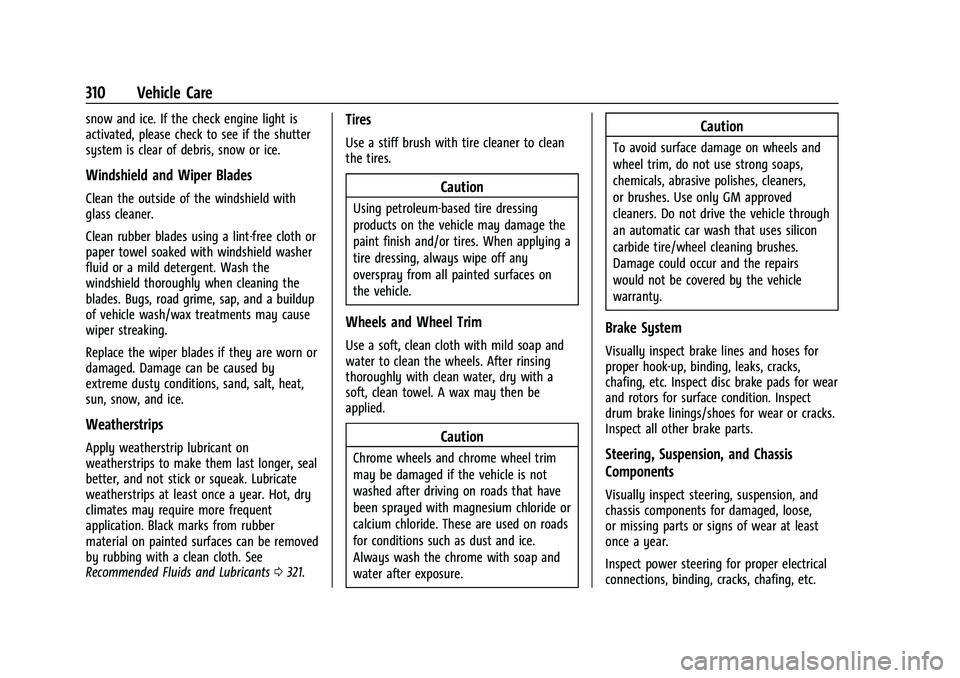
snow and ice. If the check engine light is
activated, please check to see if the shutter
system is clear of debris, snow or ice.
Windshield and Wiper Blades
Clean the outside of the windshield with
glass cleaner.
Clean rubber blades using a lint-free cloth or
paper towel soaked with windshield washer
fluid or a mild detergent. Wash the
windshield thoroughly when cleaning the
blades. Bugs, road grime, sap, and a buildup
of vehicle wash/wax treatments may cause
wiper streaking.
Replace the wiper blades if they are worn or
damaged. Damage can be caused by
extreme dusty conditions, sand, salt, heat,
sun, snow, and ice.
Weatherstrips
Apply weatherstrip lubricant on
weatherstrips to make them last longer, seal
better, and not stick or squeak. Lubricate
weatherstrips at least once a year. Hot, dry
climates may require more frequent
application. Black marks from rubber
material on painted surfaces can be removed
by rubbing with a clean cloth. See
Recommended Fluids and Lubricants0321.
Tires
Use a stiff brush with tire cleaner to clean
the tires.
Caution
Using petroleum-based tire dressing
products on the vehicle may damage the
paint finish and/or tires. When applying a
tire dressing, always wipe off any
overspray from all painted surfaces on
the vehicle.
Wheels and Wheel Trim
Use a soft, clean cloth with mild soap and
water to clean the wheels. After rinsing
thoroughly with clean water, dry with a
soft, clean towel. A wax may then be
applied.
Caution
Chrome wheels and chrome wheel trim
may be damaged if the vehicle is not
washed after driving on roads that have
been sprayed with magnesium chloride or
calcium chloride. These are used on roads
for conditions such as dust and ice.
Always wash the chrome with soap and
water after exposure.
Caution
To avoid surface damage on wheels and
wheel trim, do not use strong soaps,
chemicals, abrasive polishes, cleaners,
or brushes. Use only GM approved
cleaners. Do not drive the vehicle through
an automatic car wash that uses silicon
carbide tire/wheel cleaning brushes.
Damage could occur and the repairs
would not be covered by the vehicle
warranty.
Brake System
Visually inspect brake lines and hoses for
proper hook-up, binding, leaks, cracks,
chafing, etc. Inspect disc brake pads for wear
and rotors for surface condition. Inspect
drum brake linings/shoes for wear or cracks.
Inspect all other brake parts.
Steering, Suspension, and Chassis
Components
Visually inspect steering, suspension, and
chassis components for damaged, loose,
or missing parts or signs of wear at least
once a year.
Inspect power steering for proper electrical
connections, binding, cracks, chafing, etc.
Page 320 of 360
Chevrolet Blazer Owner Manual (GMNA-Localizing-U.S./Canada/Mexico-
16401961) - 2023 - CRC - 5/17/22
Service and Maintenance 319
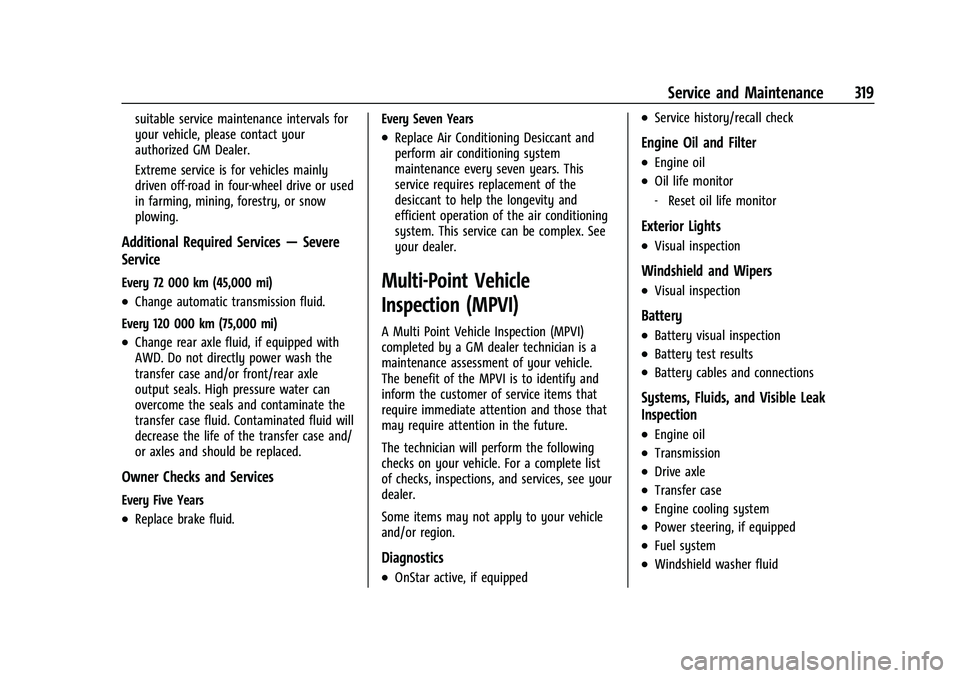
suitable service maintenance intervals for
your vehicle, please contact your
authorized GM Dealer.
Extreme service is for vehicles mainly
driven off-road in four-wheel drive or used
in farming, mining, forestry, or snow
plowing.
Additional Required Services—Severe
Service
Every 72 000 km (45,000 mi)
.Change automatic transmission fluid.
Every 120 000 km (75,000 mi)
.Change rear axle fluid, if equipped with
AWD. Do not directly power wash the
transfer case and/or front/rear axle
output seals. High pressure water can
overcome the seals and contaminate the
transfer case fluid. Contaminated fluid will
decrease the life of the transfer case and/
or axles and should be replaced.
Owner Checks and Services
Every Five Years
.Replace brake fluid. Every Seven Years
.Replace Air Conditioning Desiccant and
perform air conditioning system
maintenance every seven years. This
service requires replacement of the
desiccant to help the longevity and
efficient operation of the air conditioning
system. This service can be complex. See
your dealer.
Multi-Point Vehicle
Inspection (MPVI)
A Multi Point Vehicle Inspection (MPVI)
completed by a GM dealer technician is a
maintenance assessment of your vehicle.
The benefit of the MPVI is to identify and
inform the customer of service items that
require immediate attention and those that
may require attention in the future.
The technician will perform the following
checks on your vehicle. For a complete list
of checks, inspections, and services, see your
dealer.
Some items may not apply to your vehicle
and/or region.
Diagnostics
.OnStar active, if equipped
.Service history/recall check
Engine Oil and Filter
.Engine oil
.Oil life monitor
‐
Reset oil life monitor
Exterior Lights
.Visual inspection
Windshield and Wipers
.Visual inspection
Battery
.Battery visual inspection
.Battery test results
.Battery cables and connections
Systems, Fluids, and Visible Leak
Inspection
.Engine oil
.Transmission
.Drive axle
.Transfer case
.Engine cooling system
.Power steering, if equipped
.Fuel system
.Windshield washer fluid
Page 351 of 360
Chevrolet Blazer Owner Manual (GMNA-Localizing-U.S./Canada/Mexico-
16401961) - 2023 - CRC - 5/17/22
350 Index
CleaningExterior Care . . . . . . . . . . . . . . . . . . . . . . . . . . . 307
Interior Care . . . . . . . . . . . . . . . . . . . . . . . . . . . . 311
Climate Control Systems Dual Automatic . . . . . . . . . . . . . . . . . . . . . . . . . 173
Clock . . . . . . . . . . . . . . . . . . . . . . . . . . . . . . . . . . . . . 88
Cluster, Instrument . . . . . . . . . . . . . . . . . . . 92, 94
Collision Damage Repair . . . . . . . . . . . . . . . . . 335
Compact Spare Tire . . . . . . . . . . . . . . . . . . . . . . 301
Compartments Storage . . . . . . . . . . . . . . . . . . . . . . . . . . . . . . . . . 79
Compass . . . . . . . . . . . . . . . . . . . . . . . . . . . . . . . . . . 87
Connected Services Connections . . . . . . . . . . . . . . . . . . . . . . . . . . . 345
Diagnostics . . . . . . . . . . . . . . . . . . . . . . . . . . . . 347
Navigation . . . . . . . . . . . . . . . . . . . . . . . . . . . . . 345
Connections Connected Services . . . . . . . . . . . . . . . . . . . . 345
Control Traction and Electronic Stability . . . . . . . 204
Control of a Vehicle . . . . . . . . . . . . . . . . . . . . . 180
Controls
Steering Wheel . . . . . . . . . . . . . . . . . . . . . . . . . 127
Convex Mirrors . . . . . . . . . . . . . . . . . . . . . . . . . . . 26
Coolant Engine Temperature Gauge . . . . . . . . . . . . . 97
Engine Temperature Warning Light . . . . 106
Cooling . . . . . . . . . . . . . . . . . . . . . . . . . . . . . . . . . . . 173 Cooling System . . . . . . . . . . . . . . . . . . . . . . . . . . 258
Courtesy Lamps . . . . . . . . . . . . . . . . . . . . . . . . . . . 122
Courtesy Transportation Program . . . . . . . . 334
Coverage Explanations . . . . . . . . . . . . . . . . . . . 149
Cruise Control . . . . . . . . . . . . . . . . . . . . . . . . . . . 207
Adaptive . . . . . . . . . . . . . . . . . . . . . . . . . . . . . . . 209
Light . . . . . . . . . . . . . . . . . . . . . . . . . . . . . . . . . . . 108
Customer Assistance Offices . . . . . . . . . . . . . . . . . . . . . . . . . . . . . . . . . 331
Text Telephone (TTY) Users . . . . . . . . . . . . 331
Customer Information
Publications Ordering Information . . . . . 336
Customer Satisfaction Procedure . . . . . . . . . 329
Cybersecurity . . . . . . . . . . . . . . . . . . . . . . . . . . . . 338
D
Damage Repair, Collision . . . . . . . . . . . . . . . . . 335
Danger, Warning, and Caution . . . . . . . . . . . . . .2
Dashboard . . . . . . . . . . . . . . . . . . . . . . . . . . . . . . . . . 4
Data Collection Infotainment System . . . . . . . . . . . . . . . . . . 339
OnStar . . . . . . . . . . . . . . . . . . . . . . . . . . . . . . . . . 339
Data Recorders, Event . . . . . . . . . . . . . . . . . . . 339
Database Coverage Explanations . . . . . . . . . 149
Daytime Running Lamps (DRL) . . . . . . . . . . . 120
Defensive Driving . . . . . . . . . . . . . . . . . . . . . . . . 180
Delayed Locking . . . . . . . . . . . . . . . . . . . . . . . . . . . 17
Destination . . . . . . . . . . . . . . . . . . . . . . . . . . . . . . .142 Diagnostics
Connected Services . . . . . . . . . . . . . . . . . . . . 347
Disabled Vehicle Transporting . . . . . . . . . . . . . . . . . . . . . . . . . . . 303
Distracted Driving . . . . . . . . . . . . . . . . . . . . . . . . 179
Dome Lamps . . . . . . . . . . . . . . . . . . . . . . . . . . . . . . 122
Door Ajar Light . . . . . . . . . . . . . . . . . . . . . . . . . . . . . . 109
Delayed Locking . . . . . . . . . . . . . . . . . . . . . . . . . 17
Locks . . . . . . . . . . . . . . . . . . . . . . . . . . . . . . . . . . . . 15
Power Locks . . . . . . . . . . . . . . . . . . . . . . . . . . . . . 17
Drive Belt Routing, Engine . . . . . . . . . . . . . . . 328
Drive Systems All-Wheel Drive . . . . . . . . . . . . . . . . . . . 201, 265
Driver Assistance Systems . . . . . . . . . . . . . . . . . . . . . 217
Information Center (DIC) . . . . . . . . . . . 109, 112
Mode Control . . . . . . . . . . . . . . . . . . . . . . . . . . 206
Mode Control Light . . . . . . . . . . . . . . . . . . . . 106
Teen . . . . . . . . . . . . . . . . . . . . . . . . . . . . . . . . . . . 163
Driving
Assistance Systems . . . . . . . . . . . . . . . . . . . . 223
Better Fuel Economy . . . . . . . . . . . . . . . . . . . 179
Characteristics and Towing Tips . . . . . . . . 235
Defensive . . . . . . . . . . . . . . . . . . . . . . . . . . . . . . 180
Distracted . . . . . . . . . . . . . . . . . . . . . . . . . . . . . 179
Hill and Mountain Roads . . . . . . . . . . . . . . 186
If the Vehicle is Stuck . . . . . . . . . . . . . . . . . 188