service schedule CHEVROLET BLAZER 2023 User Guide
[x] Cancel search | Manufacturer: CHEVROLET, Model Year: 2023, Model line: BLAZER, Model: CHEVROLET BLAZER 2023Pages: 360, PDF Size: 17.34 MB
Page 325 of 360
Chevrolet Blazer Owner Manual (GMNA-Localizing-U.S./Canada/Mexico-
16401961) - 2023 - CRC - 5/17/22
324 Service and Maintenance
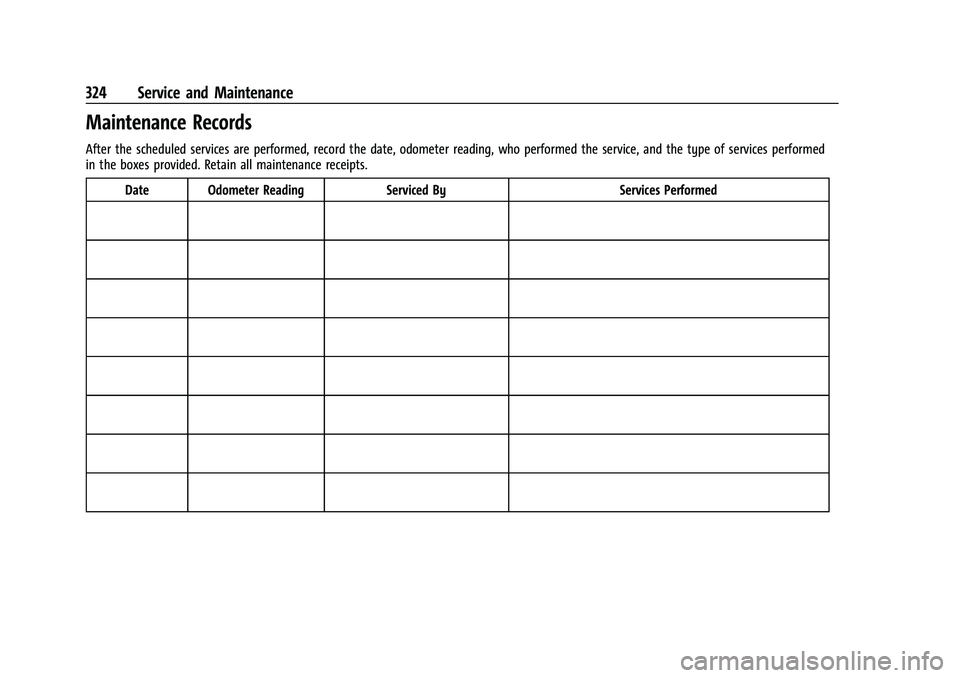
Maintenance Records
After the scheduled services are performed, record the date, odometer reading, who performed the service, and the type of services performed
in the boxes provided. Retain all maintenance receipts.Date Odometer Reading Serviced By Services Performed
Page 332 of 360
Chevrolet Blazer Owner Manual (GMNA-Localizing-U.S./Canada/Mexico-
16401961) - 2023 - CRC - 5/17/22
Customer Information 331
The Mediation/Arbitration Program
c/o Customer Care Centre
General Motors of Canada Company
500 Wentworth Street W
Oshawa, ON L1J 0C5
Your inquiry should be accompanied by the
Vehicle Identification Number (VIN).
Customer Assistance Offices
Chevrolet is committed to assisting
customers. Visit us online at
www.chevrolet.com/support (U.S.) or
www.my.chevrolet.ca (Canada) to chat with
us or find answers to commonly asked
questions, tips, vehicle how-to instructions,
and available support.
Need more help? Use the phone numbers or
mailing addresses below for additional
assistance.
United States and Puerto Rico
Chevrolet Motor Division
Chevrolet Customer Assistance Center
P.O. Box 33170
Detroit, MI 48232-5170
1-800-222-1020
TTY: Dial 711 relay service and contact
1-800-833-2438
Roadside Assistance: 1-800-243-8872
Canada
Customer Care Centre
General Motors of Canada Company
500 Wentworth Street W
Oshawa, ON L1J 0C5
1-800-263-3777 (English)
1-800-263-7854 (French)
1-800-263-3830 (For Text Telephone devices
(TTYs))
Roadside Assistance: 1-800-268-6800
Overseas
Please contact the local General Motors
Business Unit.
Customer Assistance for Text
Telephone (TTY) Users
To assist customers who are deaf, hard of
hearing, or speech-impaired and who use
Text Telephones (TTYs), Chevrolet has TTY
equipment available at its Customer
Assistance Center. Any TTY user in the U.S.
can communicate with Chevrolet by dialing:
1-800-833-2438. TTY users in Canada can dial
1-800-263-3830.
Online Account
Create a Chevrolet Account (U.S.) at
chevrolet.com
Learn more about your vehicle features,
shop for and manage your connected
services and OnStar plans, and access
diagnostic information specific to your
vehicle.
Membership Benefits
E:Download owner’s manuals and view
vehicle-specific how-to videos.
G: View maintenance schedules, alerts, and
Vehicle Diagnostic Information. Schedule
service appointments.
I: View service records from your
dealership and add your own.
D: Select a preferred dealer and view
locations, maps, phone numbers, and hours.
r: Track your vehicle’s warranty
information.
J: View active recalls by Vehicle
Identification Number (VIN). See Vehicle
Identification Number (VIN) 0325.
Page 335 of 360
Chevrolet Blazer Owner Manual (GMNA-Localizing-U.S./Canada/Mexico-
16401961) - 2023 - CRC - 5/17/22
334 Customer Information
If the vehicle cannot be scheduled into the
service department immediately, keep
driving it until it can be scheduled for
service, unless, of course, the problem is
safety related. If it is, please call your
dealership, let them know this, and ask for
instructions.
If your dealer requests you to bring the
vehicle for service, you are urged to do so
as early in the work day as possible to
allow for same-day repair.
Courtesy Transportation Program
To enhance your ownership experience, we
and our participating dealers are proud to
offer Courtesy Transportation, a customer
support program for vehicles with the
Bumper-to-Bumper (Base Warranty Coverage
period in Canada), Federal Emission,
Extended Powertrain or Electric specific
warranties in both the U.S. and Canada.
Several Courtesy Transportation options are
available to assist in reducing inconvenience
when warranty repairs are required.
Courtesy Transportation is not a part of the
New Vehicle Limited Warranty. A separate
manual entitled“Limited Warranty and Owner Assistance Information”
produced for
new vehicles provides detailed warranty
coverage information.
Transportation Options
Warranty service can generally be
completed while you wait. However, if you
are unable to do so, your dealer may offer
the following transportation options:
Shuttle Service
This includes one-way or round-trip shuttle
service within reasonable time and distance
parameters of your dealer's area.
Public Transportation or Fuel Reimbursement
If overnight warranty repairs are needed,
and public transportation is used, the
expense must be supported by original
receipts and within the maximum amount
allowed by GM. If U.S. customers arrange
their own transportation, limited
reimbursement for reasonable fuel expenses
may be available. Claim amounts should
reflect actual costs and be supported by
original receipts. See your dealer for
information. Courtesy Rental Vehicle
For an overnight warranty repair, the dealer
may provide an available courtesy rental
vehicle or provide for reimbursement of a
rental vehicle. Reimbursement is limited and
must be supported by original receipts as
well as a signed and completed rental
agreement and meet state/provincial, local,
and rental vehicle provider requirements.
Requirements vary and may include
minimum age requirements, insurance
coverage, credit card, etc. Additional fees
such as fuel, rental vehicle insurance, taxes,
levies, usage fees, excessive mileage,
or rental usage beyond the completion of
the repair are also your responsibility.
It may not be possible to provide a like
vehicle as a courtesy rental.
Additional Program Information
All program options, such as shuttle service,
may not be available at every dealer.
Contact your dealer for specific availability.
General Motors reserves the right to
unilaterally modify, change, or discontinue
Courtesy Transportation at any time and to
resolve all questions of claim eligibility
pursuant to the terms and conditions
described herein at its sole discretion.
Page 337 of 360
Chevrolet Blazer Owner Manual (GMNA-Localizing-U.S./Canada/Mexico-
16401961) - 2023 - CRC - 5/17/22
336 Customer Information
If a Crash Occurs
If there has been an injury, call emergency
services for help. Do not leave the scene of
a crash until all matters have been taken
care of. Move the vehicle only if its position
puts you in danger, or you are instructed to
move it by a police officer.
Give only the necessary information to
police and other parties involved in the
crash.
For emergency towing seeRoadside
Assistance Program 0332.
Gather the following information:
.Driver name, address, and telephone
number
.Driver license number
.Owner name, address, and telephone
number
.Vehicle license plate number
.Vehicle make, model, and model year
.Vehicle Identification Number (VIN)
.Insurance company and policy number
.General description of the damage to the
other vehicle Choose a reputable repair facility that uses
quality replacement parts. See
“Collision
Parts” earlier in this section.
If the airbag has inflated, see What Will You
See after an Airbag Inflates? 056.
Managing the Vehicle Damage Repair
Process
In the event that the vehicle requires
damage repairs, GM recommends that you
take an active role in its repair. If you have
a pre-determined repair facility of choice,
take the vehicle there, or have it towed
there. Specify to the facility that any
required replacement collision parts be
original equipment parts, either new
Genuine GM parts or recycled original GM
parts. Remember, recycled parts will not be
covered by the GM vehicle warranty.
Insurance pays the bill for the repair, but
you must live with the repair. Depending on
your policy limits, your insurance company
may initially value the repair using
aftermarket parts. Discuss this with the
repair professional, and insist on Genuine
GM parts. Remember, if the vehicle is
leased, you may be obligated to have the vehicle repaired with Genuine GM parts,
even if your insurance coverage does not
pay the full cost.
If another party's insurance company is
paying for the repairs, you are not obligated
to accept a repair valuation based on that
insurance company's collision policy repair
limits, as you have no contractual limits
with that company. In such cases, you can
have control of the repair and parts choices
as long as the cost stays within reasonable
limits.
Publication Ordering Information
Service Manuals
Service manuals have the diagnosis and
repair information on the engine/propulsion,
transmission, axle, suspension, brakes,
electrical system, steering system, body, etc.
Customer Literature
Owner’s manuals are written specifically for
owners and are intended to provide basic
operational information about the vehicle.
The owner’s manual includes the
Maintenance Schedule for all models.
Page 347 of 360
Chevrolet Blazer Owner Manual (GMNA-Localizing-U.S./Canada/Mexico-
16401961) - 2023 - CRC - 5/17/22
346 Connected Services
Ensuring Security
.Change the default passwords for the
Wi-Fi hotspot and myChevrolet mobile
application. Make these passwords
different from each other and use a
combination of letters and numbers to
increase the security.
.Change the default name of the SSID
(Service Set Identifier). This is your
network’s name that is visible to other
wireless devices. Choose a unique name
and avoid family names or vehicle
descriptions.
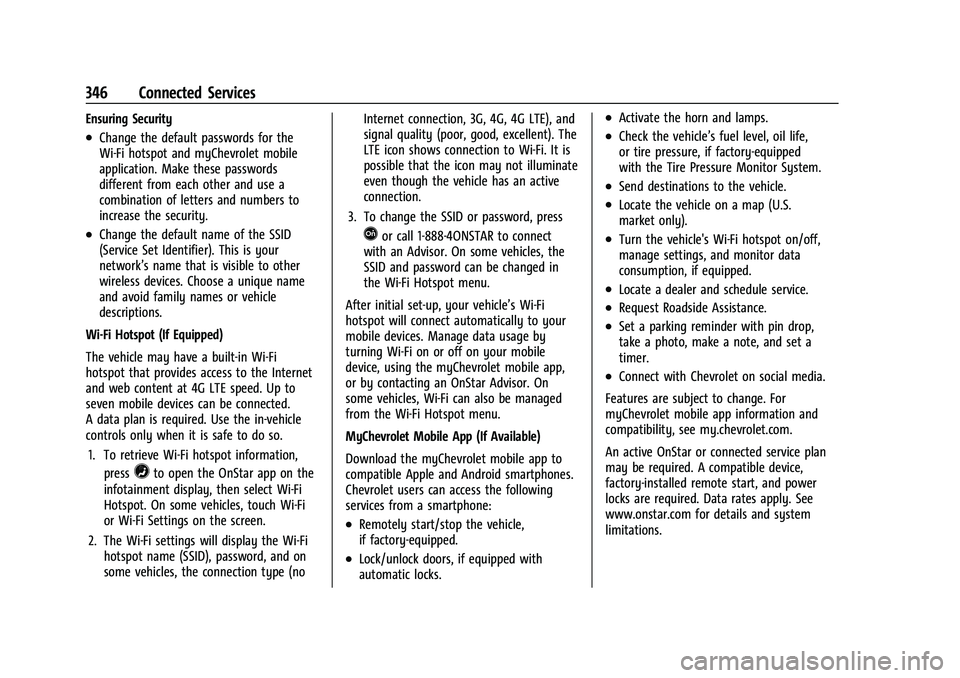
Wi-Fi Hotspot (If Equipped)
The vehicle may have a built-in Wi-Fi
hotspot that provides access to the Internet
and web content at 4G LTE speed. Up to
seven mobile devices can be connected.
A data plan is required. Use the in-vehicle
controls only when it is safe to do so. 1. To retrieve Wi-Fi hotspot information, press
=to open the OnStar app on the
infotainment display, then select Wi-Fi
Hotspot. On some vehicles, touch Wi-Fi
or Wi-Fi Settings on the screen.
2. The Wi-Fi settings will display the Wi-Fi hotspot name (SSID), password, and on
some vehicles, the connection type (no Internet connection, 3G, 4G, 4G LTE), and
signal quality (poor, good, excellent). The
LTE icon shows connection to Wi-Fi. It is
possible that the icon may not illuminate
even though the vehicle has an active
connection.
3. To change the SSID or password, press
Qor call 1-888-4ONSTAR to connect
with an Advisor. On some vehicles, the
SSID and password can be changed in
the Wi-Fi Hotspot menu.
After initial set-up, your vehicle’s Wi-Fi
hotspot will connect automatically to your
mobile devices. Manage data usage by
turning Wi-Fi on or off on your mobile
device, using the myChevrolet mobile app,
or by contacting an OnStar Advisor. On
some vehicles, Wi-Fi can also be managed
from the Wi-Fi Hotspot menu.
MyChevrolet Mobile App (If Available)
Download the myChevrolet mobile app to
compatible Apple and Android smartphones.
Chevrolet users can access the following
services from a smartphone:
.Remotely start/stop the vehicle,
if factory-equipped.
.Lock/unlock doors, if equipped with
automatic locks.
.Activate the horn and lamps.
.Check the vehicle’s fuel level, oil life,
or tire pressure, if factory-equipped
with the Tire Pressure Monitor System.
.Send destinations to the vehicle.
.Locate the vehicle on a map (U.S.
market only).
.Turn the vehicle's Wi-Fi hotspot on/off,
manage settings, and monitor data
consumption, if equipped.
.Locate a dealer and schedule service.
.Request Roadside Assistance.
.Set a parking reminder with pin drop,
take a photo, make a note, and set a
timer.
.Connect with Chevrolet on social media.
Features are subject to change. For
myChevrolet mobile app information and
compatibility, see my.chevrolet.com.
An active OnStar or connected service plan
may be required. A compatible device,
factory-installed remote start, and power
locks are required. Data rates apply. See
www.onstar.com for details and system
limitations.
Page 355 of 360
Chevrolet Blazer Owner Manual (GMNA-Localizing-U.S./Canada/Mexico-
16401961) - 2023 - CRC - 5/17/22
354 Index
Locks (cont'd)Lockout Protection . . . . . . . . . . . . . . . . . . . . . . . 17
Power Door . . . . . . . . . . . . . . . . . . . . . . . . . . . . . . 17
Safety . . . . . . . . . . . . . . . . . . . . . . . . . . . . . . . . . . 18
Loss of Control . . . . . . . . . . . . . . . . . . . . . . . . . . .182
Low Fuel Warning Light . . . . . . . . . . . . . . . . . 107
Lower Anchors and Tethers for Children (LATCH System) . . . . . . . . . . . . . . . . 68
Lumbar Adjustment . . . . . . . . . . . . . . . . . . . . . . . 39 Front Seats . . . . . . . . . . . . . . . . . . . . . . . . . . . . . 39
M
MaintenanceRecords . . . . . . . . . . . . . . . . . . . . . . . . . . . . . . . . 324
Maintenance Schedule . . . . . . . . . . . . . . . . . . . . 317 Recommended Fluids andLubricants . . . . . . . . . . . . . . . . . . . . . . . . . . . . 321
Malfunction Indicator Lamp . . . . . . . . . . . . . . .101
Manual Mode . . . . . . . . . . . . . . . . . . . . . . . . . . . . . . . . . . 201
Map Data Updates . . . . . . . . . . . . . . . . . . . . . . . 149
Maps . . . . . . . . . . . . . . . . . . . . . . . . . . . . . . . . . . . . . 141
Media Avoiding Untrusted Devices . . . . . . . . . . . . 134
Memory Seats . . . . . . . . . . . . . . . . . . . . . . . . . . . . 39
Messages Engine Power . . . . . . . . . . . . . . . . . . . . . . . . . . . 114
Vehicle . . . . . . . . . . . . . . . . . . . . . . . . . . . . . . . . . 114 Messages (cont'd)
Vehicle Speed . . . . . . . . . . . . . . . . . . . . . . . . . . . 115
Mirrors Automatic Dimming . . . . . . . . . . . . . . . . . . . . 27
Automatic Dimming Rearview . . . . . . . . . . 27
Convex . . . . . . . . . . . . . . . . . . . . . . . . . . . . . . . . . 26
Folding . . . . . . . . . . . . . . . . . . . . . . . . . . . . . . . . . 27
Heated . . . . . . . . . . . . . . . . . . . . . . . . . . . . . . . . . 27
Interior Rearview . . . . . . . . . . . . . . . . . . . . . . . 27
Manual Rearview . . . . . . . . . . . . . . . . . . . . . . . 27
Power . . . . . . . . . . . . . . . . . . . . . . . . . . . . . . . . . . 26
Rear Camera . . . . . . . . . . . . . . . . . . . . . . . . . . . . 27
Tilt in Reverse . . . . . . . . . . . . . . . . . . . . . . . . . . 27
Mode Driver Control . . . . . . . . . . . . . . . . . . . . . . . . . 206
Monitor System, Tire Pressure . . . . . . . . . . . 285
Multi-band Antenna . . . . . . . . . . . . . . . . . . . . . .134
Multi-Point Vehicle Inspection (MPVI) . . . . 319
N
Navigation Connected Services . . . . . . . . . . . . . . . . . . . . 345
Destination . . . . . . . . . . . . . . . . . . . . . . . . . . . . 142
Symbols . . . . . . . . . . . . . . . . . . . . . . . . . . . . . . . . 141
Using the System . . . . . . . . . . . . . . . . . . . . . . 138
New Vehicle Break-In . . . . . . . . . . . . . . . . . . . . . 191
O
Odometer . . . . . . . . . . . . . . . . . . . . . . . . . . . . . . . . 95 Odometer (cont'd)
Trip . . . . . . . . . . . . . . . . . . . . . . . . . . . . . . . . . . . . . 96
Off-Road Driving . . . . . . . . . . . . . . . . . . . . . . . . . . . . . . . . 182
Recovery . . . . . . . . . . . . . . . . . . . . . . . . . . . . . . . . 181
Oil Engine . . . . . . . . . . . . . . . . . . . . . . . . . . . . . . . . . 253
Engine Oil Life System . . . . . . . . . . . . . . . . . 255
Pressure Light . . . . . . . . . . . . . . . . . . . . . . . . . 107
Older Children, Restraints . . . . . . . . . . . . . . . . . 62
Online Account . . . . . . . . . . . . . . . . . . . . . . . . . . . 331
OnStar . . . . . . . . . . . . . . . . . . . . . . . . . . . . . . . . . . . 339 Additional Information . . . . . . . . . . . . . . . . . 342
Overview . . . . . . . . . . . . . . . . . . . . . . . . . . . . . . 340
OnStar Emergency . . . . . . . . . . . . . . . . . . . . . . . .341
OnStar Security . . . . . . . . . . . . . . . . . . . . . . . . . . .341
Outlets Power . . . . . . . . . . . . . . . . . . . . . . . . . . . . . . . . . . 88
Overheating, Engine . . . . . . . . . . . . . . . . . . . . . 261
Overview . . . . . . . . . . . . . . . . . . . . . . . . . . . . . . . . 126 Instrument Panel . . . . . . . . . . . . . . . . . . . . . . . . 4
P
Park
Assist . . . . . . . . . . . . . . . . . . . . . . . . . . . . . . 218, 221
Shifting Into . . . . . . . . . . . . . . . . . . . . . . . . . . . 196
Shifting Out of . . . . . . . . . . . . . . . . . . . . . . . . 197
Page 360 of 360
2023 Blazer
Scan to Access
United States
United States and Canada
Connected Services1-888-4-ONSTAR Customer Assistance
1-800-263-3777
Canada
• Owner’s Manuals
• Warranty Information
• Connected Services
• My Chevrolet Rewards
• myChevrolet Mobile App
• How-To Videos
• Vehicle Diagnostics
• Scheduled Maintenance
• Vehicle Features
• Many Additional Resources
United States
Customer Assistance 1-800-222-1020
Roadside Assistance 1-800-243-8872
84909240 A
Blazer
Owner’s Manual
Roadside Assistance1-800-268-6800
Canada
C
M
Y
CM
MY
CY
CMY
K
ai1652903270153_23_CHEV_Blazer_COV_en_US_84909240 A_2022JUN3.pdf 1 5\
/18/2022 3:47:51 PM