battery location CHEVROLET BOLT EV 2017 Owner's Manual
[x] Cancel search | Manufacturer: CHEVROLET, Model Year: 2017, Model line: BOLT EV, Model: CHEVROLET BOLT EV 2017Pages: 16, PDF Size: 2.5 MB
Page 14 of 16
14
Charging
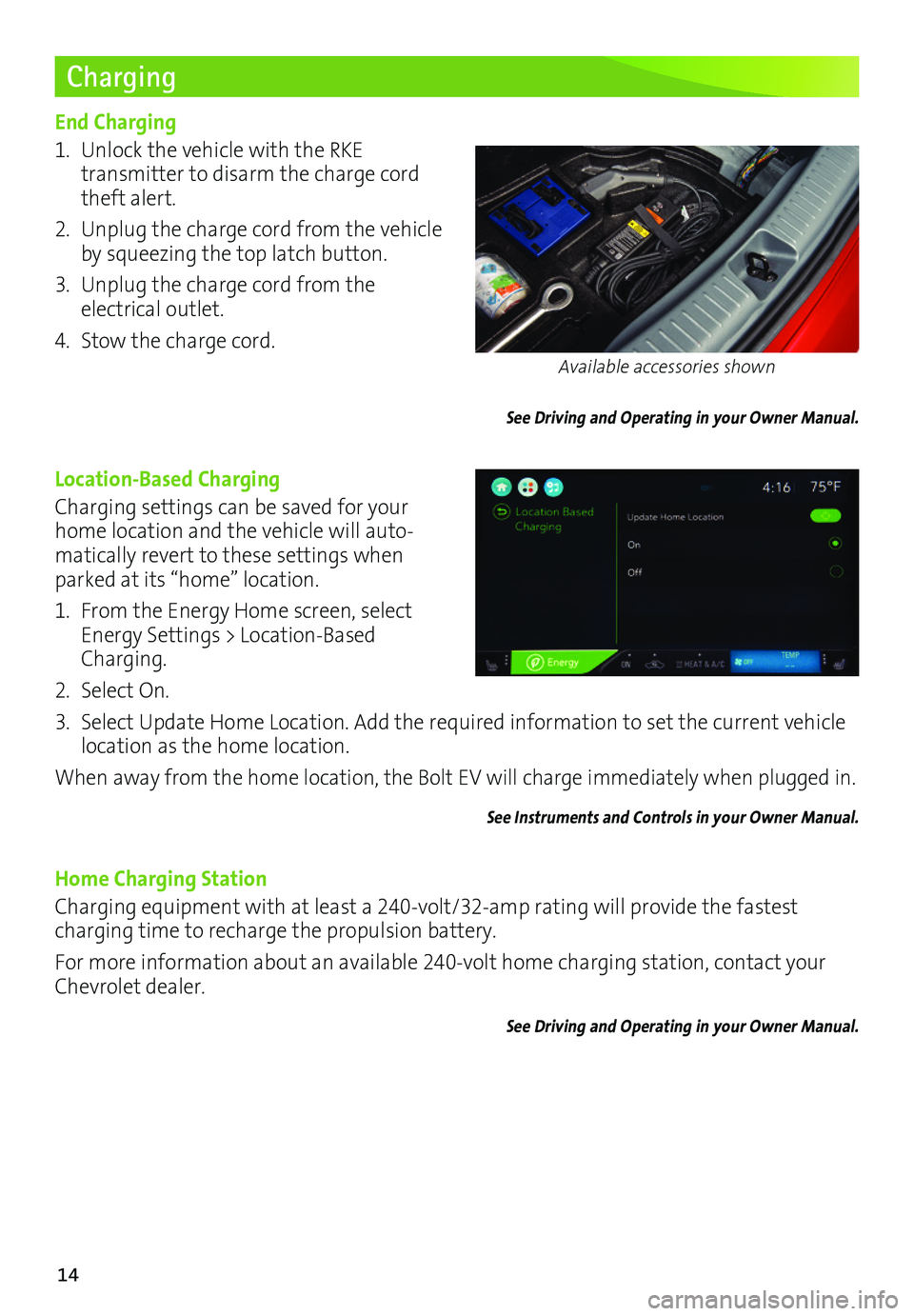
End Charging
1. Unlock the vehicle with the RKE
transmitter to disarm the charge cord theft alert.
2. Unplug the charge cord from the vehicle by squeezing the top latch button.
3. Unplug the charge cord from the electrical outlet.
4. Stow the charge cord.
See Driving and Operating in your Owner Manual.
Location-Based Charging
Charging settings can be saved for your home location and the vehicle will auto-matically revert to these settings when parked at its “home” location.
1. From the Energy Home screen, select Energy Settings > Location-Based Charging.
2. Select On.
3. Select Update Home Location. Add the required information to set the current vehicle location as the home location.
When away from the home location, the Bolt EV will charge immediately when plugged in.
See Instruments and Controls in your Owner Manual.
Home Charging Station
Charging equipment with at least a 240-volt/32-amp rating will provide the fastest charging time to recharge the propulsion battery.
For more information about an available 240-volt home charging station, contact your Chevrolet dealer.
See Driving and Operating in your Owner Manual.
Available accessories shown
Page 15 of 16
15
DC Charging (if equipped)
DC charging stations are typically found in public locations.
Charging Time
Using a DC charging station, it will take approximately 30 minutes to recharge a deplet-ed battery to 90 miles of EV range. Charge times will vary with outside temperature. Charging will continue to 100%, but at a slower rate. At 100% state of charge, the vehicle may continue to draw power to condition the battery if needed. Once battery condition-ing is complete, the vehicle will stop the charge session.
Start DC Charging
1. With the vehicle parked and turned off, push and release the rear edge of the charge port door, located just in front of the driver’s door, to open the door.
2. Unlatch and lower the DC charging dust cover on the charge port.
3. Plug the charge cord into the vehicle’s charge port.
4. Follow the steps on the charging station to start charging. The electric parking brake will automatically apply and the DC plug will be locked and cannot be disconnected while charging is active.
5. The Charge Status Indicator on top of the instrument panel will illuminate green and the horn will chirp when properly connected.
Note: To change the horn chirp setting, go to Charging Alerts in the Vehicle Settings menu.
If the vehicle is locked with the RKE transmitter, the charge cord theft alert is armed
automatically after 30 seconds.
End DC Charging
1. Unlock the vehicle with the RKE transmitter to disarm the charge cord theft alert.
2. When the vehicle is fully charged, it will stop charging and the plug will be unlocked. To stop charging at any time, use the controls on the charging station or touch the Stop button on the Battery Information screen on the vehicle touchscreen.
3. When the Charge Status Indicator is solid green or off, unplug the charge cord from the vehicle.
4. Close the DC charging dust cover and close the charge port door.
5. Disengage the electric parking brake before driving the vehicle.
See Driving and Operating in your Owner Manual.
Page 16 of 16
16
Roadside Assistance
myChevrolet Mobile App
Chevrolet Owner Center
1-888-811-1926 TTY Users: 1-888-889-2438
As the owner of a new Chevrolet, you are automatically enrolled in the Chevrolet Roadside Assistance program for 5 years/60,000 miles, whichever occurs first, at no expense to you. Chevrolet’s Roadside Assistance toll-free number is staffed by a team of trained advisors who are available 24 hours a day, 365 days a year, to contact a service provider for light
services (jump-starts, flat tire and lock-outs) or make arrangements to tow your vehicle to the nearest Bolt EV Authorized Chevrolet dealer.
Roadside Assistance and OnStar®
If you require roadside service and have a current OnStar subscription, press the OnStar
button and the vehicle will send your current GPS location to an OnStar Advisor who will speak to you, assess your problem, contact Roadside Assistance and relay your exact
location so you will get the help you need.
!84089171=A!
Certain restrictions, precautions and safety procedures apply to your ve\
hicle. Please read your Owner Manual for complete instructions. All information contained herein is based on \
the latest information available at the time of printing and is subject to change without notice. Copyright 2016 General Motors. All rights reserved.
We recommend always using ACDelco or genuine GM service parts.
The myChevrolet mobile app connects owners with a compatible mobile device to a variety of vehicle information and services, such as a searchable owner manual, OnStar Vehicle Diagnostic information and Roadside Assistance.
The myChevrolet mobile app also enables users to search for charging sta\
tions, send remote commands, check the current battery charge level and initiate charging of your Bolt EV.
Download the mobile apps from your compatible mobile device’s app store.
To learn more about OnStar services, press the blue OnStar button, visit onstar.com, call 1-888-4-ONSTAR (1-888-466-7827), or refer to your owner manual.
84089171 A
Get to know your vehicle inside and out with the Chevrolet Owner Center. Check out
personalized information, including an online owner manual and helpful how-to videos, track your service history and warranty status, review your current OnStar Vehicle Diagnostics report (active OnStar account required) and more. Create an account today at my.chevrolet.com.