remote start CHEVROLET BOLT EV 2017 Owner's Manual
[x] Cancel search | Manufacturer: CHEVROLET, Model Year: 2017, Model line: BOLT EV, Model: CHEVROLET BOLT EV 2017Pages: 16, PDF Size: 2.5 MB
Page 4 of 16
4
Getting Started
Remote Keyless Entry (RKE)
The RKE transmitter (key fob) performs several remote functions and must be in the vehicle to start the Bolt EV.
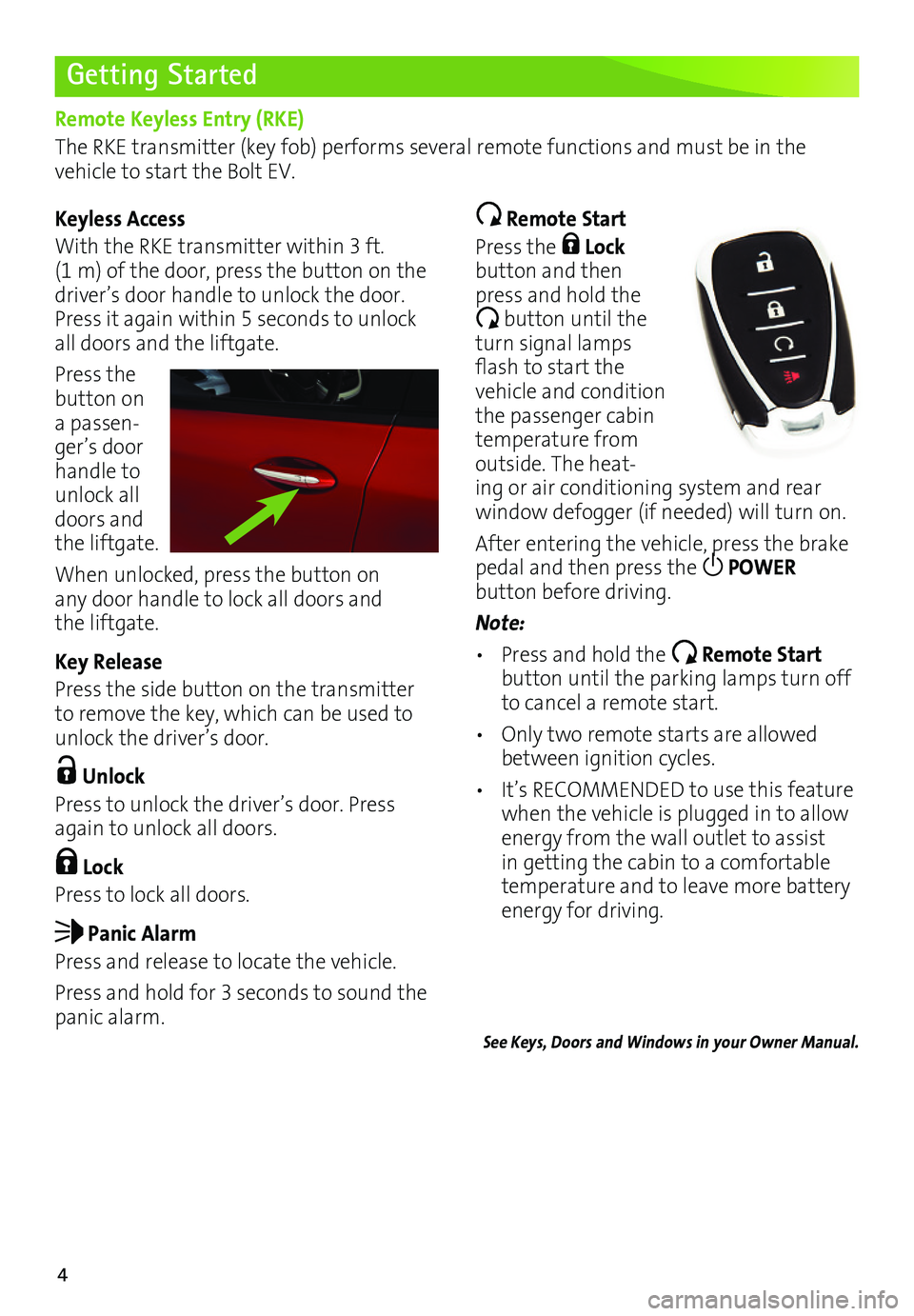
Keyless Access
With the RKE transmitter within 3 ft. (1 m) of the door, press the button on the driver’s door handle to unlock the door. Press it again within 5 seconds to unlock all doors and the liftgate.
Press the button on a passen-ger’s door handle to unlock all doors and the liftgate.
When unlocked, press the button on any door handle to lock all doors and the liftgate.
Key Release
Press the side button on the transmitter to remove the key, which can be used to unlock the driver’s door.
Unlock
Press to unlock the driver’s door. Press again to unlock all doors.
Lock
Press to lock all doors.
Panic Alarm
Press and release to locate the vehicle.
Press and hold for 3 seconds to sound the panic alarm.
Remote Start
Press the Lock button and then press and hold the
button until the turn signal lamps flash to start the vehicle and condition the passenger cabin temperature from outside. The heat-ing or air conditioning system and rear
window defogger (if needed) will turn on.
After entering the vehicle, press the brake pedal and then press the POWER
button before driving.
Note:
• Press and hold the Remote Start button until the parking lamps turn off to cancel a remote start.
• Only two remote starts are allowed between ignition cycles.
• It’s RECOMMENDED to use this feature when the vehicle is plugged in to allow energy from the wall outlet to assist in getting the cabin to a comfortable temperature and to leave more battery energy for driving.
See Keys, Doors and Windows in your Owner Manual.
Page 16 of 16
16
Roadside Assistance
myChevrolet Mobile App
Chevrolet Owner Center
1-888-811-1926 TTY Users: 1-888-889-2438
As the owner of a new Chevrolet, you are automatically enrolled in the Chevrolet Roadside Assistance program for 5 years/60,000 miles, whichever occurs first, at no expense to you. Chevrolet’s Roadside Assistance toll-free number is staffed by a team of trained advisors who are available 24 hours a day, 365 days a year, to contact a service provider for light
services (jump-starts, flat tire and lock-outs) or make arrangements to tow your vehicle to the nearest Bolt EV Authorized Chevrolet dealer.
Roadside Assistance and OnStar®
If you require roadside service and have a current OnStar subscription, press the OnStar
button and the vehicle will send your current GPS location to an OnStar Advisor who will speak to you, assess your problem, contact Roadside Assistance and relay your exact
location so you will get the help you need.
!84089171=A!
Certain restrictions, precautions and safety procedures apply to your ve\
hicle. Please read your Owner Manual for complete instructions. All information contained herein is based on \
the latest information available at the time of printing and is subject to change without notice. Copyright 2016 General Motors. All rights reserved.
We recommend always using ACDelco or genuine GM service parts.
The myChevrolet mobile app connects owners with a compatible mobile device to a variety of vehicle information and services, such as a searchable owner manual, OnStar Vehicle Diagnostic information and Roadside Assistance.
The myChevrolet mobile app also enables users to search for charging sta\
tions, send remote commands, check the current battery charge level and initiate charging of your Bolt EV.
Download the mobile apps from your compatible mobile device’s app store.
To learn more about OnStar services, press the blue OnStar button, visit onstar.com, call 1-888-4-ONSTAR (1-888-466-7827), or refer to your owner manual.
84089171 A
Get to know your vehicle inside and out with the Chevrolet Owner Center. Check out
personalized information, including an online owner manual and helpful how-to videos, track your service history and warranty status, review your current OnStar Vehicle Diagnostics report (active OnStar account required) and more. Create an account today at my.chevrolet.com.