light CHEVROLET BOLT EV 2017 Owner's Guide
[x] Cancel search | Manufacturer: CHEVROLET, Model Year: 2017, Model line: BOLT EV, Model: CHEVROLET BOLT EV 2017Pages: 361, PDF Size: 4.89 MB
Page 112 of 361
Chevrolet Bolt EV Owner Manual (GMNA-Localizing-U.S./Canada/Mexico-
10122739) - 2017 - CRC - 10/3/16
Instruments and Controls 111
2. With the mobile phone screenfacing the driver side, insert the
device into the charging pocket
and
Wwill appear on the
infotainment display. This
indicates that the mobile phone
is properly positioned and
charging.
If
Wdoes not appear on the
infotainment display:
1. Remove the phone from the pocket and wait three seconds.
2. Turn the mobile phone 180 degrees and insert it back
into the pocket with the screen
facing the driver side.
Warning Lights,
Gauges, and
Indicators
Warning lights and gauges can
signal that something is wrong
before it becomes serious enough
to cause an expensive repair or
replacement. Paying attention to the
warning lights and gauges could
prevent injury.
Some warning lights come on briefly
when the propulsion system is
started to indicate they are working.
When one of the warning lights
comes on and stays on while
driving, or when one of the gauges
shows there may be a problem,
check the section that explains what
to do. Waiting to do repairs can be
costly and even dangerous.
Instrument Cluster
The instrument cluster displays a
preview of information that includes
electric range, charging, odometer,
and battery status. This happens
upon entry when the driver door is
opened, before starting the vehicle.
This preview will dismiss after
starting the vehicle or soon after
closing the driver door.
Page 114 of 361
Chevrolet Bolt EV Owner Manual (GMNA-Localizing-U.S./Canada/Mexico-
10122739) - 2017 - CRC - 10/3/16
Instruments and Controls 113
Reconfigurable Instrument
Cluster
The cluster layout can be changed.
There are three display
configurations to choose from:
Classic, Modern, and Enhanced.
Use the steering wheel control to
move between the different display
zones and scroll through the
different displays. See“Layout”
under “Cluster Menu” following.
. Classic configuration displays
the speedometer with a
simplified battery gauge and
efficiency light.
. Modern configuration displays
the speedometer with a battery
gauge and efficiency gauge.
. Enhanced configuration displays
the speedometer with battery
gauge, efficiency ring, and
power gauge.
Cluster Menu
There is an interactive display area
in the center of the instrument
cluster.
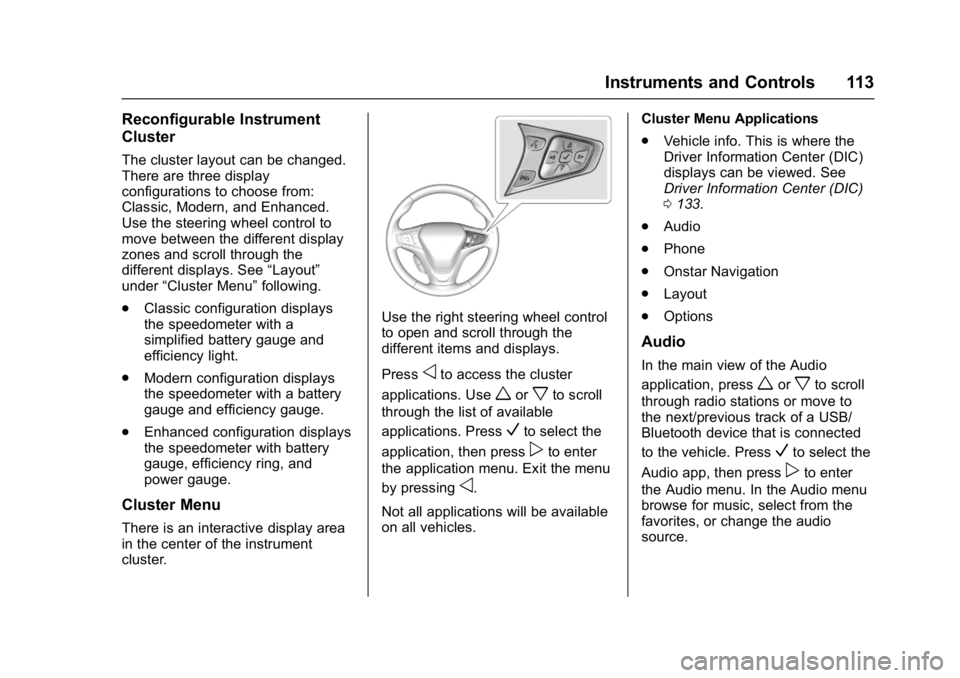
Use the right steering wheel control
to open and scroll through the
different items and displays.
Press
oto access the cluster
applications. Use
worxto scroll
through the list of available
applications. Press
Vto select the
application, then press
pto enter
the application menu. Exit the menu
by pressing
o.
Not all applications will be available
on all vehicles. Cluster Menu Applications
.
Vehicle info. This is where the
Driver Information Center (DIC)
displays can be viewed. See
Driver Information Center (DIC)
0133.
. Audio
. Phone
. Onstar Navigation
. Layout
. Options
Audio
In the main view of the Audio
application, press
worxto scroll
through radio stations or move to
the next/previous track of a USB/
Bluetooth device that is connected
to the vehicle. Press
Vto select the
Audio app, then press
pto enter
the Audio menu. In the Audio menu
browse for music, select from the
favorites, or change the audio
source.
Page 115 of 361
Chevrolet Bolt EV Owner Manual (GMNA-Localizing-U.S./Canada/Mexico-
10122739) - 2017 - CRC - 10/3/16
114 Instruments and Controls
Phone
In the Phone menu, if there is no
active phone call, view recent calls,
scroll through contacts, or select
from the favorites. If there is an
active call, mute or unmute the
phone or switch to handset or
handsfree operation.
Onstar Navigation
This display is used for OnStar
Turn-by-Turn guidance, if equipped.
Layout
Choose Classic, Modern,
or Enhanced layout by pressing
V
while the desired item is highlighted.
Exit the Layout menu by
pressing
o.
Options
PressVto select the Options app.
Use
worxto scroll through the
items in the Options menu. Exit the
Options menu by pressing
o. Units :
Press
pwhile Units is
displayed to enter the Units menu.
Use
worxto scroll through the
items. Choose U.S., Metric,
or Imperial by pressing
Vwhile the
desired item is highlighted.
Speed Warning : The speed
warning display allows the driver to
set a speed that they do not want to
exceed. To set the speed warning,
press
Vwhen Speed Warning is
displayed. Press
worxto adjust
the value. Press
Vto set the speed.
Once set, this feature can be turned
off by pressing
Vwhile viewing this
page. If the selected speed limit is
exceeded, a pop-up warning is
displayed and a chime may sound.
Help : Press
pwhile Help is
displayed to enter the Help menu.
Use
worxto scroll through the
items in the Help menu.
Open Source Software : Press
V
while Open Source Software is
highlighted to display open source
software information.
Speedometer
The speedometer shows the
vehicle's speed in either kilometers
per hour (km/h) or miles per
hour (mph).
Odometer
The odometer shows how far the
vehicle has been driven, in either
kilometers or miles.
Trip Odometer
The trip odometer shows how far
the vehicle has been driven since
the trip odometer was last reset.
The trip odometer is accessed and
reset through the Driver Information
Center (DIC). SeeDriver
Information Center (DIC) 0133.
Page 117 of 361
Chevrolet Bolt EV Owner Manual (GMNA-Localizing-U.S./Canada/Mexico-
10122739) - 2017 - CRC - 10/3/16
116 Instruments and Controls
Brake :If the ball turns yellow and
travels below the center of the
gauge, braking is too aggressive to
optimize efficiency.
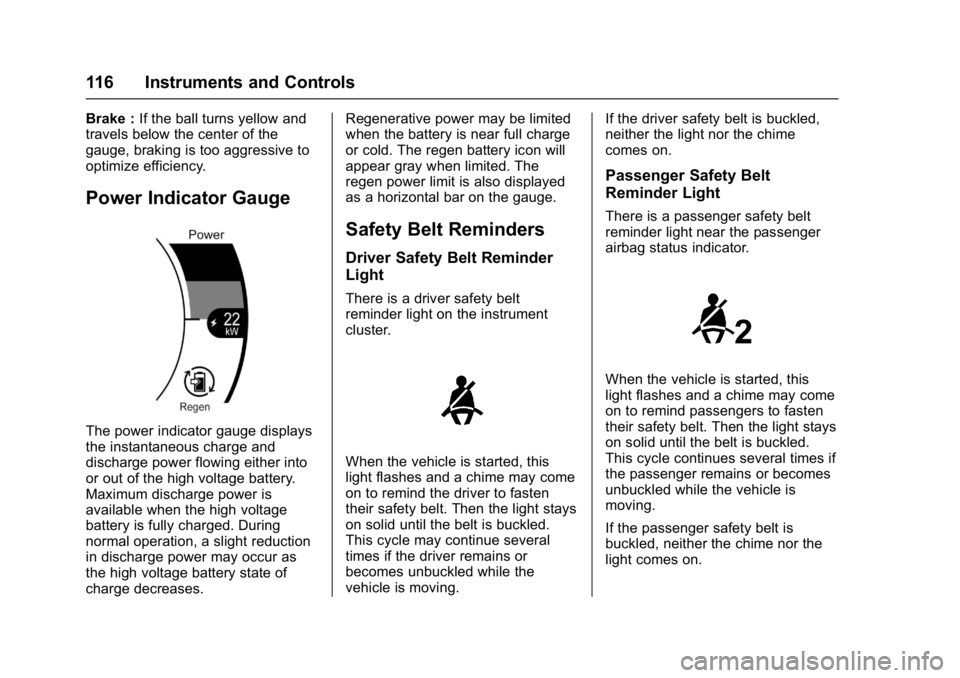
Power Indicator Gauge
The power indicator gauge displays
the instantaneous charge and
discharge power flowing either into
or out of the high voltage battery.
Maximum discharge power is
available when the high voltage
battery is fully charged. During
normal operation, a slight reduction
in discharge power may occur as
the high voltage battery state of
charge decreases. Regenerative power may be limited
when the battery is near full charge
or cold. The regen battery icon will
appear gray when limited. The
regen power limit is also displayed
as a horizontal bar on the gauge.
Safety Belt Reminders
Driver Safety Belt Reminder
Light
There is a driver safety belt
reminder light on the instrument
cluster.
When the vehicle is started, this
light flashes and a chime may come
on to remind the driver to fasten
their safety belt. Then the light stays
on solid until the belt is buckled.
This cycle may continue several
times if the driver remains or
becomes unbuckled while the
vehicle is moving.
If the driver safety belt is buckled,
neither the light nor the chime
comes on.
Passenger Safety Belt
Reminder Light
There is a passenger safety belt
reminder light near the passenger
airbag status indicator.
When the vehicle is started, this
light flashes and a chime may come
on to remind passengers to fasten
their safety belt. Then the light stays
on solid until the belt is buckled.
This cycle continues several times if
the passenger remains or becomes
unbuckled while the vehicle is
moving.
If the passenger safety belt is
buckled, neither the chime nor the
light comes on.
Page 118 of 361
Chevrolet Bolt EV Owner Manual (GMNA-Localizing-U.S./Canada/Mexico-
10122739) - 2017 - CRC - 10/3/16
Instruments and Controls 117
The front passenger safety belt
reminder light and chime may turn
on if an object is put on the seat
such as a briefcase, handbag,
grocery bag, or other electronic
device. To turn off the reminder light
and/or chime, remove the object
from the seat or buckle the
safety belt.
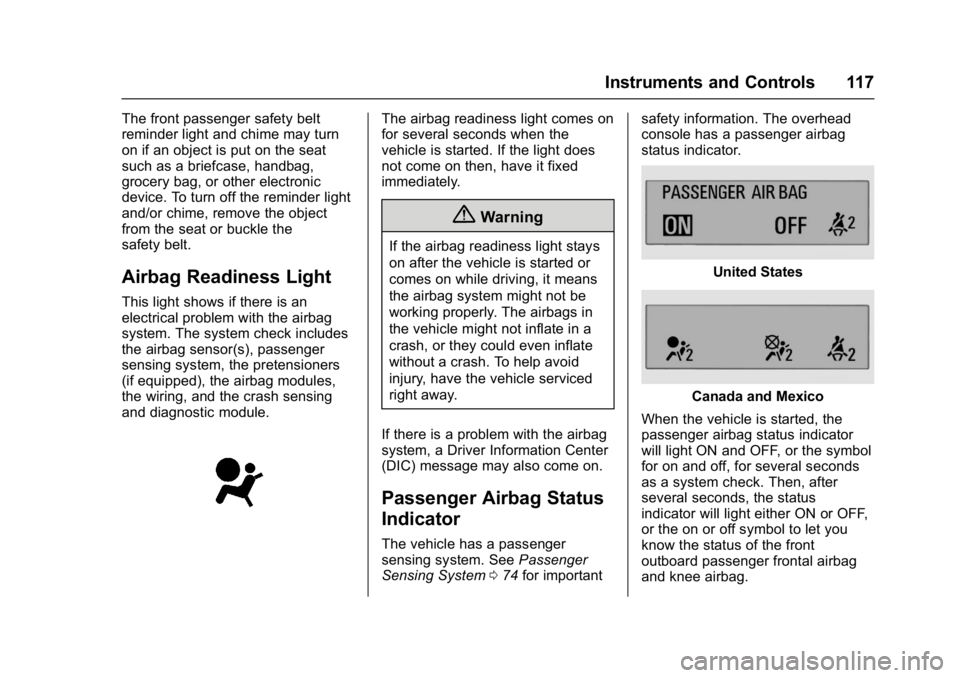
Airbag Readiness Light
This light shows if there is an
electrical problem with the airbag
system. The system check includes
the airbag sensor(s), passenger
sensing system, the pretensioners
(if equipped), the airbag modules,
the wiring, and the crash sensing
and diagnostic module.
The airbag readiness light comes on
for several seconds when the
vehicle is started. If the light does
not come on then, have it fixed
immediately.
{Warning
If the airbag readiness light stays
on after the vehicle is started or
comes on while driving, it means
the airbag system might not be
working properly. The airbags in
the vehicle might not inflate in a
crash, or they could even inflate
without a crash. To help avoid
injury, have the vehicle serviced
right away.
If there is a problem with the airbag
system, a Driver Information Center
(DIC) message may also come on.
Passenger Airbag Status
Indicator
The vehicle has a passenger
sensing system. See Passenger
Sensing System 074 for important safety information. The overhead
console has a passenger airbag
status indicator.
United States
Canada and Mexico
When the vehicle is started, the
passenger airbag status indicator
will light ON and OFF, or the symbol
for on and off, for several seconds
as a system check. Then, after
several seconds, the status
indicator will light either ON or OFF,
or the on or off symbol to let you
know the status of the front
outboard passenger frontal airbag
and knee airbag.
Page 119 of 361
Chevrolet Bolt EV Owner Manual (GMNA-Localizing-U.S./Canada/Mexico-
10122739) - 2017 - CRC - 10/3/16
118 Instruments and Controls
If the word ON or the on symbol is
lit on the passenger airbag status
indicator, it means that the front
outboard passenger frontal airbag
and knee airbag are allowed to
inflate.
If the word OFF or the off symbol is
lit on the passenger airbag status
indicator, it means that the
passenger sensing system has
turned off the front outboard
passenger frontal airbag and knee
airbag.
If, after several seconds, both status
indicator lights remain on, or if there
are no lights at all, there may be a
problem with the lights or the
passenger sensing system. See
your dealer for service.
{Warning
If the airbag readiness light ever
comes on and stays on, it means
that something may be wrong
with the airbag system. To help
avoid injury to yourself or others,
have the vehicle serviced right(Continued)
Warning (Continued)
away. SeeAirbag Readiness
Light 0117 for more information,
including important safety
information.
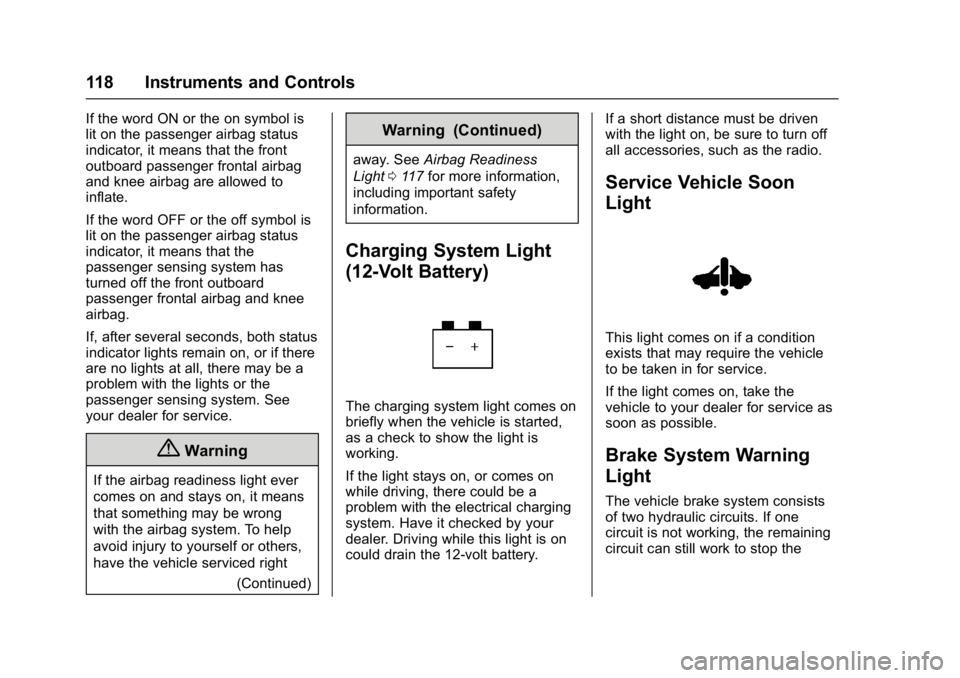
Charging System Light
(12-Volt Battery)
The charging system light comes on
briefly when the vehicle is started,
as a check to show the light is
working.
If the light stays on, or comes on
while driving, there could be a
problem with the electrical charging
system. Have it checked by your
dealer. Driving while this light is on
could drain the 12-volt battery. If a short distance must be driven
with the light on, be sure to turn off
all accessories, such as the radio.
Service Vehicle Soon
Light
This light comes on if a condition
exists that may require the vehicle
to be taken in for service.
If the light comes on, take the
vehicle to your dealer for service as
soon as possible.
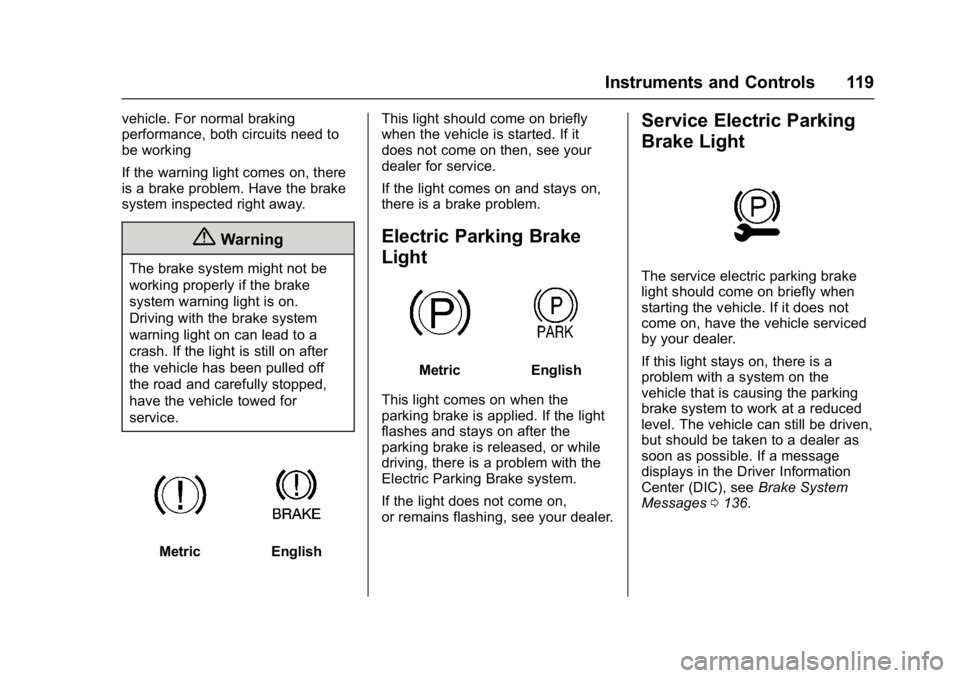
Brake System Warning
Light
The vehicle brake system consists
of two hydraulic circuits. If one
circuit is not working, the remaining
circuit can still work to stop the
Page 120 of 361
Chevrolet Bolt EV Owner Manual (GMNA-Localizing-U.S./Canada/Mexico-
10122739) - 2017 - CRC - 10/3/16
Instruments and Controls 119
vehicle. For normal braking
performance, both circuits need to
be working
If the warning light comes on, there
is a brake problem. Have the brake
system inspected right away.
{Warning
The brake system might not be
working properly if the brake
system warning light is on.
Driving with the brake system
warning light on can lead to a
crash. If the light is still on after
the vehicle has been pulled off
the road and carefully stopped,
have the vehicle towed for
service.
MetricEnglishThis light should come on briefly
when the vehicle is started. If it
does not come on then, see your
dealer for service.
If the light comes on and stays on,
there is a brake problem.
Electric Parking Brake
Light
MetricEnglish
This light comes on when the
parking brake is applied. If the light
flashes and stays on after the
parking brake is released, or while
driving, there is a problem with the
Electric Parking Brake system.
If the light does not come on,
or remains flashing, see your dealer.
Service Electric Parking
Brake Light
The service electric parking brake
light should come on briefly when
starting the vehicle. If it does not
come on, have the vehicle serviced
by your dealer.
If this light stays on, there is a
problem with a system on the
vehicle that is causing the parking
brake system to work at a reduced
level. The vehicle can still be driven,
but should be taken to a dealer as
soon as possible. If a message
displays in the Driver Information
Center (DIC), see Brake System
Messages 0136.
Page 121 of 361
Chevrolet Bolt EV Owner Manual (GMNA-Localizing-U.S./Canada/Mexico-
10122739) - 2017 - CRC - 10/3/16
120 Instruments and Controls
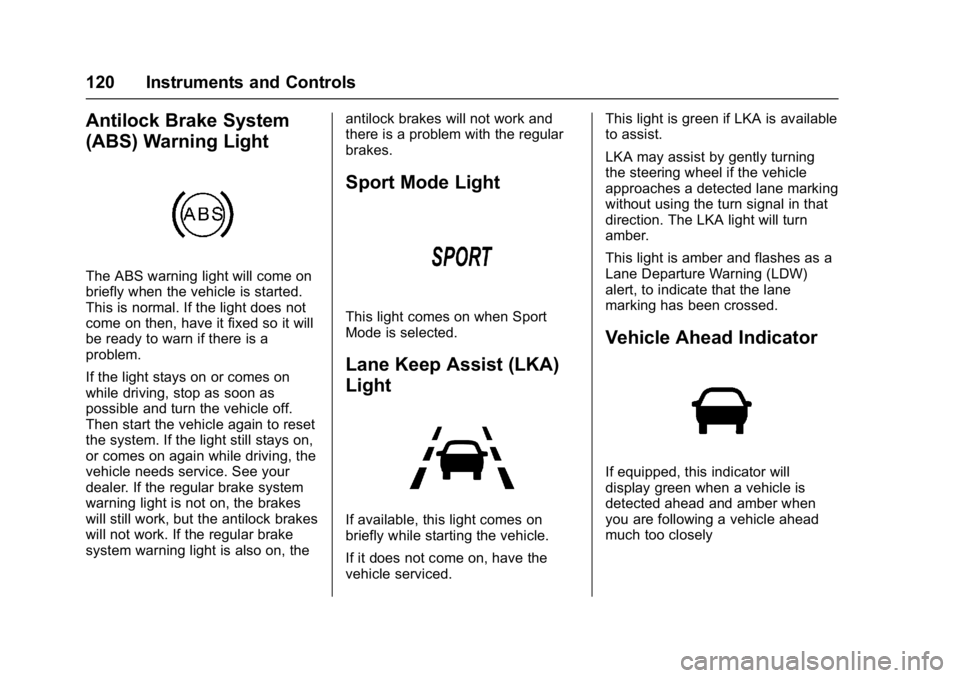
Antilock Brake System
(ABS) Warning Light
The ABS warning light will come on
briefly when the vehicle is started.
This is normal. If the light does not
come on then, have it fixed so it will
be ready to warn if there is a
problem.
If the light stays on or comes on
while driving, stop as soon as
possible and turn the vehicle off.
Then start the vehicle again to reset
the system. If the light still stays on,
or comes on again while driving, the
vehicle needs service. See your
dealer. If the regular brake system
warning light is not on, the brakes
will still work, but the antilock brakes
will not work. If the regular brake
system warning light is also on, theantilock brakes will not work and
there is a problem with the regular
brakes.
Sport Mode Light
This light comes on when Sport
Mode is selected.
Lane Keep Assist (LKA)
Light
If available, this light comes on
briefly while starting the vehicle.
If it does not come on, have the
vehicle serviced.This light is green if LKA is available
to assist.
LKA may assist by gently turning
the steering wheel if the vehicle
approaches a detected lane marking
without using the turn signal in that
direction. The LKA light will turn
amber.
This light is amber and flashes as a
Lane Departure Warning (LDW)
alert, to indicate that the lane
marking has been crossed.
Vehicle Ahead Indicator
If equipped, this indicator will
display green when a vehicle is
detected ahead and amber when
you are following a vehicle ahead
much too closely
Page 122 of 361
Chevrolet Bolt EV Owner Manual (GMNA-Localizing-U.S./Canada/Mexico-
10122739) - 2017 - CRC - 10/3/16
Instruments and Controls 121
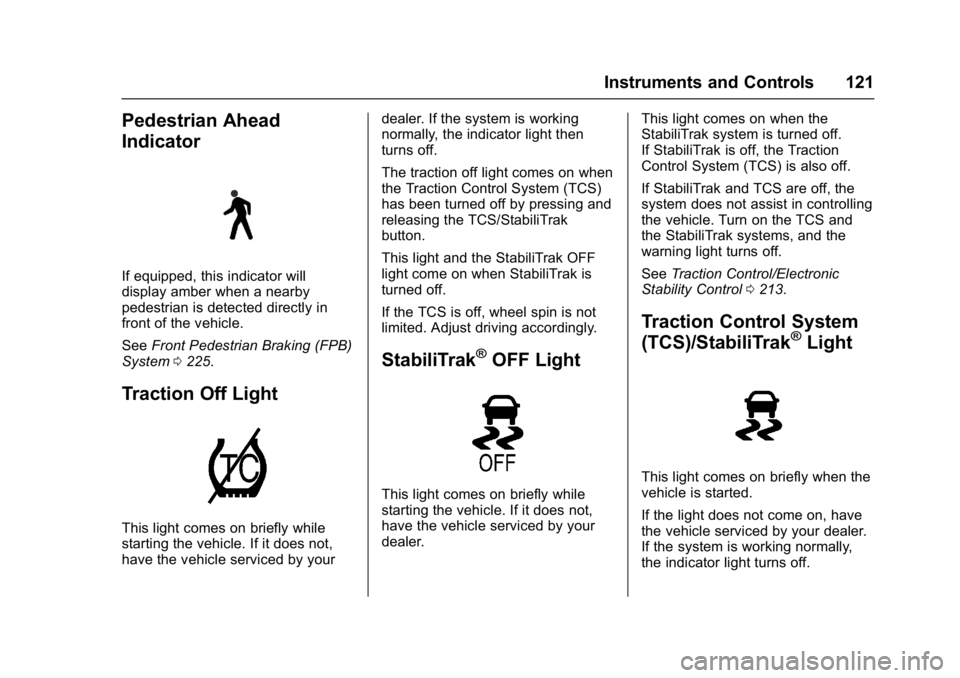
Pedestrian Ahead
Indicator
If equipped, this indicator will
display amber when a nearby
pedestrian is detected directly in
front of the vehicle.
SeeFront Pedestrian Braking (FPB)
System 0225.
Traction Off Light
This light comes on briefly while
starting the vehicle. If it does not,
have the vehicle serviced by your dealer. If the system is working
normally, the indicator light then
turns off.
The traction off light comes on when
the Traction Control System (TCS)
has been turned off by pressing and
releasing the TCS/StabiliTrak
button.
This light and the StabiliTrak OFF
light come on when StabiliTrak is
turned off.
If the TCS is off, wheel spin is not
limited. Adjust driving accordingly.
StabiliTrak®OFF Light
This light comes on briefly while
starting the vehicle. If it does not,
have the vehicle serviced by your
dealer.
This light comes on when the
StabiliTrak system is turned off.
If StabiliTrak is off, the Traction
Control System (TCS) is also off.
If StabiliTrak and TCS are off, the
system does not assist in controlling
the vehicle. Turn on the TCS and
the StabiliTrak systems, and the
warning light turns off.
See
Traction Control/Electronic
Stability Control 0213.
Traction Control System
(TCS)/StabiliTrak®Light
This light comes on briefly when the
vehicle is started.
If the light does not come on, have
the vehicle serviced by your dealer.
If the system is working normally,
the indicator light turns off.
Page 123 of 361
Chevrolet Bolt EV Owner Manual (GMNA-Localizing-U.S./Canada/Mexico-
10122739) - 2017 - CRC - 10/3/16
122 Instruments and Controls
If the light is on and not flashing, the
TCS, and potentially the StabiliTrak
system have been disabled. A DIC
message may display. Check the
DIC messages to determine which
feature(s) is no longer functioning
and whether the vehicle requires
service.
If the indicator/warning light is on
and flashing, the TCS and/or the
StabiliTrak system is actively
working.
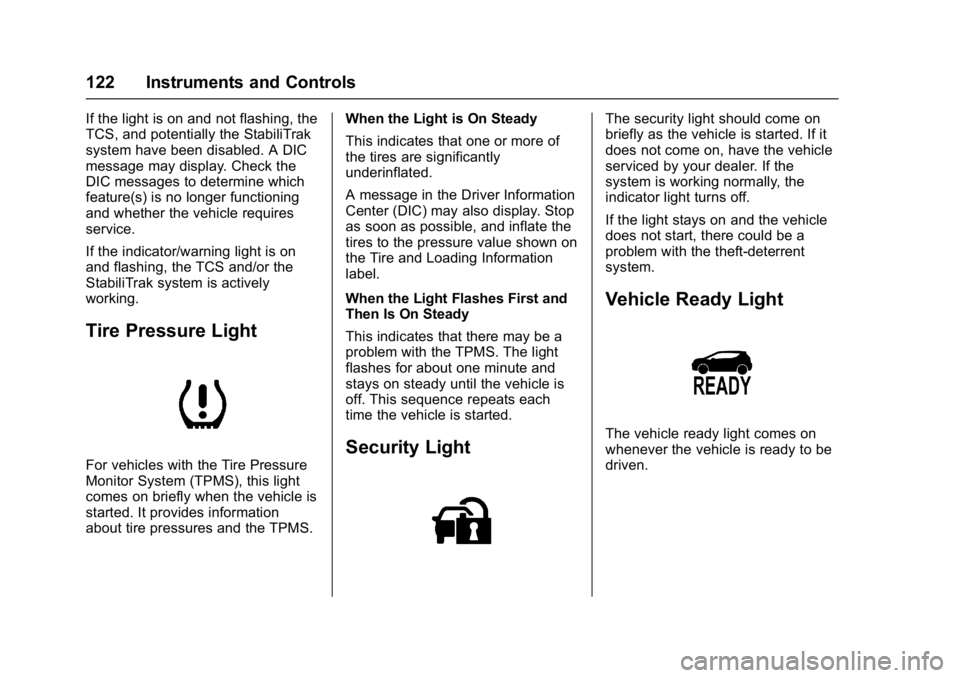
Tire Pressure Light
For vehicles with the Tire Pressure
Monitor System (TPMS), this light
comes on briefly when the vehicle is
started. It provides information
about tire pressures and the TPMS.When the Light is On Steady
This indicates that one or more of
the tires are significantly
underinflated.
A message in the Driver Information
Center (DIC) may also display. Stop
as soon as possible, and inflate the
tires to the pressure value shown on
the Tire and Loading Information
label.
When the Light Flashes First and
Then Is On Steady
This indicates that there may be a
problem with the TPMS. The light
flashes for about one minute and
stays on steady until the vehicle is
off. This sequence repeats each
time the vehicle is started.
Security Light
The security light should come on
briefly as the vehicle is started. If it
does not come on, have the vehicle
serviced by your dealer. If the
system is working normally, the
indicator light turns off.
If the light stays on and the vehicle
does not start, there could be a
problem with the theft-deterrent
system.
Vehicle Ready Light
The vehicle ready light comes on
whenever the vehicle is ready to be
driven.