service CHEVROLET BOLT EV 2018 User Guide
[x] Cancel search | Manufacturer: CHEVROLET, Model Year: 2018, Model line: BOLT EV, Model: CHEVROLET BOLT EV 2018Pages: 370, PDF Size: 5.14 MB
Page 28 of 370
Chevrolet BOLT EV Owner Manual (GMNA-Localizing-U.S./Canada/Mexico-
11434431) - 2018 - crc - 2/14/18
In Brief 27
End Charge1. Wait until the charging process has been fully stopped, the
vehicle plug is unlocked, and
the Charging Status Indicator is
solid green or off.
If the vehicle plug does not
unlock from the vehicle charge
port after a charge, contact
Roadside Assistance for
assistance. See Roadside
Assistance Program 0336.
2. Unplug the DC vehicle plug from the DC charge port on the
vehicle and close the dust
cover.
3. Close the charge port door by pressing firmly in the center
until it latches.
4. The Electric Parking Brake should be manually
disengaged before driving the
vehicle.
5. To start another DC charge, remove the DC vehicle plug
and reconnect.Charge Cord
See Radio Frequency Statement
0 342.
Important Information about
Portable Electric Vehicle Charging
. Charging an electric vehicle can
stress a building’ s electrical
system more than a typical
household appliance.
. Before plugging into any
electrical outlet, have a qualified
electrician inspect and verify the
electrical system (electrical
outlet, wiring, junctions, and
protection devices) for
heavy-duty service at a 12 amp
continuous load.
. Electrical outlets may wear out
with normal usage or may be
damaged over time, making
them unsuitable for electric
vehicle charging.
. Check the electrical outlet/plug
while charging and discontinue
use if the electrical outlet/plug is hot, then have the electrical
outlet serviced by a qualified
electrician.
. When outdoors, plug into an
electrical outlet that is
weatherproof while in use.
. Mount the charge cord to reduce
strain on the electrical
outlet/plug.
. Do not place the charge cord in
a position where it is expected to
be submerged in water.
{Danger
Improper use of portable electric
vehicle charge cords may cause
a fire, electrical shock, or burns,
and may result in damage to
property, serious injury, or death.
. Do not use extension cords,
multi-outlet power strips,
splitters, grounding
adaptors, surge protectors,
or similar devices.
(Continued)
Page 29 of 370
Chevrolet BOLT EV Owner Manual (GMNA-Localizing-U.S./Canada/Mexico-
11434431) - 2018 - crc - 2/14/18
28 In Brief
Danger (Continued)
.Do not use an electrical
outlet that is worn or
damaged, or will not hold
the plug firmly in place.
. Do not use an electrical
outlet that is not properly
grounded.
. Do not use an electrical
outlet that is on a circuit with
other electrical loads.
Charge Cord Status Indicators
See Charge Cord 0243.
Charge Level Selection
Charge level selection can be made
using the Charge Mode tab on the
Charging screen on the infotainment
display. See “Charge Current Limit
Selection” underProgrammable
Charging 0131.
{Warning
Using a charge level that exceeds
the electrical circuit or electrical
outlet capacity may start a fire or
damage the electrical circuit. Use
the lowest charge level until a
qualified electrician inspects the
electrical circuit capacity. Use the
lowest charge level if the
electrical circuit or electrical outlet
capacity is not known.
Regenerative Braking
Regenerative braking takes some of
the energy from the moving vehicle
and turns it back into electrical
energy. This energy is then stored in
the high voltage battery system,
contributing to increased energy
efficiency.
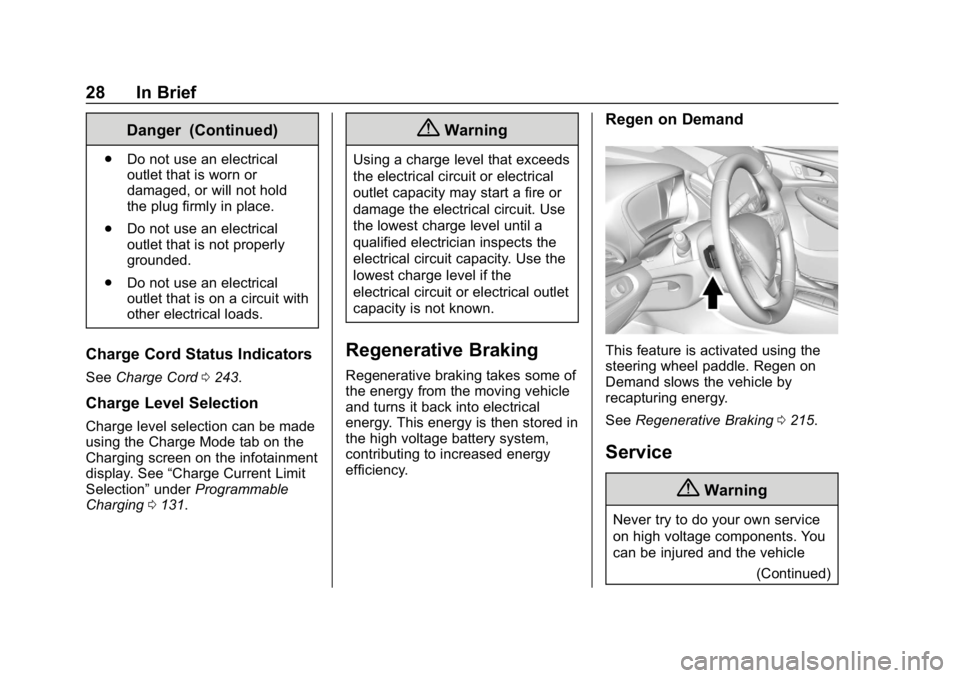
Regen on Demand
This feature is activated using the
steering wheel paddle. Regen on
Demand slows the vehicle by
recapturing energy.
See Regenerative Braking 0215.
Service
{Warning
Never try to do your own service
on high voltage components. You
can be injured and the vehicle
(Continued)
Page 30 of 370
Chevrolet BOLT EV Owner Manual (GMNA-Localizing-U.S./Canada/Mexico-
11434431) - 2018 - crc - 2/14/18
In Brief 29
Warning (Continued)
can be damaged if you try to do
your own service work. Service
and repair of these high voltage
components should only be
performed by a trained service
technician with the proper
knowledge and tools. SeeDoing
Your Own Service Work 0256.
Performance and
Maintenance
Traction Control/
Electronic Stability
Control
The Traction Control System (TCS)
limits wheel spin. The system turns
on automatically every time the
vehicle is powered up.
The Electronic Stability Control
system called StabiliTrak assists
with directional control of the vehicle
in difficult driving conditions. The
system turns on automatically every
time the vehicle is on.
.
To turn off TCS, press and
release
g, on the center stack.
iilluminates and the
appropriate Driver Information
Center (DIC) message is
displayed.
. To turn off both TCS and
StabiliTrak, press and hold
g,
until
iandgcome on and stay on in the instrument cluster and
the appropriate DIC message is
displayed.
. Press and release
gto turn on
both systems.
See Traction Control/Electronic
Stability Control 0217.
Tire Pressure Monitor
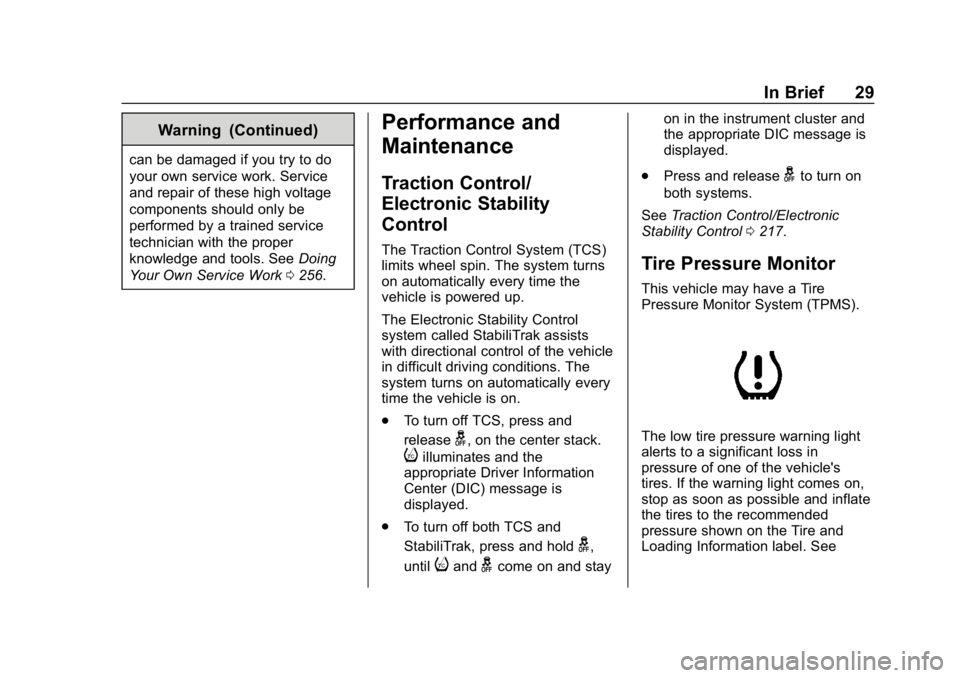
This vehicle may have a Tire
Pressure Monitor System (TPMS).
The low tire pressure warning light
alerts to a significant loss in
pressure of one of the vehicle's
tires. If the warning light comes on,
stop as soon as possible and inflate
the tires to the recommended
pressure shown on the Tire and
Loading Information label. See
Page 32 of 370
Chevrolet BOLT EV Owner Manual (GMNA-Localizing-U.S./Canada/Mexico-
11434431) - 2018 - crc - 2/14/18
In Brief 31
next drive. This is important when
outside temperatures are extremely
hot or cold.
Maintenance
Always keep the tires properly
inflated and the vehicle properly
aligned.
The weight of excess cargo in the
vehicle affects efficiency and range.
Avoid carrying more than is needed.
Avoid unnecessary use of electrical
accessories. Power used for
functions other than propelling the
vehicle will reduce EV range.
Using a rooftop carrier will reduce
efficiency due to additional weight
and drag.
Roadside Assistance
Program
U.S.: 1-888-811-1926
TTY Users (U.S. Only):
1-888-889-2438
Canada: 1-800-268-6800As the owner of a new Chevrolet,
you are automatically enrolled in the
Roadside Assistance program. This
program provides security and
convenience in the event of an
on-road failure or emergency
situation. Service is provided
24 hours a day, 365 days a year for
the duration of the vehicle’s
powertrain warranty.
See
Roadside Assistance Program
0 336.
Page 34 of 370
Chevrolet BOLT EV Owner Manual (GMNA-Localizing-U.S./Canada/Mexico-
11434431) - 2018 - crc - 2/14/18
Keys, Doors, and Windows 33
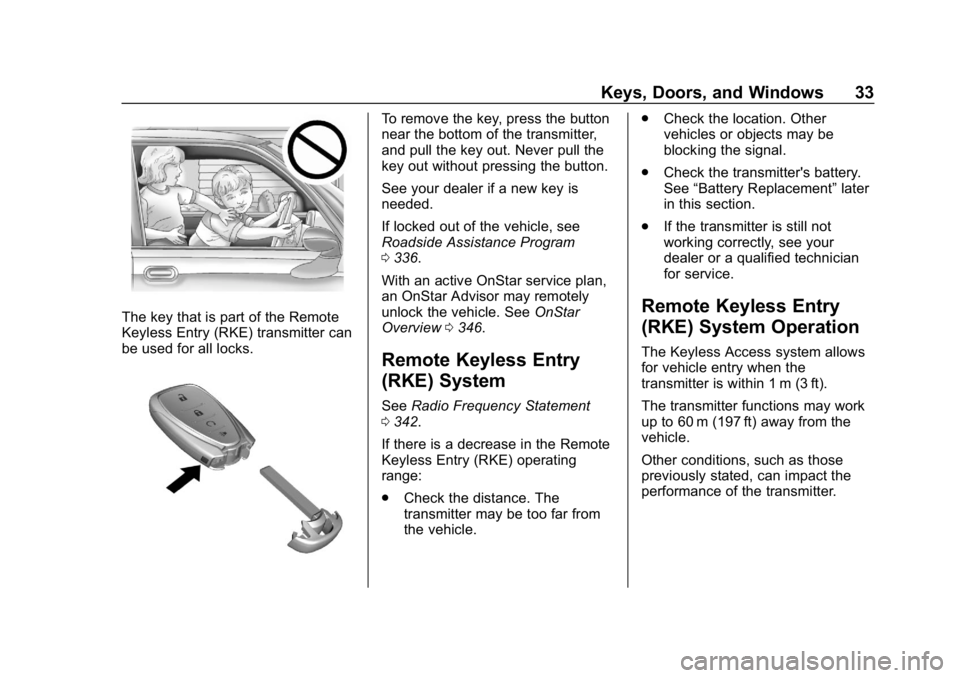
The key that is part of the Remote
Keyless Entry (RKE) transmitter can
be used for all locks.
To remove the key, press the button
near the bottom of the transmitter,
and pull the key out. Never pull the
key out without pressing the button.
See your dealer if a new key is
needed.
If locked out of the vehicle, see
Roadside Assistance Program
0336.
With an active OnStar service plan,
an OnStar Advisor may remotely
unlock the vehicle. See OnStar
Overview 0346.
Remote Keyless Entry
(RKE) System
See Radio Frequency Statement
0 342.
If there is a decrease in the Remote
Keyless Entry (RKE) operating
range:
. Check the distance. The
transmitter may be too far from
the vehicle. .
Check the location. Other
vehicles or objects may be
blocking the signal.
. Check the transmitter's battery.
See “Battery Replacement” later
in this section.
. If the transmitter is still not
working correctly, see your
dealer or a qualified technician
for service.
Remote Keyless Entry
(RKE) System Operation
The Keyless Access system allows
for vehicle entry when the
transmitter is within 1 m (3 ft).
The transmitter functions may work
up to 60 m (197 ft) away from the
vehicle.
Other conditions, such as those
previously stated, can impact the
performance of the transmitter.
Page 42 of 370
Chevrolet BOLT EV Owner Manual (GMNA-Localizing-U.S./Canada/Mexico-
11434431) - 2018 - crc - 2/14/18
Keys, Doors, and Windows 41
Conditions in Which Remote
Start Will Not Work
The remote vehicle start feature will
not operate if:
.The RKE transmitter is in the
vehicle.
. The hood is not closed.
. The hazard warning flashers
are on.
. The service vehicle soon light
is on.
. The electric drive unit coolant
temperature is too high.
. Two remote vehicle starts, or a
single remote start with an
extension, have already
been used.
. The vehicle is not in P (Park).
Door Locks
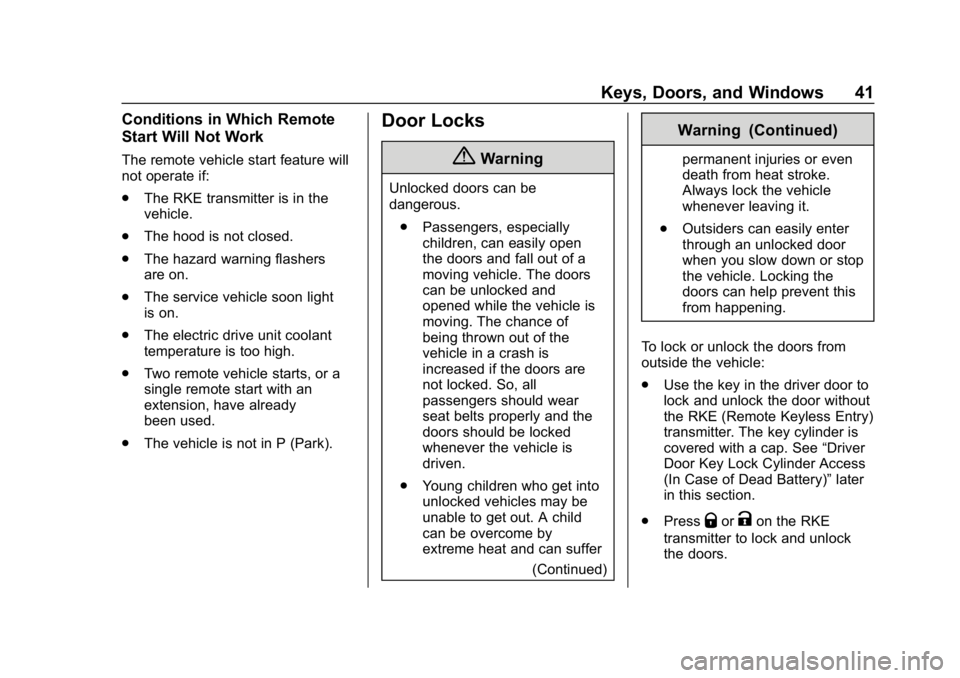
{Warning
Unlocked doors can be
dangerous.
. Passengers, especially
children, can easily open
the doors and fall out of a
moving vehicle. The doors
can be unlocked and
opened while the vehicle is
moving. The chance of
being thrown out of the
vehicle in a crash is
increased if the doors are
not locked. So, all
passengers should wear
seat belts properly and the
doors should be locked
whenever the vehicle is
driven.
. Young children who get into
unlocked vehicles may be
unable to get out. A child
can be overcome by
extreme heat and can suffer
(Continued)
Warning (Continued)
permanent injuries or even
death from heat stroke.
Always lock the vehicle
whenever leaving it.
. Outsiders can easily enter
through an unlocked door
when you slow down or stop
the vehicle. Locking the
doors can help prevent this
from happening.
To lock or unlock the doors from
outside the vehicle:
. Use the key in the driver door to
lock and unlock the door without
the RKE (Remote Keyless Entry)
transmitter. The key cylinder is
covered with a cap. See “Driver
Door Key Lock Cylinder Access
(In Case of Dead Battery)” later
in this section.
. Press
QorKon the RKE
transmitter to lock and unlock
the doors.
Page 45 of 370
Chevrolet BOLT EV Owner Manual (GMNA-Localizing-U.S./Canada/Mexico-
11434431) - 2018 - crc - 2/14/18
44 Keys, Doors, and Windows
If a vehicle door is unlocked and
then opened and closed, the doors
will lock either when your foot is
removed from the brake or the
vehicle speed becomes faster than
13 km/h (8 mph).
To unlock the doors:
.Press
Kon a door.
. Shift the vehicle into P (Park).
Automatic door unlocking can be
programmed. See Vehicle
Personalization 0143.
Lockout Protection
If the vehicle is on or in Service
Mode and the power door lock
switch is pressed with the driver
door open, all the doors will lock
and only the driver door will unlock.
If the vehicle is off and locking is
requested while a door is open,
when all doors are closed the
vehicle will check for RKE
transmitters inside. If an RKE
transmitter is detected and the
number of RKE transmitters inside has not reduced, the driver door will
unlock and the horn will chirp three
times.
Lockout Protection can be manually
overridden with the driver door open
by pressing and holding
Qon the
power door lock switch.
If Unlocked Door Anti Lockout is
turned on and the vehicle is off, the
driver door is open, and locking is
requested, all the doors will lock and
only the driver door will unlock. The
Unlocked Door Anti Lockout feature
can be turned on or off. See Vehicle
Personalization 0143.
Safety Locks
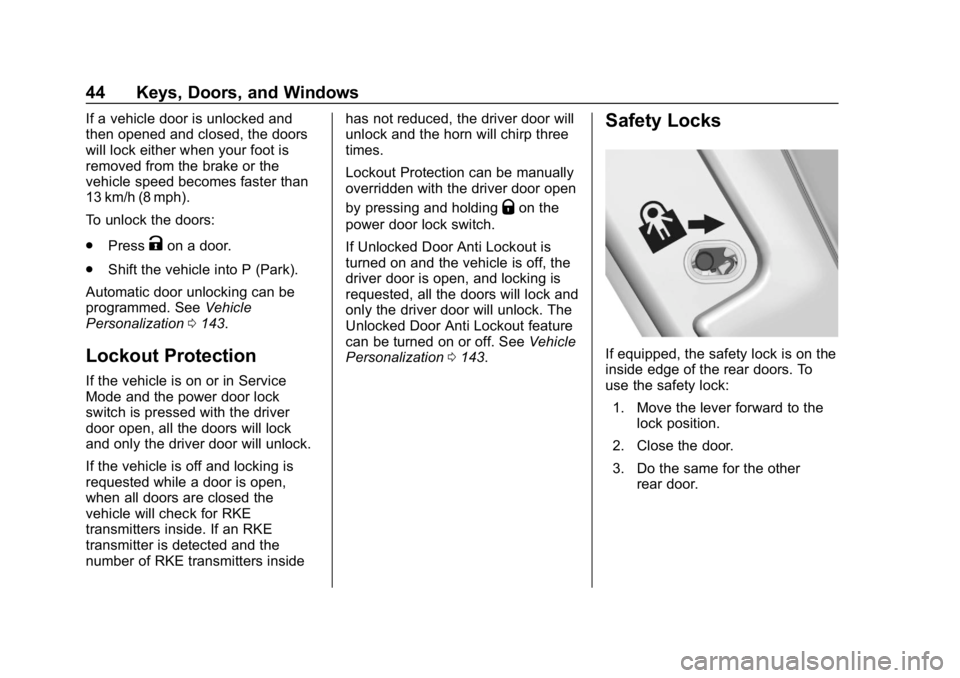
If equipped, the safety lock is on the
inside edge of the rear doors. To
use the safety lock:
1. Move the lever forward to the lock position.
2. Close the door.
3. Do the same for the other rear door.
Page 46 of 370
Chevrolet BOLT EV Owner Manual (GMNA-Localizing-U.S./Canada/Mexico-
11434431) - 2018 - crc - 2/14/18
Keys, Doors, and Windows 45
To open a rear door when the safety
lock is on:1. Unlock the door by using the inside handle, the power door
lock switch, or the Remote
Keyless Entry (RKE)
transmitter.
2. Open the door from the outside.
When the safety lock is enabled,
adults and older children will not be
able to open the rear door from the
inside. Cancel the safety locks to
enable the doors to open from the
inside.
To cancel the safety lock: 1. Unlock the door and open it from the outside.
2. Move the lever rearward to unlock. Do the same for the
other door.KeyPass
If equipped, this feature allows a
smartphone to be connected to the
vehicle and remote vehicle functions
to be requested. Features vary
depending on availability.
Features include:
.Remote commands –Use to
lock/unlock the vehicle, remote
start for the cabin climate,
or sound or cancel the horn and
flash the lights.
. Vehicle status –View the
vehicle’s range and battery level,
charging status, and tire
pressure.
. Welcome lighting –Request light
when approaching the vehicle.
. Location services –Save the
parked location or start
navigation at the vehicle’s GPS
coordinates.
Setup Function
. KeyPass Setup
‐Managing Priority Setting ‐
Modifying Priority Setting
. Revocation
Active Remote Function
. Door Lock/Unlock
. Remote Start/Stop
. Panic Alarm Activation/
Termination
. Remote Charge Termination
. High Voltage Charge Functions
‐Temporary Charging Override
Update
‐ Change the Charging Mode
Permanently
‐ Update Departure Time
Schedule
‐ High Voltage Priority Charging
Activate and De-activate
‐ Select Charge Level/Limit
Preference Screen
. Vehicle Locator
. Routing w/Available Mileage
Page 50 of 370
Chevrolet BOLT EV Owner Manual (GMNA-Localizing-U.S./Canada/Mexico-
11434431) - 2018 - crc - 2/14/18
Keys, Doors, and Windows 49
Immobilizer Operation
This vehicle has a passive
theft-deterrent system.
The system does not have to be
manually armed or disarmed.
The vehicle is automatically
immobilized when the transmitter
leaves the vehicle.
The immobilization system is
disarmed when POWER
Ois
pressed and a valid transmitter is
found in the vehicle.
The security light on the instrument
cluster comes on when there is a
problem with arming or disarming
the theft-deterrent system.
The system has one or more
transmitters matched to an
immobilizer control unit in the
vehicle. Only a correctly matched transmitter will start the vehicle.
If the transmitter is damaged, you
may not be able to start the vehicle.
When trying to start the vehicle, the
security light comes on briefly when
the vehicle is turned on.
If the vehicle does not start and the
security light stays on, there is a
problem with the system. Turn the
vehicle off and try again.
If the RKE transmitter appears to be
undamaged, try another transmitter,
or place the transmitter in the
transmitter pocket.
See
“Starting the Vehicle with a Low
Transmitter Battery” underRemote
Keyless Entry (RKE) System
Operation 033.
If the vehicle does not start with the
other transmitter or with the
transmitter placed in the transmitter
pocket, the vehicle needs service.
See your dealer who can service
the theft-deterrent system and have
a new transmitter programmed to
the vehicle. Do not leave the transmitter or
device that disarms or deactivates
the theft-deterrent system in the
vehicle.
Page 53 of 370
Chevrolet BOLT EV Owner Manual (GMNA-Localizing-U.S./Canada/Mexico-
11434431) - 2018 - crc - 2/14/18
52 Keys, Doors, and Windows
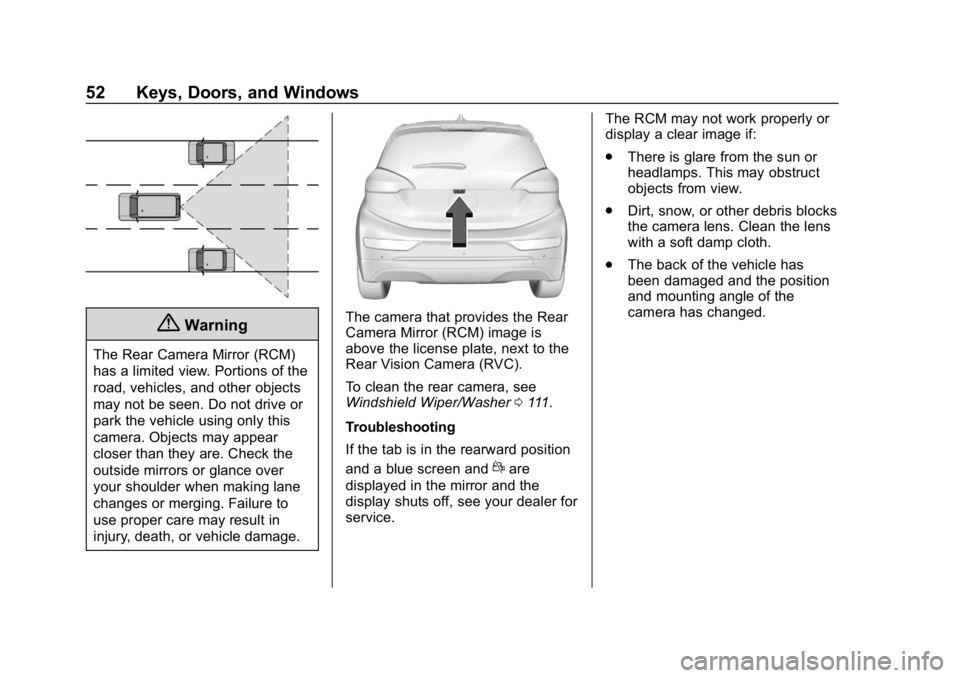
{Warning
The Rear Camera Mirror (RCM)
has a limited view. Portions of the
road, vehicles, and other objects
may not be seen. Do not drive or
park the vehicle using only this
camera. Objects may appear
closer than they are. Check the
outside mirrors or glance over
your shoulder when making lane
changes or merging. Failure to
use proper care may result in
injury, death, or vehicle damage.
The camera that provides the Rear
Camera Mirror (RCM) image is
above the license plate, next to the
Rear Vision Camera (RVC).
To clean the rear camera, see
Windshield Wiper/Washer0111.
Troubleshooting
If the tab is in the rearward position
and a blue screen and
dare
displayed in the mirror and the
display shuts off, see your dealer for
service. The RCM may not work properly or
display a clear image if:
.
There is glare from the sun or
headlamps. This may obstruct
objects from view.
. Dirt, snow, or other debris blocks
the camera lens. Clean the lens
with a soft damp cloth.
. The back of the vehicle has
been damaged and the position
and mounting angle of the
camera has changed.