audio CHEVROLET BOLT EV 2018 Owner's Guide
[x] Cancel search | Manufacturer: CHEVROLET, Model Year: 2018, Model line: BOLT EV, Model: CHEVROLET BOLT EV 2018Pages: 370, PDF Size: 5.14 MB
Page 176 of 370
Chevrolet BOLT EV Owner Manual (GMNA-Localizing-U.S./Canada/Mexico-
11434431) - 2018 - crc - 2/14/18
Infotainment System 175
OnStar System
OnStar with 4G LTE
If equipped with OnStar 4G LTE, up
to seven devices, such as
smartphones, tablets, and laptops,
can be connected to high-speed
Internet through the vehicle’s built-in
Wi-Fi hotspot.Call 1-888-4-ONSTAR
(1-888-466-7827) to connect to an
OnStar Advisor for assistance. See
www.onstar.com for a detailed
instruction guide, vehicle availability,
details, and system limitations.
Services and apps vary by make,
model, year, carrier, availability, and
conditions. 4G LTE service is
available in select markets. 4G LTE
performance is based on industry
averages and vehicle systems
design. Some services require a
data plan.
Phone
Bluetooth
Bluetooth Wireless Technology
Bluetooth wireless technology
establishes a wireless link between
two devices supported with
Bluetooth. After the initial pairing,
the two devices can connect
automatically when turned on.
Bluetooth allows wireless
transmission of information among
Bluetooth phones, PDAs, or other
devices within close range by using
2.45 GHz frequency short-distance
wireless telecommunication
technologies. Within this vehicle,
users can make hands-free calls,
transmit hands-free data, and play
audio streaming files by connecting
a mobile phone with the system.
.
There may be restrictions on
using Bluetooth wireless
technology in some locations.
Page 181 of 370
Chevrolet BOLT EV Owner Manual (GMNA-Localizing-U.S./Canada/Mexico-
11434431) - 2018 - crc - 2/14/18
180 Infotainment System
Settings
Operation of the Settings Menu
The infotainment system can be
customized to make it easier to use.1. Touch
T.
2. Touch Settings.
3. Touch the desired menu to select the item or to display the
item’s detailed menu.
4. Touch
0to return to the
previous menu.
Settings menus and functions may
vary depending on vehicle options.
Radio Settings
1. TouchT.
2. Touch Settings, then touch Radio Settings.
.Auto Volume: Volume will
be automatically controlled.
See “Auto Volume” under
“AM-FM Radio” previously
in this section. .
Maximum Start-up volume:
Set the Maximum start-up
volume from 13 to 37.
. Audio Cues: Set the Audio
Cues feature to On or Off.
. Audio Cues Volume: Set
the Audio Cues Volume
from 10 to 63.
Audio Cues Volume is only available
when Audio Cues is set to On.
Devices
1. TouchT.
2. Touch Settings, then touch Devices.
3. Select the desired device and connect/disconnect or delete.
To add a new Bluetooth device,
touch Add Device.
Bluetooth Phone
1. TouchT. 2. Touch Settings, then Bluetooth
Phone and touch
Yto scroll to
the desired mobile phone. This
is only available when the
device is connected.
. My Number: Displays the
current connected phone
number.
. Privacy: Set whether or not
incoming call alerts are
shown on the infotainment
display.
. Sort Contacts: Set to First
name, surname or
Surname, first name.
. Resync Device Contacts:
Resync the contacts list for
the current connected
mobile phone.
Apple CarPlay
1. TouchT.
2. Touch Settings and find Apple CarPlay.
3. Select On or Off.
Page 183 of 370
Chevrolet BOLT EV Owner Manual (GMNA-Localizing-U.S./Canada/Mexico-
11434431) - 2018 - crc - 2/14/18
182 Infotainment System
5. Place the Remote KeylessEntry (RKE) transmitter key in
the transmitter pocket. See
Remote Keyless Entry (RKE)
System Operation 033 for the
transmitter pocket location.
6. From the Teen Driver Menu, select Key Registration.
.If the transmitter key is in
the transmitter pocket, it will
identify whether the
transmitter key is registered
or unregistered.
. If the transmitter key is not
registered, the option to
register displays. Select
Register and a confirmation
message displays.
. If the transmitter key is
already registered, the
option to unregister
displays. If Unregister is
selected, the transmitter
key is no longer registered
and a confirmation
message displays. If a Teen Driver transmitter key and
a non-Teen Driver transmitter key
are both present at start up, the
vehicle will recognize the non-Teen
Driver transmitter key to start the
vehicle. The Teen Driver settings
will not be active.
Manage Settings
Use the PIN to change the following
settings:
Audio Volume Limit :
Allows a
maximum radio volume to be set.
Turn the audio volume limit On or
Off, and if equipped, choose the
maximum level for the audio
volume.
Teen Driver Speed Warning :
Allows for setting a visual and
audible warning when a certain
speed is exceeded. The speed
warning is selectable from 64 km/h
(40 mph) to 121 km/h (75 mph). The
speed warning does not limit the
speed of the vehicle.
Teen Driver Speed Limiter (If
Equipped) : Allows the maximum
speed of the vehicle to be limited to
137 km/h (85 mph). When the speed limiter is turned On and the vehicle
is started with a Teen Driver key, the
DIC displays a message that the top
speed is limited to 137 km/h
(85 mph).
When Teen Driver is Active:
.
The radio will mute when the
driver seat belt is not fastened,
and in some vehicles, when the
right front passenger seat belt is
not fastened. The audio from
any device paired to the vehicle
will also be muted.
. Certain electronic devices
placed on the front passenger
seat could cause the passenger
sensing system to falsely sense
an unbuckled front passenger
and mute the radio. See
Passenger Sensing System
077.
. Some safety systems, such as
Forward Automatic Braking,
if equipped and supported,
cannot be turned off.
. The gap setting for the Forward
Collision Alert, if equipped,
cannot be changed.
Page 205 of 370
Chevrolet BOLT EV Owner Manual (GMNA-Localizing-U.S./Canada/Mexico-
11434431) - 2018 - crc - 2/14/18
204 Driving and Operating
Power Button
The vehicle has an electronic
pushbutton start.
The Remote Keyless Entry (RKE)
transmitter must be in the vehicle for
the system to operate. If the vehicle
will not start, place the RKE
transmitter in the transmitter pocket,
inside the center console.
ON/RUN :This position is for
starting and driving. With the vehicle
off, and the brake pedal applied,
pressing POWER
Oonce will place
the vehicle in ON/RUN. When the
vehicle ready light is on in the instrument cluster, the vehicle is
ready to be driven. This could take
up to 15 seconds at extremely cold
temperatures.
Service Mode
This power mode is available for
service and diagnostics, and to
verify the proper operation of the
service vehicle soon light as may be
required for emission inspection
purposes. With the vehicle off, and
the brake pedal not applied,
pressing and holding POWER
Ofor
more than five seconds will place
the vehicle in Service Mode. The
instruments and audio systems will
operate as they do in ON/RUN, but
the vehicle will not be able to be
driven. The propulsion system will
not start in Service Mode. Press
POWER
Oagain to turn the
vehicle off.
Caution
Placing the vehicle in Service
Mode will use the 12-volt battery.
Do not use Service Mode for an
extended period, or the vehicle
may not start.
STOPPING THE VEHICLE/OFF :
To turn the vehicle off, apply the
brakes, press the button on top of
the shift lever to shift to P (Park) and
press POWER
O.
Alternatively, apply the brakes and
press POWER
O. The electric drive
unit will shift to P (Park) then shut
off automatically.
Retained Accessory Power (RAP)
will remain active until the driver
door is opened.
Page 207 of 370
Chevrolet BOLT EV Owner Manual (GMNA-Localizing-U.S./Canada/Mexico-
11434431) - 2018 - crc - 2/14/18
206 Driving and Operating
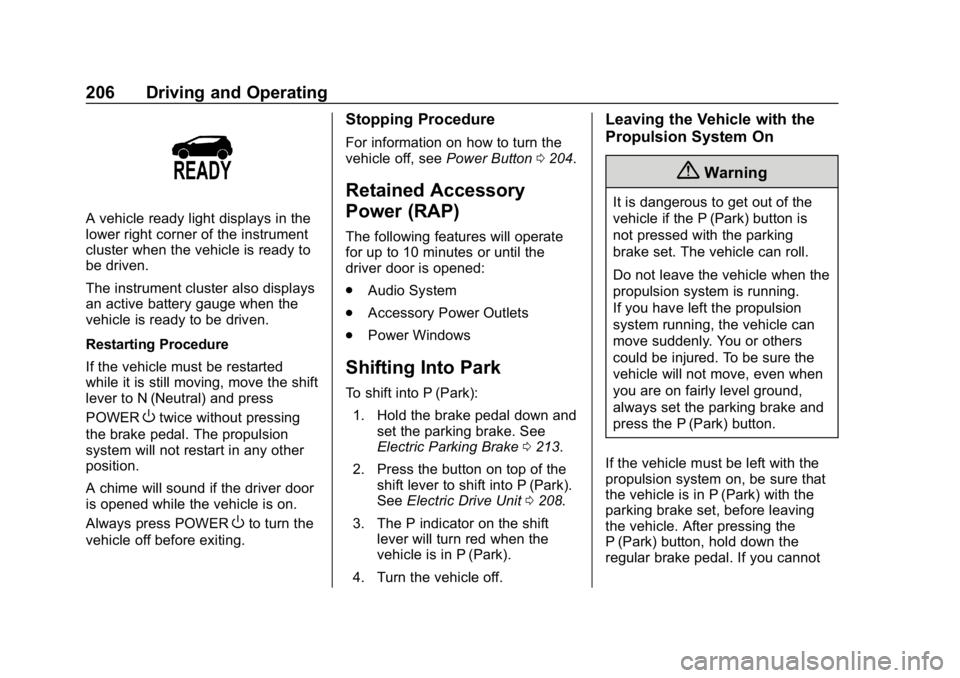
A vehicle ready light displays in the
lower right corner of the instrument
cluster when the vehicle is ready to
be driven.
The instrument cluster also displays
an active battery gauge when the
vehicle is ready to be driven.
Restarting Procedure
If the vehicle must be restarted
while it is still moving, move the shift
lever to N (Neutral) and press
POWER
Otwice without pressing
the brake pedal. The propulsion
system will not restart in any other
position.
A chime will sound if the driver door
is opened while the vehicle is on.
Always press POWER
Oto turn the
vehicle off before exiting.
Stopping Procedure
For information on how to turn the
vehicle off, see Power Button0204.
Retained Accessory
Power (RAP)
The following features will operate
for up to 10 minutes or until the
driver door is opened:
.
Audio System
. Accessory Power Outlets
. Power Windows
Shifting Into Park
To shift into P (Park):
1. Hold the brake pedal down and set the parking brake. See
Electric Parking Brake 0213.
2. Press the button on top of the shift lever to shift into P (Park).
See Electric Drive Unit 0208.
3. The P indicator on the shift lever will turn red when the
vehicle is in P (Park).
4. Turn the vehicle off.
Leaving the Vehicle with the
Propulsion System On
{Warning
It is dangerous to get out of the
vehicle if the P (Park) button is
not pressed with the parking
brake set. The vehicle can roll.
Do not leave the vehicle when the
propulsion system is running.
If you have left the propulsion
system running, the vehicle can
move suddenly. You or others
could be injured. To be sure the
vehicle will not move, even when
you are on fairly level ground,
always set the parking brake and
press the P (Park) button.
If the vehicle must be left with the
propulsion system on, be sure that
the vehicle is in P (Park) with the
parking brake set, before leaving
the vehicle. After pressing the
P (Park) button, hold down the
regular brake pedal. If you cannot
Page 353 of 370
Chevrolet BOLT EV Owner Manual (GMNA-Localizing-U.S./Canada/Mexico-
11434431) - 2018 - crc - 2/14/18
352 OnStar
.Dealer Maintenance Notification:
Have the vehicle notify your
preferred dealer when it is time
for maintenance. Your dealer will
then contact you to set up an
appointment.
To begin, press
Qto speak to an
Advisor, or see www.onstar.com.
OnStar Additional
Information
OnStar Smart Driver
OnStar Smart Driver provides
information about driving behavior to
help maximize overall vehicle
performance, reduce wear and tear,
and enhance fuel efficiency. An
Insurance Discounts Eligibility
feature is also offered within OnStar
Smart Driver. See www.onstar.com
for details regarding vehicle
eligibility and system limitations.
OnStar, General Motors, and their
affiliates are not insurance
providers. Obtain insurance only
from licensed insurance providers.
In-Vehicle Audio Messages
Audio messages may play important
information at the following times:
. Prior to vehicle purchase.
Press
Qto set up an account.
. With the OnStar Basic Plan,
every 60 days. .
After change in ownership and
at 90 days.
Transferring Service
PressQto request account transfer
eligibility information. The Advisor
can cancel or change account
information.
Selling/Transferring the
Vehicle
Call 1-888-4ONSTAR
(1-888-466-7827) immediately to
terminate your OnStar services if
the vehicle is disposed of, sold,
transferred, or if the lease ends.
Reactivation for Subsequent
Owners
PressQand follow the prompts to
speak to an Advisor as soon as
possible. The Advisor will update
vehicle records and explain OnStar
service options.
How OnStar Service Works
Automatic Crash Response,
Emergency Services, Crisis Assist,
Stolen Vehicle Assistance,
Page 360 of 370

Chevrolet BOLT EV Owner Manual (GMNA-Localizing-U.S./Canada/Mexico-
11434431) - 2018 - crc - 2/14/18
Index 359
ArmrestRear Seat . . . . . . . . . . . . . . . . . . . . . . 64
Assistance Program, Roadside . . . . . . . . . . . . . . . . . . . . . . 336
Assistance Systems for Driving . . . . . . . . . . . . . . . . . . . . . . . . 225
Assistance Systems for
Parking and Backing . . . . . . . . . . 222
Audio Bluetooth . . . . . . . . . . . . . . . . . . . . . 172
Theft-Deterrent Feature . . . . . . . 158
Automatic Climate Control System . . . . . . . 186
Door Locks . . . . . . . . . . . . . . . . . . . . . 43
Forward Braking . . . . . . . . . . . . . . 227
Headlamp System . . . . . . . . . . . . 153
Auxiliary Devices . . . . . . . . . . . . . . . . . . . . . . . 172
B
Battery . . . . . . . . . . . . . . . . . . . . . . . . . 122Exterior Lighting BatterySaver . . . . . . . . . . . . . . . . . . . . . . . 156
Power Protection . . . . . . . . . . . . . 156
Battery - North America . . . . 264, 304
Battery Gauge High Voltage . . . . . . . . . . . . . . . . . . 122
Blade Replacement, Wiper . . . . . 266 Bluetooth
Overview . . . . . . . . . . . . . . . . . . . . . 175
Bluetooth Audio . . . . . . . . . . . . . . . . 172
Brake Parking, Electric . . . . . . . . . . . . . . 213
System Warning Light . . . . . . . . 126
Brakes . . . . . . . . . . . . . . . . . . . . . . . . . . 262
Antilock . . . . . . . . . . . . . . . . . . . . . . . 213
Assist . . . . . . . . . . . . . . . . . . . . . . . . . 215
Fluid . . . . . . . . . . . . . . . . . . . . . . . . . . 263
Regenerative Braking . . . . . . . . . 215
Braking . . . . . . . . . . . . . . . . . . . . . . . . . 195 Automatic Forward . . . . . . . . . . . 227
Braking System Front Pedestrian (FPB) . . . . . . . 229
Break-In, New Vehicle . . . . . . . . . . 203
Bulb Replacement
Halogen Bulbs . . . . . . . . . . . . . . . . 269
Headlamp Aiming . . . . . . . . . . . . . 269
Headlamps . . . . . . . . . . . . . . . . . . . 269
High Intensity Discharge(HID) Lighting . . . . . . . . . . . . . . . 269
License Plate Lamps . . . . . . . . . 270
Taillamps, Turn Signal, Stoplamps, and Back-up
Lamps . . . . . . . . . . . . . . . . . . . . . . 270
Buying New Tires . . . . . . . . . . . . . . . 291
C
Calibration . . . . . . . . . . . . . . . . . . . . . . 113
California Perchlorate MaterialsRequirements . . . . . . . . . . . . . . . 256
California Proposition
65 Warning . . . . . . . . . .255, 264, 304, Back Cover
Canadian Vehicle Owners . . . . . . . . 2
Capacities and
Specifications . . . . . . . . . . . . . . . . . 331
Carbon Monoxide Liftgate . . . . . . . . . . . . . . . . . . . . . . . . . 47
Winter Driving . . . . . . . . . . . . . . . . 198
Cargo Cover . . . . . . . . . . . . . . . . . . . . . . . . . 106
Management System . . . . . . . . . 107
Caution, Danger, and Warning . . . . 2
Center Console Storage . . . . . . . . 106
Chains, Tire . . . . . . . . . . . . . . . . . . . . 296
Charge Cord . . . . . . . . . . . . . . . . . . . . 243
Charging Delay Override . . . . . . . . . . . . . . . 239
Electrical Requirements . . . . . . 251
Plug-In . . . . . . . . . . . . . . . . . . . . . . . 235
Programmable . . . . . . . . . . . . . . . . 131
Utility Interruption . . . . . . . . . . . . . 250