seats CHEVROLET BOLT EV 2018 Workshop Manual
[x] Cancel search | Manufacturer: CHEVROLET, Model Year: 2018, Model line: BOLT EV, Model: CHEVROLET BOLT EV 2018Pages: 370, PDF Size: 5.14 MB
Page 100 of 370
Chevrolet BOLT EV Owner Manual (GMNA-Localizing-U.S./Canada/Mexico-
11434431) - 2018 - crc - 2/14/18
Seats and Restraints 99
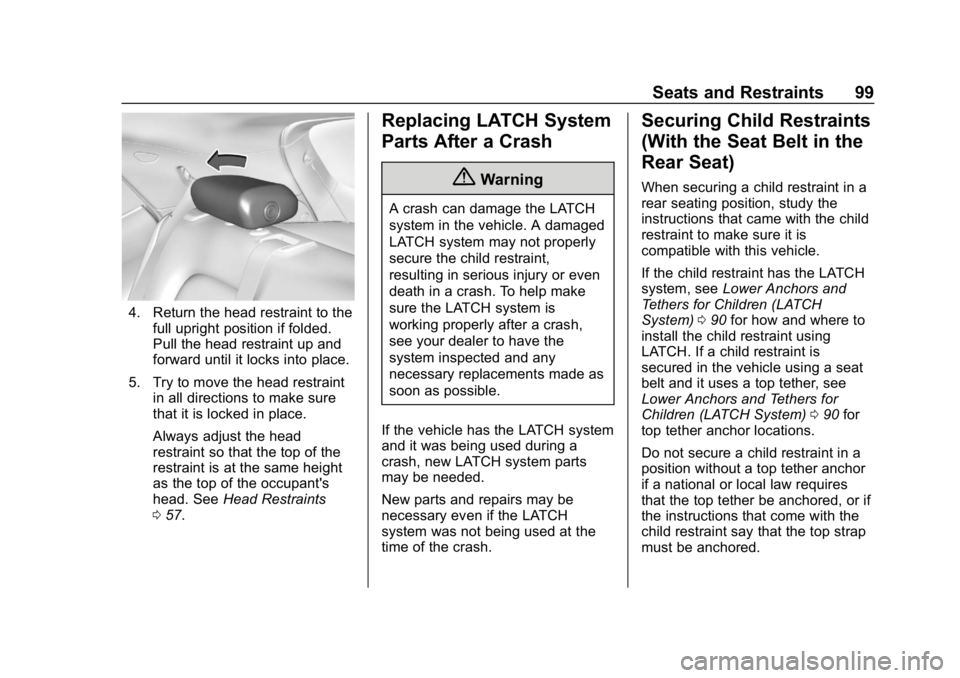
4. Return the head restraint to thefull upright position if folded.
Pull the head restraint up and
forward until it locks into place.
5. Try to move the head restraint in all directions to make sure
that it is locked in place.
Always adjust the head
restraint so that the top of the
restraint is at the same height
as the top of the occupant's
head. See Head Restraints
0 57.
Replacing LATCH System
Parts After a Crash
{Warning
A crash can damage the LATCH
system in the vehicle. A damaged
LATCH system may not properly
secure the child restraint,
resulting in serious injury or even
death in a crash. To help make
sure the LATCH system is
working properly after a crash,
see your dealer to have the
system inspected and any
necessary replacements made as
soon as possible.
If the vehicle has the LATCH system
and it was being used during a
crash, new LATCH system parts
may be needed.
New parts and repairs may be
necessary even if the LATCH
system was not being used at the
time of the crash.
Securing Child Restraints
(With the Seat Belt in the
Rear Seat)
When securing a child restraint in a
rear seating position, study the
instructions that came with the child
restraint to make sure it is
compatible with this vehicle.
If the child restraint has the LATCH
system, see Lower Anchors and
Tethers for Children (LATCH
System) 090 for how and where to
install the child restraint using
LATCH. If a child restraint is
secured in the vehicle using a seat
belt and it uses a top tether, see
Lower Anchors and Tethers for
Children (LATCH System) 090 for
top tether anchor locations.
Do not secure a child restraint in a
position without a top tether anchor
if a national or local law requires
that the top tether be anchored, or if
the instructions that come with the
child restraint say that the top strap
must be anchored.
Page 101 of 370
Chevrolet BOLT EV Owner Manual (GMNA-Localizing-U.S./Canada/Mexico-
11434431) - 2018 - crc - 2/14/18
100 Seats and Restraints
If the child restraint or vehicle seat
position does not have the LATCH
system, you will be using the seat
belt to secure the child restraint.
Be sure to follow the instructions
that came with the child restraint.
If more than one child restraint
needs to be installed in the rear
seat, be sure to readWhere to Put
the Restraint 089.
1. Put the child restraint on the seat.
If the head restraint interferes
with the proper installation of
the child restraint, the head
restraint may be removed. See
“Head Restraint Removal and
Reinstallation” underLower
Anchors and Tethers for
Children (LATCH System) 090.
2. Pick up the latch plate, and run the lap and shoulder portions
of the vehicle's seat belt
through or around the restraint.
The child restraint instructions
will show you how.
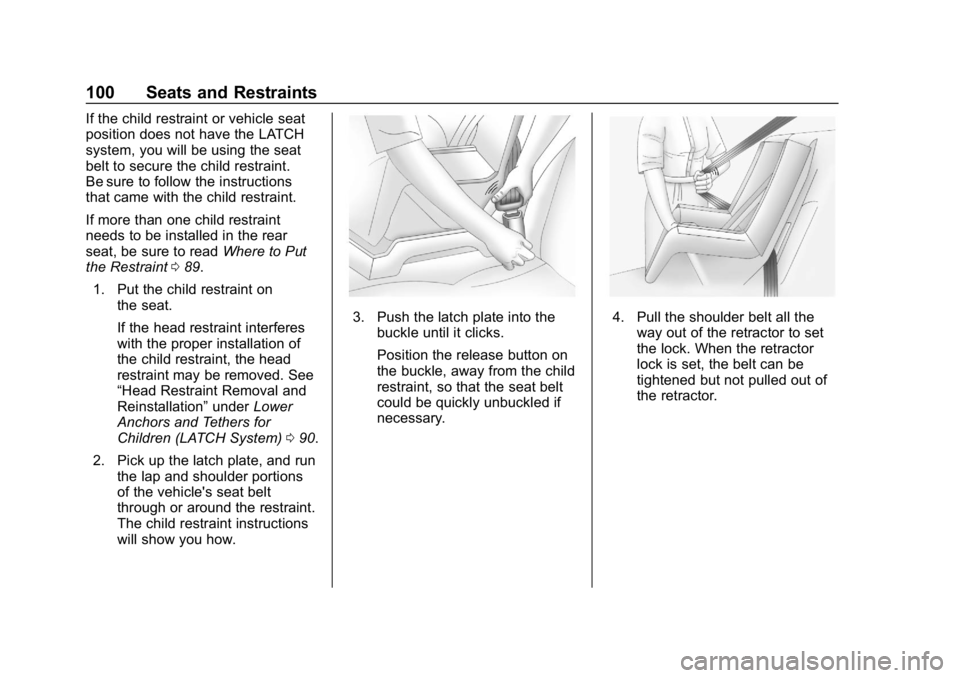
3. Push the latch plate into thebuckle until it clicks.
Position the release button on
the buckle, away from the child
restraint, so that the seat belt
could be quickly unbuckled if
necessary.4. Pull the shoulder belt all theway out of the retractor to set
the lock. When the retractor
lock is set, the belt can be
tightened but not pulled out of
the retractor.
Page 102 of 370
Chevrolet BOLT EV Owner Manual (GMNA-Localizing-U.S./Canada/Mexico-
11434431) - 2018 - crc - 2/14/18
Seats and Restraints 101
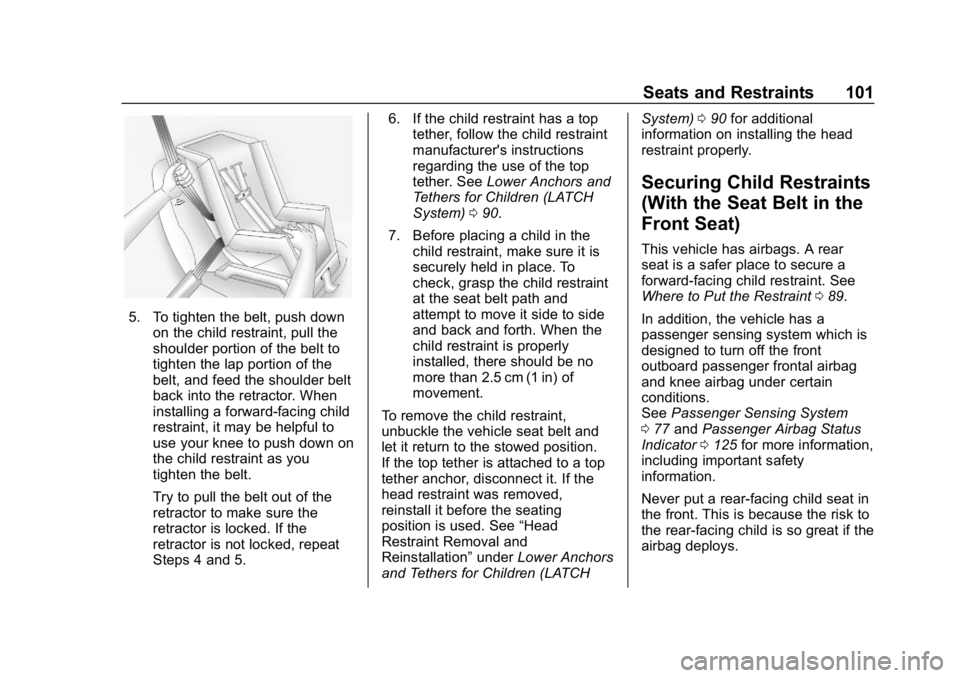
5. To tighten the belt, push downon the child restraint, pull the
shoulder portion of the belt to
tighten the lap portion of the
belt, and feed the shoulder belt
back into the retractor. When
installing a forward-facing child
restraint, it may be helpful to
use your knee to push down on
the child restraint as you
tighten the belt.
Try to pull the belt out of the
retractor to make sure the
retractor is locked. If the
retractor is not locked, repeat
Steps 4 and 5. 6. If the child restraint has a top
tether, follow the child restraint
manufacturer's instructions
regarding the use of the top
tether. See Lower Anchors and
Tethers for Children (LATCH
System) 090.
7. Before placing a child in the child restraint, make sure it is
securely held in place. To
check, grasp the child restraint
at the seat belt path and
attempt to move it side to side
and back and forth. When the
child restraint is properly
installed, there should be no
more than 2.5 cm (1 in) of
movement.
To remove the child restraint,
unbuckle the vehicle seat belt and
let it return to the stowed position.
If the top tether is attached to a top
tether anchor, disconnect it. If the
head restraint was removed,
reinstall it before the seating
position is used. See “Head
Restraint Removal and
Reinstallation” underLower Anchors
and Tethers for Children (LATCH System)
090 for additional
information on installing the head
restraint properly.
Securing Child Restraints
(With the Seat Belt in the
Front Seat)
This vehicle has airbags. A rear
seat is a safer place to secure a
forward-facing child restraint. See
Where to Put the Restraint 089.
In addition, the vehicle has a
passenger sensing system which is
designed to turn off the front
outboard passenger frontal airbag
and knee airbag under certain
conditions.
See Passenger Sensing System
0 77 and Passenger Airbag Status
Indicator 0125 for more information,
including important safety
information.
Never put a rear-facing child seat in
the front. This is because the risk to
the rear-facing child is so great if the
airbag deploys.
Page 103 of 370
Chevrolet BOLT EV Owner Manual (GMNA-Localizing-U.S./Canada/Mexico-
11434431) - 2018 - crc - 2/14/18
102 Seats and Restraints
{Warning
A child in a rear-facing child
restraint can be seriously injured
or killed if the front outboard
passenger frontal airbag inflates.
This is because the back of the
rear-facing child restraint would
be very close to the inflating
airbag. A child in a forward-facing
child restraint can be seriously
injured or killed if the front
outboard passenger frontal airbag
inflates and the passenger seat is
in a forward position.
Even if the passenger sensing
system has turned off the front
outboard passenger airbag(s), no
system is fail-safe. No one can
guarantee that an airbag will not
deploy under some unusual
circumstance, even though the
airbag(s) are off.
Secure rear-facing child restraints
in a rear seat, even if the
airbag(s) are off. If you secure a(Continued)
Warning (Continued)
forward-facing child restraint in
the front outboard passenger
seat, always move the seat as far
back as it will go. It is better to
secure the child restraint in a
rear seat.
SeePassenger Sensing System
0 77 for additional information.
If the vehicle does not have a rear
seat that will accommodate a
rear-facing child restraint, a
rear-facing child restraint should not
be installed in the vehicle, even if
the airbag is off.
If the child restraint uses a top
tether, see Lower Anchors and
Tethers for Children (LATCH
System) 090 for top tether anchor
locations.
Do not secure a child restraint in a
position without a top tether anchor
if a national or local law requires
that the top tether be anchored, or if the instructions that come with the
child restraint say that the top tether
must be anchored.
In Canada, the law requires that
forward-facing child restraints have
a top tether, and that the tether be
attached.
When using the lap-shoulder belt to
secure the child restraint in this
position, follow the instructions that
came with the child restraint and the
following instructions:
1. Move the seat as far back as it will go before securing the
forward-facing child restraint.
Move the seat upward or the
seatback to an upright position,
if needed, to get a tight
installation of the child
restraint.
When the passenger sensing
system has turned off the front
outboard passenger frontal
airbag and knee airbag, the off
indicator on the passenger
airbag status indicator should
Page 104 of 370
Chevrolet BOLT EV Owner Manual (GMNA-Localizing-U.S./Canada/Mexico-
11434431) - 2018 - crc - 2/14/18
Seats and Restraints 103
light and stay lit when you start
the vehicle. SeePassenger
Airbag Status Indicator 0125.
2. Put the child restraint on the seat.
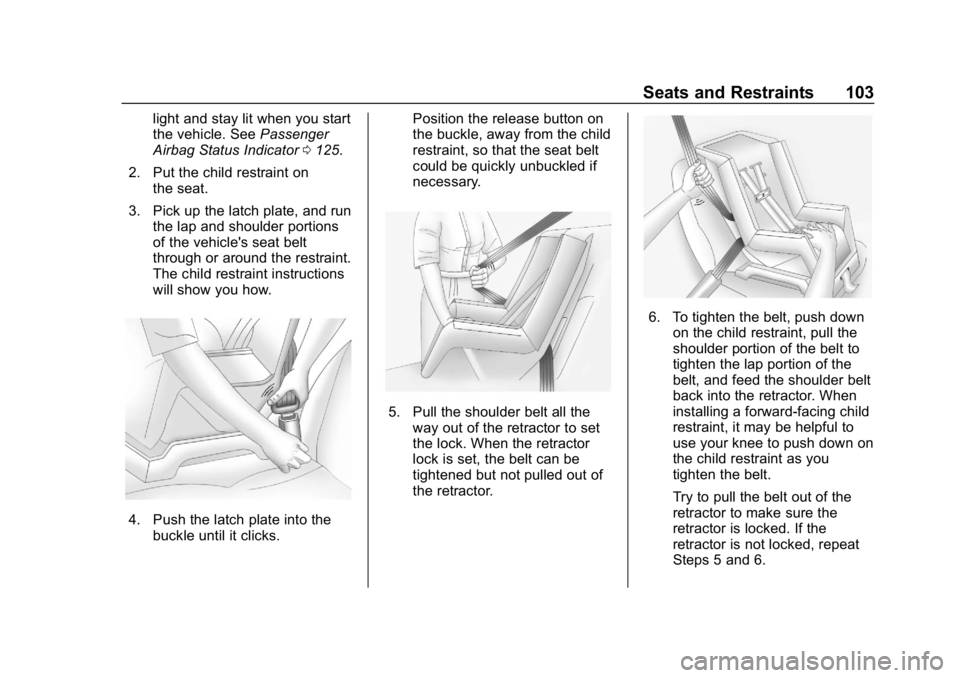
3. Pick up the latch plate, and run the lap and shoulder portions
of the vehicle's seat belt
through or around the restraint.
The child restraint instructions
will show you how.
4. Push the latch plate into thebuckle until it clicks. Position the release button on
the buckle, away from the child
restraint, so that the seat belt
could be quickly unbuckled if
necessary.
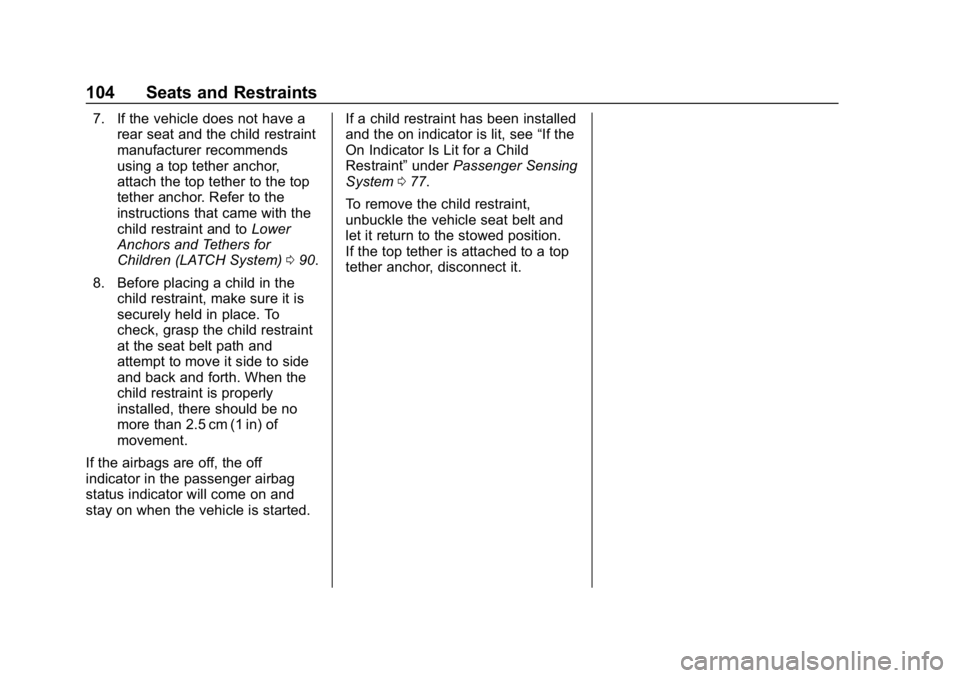
5. Pull the shoulder belt all the
way out of the retractor to set
the lock. When the retractor
lock is set, the belt can be
tightened but not pulled out of
the retractor.
6. To tighten the belt, push downon the child restraint, pull the
shoulder portion of the belt to
tighten the lap portion of the
belt, and feed the shoulder belt
back into the retractor. When
installing a forward-facing child
restraint, it may be helpful to
use your knee to push down on
the child restraint as you
tighten the belt.
Try to pull the belt out of the
retractor to make sure the
retractor is locked. If the
retractor is not locked, repeat
Steps 5 and 6.
Page 105 of 370
Chevrolet BOLT EV Owner Manual (GMNA-Localizing-U.S./Canada/Mexico-
11434431) - 2018 - crc - 2/14/18
104 Seats and Restraints
7. If the vehicle does not have arear seat and the child restraint
manufacturer recommends
using a top tether anchor,
attach the top tether to the top
tether anchor. Refer to the
instructions that came with the
child restraint and to Lower
Anchors and Tethers for
Children (LATCH System) 090.
8. Before placing a child in the child restraint, make sure it is
securely held in place. To
check, grasp the child restraint
at the seat belt path and
attempt to move it side to side
and back and forth. When the
child restraint is properly
installed, there should be no
more than 2.5 cm (1 in) of
movement.
If the airbags are off, the off
indicator in the passenger airbag
status indicator will come on and
stay on when the vehicle is started. If a child restraint has been installed
and the on indicator is lit, see
“If the
On Indicator Is Lit for a Child
Restraint” underPassenger Sensing
System 077.
To remove the child restraint,
unbuckle the vehicle seat belt and
let it return to the stowed position.
If the top tether is attached to a top
tether anchor, disconnect it.
Page 111 of 370
Chevrolet BOLT EV Owner Manual (GMNA-Localizing-U.S./Canada/Mexico-
11434431) - 2018 - crc - 2/14/18
110 Instruments and Controls
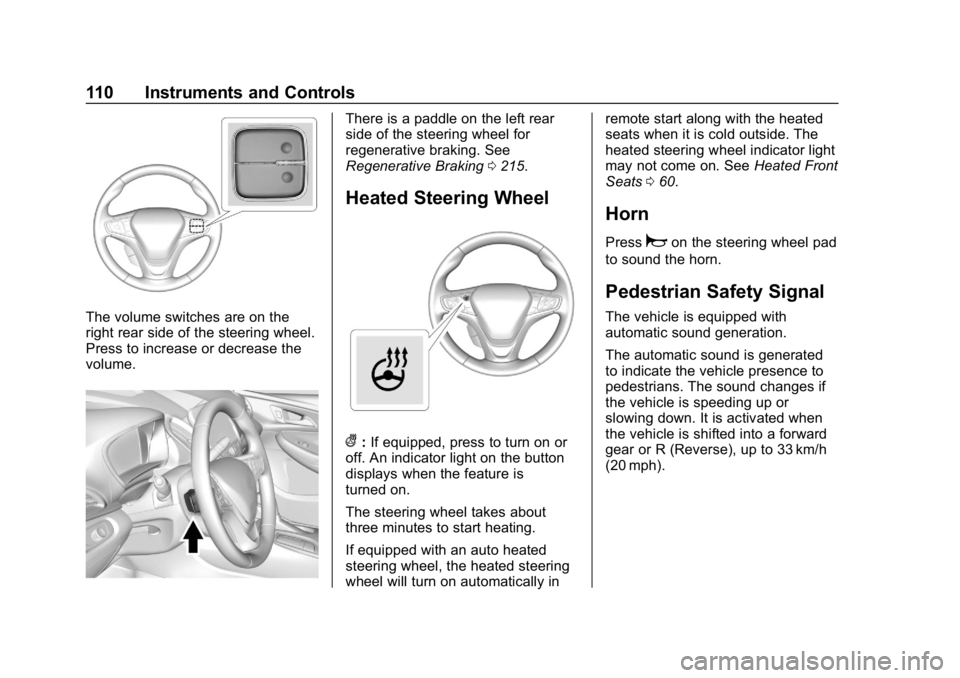
The volume switches are on the
right rear side of the steering wheel.
Press to increase or decrease the
volume.
There is a paddle on the left rear
side of the steering wheel for
regenerative braking. See
Regenerative Braking0215.
Heated Steering Wheel
(:If equipped, press to turn on or
off. An indicator light on the button
displays when the feature is
turned on.
The steering wheel takes about
three minutes to start heating.
If equipped with an auto heated
steering wheel, the heated steering
wheel will turn on automatically in remote start along with the heated
seats when it is cold outside. The
heated steering wheel indicator light
may not come on. See
Heated Front
Seats 060.
Horn
Pressaon the steering wheel pad
to sound the horn.
Pedestrian Safety Signal
The vehicle is equipped with
automatic sound generation.
The automatic sound is generated
to indicate the vehicle presence to
pedestrians. The sound changes if
the vehicle is speeding up or
slowing down. It is activated when
the vehicle is shifted into a forward
gear or R (Reverse), up to 33 km/h
(20 mph).
Page 145 of 370
Chevrolet BOLT EV Owner Manual (GMNA-Localizing-U.S./Canada/Mexico-
11434431) - 2018 - crc - 2/14/18
144 Instruments and Controls
Personalization Menu
The following list of menu items may
be available:
.Time and Date
. Rear Seat Reminder
. Language (Language)
. Teen Driver
. Radio Settings
. Vehicle
. Devices
. Device Remote Access
. Bluetooth Phone
. Apple CarPlay
. Android Auto
. KeyPass
. USB Auto Launch
. Wi-Fi
. Display Settings
. Rear Camera
. Return to Factory Settings
. Audible Touch Feedback .
Text Scroll
. Software Information
Each menu is detailed in the
following information.
Time and Date
Manually set the time and date. See
Clock 0114.
Rear Seat Reminder
This message displays under
certain conditions indicating there
may be an item or passenger in the
rear seat. Check before exiting the
vehicle.
This feature allows for a chime and
a message when the rear door has
been opened before or during
operation of the vehicle.
Select Off or On.
Language (Language)
Select Language, then select from
the available language(s).
Teen Driver
See Teen Driver 0181.
Radio Settings
To manage the radio features, see
“Radio Settings” underSettings
0 180.
Vehicle
Select and the following may
display:
.
Climate and Air Quality
. Comfort and Convenience
. Collision / Detection Systems
. Lighting
. Power Door Locks
. Remote Lock / Unlock / Start
Climate and Air Quality
Select and the following may
display:
. Auto Fan Speed
. Auto Heated Seats
. Auto Defog
Auto Fan Speed
This feature will set the maximum
auto fan speed.
Page 146 of 370
Chevrolet BOLT EV Owner Manual (GMNA-Localizing-U.S./Canada/Mexico-
11434431) - 2018 - crc - 2/14/18
Instruments and Controls 145
Select Low, Medium, or High.
Auto Heated Seats
When set to On and it is cold
outside, both the heated seats and
the heated steering wheel will
automatically turn on when the
vehicle is started. SeeAutomatic
Climate Control System 0186.
Select Off or On.
Auto Defog
When set to On, the front defog will
automatically come on when the
vehicle is started. See Automatic
Climate Control System 0186.
Select Off or On.
Comfort and Convenience
Select and the following may
display:
. Chime Volume
. Auto Wipe in Reverse Gear
Chime Volume
This allows the selection of the
chime volume level.
Select + or −to adjust the volume. Auto Wipe in Reverse Gear
This allows the feature to be turned
on or off. See
Rear Window Wiper/
Washer 0112.
Select Off or On.
Collision / Detection Systems
Select and the following may
display:
. Forward Collision System
. Front Pedestrian Detection
. Park Assist
. Rear Cross Traffic Alert
. Lane Change Alert
Forward Collision System
This feature will turn on or off the
Forward Collision Alert (FCA) and
Forward Automatic Braking (FAB).
The Off setting disables all FCA and
FAB functions. With the Alert and
Brake setting, both FCA and FAB
are available. The Alert setting
disables FAB. See Forward
Automatic Braking (FAB) 0227.
Select Off, Alert, or Alert and Brake. Front Pedestrian Detection
This allows the feature’s notification
to be customized.
Select Off, Alert, or Alert and Brake.
Park Assist
This allows the feature to be turned
on or off.
Select Off or On.
Rear Cross Traffic Alert
This allows the Rear Cross Traffic
Alert feature to be turned on or off.
Select Off or On. See
Assistance
Systems for Parking or Backing
0 222.
Lane Change Alert
This allows the Lane Change Alert
feature to be turned on or off.
Select Off or On. See Lane Change
Alert (LCA) 0231.
Lighting
Select and the following may
display:
. Vehicle Locator Lights
Page 147 of 370
Chevrolet BOLT EV Owner Manual (GMNA-Localizing-U.S./Canada/Mexico-
11434431) - 2018 - crc - 2/14/18
146 Instruments and Controls
.Exit Lighting
Vehicle Locator Lights
This feature will flash the exterior
lamps and allows some of the
exterior lamps and most of the
interior lamps to turn on briefly
when
Kon the Remote Keyless
Entry (RKE) transmitter is pressed
to locate the vehicle.
Select Off or On.
Exit Lighting
This allows the selection of how
long the exterior lamps stay on
when leaving the vehicle when it is
dark outside.
Select Off, 30 Seconds, 60
Seconds, or 120 Seconds.
Power Door Locks
Select and the following may
display:
. Unlocked Door Anti Lock Out
. Auto Door Unlock
. Delayed Door Lock Unlocked Door Anti Lock Out
When on, this feature will keep the
driver door from locking when the
door is open. If Off is selected, the
Delayed Door Lock menu will be
available.
Select Off or On.
Auto Door Unlock
This allows selection of which of the
doors will automatically unlock when
the vehicle is shifted into P (Park).
Select Off, All Doors, or Driver Door.
Delayed Door Lock
When on, this feature will delay the
locking of the doors. To override the
delay, press the power door lock
switch on the door.
Select Off or On.
Remote Lock / Unlock / Start
Select and the following may
display:
.
Remote Unlock Light Feedback
. Remote Lock Feedback
. Remote Door Unlock .
Remote Start Auto Heat Seats
. Passive Door Unlock
. Passive Door Lock
. Remote Left in Vehicle Alert
Remote Unlock Light Feedback
When on, the exterior lamps will
flash when unlocking the vehicle
with the RKE transmitter.
Select Off or Flash Lights.
Remote Lock Feedback
This allows selection of what type of
feedback is given when locking the
vehicle with the RKE transmitter.
Select Off, Lights and Horn, Lights
Only, or Horn Only.
Remote Door Unlock
This allows selection of which doors
will unlock when pressing
Kon the
RKE transmitter.
Select All Doors or Driver Door.