horn CHEVROLET BOLT EV 2021 User Guide
[x] Cancel search | Manufacturer: CHEVROLET, Model Year: 2021, Model line: BOLT EV, Model: CHEVROLET BOLT EV 2021Pages: 293, PDF Size: 9.21 MB
Page 105 of 293
Chevrolet Bolt EV Owner Manual (GMNA-Localizing-U.S./Canada-
14637856) - 2021 - CRC - 10/2/20
104 Instruments and Controls
Remote Door Unlock
This allows selection of which doors will
unlock when pressing
Kon the RKE
transmitter.
Select All Doors or Driver Door.
Remote Start Auto Heat Seats
If equipped and turned on, this feature will
turn the heated seats on when using remote
start on cold days.
If equipped with auto heated steering
wheel, this feature will turn on when the
remote start auto heated seats turn on.
Select Off or On.
Passive Door Unlock
This allows the selection of what doors will
unlock when using the button on the
outside driver door handle to unlock the
vehicle.
Select All Doors or Driver Door Only.
Passive Door Lock
This allows passive locking to be turned on
or off and selects feedback.
Select Off, On with Horn Chirp, or On. Remote Left in Vehicle Alert
This feature sounds an alert when the RKE
transmitter is left in the vehicle. This menu
also enables Remote No Longer in Vehicle
Alert.
Select Off or On.
Devices
This shows status of the connected device.
Touch Add Device if a device needs to be
added.
Device Remote Access
This will allow devices to control system
functionality and access data.
Select Off or On.
Bluetooth Phone
This allows the connected Bluetooth phone
to be configured. See
“Bluetooth Phone”
under Settings 0131.
.My Number
.Privacy
.Sort Contacts
.Resync Device Contacts My Number
This displays the phone number of the
connected Bluetooth device.
Privacy
This allows call alerts to appear on the
infotainment display.
Select Off or On.
Sort Contacts
Touch to sort by first or last name.
Resync Device Contacts
This resyncs the contacts on the phone.
Apple CarPlay
This feature allows Apple devices to be
connected to the infotainment system
through a USB port.
Select Off or On.
Android Auto
This feature allows Android devices to be
connected to the infotainment system
through a USB port.
Select Off or On.
Page 189 of 293
Chevrolet Bolt EV Owner Manual (GMNA-Localizing-U.S./Canada-
14637856) - 2021 - CRC - 10/2/20
188 Driving and Operating
Charging Status IndicatorSoundAction/Reason
None (upon plug-in) None Check charge cord connection.
None (after Green or Yellow
CSI observed) None
Check charge cord connection. If connection is good,
this may be due to a power failure or a total utility
interruption, and charging will begin later. This may
also occur if the vehicle has detected a high voltage
charging system fault. See Utility Interruption of
Charging 0194 or
Service Vehicle Soon Light 085.
None Repeated audible chirps
To disable this feature, see “Charge Power Loss Alert”
under Vehicle Personalization 0101.
To stop this alert, do one of the following:
.Unplug the charge cord.
.PressKon the RKE transmitter.
.Press and hold7on the RKE transmitter, then
press again to stop the panic alarm.
.Press the horn pad. Electricity was interrupted before charging was
complete. Repeated chirps will stop if power is
restored within 90 seconds.
None Three audible chirps Charge port door is open.
Page 214 of 293
Chevrolet Bolt EV Owner Manual (GMNA-Localizing-U.S./Canada-
14637856) - 2021 - CRC - 10/2/20
Vehicle Care 213
A fuse puller is in the underhood
compartment fuse block.
The vehicle may not be equipped with all of
the fuses, relays, and features shown.Fuses Usage
1 –
2 Power window rear
3 –
4 Rechargeable energy
storage system 1
5 –
7 Left high beam headlamp
8 Right high beam headlamp
9 Left low beam headlamp
10 Right low beam headlamp 11 Horn
12 –
13 Front wiper motor driver
14 Liftgate 15 Front wiper motor co-driver
16 Electronic brake control
module supply electronics Fuses
Usage
17 Rear wiper
18 Liftgate
19 Seat module front
20 Washer 22 Linear power module
23 Electronic brake control
module supply motor
24 Seat module rear
26 Transmission range control
module
27 Aeroshutter
28 Auxiliary oil pump
29 Electric brake boost motor
source
30 Front power windows
31 In-panel bussed electrical
center
32 Rear window defogger
33 Heated exterior rearview
mirror
34 Pedestrian friendly alert
function Fuses
Usage
35 –
36 –
37 Current sensor
38 Rain sensor
39 –
40 Electric brake boost (ECU)
41 Power line communication
module
42 Infant only supression
43 Window switch
44 Rechargeable energy
storage system
45 Vehicle integration control
module
46 Integrated chassis control
module
47 –
48 Integrated chassis control
module
49 Interior rearview mirror 50 –
Page 225 of 293
Chevrolet Bolt EV Owner Manual (GMNA-Localizing-U.S./Canada-
14637856) - 2021 - CRC - 10/2/20
224 Vehicle Care
Caution (Continued)
warranty. Always use only the GM
approved tire sealant available through
your dealer or included in the vehicle.
Factory-installed Tire Inflator Kits use a
GM-approved liquid tire sealant. Using
non-approved tire sealants could damage the
TPMS sensors. See Tire Sealant and
Compressor Kit 0232 for information
regarding the inflator kit materials and
instructions.
TPMS Malfunction Light and Message
The TPMS will not function properly if one
or more of the TPMS sensors are missing or
inoperable. When the system detects a
malfunction, the low tire warning light
flashes for about one minute and then stays
on for the remainder of the ignition cycle
using POWER
O. A DIC warning message
also displays. The malfunction light and DIC
warning message come on at each ignition
cycle using POWER
Ountil the problem is
corrected. Some of the conditions that can
cause these to come on are:
.One of the road tires has been replaced
with the spare tire. The spare tire does
not have a TPMS sensor. The malfunction light and DIC message should go off after
the road tire is replaced and the sensor
matching process is performed
successfully. See
“TPMS Sensor Matching
Process” later in this section.
.The TPMS sensor matching process was
not done or not completed successfully
after rotating the tires. The malfunction
light and the DIC message should go off
after successfully completing the sensor
matching process. See "TPMS Sensor
Matching Process" later in this section.
.One or more TPMS sensors are missing or
damaged. The malfunction light and the
DIC message should go off when the
TPMS sensors are installed and the sensor
matching process is performed
successfully. See your dealer for service.
.Replacement tires or wheels do not match
the original equipment tires or wheels.
Tires and wheels other than those
recommended could prevent the TPMS
from functioning properly. See Buying
New Tires 0228.
.Operating electronic devices or being near
facilities using radio wave frequencies
similar to the TPMS could cause the TPMS
sensors to malfunction. If the TPMS is not functioning properly it
cannot detect or signal a low tire condition.
See your dealer for service if the TPMS
malfunction light and DIC message come on
and stay on.
Tire Fill Alert (If Equipped)
This feature provides visual and audible
alerts outside the vehicle to help when
inflating an underinflated tire to the
recommended cold tire pressure.
When the low tire pressure warning light
comes on:
1. Park the vehicle in a safe, level place.
2. Set the parking brake firmly.
3. Place the vehicle in P (Park).
4. Add air to the tire that is underinflated. The turn signal lamp will flash.
When the recommended pressure is
reached, the horn sounds once and the
turn signal lamp will stop flashing and
briefly turn solid.
Repeat these steps for all underinflated tires
that have illuminated the low tire pressure
warning light.
Page 226 of 293
Chevrolet Bolt EV Owner Manual (GMNA-Localizing-U.S./Canada-
14637856) - 2021 - CRC - 10/2/20
Vehicle Care 225
{Warning
Overinflating a tire could cause the tire
to rupture and you or others could be
injured. Do not exceed the maximum
pressure listed on the tire sidewall. See
Tire Sidewall Labeling0217 and
Vehicle Load Limits 0153.
If the tire is overinflated by more than
35 kPa (5 psi), the horn will sound multiple
times and the turn signal lamp will continue
to flash for several seconds after filling
stops. To release and correct the pressure,
while the turn signal lamp is still flashing,
briefly press the center of the valve stem.
When the recommended pressure is reached,
the horn sounds once.
If the turn signal lamp does not flash within
15 seconds after starting to inflate the tire,
the tire fill alert has not been activated or is
not working.
If the hazard warning flashers are on, the
tire fill alert visual feedback will not work
properly.
The TPMS will not activate the tire fill alert
properly under the following conditions:
.There is interference from an external
device or transmitter.
.The air pressure from the inflation device
is not sufficient to inflate the tire.
.There is a malfunction in the TPMS.
.There is a malfunction in the horn or turn
signal lamps.
.The identification code of the TPMS
sensor is not registered to the system.
.The battery of the TPMS sensor is low.
If the tire fill alert does not operate due to
TPMS interference, move the vehicle about
1 m (3 ft) back or forward and try again.
If the tire fill alert feature is not working,
use a tire pressure gauge.
TPMS Sensor Matching Process
Each TPMS sensor has a unique
identification code. The identification code
needs to be matched to a new tire/wheel
position after rotating the vehicle’s tires or
replacing one or more of the TPMS sensors.
The TPMS sensor matching process should
also be performed after replacing a spare
tire with a road tire containing the TPMS
sensor. The malfunction light and the DIC
message should go off at the next ignition
cycle using POWER
O. The sensors are
matched to the tire/wheel positions, using a TPMS relearn tool, in the following order:
driver side front tire, passenger side front
tire, passenger side rear tire, and driver side
rear. See your dealer for service or to
purchase a relearn tool. A TPMS relearn tool
can also be purchased. See Tire Pressure
Monitor Sensor Activation Tool at
www.gmtoolsandequipment.com or call
1-800-GM TOOLS (1-800-468-6657).
There are two minutes to match the first
tire/wheel position, and five minutes overall
to match all four tire/wheel positions. If it
takes longer, the matching process stops
and must be restarted.
The TPMS sensor matching process is:
1. Set the parking brake.
2. Press POWER
Oto start the vehicle. See
Power Button 0156.
3. Make sure the Tire Pressure info page option is turned on. The info pages on
the DIC can be turned on and off
through the Options menu. See Driver
Information Center (DIC) 099.
4. Use the DIC controls on the right side of the steering wheel to scroll to the Tire
Pressure screen under the DIC info page.
5. Press and hold
Vin the center of the
DIC controls.
Page 227 of 293
Chevrolet Bolt EV Owner Manual (GMNA-Localizing-U.S./Canada-
14637856) - 2021 - CRC - 10/2/20
226 Vehicle Care
A message requesting acceptance of the
process may display.
The horn sounds twice to signal the
receiver is in relearn mode and the TIRE
LEARNING ACTIVE message displays on
the DIC screen.
6. Start with the driver side front tire.
7. Place the relearn tool against the tire sidewall, near the valve stem. Then press
the button to activate the TPMS sensor.
A horn chirp confirms that the sensor
identification code has been matched to
this tire and wheel position.
8. Proceed to the passenger side front tire, and repeat the procedure in Step 7.
9. Proceed to the passenger side rear tire, and repeat the procedure in Step 7.
10. Proceed to the driver side rear tire, and repeat the procedure in Step 7. The horn
sounds two times to indicate the sensor
identification code has been matched to
the driver side rear tire, and the TPMS
sensor matching process is no longer
active. The TIRE LEARNING ACTIVE
message on the DIC display screen
goes off.
11. Turn the vehicle off. 12. Set all four tires to the recommended air
pressure level as indicated on the Tire
and Loading Information label.
Tire Inspection
We recommend that the tires, including
the spare tire, if the vehicle has one, be
inspected for signs of wear or damage
at least once a month.
Replace the tire if:
.The indicators at three or more
places around the tire can be seen.
.There is cord or fabric showing
through the tire's rubber.
.The tread or sidewall is cracked, cut,
or snagged deep enough to show
cord or fabric.
.The tire has a bump, bulge, or split.
.The tire has a puncture, cut, or other
damage that cannot be repaired well
because of the size or location of the
damage.
Tire Rotation
Tires should be rotated every 12 000 km
(7,500 mi). See Maintenance Schedule
0 253.
Tires are rotated to achieve a more
uniform wear for all tires. The first
rotation is the most important.
Anytime unusual wear is noticed, rotate
the tires as soon as possible, check for
proper tire inflation pressure, and check
for damaged tires or wheels. If the
unusual wear continues after the
rotation, check the wheel alignment.
See When It Is Time for New Tires 0227
and
Wheel Replacement 0231.
Page 281 of 293
Chevrolet Bolt EV Owner Manual (GMNA-Localizing-U.S./Canada-
14637856) - 2021 - CRC - 10/2/20
280 Connected Services
PressQ, then ask the Advisor to download
directions to the vehicle’s navigation system,
if equipped. After the call ends, the
navigation screen will provide prompts to
begin driving directions. Routes that are sent
to the navigation screen can only be
canceled through the navigation system.
See www.onstar.com (U.S.) or www.onstar.ca
(Canada).
Connections
The following services help with staying
connected.
For coverage maps, see www.onstar.com
(U.S.) or www.onstar.ca (Canada).
Ensuring Security
.Change the default passwords for the
Wi-Fi hotspot and myChevrolet mobile
application. Make these passwords
different from each other and use a
combination of letters and numbers to
increase the security.
.Change the default name of the SSID
(Service Set Identifier). This is your
network’s name that is visible to other
wireless devices. Choose a unique name
and avoid family names or vehicle
descriptions. Wi-Fi Hotspot (If Equipped)
The vehicle may have a built-in Wi-Fi
hotspot that provides access to the Internet
and web content at 4G LTE speed. Up to
seven mobile devices can be connected.
A data plan is required. Use the in-vehicle
controls only when it is safe to do so.
1. To retrieve Wi-Fi hotspot information, press
=to open the OnStar app on the
infotainment display, then select Wi-Fi
Hotspot. On some vehicles, touch Wi-Fi
or Wi-Fi Settings on the screen.
2. The Wi-Fi settings will display the Wi-Fi hotspot name (SSID), password, and on
some vehicles, the connection type (no
Internet connection, 3G, 4G, 4G LTE), and
signal quality (poor, good, excellent). The
LTE icon shows connection to Wi-Fi. It is
possible that the icon may not illuminate
even though the vehicle has an active
connection.
3. To change the SSID or password, press
Qor call 1-888-4ONSTAR to connect
with an Advisor. On some vehicles, the
SSID and password can be changed in
the Wi-Fi Hotspot menu. After initial set-up, your vehicle’s Wi-Fi
hotspot will connect automatically to your
mobile devices. Manage data usage by
turning Wi-Fi on or off on your mobile
device, using the myChevrolet mobile app,
or by contacting an OnStar Advisor. On
some vehicles, Wi-Fi can also be managed
from the Wi-Fi Hotspot menu.
MyChevrolet Mobile App (If Available)
Download the myChevrolet mobile app to
compatible Apple and Android smartphones.
Chevrolet users can access the following
services from a smartphone:
.Remotely start/stop the vehicle,
if factory-equipped.
.Lock/unlock doors, if equipped with
automatic locks.
.Activate the horn and lamps.
.Check the vehicle’s energy level, range or
tire pressure, if factory-equipped with the
Tire Pressure Monitor System.
.Send destinations to the vehicle.
.Locate the vehicle on a map (U.S.
market only).
.Turn the vehicle's Wi-Fi hotspot on/off,
manage settings, and monitor data
consumption, if equipped.
.Locate a dealer and schedule service.
Page 282 of 293
Chevrolet Bolt EV Owner Manual (GMNA-Localizing-U.S./Canada-
14637856) - 2021 - CRC - 10/2/20
Connected Services 281
.Request Roadside Assistance.
.Set a parking reminder with pin drop,
take a photo, make a note, and set a
timer.
.Connect with Chevrolet on social media.
Features are subject to change. For
myChevrolet mobile app information and
compatibility, see my.chevrolet.com.
An active OnStar or connected service plan
may be required. A compatible device,
factory-installed remote start, and power
locks are required. Data rates apply. See
www.onstar.com for details and system
limitations.
Remote Services
Contact an OnStar Advisor to unlock the
doors or sound the horn and flash the
lamps.
Marketplace
OnStar Advisors can provide offers from
restaurants and retailers on your route,
help locate hotels, or book a room. These
services vary by market.
Diagnostics
By monitoring and reporting on the vehicle's
key systems, OnStar Advanced Diagnostics,
if equipped, provides a way to keep up on
maintenance. Capabilities vary by model.
See www.onstar.com for details and system
limitations. Features are subject to change.
For updates on feature capabilities, see
my.chevrolet.com. Message and data rates
may apply.
Page 287 of 293
Chevrolet Bolt EV Owner Manual (GMNA-Localizing-U.S./Canada-
14637856) - 2021 - CRC - 10/2/20
286 Index
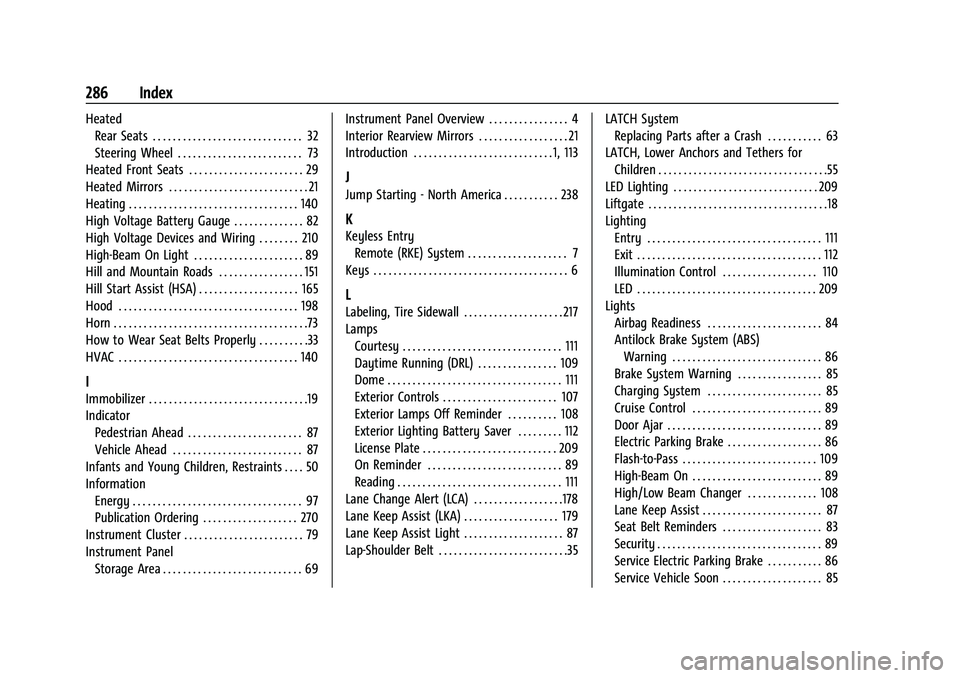
HeatedRear Seats . . . . . . . . . . . . . . . . . . . . . . . . . . . . . . 32
Steering Wheel . . . . . . . . . . . . . . . . . . . . . . . . . 73
Heated Front Seats . . . . . . . . . . . . . . . . . . . . . . . 29
Heated Mirrors . . . . . . . . . . . . . . . . . . . . . . . . . . . . 21
Heating . . . . . . . . . . . . . . . . . . . . . . . . . . . . . . . . . . 140
High Voltage Battery Gauge . . . . . . . . . . . . . . 82
High Voltage Devices and Wiring . . . . . . . . 210
High-Beam On Light . . . . . . . . . . . . . . . . . . . . . . 89
Hill and Mountain Roads . . . . . . . . . . . . . . . . . 151
Hill Start Assist (HSA) . . . . . . . . . . . . . . . . . . . . 165
Hood . . . . . . . . . . . . . . . . . . . . . . . . . . . . . . . . . . . . 198
Horn . . . . . . . . . . . . . . . . . . . . . . . . . . . . . . . . . . . . . . .73
How to Wear Seat Belts Properly . . . . . . . . . .33
HVAC . . . . . . . . . . . . . . . . . . . . . . . . . . . . . . . . . . . . 140
I
Immobilizer . . . . . . . . . . . . . . . . . . . . . . . . . . . . . . . .19
Indicator Pedestrian Ahead . . . . . . . . . . . . . . . . . . . . . . . 87
Vehicle Ahead . . . . . . . . . . . . . . . . . . . . . . . . . . 87
Infants and Young Children, Restraints . . . . 50
Information Energy . . . . . . . . . . . . . . . . . . . . . . . . . . . . . . . . . . 97
Publication Ordering . . . . . . . . . . . . . . . . . . . 270
Instrument Cluster . . . . . . . . . . . . . . . . . . . . . . . . 79
Instrument Panel
Storage Area . . . . . . . . . . . . . . . . . . . . . . . . . . . . 69 Instrument Panel Overview . . . . . . . . . . . . . . . . 4
Interior Rearview Mirrors . . . . . . . . . . . . . . . . . . 21
Introduction . . . . . . . . . . . . . . . . . . . . . . . . . . . . 1, 113
J
Jump Starting - North America . . . . . . . . . . . 238
K
Keyless Entry
Remote (RKE) System . . . . . . . . . . . . . . . . . . . . 7
Keys . . . . . . . . . . . . . . . . . . . . . . . . . . . . . . . . . . . . . . . 6
L
Labeling, Tire Sidewall . . . . . . . . . . . . . . . . . . . . 217
Lamps Courtesy . . . . . . . . . . . . . . . . . . . . . . . . . . . . . . . . 111
Daytime Running (DRL) . . . . . . . . . . . . . . . . 109
Dome . . . . . . . . . . . . . . . . . . . . . . . . . . . . . . . . . . . 111
Exterior Controls . . . . . . . . . . . . . . . . . . . . . . . 107
Exterior Lamps Off Reminder . . . . . . . . . . 108
Exterior Lighting Battery Saver . . . . . . . . . 112
License Plate . . . . . . . . . . . . . . . . . . . . . . . . . . . 209
On Reminder . . . . . . . . . . . . . . . . . . . . . . . . . . . 89
Reading . . . . . . . . . . . . . . . . . . . . . . . . . . . . . . . . . 111
Lane Change Alert (LCA) . . . . . . . . . . . . . . . . . .178
Lane Keep Assist (LKA) . . . . . . . . . . . . . . . . . . . 179
Lane Keep Assist Light . . . . . . . . . . . . . . . . . . . . 87
Lap-Shoulder Belt . . . . . . . . . . . . . . . . . . . . . . . . . .35 LATCH System
Replacing Parts after a Crash . . . . . . . . . . . 63
LATCH, Lower Anchors and Tethers for Children . . . . . . . . . . . . . . . . . . . . . . . . . . . . . . . . . .55
LED Lighting . . . . . . . . . . . . . . . . . . . . . . . . . . . . . 209
Liftgate . . . . . . . . . . . . . . . . . . . . . . . . . . . . . . . . . . . .18
Lighting Entry . . . . . . . . . . . . . . . . . . . . . . . . . . . . . . . . . . . 111
Exit . . . . . . . . . . . . . . . . . . . . . . . . . . . . . . . . . . . . . 112
Illumination Control . . . . . . . . . . . . . . . . . . . 110
LED . . . . . . . . . . . . . . . . . . . . . . . . . . . . . . . . . . . . 209
Lights Airbag Readiness . . . . . . . . . . . . . . . . . . . . . . . 84
Antilock Brake System (ABS)Warning . . . . . . . . . . . . . . . . . . . . . . . . . . . . . . 86
Brake System Warning . . . . . . . . . . . . . . . . . 85
Charging System . . . . . . . . . . . . . . . . . . . . . . . 85
Cruise Control . . . . . . . . . . . . . . . . . . . . . . . . . . 89
Door Ajar . . . . . . . . . . . . . . . . . . . . . . . . . . . . . . . 89
Electric Parking Brake . . . . . . . . . . . . . . . . . . . 86
Flash-to-Pass . . . . . . . . . . . . . . . . . . . . . . . . . . . 109
High-Beam On . . . . . . . . . . . . . . . . . . . . . . . . . . 89
High/Low Beam Changer . . . . . . . . . . . . . . 108
Lane Keep Assist . . . . . . . . . . . . . . . . . . . . . . . . 87
Seat Belt Reminders . . . . . . . . . . . . . . . . . . . . 83
Security . . . . . . . . . . . . . . . . . . . . . . . . . . . . . . . . . 89
Service Electric Parking Brake . . . . . . . . . . . 86
Service Vehicle Soon . . . . . . . . . . . . . . . . . . . . 85