audio CHEVROLET BOLT EV 2021 Owner's Guide
[x] Cancel search | Manufacturer: CHEVROLET, Model Year: 2021, Model line: BOLT EV, Model: CHEVROLET BOLT EV 2021Pages: 293, PDF Size: 9.21 MB
Page 136 of 293
Chevrolet Bolt EV Owner Manual (GMNA-Localizing-U.S./Canada-
14637856) - 2021 - CRC - 10/2/20
Infotainment System 135
Explicit Language Notice: Channels with
frequent explicit language are indicated with
an“XL” preceding the channel name.
Channel blocking is available for SiriusXM
Satellite Radio receivers by notifying
SiriusXM:
.USA Customers —See www.siriusxm.com
or call 1-888-601–6296.
.Canada Customers —See
www.siriusxm.ca or call 1-877-438-9677.
It is prohibited to copy, decompile,
disassemble, reverse engineer, hack,
manipulate, or otherwise make available any
technology or software incorporated in
receivers compatible with the SiriusXM
Satellite Radio System or that support the
SiriusXM website, the Online Service or any
of its content. Furthermore, the AMBER voice
compression software included in this
product is protected by intellectual property
rights including patent rights, copyrights,
and trade secrets of Digital Voice
Systems, Inc.
General Requirements: 1. A License Agreement from SiriusXM is required for any product that
incorporates SiriusXM Technology and/or
for use of any of the SiriusXM marks to be manufactured, distributed,
or marketed in the SiriusXM
Service Area.
2. For products to be distributed, marketed, and/or sold in Canada, a separate
agreement is required with Canadian
Satellite Radio Inc. (operating as SiriusXM
Canada).
TouchSense Technology and TouchSense
System 1000 Series Licensed from
Immersion Corporation. TouchSense System
1000 protected under one or more of the
U.S. Patents at the following address
www.immersion.com/patent-marking.html
and other patents pending.
Bose
Bose AudioPilot and Bose Centerpoint
surround are registered trademarks of Bose
Corporation in the U.S. and other countries. HD Radio Technology
HD Radio Technology manufactured under
license from iBiquity Digital Corporation. U.S.
and Foreign Patents. For patents see http://
dts.com/patents. HD Radio and the HD, HD
Radio, and
“ARC”logos are registered
trademarks or trademarks of iBiquity Digital
Corporation in the United States and/or
other countries.
Bluetooth
The Bluetooth word mark and logos are
owned by the Bluetooth SIG, Inc. and any
use of such marks by General Motors is
under license. Other trademarks and trade
names are those of their respective owners.
Java
Java is a registered trademark of Oracle
and/or its affiliates.
Page 138 of 293
Chevrolet Bolt EV Owner Manual (GMNA-Localizing-U.S./Canada-
14637856) - 2021 - CRC - 10/2/20
Infotainment System 137
The Gracenote Software and each item of
Gracenote Data are licensed to you "AS IS."
Gracenote makes no representations or
warranties, express or implied, regarding the
accuracy of any Gracenote Data. Gracenote
reserves the right to delete data from the
Gracenote Servers or to change data
categories for any cause that Gracenote
deems sufficient. No warranty is made that
the Gracenote Software or Gracenote Servers
are error-free or that functioning of
Gracenote Software or Gracenote Servers
will be uninterrupted. Gracenote is not
obligated to provide you with new enhanced
or additional data types or categories that
Gracenote may provide in the future and is
free to discontinue its services at any time.
GRACENOTE DISCLAIMS ALL WARRANTIES
EXPRESS OR IMPLIED, INCLUDING, BUT NOT
LIMITED TO, IMPLIED WARRANTIES OF
MERCHANTABILITY, FITNESS FOR A
PARTICULAR PURPOSE, TITLE, AND
NON-INFRINGEMENT. GRACENOTE DOES NOT
WARRANT THE RESULTS THAT WILL BE
OBTAINED BY YOUR USE OF THE GRACENOTE
SOFTWARE OR ANY GRACENOTE SERVER. IN
NO CASE WILL GRACENOTE BE LIABLE FOR
ANY CONSEQUENTIAL OR INCIDENTAL
DAMAGES OR FOR ANY LOST PROFITS OR
LOST REVENUES.© 2014. Gracenote, Inc. All Rights Reserved.
MPEG4–AVC (H.264)
THIS PRODUCT IS LICENSED UNDER THE AVC
PATENT PORTFOLIO LICENSE FOR THE
PERSONAL AND NON-COMMERCIAL USE OF A
CONSUMER TO (i) ENCODE VIDEO IN
COMPLIANCE WITH THE AVC STANDARD
(“AVC VIDEO”) AND/OR (ii) DECODE AVC
VIDEO THAT WAS ENCODED BY A
CONSUMER ENGAGED IN A PERSONAL AND
NON-COMMERCIAL ACTIVITY AND/OR WAS
OBTAINED FROM A VIDEO PROVIDER
LICENSED TO PROVIDE AVC VIDEO. NO
LICENSE IS GRANTED OR SHALL BE IMPLIED
FOR ANY OTHER USE. ADDITIONAL
INFORMATION MAY BE OBTAINED FROM
MPEG LA, LLC. SEE
HTTP://WWW.MPEGLA.COM.
VC-1
THIS PRODUCT IS LICENSED UNDER THE VC-1
PATENT PORTFOLIO LICENSE FOR THE
PERSONAL AND NON-COMMERCIAL USE OF A
CONSUMER TO (i) ENCODE VIDEO IN
COMPLIANCE WITH THE VC-1 STANDARD
(“VC-1 VIDEO”) AND/OR (ii) DECODE VC-1
VIDEO THAT WAS ENCODED BY A
CONSUMER ENGAGED IN A PERSONAL AND
NON-COMMERCIAL ACTIVITY AND/OR WAS
OBTAINED FROM A VIDEO PROVIDERLICENSED TO PROVIDE VC-1 VIDEO. NO
LICENSE IS GRANTED OR SHALL BE IMPLIED
FOR ANY OTHER USE. ADDITIONAL
INFORMATION MAY BE OBTAINED FROM
MPEG LA, LLC. SEE
HTTP://WWW.MPEGLA.COM.
MPEG4–Visual
USE OF THIS PRODUCT IN ANY MANNER
THAT COMPLIES WITH THE MPEG-4 VISUAL
STANDARD IS PROHIBITED, EXCEPT FOR USE
BY A CONSUMER ENGAGING IN PERSONAL
AND NON-COMMERCIAL ACTIVITIES.
MP3
MPEG Layer-3 audio coding technology
licensed from Fraunhofer IIS and Thomson.
WMV/WMA
This product includes technology owned by
Microsoft Corporation and under a license
from Microsoft Licensing, GP. Use or
distribution of such technology outside of
this product is prohibited without a license
from Microsoft Corporation and/or Microsoft
Licensing, GP as applicable.
Page 158 of 293
Chevrolet Bolt EV Owner Manual (GMNA-Localizing-U.S./Canada-
14637856) - 2021 - CRC - 10/2/20
Driving and Operating 157
Service Mode
This power mode is available for service and
diagnostics, and to verify the proper
operation of the service vehicle soon light as
may be required for emission inspection
purposes. With the vehicle off, and the
brake pedal not applied, pressing and
holding POWER
Ofor more than
five seconds will place the vehicle in Service
Mode. The instruments and audio systems
will operate as they do in ON/RUN, but the
vehicle will not be able to be driven. The
propulsion system will not start in Service
Mode. Press POWER
Oagain to turn the
vehicle off.
Caution
Placing the vehicle in Service Mode will
use the 12-volt battery. Do not use
Service Mode for an extended period,
or the vehicle may not start.
STOPPING THE VEHICLE/OFF : To turn the
vehicle off, apply the brakes, press the
button on top of the shift lever to shift to
P (Park) and press POWER
O. Alternatively, apply the brakes and press
POWER
O. The electric drive unit will shift
to P (Park) then shut off automatically.
Retained Accessory Power (RAP) will remain
active until the driver door is opened.
If the vehicle must be shut off in an
emergency:
1. Brake using a firm and steady pressure. Do not pump the brakes repeatedly. This
may deplete power assist, requiring
increased brake pedal force.
2. Shift the vehicle to N (Neutral). This can be done while the vehicle is moving.
After shifting to N (Neutral), firmly apply
the brakes and steer the vehicle to a
safe location.
3. Come to a complete stop, shift to P (Park), and turn the vehicle off by
pressing POWER
O.
4. Set the parking brake.
{Warning
Turning off the vehicle while moving may
disable the airbags. While driving, only
shut the propulsion system off in an
emergency. If the vehicle cannot be pulled over, and
must be shut off while driving, press and
hold POWER
Ofor longer than two seconds,
or press twice in five seconds.
Starting and Stopping the Vehicle
Starting Procedure
Press the P (Park) button on the shift lever,
or move the shift lever into N (Neutral). The
propulsion system will not start in any
other position.
Caution
Do not try to shift to P (Park) if the
vehicle is moving or the electric drive unit
could be damaged. Shift to P (Park) only
when the vehicle is stopped.
Caution
If you add electrical parts or accessories,
you could change the way the vehicle
operates. Any resulting damage would
not be covered by the vehicle warranty.
The Remote Keyless Entry (RKE) transmitter
must be in the vehicle. Press the brake
pedal, then press and release POWER
O.
Page 159 of 293
Chevrolet Bolt EV Owner Manual (GMNA-Localizing-U.S./Canada-
14637856) - 2021 - CRC - 10/2/20
158 Driving and Operating
If the RKE transmitter is not in the vehicle
or something is interfering with the
transmitter, a message displays in the Driver
Information Center (DIC).
If the vehicle will not start due to a low RKE
transmitter battery, the vehicle can still be
driven. SeeRemote Keyless Entry (RKE)
System Operation 07.
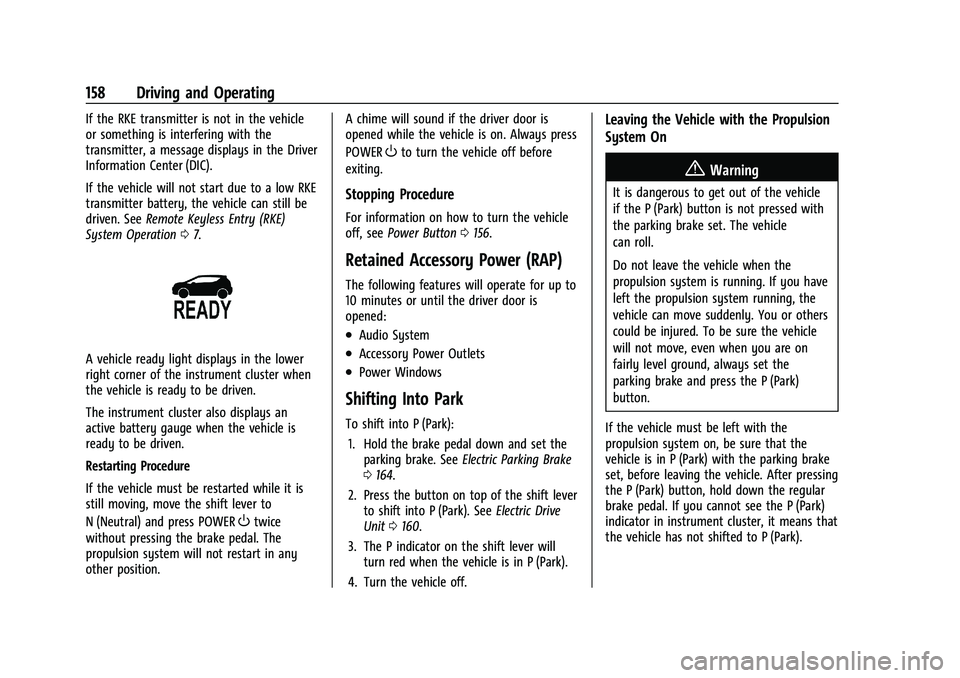
A vehicle ready light displays in the lower
right corner of the instrument cluster when
the vehicle is ready to be driven.
The instrument cluster also displays an
active battery gauge when the vehicle is
ready to be driven.
Restarting Procedure
If the vehicle must be restarted while it is
still moving, move the shift lever to
N (Neutral) and press POWER
Otwice
without pressing the brake pedal. The
propulsion system will not restart in any
other position. A chime will sound if the driver door is
opened while the vehicle is on. Always press
POWER
Oto turn the vehicle off before
exiting.
Stopping Procedure
For information on how to turn the vehicle
off, see Power Button 0156.
Retained Accessory Power (RAP)
The following features will operate for up to
10 minutes or until the driver door is
opened:
.Audio System
.Accessory Power Outlets
.Power Windows
Shifting Into Park
To shift into P (Park):
1. Hold the brake pedal down and set the parking brake. See Electric Parking Brake
0 164.
2. Press the button on top of the shift lever to shift into P (Park). See Electric Drive
Unit 0160.
3. The P indicator on the shift lever will turn red when the vehicle is in P (Park).
4. Turn the vehicle off.
Leaving the Vehicle with the Propulsion
System On
{Warning
It is dangerous to get out of the vehicle
if the P (Park) button is not pressed with
the parking brake set. The vehicle
can roll.
Do not leave the vehicle when the
propulsion system is running. If you have
left the propulsion system running, the
vehicle can move suddenly. You or others
could be injured. To be sure the vehicle
will not move, even when you are on
fairly level ground, always set the
parking brake and press the P (Park)
button.
If the vehicle must be left with the
propulsion system on, be sure that the
vehicle is in P (Park) with the parking brake
set, before leaving the vehicle. After pressing
the P (Park) button, hold down the regular
brake pedal. If you cannot see the P (Park)
indicator in instrument cluster, it means that
the vehicle has not shifted to P (Park).
Page 276 of 293
Chevrolet Bolt EV Owner Manual (GMNA-Localizing-U.S./Canada-
14637856) - 2021 - CRC - 10/2/20
OnStar 275
.Receive a Diagnostic check of the vehicle's
key operating systems.
.Receive Roadside Assistance.
.Manage Wi-Fi Settings, if equipped.
Press
>to get a priority connection to an
OnStar Advisor available 24/7 to:
.Get help for an emergency.
.Be a Good Samaritan or respond to an
AMBER Alert.
.Get assistance in severe weather or other
crisis situations and find evacuation
routes.
OnStar Services
Emergency
Emergency Services require an active safety
and security plan. With Automatic Crash
Response, built-in sensors can automatically
alert a specially trained OnStar Advisor who
is immediately connected in to the vehicle
to help.
Press
>for a priority connection to an
OnStar Advisor who can contact emergency
service providers, direct them to your exact
location, and relay important information. With OnStar Crisis Assist, specially trained
Advisors are available 24 hours a day, 7 days
a week, to provide a central point of
contact, assistance, and information during a
crisis.
With Roadside Assistance, Advisors can
locate a nearby service provider to help with
a flat tire, a battery jump, or an empty
gas tank.
Security
If equipped, OnStar provides these services:
.With Stolen Vehicle Assistance, OnStar
Advisors can use GPS to pinpoint the
vehicle and help authorities quickly
recover it.
.With Remote Ignition Block, if equipped,
OnStar can block the vehicle from being
restarted.
.With Stolen Vehicle Slowdown,
if equipped, OnStar can work with law
enforcement to gradually slow the
vehicle down.
Theft Alarm Notification
If equipped, if the doors are locked and the
vehicle alarm sounds, a notification by text,
e-mail, or phone call will be sent. If the
vehicle is stolen, an OnStar Advisor can work
with authorities to recover the vehicle.
OnStar Additional
Information
In-Vehicle Audio Messages
Audio messages may play important
information at the following times:
.Prior to vehicle purchase. PressQto set
up an account.
.After change in ownership and at
90 days.
Transferring Service
PressQto request account transfer
eligibility information. The Advisor can
cancel or change account information.
Selling/Transferring the Vehicle
Call 1-888-4ONSTAR (1-888-466-7827)
immediately to terminate your OnStar or
connected services if the vehicle is disposed
of, sold, transferred, or if the lease ends.
Page 283 of 293
Chevrolet Bolt EV Owner Manual (GMNA-Localizing-U.S./Canada-
14637856) - 2021 - CRC - 10/2/20
282 Index
IndexA
Accessories and Modifications . . . . . . . . . . . 197
Accessory Power . . . . . . . . . . . . . . . . . . . . . . . . . .158
Add-On Electrical Equipment . . . . . . . . . . . . . 195
Additional InformationOnStar . . . . . . . . . . . . . . . . . . . . . . . . . . . . . . . . . 275
Additional Maintenance and Care . . . . . . . . 255
Agreements Trademarks and License . . . . . . . . . . . . . . . 134
Air Conditioning . . . . . . . . . . . . . . . . . . . . . . . . . 140
Air Conditioning Regular Operation . . . . . . .145
Air Filter, Passenger Compartment . . . . . . . 144
Air Intake . . . . . . . . . . . . . . . . . . . . . . . . . . . . . . . . 144
Air Vents . . . . . . . . . . . . . . . . . . . . . . . . . . . . . . . . .143
Airbag System
Check . . . . . . . . . . . . . . . . . . . . . . . . . . . . . . . . . . . 48
How Does an Airbag Restrain? . . . . . . . . . . 42
Passenger Sensing System . . . . . . . . . . . . . . 44
What Makes an Airbag Inflate? . . . . . . . . . 42
What Will You See after an AirbagInflates? . . . . . . . . . . . . . . . . . . . . . . . . . . . . . . 42
When Should an Airbag Inflate? . . . . . . . . 41
Where Are the Airbags? . . . . . . . . . . . . . . . . 40
Airbags
Adding Equipment to the Vehicle . . . . . . . 47
Passenger Status Indicator . . . . . . . . . . . . . . 84
Readiness Light . . . . . . . . . . . . . . . . . . . . . . . . . 84
Servicing Airbag-Equipped Vehicles . . . . . . 47 Airbags (cont'd)
System Check . . . . . . . . . . . . . . . . . . . . . . . . . . . 38
Alarm Vehicle Security . . . . . . . . . . . . . . . . . . . . . . . . 18
Alert Lane Change . . . . . . . . . . . . . . . . . . . . . . . . . . . 178
Side Blind Zone (SBZA) . . . . . . . . . . . . . . . . . 178
All-Season Tires . . . . . . . . . . . . . . . . . . . . . . . . . . 216
AM-FM Radio . . . . . . . . . . . . . . . . . . . . . . . . . . . . . 117
Antenna Multi-band . . . . . . . . . . . . . . . . . . . . . . . . . . . . . 120
Antilock Brake System (ABS) . . . . . . . . . . . . . 163
Warning Light . . . . . . . . . . . . . . . . . . . . . . . . . . 86
Appearance Care Exterior . . . . . . . . . . . . . . . . . . . . . . . . . . . . . . . . 244
Interior . . . . . . . . . . . . . . . . . . . . . . . . . . . . . . . . 247
Apple CarPlay and Android Auto . . . . . . . . . 129
Armrest Rear Seat . . . . . . . . . . . . . . . . . . . . . . . . . . . . . . . 32
Assistance Program, Roadside . . . . . . . . . . . . 266
Assistance Systems for Driving . . . . . . . . . . . 173
Assistance Systems for Parking and Backing . . . . . . . . . . . . . . . . . . . . . . . . . . . . . . . . . 171
Audio Bluetooth . . . . . . . . . . . . . . . . . . . . . . . . . . . . . . 125
Theft-Deterrent Feature . . . . . . . . . . . . . . . . . 114
Automatic Climate Control System . . . . . . . . . . . . . . . . 140
Page 284 of 293
Chevrolet Bolt EV Owner Manual (GMNA-Localizing-U.S./Canada-
14637856) - 2021 - CRC - 10/2/20
Index 283
Automatic (cont'd)Door Locks . . . . . . . . . . . . . . . . . . . . . . . . . . . . . . . 17
Emergency Braking (AEB) . . . . . . . . . . . . . . . 175
Headlamp System . . . . . . . . . . . . . . . . . . . . . 109
Auxiliary Devices . . . . . . . . . . . . . . . . . . . . . . . . . . . . . . . . 125
B
Battery . . . . . . . . . . . . . . . . . . . . . . . . . . . . . . . . . . . 82Exterior Lighting Battery Saver . . . . . . . . . 112
Power Protection . . . . . . . . . . . . . . . . . . . . . . . 112
Battery - North America . . . . . . . . . . . . 204, 238
Battery Gauge
High Voltage . . . . . . . . . . . . . . . . . . . . . . . . . . . 82
Blade Replacement, Wiper . . . . . . . . . . . . . . . 206
Bluetooth Overview . . . . . . . . . . . . . . . . . . . . . . . . . . . . . . . 127
Bluetooth Audio . . . . . . . . . . . . . . . . . . . . . . . . . . 125
Brake Parking, Electric . . . . . . . . . . . . . . . . . . . . . . . . 164
System Warning Light . . . . . . . . . . . . . . . . . . 85
Brakes . . . . . . . . . . . . . . . . . . . . . . . . . . . . . . . . . . . 202
Antilock . . . . . . . . . . . . . . . . . . . . . . . . . . . . . . . . 163
Assist . . . . . . . . . . . . . . . . . . . . . . . . . . . . . . . . . . 165
Fluid . . . . . . . . . . . . . . . . . . . . . . . . . . . . . . . . . . . 203
Regenerative Braking . . . . . . . . . . . . . . . . . . 165
Braking . . . . . . . . . . . . . . . . . . . . . . . . . . . . . . . . . . 149 Automatic Emergency (AEB) . . . . . . . . . . . . 175 Braking System
Front Pedestrian (FPB) . . . . . . . . . . . . . . . . . 176
Break-In, New Vehicle . . . . . . . . . . . . . . . . . . . . 156
Bulb Replacement Halogen Bulbs . . . . . . . . . . . . . . . . . . . . . . . . . 209
Headlamp Aiming . . . . . . . . . . . . . . . . . . . . . . 208
Headlamps . . . . . . . . . . . . . . . . . . . . . . . . . . . . 208
High Intensity Discharge (HID)Lighting . . . . . . . . . . . . . . . . . . . . . . . . . . . . . . 209
License Plate Lamps . . . . . . . . . . . . . . . . . . . 209
Taillamps, Turn Signal, Stoplamps, and Back-up Lamps . . . . . . . . . . . . . . . . . . 209
Buying New Tires . . . . . . . . . . . . . . . . . . . . . . . . 228
C
Calibration . . . . . . . . . . . . . . . . . . . . . . . . . . . . . . . . 76
California Perchlorate Materials Requirements . . . 197
California Proposition 65 Warning . . . . . . . . . . . . . . . . . . .197, 204, 238, Back Cover
Canadian Vehicle Owners . . . . . . . . . . . . . . . . . . . 1
Capacities and Specifications . . . . . . . . . . . . . 262
Carbon Monoxide Liftgate . . . . . . . . . . . . . . . . . . . . . . . . . . . . . . . . . 18
Winter Driving . . . . . . . . . . . . . . . . . . . . . . . . . 152
Cargo Cover . . . . . . . . . . . . . . . . . . . . . . . . . . . . . . . . . . . 70 Cargo (cont'd)
Management System . . . . . . . . . . . . . . . . . . . 70
Caution, Danger, and Warning . . . . . . . . . . . . . .2
Center Console Storage . . . . . . . . . . . . . . . . . . . 70
Chains, Tire . . . . . . . . . . . . . . . . . . . . . . . . . . . . . . . 231
Charge Cord . . . . . . . . . . . . . . . . . . . . . . . . . . . . . 189
Charging Delay Override . . . . . . . . . . . . . . . . . . . . . . . . . 185
Electrical Requirements . . . . . . . . . . . . . . . . 194
Plug-In . . . . . . . . . . . . . . . . . . . . . . . . . . . . . . . . . . 181
Programmable . . . . . . . . . . . . . . . . . . . . . . . . . . 90
Utility Interruption . . . . . . . . . . . . . . . . . . . . 194
Wireless . . . . . . . . . . . . . . . . . . . . . . . . . . . . . . . . 77
Charging Options . . . . . . . . . . . . . . . . . . . . . . . . . 98
Charging Status Screens . . . . . . . . . . . . . . . . . 186
Charging System Light . . . . . . . . . . . . . . . . . . . . 85
Child Restraints Infants and Young Children . . . . . . . . . . . . . 50
Lower Anchors and Tethers forChildren . . . . . . . . . . . . . . . . . . . . . . . . . . . . . . . 55
Older Children . . . . . . . . . . . . . . . . . . . . . . . . . . 49
Securing . . . . . . . . . . . . . . . . . . . . . . . . . . . . 64, 66
Systems . . . . . . . . . . . . . . . . . . . . . . . . . . . . . . . . 52
Circuit Breakers . . . . . . . . . . . . . . . . . . . . . . . . . . . 211
Cleaning Exterior Care . . . . . . . . . . . . . . . . . . . . . . . . . . . 244
Interior Care . . . . . . . . . . . . . . . . . . . . . . . . . . . 247