red light CHEVROLET BOLT EV 2021 Owner's Guide
[x] Cancel search | Manufacturer: CHEVROLET, Model Year: 2021, Model line: BOLT EV, Model: CHEVROLET BOLT EV 2021Pages: 293, PDF Size: 9.21 MB
Page 143 of 293
Chevrolet Bolt EV Owner Manual (GMNA-Localizing-U.S./Canada-
14637856) - 2021 - CRC - 10/2/20
142 Climate Controls
Touching this button cancels automatic
recirculation. Press AUTO to return to
automatic operation; recirculation runs
automatically as needed.
vHEAT :Touch to turn the heater on when
the fan is on.
A/C : Touch to turn the air conditioning on
when the fan is on.
Auto Defog : The system will monitor high
humidity inside the vehicle. When high
humidity is detected, the climate control
system may adjust to outside air supply and
turn on the air conditioner or the heater.
The fan speed may slightly increase to help
prevent fogging. When high humidity is no
longer detected, the system will return to
its prior operation. To turn Auto Defog off
or on, see “Climate and Air Quality” under
Vehicle Personalization 0101.
Auto Heated Seats : If equipped, when the
vehicle is on, this feature will automatically
activate the heated seats at the level
required by the vehicle’s interior
temperature. In auto mode, the indicators
automatically show the level setting
required. Use the manual heated seat buttons on the
infotainment display to turn auto heated
seats off. Once this feature is turned off, the
auto heated seats will be activated the next
time the vehicle is turned on.
In manual mode, the controls can be
accessed while the vehicle is on by touching
(orMwith three level indicators high,
medium, low or off on the climate control
display. If the passenger seat is unoccupied,
the auto heated seats feature will not
activate that seat. See Heated Front Seats
0 29 and
Vehicle Personalization 0101.
Rear Window Defogger
K:Press to turn the rear window defogger
on or off. An indicator light on the button
comes on to show that the rear window
defogger is on.
The defogger only works when the vehicle is
on. The defogger will turn off if the vehicle
is turned off.
Caution
Do not try to clear frost or other material
from the inside of the front windshield
and rear window with a razor blade or
(Continued)
Caution (Continued)
anything else that is sharp. This may
damage the rear window defogger grid
and affect the radio's ability to pick up
stations clearly. The repairs would not be
covered by the vehicle warranty.
Remote Start : The climate control system
may be started by using the Remote Keyless
Entry (RKE) transmitter. The climate control
system will default to an appropriate
heating or cooling mode. See Remote Start
0 13.
The rear window defogger turns on if it is
cold outside.
Mobile Application Feature
If equipped, this feature allows a
smartphone to set the start-up climate
control settings. The following features can
be set:
.Temperature
.Fan Speed
.Air Delivery Mode
.Climate Mode
.Recirculation
Page 144 of 293
Chevrolet Bolt EV Owner Manual (GMNA-Localizing-U.S./Canada-
14637856) - 2021 - CRC - 10/2/20
Climate Controls 143
Once the settings are saved through the
application, the vehicle will use these
settings when turned on. After the vehicle is
turned on, use the climate controls if
additional adjustments are desired.
Sensors
Indicator Light and Solar Sensor (ILSS)
The ILSS is on top of the instrument panel,
near the windshield, where it monitors solar
intensity.
The climate control system uses the sensor
information to adjust the temperature, fan
speed, recirculation, and air delivery mode
for best comfort.
Do not cover the sensor; otherwise the
automatic climate control system may not
work properly.
Humidity Sensor
The humidity sensor is near the base of the
inside rearview mirror. The climate control
system uses the sensor information to
adjust the temperature and recirculation for
best comfort.Outside Air Temperature Sensor
The outside air temperature sensor is behind
the front grille of the vehicle. The vehicle
uses the sensor information to display
outside air temperature. The climate control
system uses the information to adjust the
climate system operation.
Air Vents
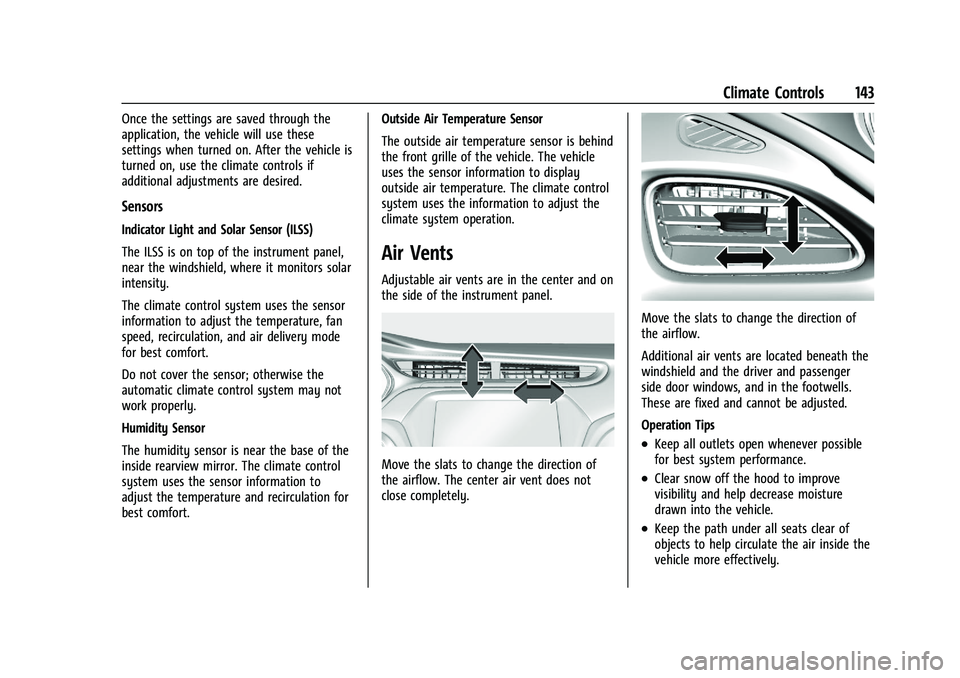
Adjustable air vents are in the center and on
the side of the instrument panel.
Move the slats to change the direction of
the airflow. The center air vent does not
close completely.
Move the slats to change the direction of
the airflow.
Additional air vents are located beneath the
windshield and the driver and passenger
side door windows, and in the footwells.
These are fixed and cannot be adjusted.
Operation Tips
.Keep all outlets open whenever possible
for best system performance.
.Clear snow off the hood to improve
visibility and help decrease moisture
drawn into the vehicle.
.Keep the path under all seats clear of
objects to help circulate the air inside the
vehicle more effectively.
Page 148 of 293
Chevrolet Bolt EV Owner Manual (GMNA-Localizing-U.S./Canada-
14637856) - 2021 - CRC - 10/2/20
Driving and Operating 147
Driving Information
Driving for Better Energy
Efficiency
Use the following tips to help maximize
energy efficiency and range.
In colder temperatures, while these
efficiency tips will help, the electric vehicle
driving range will be lower due to higher
energy usage including energy spent
heating the cabin.
The Range Impacts screen estimates the
influence of the main factors impacting
vehicle range. After charging is complete,
this information is reset. See“Range
Impacts” under. See Energy Information
0 97.
Acceleration/Braking/Coasting
Avoid rapid accelerations and decelerations.
Electric range is maximized at 89 km/h
(55 mph) and less.
Use cruise control when appropriate.
Plan ahead for decelerations and coast
whenever possible. Do not rush to traffic
signals, and do not shift to N (Neutral) to
coast. The vehicle recovers more energy while
coasting and braking in L (Low) than in D
(Drive) mode.
Using the steering wheel paddle during
deceleration recovers more energy. See
Regenerative Braking
0165.
Terrain and Vehicle Speed
Higher speeds and grade changes use more
energy and can significantly reduce electric
range.
Climate Setting
Using the heat and air conditioning systems
decreases the energy available for electric
driving.
Optimal energy efficiency is achieved when
the heat, air conditioning, and fan are
turned off.
Use the heated seat feature instead of
climate control system. Heating the seat
uses less energy than heating the vehicle
interior.
Use remote start to heat or cool the interior
when the vehicle is plugged in to maximize
the electric range by utilizing electricity
from the electrical outlet. In hot weather, avoid parking in direct
sunlight or use sunshades inside the vehicle.
Keep the inside of the windows clean to
reduce fogging, and turn off the front
defroster and rear defogger when they are
not needed.
Avoid driving with the windows open at
highway speeds.
Use the Enhanced Battery Gauge on the
Instrument Cluster to view the effect of
climate control settings on your estimated
range. See
Battery Gauge (High Voltage)
0 82.
Outside Temperature
On colder days, it is best to plug in the
vehicle overnight, and then remote start the
vehicle.
Allow the vehicle to warm up for
20 minutes before driving.
If possible, use a level 2 (240 volt) high
power charge station for best results. This
allows the interior of the vehicle and high
voltage battery to warm to optimal
temperature.
Page 152 of 293
Chevrolet Bolt EV Owner Manual (GMNA-Localizing-U.S./Canada-
14637856) - 2021 - CRC - 10/2/20
Driving and Operating 151
.Slow down and adjust your driving
according to weather conditions. Stopping
distance can be longer and vehicle control
can be affected when traction is reduced
by water, snow, ice, gravel, or other
material on the road. Learn to recognize
warning clues—such as enough water,
ice, or packed snow on the road to make
a mirrored surface —and slow down
when you have any doubt.
.Try to avoid sudden steering, acceleration,
or braking, including reducing vehicle
speed by shifting to a lower gear. Any
sudden changes could cause the tires to
slide.
Remember: Antilock brakes help avoid only
the braking skid.
Driving on Wet Roads
Rain and wet roads can reduce vehicle
traction and affect your ability to stop and
accelerate. Always drive slower in these
types of driving conditions and avoid driving
through large puddles and deep-standing or
flowing water.
{Warning
Wet brakes can cause crashes. They
might not work as well in a quick stop
and could cause pulling to one side. You
could lose control of the vehicle.
After driving through a large puddle of
water or a car/vehicle wash, lightly apply
the brake pedal until the brakes work
normally.
Flowing or rushing water creates strong
forces. Driving through flowing water
could cause the vehicle to be carried
away. If this happens, you and other
vehicle occupants could drown. Do not
ignore police warnings and be very
cautious about trying to drive through
flowing water.
Hydroplaning
Hydroplaning is dangerous. Water can build
up under the vehicle's tires so they actually
ride on the water. This can happen if the
road is wet enough and you are going fast
enough. When the vehicle is hydroplaning, it
has little or no contact with the road. There is no hard and fast rule about
hydroplaning. The best advice is to slow
down when the road is wet.
Other Rainy Weather Tips
Besides slowing down, other wet weather
driving tips include:
.Allow extra following distance.
.Pass with caution.
.Keep windshield wiping equipment in
good shape.
.Keep the windshield washer fluid reservoir
filled.
.Have good tires with proper tread depth.
.Turn off cruise control.
Hill and Mountain Roads
Driving on steep hills or through mountains
is different than driving on flat or rolling
terrain.
.Keep the vehicle serviced and in good
shape.
.Check all fluid levels and brakes, tires,
cooling system, and electric drive unit.
.Keep the vehicle in gear when going
down steep or long hills.
Page 154 of 293
Chevrolet Bolt EV Owner Manual (GMNA-Localizing-U.S./Canada-
14637856) - 2021 - CRC - 10/2/20
Driving and Operating 153
The Traction Control System (TCS) must be
turned off by pressing the TCS/ESC button.
Traction control is not completely off, but
will only engage if the maneuver can cause
damage to the electric drive unit.
{Warning
If the vehicle's tires spin at high speed,
they can explode, and you or others
could be injured. The vehicle can
overheat, causing an underhood
compartment fire or other damage. Spin
the wheels as little as possible and avoid
going above 56 km/h (35 mph).
Rocking the Vehicle to Get it Out
Turn the steering wheel left and right to
clear the area around the front wheels. Turn
off TCS. Shift back and forth between
R (Reverse) and a low forward gear, spinning
the wheels as little as possible. To prevent
electric drive unit wear, wait until the
wheels stop spinning before shifting gears.
Release the accelerator pedal while shifting,
and press lightly on the accelerator pedal
when the electric drive unit is in gear.
Slowly spinning the wheels in the forward
and reverse directions causes a rocking
motion that could free the vehicle. If thatdoes not get the vehicle out after a few
tries, it might need to be towed out. See
Towing the Vehicle
0240.
Vehicle Load Limits
It is very important to know how much
weight the vehicle can carry. This
weight is called the vehicle capacity
weight and includes the weight of all
occupants, cargo, and all
nonfactory-installed options. Two labels
on the vehicle may show how much
weight it may properly carry: the Tire
and Loading Information label and the
Certification label.
{Warning
Do not load the vehicle any heavier
than the Gross Vehicle Weight Rating
(GVWR), or either the maximum
front or rear Gross Axle Weight
Rating (GAWR). This can cause
systems to break and change the
way the vehicle handles. This could
cause loss of control and a crash.
(Continued)
Warning (Continued)
Overloading can also reduce stopping
performance, damage the tires, and
shorten the life of the vehicle.
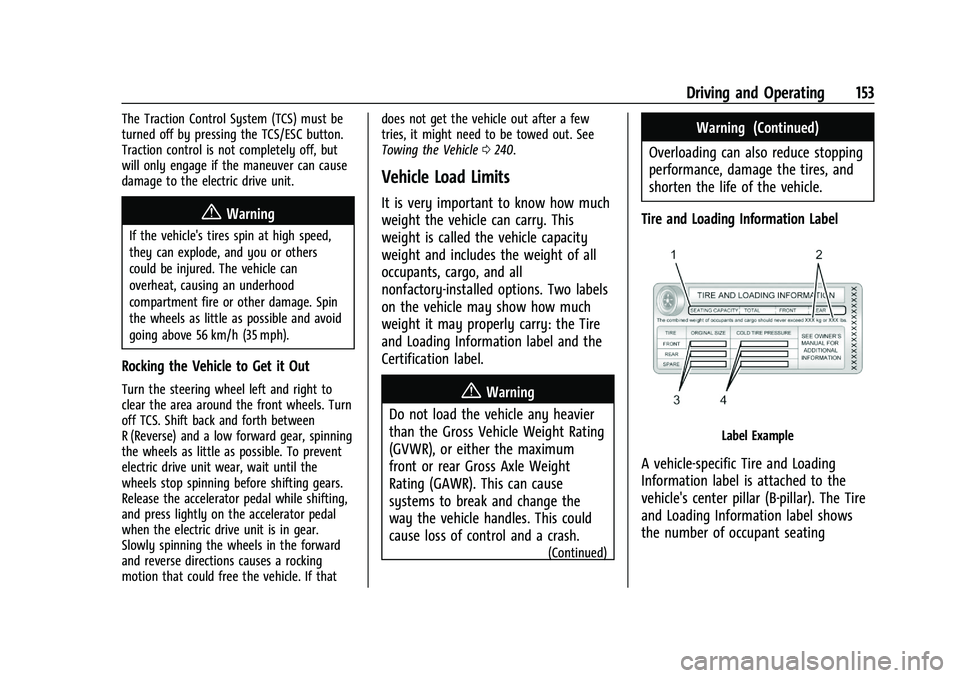
Tire and Loading Information Label
Label Example
A vehicle-specific Tire and Loading
Information label is attached to the
vehicle's center pillar (B-pillar). The Tire
and Loading Information label shows
the number of occupant seating
Page 157 of 293
Chevrolet Bolt EV Owner Manual (GMNA-Localizing-U.S./Canada-
14637856) - 2021 - CRC - 10/2/20
156 Driving and Operating
{Warning
Things inside the vehicle can strike
and injure people in a sudden stop or
turn, or in a crash.
.Put things in the cargo area of the
vehicle. In the cargo area, put
them as far forward as possible.
Try to spread the weight evenly.
.Never stack heavier things, like
suitcases, inside the vehicle so
that some of them are above the
tops of the seats.
.Do not leave an unsecured child
restraint in the vehicle.
.Secure loose items in the vehicle.
.Do not leave a seat folded down
unless needed.
Starting and Operating
New Vehicle Break-In
Caution
Avoid making hard stops for the first
322 km (200 mi). During this time the
new brake linings are not yet broken in.
Hard stops with new linings can mean
premature wear and earlier replacement.
Follow this breaking-in guideline every
time you get new brake linings.
Following break-in, vehicle speed and load
can be gradually increased.
Power Button
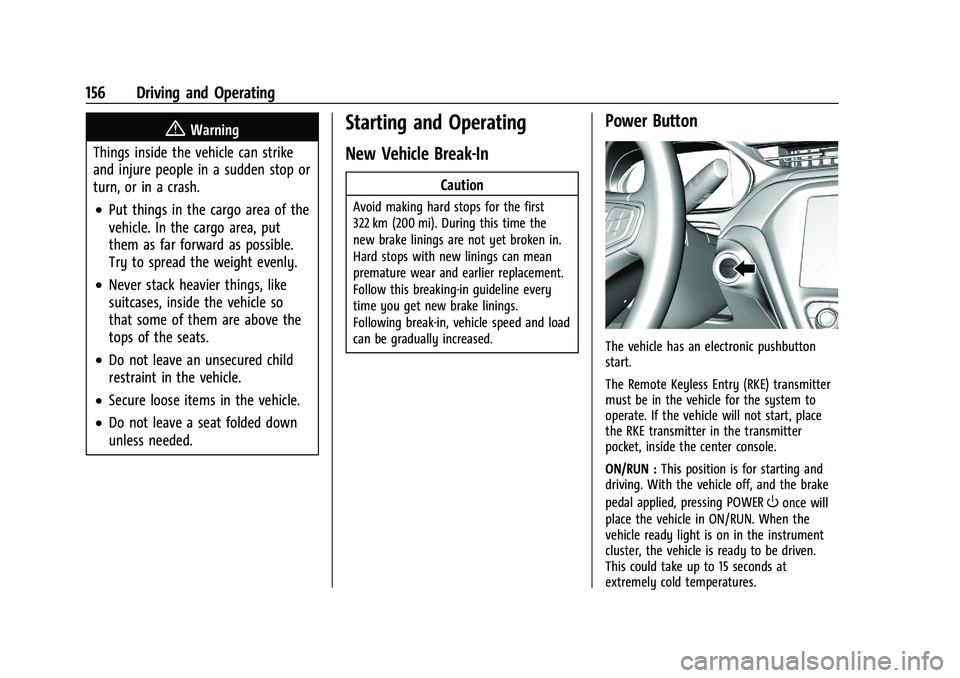
The vehicle has an electronic pushbutton
start.
The Remote Keyless Entry (RKE) transmitter
must be in the vehicle for the system to
operate. If the vehicle will not start, place
the RKE transmitter in the transmitter
pocket, inside the center console.
ON/RUN : This position is for starting and
driving. With the vehicle off, and the brake
pedal applied, pressing POWER
Oonce will
place the vehicle in ON/RUN. When the
vehicle ready light is on in the instrument
cluster, the vehicle is ready to be driven.
This could take up to 15 seconds at
extremely cold temperatures.
Page 158 of 293
Chevrolet Bolt EV Owner Manual (GMNA-Localizing-U.S./Canada-
14637856) - 2021 - CRC - 10/2/20
Driving and Operating 157
Service Mode
This power mode is available for service and
diagnostics, and to verify the proper
operation of the service vehicle soon light as
may be required for emission inspection
purposes. With the vehicle off, and the
brake pedal not applied, pressing and
holding POWER
Ofor more than
five seconds will place the vehicle in Service
Mode. The instruments and audio systems
will operate as they do in ON/RUN, but the
vehicle will not be able to be driven. The
propulsion system will not start in Service
Mode. Press POWER
Oagain to turn the
vehicle off.
Caution
Placing the vehicle in Service Mode will
use the 12-volt battery. Do not use
Service Mode for an extended period,
or the vehicle may not start.
STOPPING THE VEHICLE/OFF : To turn the
vehicle off, apply the brakes, press the
button on top of the shift lever to shift to
P (Park) and press POWER
O. Alternatively, apply the brakes and press
POWER
O. The electric drive unit will shift
to P (Park) then shut off automatically.
Retained Accessory Power (RAP) will remain
active until the driver door is opened.
If the vehicle must be shut off in an
emergency:
1. Brake using a firm and steady pressure. Do not pump the brakes repeatedly. This
may deplete power assist, requiring
increased brake pedal force.
2. Shift the vehicle to N (Neutral). This can be done while the vehicle is moving.
After shifting to N (Neutral), firmly apply
the brakes and steer the vehicle to a
safe location.
3. Come to a complete stop, shift to P (Park), and turn the vehicle off by
pressing POWER
O.
4. Set the parking brake.
{Warning
Turning off the vehicle while moving may
disable the airbags. While driving, only
shut the propulsion system off in an
emergency. If the vehicle cannot be pulled over, and
must be shut off while driving, press and
hold POWER
Ofor longer than two seconds,
or press twice in five seconds.
Starting and Stopping the Vehicle
Starting Procedure
Press the P (Park) button on the shift lever,
or move the shift lever into N (Neutral). The
propulsion system will not start in any
other position.
Caution
Do not try to shift to P (Park) if the
vehicle is moving or the electric drive unit
could be damaged. Shift to P (Park) only
when the vehicle is stopped.
Caution
If you add electrical parts or accessories,
you could change the way the vehicle
operates. Any resulting damage would
not be covered by the vehicle warranty.
The Remote Keyless Entry (RKE) transmitter
must be in the vehicle. Press the brake
pedal, then press and release POWER
O.
Page 159 of 293
Chevrolet Bolt EV Owner Manual (GMNA-Localizing-U.S./Canada-
14637856) - 2021 - CRC - 10/2/20
158 Driving and Operating
If the RKE transmitter is not in the vehicle
or something is interfering with the
transmitter, a message displays in the Driver
Information Center (DIC).
If the vehicle will not start due to a low RKE
transmitter battery, the vehicle can still be
driven. SeeRemote Keyless Entry (RKE)
System Operation 07.
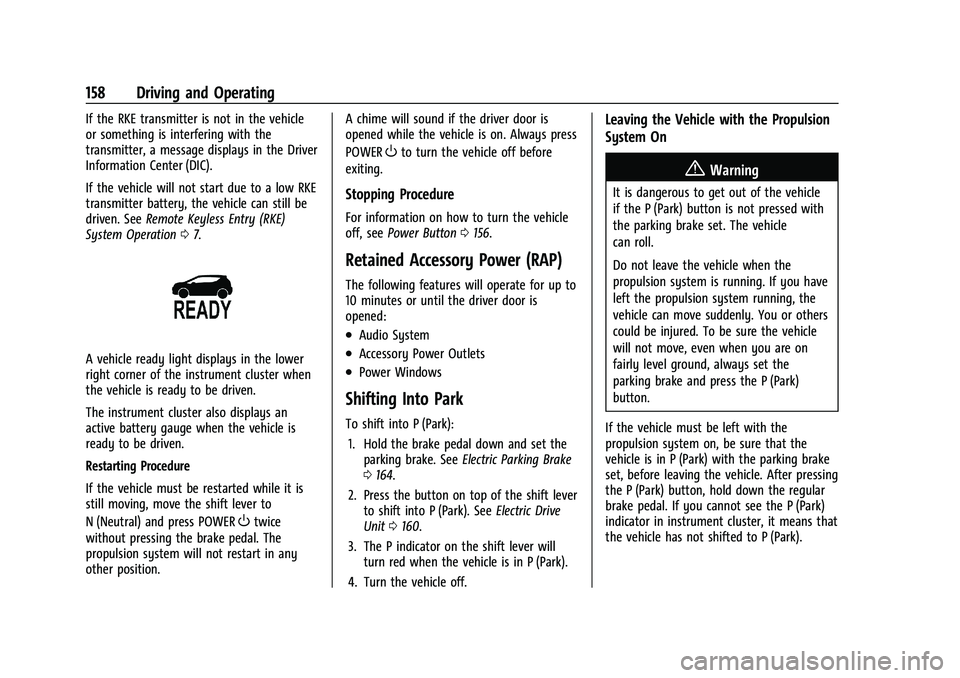
A vehicle ready light displays in the lower
right corner of the instrument cluster when
the vehicle is ready to be driven.
The instrument cluster also displays an
active battery gauge when the vehicle is
ready to be driven.
Restarting Procedure
If the vehicle must be restarted while it is
still moving, move the shift lever to
N (Neutral) and press POWER
Otwice
without pressing the brake pedal. The
propulsion system will not restart in any
other position. A chime will sound if the driver door is
opened while the vehicle is on. Always press
POWER
Oto turn the vehicle off before
exiting.
Stopping Procedure
For information on how to turn the vehicle
off, see Power Button 0156.
Retained Accessory Power (RAP)
The following features will operate for up to
10 minutes or until the driver door is
opened:
.Audio System
.Accessory Power Outlets
.Power Windows
Shifting Into Park
To shift into P (Park):
1. Hold the brake pedal down and set the parking brake. See Electric Parking Brake
0 164.
2. Press the button on top of the shift lever to shift into P (Park). See Electric Drive
Unit 0160.
3. The P indicator on the shift lever will turn red when the vehicle is in P (Park).
4. Turn the vehicle off.
Leaving the Vehicle with the Propulsion
System On
{Warning
It is dangerous to get out of the vehicle
if the P (Park) button is not pressed with
the parking brake set. The vehicle
can roll.
Do not leave the vehicle when the
propulsion system is running. If you have
left the propulsion system running, the
vehicle can move suddenly. You or others
could be injured. To be sure the vehicle
will not move, even when you are on
fairly level ground, always set the
parking brake and press the P (Park)
button.
If the vehicle must be left with the
propulsion system on, be sure that the
vehicle is in P (Park) with the parking brake
set, before leaving the vehicle. After pressing
the P (Park) button, hold down the regular
brake pedal. If you cannot see the P (Park)
indicator in instrument cluster, it means that
the vehicle has not shifted to P (Park).
Page 160 of 293
Chevrolet Bolt EV Owner Manual (GMNA-Localizing-U.S./Canada-
14637856) - 2021 - CRC - 10/2/20
Driving and Operating 159
Shifting out of Park
To shift out of P (Park), the vehicle must be
on, the brake pedal must be applied, and
the charge cord must be unplugged.
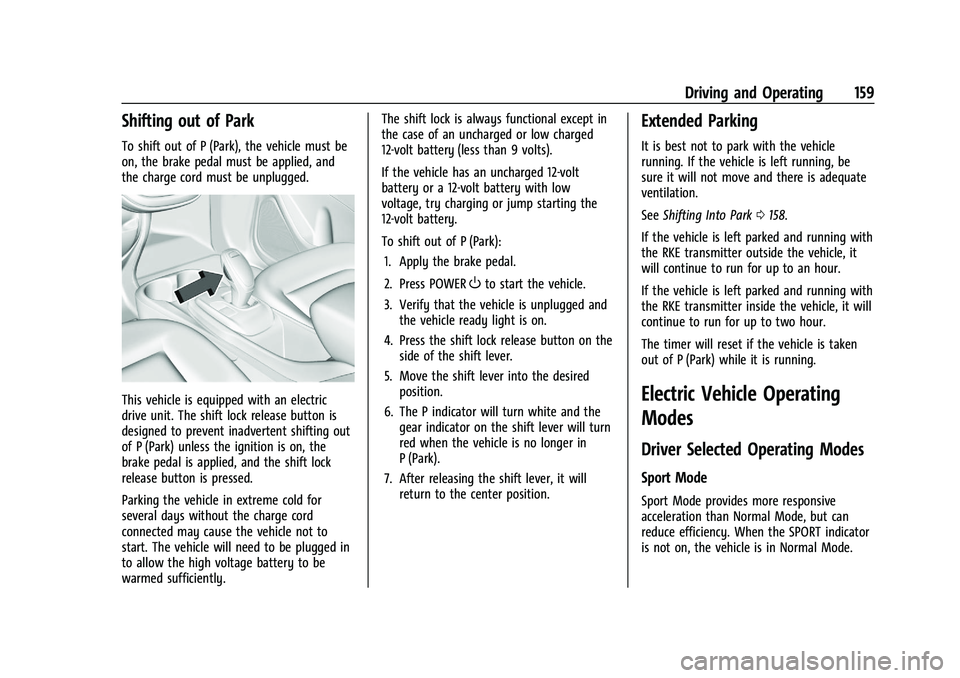
This vehicle is equipped with an electric
drive unit. The shift lock release button is
designed to prevent inadvertent shifting out
of P (Park) unless the ignition is on, the
brake pedal is applied, and the shift lock
release button is pressed.
Parking the vehicle in extreme cold for
several days without the charge cord
connected may cause the vehicle not to
start. The vehicle will need to be plugged in
to allow the high voltage battery to be
warmed sufficiently.The shift lock is always functional except in
the case of an uncharged or low charged
12-volt battery (less than 9 volts).
If the vehicle has an uncharged 12-volt
battery or a 12-volt battery with low
voltage, try charging or jump starting the
12-volt battery.
To shift out of P (Park):
1. Apply the brake pedal.
2. Press POWER
Oto start the vehicle.
3. Verify that the vehicle is unplugged and the vehicle ready light is on.
4. Press the shift lock release button on the side of the shift lever.
5. Move the shift lever into the desired position.
6. The P indicator will turn white and the gear indicator on the shift lever will turn
red when the vehicle is no longer in
P (Park).
7. After releasing the shift lever, it will return to the center position.
Extended Parking
It is best not to park with the vehicle
running. If the vehicle is left running, be
sure it will not move and there is adequate
ventilation.
See Shifting Into Park 0158.
If the vehicle is left parked and running with
the RKE transmitter outside the vehicle, it
will continue to run for up to an hour.
If the vehicle is left parked and running with
the RKE transmitter inside the vehicle, it will
continue to run for up to two hour.
The timer will reset if the vehicle is taken
out of P (Park) while it is running.
Electric Vehicle Operating
Modes
Driver Selected Operating Modes
Sport Mode
Sport Mode provides more responsive
acceleration than Normal Mode, but can
reduce efficiency. When the SPORT indicator
is not on, the vehicle is in Normal Mode.
Page 164 of 293
Chevrolet Bolt EV Owner Manual (GMNA-Localizing-U.S./Canada-
14637856) - 2021 - CRC - 10/2/20
Driving and Operating 163
L :This position reduces vehicle speed
without using the brakes. Use L (Low) on
very steep hills and in stop-and-go traffic.
One-Pedal Driving
With One-Pedal Driving, the accelerator
pedal can be used to control the
deceleration of the vehicle down to a
complete stop.
Completely lifting off the accelerator pedal
will result in aggressive deceleration.
Partially lifting off the accelerator pedal will
allow the deceleration of the vehicle to be
adjusted as desired.
The amount of deceleration may vary under
Regenerative Power Limited condition. See
Power Indicator Gauge 083.
Use the brake pedal if emergency braking is
required.
To use One-Pedal Driving, place the vehicle
in L (Low). Press the accelerator pedal to the
desired speed. The deceleration provided by
One-Pedal Driving provides full regenerative
braking and helps increase energy efficiency.
The brake lamps may come on when the
accelerator pedal is released or during
substantial deceleration from regenerative
braking. While operating in One-Pedal Driving, the
electric parking brake may apply in some
circumstances. This can occur when:
.Driving on slopes.
.The driver’s door is open.
.The vehicle has remained stationary for
5 minutes.
.There is a problem with the propulsion
system.
To drive again, depress the accelerator
pedal, and the electric parking brake will
automatically disengage.
One-Pedal Driving may shift the car into
P (Park) if the vehicle is pushed once it has
been stopped or if a problem with the
propulsion system develops.
Brakes
Antilock Brake System (ABS)
The Antilock Brake System (ABS) helps
prevent a braking skid and maintain steering
while braking hard. ABS performs a system check when the
vehicle is first driven. A momentary motor
or clicking noise may be heard while this
test is going on, and the brake pedal may
move slightly. This is normal.
If there is a problem with ABS, this warning
light stays on. See
Antilock Brake System
(ABS) Warning Light 086.
ABS does not change the time needed to
get a foot on the brake pedal and does not
always decrease stopping distance. If you
get too close to the vehicle ahead, there will
not be enough time to apply the brakes if
that vehicle suddenly slows or stops. Always
leave enough room ahead to stop, even
with ABS.
Using ABS
Do not pump the brakes. Just hold the brake
pedal down firmly. Hearing or feeling ABS
operate is normal.