lane assist CHEVROLET BOLT EV 2021 Owner's Manual
[x] Cancel search | Manufacturer: CHEVROLET, Model Year: 2021, Model line: BOLT EV, Model: CHEVROLET BOLT EV 2021Pages: 293, PDF Size: 9.21 MB
Page 4 of 293
Chevrolet Bolt EV Owner Manual (GMNA-Localizing-U.S./Canada-
14637856) - 2021 - CRC - 10/2/20
Introduction 3
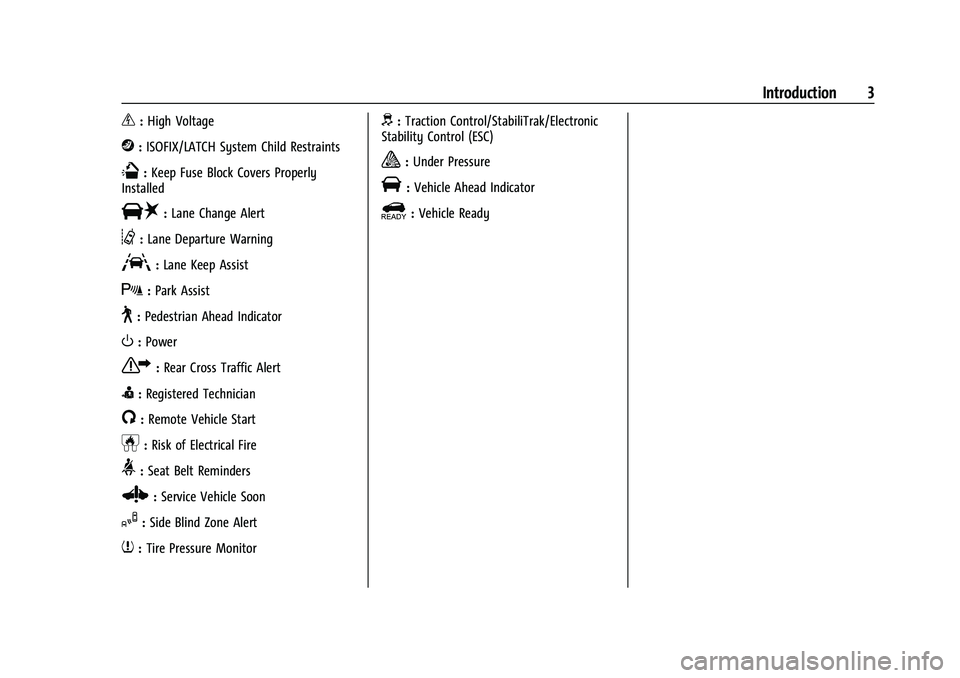
_:High Voltage
j:ISOFIX/LATCH System Child Restraints
Q:Keep Fuse Block Covers Properly
Installed
|: Lane Change Alert
@:Lane Departure Warning
A:Lane Keep Assist
X: Park Assist
~:Pedestrian Ahead Indicator
O:Power
7:Rear Cross Traffic Alert
I:Registered Technician
/:Remote Vehicle Start
h:Risk of Electrical Fire
>:Seat Belt Reminders
Z: Service Vehicle Soon
I:Side Blind Zone Alert
7:Tire Pressure Monitor
d:Traction Control/StabiliTrak/Electronic
Stability Control (ESC)
a: Under Pressure
V: Vehicle Ahead Indicator
]:Vehicle Ready
Page 6 of 293
Chevrolet Bolt EV Owner Manual (GMNA-Localizing-U.S./Canada-
14637856) - 2021 - CRC - 10/2/20
Introduction 5
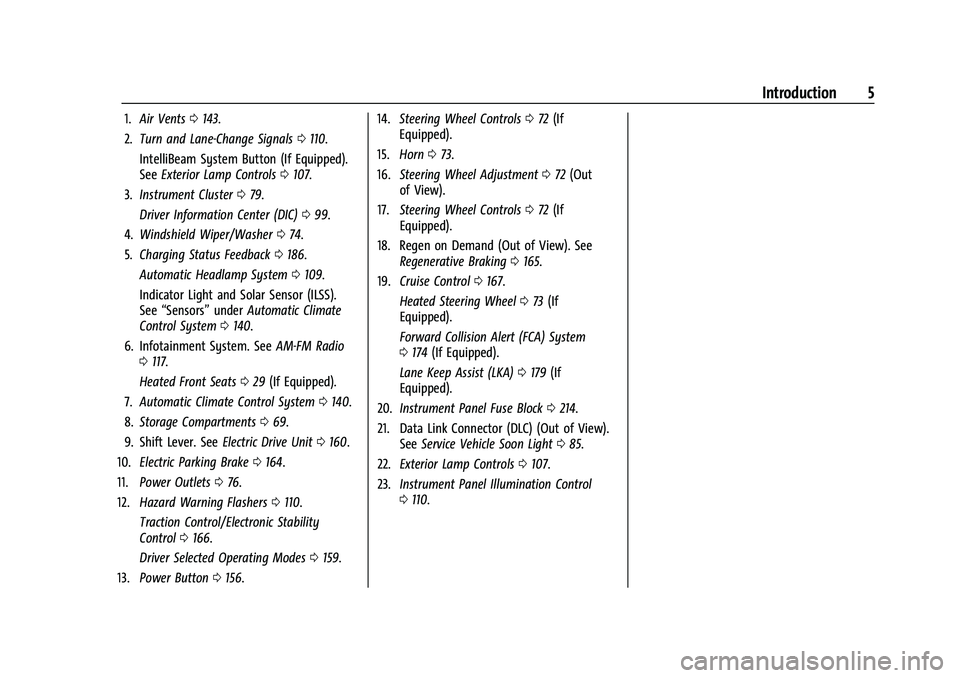
1.Air Vents 0143.
2. Turn and Lane-Change Signals 0110.
IntelliBeam System Button (If Equipped).
See Exterior Lamp Controls 0107.
3. Instrument Cluster 079.
Driver Information Center (DIC) 099.
4. Windshield Wiper/Washer 074.
5. Charging Status Feedback 0186.
Automatic Headlamp System 0109.
Indicator Light and Solar Sensor (ILSS).
See “Sensors” underAutomatic Climate
Control System 0140.
6. Infotainment System. See AM-FM Radio
0 117.
Heated Front Seats 029 (If Equipped).
7. Automatic Climate Control System 0140.
8. Storage Compartments 069.
9. Shift Lever. See Electric Drive Unit0160.
10. Electric Parking Brake 0164.
11. Power Outlets 076.
12. Hazard Warning Flashers 0110.
Traction Control/Electronic Stability
Control 0166.
Driver Selected Operating Modes 0159.
13. Power Button 0156. 14.
Steering Wheel Controls 072 (If
Equipped).
15. Horn 073.
16. Steering Wheel Adjustment 072 (Out
of View).
17. Steering Wheel Controls 072 (If
Equipped).
18. Regen on Demand (Out of View). See Regenerative Braking 0165.
19. Cruise Control 0167.
Heated Steering Wheel 073 (If
Equipped).
Forward Collision Alert (FCA) System
0 174 (If Equipped).
Lane Keep Assist (LKA) 0179 (If
Equipped).
20. Instrument Panel Fuse Block 0214.
21. Data Link Connector (DLC) (Out of View). SeeService Vehicle Soon Light 085.
22. Exterior Lamp Controls 0107.
23. Instrument Panel Illumination Control
0110.
Page 72 of 293
Chevrolet Bolt EV Owner Manual (GMNA-Localizing-U.S./Canada-
14637856) - 2021 - CRC - 10/2/20
Instruments and Controls 71
Instruments and Controls
Controls
Steering Wheel Adjustment . . . . . . . . . . . . . 72
Steering Wheel Controls . . . . . . . . . . . . . . . . 72
Heated Steering Wheel . . . . . . . . . . . . . . . . . 73
Horn . . . . . . . . . . . . . . . . . . . . . . . . . . . . . . . . . . . . 73
Pedestrian Safety Signal . . . . . . . . . . . . . . . . 73
Windshield Wiper/Washer . . . . . . . . . . . . . . 74
Rear Window Wiper/Washer . . . . . . . . . . . 75
Compass . . . . . . . . . . . . . . . . . . . . . . . . . . . . . . . 76
Clock . . . . . . . . . . . . . . . . . . . . . . . . . . . . . . . . . . . 76
Power Outlets . . . . . . . . . . . . . . . . . . . . . . . . . . 76
Wireless Charging . . . . . . . . . . . . . . . . . . . . . . 77
Warning Lights, Gauges, and Indicators
Warning Lights, Gauges, andIndicators . . . . . . . . . . . . . . . . . . . . . . . . . . . . . 79
Instrument Cluster . . . . . . . . . . . . . . . . . . . . . 79
Speedometer . . . . . . . . . . . . . . . . . . . . . . . . . . . 81
Odometer . . . . . . . . . . . . . . . . . . . . . . . . . . . . . . 81
Trip Odometer . . . . . . . . . . . . . . . . . . . . . . . . . . 82
Battery Gauge (High Voltage) . . . . . . . . . . 82
Driver Efficiency Gauge . . . . . . . . . . . . . . . . . 82
Power Indicator Gauge . . . . . . . . . . . . . . . . . 83
Seat Belt Reminders . . . . . . . . . . . . . . . . . . . . 83
Airbag Readiness Light . . . . . . . . . . . . . . . . . 84
Passenger Airbag Status Indicator . . . . . . 84
Charging System Light (12-Volt Battery) . . . . . . . . . . . . . . . . . . . . . . . . . . . . . . 85 Service Vehicle Soon Light . . . . . . . . . . . . . . 85
Brake System Warning Light . . . . . . . . . . . 85
Electric Parking Brake Light . . . . . . . . . . . . . 86
Service Electric Parking Brake Light . . . . . 86
Antilock Brake System (ABS) Warning
Light . . . . . . . . . . . . . . . . . . . . . . . . . . . . . . . . . 86
Sport Mode Light . . . . . . . . . . . . . . . . . . . . . . . 87
Lane Keep Assist (LKA) Light . . . . . . . . . . . . 87
Vehicle Ahead Indicator . . . . . . . . . . . . . . . . 87
Pedestrian Ahead Indicator . . . . . . . . . . . . . 87
Traction Off Light . . . . . . . . . . . . . . . . . . . . . . . 87
StabiliTrak OFF Light . . . . . . . . . . . . . . . . . . . 88
Traction Control System (TCS)/StabiliTrak Light . . . . . . . . . . . . . . . . . . . . . . . . . . . . . . . . . 88
Tire Pressure Light . . . . . . . . . . . . . . . . . . . . . 88
Security Light . . . . . . . . . . . . . . . . . . . . . . . . . . 89
Vehicle Ready Light . . . . . . . . . . . . . . . . . . . . 89
High-Beam On Light . . . . . . . . . . . . . . . . . . . . 89
Lamps On Reminder . . . . . . . . . . . . . . . . . . . . 89
Cruise Control Light . . . . . . . . . . . . . . . . . . . . 89
Door Ajar Light . . . . . . . . . . . . . . . . . . . . . . . . . 89
Information Displays
Power Flows . . . . . . . . . . . . . . . . . . . . . . . . . . . 90
Programmable Charging . . . . . . . . . . . . . . . . 90
Energy Information . . . . . . . . . . . . . . . . . . . . . 97
Charging Options . . . . . . . . . . . . . . . . . . . . . . . 98
Driver Information Center (DIC) . . . . . . . . 99
Vehicle Messages
Vehicle Messages . . . . . . . . . . . . . . . . . . . . . 100 Propulsion Power Messages . . . . . . . . . . . 100
Vehicle Speed Messages . . . . . . . . . . . . . . . 101
Vehicle Personalization
Vehicle Personalization . . . . . . . . . . . . . . . . . 101
Page 88 of 293
Chevrolet Bolt EV Owner Manual (GMNA-Localizing-U.S./Canada-
14637856) - 2021 - CRC - 10/2/20
Instruments and Controls 87
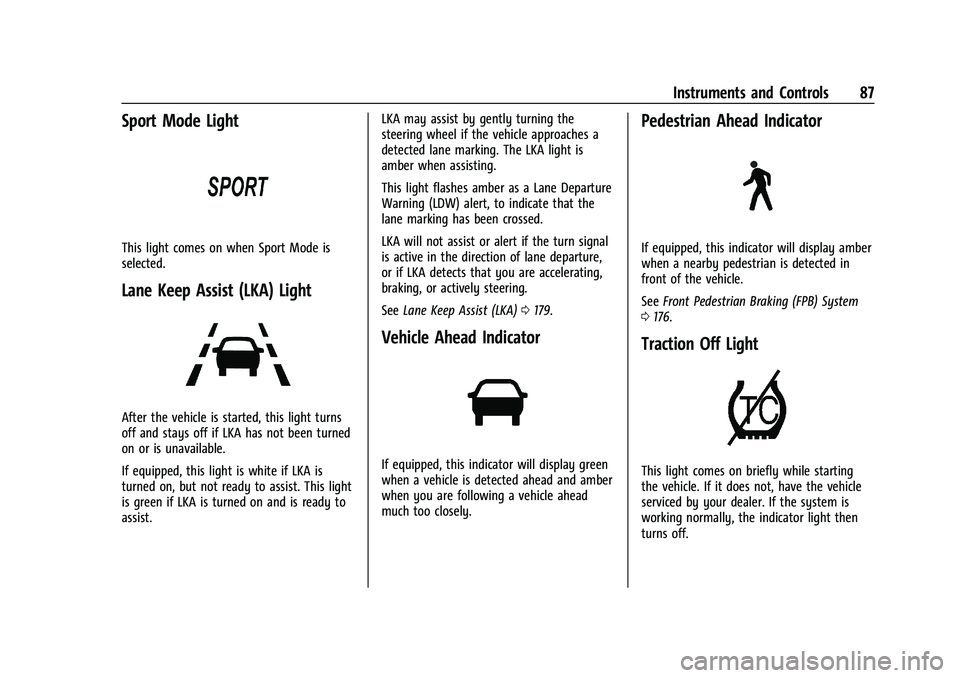
Sport Mode Light
This light comes on when Sport Mode is
selected.
Lane Keep Assist (LKA) Light
After the vehicle is started, this light turns
off and stays off if LKA has not been turned
on or is unavailable.
If equipped, this light is white if LKA is
turned on, but not ready to assist. This light
is green if LKA is turned on and is ready to
assist.LKA may assist by gently turning the
steering wheel if the vehicle approaches a
detected lane marking. The LKA light is
amber when assisting.
This light flashes amber as a Lane Departure
Warning (LDW) alert, to indicate that the
lane marking has been crossed.
LKA will not assist or alert if the turn signal
is active in the direction of lane departure,
or if LKA detects that you are accelerating,
braking, or actively steering.
See
Lane Keep Assist (LKA) 0179.
Vehicle Ahead Indicator
If equipped, this indicator will display green
when a vehicle is detected ahead and amber
when you are following a vehicle ahead
much too closely.
Pedestrian Ahead Indicator
If equipped, this indicator will display amber
when a nearby pedestrian is detected in
front of the vehicle.
See Front Pedestrian Braking (FPB) System
0 176.
Traction Off Light
This light comes on briefly while starting
the vehicle. If it does not, have the vehicle
serviced by your dealer. If the system is
working normally, the indicator light then
turns off.
Page 103 of 293
Chevrolet Bolt EV Owner Manual (GMNA-Localizing-U.S./Canada-
14637856) - 2021 - CRC - 10/2/20
102 Instruments and Controls
Teen Driver
SeeTeen Driver 0132.
Radio Settings
To manage the radio features, see “Radio
Settings” underSettings 0131.
Vehicle
Select and the following may display:
.Climate and Air Quality
.Comfort and Convenience
.Collision / Detection Systems
.Lighting
.Power Door Locks
.Remote Lock / Unlock / Start
Climate and Air Quality
Select and the following may display:
.Auto Fan Speed
.Auto Heated Seats
.Auto Defog
Auto Fan Speed
This feature will set the maximum auto fan
speed.
Select Low, Medium, or High. Auto Heated Seats
When set to On and it is cold outside, both
the heated seats and the heated steering
wheel will automatically turn on when the
vehicle is started. See
Automatic Climate
Control System 0140.
Select Off or On.
Auto Defog
When set to On, the front defog will
automatically come on when the vehicle is
started. See Automatic Climate Control
System 0140.
Select Off or On.
Comfort and Convenience
Select and the following may display:
.Chime Volume
.Auto Wipe in Reverse Gear
Chime Volume
This allows the selection of the chime
volume level.
Select + or −to adjust the volume.
Auto Wipe in Reverse Gear
This allows the feature to be turned on or
off. See Rear Window Wiper/Washer 075. Select Off or On.
Collision / Detection Systems
Select and the following may display:
.Forward Collision System
.Front Pedestrian Detection
.Park Assist
.Rear Cross Traffic Alert
.Lane Change Alert
Forward Collision System
This setting controls the vehicle response
when detecting a vehicle ahead of you. The
Off setting disables all Forward Collision
Alert (FCA) and Automatic Emergency
Braking (AEB) functions. With the Alert and
Brake setting, both FCA and AEB are
available. The Alert setting disables AEB. See
Automatic Emergency Braking (AEB) 0175.
Select Off, Alert, or Alert and Brake.
Front Pedestrian Detection
This allows the feature’s notification to be
customized.
Select Off, Alert, or Alert and Brake.
Park Assist
This allows the feature to be turned on
or off.
Page 104 of 293
Chevrolet Bolt EV Owner Manual (GMNA-Localizing-U.S./Canada-
14637856) - 2021 - CRC - 10/2/20
Instruments and Controls 103
Select Off or On.
Rear Cross Traffic Alert
This allows the Rear Cross Traffic Alert
feature to be turned on or off.
Select Off or On. SeeAssistance Systems for
Parking or Backing 0171.
Lane Change Alert
This allows the Lane Change Alert feature to
be turned on or off.
Select Off or On. See Lane Change Alert
(LCA) 0178.
Lighting
Select and the following may display:
.Vehicle Locator Lights
.Exit Lighting
Vehicle Locator Lights
This feature will flash the exterior lamps and
allows some of the exterior lamps and most
of the interior lamps to turn on briefly
when
Kon the Remote Keyless Entry (RKE)
transmitter is pressed to locate the vehicle.
Select Off or On. Exit Lighting
This allows the selection of how long the
exterior lamps stay on when leaving the
vehicle when it is dark outside.
Select Off, 30 Seconds, 60 Seconds, or 120
Seconds.
Power Door Locks
Select and the following may display:
.Unlocked Door Anti Lock Out
.Auto Door Unlock
.Delayed Door Lock
Unlocked Door Anti Lock Out
When on, this feature will keep the driver
door from locking when the door is open.
If Off is selected, the Delayed Door Lock
menu will be available.
Select Off or On.
Auto Door Unlock
This allows selection of which of the doors
will automatically unlock when the vehicle is
shifted into P (Park).
Select Off, All Doors, or Driver Door. Delayed Door Lock
When on, this feature will delay the locking
of the doors. To override the delay, press
the power door lock switch on the door.
Select Off or On.
Remote Lock / Unlock / Start
Select and the following may display:
.Remote Unlock Light Feedback
.Remote Lock Feedback
.Remote Door Unlock
.Remote Start Auto Heat Seats
.Passive Door Unlock
.Passive Door Lock
.Remote Left in Vehicle Alert
Remote Unlock Light Feedback
When on, the exterior lamps will flash when
unlocking the vehicle with the RKE
transmitter.
Select Off or Flash Lights.
Remote Lock Feedback
This allows selection of what type of
feedback is given when locking the vehicle
with the RKE transmitter.
Select Off, Lights and Horn, Lights Only, or
Horn Only.
Page 147 of 293
Chevrolet Bolt EV Owner Manual (GMNA-Localizing-U.S./Canada-
14637856) - 2021 - CRC - 10/2/20
146 Driving and Operating
Driving and Operating
Driving Information
Driving for Better Energy Efficiency . . . . 147
Distracted Driving . . . . . . . . . . . . . . . . . . . . . 148
Defensive Driving . . . . . . . . . . . . . . . . . . . . . . 148
Impaired Driving . . . . . . . . . . . . . . . . . . . . . . 149
Control of a Vehicle . . . . . . . . . . . . . . . . . . . 149
Braking . . . . . . . . . . . . . . . . . . . . . . . . . . . . . . . . 149
Steering . . . . . . . . . . . . . . . . . . . . . . . . . . . . . . . 149
Off-Road Recovery . . . . . . . . . . . . . . . . . . . . . 150
Loss of Control . . . . . . . . . . . . . . . . . . . . . . . . 150
Driving on Wet Roads . . . . . . . . . . . . . . . . . . 151
Hill and Mountain Roads . . . . . . . . . . . . . . . 151
Winter Driving . . . . . . . . . . . . . . . . . . . . . . . . . 152
If the Vehicle Is Stuck . . . . . . . . . . . . . . . . . . 152
Vehicle Load Limits . . . . . . . . . . . . . . . . . . . . 153
Starting and Operating
New Vehicle Break-In . . . . . . . . . . . . . . . . . . 156
Power Button . . . . . . . . . . . . . . . . . . . . . . . . . . 156
Starting and Stopping the Vehicle . . . . . 157
Retained Accessory Power (RAP) . . . . . . . 158
Shifting Into Park . . . . . . . . . . . . . . . . . . . . . . 158
Shifting out of Park . . . . . . . . . . . . . . . . . . . 159
Extended Parking . . . . . . . . . . . . . . . . . . . . . . 159
Electric Vehicle Operating Modes
Driver Selected Operating Modes . . . . . . 159
Electric Drive Unit
Electric Drive Unit . . . . . . . . . . . . . . . . . . . . . 160
One-Pedal Driving . . . . . . . . . . . . . . . . . . . . . 163
Brakes
Antilock Brake System (ABS) . . . . . . . . . . . 163
Electric Parking Brake . . . . . . . . . . . . . . . . . . 164
Brake Assist . . . . . . . . . . . . . . . . . . . . . . . . . . . 165
Hill Start Assist (HSA) . . . . . . . . . . . . . . . . . . 165
Regenerative Braking . . . . . . . . . . . . . . . . . . 165
Ride Control Systems
Traction Control/Electronic StabilityControl . . . . . . . . . . . . . . . . . . . . . . . . . . . . . . 166
Cruise Control
Cruise Control . . . . . . . . . . . . . . . . . . . . . . . . . 167
Driver Assistance Systems
Driver Assistance Systems . . . . . . . . . . . . . 169
Assistance Systems for Parking orBacking . . . . . . . . . . . . . . . . . . . . . . . . . . . . . . . 171
Assistance Systems for Driving . . . . . . . . . 173
Forward Collision Alert (FCA) System . . . . . . . . . . . . . . . . . . . . . . . . . . . . . . 174
Automatic Emergency Braking (AEB) . . . 175
Front Pedestrian Braking (FPB) System . . . . . . . . . . . . . . . . . . . . . . . . . . . . . . 176
Side Blind Zone Alert (SBZA) . . . . . . . . . . . 178
Lane Change Alert (LCA) . . . . . . . . . . . . . . . 178
Lane Keep Assist (LKA) . . . . . . . . . . . . . . . . . 179
Charging
When to Charge . . . . . . . . . . . . . . . . . . . . . . . 181
Plug-In Charging . . . . . . . . . . . . . . . . . . . . . . . 181
Delayed Charging Override . . . . . . . . . . . . 185
Charging Status Feedback . . . . . . . . . . . . . 186
Charge Cord . . . . . . . . . . . . . . . . . . . . . . . . . . . 189
Utility Interruption of Charging . . . . . . . 194
Electrical Requirements for Battery Charging . . . . . . . . . . . . . . . . . . . . . . . . . . . . . 194
Trailer Towing
General Towing Information . . . . . . . . . . . 194
Conversions and Add-Ons
Add-On Electrical Equipment . . . . . . . . . . . 195
Page 153 of 293
Chevrolet Bolt EV Owner Manual (GMNA-Localizing-U.S./Canada-
14637856) - 2021 - CRC - 10/2/20
152 Driving and Operating
{Warning
Coasting downhill in N (Neutral) or with
the vehicle turned off is dangerous. The
brakes will have to do all the work of
slowing down the vehicle and could
become too hot. Hot brakes may not be
able to slow the vehicle enough to
maintain speed and control. You could
crash. Always have the vehicle running
and in gear when going downhill. This
will allow the electric drive unit to assist
in slowing and maintaining speed.
.Drive at speeds to keep the vehicle in its
own lane. Do not swing wide or cross the
center line.
.Be alert on top of hills. Something could
be in your lane (e.g., stalled car, crash).
.Pay attention to special road signs (e.g.,
falling rocks area, winding roads, long
grades, passing or no-passing zones) and
take appropriate action.
Winter Driving
Driving on Snow or Ice
Snow or ice between the tires and the road
creates less traction or grip, so drive
carefully. Wet ice can occur at about 0 °C
(32 °F) when freezing rain begins to fall.
Avoid driving on wet ice or in freezing rain
until roads can be treated.
For Slippery Road Driving:
.Recommend using D (Drive) in slippery
conditions.
.Accelerate gently. Accelerating too quickly
causes the wheels to spin and makes the
surface under the tires slick.
.Turn on the Traction Control
System (TCS).
.The Antilock Brake System (ABS) improves
vehicle stability during hard stops, but
the brakes should be applied sooner than
when on dry pavement.
.Allow greater following distance and
watch for slippery spots. Icy patches can
occur on otherwise clear roads in shaded
areas. The surface of a curve or an
overpass can remain icy when thesurrounding roads are clear. Avoid sudden
steering maneuvers and braking while
on ice.
.Turn off cruise control.
.Avoid using Regen on Demand paddle.
Blizzard Conditions
Being stuck in snow can be a serious
situation. Stay with the vehicle unless there
is help nearby. If possible, use Roadside
Assistance. See
Roadside Assistance Program
0 266. To get help and keep everyone in
the vehicle safe:
.Turn on the hazard warning flashers.
.Tie a red cloth to an outside mirror.
To save energy, run the vehicle for only
short periods as needed to warm the vehicle
and then shut the vehicle off and partially
close the window. Moving about to keep
warm also helps.
If the Vehicle Is Stuck
Slowly and cautiously spin the wheels to
free the vehicle when stuck in sand, mud,
ice, or snow.
Page 174 of 293
Chevrolet Bolt EV Owner Manual (GMNA-Localizing-U.S./Canada-
14637856) - 2021 - CRC - 10/2/20
Driving and Operating 173
Front/Rear Overhead View :Displays a Front
or Rear Overhead View of the vehicle.
Touching the button will toggle between the
two views.
Side Forward/Rearward View : Displays a
view that shows objects next to the front or
rear sides of the vehicle. Touch Side
Forward/Rearward View on the infotainment
display when a camera view is active.
Touching the button multiple times will
toggle between forward and rearward views.
Park Assist and RCTA are not available when
Side Forward/Rearward view is active.
Park Assist
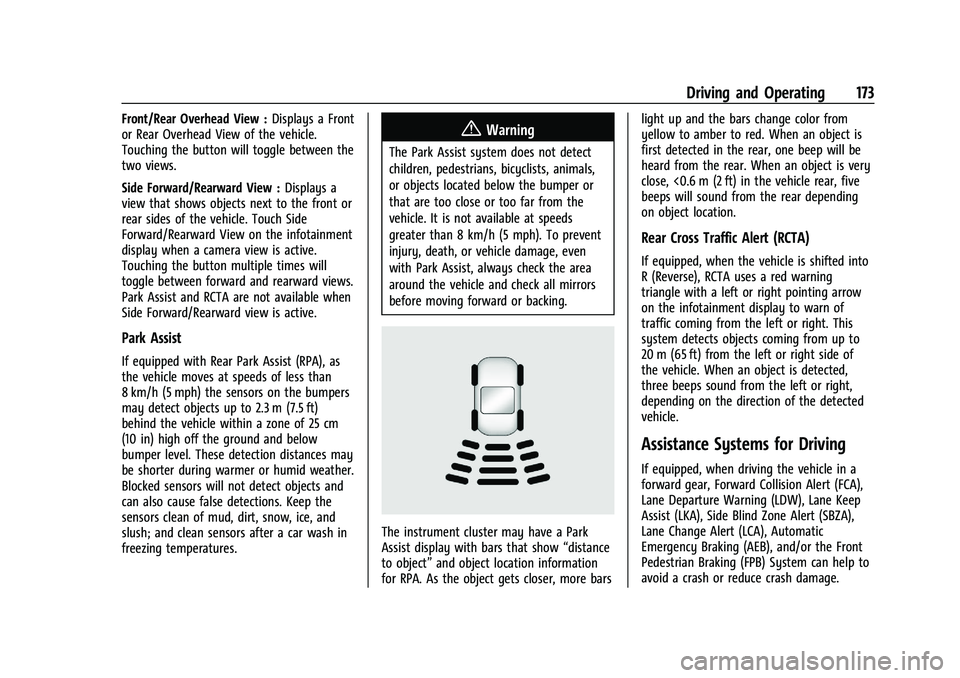
If equipped with Rear Park Assist (RPA), as
the vehicle moves at speeds of less than
8 km/h (5 mph) the sensors on the bumpers
may detect objects up to 2.3 m (7.5 ft)
behind the vehicle within a zone of 25 cm
(10 in) high off the ground and below
bumper level. These detection distances may
be shorter during warmer or humid weather.
Blocked sensors will not detect objects and
can also cause false detections. Keep the
sensors clean of mud, dirt, snow, ice, and
slush; and clean sensors after a car wash in
freezing temperatures.
{Warning
The Park Assist system does not detect
children, pedestrians, bicyclists, animals,
or objects located below the bumper or
that are too close or too far from the
vehicle. It is not available at speeds
greater than 8 km/h (5 mph). To prevent
injury, death, or vehicle damage, even
with Park Assist, always check the area
around the vehicle and check all mirrors
before moving forward or backing.
The instrument cluster may have a Park
Assist display with bars that show “distance
to object” and object location information
for RPA. As the object gets closer, more bars light up and the bars change color from
yellow to amber to red. When an object is
first detected in the rear, one beep will be
heard from the rear. When an object is very
close, <0.6 m (2 ft) in the vehicle rear, five
beeps will sound from the rear depending
on object location.
Rear Cross Traffic Alert (RCTA)
If equipped, when the vehicle is shifted into
R (Reverse), RCTA uses a red warning
triangle with a left or right pointing arrow
on the infotainment display to warn of
traffic coming from the left or right. This
system detects objects coming from up to
20 m (65 ft) from the left or right side of
the vehicle. When an object is detected,
three beeps sound from the left or right,
depending on the direction of the detected
vehicle.
Assistance Systems for Driving
If equipped, when driving the vehicle in a
forward gear, Forward Collision Alert (FCA),
Lane Departure Warning (LDW), Lane Keep
Assist (LKA), Side Blind Zone Alert (SBZA),
Lane Change Alert (LCA), Automatic
Emergency Braking (AEB), and/or the Front
Pedestrian Braking (FPB) System can help to
avoid a crash or reduce crash damage.
Page 176 of 293
Chevrolet Bolt EV Owner Manual (GMNA-Localizing-U.S./Canada-
14637856) - 2021 - CRC - 10/2/20
Driving and Operating 175
Tailgating Alert
The vehicle ahead indicator will display
amber when you are following a detected
vehicle ahead much too closely.
Selecting the Alert Timing
The Collision Alert control is on the steering
wheel. Press
[to set the FCA timing to
far, medium, or near. The first button press
shows the current control setting on the
DIC. Additional button presses will change
this setting. The chosen setting will remain
until it is changed and will affect the timing
of both the Collision Alert and the Tailgating
Alert features. The timing of both alerts will
vary based on vehicle speed. The faster the
vehicle speed, the farther away the alert will
occur. Consider traffic and weather
conditions when selecting the alert timing.
The range of selectable alert timing may not
be appropriate for all drivers and driving
conditions.
Following Distance Indication
The following distance to a moving vehicle
you are following is indicated in following
time in seconds on the Driver Information
Center (DIC). The minimum following time is 0.5 seconds
away. If there is no vehicle detected ahead,
or the vehicle ahead is out of sensor range,
dashes will be displayed.
Unnecessary Alerts
FCA may provide unnecessary alerts to
turning vehicles, vehicles in other lanes,
objects that are not vehicles, or shadows.
These alerts are normal operation and the
vehicle does not need service.
Cleaning the System
If the FCA system does not seem to operate
properly, this may correct the issue:
.Clean the outside of the windshield in
front of the rearview mirror.
.Clean the entire front of the vehicle.
.Clean the headlamps.
Automatic Emergency
Braking (AEB)
If the vehicle has Forward Collision Alert
(FCA), it also has AEB, which includes
Intelligent Brake Assist (IBA). When the
system detects a vehicle ahead in your path
that is traveling in the same direction that
you may be about to crash into, it can
provide a boost to braking or automaticallybrake the vehicle. This can help avoid or
lessen the severity of crashes when driving
in a forward gear. Depending on the
situation, the vehicle may automatically
brake moderately or hard. This automatic
emergency braking can only occur if a
vehicle is detected. This is shown by the FCA
vehicle ahead indicator being lit. See
Forward Collision Alert (FCA) System
0174.
The system works when driving in a forward
gear between 8 km/h (5 mph) and 80 km/h
(50 mph). It can detect vehicles up to
approximately 60 m (197 ft).
{Warning
AEB is an emergency crash preparation
feature and is not designed to avoid
crashes. Do not rely on AEB to brake the
vehicle. AEB will not brake outside of its
operating speed range and only responds
to detected vehicles.
AEB may not:
.Detect a vehicle ahead on winding or
hilly roads.
.Detect all vehicles, especially vehicles
with a trailer, tractors, muddy
vehicles, etc. (Continued)