display CHEVROLET BOLT EV 2022 User Guide
[x] Cancel search | Manufacturer: CHEVROLET, Model Year: 2022, Model line: BOLT EV, Model: CHEVROLET BOLT EV 2022Pages: 316, PDF Size: 11.45 MB
Page 82 of 316
Chevrolet BOLT EV Owner Manual (GMNA-Localizing-U.S./Canada-
15082216) - 2022 - CRC - 6/25/21
Instruments and Controls 81
pressing thumbwheelwhile the desired item
is highlighted. A checkmark will be displayed
next to the selected item.
Speed Warning :The speed warning display
allows the driver to set a speed that they
do not want to exceed. To set the speed
warning, press the thumbwheel when Speed
Warning is displayed. Move the thumbwheel
up or down to adjust the value. Press the
thumbwheel to set the speed. Once set, this
feature can be turned off by pressing the
thumbwheel while viewing this page. If the
selected speed limit is exceeded, a pop-up
warning is displayed and a chime may
sound.
Tutorial : Press the thumbwheel to view
tutorials for the Modern and Enhanced
layout.
Open Source Software : Press the
thumbwheel while Open Source Software is
highlighted to display open source software
information.
Speedometer
The speedometer shows the vehicle's speed
in either kilometers per hour (km/h) or
miles per hour (mph).
Odometer
The odometer shows how far the vehicle has
been driven, in either kilometers or miles.
Trip Odometer
The trip odometer shows how far the
vehicle has been driven since the trip
odometer was last reset.
The trip odometer is accessed and reset
through the Driver Information Center (DIC).
See Driver Information Center (DIC) 099.
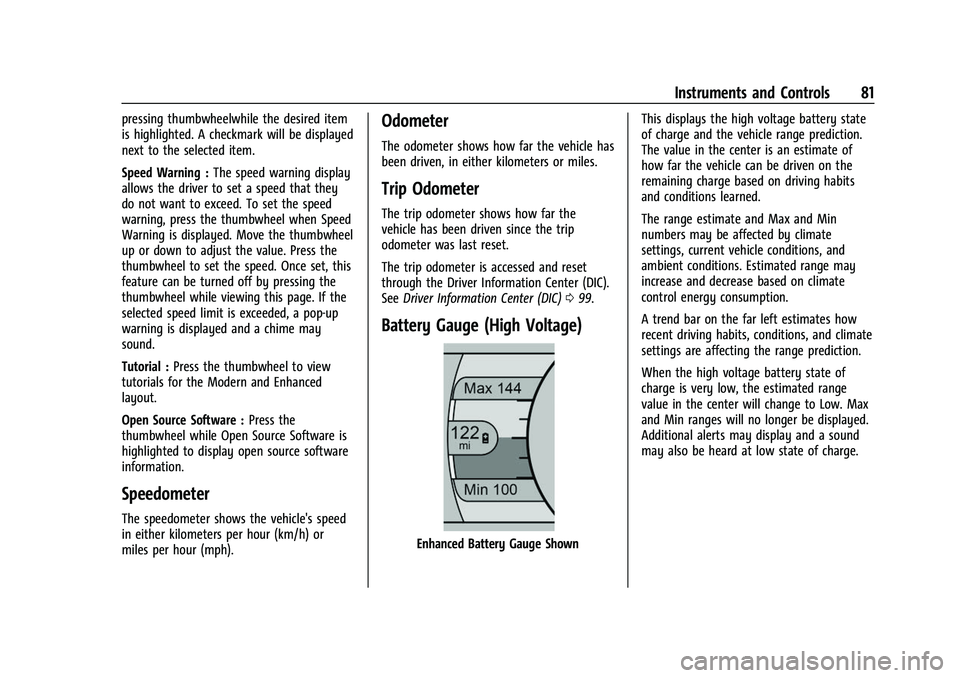
Battery Gauge (High Voltage)
Enhanced Battery Gauge Shown This displays the high voltage battery state
of charge and the vehicle range prediction.
The value in the center is an estimate of
how far the vehicle can be driven on the
remaining charge based on driving habits
and conditions learned.
The range estimate and Max and Min
numbers may be affected by climate
settings, current vehicle conditions, and
ambient conditions. Estimated range may
increase and decrease based on climate
control energy consumption.
A trend bar on the far left estimates how
recent driving habits, conditions, and climate
settings are affecting the range prediction.
When the high voltage battery state of
charge is very low, the estimated range
value in the center will change to Low. Max
and Min ranges will no longer be displayed.
Additional alerts may display and a sound
may also be heard at low state of charge.
Page 83 of 316
Chevrolet BOLT EV Owner Manual (GMNA-Localizing-U.S./Canada-
15082216) - 2022 - CRC - 6/25/21
82 Instruments and Controls
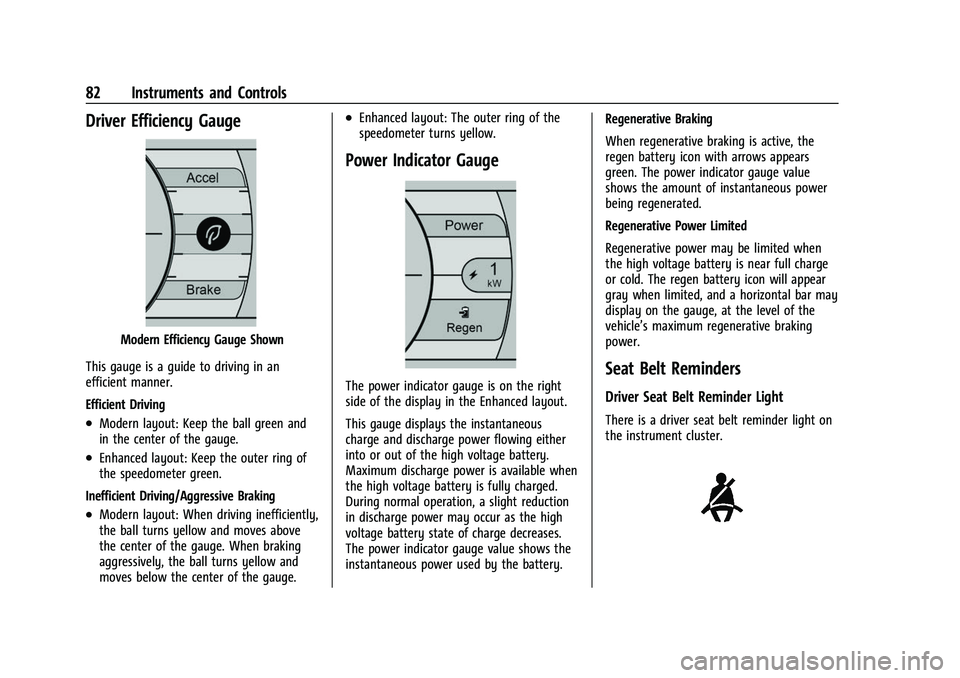
Driver Efficiency Gauge
Modern Efficiency Gauge Shown
This gauge is a guide to driving in an
efficient manner.
Efficient Driving
.Modern layout: Keep the ball green and
in the center of the gauge.
.Enhanced layout: Keep the outer ring of
the speedometer green.
Inefficient Driving/Aggressive Braking
.Modern layout: When driving inefficiently,
the ball turns yellow and moves above
the center of the gauge. When braking
aggressively, the ball turns yellow and
moves below the center of the gauge.
.Enhanced layout: The outer ring of the
speedometer turns yellow.
Power Indicator Gauge
The power indicator gauge is on the right
side of the display in the Enhanced layout.
This gauge displays the instantaneous
charge and discharge power flowing either
into or out of the high voltage battery.
Maximum discharge power is available when
the high voltage battery is fully charged.
During normal operation, a slight reduction
in discharge power may occur as the high
voltage battery state of charge decreases.
The power indicator gauge value shows the
instantaneous power used by the battery. Regenerative Braking
When regenerative braking is active, the
regen battery icon with arrows appears
green. The power indicator gauge value
shows the amount of instantaneous power
being regenerated.
Regenerative Power Limited
Regenerative power may be limited when
the high voltage battery is near full charge
or cold. The regen battery icon will appear
gray when limited, and a horizontal bar may
display on the gauge, at the level of the
vehicle’s maximum regenerative braking
power.Seat Belt Reminders
Driver Seat Belt Reminder Light
There is a driver seat belt reminder light on
the instrument cluster.
Page 86 of 316
Chevrolet BOLT EV Owner Manual (GMNA-Localizing-U.S./Canada-
15082216) - 2022 - CRC - 6/25/21
Instruments and Controls 85
Service Vehicle Soon Light
This light comes on if a condition exists that
may require the vehicle to be taken in for
service.
If the light comes on, take the vehicle to
your dealer for service as soon as possible.
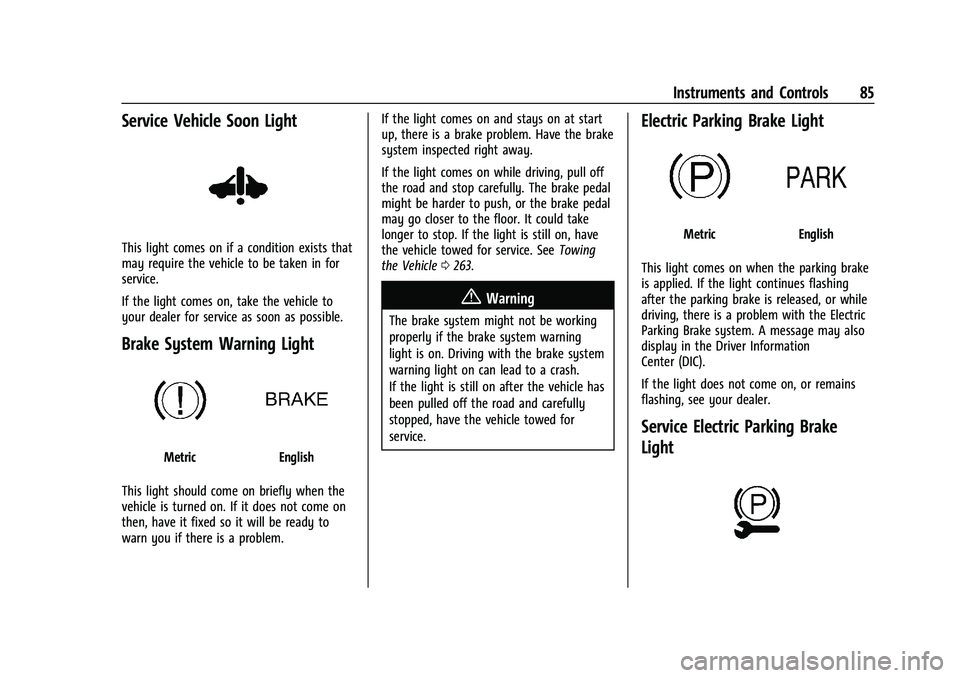
Brake System Warning Light
MetricEnglish
This light should come on briefly when the
vehicle is turned on. If it does not come on
then, have it fixed so it will be ready to
warn you if there is a problem. If the light comes on and stays on at start
up, there is a brake problem. Have the brake
system inspected right away.
If the light comes on while driving, pull off
the road and stop carefully. The brake pedal
might be harder to push, or the brake pedal
may go closer to the floor. It could take
longer to stop. If the light is still on, have
the vehicle towed for service. See
Towing
the Vehicle 0263.
{Warning
The brake system might not be working
properly if the brake system warning
light is on. Driving with the brake system
warning light on can lead to a crash.
If the light is still on after the vehicle has
been pulled off the road and carefully
stopped, have the vehicle towed for
service.
Electric Parking Brake Light
MetricEnglish
This light comes on when the parking brake
is applied. If the light continues flashing
after the parking brake is released, or while
driving, there is a problem with the Electric
Parking Brake system. A message may also
display in the Driver Information
Center (DIC).
If the light does not come on, or remains
flashing, see your dealer.
Service Electric Parking Brake
Light
Page 87 of 316
Chevrolet BOLT EV Owner Manual (GMNA-Localizing-U.S./Canada-
15082216) - 2022 - CRC - 6/25/21
86 Instruments and Controls
This light should come on briefly when the
vehicle is turned on. If it does not come on,
have it fixed so it will be ready to warn if
there is a problem.
If this light stays on or comes on while
driving, there is a problem with the Electric
Parking Brake (EPB). Take the vehicle to a
dealer as soon as possible. In addition to the
parking brake, other safety functions that
utilize the EPB may also be degraded.
A message may also display in the Driver
Information Center (DIC). SeeElectric Parking
Brake 0172.
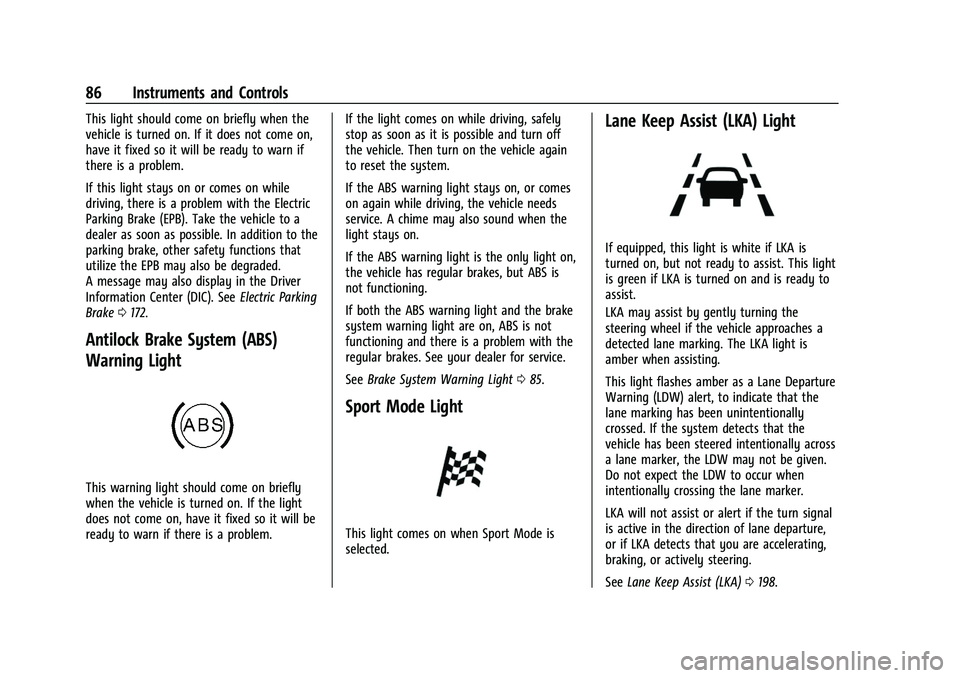
Antilock Brake System (ABS)
Warning Light
This warning light should come on briefly
when the vehicle is turned on. If the light
does not come on, have it fixed so it will be
ready to warn if there is a problem. If the light comes on while driving, safely
stop as soon as it is possible and turn off
the vehicle. Then turn on the vehicle again
to reset the system.
If the ABS warning light stays on, or comes
on again while driving, the vehicle needs
service. A chime may also sound when the
light stays on.
If the ABS warning light is the only light on,
the vehicle has regular brakes, but ABS is
not functioning.
If both the ABS warning light and the brake
system warning light are on, ABS is not
functioning and there is a problem with the
regular brakes. See your dealer for service.
See
Brake System Warning Light 085.
Sport Mode Light
This light comes on when Sport Mode is
selected.
Lane Keep Assist (LKA) Light
If equipped, this light is white if LKA is
turned on, but not ready to assist. This light
is green if LKA is turned on and is ready to
assist.
LKA may assist by gently turning the
steering wheel if the vehicle approaches a
detected lane marking. The LKA light is
amber when assisting.
This light flashes amber as a Lane Departure
Warning (LDW) alert, to indicate that the
lane marking has been unintentionally
crossed. If the system detects that the
vehicle has been steered intentionally across
a lane marker, the LDW may not be given.
Do not expect the LDW to occur when
intentionally crossing the lane marker.
LKA will not assist or alert if the turn signal
is active in the direction of lane departure,
or if LKA detects that you are accelerating,
braking, or actively steering.
See Lane Keep Assist (LKA) 0198.
Page 88 of 316
Chevrolet BOLT EV Owner Manual (GMNA-Localizing-U.S./Canada-
15082216) - 2022 - CRC - 6/25/21
Instruments and Controls 87
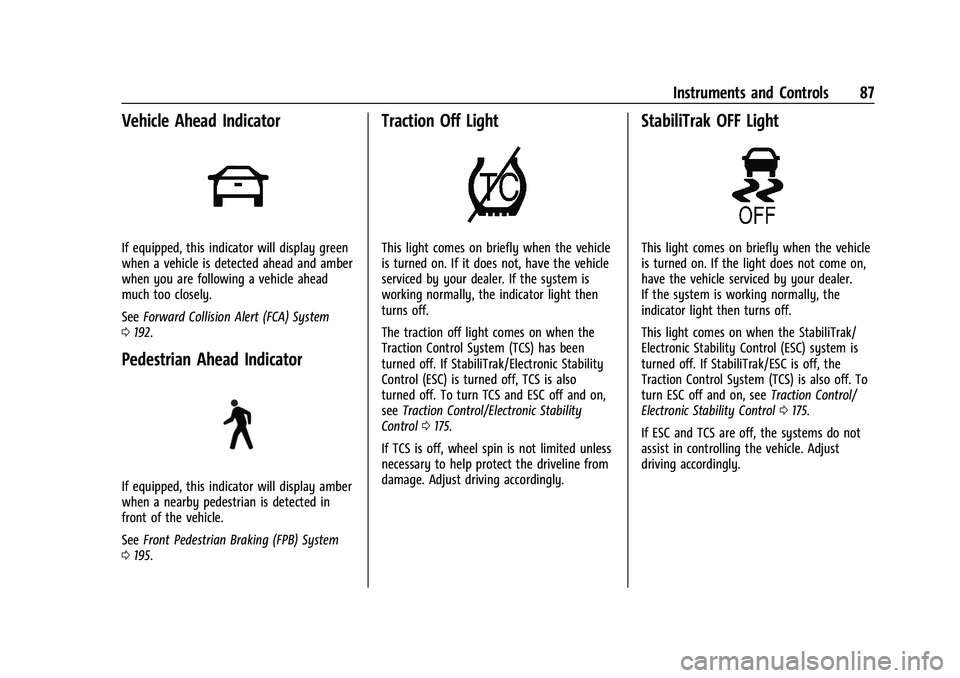
Vehicle Ahead Indicator
If equipped, this indicator will display green
when a vehicle is detected ahead and amber
when you are following a vehicle ahead
much too closely.
SeeForward Collision Alert (FCA) System
0 192.
Pedestrian Ahead Indicator
If equipped, this indicator will display amber
when a nearby pedestrian is detected in
front of the vehicle.
See Front Pedestrian Braking (FPB) System
0 195.
Traction Off Light
This light comes on briefly when the vehicle
is turned on. If it does not, have the vehicle
serviced by your dealer. If the system is
working normally, the indicator light then
turns off.
The traction off light comes on when the
Traction Control System (TCS) has been
turned off. If StabiliTrak/Electronic Stability
Control (ESC) is turned off, TCS is also
turned off. To turn TCS and ESC off and on,
see Traction Control/Electronic Stability
Control 0175.
If TCS is off, wheel spin is not limited unless
necessary to help protect the driveline from
damage. Adjust driving accordingly.
StabiliTrak OFF Light
This light comes on briefly when the vehicle
is turned on. If the light does not come on,
have the vehicle serviced by your dealer.
If the system is working normally, the
indicator light then turns off.
This light comes on when the StabiliTrak/
Electronic Stability Control (ESC) system is
turned off. If StabiliTrak/ESC is off, the
Traction Control System (TCS) is also off. To
turn ESC off and on, see Traction Control/
Electronic Stability Control 0175.
If ESC and TCS are off, the systems do not
assist in controlling the vehicle. Adjust
driving accordingly.
Page 89 of 316
Chevrolet BOLT EV Owner Manual (GMNA-Localizing-U.S./Canada-
15082216) - 2022 - CRC - 6/25/21
88 Instruments and Controls
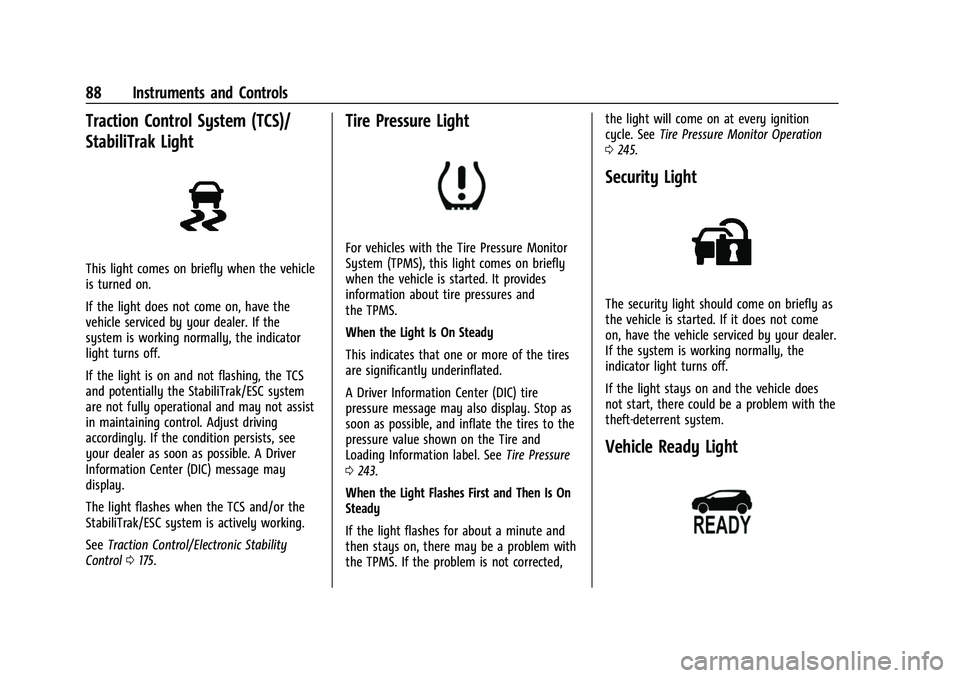
Traction Control System (TCS)/
StabiliTrak Light
This light comes on briefly when the vehicle
is turned on.
If the light does not come on, have the
vehicle serviced by your dealer. If the
system is working normally, the indicator
light turns off.
If the light is on and not flashing, the TCS
and potentially the StabiliTrak/ESC system
are not fully operational and may not assist
in maintaining control. Adjust driving
accordingly. If the condition persists, see
your dealer as soon as possible. A Driver
Information Center (DIC) message may
display.
The light flashes when the TCS and/or the
StabiliTrak/ESC system is actively working.
SeeTraction Control/Electronic Stability
Control 0175.
Tire Pressure Light
For vehicles with the Tire Pressure Monitor
System (TPMS), this light comes on briefly
when the vehicle is started. It provides
information about tire pressures and
the TPMS.
When the Light Is On Steady
This indicates that one or more of the tires
are significantly underinflated.
A Driver Information Center (DIC) tire
pressure message may also display. Stop as
soon as possible, and inflate the tires to the
pressure value shown on the Tire and
Loading Information label. See Tire Pressure
0 243.
When the Light Flashes First and Then Is On
Steady
If the light flashes for about a minute and
then stays on, there may be a problem with
the TPMS. If the problem is not corrected, the light will come on at every ignition
cycle. See
Tire Pressure Monitor Operation
0 245.
Security Light
The security light should come on briefly as
the vehicle is started. If it does not come
on, have the vehicle serviced by your dealer.
If the system is working normally, the
indicator light turns off.
If the light stays on and the vehicle does
not start, there could be a problem with the
theft-deterrent system.
Vehicle Ready Light
Page 91 of 316
Chevrolet BOLT EV Owner Manual (GMNA-Localizing-U.S./Canada-
15082216) - 2022 - CRC - 6/25/21
90 Instruments and Controls
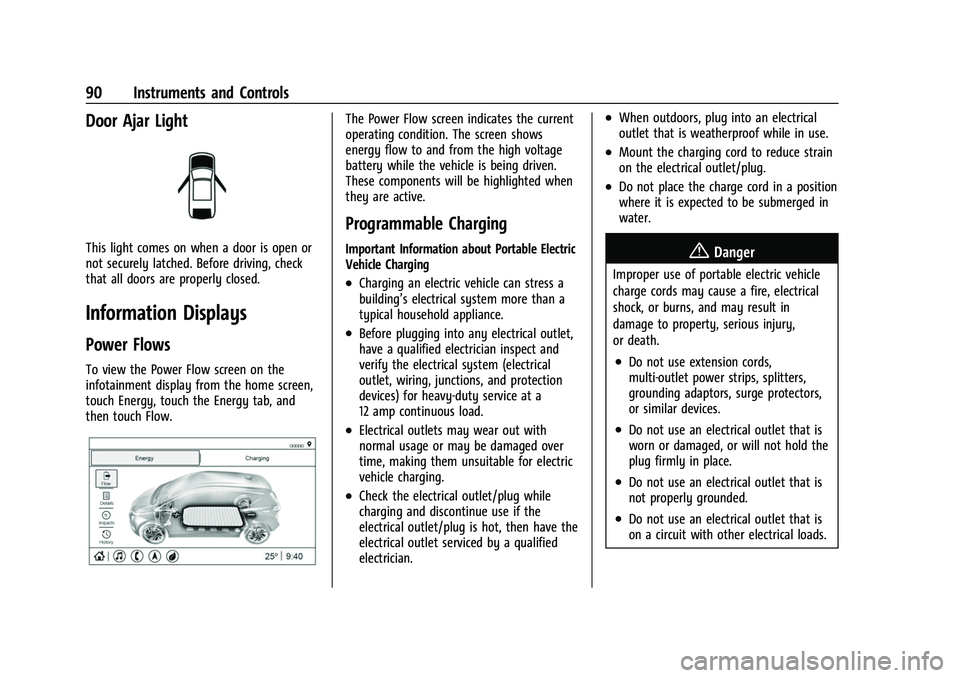
Door Ajar Light
This light comes on when a door is open or
not securely latched. Before driving, check
that all doors are properly closed.
Information Displays
Power Flows
To view the Power Flow screen on the
infotainment display from the home screen,
touch Energy, touch the Energy tab, and
then touch Flow.
The Power Flow screen indicates the current
operating condition. The screen shows
energy flow to and from the high voltage
battery while the vehicle is being driven.
These components will be highlighted when
they are active.
Programmable Charging
Important Information about Portable Electric
Vehicle Charging
.Charging an electric vehicle can stress a
building’s electrical system more than a
typical household appliance.
.Before plugging into any electrical outlet,
have a qualified electrician inspect and
verify the electrical system (electrical
outlet, wiring, junctions, and protection
devices) for heavy-duty service at a
12 amp continuous load.
.Electrical outlets may wear out with
normal usage or may be damaged over
time, making them unsuitable for electric
vehicle charging.
.Check the electrical outlet/plug while
charging and discontinue use if the
electrical outlet/plug is hot, then have the
electrical outlet serviced by a qualified
electrician.
.When outdoors, plug into an electrical
outlet that is weatherproof while in use.
.Mount the charging cord to reduce strain
on the electrical outlet/plug.
.Do not place the charge cord in a position
where it is expected to be submerged in
water.
{Danger
Improper use of portable electric vehicle
charge cords may cause a fire, electrical
shock, or burns, and may result in
damage to property, serious injury,
or death.
.Do not use extension cords,
multi-outlet power strips, splitters,
grounding adaptors, surge protectors,
or similar devices.
.Do not use an electrical outlet that is
worn or damaged, or will not hold the
plug firmly in place.
.Do not use an electrical outlet that is
not properly grounded.
.Do not use an electrical outlet that is
on a circuit with other electrical loads.
Page 92 of 316
Chevrolet BOLT EV Owner Manual (GMNA-Localizing-U.S./Canada-
15082216) - 2022 - CRC - 6/25/21
Instruments and Controls 91
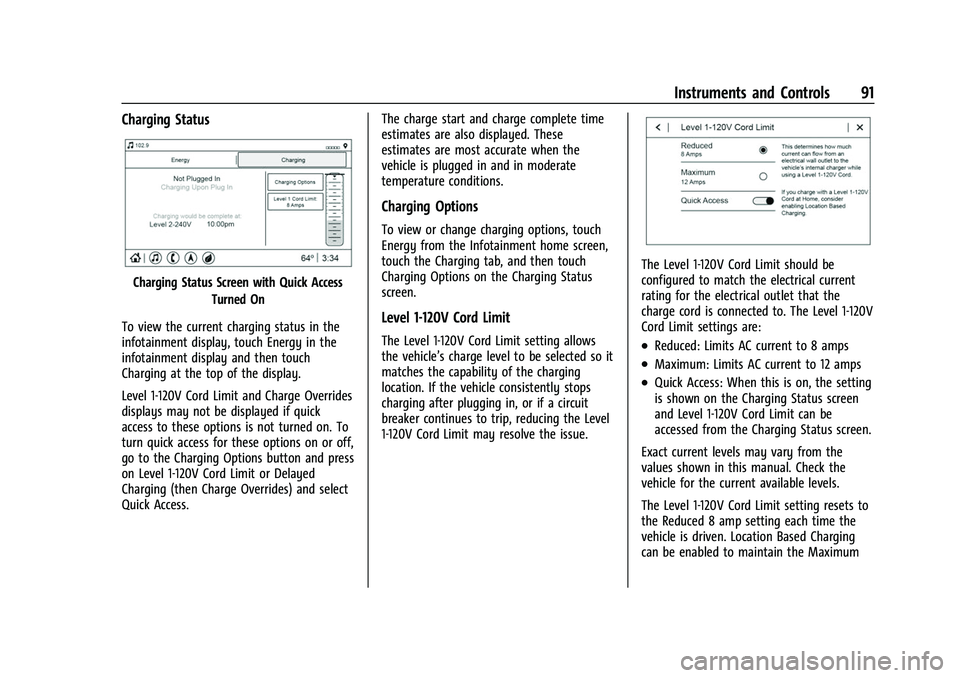
Charging Status
Charging Status Screen with Quick AccessTurned On
To view the current charging status in the
infotainment display, touch Energy in the
infotainment display and then touch
Charging at the top of the display.
Level 1-120V Cord Limit and Charge Overrides
displays may not be displayed if quick
access to these options is not turned on. To
turn quick access for these options on or off,
go to the Charging Options button and press
on Level 1-120V Cord Limit or Delayed
Charging (then Charge Overrides) and select
Quick Access. The charge start and charge complete time
estimates are also displayed. These
estimates are most accurate when the
vehicle is plugged in and in moderate
temperature conditions.
Charging Options
To view or change charging options, touch
Energy from the Infotainment home screen,
touch the Charging tab, and then touch
Charging Options on the Charging Status
screen.
Level 1-120V Cord Limit
The Level 1-120V Cord Limit setting allows
the vehicle’s charge level to be selected so it
matches the capability of the charging
location. If the vehicle consistently stops
charging after plugging in, or if a circuit
breaker continues to trip, reducing the Level
1-120V Cord Limit may resolve the issue.
The Level 1-120V Cord Limit should be
configured to match the electrical current
rating for the electrical outlet that the
charge cord is connected to. The Level 1-120V
Cord Limit settings are:
.Reduced: Limits AC current to 8 amps
.Maximum: Limits AC current to 12 amps
.Quick Access: When this is on, the setting
is shown on the Charging Status screen
and Level 1-120V Cord Limit can be
accessed from the Charging Status screen.
Exact current levels may vary from the
values shown in this manual. Check the
vehicle for the current available levels.
The Level 1-120V Cord Limit setting resets to
the Reduced 8 amp setting each time the
vehicle is driven. Location Based Charging
can be enabled to maintain the Maximum
Page 93 of 316
Chevrolet BOLT EV Owner Manual (GMNA-Localizing-U.S./Canada-
15082216) - 2022 - CRC - 6/25/21
92 Instruments and Controls
12 amp setting at a specified Home location.
See“Location Based Charging” later in this
section.
The Level 1-120V Cord Limit setting can be
changed at any time while the infotainment
display is operable.
{Warning
Using a charge level that exceeds the
electrical circuit or electrical outlet
capacity may start a fire or damage the
electrical circuit. Use the lowest charge
level until a qualified electrician inspects
the electrical circuit capacity. Use the
lowest charge level if the electrical circuit
or electrical outlet capacity is not known.
Target Charge Level
This mode allows the charging range for the
vehicle to be set based on what is needed.
When at a public pay station and a full
charge is not needed, the target charge level
can be set to only get as much range as
needed. If driving on a hill, the target charge level
can be set to stop the charge before the
battery is full to allow space for energy
from regenerative braking when going down
a hill.
There is a minimum target charge level.
Once this level is reached, the
–will not
allow the target charge level bar move
down further.
Target Charge Level can also be set
separately for Location-Based Home and
Away locations. If available, the Home and
Away buttons will appear on the screen.
When Location Based Charging is active, the
Target Charge Level on the Charging Status
screen will automatically update to the
Home or Away setting based on the current
location.
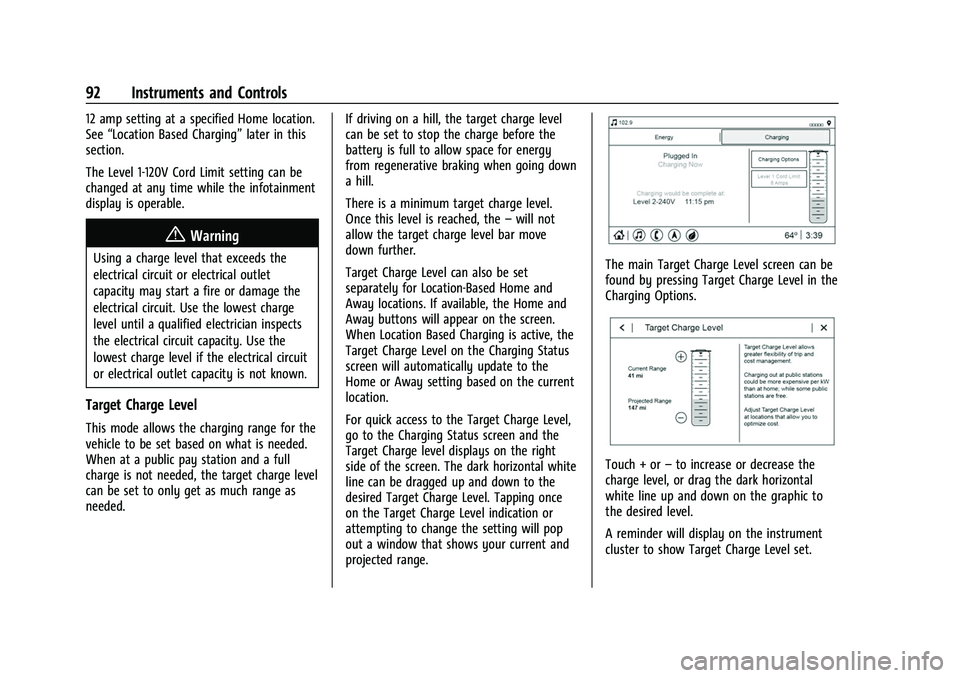
For quick access to the Target Charge Level,
go to the Charging Status screen and the
Target Charge level displays on the right
side of the screen. The dark horizontal white
line can be dragged up and down to the
desired Target Charge Level. Tapping once
on the Target Charge Level indication or
attempting to change the setting will pop
out a window that shows your current and
projected range.
The main Target Charge Level screen can be
found by pressing Target Charge Level in the
Charging Options.
Touch + or –to increase or decrease the
charge level, or drag the dark horizontal
white line up and down on the graphic to
the desired level.
A reminder will display on the instrument
cluster to show Target Charge Level set.
Page 94 of 316
Chevrolet BOLT EV Owner Manual (GMNA-Localizing-U.S./Canada-
15082216) - 2022 - CRC - 6/25/21
Instruments and Controls 93
If the Target Charge Level is higher than
80%, fast charging on the instrument cluster
will show an 80% point, a shaded line up to
the Target Charge Level, a solid line for
current charge level, and the time to
complete 80%.
If the Target Charge Level is less than 80%,
fast charging on the instrument cluster will
show a shaded line up to the Target Charge
Level and the time to complete.
Target Charge Level defaults to 100% if the
12 volt battery becomes discharged.
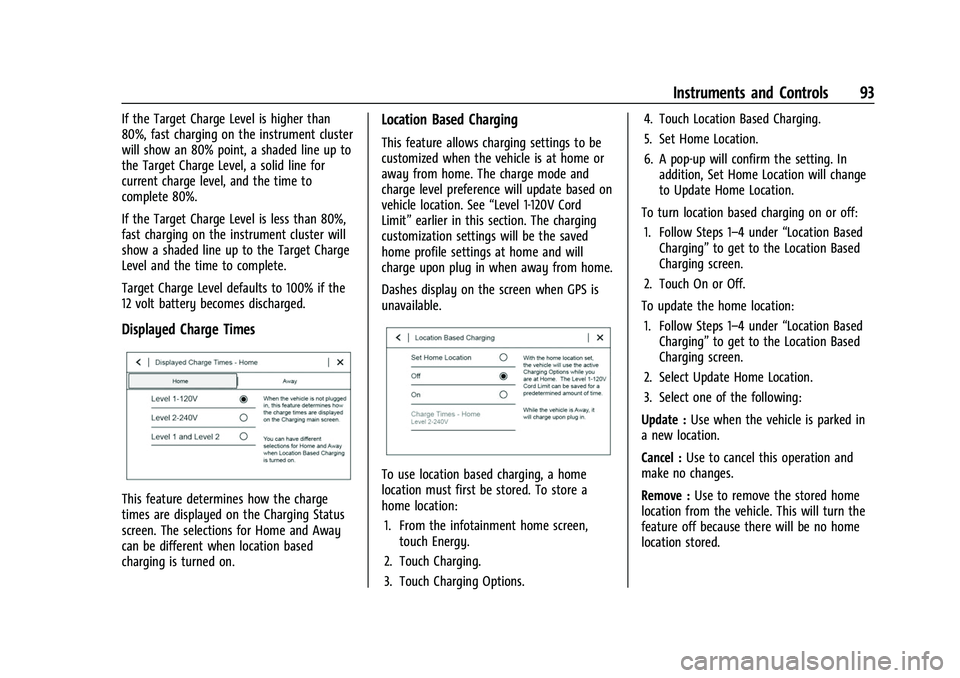
Displayed Charge Times
This feature determines how the charge
times are displayed on the Charging Status
screen. The selections for Home and Away
can be different when location based
charging is turned on.
Location Based Charging
This feature allows charging settings to be
customized when the vehicle is at home or
away from home. The charge mode and
charge level preference will update based on
vehicle location. See“Level 1-120V Cord
Limit” earlier in this section. The charging
customization settings will be the saved
home profile settings at home and will
charge upon plug in when away from home.
Dashes display on the screen when GPS is
unavailable.
To use location based charging, a home
location must first be stored. To store a
home location:
1. From the infotainment home screen, touch Energy.
2. Touch Charging.
3. Touch Charging Options. 4. Touch Location Based Charging.
5. Set Home Location.
6. A pop-up will confirm the setting. In
addition, Set Home Location will change
to Update Home Location.
To turn location based charging on or off: 1. Follow Steps 1–4 under “Location Based
Charging” to get to the Location Based
Charging screen.
2. Touch On or Off.
To update the home location: 1. Follow Steps 1–4 under “Location Based
Charging” to get to the Location Based
Charging screen.
2. Select Update Home Location.
3. Select one of the following:
Update : Use when the vehicle is parked in
a new location.
Cancel : Use to cancel this operation and
make no changes.
Remove : Use to remove the stored home
location from the vehicle. This will turn the
feature off because there will be no home
location stored.