infotainment CHEVROLET BOLT EV 2022 Workshop Manual
[x] Cancel search | Manufacturer: CHEVROLET, Model Year: 2022, Model line: BOLT EV, Model: CHEVROLET BOLT EV 2022Pages: 316, PDF Size: 11.45 MB
Page 148 of 316
Chevrolet BOLT EV Owner Manual (GMNA-Localizing-U.S./Canada-
15082216) - 2022 - CRC - 6/25/21
Infotainment System 147
NEGLIGENT ACTS), IN NO EVENT SHALL QSSC,
ITS AFFILIATES OR THEIR LICENSORS BE
LIABLE TO YOU UNDER ANY LEGAL THEORY,
WHETHER IN TORT (INCLUDING NEGLIGENCE),
CONTRACT OR OTHERWISE, FOR DAMAGES,
INCLUDING ANY DIRECT, INDIRECT, SPECIAL,
INCIDENTAL, OR CONSEQUENTIAL DAMAGES
OF ANY CHARACTER ARISING AS A RESULT OF
THIS LICENSE OR OUT OF THE USE OR
INABILITY TO USE THE PRODUCT (INCLUDING
BUT NOT LIMITED TO DAMAGES FOR LOSS
OF GOODWILL, WORK STOPPAGE, PRODUCT
FAILURE OR MALFUNCTION, OR ANY AND ALL
OTHER COMMERCIAL DAMAGES OR LOSSES),
EVEN IF QSSC, ITS AFFILIATES OR THEIR
LICENSORS HAVE BEEN ADVISED OF THE
POSSIBILITY OF SUCH DAMAGES.
WMA
This product is protected by certain
intellectual property rights of Microsoft. Use
or distribution of such technology outside of
this product is prohibited without a license
from Microsoft.
For more information on the Software,
including any open source software license
terms (and available source code) as well as
copyright attributions applicable to the
Runtime Configuration indicated above,
please contact the Manufacturer or contactQSSC at 175 Terence Matthews Crescent,
Kanata, Ontario, Canada K2M 1W8
([email protected]).
Linotype
Helvetica is a trademark of Linotype Corp.
registered in the U.S. Patent and Trademark
Office and may be registered in certain
other jurisdictions in the name of Linotype
Corp. or its licensee Linotype GmbH.
Usage in text form of each of the Licensed
Trademarks is:
The trademark attribution requirements for
the Licensed Trademarks may be viewed at
https://www.linotype.com/2061-19414/
trademarks.html.
END USER NOTICE
The marks of companies displayed by this
product to indicate business locations are
the marks of their respective owners. The
use of such marks in this product does not
imply any sponsorship, approval,
or endorsement by such companies of this
product.
Page 150 of 316
Chevrolet BOLT EV Owner Manual (GMNA-Localizing-U.S./Canada-
15082216) - 2022 - CRC - 6/25/21
Climate Controls 149
Climate Control Display
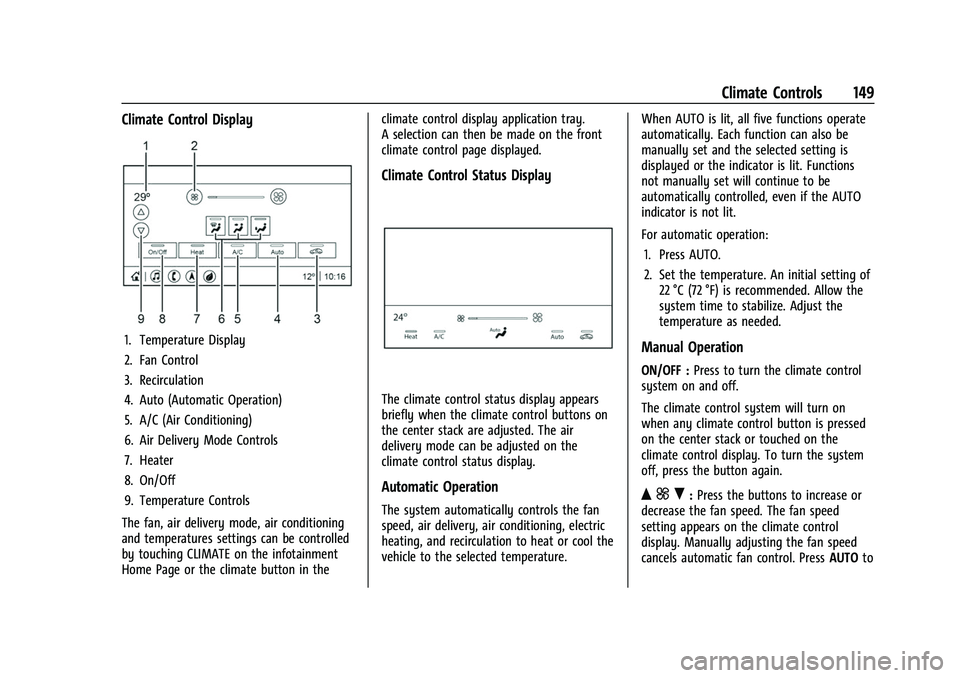
1. Temperature Display
2. Fan Control
3. Recirculation
4. Auto (Automatic Operation)
5. A/C (Air Conditioning)
6. Air Delivery Mode Controls
7. Heater
8. On/Off
9. Temperature Controls
The fan, air delivery mode, air conditioning
and temperatures settings can be controlled
by touching CLIMATE on the infotainment
Home Page or the climate button in the climate control display application tray.
A selection can then be made on the front
climate control page displayed.
Climate Control Status Display
The climate control status display appears
briefly when the climate control buttons on
the center stack are adjusted. The air
delivery mode can be adjusted on the
climate control status display.
Automatic Operation
The system automatically controls the fan
speed, air delivery, air conditioning, electric
heating, and recirculation to heat or cool the
vehicle to the selected temperature.
When AUTO is lit, all five functions operate
automatically. Each function can also be
manually set and the selected setting is
displayed or the indicator is lit. Functions
not manually set will continue to be
automatically controlled, even if the AUTO
indicator is not lit.
For automatic operation:
1. Press AUTO.
2. Set the temperature. An initial setting of 22 °C (72 °F) is recommended. Allow the
system time to stabilize. Adjust the
temperature as needed.
Manual Operation
ON/OFF : Press to turn the climate control
system on and off.
The climate control system will turn on
when any climate control button is pressed
on the center stack or touched on the
climate control display. To turn the system
off, press the button again.
Q ] R:Press the buttons to increase or
decrease the fan speed. The fan speed
setting appears on the climate control
display. Manually adjusting the fan speed
cancels automatic fan control. Press AUTOto
Page 158 of 316
Chevrolet BOLT EV Owner Manual (GMNA-Localizing-U.S./Canada-
15082216) - 2022 - CRC - 6/25/21
Driving and Operating 157
Vehicle Charging/Maintenance
Charging
Keep the vehicle plugged in, even when fully
charged, to maintain the battery
temperature ready for the next drive. This is
important when outside temperatures are
extremely hot or cold.
Maintenance
Always keep the tires properly inflated and
the vehicle properly aligned.
The weight of excess cargo in the vehicle
affects efficiency and driving range. Avoid
carrying more than is needed.
Avoid unnecessary use of electrical
accessories. Power used for functions other
than propelling the vehicle will reduce
driving range.
Using a rooftop carrier will reduce efficiency
due to additional weight and drag.
Distracted Driving
Distraction comes in many forms and can
take your focus from the task of driving.
Exercise good judgment and do not let other
activities divert your attention away from
the road. Many local governments haveenacted laws regarding driver distraction.
Become familiar with the local laws in
your area.
To avoid distracted driving, keep your eyes
on the road, keep your hands on the
steering wheel, and focus your attention on
driving.
.Do not use a mobile phone in demanding
driving situations. Use a hands-free
method to place or receive necessary
phone calls.
.Watch the road. Do not read, take notes,
or look up information on mobile phones
or other electronic devices.
.Designate a front seat passenger to
handle potential distractions.
.Become familiar with vehicle features
before driving, such as programming
favorite radio stations and adjusting
climate control and seat settings. Program
all trip information into any navigation
device prior to driving.
.Wait until the vehicle is parked to
retrieve items that have fallen to the
floor.
.Stop or park the vehicle to tend to
children.
.Keep pets in an appropriate carrier or
restraint.
.Avoid stressful conversations while
driving, whether with a passenger or on a
mobile phone.
{Warning
Taking your eyes off the road too long or
too often could cause a crash resulting in
injury or death. Focus your attention on
driving.
Refer to the Infotainment section for more
information on using that system, including
pairing and using a mobile phone.
Defensive Driving
Defensive driving means “always expect the
unexpected.” The first step in driving
defensively is to wear the seat belt.
.Assume that other road users
(pedestrians, bicyclists, and other drivers)
are going to be careless and make
mistakes. Anticipate what they might do
and be ready.
.Allow enough following distance between
you and the driver in front of you.
.Focus on the task of driving.
Page 189 of 316
Chevrolet BOLT EV Owner Manual (GMNA-Localizing-U.S./Canada-
15082216) - 2022 - CRC - 6/25/21
188 Driving and Operating
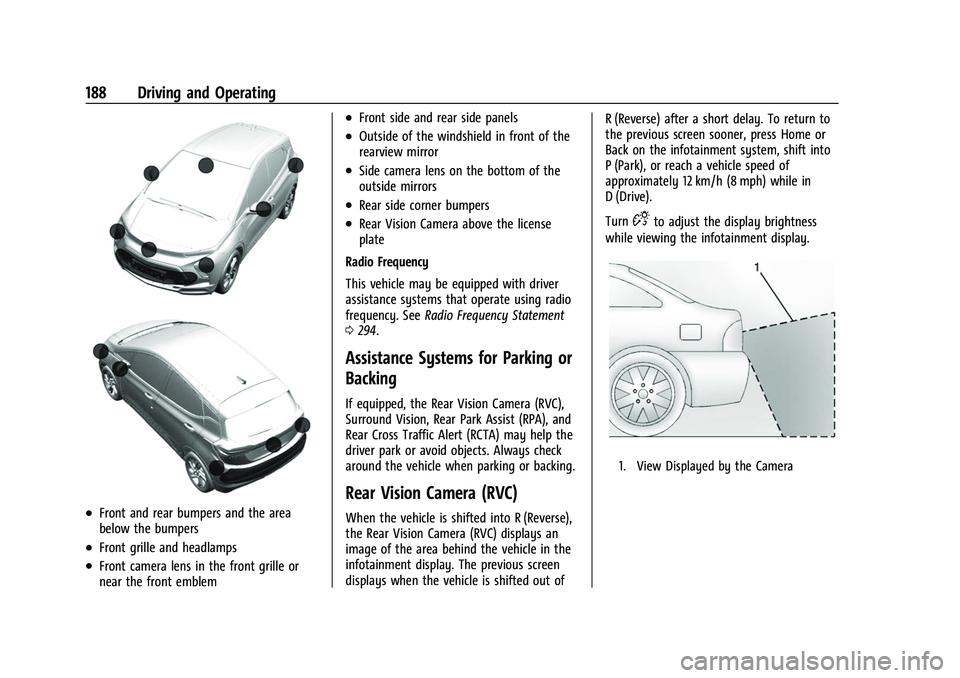
.Front and rear bumpers and the area
below the bumpers
.Front grille and headlamps
.Front camera lens in the front grille or
near the front emblem
.Front side and rear side panels
.Outside of the windshield in front of the
rearview mirror
.Side camera lens on the bottom of the
outside mirrors
.Rear side corner bumpers
.Rear Vision Camera above the license
plate
Radio Frequency
This vehicle may be equipped with driver
assistance systems that operate using radio
frequency. See Radio Frequency Statement
0 294.
Assistance Systems for Parking or
Backing
If equipped, the Rear Vision Camera (RVC),
Surround Vision, Rear Park Assist (RPA), and
Rear Cross Traffic Alert (RCTA) may help the
driver park or avoid objects. Always check
around the vehicle when parking or backing.
Rear Vision Camera (RVC)
When the vehicle is shifted into R (Reverse),
the Rear Vision Camera (RVC) displays an
image of the area behind the vehicle in the
infotainment display. The previous screen
displays when the vehicle is shifted out of R (Reverse) after a short delay. To return to
the previous screen sooner, press Home or
Back on the infotainment system, shift into
P (Park), or reach a vehicle speed of
approximately 12 km/h (8 mph) while in
D (Drive).
Turn
Dto adjust the display brightness
while viewing the infotainment display.
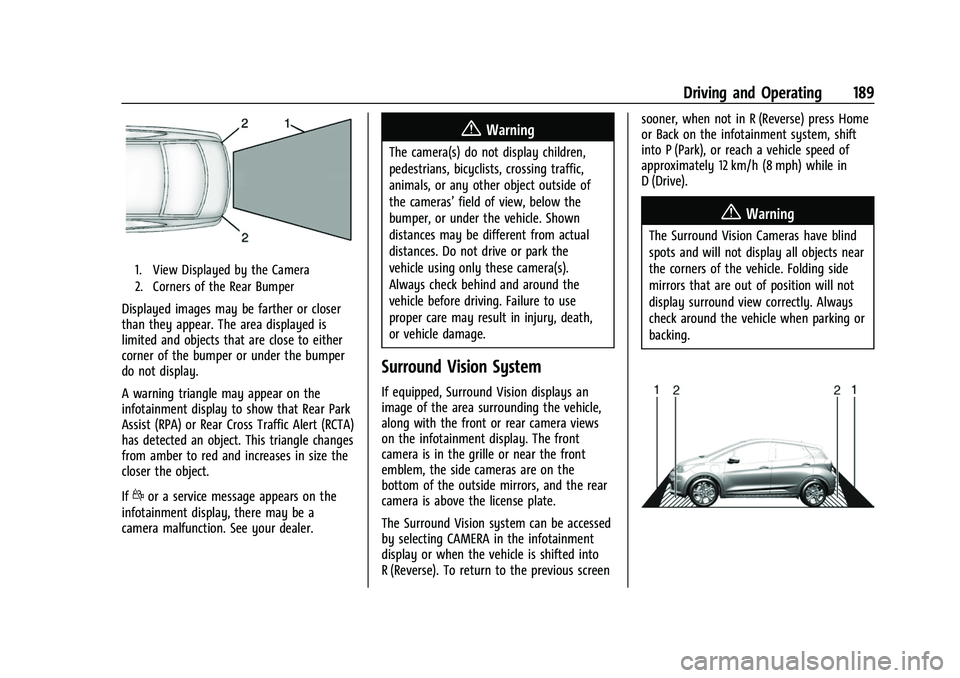
1. View Displayed by the Camera
Page 190 of 316
Chevrolet BOLT EV Owner Manual (GMNA-Localizing-U.S./Canada-
15082216) - 2022 - CRC - 6/25/21
Driving and Operating 189
1. View Displayed by the Camera
2. Corners of the Rear Bumper
Displayed images may be farther or closer
than they appear. The area displayed is
limited and objects that are close to either
corner of the bumper or under the bumper
do not display.
A warning triangle may appear on the
infotainment display to show that Rear Park
Assist (RPA) or Rear Cross Traffic Alert (RCTA)
has detected an object. This triangle changes
from amber to red and increases in size the
closer the object.
If
dor a service message appears on the
infotainment display, there may be a
camera malfunction. See your dealer.
{Warning
The camera(s) do not display children,
pedestrians, bicyclists, crossing traffic,
animals, or any other object outside of
the cameras’ field of view, below the
bumper, or under the vehicle. Shown
distances may be different from actual
distances. Do not drive or park the
vehicle using only these camera(s).
Always check behind and around the
vehicle before driving. Failure to use
proper care may result in injury, death,
or vehicle damage.
Surround Vision System
If equipped, Surround Vision displays an
image of the area surrounding the vehicle,
along with the front or rear camera views
on the infotainment display. The front
camera is in the grille or near the front
emblem, the side cameras are on the
bottom of the outside mirrors, and the rear
camera is above the license plate.
The Surround Vision system can be accessed
by selecting CAMERA in the infotainment
display or when the vehicle is shifted into
R (Reverse). To return to the previous screen sooner, when not in R (Reverse) press Home
or Back on the infotainment system, shift
into P (Park), or reach a vehicle speed of
approximately 12 km/h (8 mph) while in
D (Drive).
{Warning
The Surround Vision Cameras have blind
spots and will not display all objects near
the corners of the vehicle. Folding side
mirrors that are out of position will not
display surround view correctly. Always
check around the vehicle when parking or
backing.
Page 191 of 316
Chevrolet BOLT EV Owner Manual (GMNA-Localizing-U.S./Canada-
15082216) - 2022 - CRC - 6/25/21
190 Driving and Operating
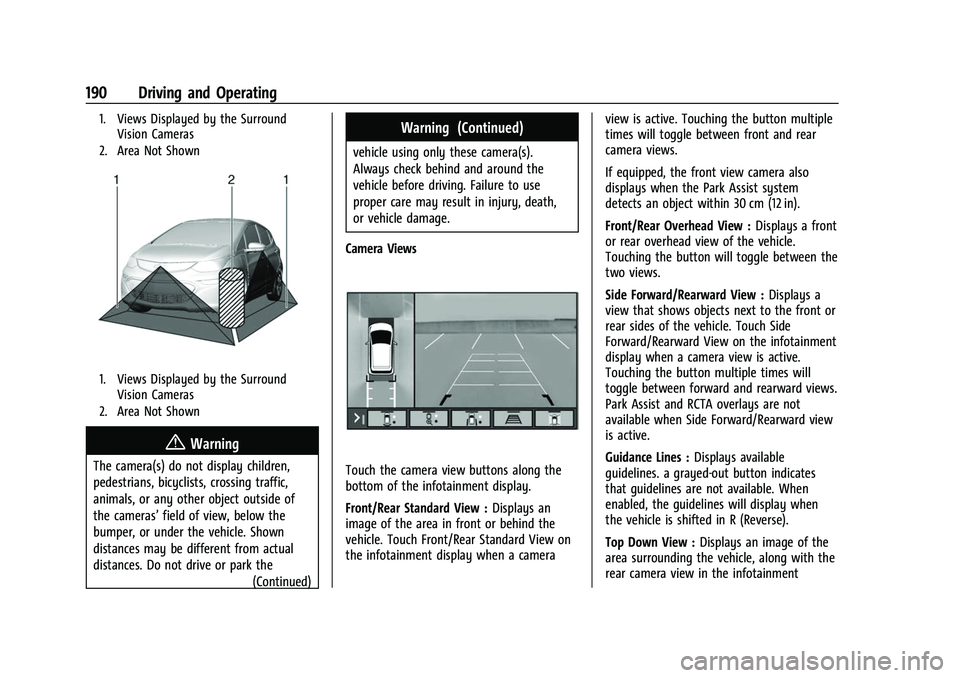
1. Views Displayed by the SurroundVision Cameras
2. Area Not Shown
1. Views Displayed by the Surround Vision Cameras
2. Area Not Shown
{Warning
The camera(s) do not display children,
pedestrians, bicyclists, crossing traffic,
animals, or any other object outside of
the cameras’ field of view, below the
bumper, or under the vehicle. Shown
distances may be different from actual
distances. Do not drive or park the (Continued)
Warning (Continued)
vehicle using only these camera(s).
Always check behind and around the
vehicle before driving. Failure to use
proper care may result in injury, death,
or vehicle damage.
Camera Views
Touch the camera view buttons along the
bottom of the infotainment display.
Front/Rear Standard View : Displays an
image of the area in front or behind the
vehicle. Touch Front/Rear Standard View on
the infotainment display when a camera view is active. Touching the button multiple
times will toggle between front and rear
camera views.
If equipped, the front view camera also
displays when the Park Assist system
detects an object within 30 cm (12 in).
Front/Rear Overhead View :
Displays a front
or rear overhead view of the vehicle.
Touching the button will toggle between the
two views.
Side Forward/Rearward View : Displays a
view that shows objects next to the front or
rear sides of the vehicle. Touch Side
Forward/Rearward View on the infotainment
display when a camera view is active.
Touching the button multiple times will
toggle between forward and rearward views.
Park Assist and RCTA overlays are not
available when Side Forward/Rearward view
is active.
Guidance Lines : Displays available
guidelines. a grayed-out button indicates
that guidelines are not available. When
enabled, the guidelines will display when
the vehicle is shifted in R (Reverse).
Top Down View : Displays an image of the
area surrounding the vehicle, along with the
rear camera view in the infotainment
Page 192 of 316
Chevrolet BOLT EV Owner Manual (GMNA-Localizing-U.S./Canada-
15082216) - 2022 - CRC - 6/25/21
Driving and Operating 191
display. The rear camera view will be
replaced by the front camera view after
shifting from R (Reverse) to a forward gear,
or when the vehicle is moving forward
slower than approximately 12 km/h (8 mph).
Park Assist
The vehicle may be equipped with Rear Park
Assist (RPA). Under certain conditions, the
Park Assist system can assist the driver
during backing and reverse parking
maneuvers when the vehicle is driven at no
more than 9 km/h (6 mph).
Sensors located in the bumpers measure the
distance between the vehicle and objects
using sonar technology. These sensors are
designed to detect certain objects up to
2.5 m (8 ft) behind your vehicle that are
taller than 25 cm (10 in).
Different environmental conditions may
affect whether and how far the Park Assist
system can detect objects. Keep the sensors
clean of mud, dirt, snow, ice, and slush; and
clean sensors after a car wash in freezing
temperatures. Sensors that are not clean
may not detect objects or may cause the
system to alert when not required.
{Warning
The Park Assist System is no substitute
for careful and attentive driving. The Park
Assist system does not detect children,
pedestrians, bicyclists, animals, or objects
located below the bumper or that are too
close or too far from the vehicle. It is not
available at speeds greater than 9 km/h
(6 mph). To prevent injury, death,
or vehicle damage, even with Park Assist,
always check the area around the vehicle
and check all mirrors before moving
forward or backing.
How the System Works
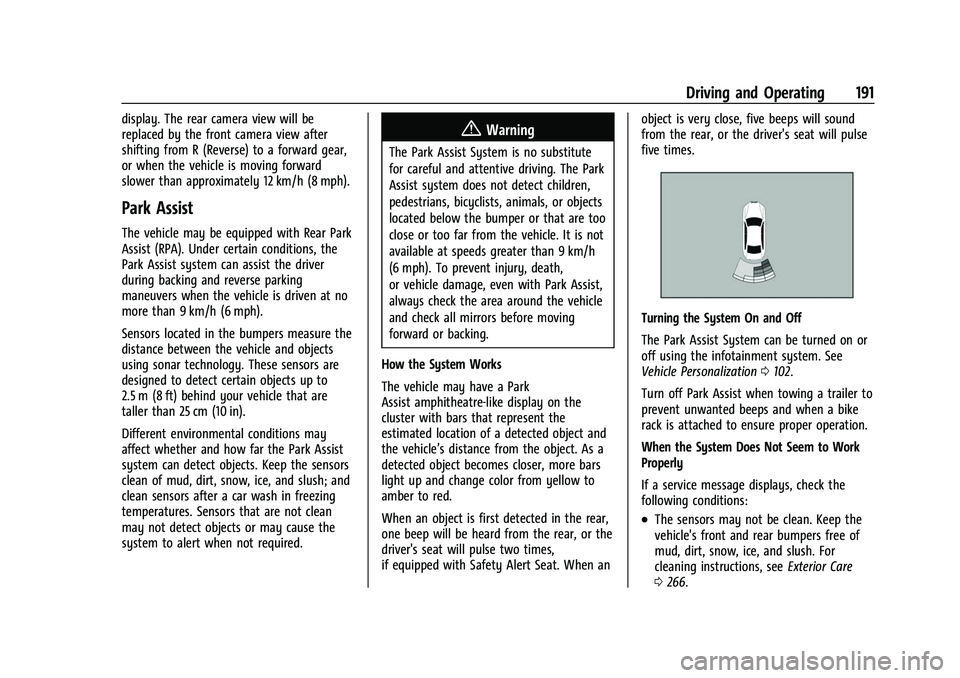
The vehicle may have a Park
Assist amphitheatre-like display on the
cluster with bars that represent the
estimated location of a detected object and
the vehicle’s distance from the object. As a
detected object becomes closer, more bars
light up and change color from yellow to
amber to red.
When an object is first detected in the rear,
one beep will be heard from the rear, or the
driver's seat will pulse two times,
if equipped with Safety Alert Seat. When an object is very close, five beeps will sound
from the rear, or the driver's seat will pulse
five times.
Turning the System On and Off
The Park Assist System can be turned on or
off using the infotainment system. See
Vehicle Personalization
0102.
Turn off Park Assist when towing a trailer to
prevent unwanted beeps and when a bike
rack is attached to ensure proper operation.
When the System Does Not Seem to Work
Properly
If a service message displays, check the
following conditions:
.The sensors may not be clean. Keep the
vehicle's front and rear bumpers free of
mud, dirt, snow, ice, and slush. For
cleaning instructions, see Exterior Care
0 266.
Page 193 of 316
Chevrolet BOLT EV Owner Manual (GMNA-Localizing-U.S./Canada-
15082216) - 2022 - CRC - 6/25/21
192 Driving and Operating
.The Park Assist sensors may be covered
by frost or ice. Frost or ice can form
around and behind the sensors and may
not always be seen; this can occur after
washing the vehicle in cold weather. The
message may not clear until the frost or
ice has melted.
If a service message displays and the above
conditions do not exist, take the vehicle to
your dealer for repairs.
If the Park Assist System does not activate
due to a temporary condition, a system off
message is shown on the display. This can
occur under the following conditions:
.The driver has disabled the system.
.An object is currently blocking the rear
sensors (for example, bike rack, tailgate,
trailer hitch, etc.). Once the object is
removed, Park Assist will return to normal
operation.
.The bumper is damaged. Take the vehicle
to your dealer for repairs.
.Other conditions, such as vibrations from
a jackhammer or the compression of air
brakes on a very large truck, are affecting
system performance.
Rear Cross Traffic Alert (RCTA)
System
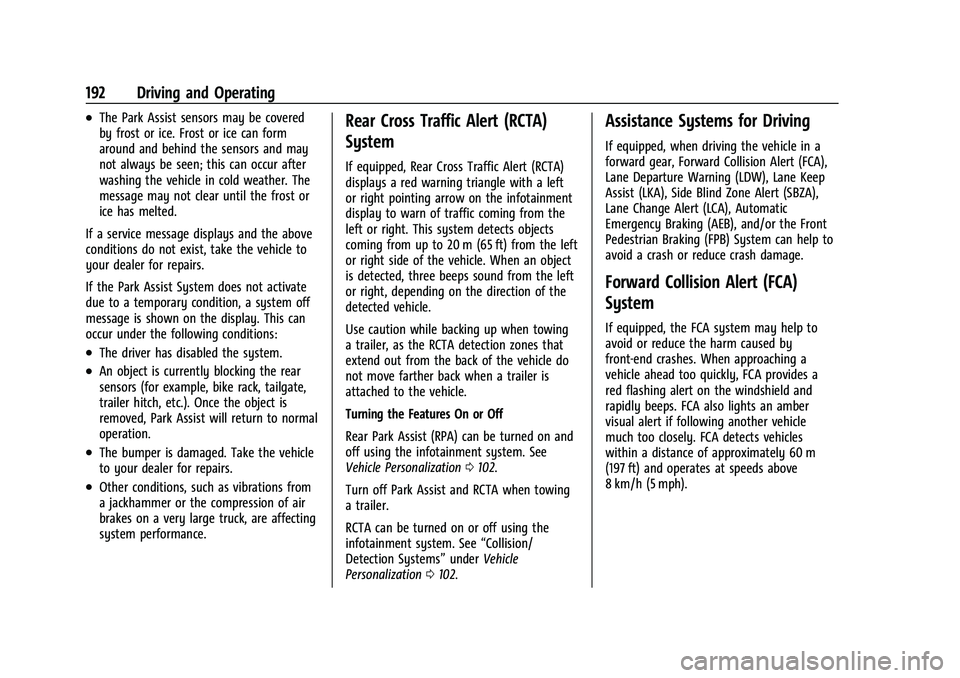
If equipped, Rear Cross Traffic Alert (RCTA)
displays a red warning triangle with a left
or right pointing arrow on the infotainment
display to warn of traffic coming from the
left or right. This system detects objects
coming from up to 20 m (65 ft) from the left
or right side of the vehicle. When an object
is detected, three beeps sound from the left
or right, depending on the direction of the
detected vehicle.
Use caution while backing up when towing
a trailer, as the RCTA detection zones that
extend out from the back of the vehicle do
not move farther back when a trailer is
attached to the vehicle.
Turning the Features On or Off
Rear Park Assist (RPA) can be turned on and
off using the infotainment system. See
Vehicle Personalization 0102.
Turn off Park Assist and RCTA when towing
a trailer.
RCTA can be turned on or off using the
infotainment system. See “Collision/
Detection Systems” underVehicle
Personalization 0102.
Assistance Systems for Driving
If equipped, when driving the vehicle in a
forward gear, Forward Collision Alert (FCA),
Lane Departure Warning (LDW), Lane Keep
Assist (LKA), Side Blind Zone Alert (SBZA),
Lane Change Alert (LCA), Automatic
Emergency Braking (AEB), and/or the Front
Pedestrian Braking (FPB) System can help to
avoid a crash or reduce crash damage.
Forward Collision Alert (FCA)
System
If equipped, the FCA system may help to
avoid or reduce the harm caused by
front-end crashes. When approaching a
vehicle ahead too quickly, FCA provides a
red flashing alert on the windshield and
rapidly beeps. FCA also lights an amber
visual alert if following another vehicle
much too closely. FCA detects vehicles
within a distance of approximately 60 m
(197 ft) and operates at speeds above
8 km/h (5 mph).
Page 213 of 316
Chevrolet BOLT EV Owner Manual (GMNA-Localizing-U.S./Canada-
15082216) - 2022 - CRC - 6/25/21
212 Driving and Operating
OPSymbol Fault/Condition/Event
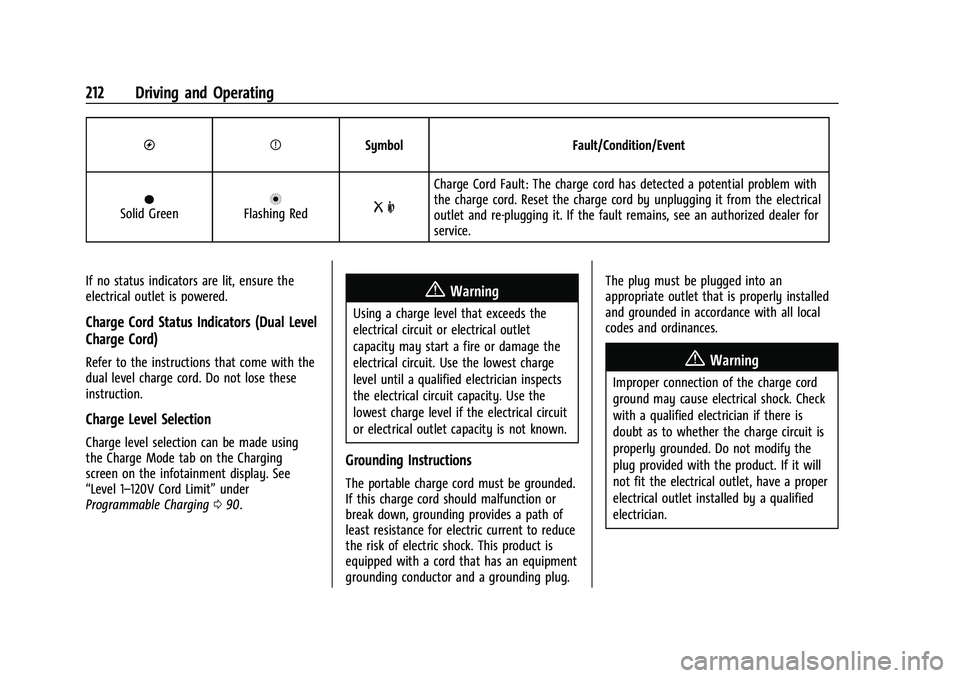
OSolid GreennFlashing RedR m
Charge Cord Fault: The charge cord has detected a potential problem with
the charge cord. Reset the charge cord by unplugging it from the electrical
outlet and re-plugging it. If the fault remains, see an authorized dealer for
service.
If no status indicators are lit, ensure the
electrical outlet is powered.
Charge Cord Status Indicators (Dual Level
Charge Cord)
Refer to the instructions that come with the
dual level charge cord. Do not lose these
instruction.
Charge Level Selection
Charge level selection can be made using
the Charge Mode tab on the Charging
screen on the infotainment display. See
“Level 1–120V Cord Limit” under
Programmable Charging 090.
{Warning
Using a charge level that exceeds the
electrical circuit or electrical outlet
capacity may start a fire or damage the
electrical circuit. Use the lowest charge
level until a qualified electrician inspects
the electrical circuit capacity. Use the
lowest charge level if the electrical circuit
or electrical outlet capacity is not known.
Grounding Instructions
The portable charge cord must be grounded.
If this charge cord should malfunction or
break down, grounding provides a path of
least resistance for electric current to reduce
the risk of electric shock. This product is
equipped with a cord that has an equipment
grounding conductor and a grounding plug. The plug must be plugged into an
appropriate outlet that is properly installed
and grounded in accordance with all local
codes and ordinances.
{Warning
Improper connection of the charge cord
ground may cause electrical shock. Check
with a qualified electrician if there is
doubt as to whether the charge circuit is
properly grounded. Do not modify the
plug provided with the product. If it will
not fit the electrical outlet, have a proper
electrical outlet installed by a qualified
electrician.
Page 215 of 316
Chevrolet BOLT EV Owner Manual (GMNA-Localizing-U.S./Canada-
15082216) - 2022 - CRC - 6/25/21
214 Driving and Operating
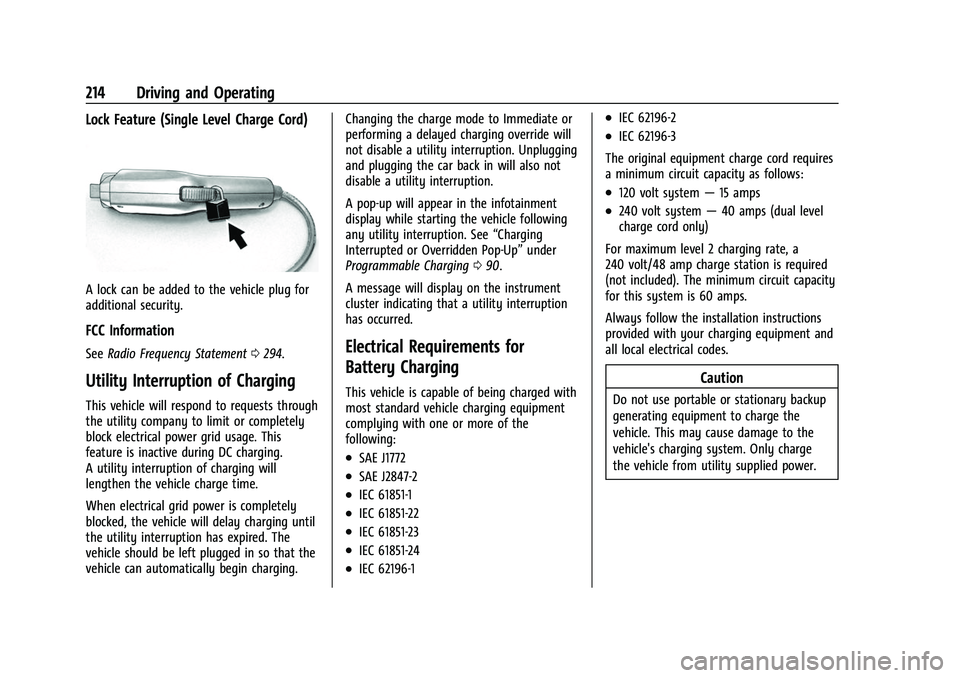
Lock Feature (Single Level Charge Cord)
A lock can be added to the vehicle plug for
additional security.
FCC Information
SeeRadio Frequency Statement 0294.
Utility Interruption of Charging
This vehicle will respond to requests through
the utility company to limit or completely
block electrical power grid usage. This
feature is inactive during DC charging.
A utility interruption of charging will
lengthen the vehicle charge time.
When electrical grid power is completely
blocked, the vehicle will delay charging until
the utility interruption has expired. The
vehicle should be left plugged in so that the
vehicle can automatically begin charging. Changing the charge mode to Immediate or
performing a delayed charging override will
not disable a utility interruption. Unplugging
and plugging the car back in will also not
disable a utility interruption.
A pop-up will appear in the infotainment
display while starting the vehicle following
any utility interruption. See
“Charging
Interrupted or Overridden Pop-Up” under
Programmable Charging 090.
A message will display on the instrument
cluster indicating that a utility interruption
has occurred.
Electrical Requirements for
Battery Charging
This vehicle is capable of being charged with
most standard vehicle charging equipment
complying with one or more of the
following:
.SAE J1772
.SAE J2847-2
.IEC 61851-1
.IEC 61851-22
.IEC 61851-23
.IEC 61851-24
.IEC 62196-1
.IEC 62196-2
.IEC 62196-3
The original equipment charge cord requires
a minimum circuit capacity as follows:
.120 volt system —15 amps
.240 volt system —40 amps (dual level
charge cord only)
For maximum level 2 charging rate, a
240 volt/48 amp charge station is required
(not included). The minimum circuit capacity
for this system is 60 amps.
Always follow the installation instructions
provided with your charging equipment and
all local electrical codes.
Caution
Do not use portable or stationary backup
generating equipment to charge the
vehicle. This may cause damage to the
vehicle's charging system. Only charge
the vehicle from utility supplied power.