stop start CHEVROLET BOLT EV 2023 User Guide
[x] Cancel search | Manufacturer: CHEVROLET, Model Year: 2023, Model line: BOLT EV, Model: CHEVROLET BOLT EV 2023Pages: 308, PDF Size: 5.18 MB
Page 137 of 308
Chevrolet BOLT EV Owner Manual (GMNA-Localizing-U.S./Canada-
16404388) - 2023 - CRC - 3/7/22
136 Infotainment System
Driver restrictions will be applied
whenever this remote key is used to
operate the vehicle.
.If the remote key has already been
registered, the option to remove the
key displays. If Remove is touched,
the remote key is no longer
registered. A confirmation message
displays, and Teen Driver restrictions
will not be applied if this remote key
is used to operate the vehicle.
In vehicles with a pushbutton start system,
if a Teen Driver and a non-Teen Driver key
are both present at start up, the vehicle will
recognize the non-Teen Driver key to start
the vehicle. The Teen Driver settings will not
be active.
For a keyed ignition system: 1. Start the vehicle.
2. For automatic transmissions, the vehicle must be in P (Park). For manual
transmissions, the vehicle must be
stopped with the parking brake set.
3. From the Settings menu, touch Vehicle and then Teen Driver.
4. Enter the PIN. 5. Touch Setup Keys or Add/Remove Teen
Driver Keys. The system displays
instructions for registering or
unregistering a key. A confirmation
message displays.
Manage Settings or Teen Driver Settings
Depending on the options of your vehicle,
the following menu items may be displayed:
Buckle to Drive : When turned ON, Buckle to
Drive prevents the driver from shifting out
of P (Park) for a period of time after the
brake pedal is pressed if the driver, or on
some vehicles the detected passenger, has
not buckled their seat belt. On some
vehicles, Buckle to Drive is always ON when
Teen Driver is active and is not configurable.
Audio Volume Limit : Allows a maximum
audio volume to be set. Turn the audio
volume limit on or off. Use the arrows to
choose the maximum allowable level for the
audio volume. On some infotainment
systems, touch Set Audio Volume Limit to
choose the maximum allowable audio
volume level.
Set Audio Volume Limit : Use the arrows to
choose the maximum allowable level for the
audio volume. Teen Driver Speed Limiter :
Limits the
maximum speed of the vehicle. When the
speed limiter is turned on and the vehicle is
started with a Teen Driver key, the DIC
displays a message that the top speed is
limited.
On certain vehicles, when the Speed Limiter
is turned ON, the vehicle’s maximum
acceleration will be limited. The DIC will
display a message that the acceleration is
limited.
Teen Driver Speed Warning : Displays a
warning in the DIC when exceeding a
selectable speed. Turn the speed warning on
or off and choose the desired speed warning
level. The speed warning does not limit the
speed of the vehicle. On some infotainment
systems, touch Set Teen Driver Speed
Warning to set the warning speed.
Set Teen Driver Speed Warning : Choose the
desired speed warning level. The speed
warning does not limit the speed of the
vehicle.
SiriusXM Explicit Content Filter : Allows the
SiriusXM Explicit Content Filter to be turned
ON or OFF. When ON, the teen driver will
not be able to listen to SiriusXM stations
Page 152 of 308
Chevrolet BOLT EV Owner Manual (GMNA-Localizing-U.S./Canada-
16404388) - 2023 - CRC - 3/7/22
Driving and Operating 151
Driving and Operating
Driving Information
Driving for Better Energy Efficiency . . . . 152
Distracted Driving . . . . . . . . . . . . . . . . . . . . . . 153
Defensive Driving . . . . . . . . . . . . . . . . . . . . . . 153
Impaired Driving . . . . . . . . . . . . . . . . . . . . . . . 154
Control of a Vehicle . . . . . . . . . . . . . . . . . . . 154
Braking . . . . . . . . . . . . . . . . . . . . . . . . . . . . . . . . 154
Steering . . . . . . . . . . . . . . . . . . . . . . . . . . . . . . . 154
Off-Road Recovery . . . . . . . . . . . . . . . . . . . . . 155
Loss of Control . . . . . . . . . . . . . . . . . . . . . . . . . 155
Driving on Wet Roads . . . . . . . . . . . . . . . . . 156
Hill and Mountain Roads . . . . . . . . . . . . . . 156
Winter Driving . . . . . . . . . . . . . . . . . . . . . . . . . 157
If the Vehicle Is Stuck . . . . . . . . . . . . . . . . . 158
Vehicle Load Limits . . . . . . . . . . . . . . . . . . . . 158
Starting and Operating
New Vehicle Break-In . . . . . . . . . . . . . . . . . . 161
Power Button . . . . . . . . . . . . . . . . . . . . . . . . . . 161
Starting and Stopping the Vehicle . . . . . 162
Retained Accessory Power (RAP) . . . . . . . 163
Shifting Into Park . . . . . . . . . . . . . . . . . . . . . . 163
Shifting out of Park . . . . . . . . . . . . . . . . . . . 164
Extended Parking . . . . . . . . . . . . . . . . . . . . . . 164
Electric Vehicle Operating Modes
Driver Selected Operating Modes . . . . . . 164
Electric Drive Unit
Electric Drive Unit . . . . . . . . . . . . . . . . . . . . . 165
One-Pedal Driving . . . . . . . . . . . . . . . . . . . . . 167
Brakes
Antilock Brake System (ABS) . . . . . . . . . . 168
Electric Parking Brake . . . . . . . . . . . . . . . . . . 168
Brake Assist . . . . . . . . . . . . . . . . . . . . . . . . . . . 169
Hill Start Assist (HSA) . . . . . . . . . . . . . . . . . 170
Regenerative Braking . . . . . . . . . . . . . . . . . . 170
Ride Control Systems
Traction Control/Electronic StabilityControl . . . . . . . . . . . . . . . . . . . . . . . . . . . . . . . 171
Cruise Control
Cruise Control . . . . . . . . . . . . . . . . . . . . . . . . . . 172
Adaptive Cruise Control (Camera) . . . . . . 174
Driver Assistance Systems
Driver Assistance Systems . . . . . . . . . . . . . 183
Assistance Systems for Parking orBacking . . . . . . . . . . . . . . . . . . . . . . . . . . . . . . 184
Rear Vision Camera (RVC) . . . . . . . . . . . . . 184
Surround Vision System . . . . . . . . . . . . . . . 185
Park Assist . . . . . . . . . . . . . . . . . . . . . . . . . . . . . 187
Rear Cross Traffic Alert (RCTA) System . . . . . . . . . . . . . . . . . . . . . . . . . . . . . . 188
Assistance Systems for Driving . . . . . . . . 188
Forward Collision Alert (FCA) System . . . . . . . . . . . . . . . . . . . . . . . . . . . . . . 189 Automatic Emergency
Braking (AEB) . . . . . . . . . . . . . . . . . . . . . . . . 190
Front Pedestrian Braking (FPB) System . . . . . . . . . . . . . . . . . . . . . . . . . . . . . . . 191
Side Blind Zone Alert (SBZA) . . . . . . . . . . . 193
Lane Change Alert (LCA) . . . . . . . . . . . . . . . 193
Lane Keep Assist (LKA) . . . . . . . . . . . . . . . . . 195
Charging
When to Charge . . . . . . . . . . . . . . . . . . . . . . . 196
Plug-In Charging . . . . . . . . . . . . . . . . . . . . . . . 197
Delayed Charging Override . . . . . . . . . . . . 200
Charging Status Feedback . . . . . . . . . . . . . 201
Charge Cord . . . . . . . . . . . . . . . . . . . . . . . . . . . 204
Utility Interruption of Charging . . . . . . . . 210
Electrical Requirements for Battery Charging . . . . . . . . . . . . . . . . . . . . . . . . . . . . . 210
Trailer Towing
General Towing Information . . . . . . . . . . . 211
Conversions and Add-Ons
Add-On Electrical Equipment . . . . . . . . . . . 211
Page 156 of 308
Chevrolet BOLT EV Owner Manual (GMNA-Localizing-U.S./Canada-
16404388) - 2023 - CRC - 3/7/22
Driving and Operating 155
If power steering assist is lost due to a
system malfunction, the vehicle can be
steered, but may require increased effort.
If the steering wheel is turned as far as it
can turn and is held with force in that
position for an extended period of time,
power steering assist may be reduced.
See your dealer if there is a problem.
Curve Tips
.Take curves at a reasonable speed.
.Reduce speed before entering a curve.
.Maintain a reasonable steady speed
through the curve.
.Wait until the vehicle is out of the curve
before accelerating gently into the
straightaway.
Steering in Emergencies
.There are some situations when steering
around a problem may be more effective
than braking.
.Holding both sides of the steering wheel
allows you to turn 180 degrees without
removing a hand.
.Antilock Brake System (ABS) allows
steering while braking.
Off-Road Recovery
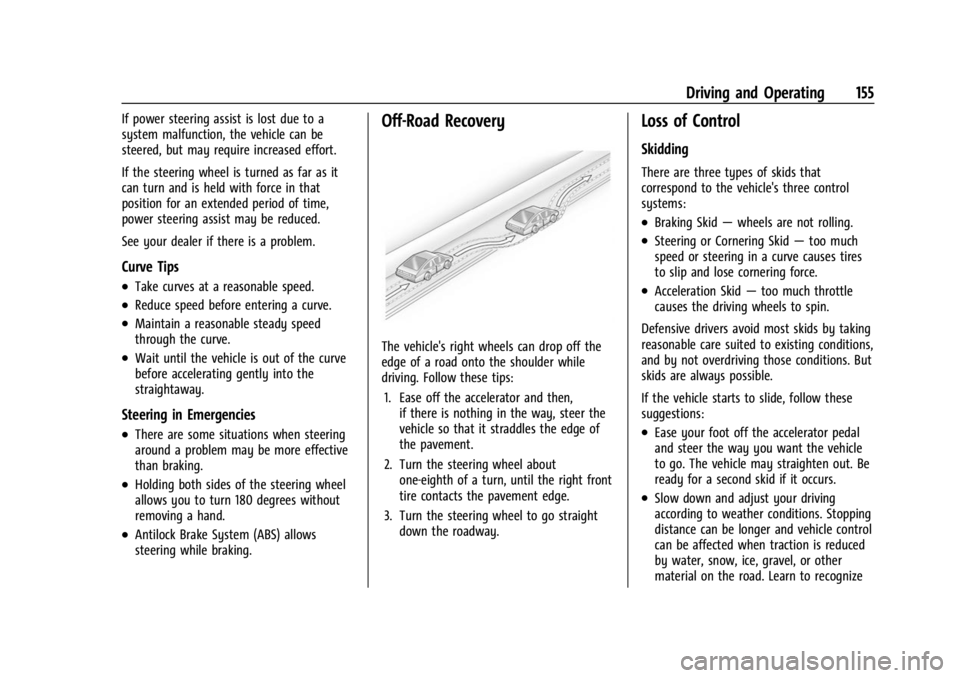
The vehicle's right wheels can drop off the
edge of a road onto the shoulder while
driving. Follow these tips:1. Ease off the accelerator and then, if there is nothing in the way, steer the
vehicle so that it straddles the edge of
the pavement.
2. Turn the steering wheel about one-eighth of a turn, until the right front
tire contacts the pavement edge.
3. Turn the steering wheel to go straight down the roadway.
Loss of Control
Skidding
There are three types of skids that
correspond to the vehicle's three control
systems:
.Braking Skid —wheels are not rolling.
.Steering or Cornering Skid —too much
speed or steering in a curve causes tires
to slip and lose cornering force.
.Acceleration Skid —too much throttle
causes the driving wheels to spin.
Defensive drivers avoid most skids by taking
reasonable care suited to existing conditions,
and by not overdriving those conditions. But
skids are always possible.
If the vehicle starts to slide, follow these
suggestions:
.Ease your foot off the accelerator pedal
and steer the way you want the vehicle
to go. The vehicle may straighten out. Be
ready for a second skid if it occurs.
.Slow down and adjust your driving
according to weather conditions. Stopping
distance can be longer and vehicle control
can be affected when traction is reduced
by water, snow, ice, gravel, or other
material on the road. Learn to recognize
Page 162 of 308
Chevrolet BOLT EV Owner Manual (GMNA-Localizing-U.S./Canada-
16404388) - 2023 - CRC - 3/7/22
Driving and Operating 161
{Warning
Things inside the vehicle can strike
and injure people in a sudden stop or
turn, or in a crash.
.Put things in the cargo area of the
vehicle. In the cargo area, put
them as far forward as possible.
Try to spread the weight evenly.
.Never stack heavier things, like
suitcases, inside the vehicle so
that some of them are above the
tops of the seats.
.Do not leave an unsecured child
restraint in the vehicle.
.Secure loose items in the vehicle.
.Do not leave a seat folded down
unless needed.
Starting and Operating
New Vehicle Break-In
Caution
Avoid making hard stops for the first
322 km (200 mi). During this time the
new brake linings are not yet broken in.
Hard stops with new linings can mean
premature wear and earlier replacement.
Follow this breaking-in guideline every
time you get new brake linings.
Following break-in, vehicle speed and load
can be gradually increased.
Power Button
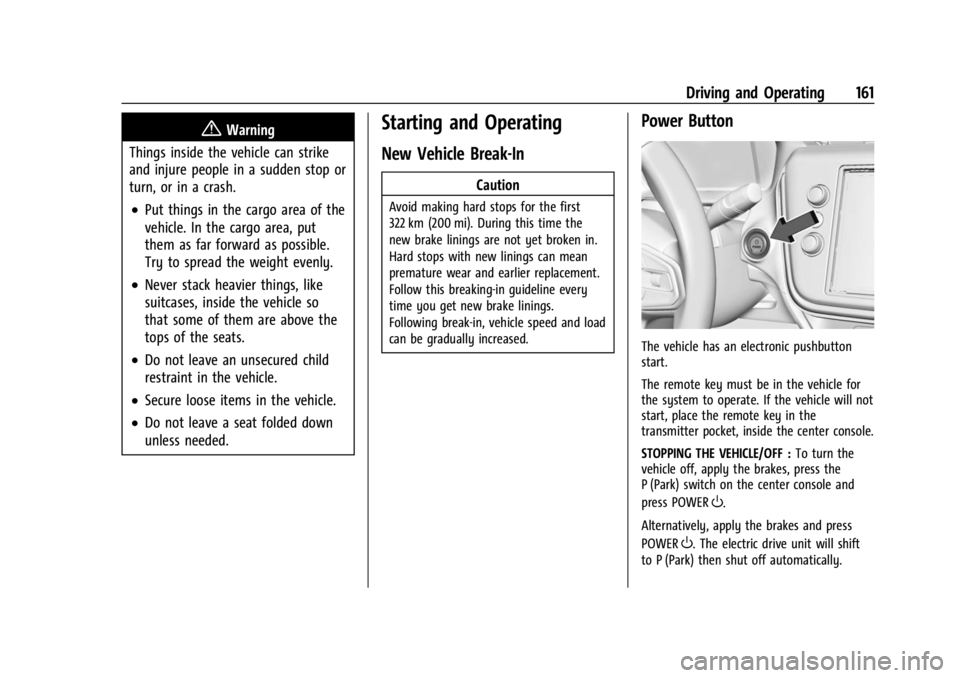
The vehicle has an electronic pushbutton
start.
The remote key must be in the vehicle for
the system to operate. If the vehicle will not
start, place the remote key in the
transmitter pocket, inside the center console.
STOPPING THE VEHICLE/OFF : To turn the
vehicle off, apply the brakes, press the
P (Park) switch on the center console and
press POWER
O.
Alternatively, apply the brakes and press
POWER
O. The electric drive unit will shift
to P (Park) then shut off automatically.
Page 163 of 308
Chevrolet BOLT EV Owner Manual (GMNA-Localizing-U.S./Canada-
16404388) - 2023 - CRC - 3/7/22
162 Driving and Operating
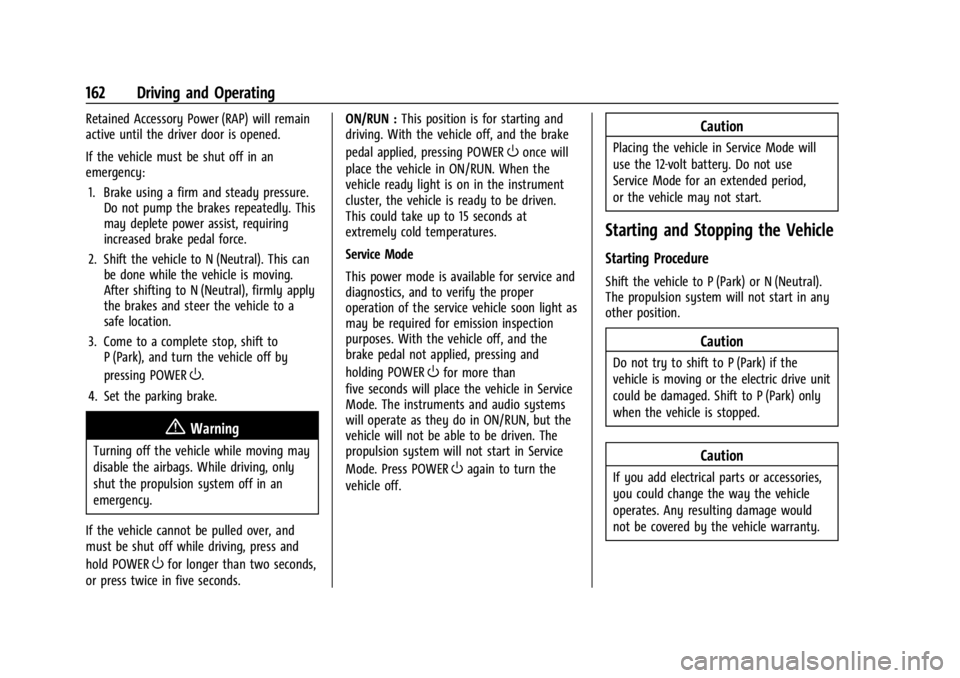
Retained Accessory Power (RAP) will remain
active until the driver door is opened.
If the vehicle must be shut off in an
emergency:1. Brake using a firm and steady pressure. Do not pump the brakes repeatedly. This
may deplete power assist, requiring
increased brake pedal force.
2. Shift the vehicle to N (Neutral). This can be done while the vehicle is moving.
After shifting to N (Neutral), firmly apply
the brakes and steer the vehicle to a
safe location.
3. Come to a complete stop, shift to P (Park), and turn the vehicle off by
pressing POWER
O.
4. Set the parking brake.
{Warning
Turning off the vehicle while moving may
disable the airbags. While driving, only
shut the propulsion system off in an
emergency.
If the vehicle cannot be pulled over, and
must be shut off while driving, press and
hold POWER
Ofor longer than two seconds,
or press twice in five seconds. ON/RUN :
This position is for starting and
driving. With the vehicle off, and the brake
pedal applied, pressing POWER
Oonce will
place the vehicle in ON/RUN. When the
vehicle ready light is on in the instrument
cluster, the vehicle is ready to be driven.
This could take up to 15 seconds at
extremely cold temperatures.
Service Mode
This power mode is available for service and
diagnostics, and to verify the proper
operation of the service vehicle soon light as
may be required for emission inspection
purposes. With the vehicle off, and the
brake pedal not applied, pressing and
holding POWER
Ofor more than
five seconds will place the vehicle in Service
Mode. The instruments and audio systems
will operate as they do in ON/RUN, but the
vehicle will not be able to be driven. The
propulsion system will not start in Service
Mode. Press POWER
Oagain to turn the
vehicle off.
Caution
Placing the vehicle in Service Mode will
use the 12-volt battery. Do not use
Service Mode for an extended period,
or the vehicle may not start.
Starting and Stopping the Vehicle
Starting Procedure
Shift the vehicle to P (Park) or N (Neutral).
The propulsion system will not start in any
other position.
Caution
Do not try to shift to P (Park) if the
vehicle is moving or the electric drive unit
could be damaged. Shift to P (Park) only
when the vehicle is stopped.
Caution
If you add electrical parts or accessories,
you could change the way the vehicle
operates. Any resulting damage would
not be covered by the vehicle warranty.
Page 164 of 308
Chevrolet BOLT EV Owner Manual (GMNA-Localizing-U.S./Canada-
16404388) - 2023 - CRC - 3/7/22
Driving and Operating 163
The remote key must be in the vehicle.
Press the brake pedal, then press and
release POWER
O.
If the remote key is not in the vehicle or
something is interfering with the key, a
message displays in the Driver Information
Center (DIC).
If the vehicle will not start due to a low
remote key battery, the vehicle can still be
driven. See Remote Key Operation 07.
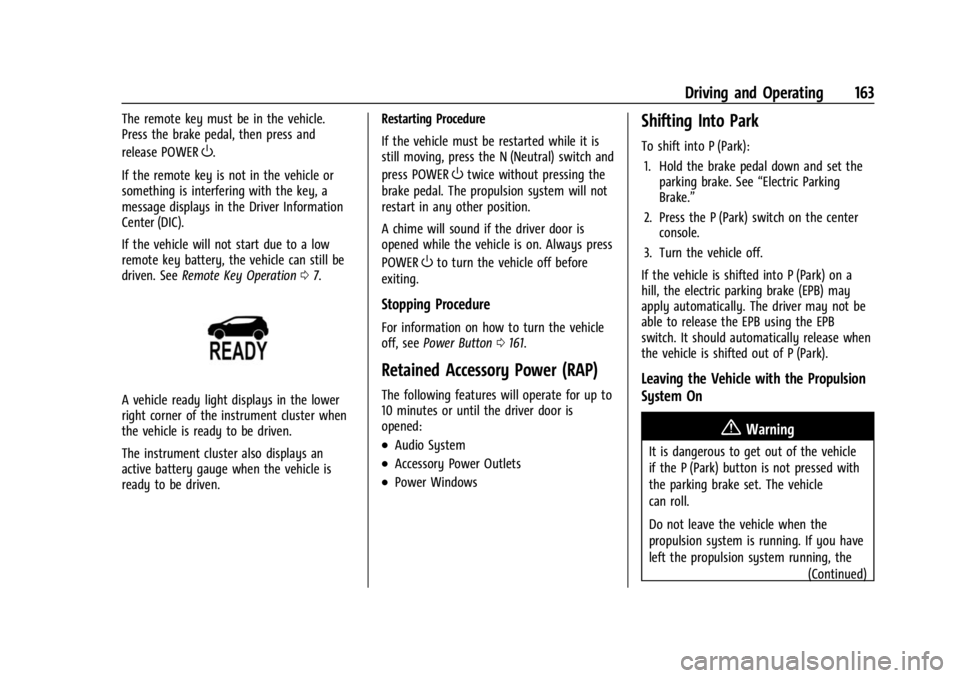
A vehicle ready light displays in the lower
right corner of the instrument cluster when
the vehicle is ready to be driven.
The instrument cluster also displays an
active battery gauge when the vehicle is
ready to be driven. Restarting Procedure
If the vehicle must be restarted while it is
still moving, press the N (Neutral) switch and
press POWER
Otwice without pressing the
brake pedal. The propulsion system will not
restart in any other position.
A chime will sound if the driver door is
opened while the vehicle is on. Always press
POWER
Oto turn the vehicle off before
exiting.
Stopping Procedure
For information on how to turn the vehicle
off, see Power Button 0161.
Retained Accessory Power (RAP)
The following features will operate for up to
10 minutes or until the driver door is
opened:
.Audio System
.Accessory Power Outlets
.Power Windows
Shifting Into Park
To shift into P (Park):
1. Hold the brake pedal down and set the parking brake. See “Electric Parking
Brake.”
2. Press the P (Park) switch on the center console.
3. Turn the vehicle off.
If the vehicle is shifted into P (Park) on a
hill, the electric parking brake (EPB) may
apply automatically. The driver may not be
able to release the EPB using the EPB
switch. It should automatically release when
the vehicle is shifted out of P (Park).
Leaving the Vehicle with the Propulsion
System On
{Warning
It is dangerous to get out of the vehicle
if the P (Park) button is not pressed with
the parking brake set. The vehicle
can roll.
Do not leave the vehicle when the
propulsion system is running. If you have
left the propulsion system running, the (Continued)
Page 166 of 308
Chevrolet BOLT EV Owner Manual (GMNA-Localizing-U.S./Canada-
16404388) - 2023 - CRC - 3/7/22
Driving and Operating 165
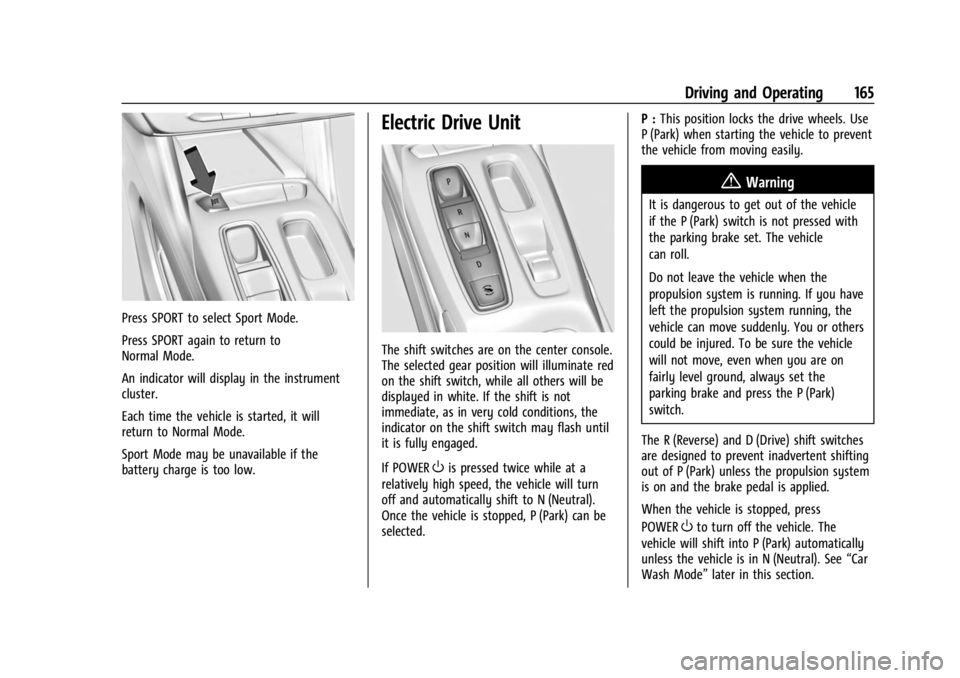
Press SPORT to select Sport Mode.
Press SPORT again to return to
Normal Mode.
An indicator will display in the instrument
cluster.
Each time the vehicle is started, it will
return to Normal Mode.
Sport Mode may be unavailable if the
battery charge is too low.
Electric Drive Unit
The shift switches are on the center console.
The selected gear position will illuminate red
on the shift switch, while all others will be
displayed in white. If the shift is not
immediate, as in very cold conditions, the
indicator on the shift switch may flash until
it is fully engaged.
If POWER
Ois pressed twice while at a
relatively high speed, the vehicle will turn
off and automatically shift to N (Neutral).
Once the vehicle is stopped, P (Park) can be
selected. P :
This position locks the drive wheels. Use
P (Park) when starting the vehicle to prevent
the vehicle from moving easily.
{Warning
It is dangerous to get out of the vehicle
if the P (Park) switch is not pressed with
the parking brake set. The vehicle
can roll.
Do not leave the vehicle when the
propulsion system is running. If you have
left the propulsion system running, the
vehicle can move suddenly. You or others
could be injured. To be sure the vehicle
will not move, even when you are on
fairly level ground, always set the
parking brake and press the P (Park)
switch.
The R (Reverse) and D (Drive) shift switches
are designed to prevent inadvertent shifting
out of P (Park) unless the propulsion system
is on and the brake pedal is applied.
When the vehicle is stopped, press
POWER
Oto turn off the vehicle. The
vehicle will shift into P (Park) automatically
unless the vehicle is in N (Neutral). See “Car
Wash Mode” later in this section.
Page 167 of 308
Chevrolet BOLT EV Owner Manual (GMNA-Localizing-U.S./Canada-
16404388) - 2023 - CRC - 3/7/22
166 Driving and Operating
The vehicle will not shift into P (Park) if it is
moving too fast. Stop the vehicle and shift
into P (Park).
To shift in and out of P (Park), seeShifting
Into Park 0163 and
Shifting out of Park 0164.
R : Use this gear to back up.
If the vehicle is shifted from either
R (Reverse) to D (Drive), or D (Drive) to
R (Reverse) while the speed is too high, the
vehicle may shift to N (Neutral). Reduce the
vehicle speed and try the shift again.
To shift into R (Reverse): 1. Bring the vehicle to a complete stop.
2. Pull the R (Reverse) switch on the center console.
To shift out of R (Reverse): 1. Bring the vehicle to a complete stop.
2. Shift to the desired gear.
At low vehicle speeds, R (Reverse) can be
used to rock the vehicle back and forth to
get out of snow, ice, or sand without
damaging the electric drive unit. See “If the
Vehicle is Stuck.” N :
In this position, the propulsion system is
inactive. If the vehicle is moving and turned
off, restart the propulsion system in
N (Neutral) only.
Caution
The vehicle is not designed to stay in
N (Neutral) for extended periods of time.
It will automatically shift into P (Park).
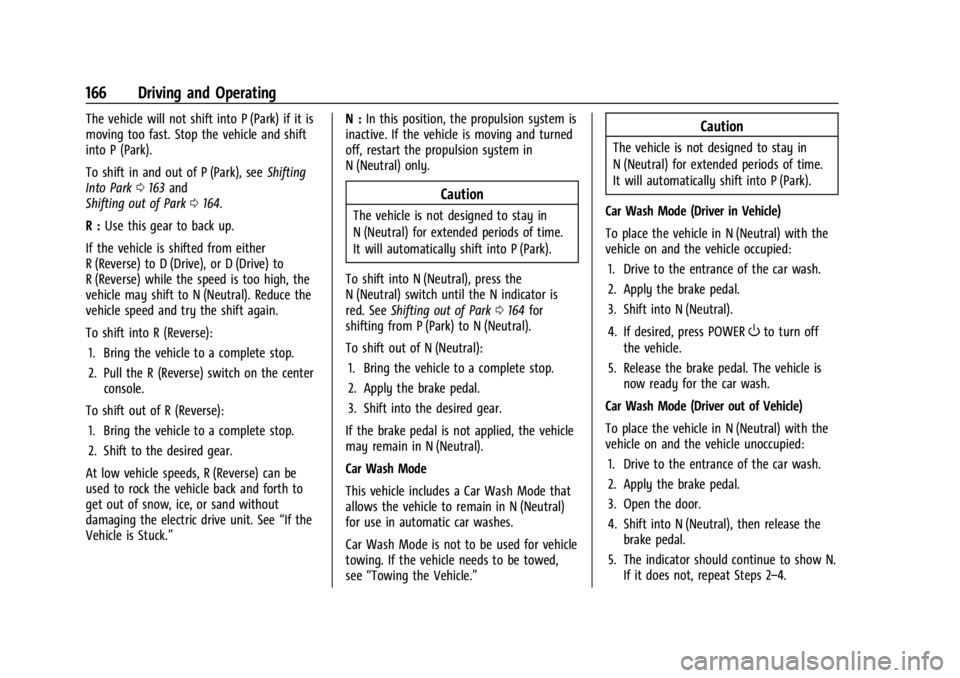
To shift into N (Neutral), press the
N (Neutral) switch until the N indicator is
red. See Shifting out of Park 0164 for
shifting from P (Park) to N (Neutral).
To shift out of N (Neutral):
1. Bring the vehicle to a complete stop.
2. Apply the brake pedal.
3. Shift into the desired gear.
If the brake pedal is not applied, the vehicle
may remain in N (Neutral).
Car Wash Mode
This vehicle includes a Car Wash Mode that
allows the vehicle to remain in N (Neutral)
for use in automatic car washes.
Car Wash Mode is not to be used for vehicle
towing. If the vehicle needs to be towed,
see “Towing the Vehicle.”
Caution
The vehicle is not designed to stay in
N (Neutral) for extended periods of time.
It will automatically shift into P (Park).
Car Wash Mode (Driver in Vehicle)
To place the vehicle in N (Neutral) with the
vehicle on and the vehicle occupied: 1. Drive to the entrance of the car wash.
2. Apply the brake pedal.
3. Shift into N (Neutral).
4. If desired, press POWER
Oto turn off
the vehicle.
5. Release the brake pedal. The vehicle is now ready for the car wash.
Car Wash Mode (Driver out of Vehicle)
To place the vehicle in N (Neutral) with the
vehicle on and the vehicle unoccupied: 1. Drive to the entrance of the car wash.
2. Apply the brake pedal.
3. Open the door.
4. Shift into N (Neutral), then release the brake pedal.
5. The indicator should continue to show N. If it does not, repeat Steps 2–4.
Page 171 of 308
Chevrolet BOLT EV Owner Manual (GMNA-Localizing-U.S./Canada-
16404388) - 2023 - CRC - 3/7/22
170 Driving and Operating
Hill Start Assist (HSA)
{Warning
Do not rely on the HSA feature. HSA does
not replace the need to pay attention
and drive safely. You may not hear or
feel alerts or warnings provided by this
system. Failure to use proper care when
driving may result in injury, death,
or vehicle damage. SeeDefensive Driving
0 153.
When the vehicle is stopped on a grade, Hill
Start Assist (HSA) prevents the vehicle from
rolling in an unintended direction during the
transition from brake pedal release to
accelerator pedal apply. The brakes release
when the accelerator pedal is applied. If the
accelerator pedal is not applied within a few
minutes, the Electric Parking Brake will
apply. The brakes may also release under
other conditions. Do not rely on HSA to hold
the vehicle.
HSA is available when the vehicle is facing
uphill in a forward gear, or when facing
downhill in R (Reverse). The vehicle must
come to a complete stop on a grade for HSA
to activate.
Regenerative Braking
Regenerative braking takes some of the
energy from the moving vehicle and turns it
back into electrical energy. This energy is
then stored back into the high voltage
battery system, contributing to increased
energy efficiency.
The brake system uses regenerative braking,
conventional hydraulic braking, or a
combination of both as appropriate.
The brake controller applies the hydraulic
brakes using a pump. The pump may be
heard during some braking, such as rapid
applies. This is normal.
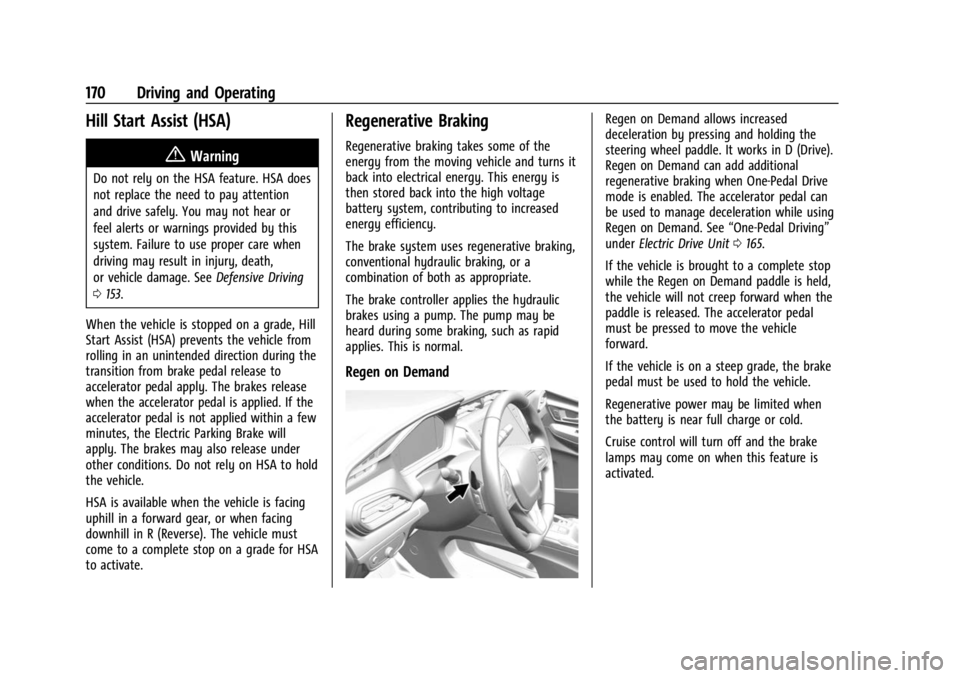
Regen on Demand
Regen on Demand allows increased
deceleration by pressing and holding the
steering wheel paddle. It works in D (Drive).
Regen on Demand can add additional
regenerative braking when One-Pedal Drive
mode is enabled. The accelerator pedal can
be used to manage deceleration while using
Regen on Demand. See “One-Pedal Driving”
under Electric Drive Unit 0165.
If the vehicle is brought to a complete stop
while the Regen on Demand paddle is held,
the vehicle will not creep forward when the
paddle is released. The accelerator pedal
must be pressed to move the vehicle
forward.
If the vehicle is on a steep grade, the brake
pedal must be used to hold the vehicle.
Regenerative power may be limited when
the battery is near full charge or cold.
Cruise control will turn off and the brake
lamps may come on when this feature is
activated.
Page 172 of 308
Chevrolet BOLT EV Owner Manual (GMNA-Localizing-U.S./Canada-
16404388) - 2023 - CRC - 3/7/22
Driving and Operating 171
Ride Control Systems
Traction Control/Electronic
Stability Control
System Operation
The vehicle has a Traction Control System
(TCS) and StabiliTrak/Electronic Stability
Control (ESC), an electronic stability control
system. These systems help limit wheel slip
and assist the driver in maintaining control,
especially on slippery road conditions.
TCS activates if it senses that any of the
drive wheels are spinning or beginning to
lose traction. When this happens, TCS
applies the brakes to the spinning wheels
and reduces propulsion system power to
limit wheel spin.
StabiliTrak/ESC activates when the vehicle
senses a difference between the intended
path and the direction the vehicle is actually
traveling. StabiliTrak/ESC selectively applies
braking pressure to any one of the vehicle
wheel brakes to assist the driver in keeping
the vehicle on the intended path.
If cruise control or adaptive cruise control is
being used and TCS or StabiliTrak/ESC begins
to limit wheel spin, cruise control oradaptive cruise control will disengage. Cruise
control or adaptive cruise control may be
turned back on when road conditions allow.
Both systems come on automatically when
the vehicle is started and begins to move.
The systems may be heard or felt while
they are operating or while performing
diagnostic checks. This is normal and does
not mean there is a problem with the
vehicle.
It is recommended to leave both systems on
for normal driving conditions, but it may be
necessary to turn TCS off if the vehicle gets
stuck in sand, mud, ice, or snow. See
“Turning the Systems Off and On”
later in
this section.
The indicator light for both systems is in the
instrument cluster. This light will:
.Flash when TCS is limiting wheel spin.
.Flash when StabiliTrak/ESC is activated.
.Turn on and stay on when either system
is not working. If either system fails to turn on or to
activate, a message displays in the Driver
Information Center (DIC), and
dcomes on
and stays on to indicate that the system is
inactive and is not assisting the driver in
maintaining control. The vehicle is safe to
drive, but driving should be adjusted
accordingly.
If
dcomes on and stays on:
1. Stop the vehicle.
2. Turn the vehicle off and wait 15 seconds.
3. Start the vehicle.
Drive the vehicle. If
dcomes on and stays
on, the vehicle may need more time to
diagnose the problem. If the condition
persists, see your dealer.