air conditioning CHEVROLET C/K 2003 Owners Manual
[x] Cancel search | Manufacturer: CHEVROLET, Model Year: 2003, Model line: C/K, Model: CHEVROLET C/K 2003Pages: 386, PDF Size: 5.79 MB
Page 170 of 386

3-
3-1
Section 3 Comfort Controls and Audio Systems
In this section, you'll find out how to operate the comfort control and audio systems offered with your vehicle.
Be sure to read about the particular systems supplied with your vehicle.
3
-2 Comfort Controls
3
-3 Heater/Air Conditioning Controls
(If Equipped)
3
-4 Air Conditioning (If Equipped)
3
-4 Heating
3
-5 Defogging and Defrosting
3
-5 Rear Window Defogger (If Equipped)
3
-6 Rear Heater (If Equipped)
3
-6 Ventilation System
3
-7 Audio Systems
3
-7 Setting the Time
3
-8AM-FM Radio3
-11 AM-FM Radio with Cassette Tape Player
(If Equipped)
3
-17 AM-FM Radio with Compact Disc Player
(If Equipped)
3
-21 Theft-Deterrent Feature
3
-21 Understanding Radio Reception
3
-22 Tips About Your Audio System
3
-23 Care of Your Cassette Tape Player
3
-24 Care of Your Compact Discs
3
-24 Care of Your Compact Disc Player
3
-24 Fixed Mast Antenna
3
-24 Chime Level Adjustment
Page 171 of 386

3-2
Comfort Controls
This section tells you how to make your air system work
for you.
With these systems, you can control the heating, cooling
and ventilation in your vehicle.
Heater Controls
If your vehicle does not have air conditioning, the
control panel will look like this.
Fan Knob
The knob on the left side of the control panel regulates
the fan speed. The knob has four speeds. To increase
airflow, turn the knob clockwise. To decrease airflow,
turn it counterclockwise. To turn the fan off, turn the
mode knob on the far right all the way
counterclockwise.Temperature Knob
The middle knob on the control panel is used to adjust
the temperature of the air flowing into the passenger
area of your vehicle.
Turn the knob toward the red area for warmer air. Turn
the knob toward the blue area for cooler air.
Mode Knob
The knob on the right side of the control panel is used to
select the direction of the air flowing into the vehicle.
(Vent): This setting directs air through the
instrument panel vents.
(Bi-Level): This setting divides airflow between
the floor vents and instrument panel vents.
(Floor): This setting directs air through the
floor vents.
(Defog): This setting divides airflow between the
floor vents and windshield.
(Defrost): This setting directs air through the
windshield vents. This setting is used to remove fog or
ice from the windshield.
Page 172 of 386

3-3 Heater/Air Conditioning Controls
(If Equipped)
If your vehicle has air conditioning, the heater/air
conditioning control panel will look like this.
Fan Knob
The knob on the left side of the control panel regulates
the fan speed. It has four speeds.
To increase airflow, turn the knob clockwise. To
decrease airflow, turn it counterclockwise. To turn the
fan off, turn the mode knob on the far right all the way
counterclockwise.Temperature Knob
The middle knob on the control panel is used to adjust
the temperature of the air flowing into the passenger
compartment of your vehicle.
Turn the knob toward the red area for warmer air.
Turn the knob toward the blue area for cooler air.
Mode Knob
The knob on the right side of the control panel is used to
select the direction of the air flowing into the vehicle.
(Maximum Air Conditioning): Turn the right
knob to maximum air conditioning for maximum
cooling. This setting puts the system in the recirculation
mode and helps to maximize your air conditioner's
performance and your vehicle's fuel economy. This
setting also cools the air the fastest. After the vehicle's
interior reaches a comfortable temperature, turn the
knob clockwise to place the air conditioning system in
the regular air conditioning mode.
(Air Conditioning): This setting is used for
normal cooling on hot days. It cools outside air and
directs it through the instrument panel vents.
Page 173 of 386

3-4
(Bi-Level Air Conditioning): This setting divides
airflow between the floor vents and instrument panel
vents. The air conditioning compressor will cycle
continuously in this setting as long as the outside air
temperature is warm enough to activate the compressor.
(Vent): This setting directs air through the
instrument panel vents.
(Floor): This setting directs air through the
floor vents.
(Defog): This setting divides airflow between the
floor vents and windshield vents.
(Defrost): This setting directs air through the
windshield vents. This setting is used to remove fog or
ice from the windshield.
Air Conditioning (If Equipped)
Before using the air conditioning, open the windows to
clear the vehicle of hot air. This reduces the time it takes
for your vehicle to cool down. Then keep your windows
closed for the air conditioner to work at its best.You can use maximum air conditioning with the
temperature knob in the blue area when it's really hot
outside and you need to cool the inside air quickly.
Maximum air conditioning lets in only a little air from
the outside.
If you first use maximum air conditioning, you can then
use regular air conditioning with the temperature knob
in the blue area, as soon as the vehicle has cooled down,
so outside air will be going through your vehicle.
While in maximum air conditioning, regular air
conditioning, bi
-level air conditioning, defog or defrost
mode, you may notice a slight increase or decrease in
engine speed, due to compressor operation. This is
normal because the system is designed to cycle the
compressor on and off to maintain the desired
temperature.
Heating
On cold days, use floor with the temperature knob in the
red area. Outside air will be brought in, heated and
distributed through the floor vents. The heater works
best if you keep your windows closed while using it.
If you use the optional engine coolant heater before
starting your engine, your heating system will produce
warmer air faster to heat the passenger compartment in
cold weather. See ªEngine Coolant Heaterº in the Index.
Page 174 of 386
3-5 Defogging and Defrosting
Turn the mode knob to defrost to remove fog or ice from
the windshield quickly in extremely cold conditions.
The temperature knob should be in the red area with the
fan knob toward high.
To keep the windshield clear and send heated air
through the floor vents, turn the mode knob to defog.
The air conditioning compressor may operate in this
setting to dehumidify the air.
Rear Window Defogger (If Equipped)
If you see lines running across the rear windows, you
have a rear window defogger. The lines warm the glass.
For best results, clear the windows of as much snow or
ice as possible before using the rear window defogger.
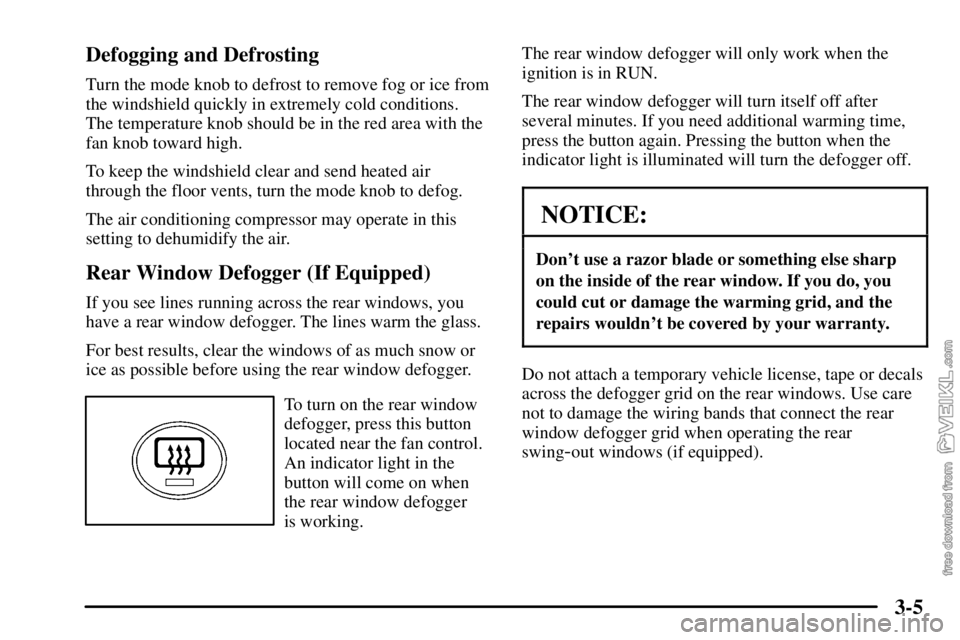
To turn on the rear window
defogger, press this button
located near the fan control.
An indicator light in the
button will come on when
the rear window defogger
is working.The rear window defogger will only work when the
ignition is in RUN.
The rear window defogger will turn itself off after
several minutes. If you need additional warming time,
press the button again. Pressing the button when the
indicator light is illuminated will turn the defogger off.
NOTICE:
Don't use a razor blade or something else sharp
on the inside of the rear window. If you do, you
could cut or damage the warming grid, and the
repairs wouldn't be covered by your warranty.
Do not attach a temporary vehicle license, tape or decals
across the defogger grid on the rear windows. Use care
not to damage the wiring bands that connect the rear
window defogger grid when operating the rear
swing
-out windows (if equipped).
Page 175 of 386
3-6 Rear Heater (If Equipped)
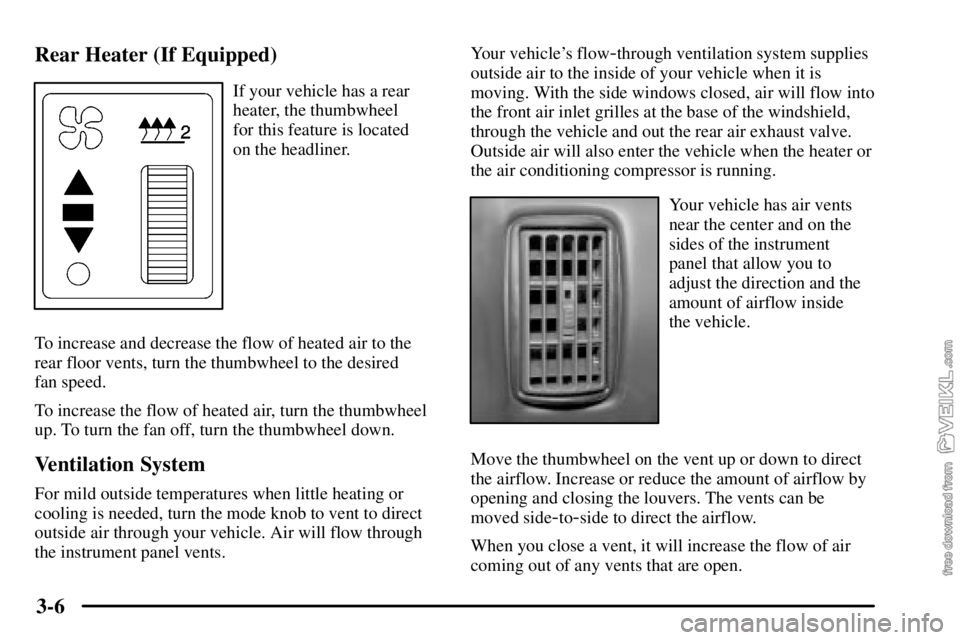
If your vehicle has a rear
heater, the thumbwheel
for this feature is located
on the headliner.
To increase and decrease the flow of heated air to the
rear floor vents, turn the thumbwheel to the desired
fan speed.
To increase the flow of heated air, turn the thumbwheel
up. To turn the fan off, turn the thumbwheel down.
Ventilation System
For mild outside temperatures when little heating or
cooling is needed, turn the mode knob to vent to direct
outside air through your vehicle. Air will flow through
the instrument panel vents.Your vehicle's flow
-through ventilation system supplies
outside air to the inside of your vehicle when it is
moving. With the side windows closed, air will flow into
the front air inlet grilles at the base of the windshield,
through the vehicle and out the rear air exhaust valve.
Outside air will also enter the vehicle when the heater or
the air conditioning compressor is running.
Your vehicle has air vents
near the center and on the
sides of the instrument
panel that allow you to
adjust the direction and the
amount of airflow inside
the vehicle.
Move the thumbwheel on the vent up or down to direct
the airflow. Increase or reduce the amount of airflow by
opening and closing the louvers. The vents can be
moved side
-to-side to direct the airflow.
When you close a vent, it will increase the flow of air
coming out of any vents that are open.
Page 311 of 386
6-57 Front Wheel Bearings with Oil-Filled Hubs
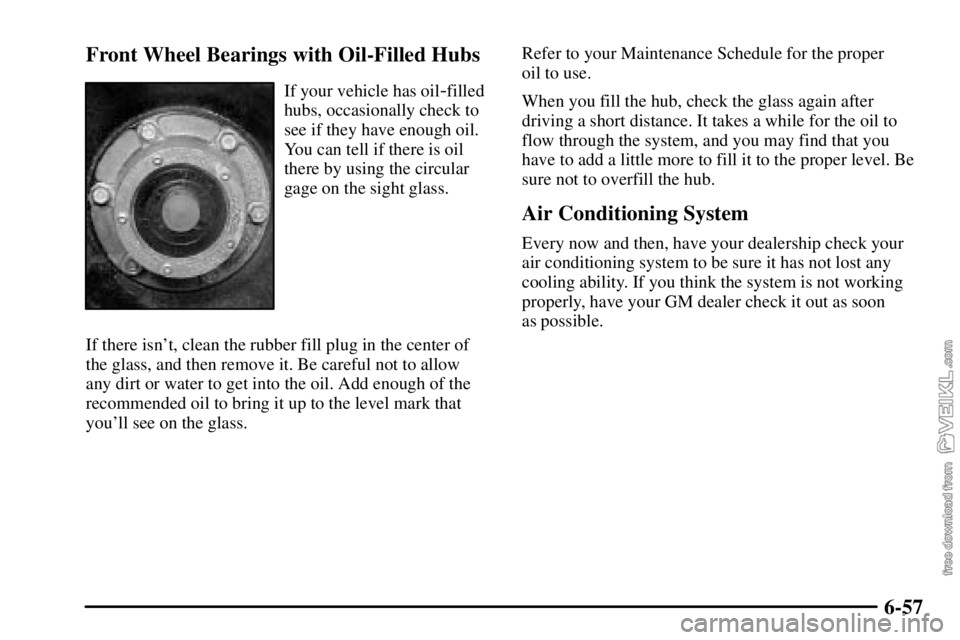
If your vehicle has oil-filled
hubs, occasionally check to
see if they have enough oil.
You can tell if there is oil
there by using the circular
gage on the sight glass.
If there isn't, clean the rubber fill plug in the center of
the glass, and then remove it. Be careful not to allow
any dirt or water to get into the oil. Add enough of the
recommended oil to bring it up to the level mark that
you'll see on the glass.Refer to your Maintenance Schedule for the proper
oil to use.
When you fill the hub, check the glass again after
driving a short distance. It takes a while for the oil to
flow through the system, and you may find that you
have to add a little more to fill it to the proper level. Be
sure not to overfill the hub.
Air Conditioning System
Every now and then, have your dealership check your
air conditioning system to be sure it has not lost any
cooling ability. If you think the system is not working
properly, have your GM dealer check it out as soon
as possible.
Page 336 of 386

6-82
Fuse Block 2
Circuit Breaker Usage
1 Stoplamps
2 Center High Mounted Stop Lamp
3 Parking Lamps
4 Powertrain Control Module
5 Auxiliary Wiring
6 Heater/Air ConditioningCircuit Breaker Usage
7 Hazard Warning Flashers
8 Power Post
9 Courtesy Lamps
10 Warning Lights, Gages
and Indicators
11 Crank
12 Rear Axle
13 Trailer Turn Signals/Hazard
Warning Flashers
14 Radio/Chime
15 Daytime Running Lamps
16 Air Bag System
17 Exterior/Interior Lamps
18 Parking Brake
19 Accessory Power
20 Ignition
21 Sidemarker Lamps
22 Turn Signal/Backup Lamps
23 Transmission
24 Chassis
A Spare
B Spare
Page 339 of 386

6-85
Fuse Usage
BLANK Empty
A/C COMP Air Conditioning Compressor
ABS 1 Anti
-Lock Brake System 1
ABS 2 Anti
-Lock Brake System 2
ABS 3 Anti
-Lock Brake System 3
ENGINE Engine
E/A PUMP Electronic/Automatic Pump
HORN Horn
NOTE 2 L18/LB7 Fuel, LG4 Powertrain
Control Valve, LG5 Electronic
Control Module
BLANK Empty
STUD A Spare
STUD B Spare
Secondary Underhood Fuse Block
Fuse Usage
IGN 1 Ignition 1
IGN 4 Ignition 4
IGN 3 Ignition 3
BATT/HAZ Battery/Hazard Warning Flashers
HEADLAMP Headlamps
LIGHTING Interior/Exterior Lamps
HVAC Comfort Control System
NOTE C4/C5 Electric Brake,
C6/C7/C8 Brake Lamps
Page 341 of 386

6-87 Cooling System Capacity
The following approximate capacities are given in
English and metric conversions.
Please refer to ªRecommended Fluids and Lubricantsº
in the Index for more information.
C4/C5 Models Quarts (Liters). . . . . . . . . . . . . . . . .
8.1L with manual transmission 30.1 (28.5). . . . . . . .
8.1L with automatic transmission 29.8 (28.2). . . . . .
6.6L with manual transmission 27.6 (26.1). . . . . . . .
6.6L with automatic transmission 27.3 (25.8). . . . . .
C6/C7/C8 Models Quarts (Liters). . . . . . . . . . . . . .
8.1L with manual transmission 33.3 (31.5). . . . . . . .
8.1L with manual transmission,
air conditioning and increased
cooling 34.9 (33.0). . . . . . . . . . . . . . . . . . . . . . . . . . .
8.1L with automatic transmission 32.5 (30.8). . . . . .
7.8L 200
-230 hp engine with
manual transmission 31.6 (29.9). . . . . . . . . . . . . . . .
7.8L 200
-230 hp engine with manual
transmission, air conditioning and
increased cooling 35.3 (33.4). . . . . . . . . . . . . . . . . . . C6/C7/C8 Models Quarts (Liters). . . . . . . . . . . . . .
7.8L 200
-215 hp engine with
automatic transmission 33.7 (31.9). . . . . . . . . . . . . .
7.2L 175
-230 hp engine with
manual transmission 29.3 (27.7). . . . . . . . . . . . . . . .
7.2L 175
-230 hp engine with
manual transmission, air conditioning
and increased cooling 33.0 (31.2). . . . . . . . . . . . . . .
7.2L 175
-210 hp engine with
automatic transmission 31.4 (29.7). . . . . . . . . . . . . .
7.8L 250
-275 hp engine with
manual transmission 34.9 (33.0). . . . . . . . . . . . . . . .
7.8L 250
-275 hp engine with
manual transmission, air conditioning
and increased cooling 35.4 (33.5). . . . . . . . . . . . . . .
7.8L 230
-275 hp engine with automatic
transmission 33.3 (31.5). . . . . . . . . . . . . . . . . . . . . .
7.2L 250
-300 hp engine with manual
transmission 32.8 (31.0). . . . . . . . . . . . . . . . . . . . . .
7.2L 250
-300 hp engine with manual
transmission, air conditioning and
increased cooling 33.3 (31.5). . . . . . . . . . . . . . . . . . .
7.2L 250
-300 hp engine with automatic
transmission 31.2 (29.5). . . . . . . . . . . . . . . . . . . . . .