ECU CHEVROLET CAMARO 1994 4.G User Guide
[x] Cancel search | Manufacturer: CHEVROLET, Model Year: 1994, Model line: CAMARO, Model: CHEVROLET CAMARO 1994 4.GPages: 292, PDF Size: 15.35 MB
Page 56 of 292
Downloaded from www.Manualslib.com manuals search engine Features and Controls
When the PASS-KeyW system senses
that someone is using the wrong key, it
shuts down the vehicle’s starter and fuel
systems. For about three minutes,
the
starter won’t work and fuel won’t go to
the engine. If someone tries to start your
vehicle again or uses another
key during
this time, the vehicle will not start. This
discourages someone from randomly
trying different keys with different
resistor pellets
in an attempt to make a
match.
SECURITY
~
The ignition key must be clean and dry
before it’s inserted
in the ignition or the
engine may not start. If the engine does
not start and the
“SECURITY” light stays
on when you
try to start the vehicle, the
key may be dirty or wet. Turn the
ignition off.
Clean and dry the key. Wait about three
minutes and try again. The security light
will remain on during this time. If the
starter still won’t work, and the key
appears to be clean and dry, wait about
three minutes and try another ignition key.
At this time, you may also want to check
the fuses (see “Fuses and Circuit
Breakers”
in the Index). If the starter
won’t work with the other key, your
vehicle needs service.
If your vehicle does start,
the first ignition key may be
faulty. See your Chevrolet dealer or a
locksmith who can service the
PASS-KeyaII.
If you accidentally use a key that has a
damaged or missing resistor pellet, the
starter won’t work and the security light
will flash. But you don’t have to wait
three minutes before trying another
ignition key.
See your Chevrolet dealer or a locksmith
who can service the PASS-Key@II to have
a new key made.
If you’re ever driving and the
“SECURITY” light comes on and stays
on, you will be able to restart your engine
if you turn it off. Your PASS-Key@II
system, however, is not working properly
and must be serviced by your Chevrolet
dealer. Your vehicle is not protected by
the PASS-KeyW system.
If you lose or damage a PASS-Key@II
ignition key, see your Chevrolet
dealer or a locksmith who can service
PASS-Key@II
to have a new key made.
In an emergency, call the Chevrolet
Roadside Assistance Program on
1 -800-CHEV-USA (1 -800-243-8872).
... 54
Page 85 of 292
Downloaded from www.Manualslib.com manuals search engine Twin Lift-off Roof
Panels (OPTION)
If you have this option, you can remove
one or both lift-off roof panels.
-~
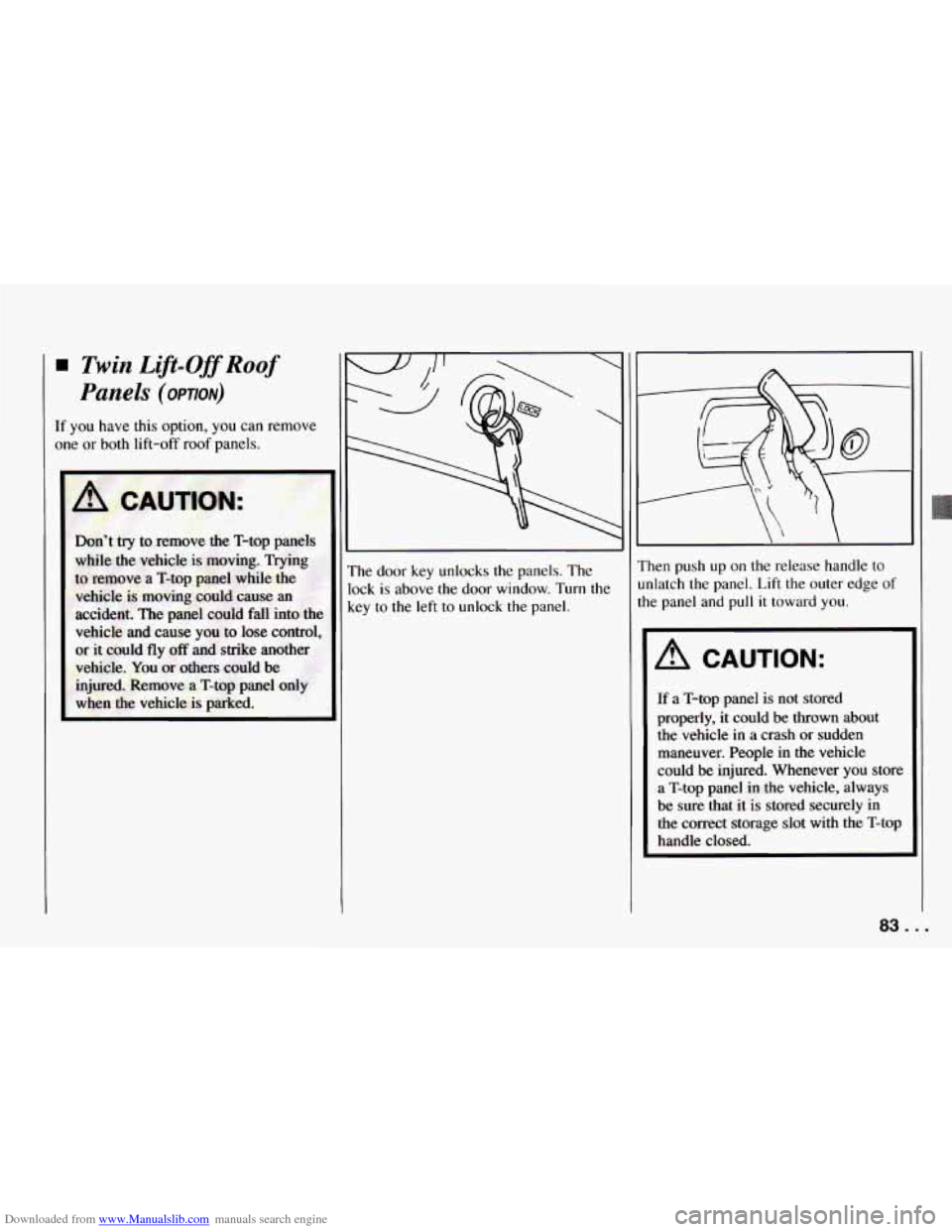
The door key unlocks the panels. The
lock
is above the door window. Turn the
key to the left to unlock the panel. Then push
up on
the release handle to
unlatch the panel. Lift the outer edge
of
the panel and pull it toward you.
A CAUTION:
If a T-top panel is not stored
properly, it could be
thrown about
the vehicle
in a crash or sudden
maneuver. People
in the vehicle
could
be injured. Whenever you store
a
T-top panel in the vehicle, always
be sure that it is stored securely in
the correct storage slot with the T-top
handle closed.
83 .I
Page 86 of 292
Downloaded from www.Manualslib.com manuals search engine Features and Controls
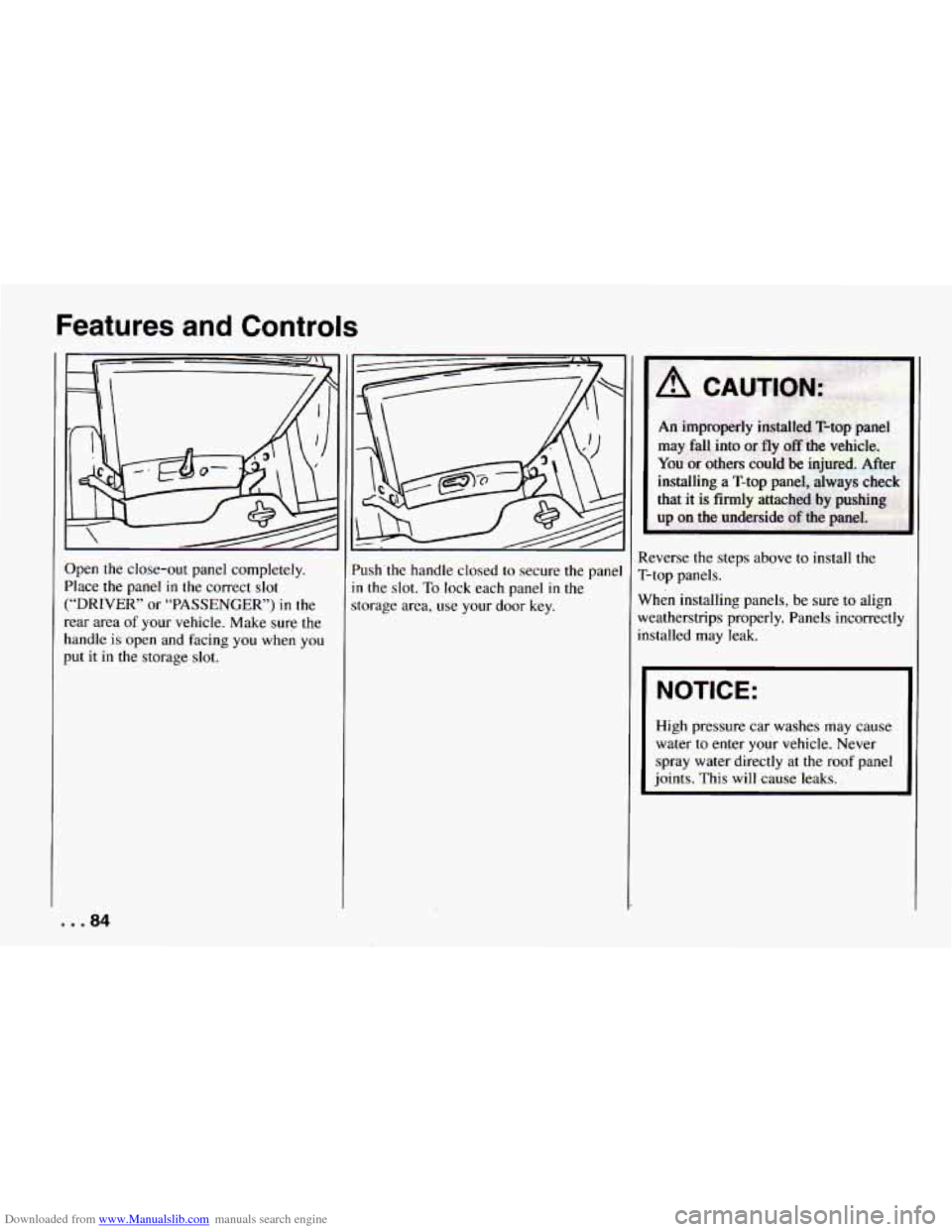
Open the close-out panel completely.
Place the panel
in the correct slot
(“DRIVER” or “PASSENGER’) in the
rear area
of your vehicle. Make sure the
handle
is open and facing you when you
put
it in the storage slot. ’ush’the
handle closed
to secure the pane
n the slot. To lock each panel in the
torage area, use your door key. Reverse the steps above
to install the
T-top panels.
When installing panels, be sure
to align
weatherstrips properly. Panels incorrectly
installed may leak.
I NOTICE:
High pressure car washes may cause
water to enter your vehicle. Never
spray water directly at the roof panel
joints.
This will cause leaks.
... 84
Page 120 of 292
Downloaded from www.Manualslib.com manuals search engine Comfort Controls and Audio Systems
To Play the Next Selection
Press “NEXT” to hear the next track now
(instead of waiting until
the present track
is finished).
If you press and hold this button or press
it more than once, the disc will advance
further.
To Replay the Current Selection
Press “PREV” to hear a track again.
If you press and hold this button, or press
it more than once, the disc will return to
previous tracks.
Reverse
Press and hold “REV” to rapidly return to
a favorite passage. Release
it to play the
passage.
Fast Forward
Press and hold “FWD’ to quickly
advance within
a track. Release it to
resume playing.
Scan
Press “SCAN” to listen to each track for
about
10 seconds. Press “RDM” or
“SCAN” to stop the scanning.
Compression
Press “COMP’ to make loud and soft
passages more nearly equal
in volume.
Random
Press “RDM” to hear a random selection
of tracks.
To Stop the Disc Player
0
0
0
Turn the power off or turn the ignition
key off. The disc stays
in the player
and will resume playing at the point
where
it stopped.
Press “ST-PL” to stop playing the disc
and switch to radio. Press “ST-PL,” to
restart
the disc at the point where it
stopped.
Press “EJCT” to eject the disc and the
radio
will play. The disc will start
playing
at track 1 when you reinsert it.
Theft-Deterrent Feature
Delco-Loc I1 is a security feature for the
compact disc player.
It can be used or
ignored. If ignored, the system functions
normally. If
it is used, your system won’t
be usable
if it’s ever stolen.
Setting Your Security Code
The instructions below tell you how to
enter a security code into the system. If
your vehicle loses battery power for
any
reason, you must enter the security code
again before the system
will turn on.
1. Write down any six-digit number and
2. Turn the ignition switch to the “Acc”
3. Turn the audio system off.
4. Press and hold pushbuttons “1” and
keep
it in a
safe place.
or
“Run” position.
“4” together until “---” shows on the
display.
You are now ready to enter your security
code. Don’t wait more than
15 seconds
between steps.
. . .118
Page 121 of 292
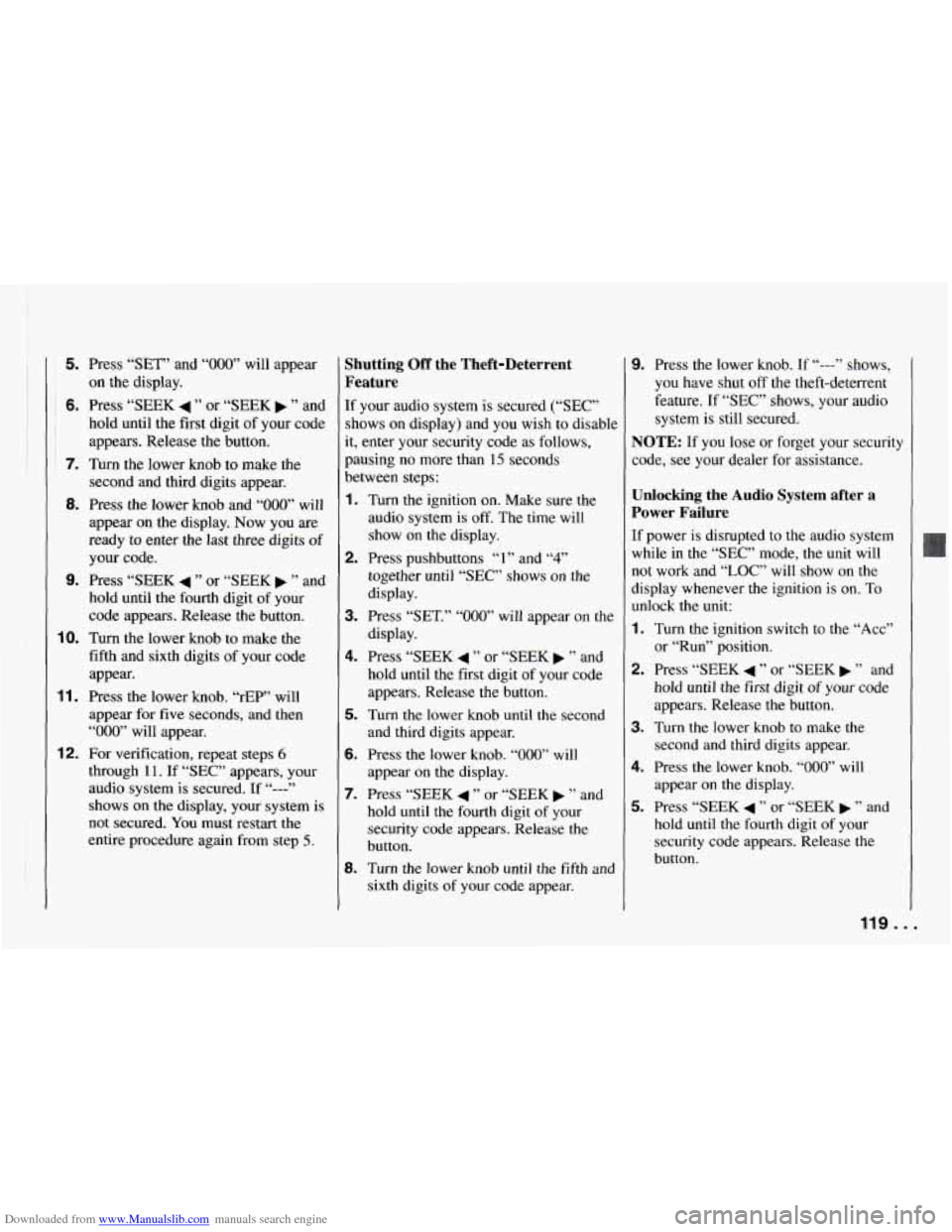
Downloaded from www.Manualslib.com manuals search engine 5. Press “SET” and “000” will appear
on the display.
~ 6. Press “SEEK 4 ” or “SEEK b ” and
hold until the first digit of your code
appears. Release the button.
7. Turn the lower knob to make the
second and third digits appear.
8. Press the lower knob and “000” will
appear on the display. Now you are
ready
to enter the last three digits of
your code.
9. Press “SEEK 4 ” or “SEEK b ” and
hold until the fourth digit of your
code appears. Release the button.
10. Turn the lower knob to make the
fifth and sixth digits of your code
appear.
11. Press the lower knob. “rEP” will
appear for five seconds, and then
“000” will appear.
through
11. If “SEC” appears, your
audio system is secured.
If “---”
shows on the display, your system is
not secured.
You must restart the
entire procedure again from step
5.
12. For verification, repeat steps 6
Shutting Off the Theft-Deterrent
Feature
If your audio system is secured (“SEC”
shows on display) and you wish to disable
it, enter your security code as follows,
pausing no more than
15 seconds
between steps:
1. Turn the ignition on. Make sure the
audio system is
off. The time will
show on the display.
together
until “SEC” shows on the
display.
3. Press “SET.” “000” will appear on the
display.
4. Press “SEEK 4 ” or “SEEK b ” and
hold until the first digit of your code
appears. Release the button.
5. Turn the lower knob until the second
and third digits appear.
6. Press the lower knob. “000” will
appear on the display.
7. Press “SEEK 4 ” or “SEEK b ” and
hold until the fourth digit of your
security code appears. Release the
button.
8. Turn the lower knob until the fifth and
2. Press pushbuttons “1” and “4”
sixth digits of your code appear.
9. Press the lower knob. If “---” shows,
you have shut off the theft-deterrent
feature. If
“SEC” shows, your audio
system is still secured.
NOTE: If you lose or forget your security
code, see your dealer for assistance.
Unlocking the Audio System after a
Power Failure
If power is disrupted to the audio system
while
in the “SEC” mode, the unit will
not work and “LOC”
will show on the
display whenever the ignition is on. To
unlock the unit:
1. Turn the ignition switch to the “Acc”
or “Run” position.
2. Press “SEEK 4 ” or “SEEK b ” and
hold until the first digit of your code
appears. Release the button.
3. Turn the lower knob to make the
second and third digits appear.
4. Press the lower knob. “000” will
appear on the display.
5. Press “SEEK 4 ” or “SEEK b ” and
hold until the
fourth digit of your
security code appears. Release the
button.
119.. .
Page 122 of 292
Downloaded from www.Manualslib.com manuals search engine Comfort Controls and Audio Systems
6. Turn the lower knob until the fifth and
sixth digits
of your code appear,
7. Press the lower knob. The clock
display will appear and the unit will
work. If
“LOC” shows, the numbers
did not match and the unit is still
locked.
How to Change Your Security Code
You can change your security code by
following these steps:
1. Using your old code, follow the
directions given under “Shutting
Off
the Theft-Deterrent Feature.”
2. Repeat directions of “Setting Your
Security Code” with your new
security code.
Understanding Radio Reception
FM Stereo
FM stereo will give you the best sound.
But
FM signals will reach only about
10 to 40 miles (16 to 65 km). And, tall
buildings or hills can interfere with
FM signals, causing the sound to come
and go.
I
AM
The range for most AM stations is greater
than for
FM, especially at night. The
longer range, however, can cause stations
to interfere with each other. AM can pick
up noise from things like storms and
power lines. Try reducing the treble to
reduce this noise if you ever get it.
AM Stereo
This means the Delco@ system can
receive C-QUAM@ stereo broadcasts.
Many
AM stations around the country use
C-QUAM@ to produce stereo, though
some do not. (C-QUAM@
is a registered
trademark of Motorola, Inc.) If your
Delco@ system can get C-QUAM@, your
“STEREO” light will come on when
you’re receiving it.
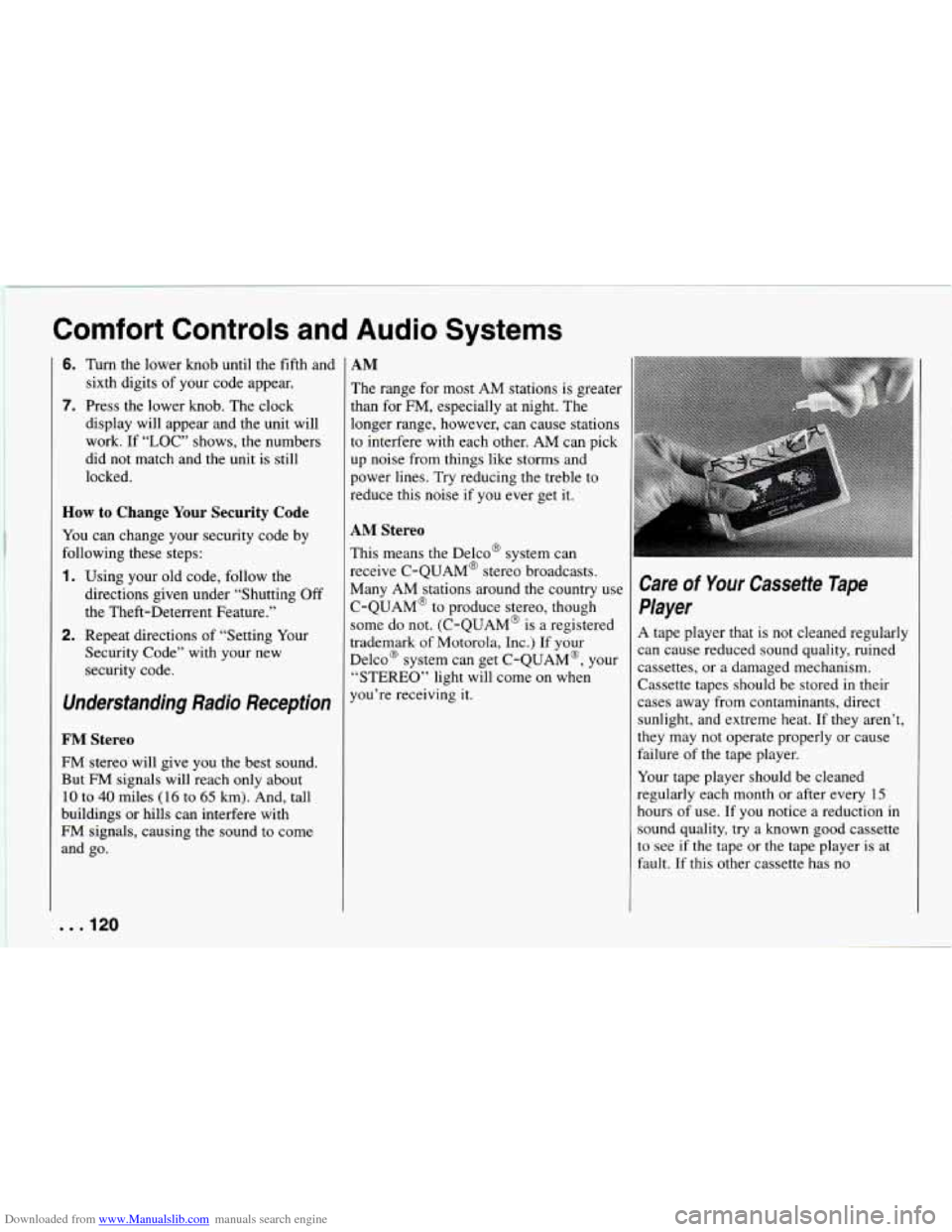
Care of Your Cassette Tape
Player
A tape player that is not cleaned regularly
can cause reduced sound quality, ruined
cassettes, or a damaged mechanism.
Cassette tapes should be stored in their
cases away from contaminants, direct
sunlight, and extreme heat. If they aren’t,
they may not operate properly or cause
failure of the tape player.
Your tape player should
be cleaned
regularly each month or after every
15
hours of use. If you notice a reduction in
sound quality, try a known good cassette
to see if the tape or the tape player
is at
fault. If this other cassette has no
. . .I20
Page 142 of 292
Downloaded from www.Manualslib.com manuals search engine Your Driving and the Road
I
;i”iii’ i ;i7: ,,:: : . .
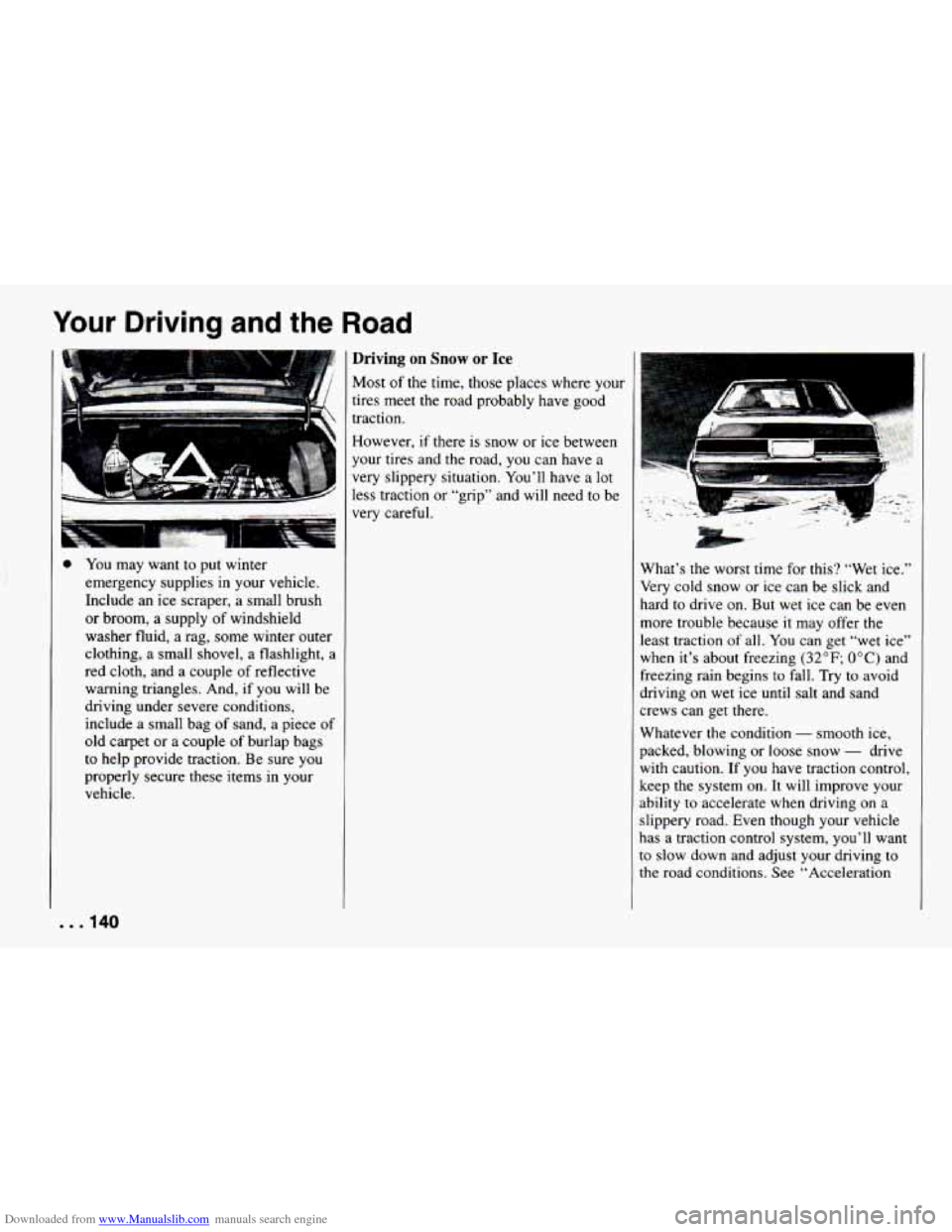
0 You may want to put winter
emergency supplies in your vehicle.
Include an ice scraper, a small brush
or broom, a supply of windshield
washer
fluid, a rag, some winter outer
clothing, a small shovel,
a flashlight, a
red cloth, and a couple of reflective
warning triangles. And, if you
will be
driving under severe conditions,
include a small bag of sand, a piece of
old carpet or a couple of burlap bags
to help provide traction. Be sure you
properly secure these items
in your
vehicle.
Driving on Snow or Ice
Most of the time, those places where your
tires meet the road probably have good
traction.
However, if there is snow or ice between
your tires and the road, you can have a
very slippery situation. You’ll have a lot
less traction
or “grip” and will need to be
very careful. P. :’
$;.,
What’s the worst time for this? “Wet ice.”
Very cold snow or ice can be slick and
hard to drive on. But wet ice can be even
more trouble because
it may offer the
least traction of all.
You can get “wet ice”
when it’s about freezing
(32°F; OOC) and
freezing rain begins to fall. Try to avoid
driving on wet ice until salt and sand
crews can get there.
Whatever the condition
- smooth ice,
packed, blowing or loose snow
- drive
with caution.
If you have traction control,
keep the system on.
It will improve your
ability to accelerate when driving on a
slippery road. Even though your vehicle
has a traction control system, you’ll want
to slow down and adjust your driving to
the road conditions. See “Acceleration
. . .I40
Page 147 of 292
Downloaded from www.Manualslib.com manuals search engine Trailer Brakes
If your trailer weighs more than 1,000
pounds (450 kg) loaded, then it needs its
own brakes
- and they must be adequate.
Be sure to read and follow the instructions
for the trailer brakes
so you’ll be able to
install, adjust and maintain them properly.
Because you have anti-lock brakes, do not
try to tap into your vehicle’s brake
system. If you do, both brake systems
won’t work well, or at all.
Driving with a Trailer
Towing a trailer requires a certain amount
of experience. Before setting out for the
open road, you’ll want to get to know
your rig. Acquaint yourself with the feel
of handling and braking with the added
weight of the trailer. And always keep in
mind that the vehicle you are driving is
now
a good deal longer and not nearly so
responsive as your vehicle is by itself.
Before you start, check the trailer hitch
and platform, safety chains, electrical
connector, lights, tires and mirror
adjustment. If the trailer has electric
brakes, start your vehicle and trailer
moving and then apply the trailer brake
controller by hand to be sure
the brakes are working.
This lets
you check your
electrical connection at the same time.
During your trip, check occasionally to be sure that the load is secure, and that
the
lights and any trailer brakes are still
working.
Following Distance
Stay at least twice as far behind the
vehicle ahead as you would when driving
your vehicle without a trailer. This can
help you avoid situations that require
heavy braking and sudden turns.
Passing
You’ll need more passing distance up
ahead when you’re towing a trailer. And,
because you’re a good deal longer, you’ll need to go much farther beyond the
passed vehicle before you can return
to
your lane.
Backing Up
Hold the bottom of the steering wheel
with one hand. Then, to move the trailer
to the left, just move that hand to the left.
To move the trailer to the right, move
your hand to the right. Always back up slowly
and, if possible, have someone
guide you.
Making Turns
When you’re turning with a trailer, make
wider turns than normal.
Do this so your
trailer won’t strike soft shoulders, curbs,
road signs, trees, or other objects. Avoid
jerky or sudden maneuvers. Signal well in
advance.
Turn Signals When Towing a Trailer
When you tow a trailer, your vehicle has
to have a different turn signal flasher and
extra wiring. The green arrows on your
instrument panel will flash whenever you
signal a turn or lane change. Properly
hooked up, the trailer lights will also
flash, telling other drivers you’re about to
turn, change lanes or stop.
When towing a trailer, the green arrows
Dn your instrument panel will flash for
turns even if the bulbs on the trailer are
burned out. Thus, you may think drivers
behind you
are seeing your signal when
they are not. It’s important to check
occasionally to be sure the trailer bulbs
are still working.
145. I
Page 209 of 292
Downloaded from www.Manualslib.com manuals search engine I To replace a headlight:
Before replacing a headlight that does not
light, check to make sure that the wiring
connector
is securely fastened to it.
See “Replacement
Bulbs” in the Index to
check the size and type of headlight you
need
to use before you begin to replace
the headlight.
You must replace a
headlight
with one that is exactly the
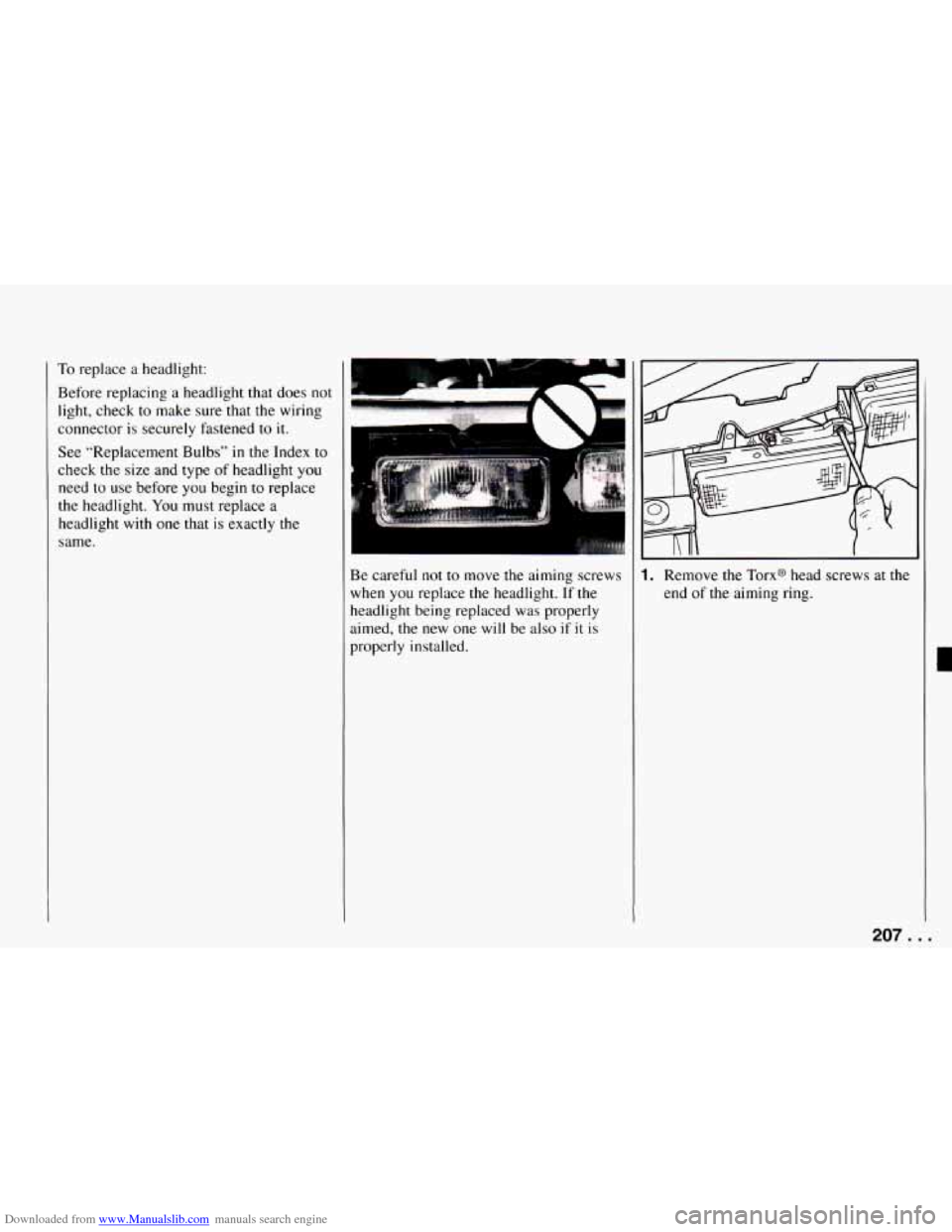
Be careful not to move the aiming screws
when you replace the headlight.
If the
headlight being replaced was properly
aimed, the new one
will be also if it is
properly installed.
~~
I. Remove the Torx@ head screws at the
end of the aiming ring.
207. . .
Page 222 of 292
Downloaded from www.Manualslib.com manuals search engine Service and Appearance Care
rire Chains
NOTICE:
If your Chevrolet has P235/55R16 or
P245/50ZR16 size
tires, don’t use tire
chains; they can damage your vehicle.
If you have other tires, use tire chains
only when you must. Use only
SAE
Class “S” type chains that are the
proper size for your tires. Install
them on the rear tires and tighten
them as tightly
as possible with the
ends securely fastened. Drive slowly
and follow the chain manufacturer’s instructions. If you can hear the
chains contacting your vehicle, stop
and retighten
them. If the contact
continues, slow down
until it stops.
Driving too fast
with chains on will
damage your vehicle.
Rt
ha
bl
SC
th
Y(
cl
or
Appearance Care
:member, cleaning products can be
.zardous. Some are toxic. Others can
lrst into flame
if you strike a match
. get them on a hot part of the vehicle.
]me are dangerous
if you breathe
eir fumes
in a closed space. When
)u use anything from a container to
ean your Chevrolet, be sure to follow
the manufacturer‘s warnings and
instructions. And always open your
doors or windows when you’re
:leaning the inside. Never use these to clean your vehicle:
0 Gasoline
0 Benzene
Naphtha
0 Carbon Tetrachloride
0 Acetone
0 Paint Thinner
0 Turpentine
a Lacquer Thinner
0 Nail Polish Remover
They can
all be hazardous - some
more than others
- and they can all
damage your vehicle, too.
. . .220