air condition CHEVROLET CAMARO 1994 4.G Owners Manual
[x] Cancel search | Manufacturer: CHEVROLET, Model Year: 1994, Model line: CAMARO, Model: CHEVROLET CAMARO 1994 4.GPages: 292, PDF Size: 15.35 MB
Page 8 of 292
Downloaded from www.Manualslib.com manuals search engine How to Use This Manual
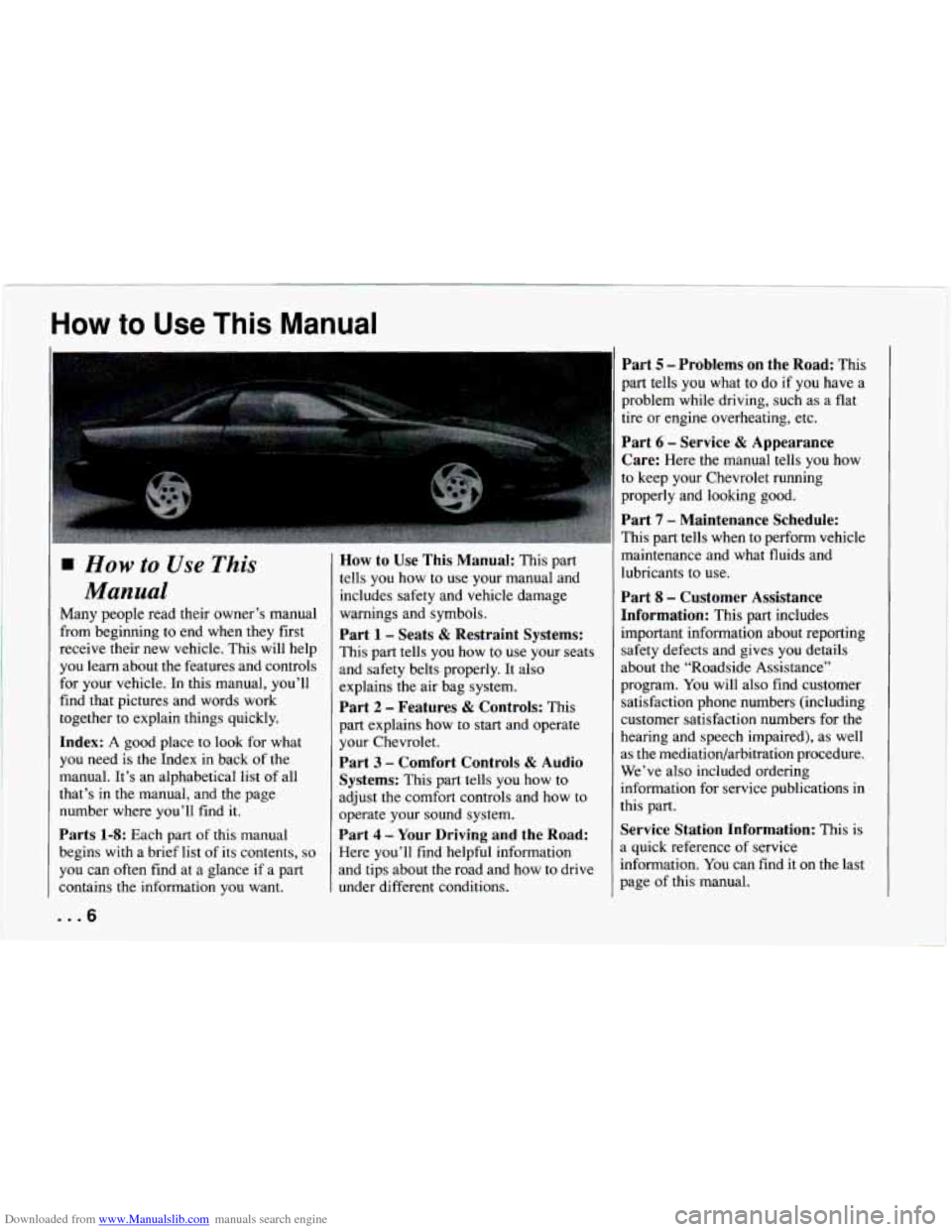
How to Use This
Manual
Many people read their owner’s manual
from beginning to end when they first
receive their new vehicle. This will help
you learn about the features and controls
for your vehicle. In this manual, you’ll
find that pictures and words work
together to explain things quickly.
Index: A good place to look for what
you need is the Index
in back of the
manual. It’s an alphabetical list of all
that’s in the manual, and the page
number where you’ll find
it.
Parts 1-8: Each part of this manual
begins with a brief list of its contents,
so
you can often find at a glance if a part
contains the information you want.
... 6
How to Use This Manual: This part
tells you how to use your manual and
includes safety and vehicle damage
warnings and symbols.
Part 1 - Seats & Restraint Systems:
This part tells you how to use your seats
and safety belts properly.
It also
explains the air bag system.
Part 2 - Features & Controls: This
part explains how to start and operate
your Chevrolet.
Part 3 - Comfort Controls & Audio
Systems:
This part tells you how to
adjust the comfort controls and how to
operate your sound system.
Part 4 - Your Driving and the Road:
Here you’ll find helpful information
and tips about the road and how to drive
under different conditions.
Part 5 - Problems on the Road: This
part tells
you what to do if you have a
problem while driving, such as a flat
tire or engine overheating, etc.
Part 6 - Service & Appearance
Care:
Here the manual tells you how
to keep your Chevrolet running
properly and looking good.
Part 7 - Maintenance Schedule:
This part tells when to perform vehicle
maintenance and what fluids and
lubricants to use.
Part 8 - Customer Assistance
Information:
This part includes
important information about reporting safety defects and gives you details
about the “Roadside Assistance”
program.
You will also find customer
satisfaction phone numbers (including
customer satisfaction numbers for the
hearing and speech impaired), as well
as the mediatiodarbitration procedure.
We’ve also included ordering
information for service publications
in
this part.
Service Station Information: This is
a quick reference of service
information.
You can find it on the last
page of this manual.
Page 109 of 292
Downloaded from www.Manualslib.com manuals search engine In this part you’ll find out how to
)perate the comfort control
systems and audio systems
lffered with your Chevrolet
. Be
sure to read about the particular
system supplied with your
rehicle
.
Part 3
Comfort Controls & Audio
Systems
Comfort Controls ................................................ 108
Heatercontrols
............................................... 108
Heating ...................................................... 108
Bi-LevelHeating .............................................. 109
Ventilation
................................................... 109
Defogging and Defrosting Windows
............................... 109
Air Conditioner Controls
........................................ 110
Cooling ...................................................... 110
Rearwindow Defogger
......................................... 111
Audiosystems .................................................. 112
Flow-Through Ventilation System ................................. 111
Settingtheclock .............................................. 113
AMEM Stereo
with Cassette Tape Player ........................... 113
AM/FM Stereo with Compact Disc Player .......................... 116
Understanding Radio Reception .................................. 120
Care of Your Cassette Tape Player
................................. 120
Care of Your Compact Discs ..................................... 121
FixedMastAntenna
............................................ 121
107 ...
Page 110 of 292
Downloaded from www.Manualslib.com manuals search engine Comfort Controls and Audio Systems
E/
OFF
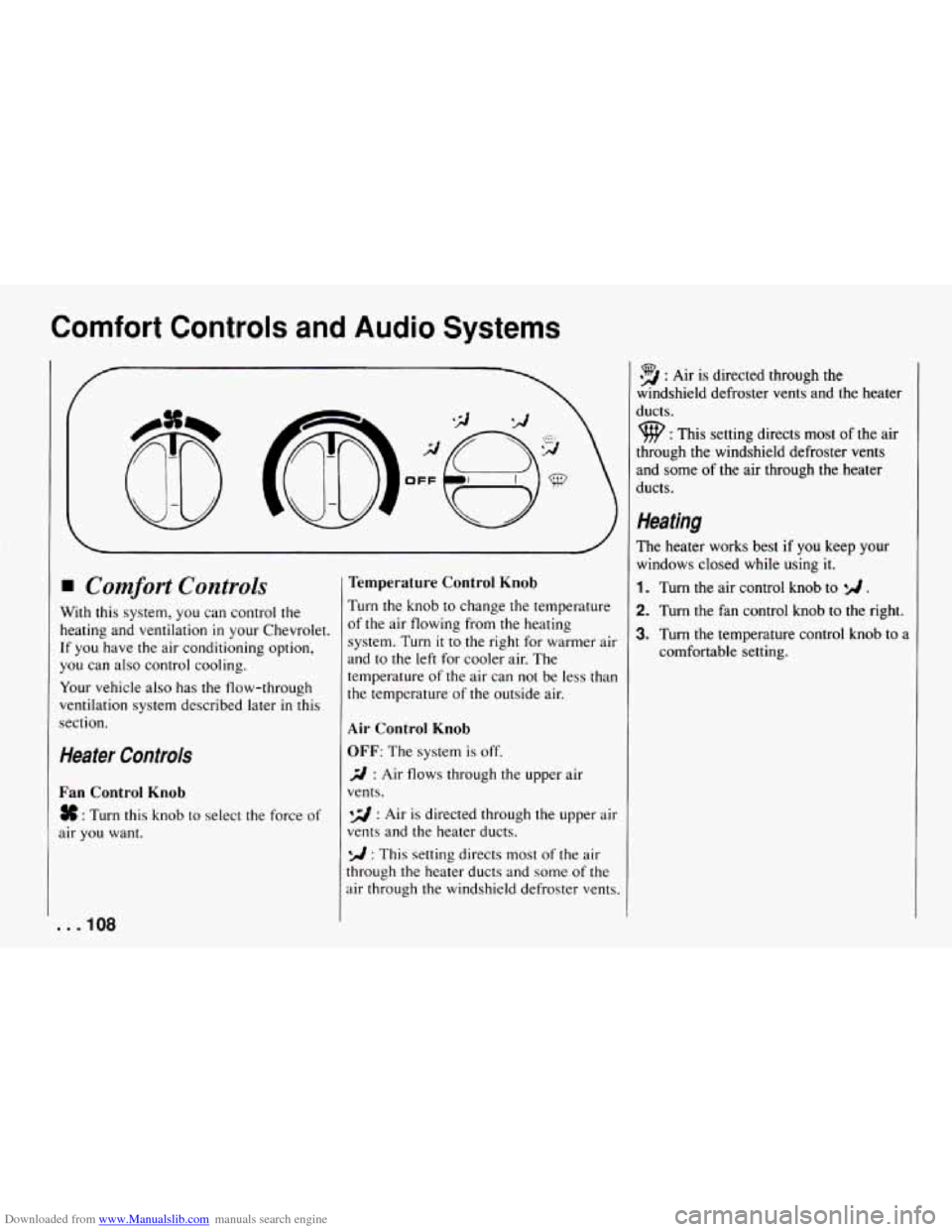
Comfort Controls
With this system, you can control the
heating and ventilation
in your Chevrolet.
If you have the air conditioning option,
you can also control cooling.
Your vehicle also has the flow-through
ventilation system described later
in this
section.
Heater Controls
Fan Control Knob
# : Turn this knob to select the force of
air you want.
. . ,108
Temperature Control Knob
Turn the knob to change the temperature
of the air flowing from the heating
system. Turn
it to the right for warmer air
and to the left for cooler air. The
temperature
of the air can not be less than
the temperature
of the outside air.
Air Control Knob
OFF: The system is off.
3 : Air flows through the upper air
vents.
*d : Air is directed through the upper air
vents and the heater ducts.
*A : This setting directs most of the air
through the heater ducts and some of the
air through the windshield defroster vents.
39 : Air is directed through the
windshield defroster vents and the heater
ducts.
9 : This setting directs most of the air
through the windshield defroster vents
and some
of the air through the heater
ducts.
Heating
The heater works best if you keep your
windows closed while using it.
1. Turn the air control knob to */I .
2. Turn the fan control knob to the right.
3. Turn the temperature control knob to a
comfortable setting.
Page 112 of 292
Downloaded from www.Manualslib.com manuals search engine Comfort Controls and Audio Systems
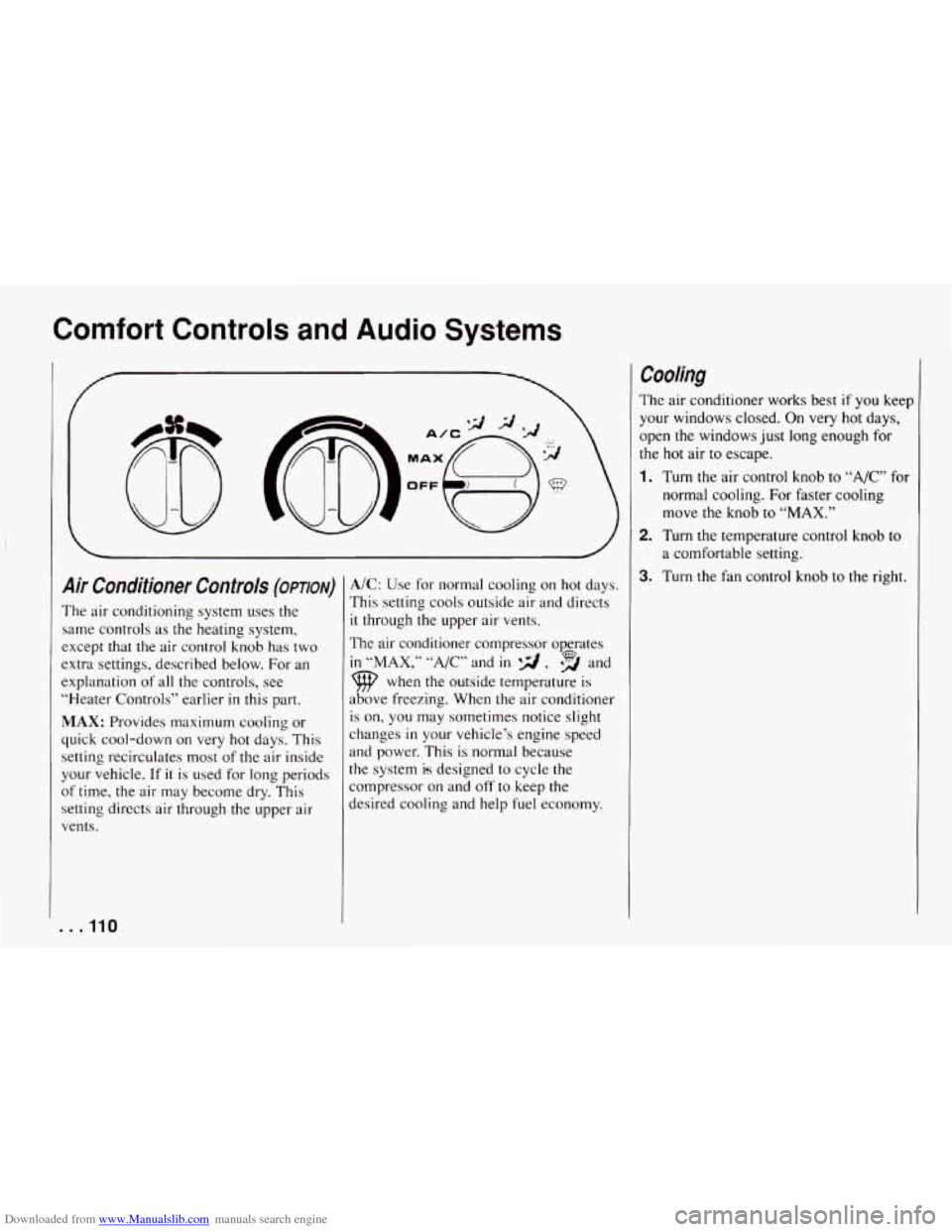
Air Conditioner Controls (OPTION)
The air conditioning system uses the
same controls as the heating system,
except that the air control knob has two
extra settings, described below. For an
explanation of all
the controls, see
“Heater Controls” earlier
in this part.
MAX: Provides maximum cooling or
quick cool-down
on very hot days. This
setting recirculates most
of the air inside
your vehicle. If
it is used for long periods
of time, the air may become dry. This
setting directs
air through the upper air
vents.
. . ,110
A/C: Use for normal cooling on hot days.
This setting cools outside air and directs
it through the upper air vents,
The air conditioner compressor operates
in “MAX,” “A/C” and in qd , *% and
9 when the outside temperature is
above freezing. When the air conditioner
is on, you
may sometimes notice slight
changes
in your vehicle’s engine speed
and power. This is normal because
the system
is designed to cycle the
compressor on and off to keep the
desired cooling
and help fuel economy.
Cooling
The air conditioner works best if you keep
your windows closed. On very hot
days,
open the windows just long enough for
the hot air to escape.
1. Turn the air control knob to “A/C” for
normal cooling. For faster cooling
move the knob to
“MAX.”
2. Turn the temperature control knob to
a comfortable setting.
3. Turn the fan control knob to the right.
Page 113 of 292
Downloaded from www.Manualslib.com manuals search engine 000~010 I
Rear Window Defogger (opnoN)
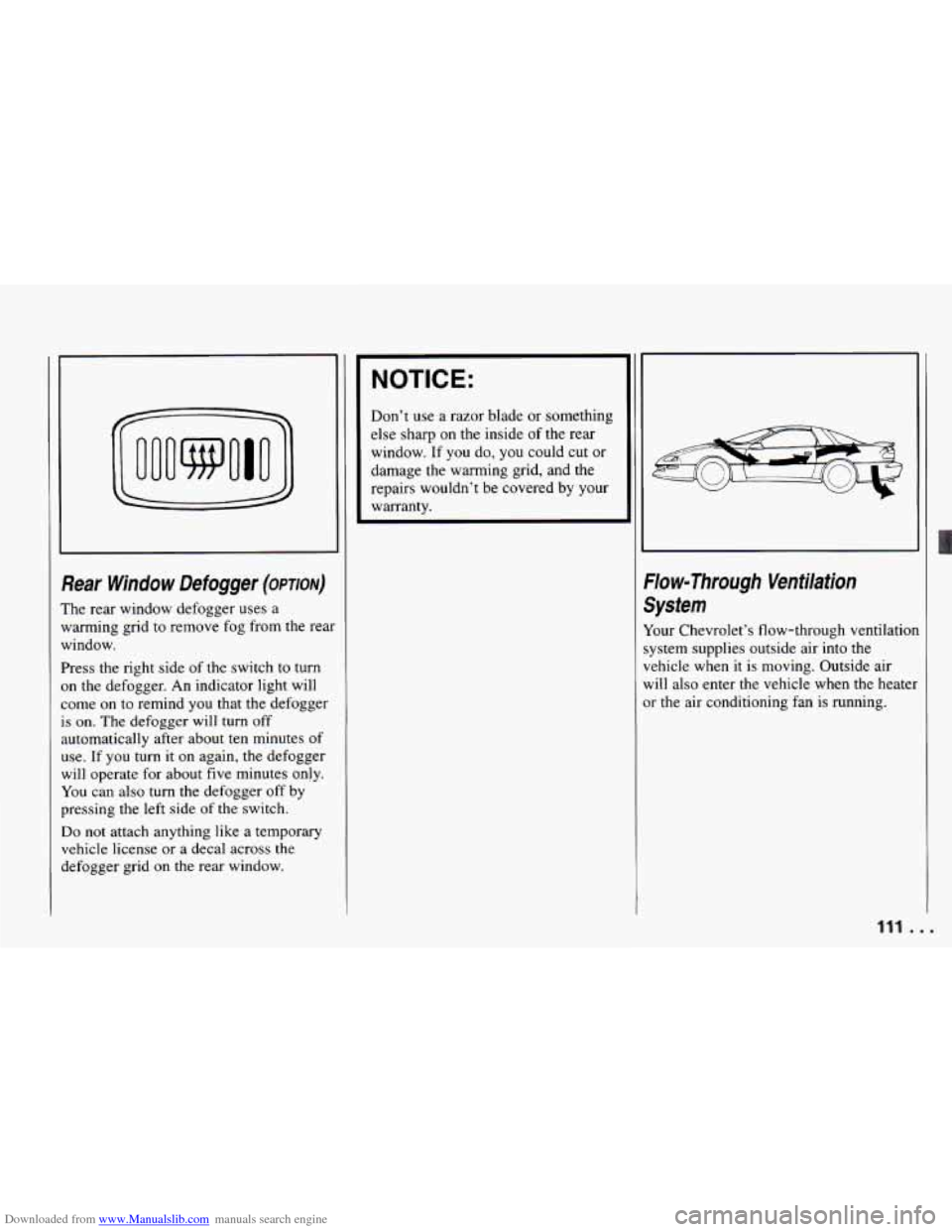
The rear window defogger uses a
warming grid to remove fog from the rear
window.
Press the right side of the switch to turn
on the defogger. An indicator light will
come on to remind you that the defogger
is on. The defogger will turn off
automatically after about ten minutes of
use. If you turn it on again, the defogger
will operate for about five minutes only.
You can also
turn the defogger off by
pressing the left side
of the switch.
Do not attach anything like a temporary
vehicle license or a decal across
the
defogger grid on the rear window.
NOTICE:
Don’t use a razor blade or something
else sharp on the inside of the rear
window. If you do, you could cut or
damage the warming grid, and the
repairs wouldn’t be covered by your
warranty.
:/ow-Through Ventilation ;ystem
lour Chevrolet’s flow-through ventilatiol
ystem supplies outside air into the
ehicle when
it is moving. Outside air
vlill also enter the vehicle when the heatel
lr the air conditioning fan is running.
1
r
111.. .
Page 135 of 292
Downloaded from www.Manualslib.com manuals search engine much throttle causes the driving wheels to
spin.
A cornering skid is best handled by
easing your foot
off the accelerator pedal.
If you have the ASR system, remember: It
helps avoid only the acceleration skid. If
you do not have traction control, or
if the
system is
off, then an acceleration skid is
also best handled by easing your foot
off
the accelerator pedal.
If your vehicle starts to slide, ease your
foot
off the accelerator pedal and quickly
steer the way you want the vehicle to go.
If you start steering quickly enough, your
vehicle may straighten out. Always be
ready for a second skid if it occurs.
Of course, traction is reduced when water,
snow, ice, gravel, or other material is on
the road. For safety, you’ll want to slow
down and adjust your driving
to these
conditions. It is important to slow down
on slippery surfaces because stopping distance will be longer and vehicle
control more limited. While
driving on a surface with reduced
traction, try
your best to avoid sudden
steering, acceleration,
or braking
(including engine bralung by shifting to a
lower gear). Any sudden changes could
cause the tires to slide. You may not
realize the surface is slippery until your
vehicle is skidding. Learn to recognize
warning clues
- such as enough water,
ice or packed snow on the road to make
a .“mirrored surface”
- and slow down
when you have any doubt.
Remember: Any anti-lock braking system
(ABS) helps avoid only the braking skid.
. ..
I
4
Driving at Night
\Tight driving is more dangerous than day
hiving. One reason is that some drivers
tre likely to be impaired
- by alcohol or
lrugs, with night vision problems, or by
atigue.
lere
are some tips on night driving.
Drive defensively.
Don’t drink and drive.
Adjust your inside rearview mirror to
reduce the glare from headlights
behind you.
Since you can’t see as well, you may
need to slow down and keep more
space between
you and other vehicles.
133 ...
Page 160 of 292
Downloaded from www.Manualslib.com manuals search engine Problems on the Road
NOTICE:
If your engine catches fire because
you keep driving with
no coolant,
your vehicle can be badly damaged.
The costly repairs would not be
covered by your warranty.
If No Steam Is Coming from Your
Engine:
If you get the overheat warning but see or
hear no steam, the problem may not be
too serious. Sometimes
the engine can gel
a little too hot when you:
0 Climb a long hill on a hot day.
0 Stop after high speed driving.
0 Idle for long periods in traffic.
Tow a trailer.
If you get
the overheat warning with no
sign of steam,
try this for a minute or so:
1. If you have an air conditioner, turn it
2. Turn on your heater to full hot at the
off.
highest fan speed and open
the
window as necessary.
3. Tr!
to keep your engine under load
(in a drive gear where the engine runs
slower).
[f you no longer have the overheat
warning, you can drive. Just to be safe,
drive slower for about ten minutes. If the
warning doesn’t come back on,
you can
drive normally.
[f the warning continues, pull over, stop,
and park your vehicle right away.
If there’s still no sign of steam, you can
idle the engine for two or three minutes
while you’re parked, to see if the warning
stops. But
then, if you still have the
warning, TURN
OFF THE ENGINE
AND GET EVERYONE
OUT OF THE
VEHICLE until it cools down.
You may decide not to lift the hood but to
get service help right away.
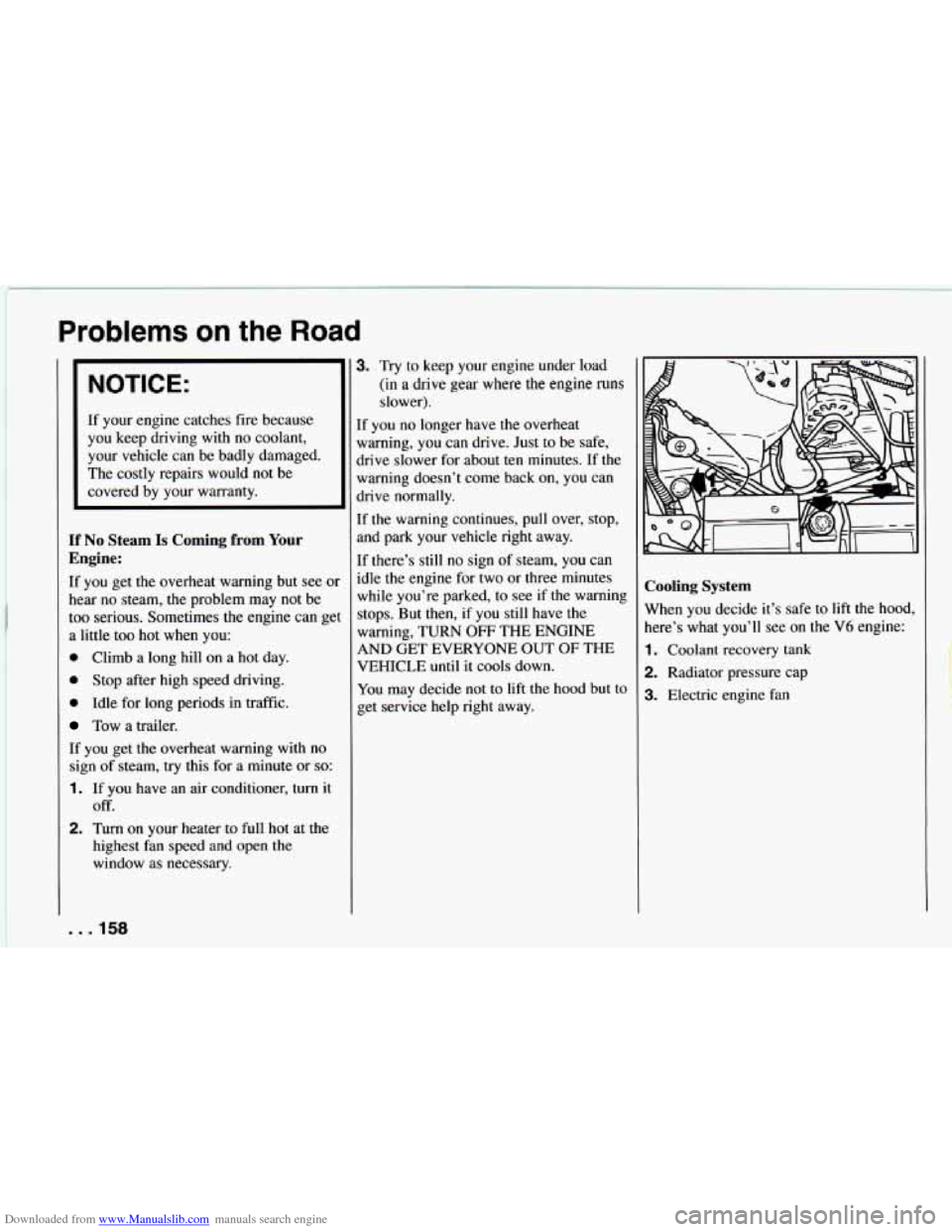
Cooling System
When you decide it’s safe to lift the hood,
here’s what you’ll see on the
V6 engine:
1. Coolant recovery tank
2. Radiator pressure cap
3. Electric engine fan
. . .158
Page 205 of 292
Downloaded from www.Manualslib.com manuals search engine To Check Brake Fluid:
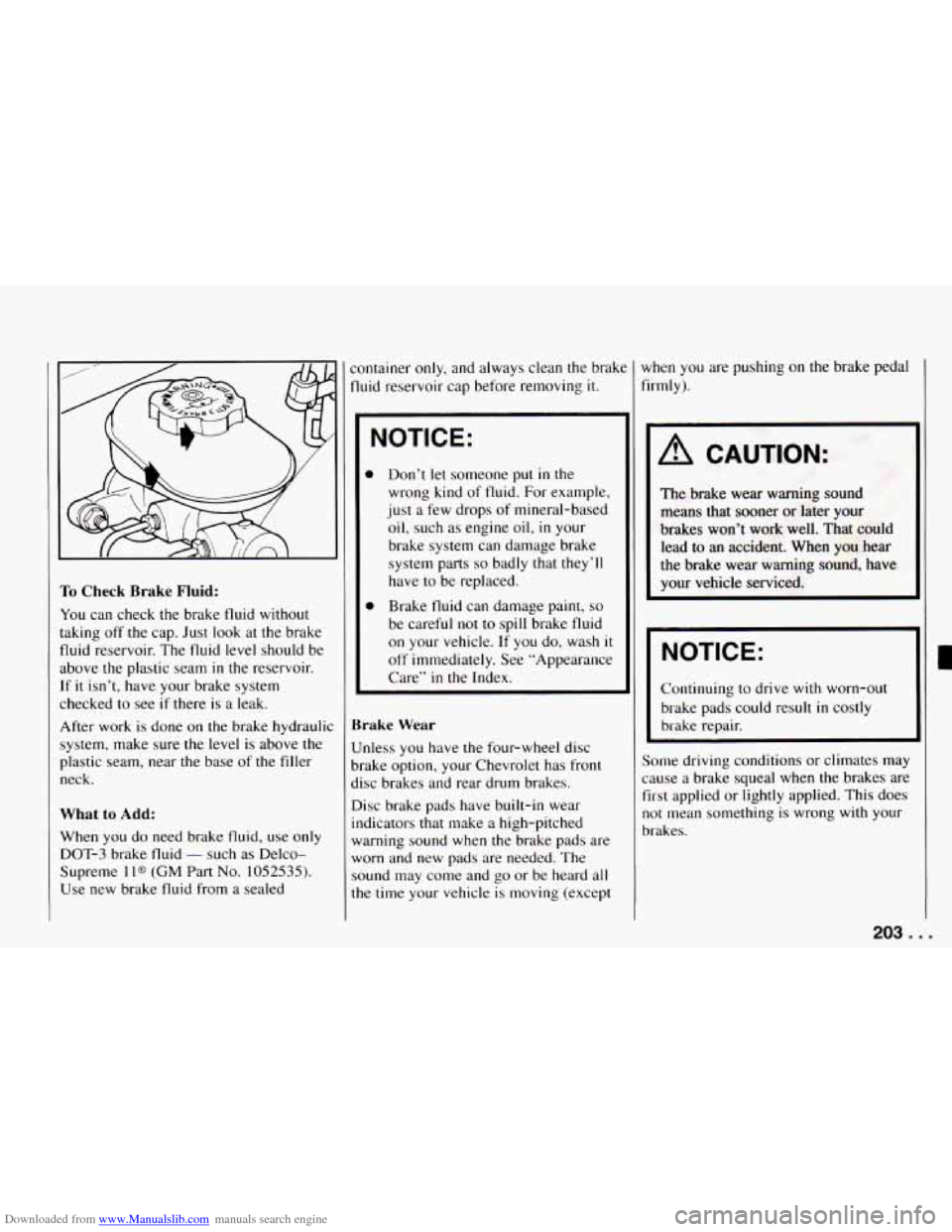
You can check the brake fluid without
taking off the cap. Just look at the brake
fluid reservoir. The fluid level should be
above the plastic seam
in the reservoir.
If it isn’t, have your brake system
checked to see
if there is a leak.
After work is done on the brake hydraulic
system, make sure the level
is above the
plastic seam, near the base of the filler
neck.
What to Add:
When you do need brake fluid, use only
DOT-3 brake fluid
- such as Delco-
Supreme 1 l@ (GM Part No. 1052535).
Use new brake fluid from a sealed container
only, and always clean the brakt
fluid reservoir cap before removing it.
NOTICE:
0 Don’t let someone put in the
wrong kind
of fluid. For example,
just a few drops
of mineral-based
oil, such as engine oil, in your
brake system can damage brake
system parts
so badly that they’ll
have to be replaced.
0 Brake fluid can damage paint, so
be careful not to spill brake fluid
on your vehicle.
If you do, wash it
off immediately. See ”Appearance
Care”
in the Index.
Brake Wear
Unless you have the four-wheel disc
brake option, your Chevrolet has front
disc brakes and rear drum brakes.
Disc brake pads have built-in wear
indicators that make
a high-pitched
warning sound when the brake pads are
worn and new pads are needed. The
sound may come and go or be heard all
the time your vehicle is moving (except when
you are
pushing on the brake pedal
firmly).
A CAUTION:
The brake wear warning sound
means that sooner or later your
brakes won’t work well. That could
lead to an accident. When you hear
the brake wear warning sound, have
your vehicle serviced.
NOTICE:
Continuing to drive with worn-out
brake pads could result in costly
brake repair.
Some driving conditions or climates may
cause
a brake squeal when the brakes are
first applied or lightly applied. This does
not mean something is wrong
with your
brakes.
203. I
Page 221 of 292
Downloaded from www.Manualslib.com manuals search engine Wheel Alignment and Tire Balance
The wheels on your vehicle were aligned
and balanced carefully at the factory to
give
you the longest tire life and best
overall performance.
In most cases, you will not need to have
your wheels aligned again. However,
if
you notice unusual tire wear or your
vehicle pulling one way or the other,
the
alignment may need to be reset. If you
notice your vehicle vibrating when
driving on a smooth road, your wheels
may need to be rebalanced.
Wheel Replacement
Replace any wheel that is bent, cracked or
badly rusted.
If wheel nuts keep coming
loose,
the wheel, wheel bolts, and wheel
nuts should be replaced. If the wheel
leaks air out, replace
it (except some
aluminum wheels, which can sometimes
be repaired). See your Chevrolet dealer
if
any of these conditions exist.
Your dealer will know
the kind of wheel
you need.
Each new wheel should have the same
load carrying capacity, diameter, width,
offset, and be mounted the same way as
the one it replaces.
[f you need to replace any of your wheels,
wheel bolts, or wheel nuts, replace them
Drily with new GM original equipment
parts. This way, you will be sure to have
the right wheel, wheel bolts, and wheel
nuts for your Chevrolet model.
NOTICE:
The wrong wheel can also cause
problems with bearing life, brake
cooling, speedometer/odometer cal-
ibration, headlight aim, bumper
height, vehicle ground clearance, and
tire or tire chain clearance to the
body and chassis.
Used Replacement Wheels
219..
Page 227 of 292
Downloaded from www.Manualslib.com manuals search engine Weatherstrips
Silicone grease on weatherstrips will
make them last longer, seal better, and not
stick or squeak. Apply silicone grease
with a clean cloth at least every six
months. During very cold, damp weather
more frequent application may be
required. (See “Recommended Fluids and
Lubricants” in the Index.)
Sheet Metal Damage
If your vehicle is damaged and requires
sheet metal repair or replacement, make
sure the body repair shop applies
anti-corrosion material to the parts
repaired or replaced to restore corrosion
protection.
Foreign Material
Calcium chloride and other salts, ice
melting agents, road oil and tar, tree sap,
bird droppings, chemicals from industrial
chimneys, and other foreign matter can
damage your vehicle’s finish
if they
remain on painted surfaces. Use cleaners
that are marked safe for painted surfaces
to remove foreign matter.
Finish Damage
Any stone chips, fractures or deep
scratches in the finish should be repaired
right away. Bare metal will corrode
quickly and may develop into a major
repair expense.
Minor chips and scratches can be repaired
with touch-up materials available from
your dealer or other service outlets.
Larger areas of finish damage can be
corrected in your dealer’s body and paint
shop.
Underbody Maintenance
Chemicals used for ice and snow removal
and dust control can collect on the
underbody. If these are not removed,
accelerated corrosion (rust) can occur on
the underbody parts such as fuel lines,
frame, floor pan, and exhaust system even
though they have corrosion protection.
At least every spring, flush these
materials from the underbody with plain
water. Clean any areas where mud and
other debris can collect. Dirt packed in
closed areas of the frame should be
loosened before being flushed. Your
dealer or an underbody vehicle washing
system can do this for you.
Chemical Paint Spotting
Some weather and atmospheric conditions
can create a chemical fallout. Airborne
pollutants can fall upon and attack painted
surfaces on your vehicle. This damage
can take two forms: blotchy,
ringlet-shaped discolorations, and small
irregular dark spots etched into the paint
surface.
Although no defect in the paint job causes
this, Chevrolet will repair, at no charge to
the owner, the surfaces of new vehicles
damaged by this fallout condition within
12 months or 12,000 miles (20 000 km)
of purchase, whichever comes first.
225. . .